Search tools, AI agents, MCP servers
Submit a tool

Search iThub

Search tools, categories and collections. Type at least two characters.

Explore all tools
↑ ↓ to explore resultsEnter to open · Esc to close

213 results in Documents & Productivity

Active Pro listings from this category appear first. Your sort applies within Pro and Free results.

Sync-inSync-in is an AGPL-3.0 self-hosted platform from a French company for file storage, sharing and sync, with spaces, guests, WebDAV, desktop and CLI clients, full-text search and Collabora, OnlyOffice, Euro-Office or draw.io editing.File Sharing, Sync & ManagementOpen sourceSelf-hosted1,976 stars
4 views
SyncthingSyncthing is an open-source continuous file synchronization program that keeps folders in step across your devices without a central server.File Sharing, Sync & ManagementOpen sourceSelf-hosted90,162 stars
2 views
TeleDriveTeleDrive stores files in a private Telegram channel on your own account, with Android backups, desktop access, optional encryption and media playback.File Sharing, Sync & ManagementOpen source443 stars
12 views
Thunderbird for AndroidThunderbird for Android, formerly and still alongside K-9 Mail, is an Apache 2.0 email app for IMAP and POP3 accounts with a unified inbox, OpenPGP through OpenKeychain, QR settings import and Play, F-Droid and APK installs.Email Clients & ArchivingOpen source14,190 stars
1 view
TimefallNewTimefall is a free, AGPL-3.0 desktop time tracker for macOS and Windows by massCode author Anton Reshetov, with task timers, hourly rates, nested folders, reports and local JSON storage. Latest release v0.6.1 from April 2024; no updates since May 2024.Project ManagementOpen source270 stars
2 views
TimeScribeTimeScribe is a GPL-3.0 desktop time tracker for macOS and Windows that stores data locally in SQLite, with no account or cloud. It records work and break time, projects with hourly rates, overtime, vacation and optional app activity.Project ManagementOpen source933 stars
5 views
TinycastTinycast is a free, AGPL-licensed macOS launcher built with SwiftUI and AppKit. One shortcut opens a palette for apps, clipboard history, snippets, a calculator, 39 window commands, notes, dictation, AI chat and Raycast extensions.Desktop UtilitiesOpen source9,466 stars
10 views
TolariaTolaria is an AGPL-licensed desktop app for macOS, Windows and Linux that manages a folder of Markdown files with YAML frontmatter as a vault, adding types, relationships, saved views, a built-in Git client, spreadsheet notes and AI agent integration.Notes & Knowledge ManagementOpen source20,468 stars
2 views
Tonkatsu BoxTonkatsu Box is a free, MIT-licensed Flutter app that tracks games, movies, series, anime, manga, visual novels, books and audio in a local SQLite library. It runs on Windows, Linux, macOS and Android, or self-hosted in a browser.Media Players & StreamingOpen sourceSelf-hosted602 stars
7 views
T
TransmissionTransmission is a free BitTorrent client for macOS, Windows and Linux, with a headless daemon plus browser and command-line remote control.File Sharing, Sync & ManagementFreeOpen sourceSelf-hosted15,386 stars
1 view
Trilium NotesNewAGPL-licensed hierarchical note-taking app from the TriliumNext community, the continuation of zadam/trilium, with desktop apps for Windows, macOS and Linux, a self-hosted sync and web server, per-note encryption, scripting and a REST API.Notes & Knowledge ManagementOpen sourceSelf-hosted38,968 stars
11 views
Tuta MailTuta Mail (formerly Tutanota) is an encrypted email, calendar and contacts service from Tutao GmbH in Hanover. Its web, desktop and mobile clients are GPLv3 on GitHub; the server is closed and there is no IMAP.Email Clients & ArchivingFreemiumOpen source8,150 stars
2 views
Twake ChatTwake Chat is an AGPL-licensed Flutter client for the Matrix protocol, built by Linagora. It offers group chats, spaces, voice messages, end-to-end encryption and compatibility with other Matrix clients on Android, iOS and the web.Team Chat & MeetingsOpen source173 stars
1 view
Twake DriveNewTwake Drive is LINAGORA's AGPL-3.0 file app for Twake Workplace: the former Cozy Drive, running on cozy-stack. It offers share links, federated sharing, shared drives, OnlyOffice editing, desktop sync and mobile access, hosted in France or self-hosted.File Sharing, Sync & ManagementFreemiumOpen sourceSelf-hosted997 stars
0 views
Twake MailAGPL-3.0 email client from LINAGORA built with Flutter. It reads mail over JMAP instead of IMAP, ships Android and iOS apps and a Docker web image, and adds team mailboxes, rules, OIDC login and Twake Workplace integration.Email Clients & ArchivingFreemiumOpen sourceSelf-hosted666 stars
4 views
uBlock OriginuBlock Origin is a free, open-source content blocker for Firefox and Chromium browsers with filter lists, custom filters and per-site controls.Browsers & ExtensionsOpen source69,128 stars
1 view
UnInboxUnInbox is an open-source email platform for teams: shared and personal spaces, per-conversation workflow statuses and extra addresses, as a hosted service with free, Pro and Enterprise plans. Self-hosting guidance is limited.Email Clients & ArchivingFreemiumOpen source1,761 stars
1 view
UniverNewUniver is an Office SDK from DreamNum for building spreadsheet, document and presentation editors into web products. The Apache-2.0 core covers Sheets, Docs, formulas and Facade APIs; collaboration, file conversion and more content types are licensed separately.Office & PresentationsFreemiumOpen sourceSelf-hosted30,935 stars
0 views
VFS365VFS365 by JSolve B.V. is a GPL-3.0 WinFsp file system for Windows 11 that shows every OneDrive, SharePoint and Teams library a user can reach as a drive and Explorer location, streaming files on demand. Latest release 0.8.2.File Sharing, Sync & ManagementOpen source68 stars
11 views
VikunjaVikunja is an AGPL-licensed task manager written in Go. It runs as a single binary or Docker container on SQLite, MySQL or PostgreSQL, offers four project views, CalDAV, webhooks, SSO and an MCP server, and is also sold as an EU-hosted cloud service.Project ManagementFreemiumOpen sourceSelf-hosted5,979 stars
5 views
VoiceInkGPL-3.0 voice-to-text app for macOS that transcribes on-device or through your own provider keys, pastes at the cursor and applies per-app Modes. Prebuilt app is a one-time license from $25; the source can be built for free.AI Voice, Speech & TranscriptionFreemiumOpen source7,045 stars
8 views
VoicetyprAGPL-3.0 desktop dictation app for macOS and Windows built with Tauri and Rust. It transcribes locally with Whisper or Parakeet, optionally uses cloud providers, shares transcription over a LAN and ships an agent CLI.AI Voice, Speech & TranscriptionPaidOpen source743 stars
3 views
wallabagMIT-licensed PHP read-it-later application: save web articles, read a clean copy, tag with rules, annotate, export to ePUB or PDF and sync to apps and RSS readers. Self-host with SQLite, MySQL or PostgreSQL, or use wallabag.it.Notes & Knowledge ManagementFreemiumOpen sourceSelf-hosted13,053 stars
1 view
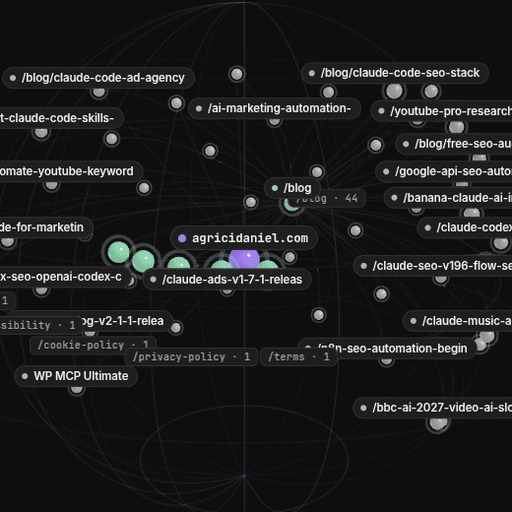
Web-ObsWeb-Obs is an MIT-licensed Obsidian desktop plugin with a Python capture engine. It saves public website pages as Markdown notes in a vault, shows the site as a 3D globe and runs SEO, robots.txt, sitemap and llms.txt checks without an API key.Marketing & SEOOpen source13 stars
1 view
WebBrainWebBrain is a GPL-3.0 browser extension that adds an AI agent side panel to Chrome, Firefox and Edge. It reads pages, fills forms and runs saved workflows on a managed default model, local servers or cloud APIs, and accepts tasks from coding agents over MCP.Browser Automation & ScrapingFreemiumOpen source1,714 stars
3 views
Focused collections

Shortlists for Documents & Productivity

Explore collections with tools relevant to this category, grouped by deployment, source model or workload.

Collaboration tools with APIs for developer teams →

50 matching tools from this category

Open-source IT tools →

213 matching tools from this category

Category guide

How to choose Documents & Productivity tools

Documents and productivity software covers the tools people use all day: notes and wikis, office suites, PDF editors, email clients and archives, file sync and transfer, browsers, screen capture and desktop utilities. For IT teams the questions are about standardizing on a few tools, controlling where data is stored and supporting both managed devices and personal workflows. Each subcategory goes deeper into one of these jobs.

Who uses these tools

  • IT teams standardizing desktop software for staff
  • Knowledge workers organizing documents and notes
  • Self-hosters replacing cloud productivity suites

Capabilities to compare

  • Local-first storage and offline access
  • Sync, sharing and real-time collaboration
  • Open file formats and export options
  • Built-in AI assistance and automation
  • Cross-platform desktop and mobile apps

Operating considerations

  • Where documents and mailboxes are stored
  • Licence counts and per-user subscription costs
  • Software deployment on managed endpoints
  • Migration effort between proprietary formats
  • Data loss without backups for local-first apps

Selection checklist

  1. Group requests by job, such as notes, PDFs or file transfer, and evaluate within the matching subcategory.
  2. Check that files can be exported in open formats so a later switch does not strand content.
  3. Confirm each tool can be deployed and updated through your endpoint management process.
  4. Review AI features for where content is sent and whether they can be disabled by policy.

What belongs in this category: This parent category gathers end-user software for creating, organizing, exchanging and reading information on the desktop or in the browser, and each product is filed under the subcategory matching its main job.

Typical use cases

  • Replacing a paid suite with open source alternatives
  • Setting up a self-hosted team wiki and file share
  • Sending large files securely between colleagues
  • Archiving mailboxes of former employees for retention

Trade-offs to model

  • Local-first apps keep working offline and protect privacy, while cloud suites make sharing and administration simpler for larger teams.
  • One integrated workspace reduces context switching, but separate specialised tools are often stronger at each individual job.

Common mistakes

  • Letting every team pick its own note and file tools, leaving knowledge scattered across unmanaged accounts.
  • Adopting a local-first app across a team without a backup plan for data stored only on laptops.

Documents & Productivity on iThub in figures

iThub lists 238 tools in Documents & Productivity. 213 of 238 are open source, 109 of 238 can be self-hosted, 234 of 238 have a free, freemium or open-source pricing model and 126 of 238 offer an API.

Tools listed
238
Open source
213
Self-hostable
109
Free to start
234
With an API
126
Web app
121
Desktop app
170

Recently added: Exo, Kantor, AndroidMic, Ghost Downloader

Decision resources

Continue the technical evaluation

Use the resources that match your decision stage. Profile data and linked sources were refreshed through November 22, 2026.

Evaluation methodology · Corrections process