

What is SuniPDF?
SuniPDF is a free, open-source PDF reader and editor for Windows, Ubuntu and macOS Apple Silicon, created by Emanuel de Almeida. It processes documents on your computer without an account or an online editing service. The desktop application handles interactive review, while sunipdf-cli exposes the shared document core through JSON commands. The interface starts in English and also supports French.
The current release is published on the GitHub releases page with Windows x64 MSI and portable packages, a Windows ARM64 portable package, an Ubuntu amd64 DEB and a macOS arm64 DMG, each with a SHA256 file. Version 0.93.0 is a robustness release: SuniPDF now fails cleanly, instead of crashing or saving an unreadable file, when it meets damaged, hostile or very large PDFs, and it adds no new screen or setting. Version 0.92.0 added a redesigned About window, an eye control that temporarily hides page objects and click-to-hide revision overlay layers. Version 0.92.1 added a startup window setting and kept the SuniPDF icon on Windows taskbar pins after MSI updates, and 0.92.2 fixed copying text to the Windows clipboard. Version 0.91.2 corrected saved-text placement and capture, annotation-field storage limits, saved-filter preservation and interface messages.
Alongside reading, editing and forms, SuniPDF now provides a workspace for reviewing PDF plans. Calibrated measurements connect lengths, areas and counts to annotation registers and quantity reports. Two to four saved pages can be compared through colored revision overlays. Saved scales, reusable annotations, plan links and reviewed workbook refreshes support repeated document work. These operations retain explicit previews, source checks and save boundaries.
Rust powers the shared engine and PDFium renders pages. Local English/French optical character recognition, or OCR, adds searchable text on Windows and Ubuntu. OCR is unavailable on macOS. Optional update checks contact GitHub, and Windows certificate verification can request authorized network checks. Local document processing does not imply that installation, updates or every optional check works without a network.
Supported features and limits are documented in the feature matrix and known limitations. Windows packages remain unsigned, and the Mac package is ad hoc signed without notarization. Physical-device and broader reader qualification remain open. The published screenshots show an earlier French-language version of the interface and do not demonstrate every current feature.
SuniPDF screenshots
Explore the interface. Open a screenshot to view it at full size.
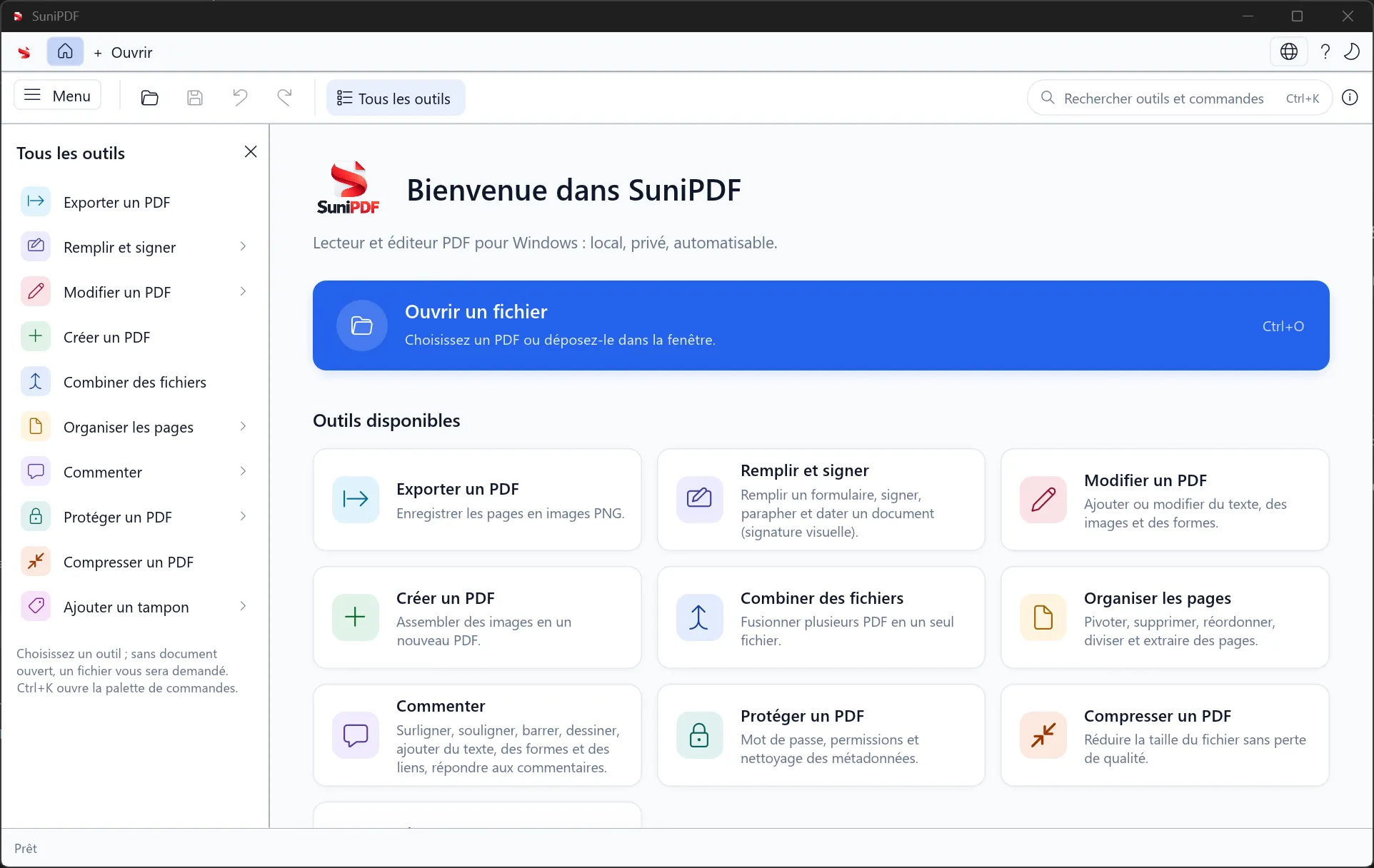
The light-theme home screen and its panel of available PDF tools.
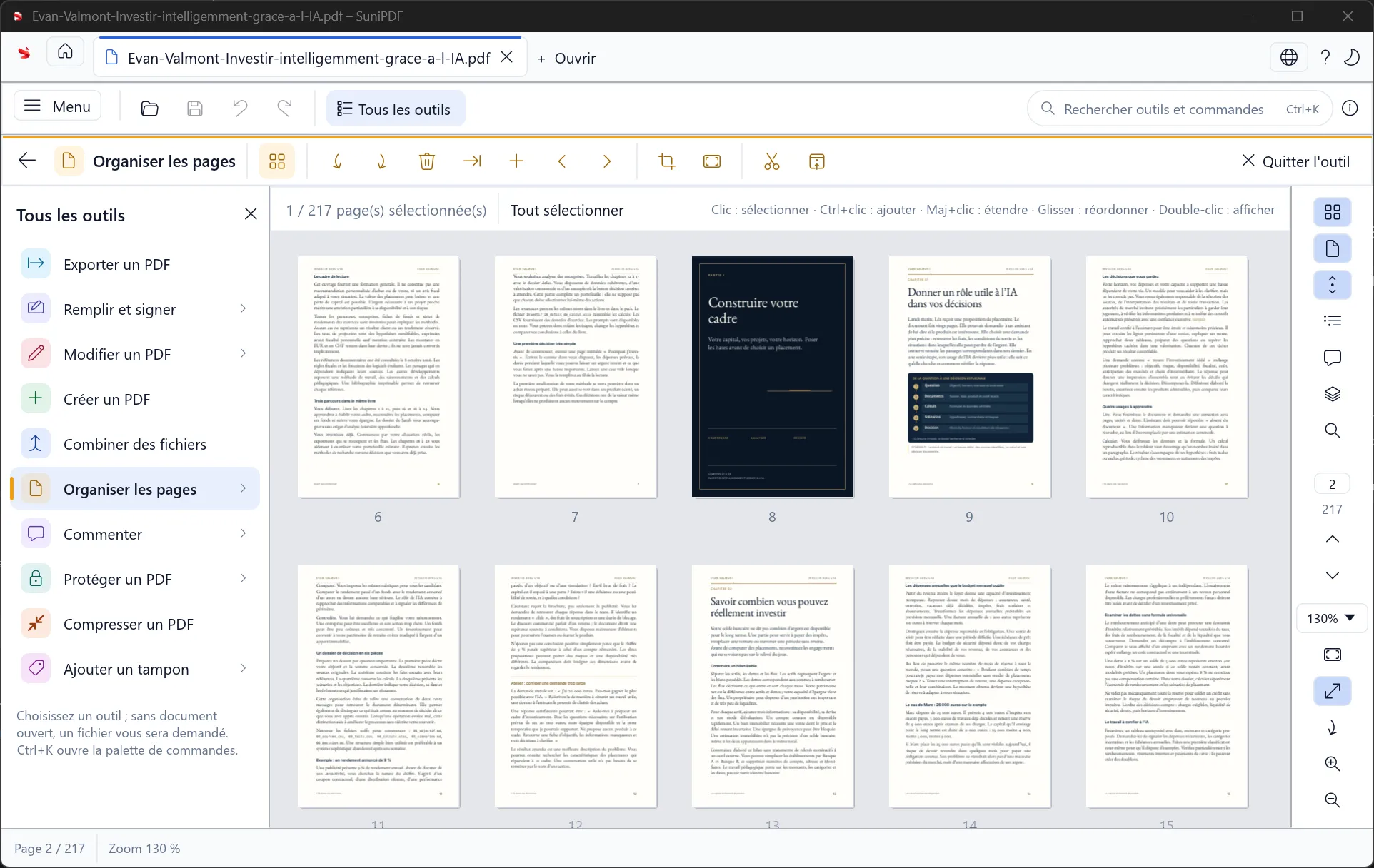
Select, inspect and reorder document pages from the thumbnail grid. Retained official interface illustration from an earlier release; it does not show every workflow of the current release.
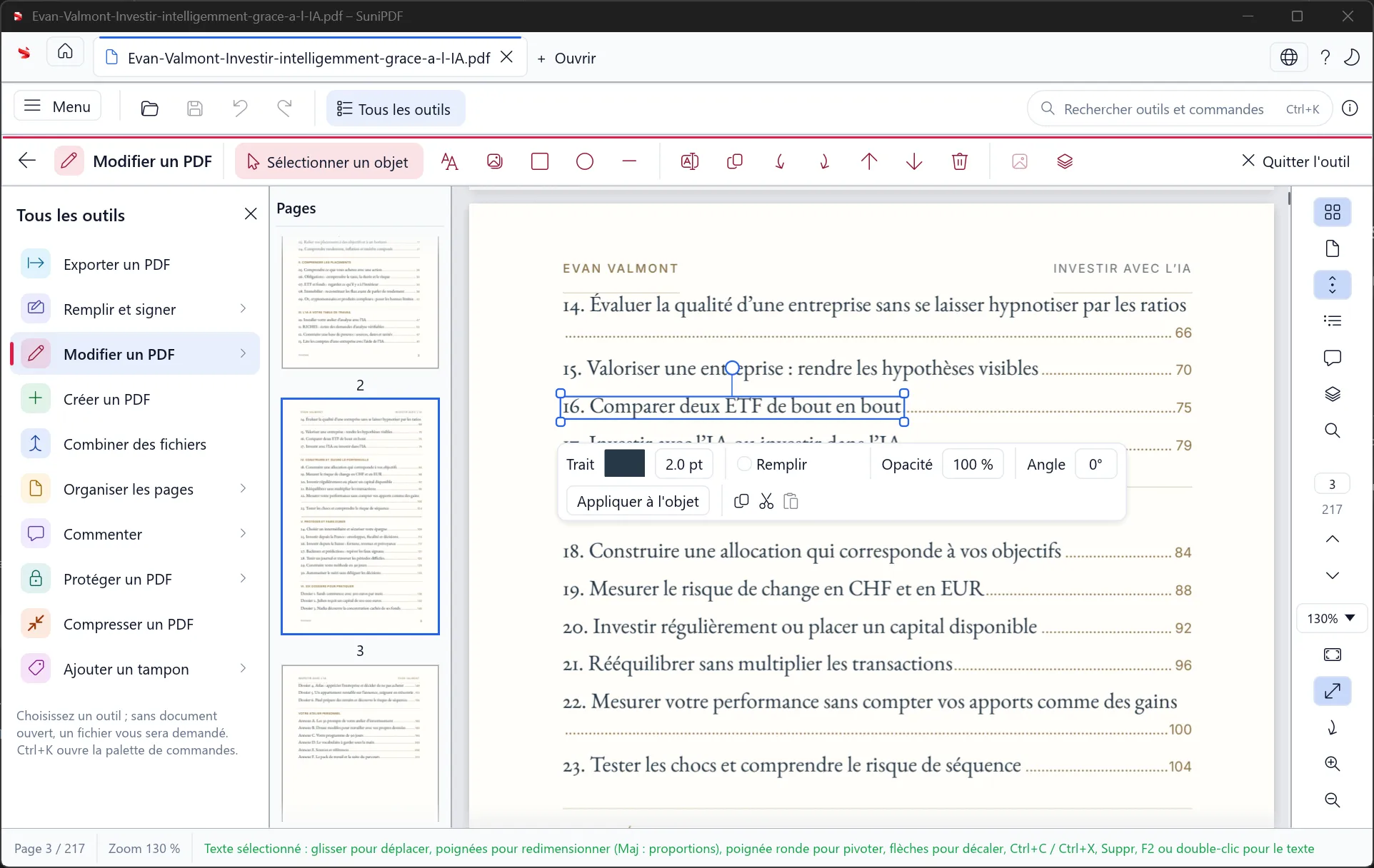
A selected text object with the controls for editing its appearance and position. Retained official interface illustration from an earlier release; it does not show every workflow of the current release.
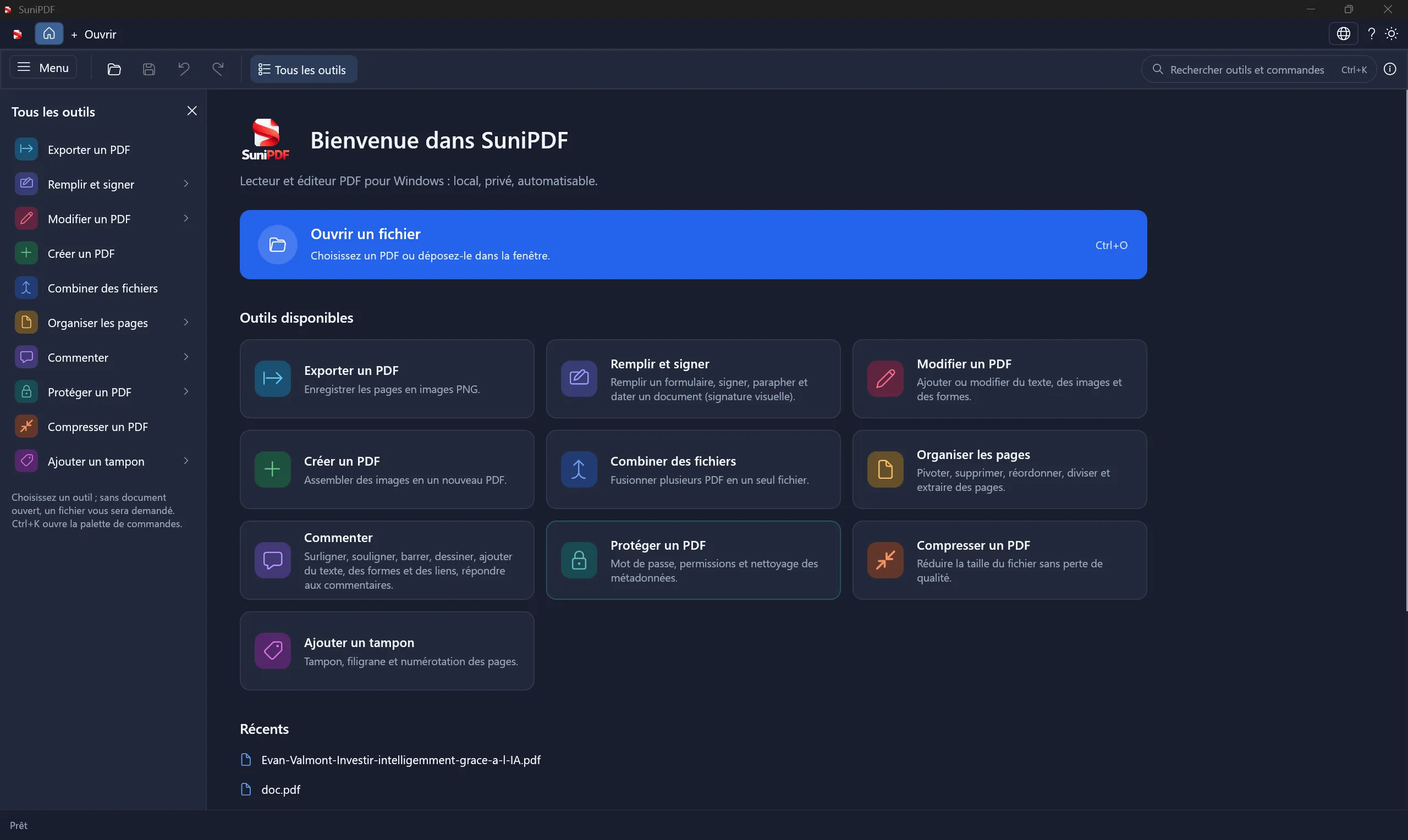
The home screen, available tools and recent documents in the dark theme. Retained official interface illustration from an earlier release; it does not show every workflow of the current release.
Source: official SuniPDF project page.
Key capabilities
- Download SuniPDF for Windows Windows 10/11 x64: MSI installer or portable ZIP; extract the entire portable ZIP and keep the bundled files together. Windows ARM64: portable ZIP for ARM64, cross-built without physical-hardware qualification. Packages are unsigned. Packages and matching SHA256 files are available on the latest release page.
- Download SuniPDF for Linux Ubuntu 22.04/24.04 amd64: download the DEB package and its SHA256 checksum from the latest release page, then install it with apt from a terminal in its folder. This package includes the desktop application and CLI. It targets x86_64 Ubuntu; Linux ARM64 and other distributions are not qualified by this release.
- Download SuniPDF for macOS MacOS 12+ Apple Silicon: download the arm64 DMG and its SHA256 checksum from the latest release page, then drag SuniPDF to Applications. Updates are installed by downloading the new DMG. This is the Apple Silicon package, without an Intel Mac build. The application is ad hoc signed and not notarized. OCR is not available on macOS.
- Reading and independent document views Open PDFs in tabs with bookmarks, page labels, search, selection and navigation history. Continuous, single-page and two-page layouts support different documents. Two panes can show the same PDF with independent positions or synchronized navigation. Both share the document and Undo history; the split workspace lasts for the current session. Text copied with Ctrl+C or the copy commands reaches the Windows clipboard and can be pasted into other applications.
- Text, images and drawing order Add or edit supported text, images and shapes, adjust geometry and use grouped transformations. Eligible static fonts support embedding checks and subsetting. The Objects panel and reorder-objects command change supported drawing order. Its eye control temporarily hides or shows a page object in the current tab; saved PDF content stays unchanged, and document edits reset these masks. Paragraph reflow remains bounded; complex shaping, variable fonts and unsafe object graphs can be refused.
- Annotations and reusable library entries Review highlights, notes, ink, links, shapes, stamps and supported attachments, with replies and review states. Save supported native shapes, image stamps and standard-font text as reusable entries or groups. Since version 0.91.2, SuniPDF fixes saved-text placement at ordinary click origins and capture on rotated or offset-crop pages. Unsupported appearances are refused rather than silently changed.
- Calibrated plan measurements Measure lengths, perimeters, areas with deductions, counts and constant-depth volumes against a chosen reference. Saved page scales and named regions handle drawings with different scales. Dimensioned segments accept a real length and clockwise angle. Rectangles, circles and ellipses also support explicit dimensions. These save editable geometry; circles and ellipses use a polygon approximation, without permanent analytic constraints.
- Snapping, symbol counts and region areas Eligible vector endpoints and straight-line intersections can guide measurement points. Find symbols proposes same-scale matches for explicit review before creating count markers. Region fill proposes a boundary and deductions for a reviewed area. Raster scans do not provide vector snap geometry. Ambiguous regions, stale references and incomplete searches remain visible instead of becoming accepted quantities.
- Annotation registers and batch fields Review annotations in docked or floating registers, with business status, discipline and custom fields. Apply keep/set/clear changes to up to 256 explicitly selected annotations as one Undo operation. Save named filters and exact custom-text criteria for later selections. Since version 0.91.2, SuniPDF rejects oversized stored field changes as a whole and preserves unreadable saved-filter libraries until explicitly replaced.
- Quantity reports and reviewed spreadsheets Build quantity tables with declared units, explicit unit prices, grouping and checked formulas. Export selected results as PDF, CSV, JSON or XLSX snapshots. Explicit conversion works within supported length, area and volume families. A separate manifest supports reviewed refresh against a later PDF revision. Workbook edits are not imported, and the XLSX output does not execute formulas or macros.
- Revision comparison and colored overlays Compare two saved PDFs using extracted text, page geometry and rendered previews. For plan review, overlay two to four saved pages with separate colors, visibility and opacity, then review their alignment. Clicking a layer name or its eye hides or shows that layer and refreshes the preview; exports and saved setups retain the chosen visibility, and hiding every layer produces a white canvas. Saved overlay setups retain configuration and source hashes and require a fresh preview when reopened. Automatic registration and layered PDF output remain outside that workflow.
- Plan sets, links and annotation transfer Group local drawings, review detected sheet references and preview verified plan-link destinations before navigation. Return to the source while retaining the active reading positions. Reviewed annotation transfer prepares new revision copies with explicit page mappings and per-file results. These are local document workflows; broader project-plan and external-reader acceptance remain open.
- Search across selected PDFs Search literal text in explicitly selected saved files, with case controls, excerpts and navigation to results. Per-file progress, cancellation and partial failures stay visible. Search does not maintain a background document index or perform automatic OCR. Image-only scans need an explicit OCR pass first, on a supported platform.
- Page organization and protected copies Merge, split, extract, insert, delete, rotate or reorder pages, and crop or resize supported content. Extraction and splitting preserve supported source encryption and permissions. Supported page structures and imported bookmark titles are retained conservatively. Unsafe structures are refused. Cropping only changes the visible frame and does not remove hidden document content.
- Forms and structured value exchange Fill or create supported text, checkbox, radio, drop-down and list fields, with explicit Apply/Discard for drafts. Exchange values through JSON or XFDF and import supported value-only FDF. XFA remains read-only. Embedded PDF JavaScript, active actions and form calculations are not executed.
- Local OCR and image optimization Windows includes Tesseract components and English/French models. Ubuntu uses its local Tesseract packages; macOS currently has no OCR workflow. Searchable text preserves the scanned appearance, while pages with an existing text layer are skipped. Image conversion, optimization and sequential compression batches produce separate outputs within their documented limits. Compression cannot guarantee a target file size.
- Bounded PDF and Office conversion Export simple PDF text as editable Word content, aligned text as literal Excel cells, or pages as raster PowerPoint slides. These exports do not reconstruct arbitrary layouts, formulas or editable slide objects. Protected Office-to-PDF import remains Windows-only and requires an installed supported LibreOffice version. PDF-to-Office exports remain available on Ubuntu and macOS within their own limits.
- Applied redaction and document cleanup Mark text or areas, inspect the result and explicitly apply redaction to a delivery copy. Until applied, the original content remains present. Complex content can require raster fallback, reducing later text selection. Hidden-data cleanup removes supported metadata. Rewriting invalidates existing digital signatures, and older originals or recovery copies can still retain the unredacted content.
- Certificate and visual signatures On Windows, create a separately signed PDF with a PFX/P12 certificate or inspect supported saved-byte integrity, trust, revocation and timestamps. Network retrieval requires explicit permission. Encrypted signing is refused. Drawn, typed and imported signature images provide visible marks; persistent DPAPI-protected reuse is Windows-only. An image does not establish cryptographic identity or qualified-signature status. Signing, protection, sanitizing and metadata commands reopen their result before publishing it, so an unreadable copy is refused instead of saved.
- Recovery, printing and automation Recovery snapshots normally run every 60 seconds and on tab suspension, with protected PDFs remaining encrypted. Unconfirmed drafts can still be lost. Native Windows printing produces bounded raster output; Ubuntu and macOS users print saved PDFs through another application. The JSON CLI supports repeatable inspection and document operations, with command-specific output and permission rules. It is not a hosted HTTP API.
- Appearance, startup window and About Choose the Classic or Liquid Glass theme, follow the system appearance or select light or dark colors. A startup setting reopens the window as last closed, always maximized or always windowed, with a windowed start centered on the screen. The About window shows privacy information, the real update status, recovery settings, license links and author credits in English and French. On Windows, SuniPDF downloads and verifies an update before offering installation, and taskbar pins keep the SuniPDF icon after MSI updates.
- Clean failures on damaged and hostile PDFs The optimize, protect, sanitize, set-metadata, strip-metadata and sign commands reopen their result before publishing it, so an unreadable copy is refused instead of saved. The stamp, page-numbers, headers-footers and image-watermark commands report a clear error instead of crashing on pages whose content cannot be read back. The protect, set-metadata and strip-metadata commands refuse PDFs whose MediaBox uses exponent notation.
Where SuniPDF fits
Reviewing a plan revision
Open the relevant saved pages and choose explicit overlay alignment, colors and visibility. Click a layer name or its eye to hide or show that layer; the preview refreshes, and exports and saved setups keep the chosen visibility. Confirm a known reference before measuring lengths or areas. Inspect the complete proposed geometry when a named scale region overlaps another. Saved setups identify their source bytes, so a changed drawing needs another preview. The measurement guide explains calibration and stored-geometry limits.
Preparing quantities for a project review
Select the relevant annotation rows, confirm their units and enter prices explicitly where needed. Review missing or unquantified entries before exporting a report. Keep the refresh manifest with the XLSX snapshot for a later revision. Matching uses unique annotation identities, with missing and ambiguous entries kept separate. Follow the workbook refresh workflow before treating a changed drawing as a new estimate.
Handling internal forms and delivery copies
Fill representative AcroForm fields, save a copy and reopen it in the receiving reader. Apply redactions before distributing sensitive material, then inspect the saved output and its searchable text. Choose a visual mark or a Windows certificate signature according to the required evidence. Maintain original inputs separately; recovery files and exported workbooks need the same access controls as the PDF.
Automating local document preparation
Use sunipdf-cli for repeatable extraction, page operations, comparison, annotations, forms and supported measurement or report jobs. Read JSON results and exit codes before consuming an output. Commands can reject stale previews, missing permissions or existing destinations. Every PDF-writing command now ends in a typed error with no output or temporary file left, or in a copy that reopens with the expected page count. The user guide documents each workflow. Pin the package and test cancellation or refusal behavior in the script itself.
Deploying on the right desktop platform
Choose the Windows x64 MSI or portable ZIP, Ubuntu amd64 DEB, or Apple Silicon DMG from the published release. Windows ARM64 is available as a cross-built portable package without physical-hardware qualification. Check OCR, signing, printing and Office-import requirements before selecting an operating system. MSI updates keep Windows taskbar pins on the SuniPDF icon; a pin that already shows a blank icon needs to be unpinned and pinned again once. Compare wider conversion needs with Filee, while checking each tool's supported routes and dependencies.
Building or redistributing the Rust application
The desktop and CLI share the Rust document core. The tagged workspace declares Rust 1.95 as its minimum and depends on PDFium and platform-specific components. Follow the build instructions for the target platform and retain bundled dependency notices. The repository includes two cargo-fuzz targets for PDF structure and CMS signature parsing, plus a fixed-seed mutation smoke test that runs in cargo test; no fuzzing campaign result is claimed yet. The main application is MIT OR Apache-2.0; that choice does not replace the licenses of bundled libraries or conversion tools.
Reviews of SuniPDF
Experiences shared by the iThub community.
An Outstanding Open-Source PDF Tool!
SuniPDF is an incredibly promising and impressive open-source PDF solution! 🚀 The range of features is outstanding: PDF editing, annotations, document organization, advanced plan measurements, OCR, revision comparisons, quantity reports, and even a JSON CLI for automation. What makes SuniPDF particularly exciting is its focus on privacy, local document processing, and accessibility across Windows, Linux, and macOS - all completely free! A fantastic initiative with remarkable potential. It's exciting to see such an ambitious and thoughtfully designed open-source project. Definitely worth checking out and supporting!
Write a review
Loading review form…
