
Views · 7 daysNo views in 7 days
Remote Management & RMM
Discover RMM platforms, remote access tools, and automation solutions for IT service providers.
11 results in Remote Management & RMM
Active Pro listings from this category appear first. Your sort applies within Pro and Free results.
0 views1 stars
 JumpServerIdentity & Access ManagementOpen-source Privileged Access Management platform for DevOps and IT teams: secure web and client access to SSH, RDP, Kubernetes, databases and RemoteApp, with accounts, ACLs, approvals, recordings and an AI assistant. GPL-3.0.Open sourceSelf-hostedFreemium
Views · 7 daysNo views in 7 days
Views · 7 daysNo views in 7 days
Views · 7 daysTop 29%
 NizloRemote Management & RMMNizlo is a remote monitoring and management platform for MSPs and IT teams, with unlimited endpoints and one technician from $59 per month.CommercialWeb platformPaid
Views · 7 daysNo views in 7 days
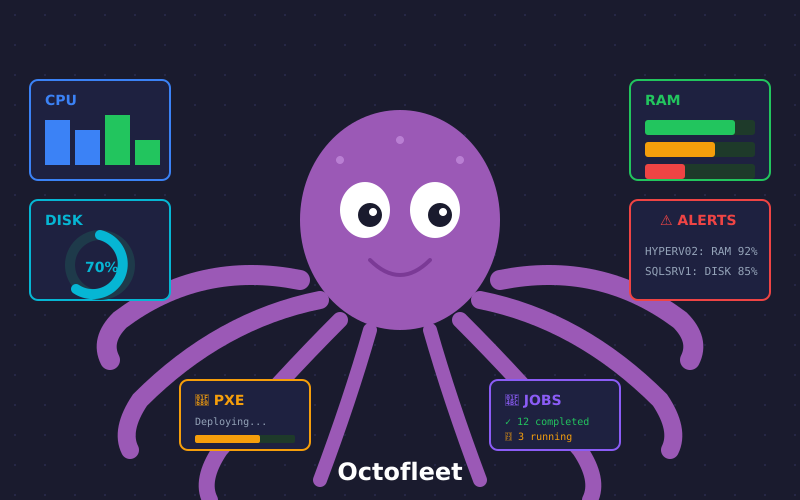 OctofleetEndpoint & Patch ManagementOctofleet is an open-source, self-hosted platform for Windows and Linux endpoints: inventory, deployment, patching, remote access and a REST API.Open sourceSelf-hosted
Views · 7 daysTop 10%
 OpenUEMEndpoint & Patch ManagementOpenUEM is a self-hosted, Apache-2.0 unified endpoint manager. Agents report inventory and security status from Windows, Linux and macOS, while a web console deploys software, applies profiles and starts remote sessions.Open sourceSelf-hosted
Views · 7 daysTop 1%
 POpsRemote Management & RMMPOps is an Apache-2.0 platform for school labs and Windows fleets that combines inventory, remote support, deployment, signed updates and audit.Open sourceSelf-hosted
Views · 7 daysNo views in 7 days
 RustDeskRemote Management & RMMRemote desktop and support software written in Rust and Flutter for Windows, macOS, Linux, Android, iOS and the browser. Run the free hbbs/hbbr server yourself, or add Server Pro for a web console, SSO, LDAP and audit logs.Open sourceSelf-hostedFreemium
Views · 7 daysTop 16%
 SunitechProIT Services & MarketplacesSunitech is a Geneva-based IT services business for SMEs in French-speaking Switzerland, offering managed IT, cybersecurity, Microsoft 365, user support, backup and recovery planning, IT governance and AI projects, with a fixed-price Microsoft 365 security check-up at CHF 490.CommercialSoftwarePaid
Views · 7 daysTop 2%
Views · 7 daysTop 2%
Shortlists for Remote Management & RMM
Explore collections with tools relevant to this category, grouped by deployment, source model or workload.
Self-hosted IT tools →
9 matching tools from this category
Open-source IT tools →
9 matching tools from this category
IT tools with an API →
5 matching tools from this category
How to choose remote management & rmm tools
Remote monitoring and management platforms put a lightweight agent on every managed workstation and server so a technician can watch health, push scripts, deploy software and open remote sessions from one console. They are built for managed service providers and internal IT teams that look after many machines across sites. Where endpoint management focuses on policy and patch compliance, RMM centres on daily technician work across fleets.
Who uses these tools
- MSP technicians supporting many client sites
- Internal IT teams managing distributed workstations
- School and lab administrators maintaining shared machines
Capabilities to compare
- Agent coverage across Windows, Linux and macOS
- Remote shell, file transfer and desktop sessions
- Script library and scheduled automation jobs
- Alerting on disk, service and hardware health
- Multi-tenant separation of clients and sites
Operating considerations
- Agent privileges make the console a high-value attack target
- Per-endpoint pricing as the managed fleet grows
- Self-hosted server sizing and certificate management
- Integration with ticketing and documentation systems
Selection checklist
- Install the agent on a representative mix of machines and confirm it survives reboots, updates and network changes.
- Review how the console enforces multifactor login, role separation and audit logs for every remote session.
- Check whether scripts can run against groups of devices with output collected centrally for review.
- Estimate total cost at your expected fleet size, including technician seats and add-on modules.
What belongs in this category: Products listed here combine an installed endpoint agent with a central console for monitoring, remote control and scripted actions across many devices, rather than offering only remote desktop or only patching.
Remote Management & RMM on iThub in figures
iThub lists 11 tools in Remote Management & RMM. 9 of 11 are open source, 9 of 11 can be self-hosted, 9 of 11 have a free, freemium or open-source pricing model and 5 of 11 offer an API.
- Tools listed
- 11
- Open source
- 9
- Self-hostable
- 9
- Free to start
- 9
- With an API
- 5
- Web app
- 9
- Desktop app
- 10
Recently added: Sunitech, JumpServer, OpenUEM, RustDesk
Typical use cases
- Running maintenance scripts across hundreds of client workstations overnight
- Opening a remote session to fix a user's printer issue
- Receiving alerts when a server disk or service fails
- Resetting shared lab computers between classes
Trade-offs to model
- Self-hosted RMM servers keep agent traffic under your control but leave patching and uptime of the console to you.
- Hosted RMM services start quickly, though every managed endpoint then trusts a third party with administrative access.
- Broad suites bundle backup and patching, while lean tools focus on remote access and scripting and integrate elsewhere.
Common mistakes
- Rolling the agent out to every client before testing alert thresholds, which floods technicians with noise.
- Sharing a single administrator login among technicians, which removes accountability for remote actions.
Browse all RMM tools →Explore endpoint and patch management →Browse monitoring tools for MSPs →
Decision resources
Continue the technical evaluation
Use the resources that match your decision stage. Profile data and linked sources were refreshed through November 10, 2026.
0 tools selectedCompare selected