
What is Tinycast?
Tinycast is a native macOS launcher written in SwiftUI and AppKit with zero third-party dependencies, no Electron and no telemetry. One global hotkey opens a palette for app launching, clipboard history, snippets, notes, calculations, window management and system actions. The project is open source under the AGPL-3.0 licence and describes itself as free and staying that way.
Clipboard history keeps text and images that you can search and paste back into the app you were using. Window management offers 39 Rectangle-style actions, and custom commands run named shell commands through fuzzy search or their own global hotkeys. Notes are plain Markdown files, and settings can be exported to a file or imported from Raycast. Tinycast also runs existing Raycast extensions, rendered natively in SwiftUI.
Install it with Homebrew; the README lists Apple silicon on macOS 26 or newer and Intel on macOS 26. AI chat, quick actions and dictation are off out of the box.
Tinycast screenshots
Explore the interface. Open a screenshot to view it at full size.
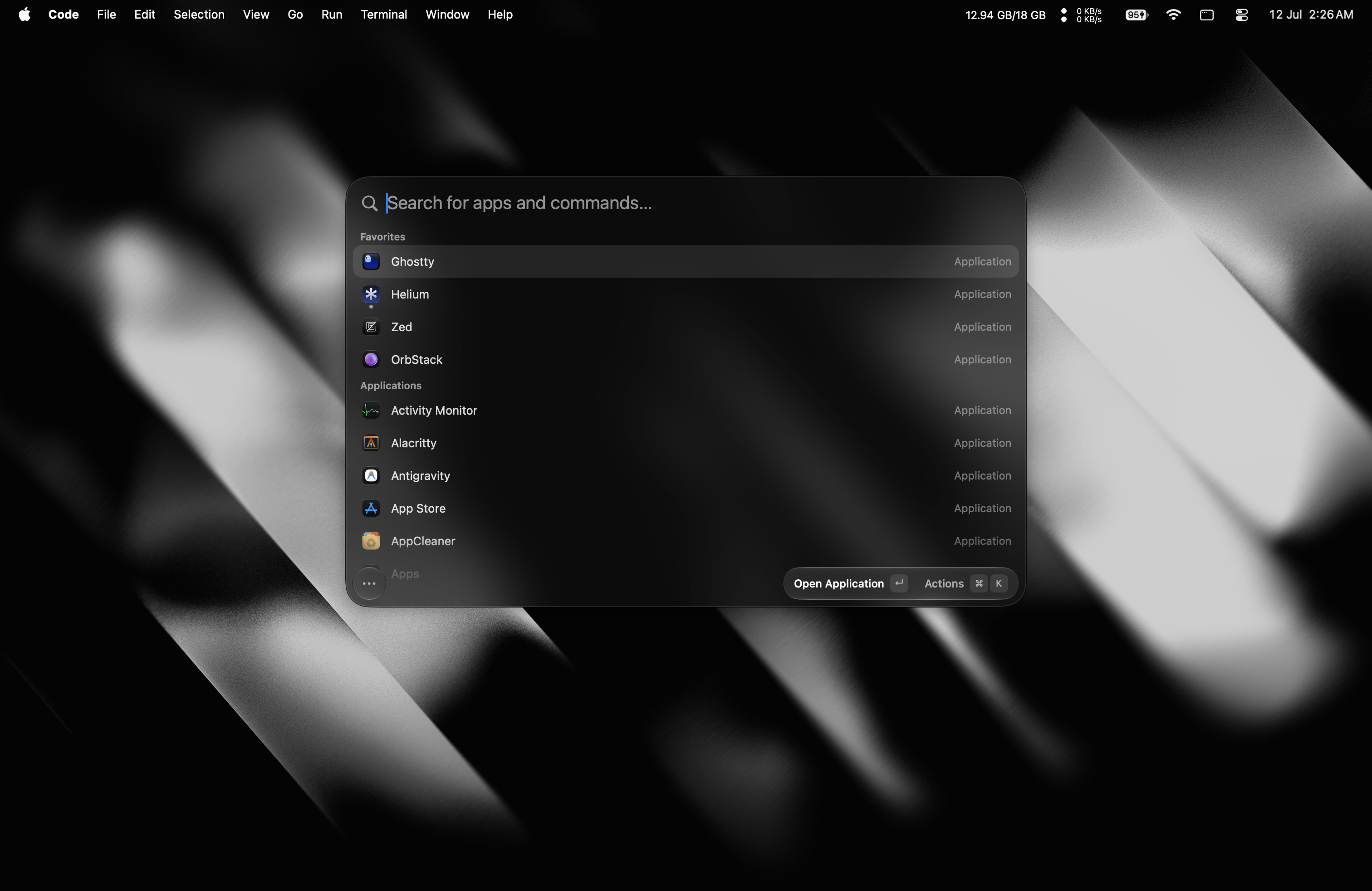
Source: official Tinycast project page.
Key capabilities
- Launcher and hotkeys Fuzzy-search apps and bind global or per-app hotkeys.
- Clipboard history Searchable text and images, pasted back into the previous app.
- Snippets Reusable Markdown templates with dynamic placeholders and arguments.
- Window management 39 Rectangle-style actions.
- Custom commands Named shell commands with their own global hotkeys.
- Raycast extensions Run existing extensions natively.
- Notes Plain Markdown files in one floating editor.
Where Tinycast fits
- Launching App search, pinned favorites and per-app hotkeys.
- Clipboard and text History, snippets and Markdown notes.
- Window control 39 window actions covering halves, quarters, thirds and display moves.
- Automation Shell commands, deeplinks and Apple Shortcuts.
- File search A private local index of chosen folders; needs Full Disk Access and is off by default.
- Optional AI AI chat, quick actions and dictation, all off by default.
Install
brew trust --tap abue-ammar/tinycast
brew install --cask abue-ammar/tinycast/tinycast
Reviews of Tinycast
Be the first to share your experience with Tinycast.
Write a review
Loading review form…
Alternatives to Tinycast
 DefiDefi is an open-source window manager for Apple Silicon Macs that arranges windows in scrolling columns, with per-display workspaces and app rules.EEdge-DropEdge-Drop is a free, open-source Windows clipboard shelf that opens at the screen edge and keeps copied text, links, images and files ready to paste or drag.
 Organic MapsFree, Apache-2.0 offline maps app built on OpenStreetMap data. Download regions, then search, route by car, foot, bike or public transport and record tracks without a connection. No ads, no tracking, no account; Linux desktop in beta.