

What is Twake Mail?
Twake Mail is an open-source email client built with Flutter by LINAGORA, the French open-source company headquartered in Issy-les-Moulineaux. One Dart codebase produces an Android app, an iOS app and a web application. The client does not speak IMAP: it talks to the mail server through JMAP, the standardised HTTP and JSON mail protocol, and the project FAQ states that it works with any JMAP server. The repository started in June 2021 under the working names TeamMail and Tmail, which still appear in configuration keys and older documentation.
There are three ways to obtain it. Mobile users install Twake Mail from Google Play or the App Store. Operators run the web client from the official linagora/tmail-web Docker image, an nginx container that serves the compiled Flutter web build on port 80 and reads its server address and options from a mounted env.file. Organisations that do not want to run anything sign up for the hosted Twake Workplace service, which bundles mail with drive, chat and calendar.
The latest GitHub release is v0.37.1, published on September 22, 2026. It only resizes an arrow icon; the substantive 0.37.0 changes added Brazilian Portuguese, retried attachment uploads after a mobile 401 response and stopped wide HTML messages from being truncated. Version 0.36.0 introduced a nested sidebar tree for deep folder hierarchies and attaching files from Twake Drive in the composer. Development moves faster than the GitHub release page: the CHANGELOG and the Docker tags continue to 0.41.0 (November 2, 2026). Those later entries upload oversized attachments to Drive as links, prompt for a password when previewing encrypted PDFs, add an opt-in Sentry error-reporting consent, try DNS-over-HTTPS for JMAP discovery and close an XSS path through the composer's embed-code mode.
The code is Dart on Flutter, organised as a pub workspace with separate packages for contacts, forwarding, rule filters, Firebase push, email recovery, server settings, labels and the Cozy and Workplace integrations. The production Dockerfile builds with Flutter 3.38.9 and serves the output from nginx on Alpine. The team records design decisions as numbered architecture decision records in the docs folder, more than one hundred so far, on topics such as caching, WebSocket sync and HTML sanitising. Everything is licensed under AGPL-3.0, as is the tmail-backend server, which extends Apache James.
Some things are deliberately out of scope. The FAQ says there is no plan to support the JMAP calendar and contacts extensions, which were not standardised as RFCs when it was written, and no desktop application is planned beyond the web client. Because the client needs JMAP, it cannot connect to a Gmail, Outlook or plain IMAP mailbox. Server-side features shown in the interface, such as team mailboxes, restoring deleted mail, forwarding and vacation replies, depend on capabilities that tmail-backend exposes.
Twake Mail screenshots
Explore the interface. Open a screenshot to view it at full size.
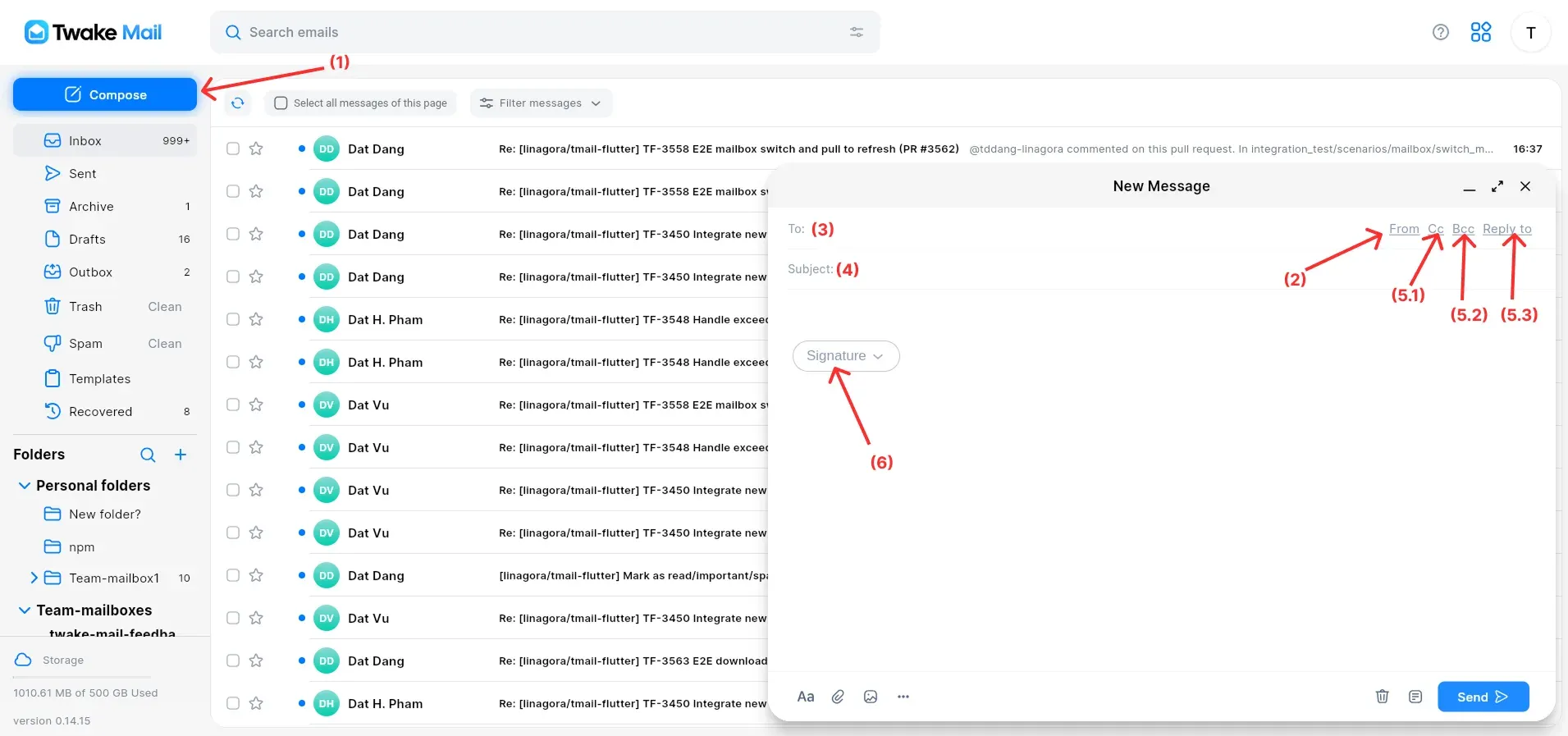
Web interface (version 0.14.15) from the official user guide; numbered red markers refer to the composer steps in that guide.
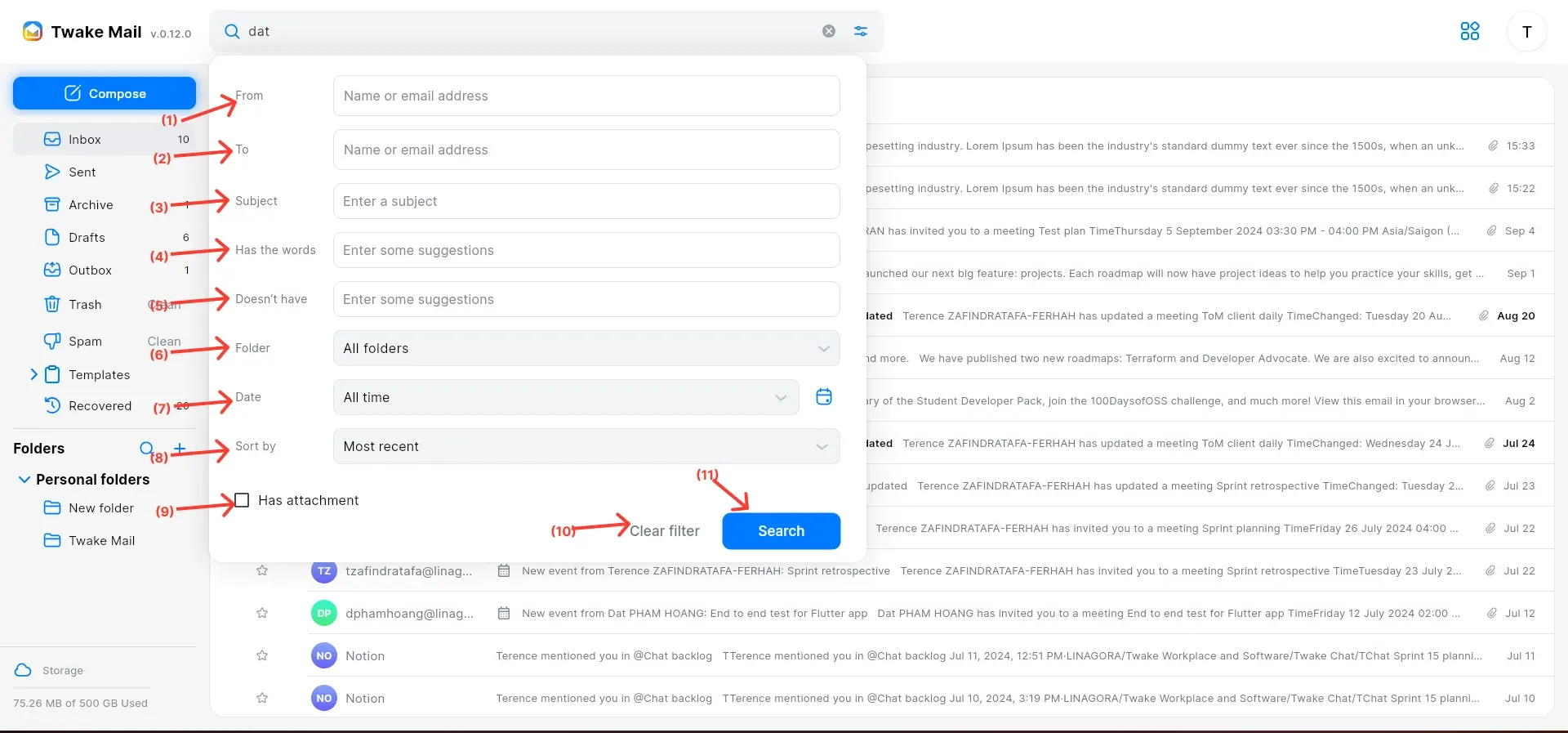
Advanced search form on the web client from the official search guide; red numbers label each criterion.
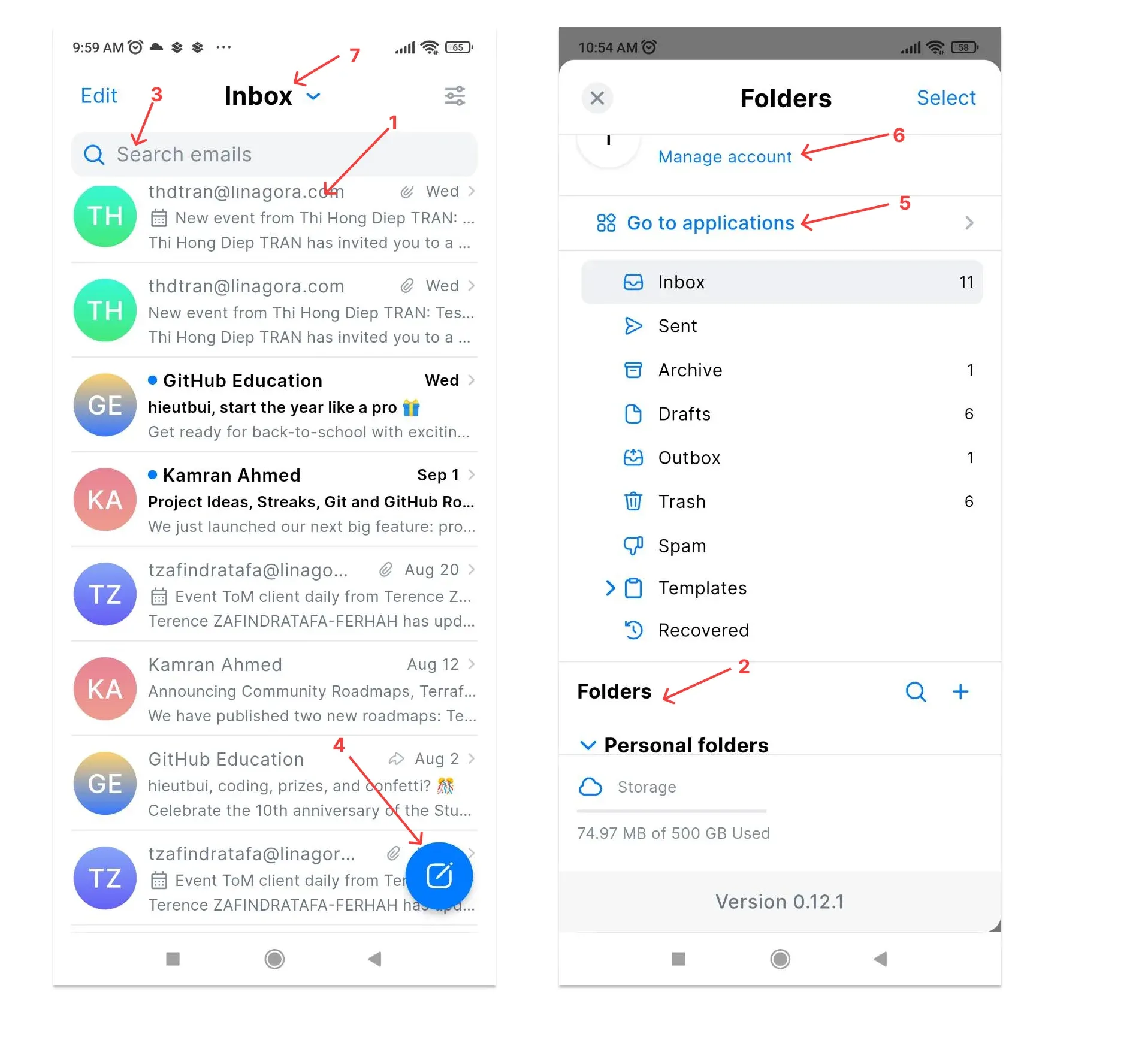
Mobile inbox and folder drawer from the official user guide; numbered arrows mark search, compose, folders and account access.
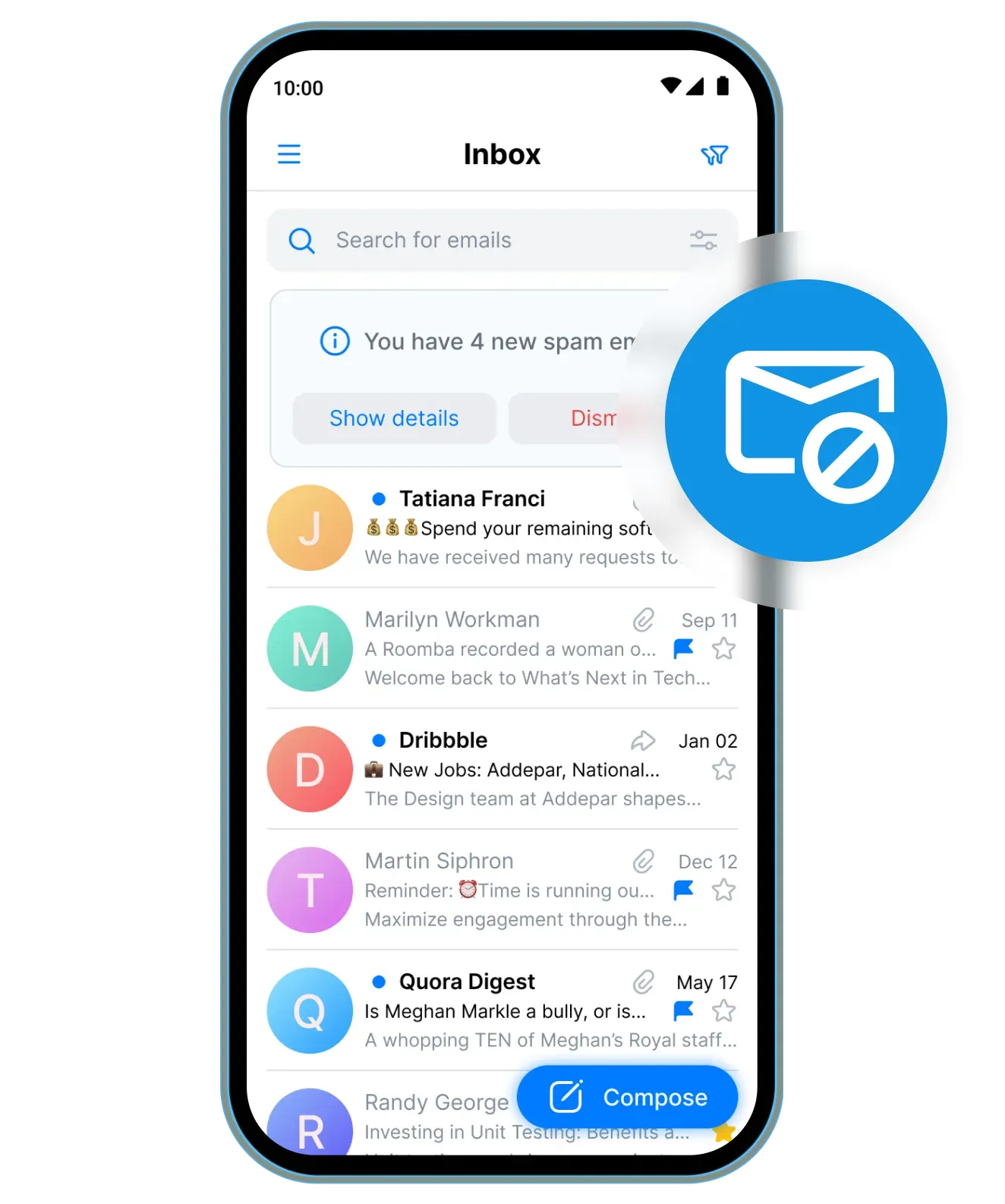
Product image from twake-mail.com showing the spam notice above the Android inbox.
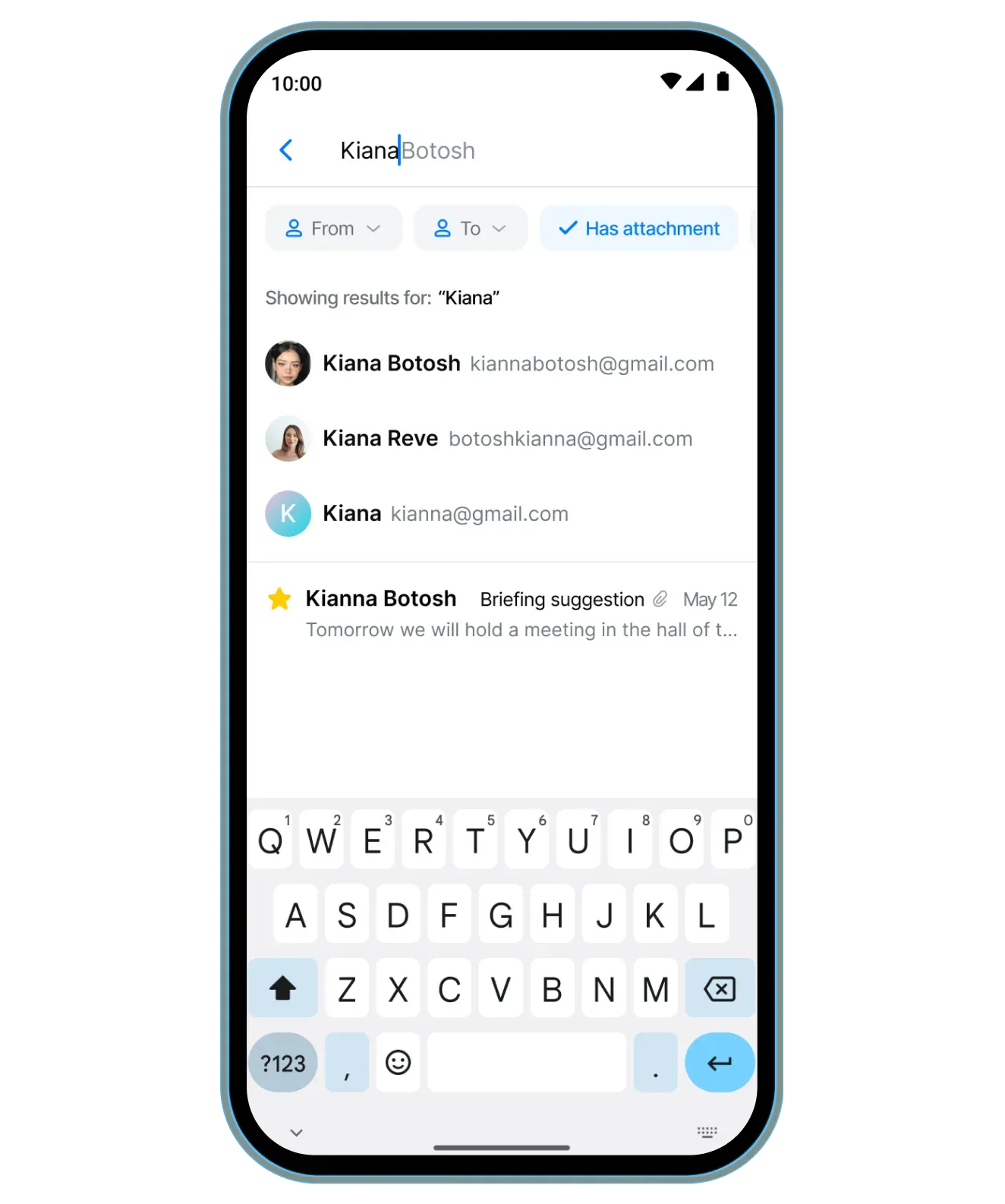
Product image from twake-mail.com showing search-as-you-type with filter chips on Android.
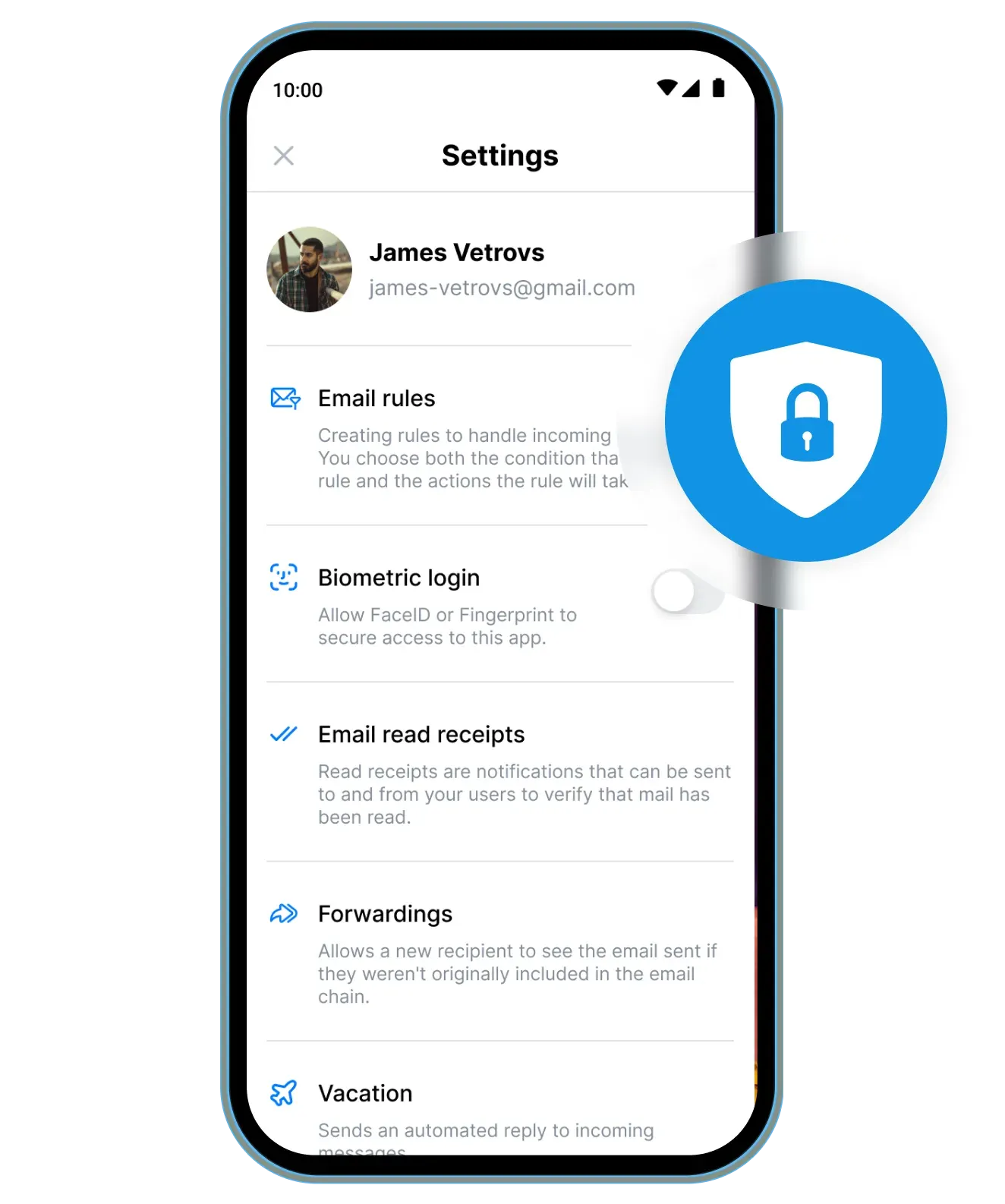
Product image from twake-mail.com showing the mobile settings list, including the biometric login toggle.
Source: official Twake Mail project page.
Key capabilities
- Android app Published on Google Play under the package ID com.linagora.android.teammail. On first use the app asks for the Contacts permission to suggest recipients and for storage access when you attach files. Push notifications use Firebase Cloud Messaging, which requires the server to expose the com:linagora:params:jmap:firebase:push capability. Recent changelog entries fixed Android composer keyboard input and kept Cc and Bcc from mailto links.
- iOS app Available from the App Store under LINAGORA as developer. It shares the Flutter codebase and the feature set of the Android build, including the account login flow and folder management. Release 0.39.0 added support for building with Xcode 27. Teams building their own iOS app change the OIDC redirect scheme and Firebase settings described in the configuration guides.
- Web client as a Docker image The official linagora/tmail-web image serves the web build from nginx on port 80. Point it at your JMAP server by setting SERVER_URL in env.file and bind-mounting that file to /usr/share/nginx/html/assets/env.file, so one image works across deployments without a rebuild. Image tags follow the changelog and include release candidates, so pin a version tag rather than latest in production.
- JMAP protocol client All mailbox reads, searches, flag changes and sends go through JMAP over HTTPS instead of IMAP and SMTP. The project chose JMAP for its synchronisation model, which sends changes since a known state and needs fewer round trips on mobile networks. The FAQ says any JMAP server works, but extended features rely on tmail-backend capabilities.
- OIDC single sign-on and basic login The web client detects an OpenID Connect provider and redirects to its login page; without one it falls back to a username and password form. Mobile users type their email address first, the app discovers the server and identity provider, and otherwise asks for the JMAP server URL. The OIDC guide lists the scopes, redirect URL and client ID settings.
- Folders with system roles The sidebar shows system folders for Inbox, Sent, Archive, Drafts, Outbox, Spam, Templates and Recovered, followed by personal folders as a collapsible tree. You can create subfolders, move, rename, delete or hide folders, mark a whole folder as read and search folders by name. The folder guide notes that a message lives in exactly one folder, and that archiving and template actions were documented as not yet implemented.
- Quick and advanced search The top search bar returns results as you type, with one-click filters for messages that have attachments, mail from the last seven days and mail sent by you. Advanced search adds From, To, Subject, Has the words, Doesn't have, Folder, Date range and an attachment checkbox. Results sort by most recent, oldest, relevance, sender name, subject or size, as described in the search guide. Version 0.40.2 allows team mailbox folders as a search scope.
- Rich text composer The composer supports multiple sender identities, Cc, Bcc and Reply-To, text formatting, inline images, attachments, read-receipt requests and a mark-as-important flag. An embed-code mode switches the body to HTML source; scripts, event handlers, javascript: links and iframes are stripped when you leave it, the same sanitising applied to received mail. Drafts save to the Drafts folder, and 0.41.0 also sanitises reply, forward, mailto and pasted content.
- Identities and signatures Each identity has a display name, a sending address chosen from those the server allows, an optional Reply-To, an automatic Bcc and its own HTML signature. One identity can be the default for new messages. The profile guide recommends keeping signature images under about 16 KB because they travel with every message.
- Team mailboxes Shared mailboxes granted by an administrator appear in the folder tree with their own Inbox, Drafts, Outbox, Sent and Trash. Read and starred states are shared with the other members. A member can add the team mailbox as an identity and send or reply so that recipients see the shared address. This is a tmail-backend extension described in the extra features guide.
- Email rules, forwarding and vacation replies The account settings hold server-side filter rules that match conditions on incoming mail and move or label it, forwarding to external addresses and an automatic vacation responder. Because these settings are stored on the server, they keep working when no client is open. Version 0.40.0 hides Outbox, Drafts and Templates from the possible rule targets.
- Restore deleted messages Deleted messages can be recovered into the Recovered system folder, using the deleted message vault in the Twake Mail server. This gives users a self-service path after an accidental permanent deletion, subject to how the operator configures that vault. The feature is not part of core JMAP and depends on the backend.
- Spam handling Messages classified by the server's anti-spam engine land in the Spam folder. Marking a message as spam or not spam sends feedback that trains per-user classification, and filter rules can move messages by keyword. The anti-spam guide explains that the threshold is configurable on the server side.
- Quota display and warnings A storage banner below the folder tree shows used space against the account limit. At 90 percent a warning appears above the message list, and at 100 percent the client warns that the account can no longer send or receive mail. Sending a message larger than the server's size limit shows an explicit error.
- Real-time updates The web client receives changes through JMAP WebSocket push, which replaced its earlier dependency on Firebase in November 2024. An optional echo ping, enabled with WS_ECHO_PING in env.file, can be turned on for that connection. Mobile builds use Firebase Cloud Messaging and offline caching of recent mail.
- Twake Workplace integration An application grid configured in configurations/app_dashboard.json links to other services such as chat, drive or contacts, with store links for the mobile apps. The composer can attach files from Twake Drive, and since 0.40.0 oversized attachments are uploaded to Drive and inserted as links. Calendar invitations render as event cards with attendee details. These integrations stay off when the corresponding services are not configured.
- Branding and language controls Operators can replace the favicon, application icons and logo in the web image by mounting their own files, as described in the logo guide. The interface ships in French, English, Vietnamese, Russian, Arabic, Italian, German, Mongolian and Portuguese. Since 0.40.3 the ALLOWED_LANGUAGES option limits the languages offered by the web app; the mobile apps ignore it.
- Opt-in error reporting Sentry error and performance reporting is off unless an operator configures a DSN and environment and the user's consent allows it. The Sentry guide documents how env.file settings and the ecosystem fallback interact. Version 0.39.1 added the in-app reporting preference and consent handling.
Where Twake Mail fits
Giving staff a JMAP web client on your own server
Run the linagora/tmail-web container behind your reverse proxy and bind-mount an env.file with SERVER_URL set to the JMAP endpoint, DOMAIN_REDIRECT_URL set to the public web address and the OIDC client ID if you use single sign-on. Check that the JMAP session URL is reachable from browsers with valid TLS and CORS headers, and that the version tag you pin matches a CHANGELOG entry you have read. Test login with both an OIDC account and, if allowed, a basic-auth account.
Testing the client and server together before committing
Generate the JWT key pair with openssl, set SERVER_URL to http://localhost/ in env.file and start the bundled docker-compose stack, which runs the web client next to the in-memory tmail-backend image. The provisioning script creates demo accounts such as alice@localhost and bob@localhost. Use this sandbox to exchange mail, try filter rules and team mailboxes, and confirm that the features you need are server capabilities you will actually deploy, because the memory backend is not a production setup.
Rolling out the mobile apps to an organisation
Ask users to install Twake Mail from Google Play or the App Store and to enter their work address first. The app tries to discover the server and identity provider; if discovery fails it asks for the JMAP server URL, which your help desk should publish. Confirm that WebFinger or the discovery records resolve from mobile networks, that push notifications arrive when the server has the Firebase capability, and which permissions users will be prompted for, as listed in the install guide.
Running a shared support or sales inbox
Have the server administrator create a team mailbox and grant access to the right members. Each member then adds the team mailbox as an identity so that replies leave from the shared address. Check that read and starred states sync between members, that the shared Sent folder captures replies, and that members can hide the team mailbox when they do not need it in the folder tree.
Sorting incoming mail with rules and recovering mistakes
Create email rules in the account settings for the conditions you care about, then send test messages to confirm the matches. Rules execute on the server, so verify they also apply when only the mobile app is in use. Delete a test message permanently and recover it through the Recovered folder to confirm the deleted message vault is enabled and to check its retention settings before users rely on it.
Rebranding the web client for an internal service
Mount your own favicon, 192 and 512 pixel icons and logo files over the paths listed in the logo guide, and set ALLOWED_LANGUAGES if the service should only offer certain interface languages. Configure the application grid to link your own chat, drive or calendar tools. Reload the web app in a private window to check that cached icons are replaced, and keep the AGPL-3.0 source-offer obligations in mind if you modify the code itself, as described in the license.
Install
docker run -d -p 8080:80 --mount type=bind,source="$(pwd)"/env.file,target=/usr/share/nginx/html/assets/env.file --name tmail-web linagora/tmail-webReviews of Twake Mail
Be the first to share your experience with Twake Mail.
Write a review
Loading review form…
Alternatives to Twake Mail
 Proton WebClientsProton's public monorepo for its web clients (Mail, Calendar, Drive, Docs, Pass, VPN account, Wallet, Lumo, Meet) and Electron or Tauri desktop apps. GPL-3.0, but the clients need Proton's closed backend, so it is not a self-hosting kit.
 Flectar MailFlectar Mail is an open-source email client for Windows, macOS, Linux, and Android. It combines mail, calendars, contacts, and files with offline access to synced data, but remains an alpha release.