

What is Flectar Mail?
Flectar Mail is a native Rust application for managing email, calendars, contacts, and files. It connects to Gmail, Outlook, Microsoft 365, and services using standard mail and synchronization protocols. Mailboxes and calendars are stored locally so synchronized data remains accessible offline. Profiles, account colors, conversation threads, and tabs help organize personal and work accounts.
The application uses Blitz to render email HTML and CSS without an embedded browser or WebView and without executing message scripts. Remote images are blocked until permitted. Preview downloads are available for Windows, macOS, Linux, and Android, alongside a source build option. The product is not yet stable, and its experimental renderer may display complex messages incorrectly.
Flectar Mail screenshots
Explore the interface. Open a screenshot to view it at full size.
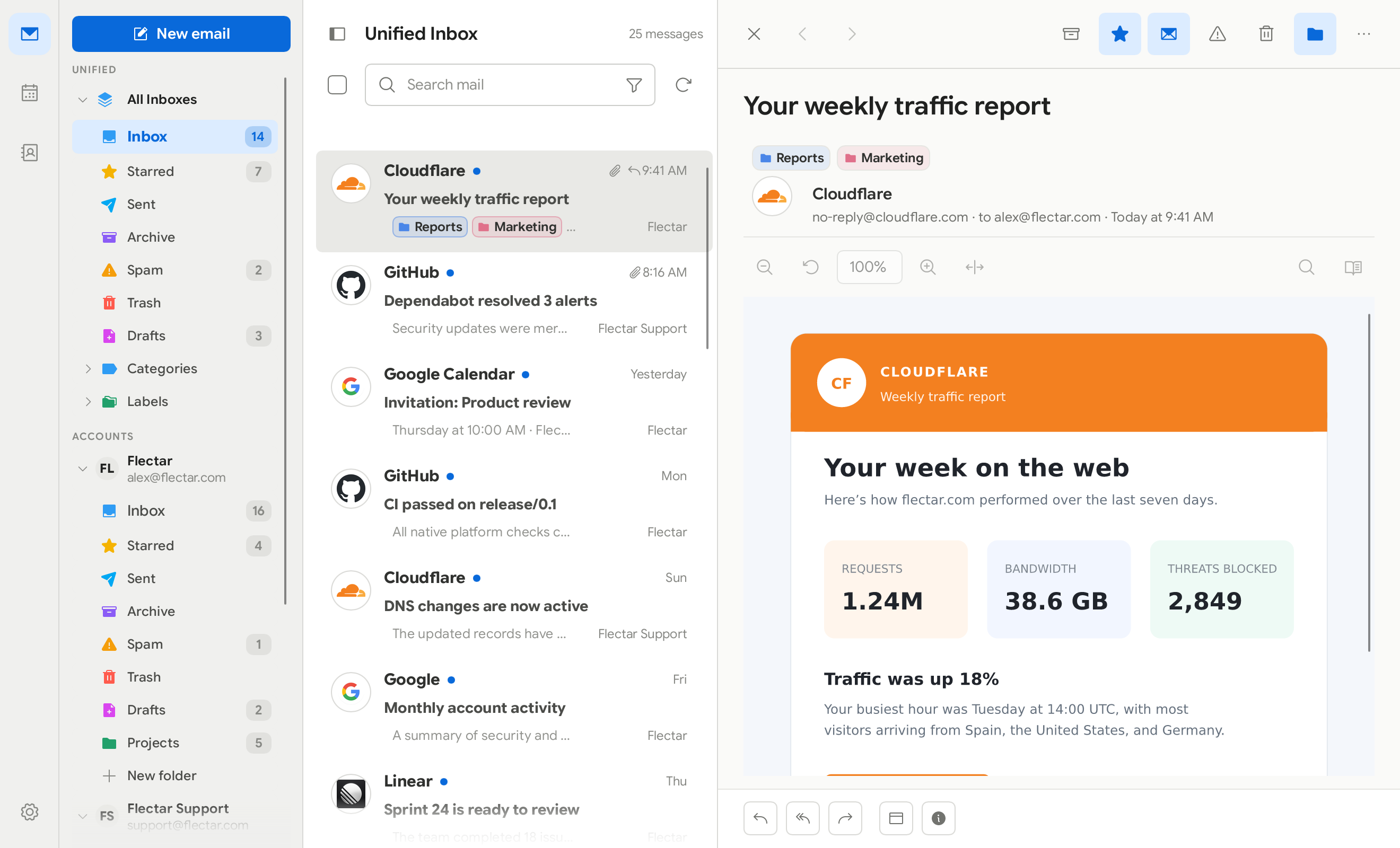
Source: official Flectar Mail project page.
Key capabilities
- Account connectivity Connects to Gmail, Outlook, Microsoft 365, and IMAP, POP3, SMTP, or JMAP services, subject to provider policies and OAuth configuration.
- Mail organization Groups replies into conversations and provides persistent tabs, account profiles, color markers, and keyboard navigation.
- Calendar and files Synchronizes calendars and contacts through CalDAV and CardDAV, with JMAP and WebDAV file access, attachment search, and offline previews.
- Message privacy Blocks remote images by default and renders email without executing scripts or embedding a WebView.
- Desktop encryption Supports named signatures and OpenPGP/MIME signing and encryption through GnuPG on desktop.
- Migration and backups Imports accounts and mail from supported clients and archive formats, and provides account backups, database snapshots, and storage usage details.
Where Flectar Mail fits
Flectar Mail fits personal and work email workflows that combine multiple accounts with calendars, contacts, and offline access. Its import tools support migration from Thunderbird, K-9 Mail, Apple Mail, and supported mailbox formats. Before migration, users should test account synchronization, representative HTML messages, and backup handling against their existing workflow.
Deployment requires checking the alpha build's platform restrictions and authentication setup. Gmail and Outlook sign-in need a bundled OAuth registration or the user's own application keys. Linux requires a Secret Service keyring; Windows previews are unsigned, macOS previews are not notarized, and the Android release APK is a test build. Updates are installed manually.
Reviews of Flectar Mail
Be the first to share your experience with Flectar Mail.
Write a review
Loading review form…