

What is Tuta Mail?
Tuta Mail is an end-to-end encrypted email service made by Tutao GmbH, a company registered in Hanover, Germany, and represented by Arne Möhle, Hanna Bozakov and Matthias Pfau according to the legal notice. Tuta's about page says the service started as secure email in 2011. It was called Tutanota until November 2023, when the company renamed it to Tuta and moved the web client to app.tuta.com. The old name survives in the repository, package IDs and release tags. Besides mail, the same account includes an encrypted address book and Tuta Calendar, and Tuta Drive file storage entered an invite-only closed beta on April 16, 2026. In November 2026 the Tuta Drive page still describes Drive as a closed beta that will launch publicly in a few months.
The GitHub repository tutao/tutanota holds the client code for all three products: src/applications contains mail-app, calendar-app and drive-app, with platform projects in app-android and app-ios. Tuta distributes the result as the web client at app.tuta.com, Electron desktop apps for Windows, macOS and Linux, Android apps on Google Play, F-Droid and as APK files on GitHub Releases, and iOS apps in the App Store. The same release list also carries separate entries tagged tuta-calendar-android, tuta-calendar-ios, tuta-drive-android and tuta-drive-ios for the standalone Calendar and Drive apps. Tuta's open-source page states that every client is published under GPLv3. The servers that store mailboxes, deliver mail and run accounts are not in the repository, and no self-hosting path is documented.
The current web release is 368.261110.0, published on November 10, 2026, which fixes mailto links in the web app. It follows 368.261109.0 from the same day, released for web, desktop, Android and iOS together with Calendar and Drive builds for Android and iOS. That release adds an option to open attachments in the mail editor and fixes the deactivation of aliases when a shared mailbox is deactivated, flashing and lost selection when lists reload, and spam rules that were not updated correctly. Its desktop build also adds Google and Microsoft API support to One-Click Migration next to IMAP, an error message for connection problems when migrating through Proton Mail Bridge and fixes for SSE connection errors on unstable networks and after a device restart. Release 366.261105.0 from November 6, 2026 reworked the subscription settings page and upgrade dialog, and 365.261030.0 added weekdays in calendar invitation emails, reminders taken from invitations and subscriptions to external calendars whose URL contains a user name and password. Version numbers combine a running counter with the build date.
The stack is TypeScript with the Mithril 2.2 UI framework, split into a main thread and a worker that handles server communication, encryption and indexing. The desktop client uses Electron 44.10.0, and package.json requires Node.js 24.17.0 or later. Cryptographic building blocks come from WebAssembly builds of liboqs and the Argon2 reference implementation, compiled with Emscripten 3.1.59 from Git submodules, and a Rust SDK in tuta-sdk with UniFFI bindings serves the mobile apps. Tuta's encryption page describes TutaCrypt, a hybrid protocol combining x25519 and Kyber-1024 (ML-KEM) with AES-256, which Tuta's development log reports as rolled out to all accounts in March 2026.
Not offered: Tuta does not provide IMAP, POP3 or SMTP access, OpenPGP or S/MIME, so mail can only be read in Tuta's own clients. Email addresses of senders and recipients and message dates stay visible to the server because mail delivery needs them. The README also sets a contribution policy: issues and patches produced with help from large language models are closed without discussion and feature requests go to the r/tutanota subreddit or to support. Similar services listed on iThub include Proton WebClients.
Tuta Mail screenshots
Explore the interface. Open a screenshot to view it at full size.
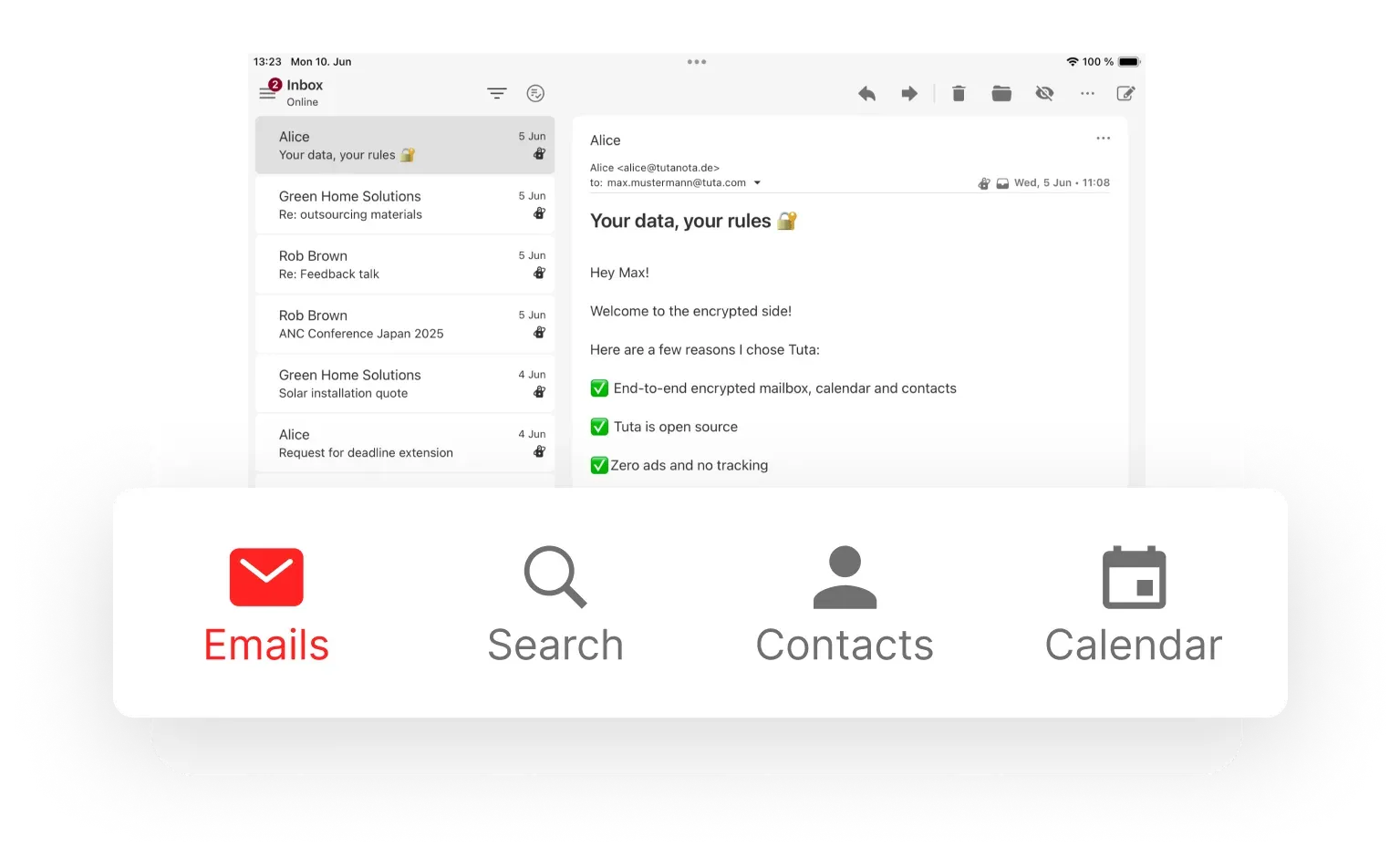
Official Tuta product image of the Mail reader in a tablet layout, with the app's four main sections below.
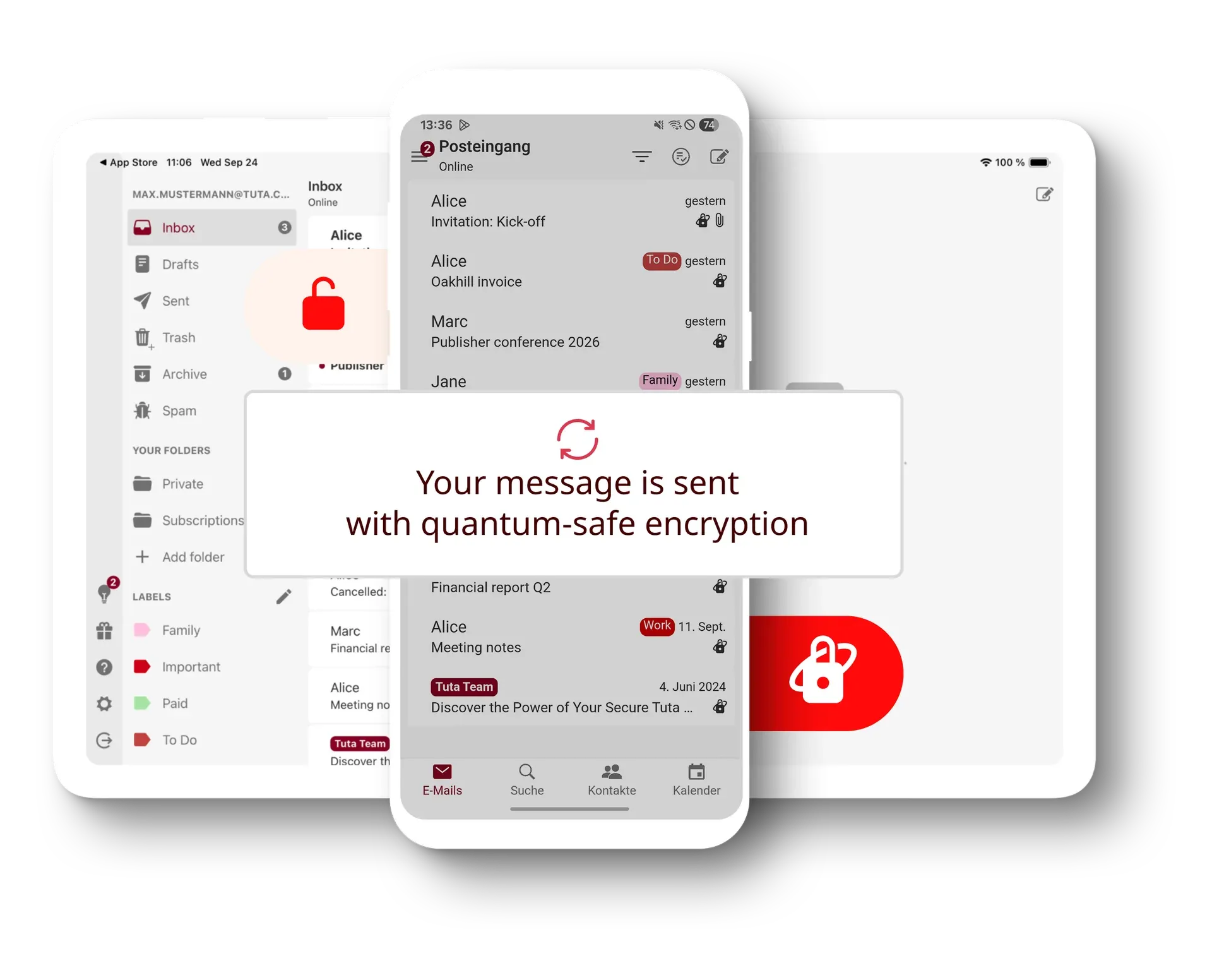
Official Tuta marketing image showing the mailbox on tablet and phone with the quantum-safe encryption notice.
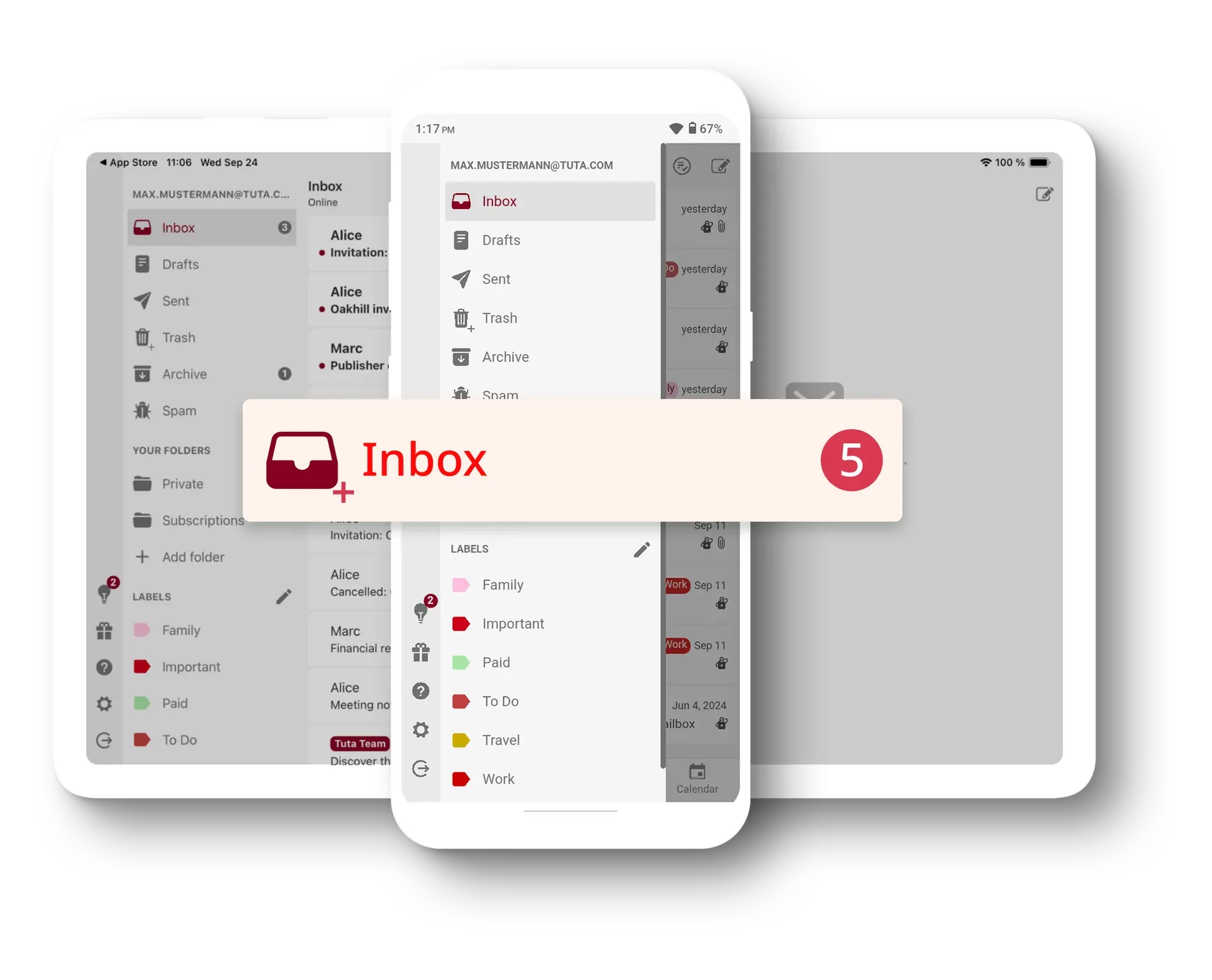
Official Tuta product image of the folder and label sidebar on tablet and phone.
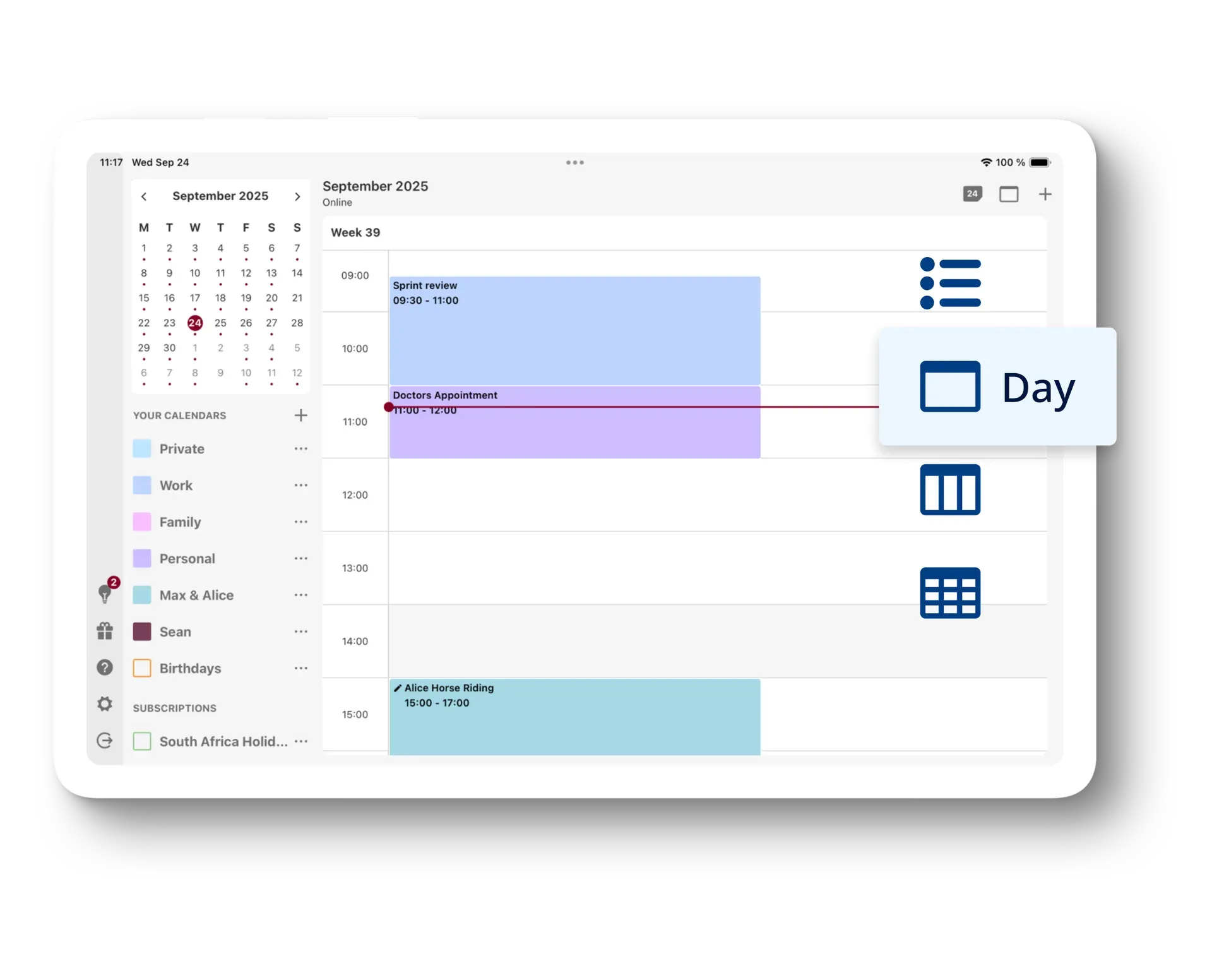
Official Tuta product image of the Calendar day view with multiple calendars and a subscription.
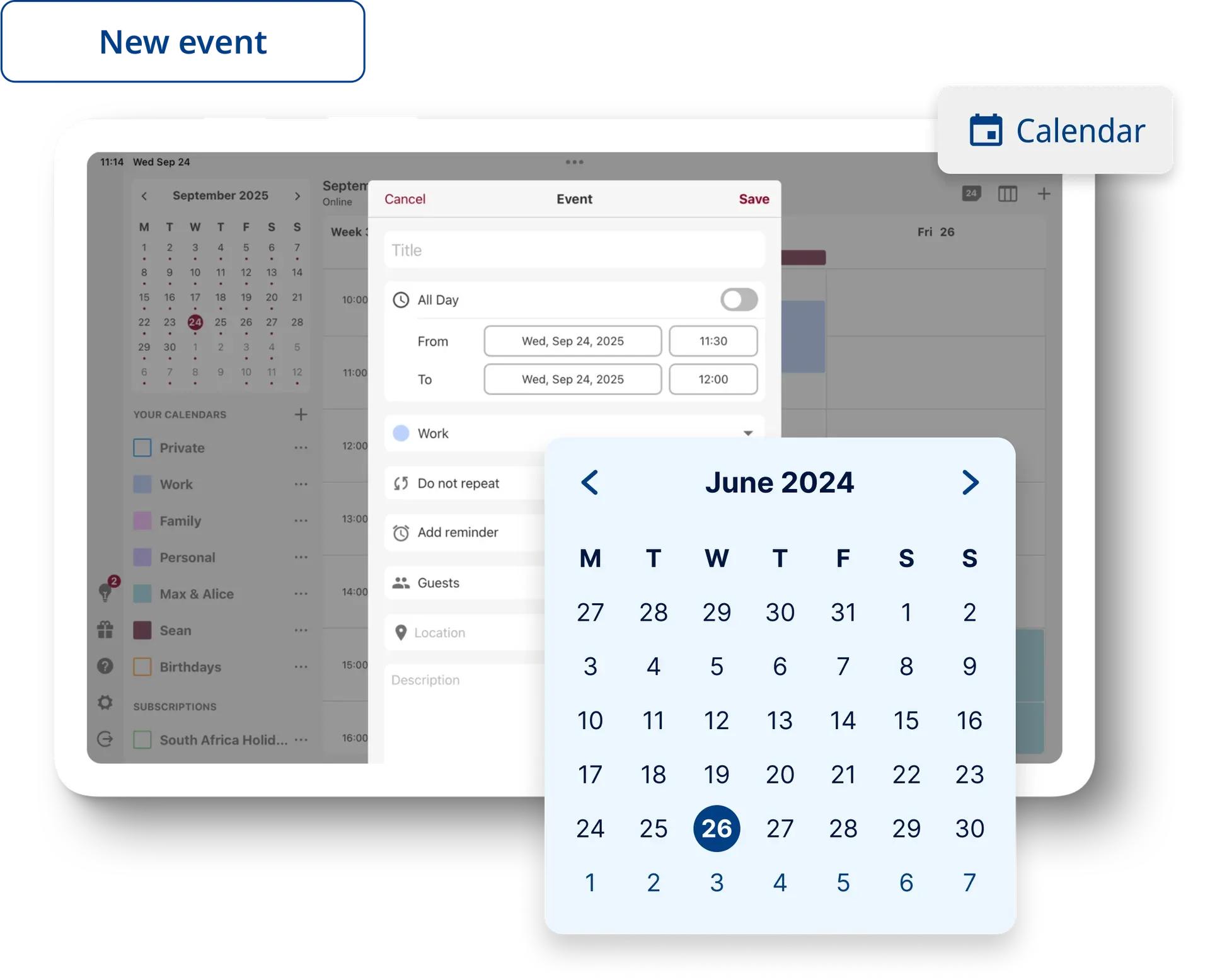
Official Tuta product image of the Calendar event editor with an enlarged date picker.
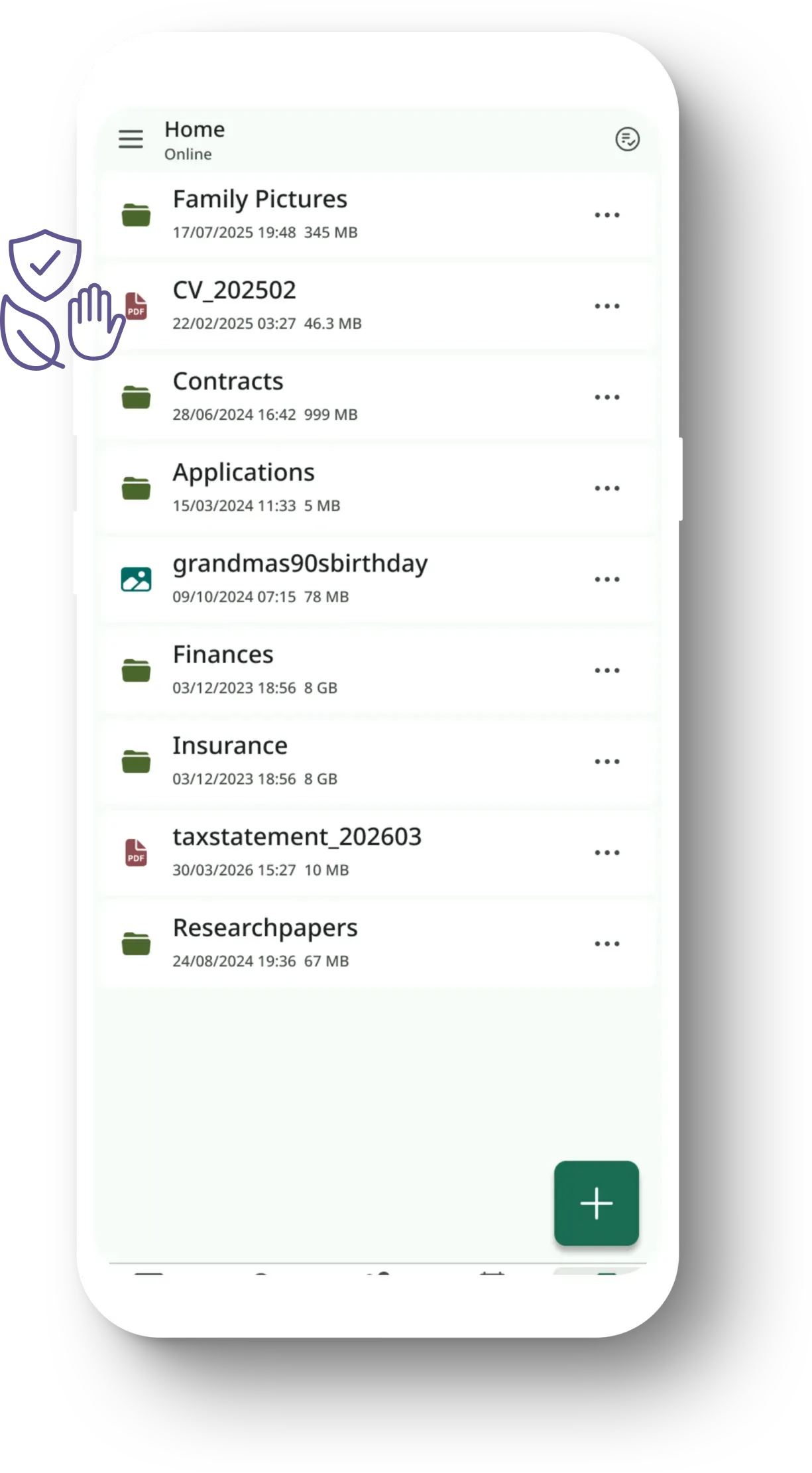
Official Tuta product image of Tuta Drive, which is in invite-only closed beta.
Source: official Tuta Mail project page.
Key capabilities
- End-to-end encrypted mailbox Subject lines, message bodies, attachments and sender and recipient names are encrypted on the device before upload, according to Tuta's encryption page. Email addresses and send or receive dates are not end-to-end encrypted because servers need them for delivery. Mail arriving from other providers is encrypted when it reaches Tuta's servers, so it was readable in transit and at the sender's provider.
- TutaCrypt post-quantum encryption Tuta-to-Tuta mail uses TutaCrypt, a hybrid of x25519 and Kyber-1024 (ML-KEM) for key exchange with AES-256 for content. The rollout began in March 2024 and, per Tuta's development log, reached all accounts in March 2026; older accounts previously used RSA-2048. Tuta reports a formal verification of the protocol by the University of Wuppertal published in August 2026.
- Password-protected mail to external recipients Messages to people outside Tuta can be end-to-end encrypted with a password agreed once per contact. The recipient opens the message on a Tuta web page after entering that password. Without such a password, external mail is sent as ordinary email over TLS.
- Encrypted contacts and calendar The address book is encrypted in full, including names, phone numbers, addresses and birthdays. Calendar events encrypt the summary, description, location, start and end times, attendees and reminder settings, and reminders fire locally on each device. The Free plan includes one calendar; paid plans allow unlimited calendars, sharing and event invitations.
- Encrypted search index Because the server cannot read message content, full-text search runs on the client. doc/search.md describes how the indexer tokenizes mail, encrypts each word as an index key and writes the entries in batches of 500 or more messages to IndexedDB. The index has to be built on each device, and the pricing table limits unlimited search to paid plans.
- Web client The web client at app.tuta.com runs in current Firefox, Chromium-based browsers and Safari and updates on every load. It is the reference platform for new features: the Tuta Drive beta, for example, launched only inside the Mail web client. Building it yourself produces a static bundle that still talks to Tuta's production API.
- Desktop apps for Windows, macOS and Linux Each desktop release on GitHub ships
tutanota-desktop-win.exe,tutanota-desktop-mac.dmg,tutanota-desktop-linux.AppImageand an unpacked Linux tarball, with SHA256 checksums in the release notes. Official builds update themselves and are signed with the key published astutao-pub.pem. On Windows a native MAPI component, built from the separatemapirsrepository, adds MAPI support so Windows programs can hand outgoing messages to Tuta. - Android apps, F-Droid and APKs Tuta Mail is listed on Google Play and on F-Droid, and Tuta Calendar has its own listings under
de.tutao.calendar. Each Android release on GitHub attaches signed APKs, for exampletutanota-app-tutao-release-368.261109.0.apk, so the app can be installed without an app store; the Calendar releases attachcalendar-tutao-release-368.261109.0.apk. Tuta built its own push notification service instead of relying on Google push. - iOS apps Tuta Mail and Tuta Calendar are separate App Store apps, built from the
app-iosfolder with xcodegen project specs. GitHub releases for iOS carry release notes but no binaries, since installation goes through the App Store. Building locally requires Xcode, xcodegen and a prior web build. - Offline mode and local storage The desktop and mobile apps keep a local copy of the mailbox so mail can be read without a connection, a feature Tuta added in 2022. The dependency list includes SQLCipher, an encrypted SQLite build, together with a fork of Signal's FTS5 search extension. Tuta presents offline mode as its answer to requests for IMAP, which would store decrypted mail outside its control.
- Client-side spam filtering Tuta's development log lists client-side spam filtering as shipped in March 2026, so classification runs where the decrypted content is available. The client's
package.jsonpulls in TensorFlow.js packages for this kind of local processing. The server still applies its own account-level spam detection, which can suspend accounts that violate the terms. - Labels, folders, rules and aliases Mail can be sorted into folders and colored labels; the Free plan allows three labels and paid plans an unlimited number. Inbox rules are encrypted like the rest of the mailbox. Revolutionary includes 15 extra addresses and Legend 30, which can sit on Tuta domains or on custom domains.
- Custom domains and business administration Revolutionary supports three custom domains and Legend ten, while the business plans add multi-user administration, shared mailboxes and, in Unlimited, white-labeling and unlimited custom domains. Business customers can sign an order processing agreement under the GDPR. Additional users are billed per user per month.
- Email import, export and migration The desktop clients import messages from EML and MBOX files, a feature Tuta's blog limits to the Legend and Unlimited plans, and let every user export the whole mailbox or a single message. One-Click Migration, in closed beta since July 7, 2026, links an IMAP mailbox from another provider and syncs it one way into Tuta with its folder structure. Desktop release 368.261109.0 added migration through Google's and Microsoft's APIs in addition to IMAP. Tuta plans to open it to all paid and business plans after the beta.
- Tuta Drive closed beta Tuta Drive stores files with Tuta's quantum-resistant end-to-end encryption and grew out of the PQDrive research project with the University of Wuppertal, started in 2023 with a 1.5 million euro KMU-innovativ grant. The beta announcement of April 16, 2026 describes invite-only access for selected existing users inside the Mail web client, with Android and iOS apps and the desktop clients announced as next steps. The Tuta Drive page lists upload, organisation and sharing of files, sync across devices and two-factor login, and states that the public launch follows in a few months; the pricing page lists no Drive plan or price. GitHub carries Drive releases for Android, with APKs such as
drive-tutao-release-368.261109.0.apk, and for iOS. - Nextcloud and Thunderbird integrations
integrations/nextcloud/tutamailis the official app for Nextcloud, GPL-3.0-or-later and declared for Nextcloud 33 to 36. It embeds the web client and, once enabled under Settings, Plugins in the Tuta admin settings, saves attachments to a Nextcloud folder and adds Nextcloud Talk links to calendar events. Two small Thunderbird add-ons for Thunderbird 140 or later only place Tuta Mail and Tuta Calendar buttons in the Spaces toolbar; they do not sync mail. - Account security controls Logins can be protected with TOTP codes or U2F security keys, and a recovery code restores access if the password is lost. The security page states that IP addresses are not logged by default, are removed from the headers of sent mail, and that session IPs are stored encrypted and deleted after one week. Active sessions can be reviewed and closed remotely.
Where Tuta Mail fits
Moving an existing mailbox to Tuta
Tuta offers a Free plan and the paid Revolutionary and Legend plans, which add custom domains, more storage and unlimited labels. Mail from another provider can be exported as MBOX or EML files and imported through a desktop client on plans that include import, or synced one way with One-Click Migration, which connects over IMAP and, since desktop release 368.261109.0, through Google's and Microsoft's APIs. The encrypted search index is built separately on each device, and Free accounts are deleted after six months without a login.
Business mail on a custom domain
The business page lists the Essential, Advanced and Unlimited plans. A custom domain is added through a setup wizard that shows the required DNS records, after which administrators create users and shared mailboxes; release 368.261109.0 fixed the deactivation of aliases when a shared mailbox is deactivated. Business customers can sign an order processing agreement under the GDPR. Since Tuta has no IMAP, staff read mail in Tuta's own web, desktop and mobile apps rather than in Outlook, Apple Mail or a phone's built-in mail app.
Encrypted mail to recipients at other providers
A sender protects messages to an external recipient with a password agreed once per contact, and that password then covers every later message to the same contact. The recipient opens the message on a Tuta web page after entering it. Attachments count against the 25 MB limit listed on the pricing page, and mail sent without such a password travels as ordinary email over TLS.
Private calendar and address book
Tuta Calendar runs in the web client and the desktop app and as a separate Android and iOS app with its own GitHub release entries, and the same account holds the encrypted contacts. External calendars can be subscribed by URL, including feeds that need a user name and password since release 365.261030.0, and paid plans add calendar sharing and invitations. Invitation emails show the weekday since that release, and reminders are computed locally on each device.
Building the clients from source
BUILDING.md describes the process: check out a release tag, initialise the liboqs and Argon2 submodules, run npm ci and node webapp prod for the web client, node desktop --custom-desktop-release for desktop or node android with a separate keystore for an APK. The requirements are Node.js 24.17.0 or later, Emscripten 3.1.59 and Rust 1.80 or later for the WebAssembly parts. Self-built clients do not update automatically and still connect to Tuta's servers, and each GitHub release lists SHA256 checksums for its official binaries.
Connecting Tuta to a Nextcloud server
The Tuta Mail app is available in the Nextcloud App Store for Nextcloud 33 to 36. After the Nextcloud plugin is enabled in Tuta under Settings, Plugins with the server URL and an attachment folder, attachments can be saved to Nextcloud from any Tuta client and calendar events can carry a Nextcloud Talk room link. Tuta announced the integration on October 1, 2026 as its first official plugin, and the repository published Nextcloud app release 1.2.3612610060 on October 6, 2026.
Reviews of Tuta Mail
Be the first to share your experience with Tuta Mail.
Write a review
Loading review form…
Alternatives to Tuta Mail
 Proton WebClientsProton's public monorepo for its web clients (Mail, Calendar, Drive, Docs, Pass, VPN account, Wallet, Lumo, Meet) and Electron or Tauri desktop apps. GPL-3.0, but the clients need Proton's closed backend, so it is not a self-hosting kit.
 InfomaniakInfomaniak is a Geneva-based provider of domains, web hosting, email, the kSuite collaboration tools and cloud services, with free and paid products.
 Twake MailAGPL-3.0 email client from LINAGORA built with Flutter. It reads mail over JMAP instead of IMAP, ships Android and iOS apps and a Docker web image, and adds team mailboxes, rules, OIDC login and Twake Workplace integration.