

What is Sync-in?
Sync-in is a self-hosted platform for file storage, sharing, synchronization and team collaboration. The about page describes it as a French, sovereign, open-source project that has been developed for more than ten years and was published on GitHub in 2025. The server lives at github.com/Sync-in/server under AGPL-3.0-or-later, and Sync-in is a registered trademark with a published trademark policy.
The design goal stated in the documentation is that files remain directly readable on the server filesystem, so data can be used outside the platform and moved away again. Sync-in adds spaces, shares, guests, groups and roles on top of that storage, and applies the same permission logic to the web interface, WebDAV, synchronization, office editors and APIs. Existing folders can be anchored into a space without duplication.
The server is written in TypeScript and uses MariaDB for metadata. It is distributed as an official Docker image on Docker Hub, with a Compose bundle, and as an npm package for Linux and BSD-style systems; Windows is not an officially supported server platform. The Docker guide lists 1 GB of RAM, one CPU core and 2 GB of disk as minimum hardware, and requires Docker Engine 24 and Compose 2.20 or newer. The npm route needs Node.js 22.12 or later and MariaDB 11. Separate desktop and command-line clients cover Windows, macOS and Linux.
The current release is v2.6.2, published on November 1, 2026. It adds a single-click navigation preference, a dedicated user preferences page, relative links between Markdown notes, a collapsing breadcrumb for deep paths and OnlyOffice plugin access. Fixes include link expiration enforcement on token refresh, link accounts no longer receiving API tokens, and recycling idle MariaDB connections.
Sync-in screenshots
Explore the interface. Open a screenshot to view it at full size.
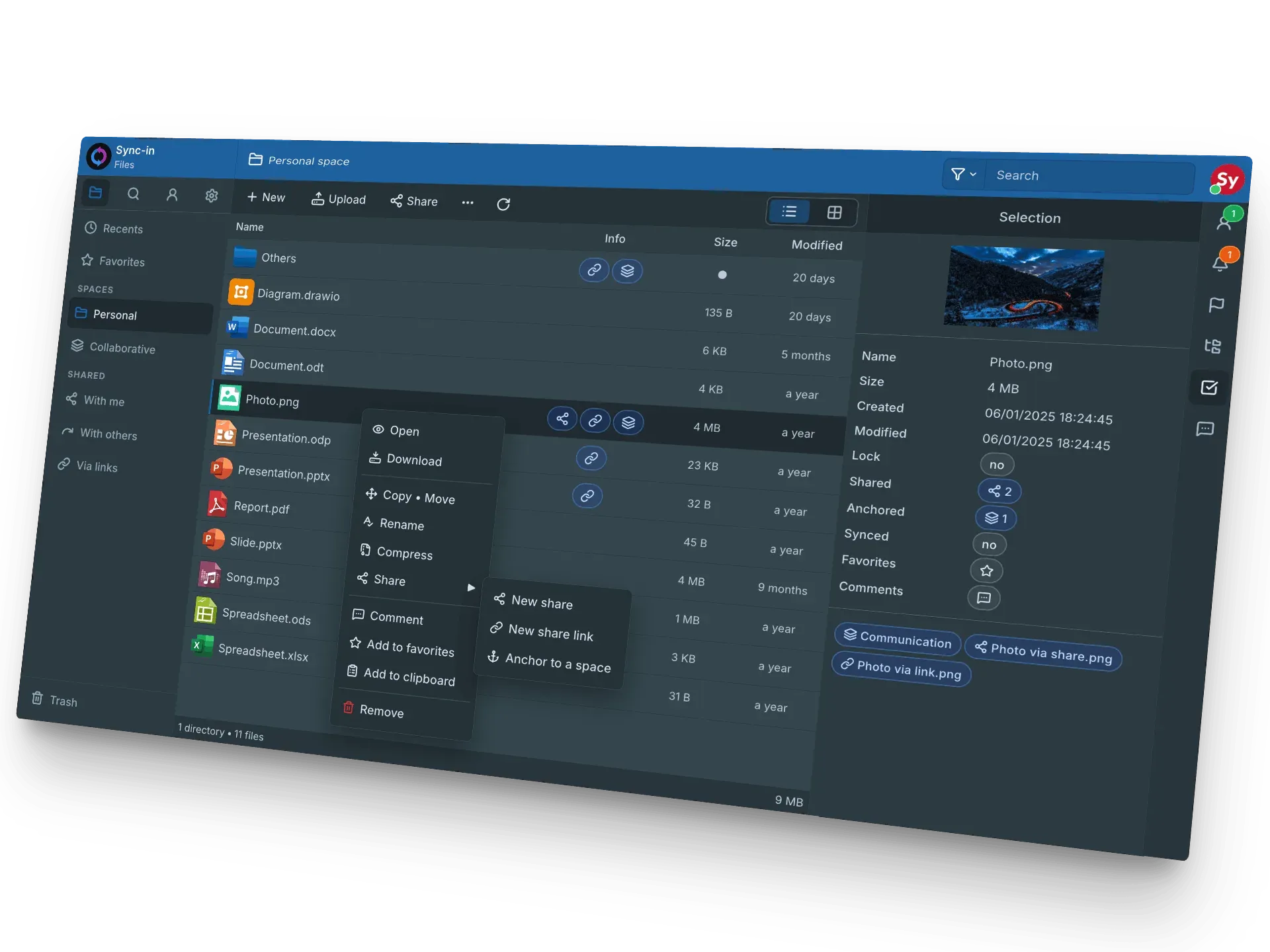
Official project image of the dark web interface with the share menu and file details.
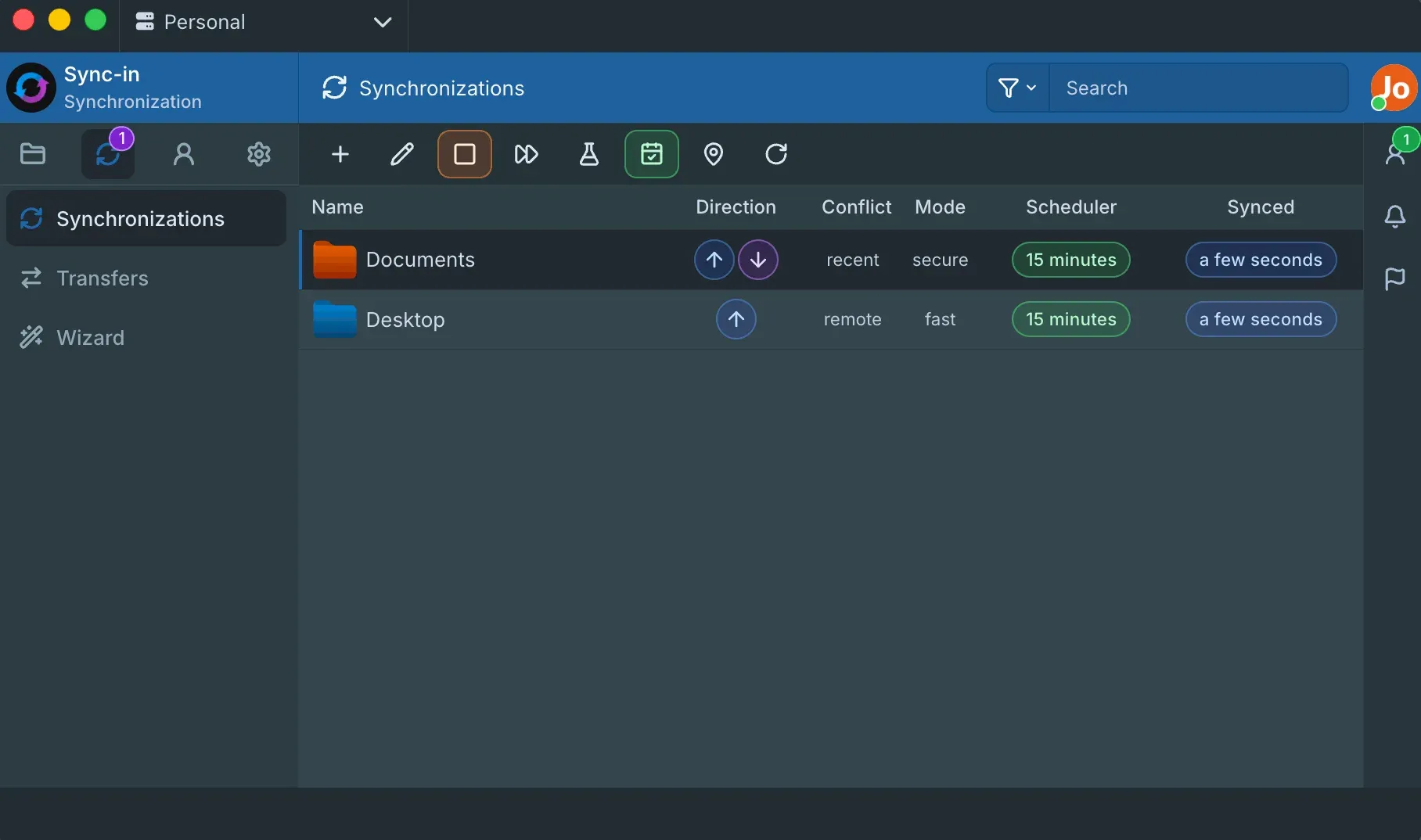
Official project image of the desktop client synchronization list.
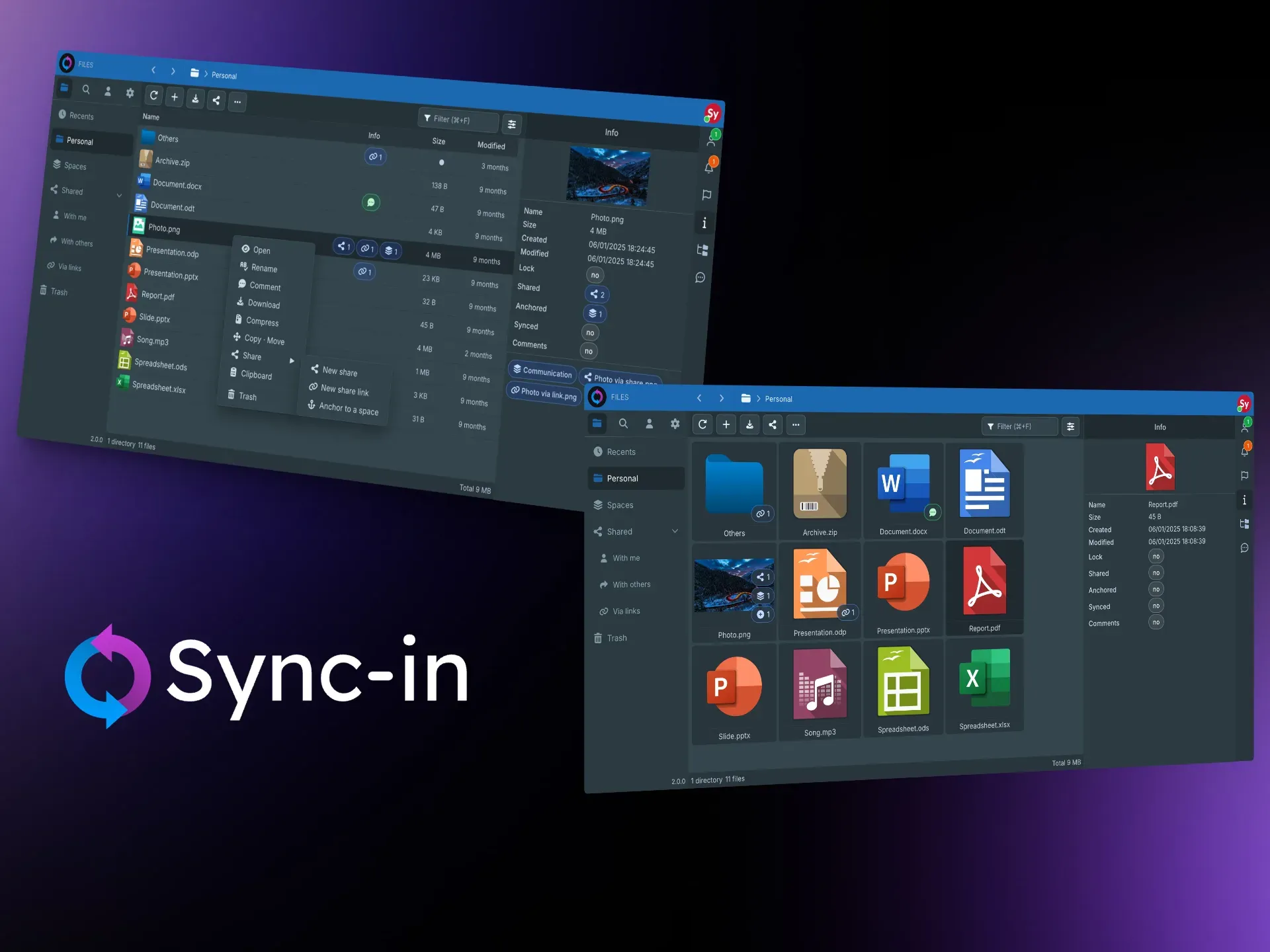
Official project showcase image of list and grid file views with the details panel.
Source: official Sync-in project page.
Key capabilities
- Docker Compose installation The Docker guide downloads a sync-in-docker archive from the latest release, with Compose files for Sync-in, MariaDB and optional Nginx, Collabora Online, OnlyOffice, Euro-Office and draw.io. You must set a public URL, an encryption key and access and refresh token secrets before starting. Use long random values for each.
- npm installation The npm guide installs the server and CLI on Debian, Ubuntu, AlmaLinux, Rocky Linux, FreeBSD or macOS. It needs Node.js 22.12 or later and a manually created MariaDB 11 database, and recommends tuning settings such as innodb_ft_cache_size for full-text indexing.
- Web file manager The interface offers drag and drop, a smart clipboard, list and grid views, sorting, filtering, previews and a gallery. Version 2.6.2 adds an optional single-click open preference and compact breadcrumbs for long paths. The interface is available in more than 50 languages.
- Spaces, shares and guests Personal and collaborative spaces organize files by team or project. Shares can be internal or external, with guests, personal groups, manager roles and nested shares. Permissions are fine-grained, so test each role before granting broad access.
- Protected public links Links can have passwords, expiration dates and access limits. Release 2.6.2 enforces link expiration when a token is refreshed and stops link accounts from receiving API tokens, which tightens how links behave over time.
- Anchoring without duplication Users can link existing files into a space without copying them. This keeps one source of truth, but it also means the original owner's permissions and the space's rules must both be understood.
- Online editing Collabora Online, OnlyOffice, Euro-Office and draw.io integrate for documents, spreadsheets, presentations and diagrams, and Sync-in permissions still apply. The editors run as separate services and must reach Sync-in through the configured public URL.
- Authentication options Supported methods are local accounts, OIDC, LDAP, multi-factor authentication, recovery codes and application passwords. Application passwords suit WebDAV and sync clients that cannot complete an interactive login.
- WebDAV access WebDAV lets file explorers, network-drive mounts, mobile apps and third-party clients reach files with the same access rules as the web interface. Test with your actual clients because behavior varies between them.
- Desktop and CLI synchronization Desktop clients for Windows, macOS and Linux sync folders with one or more servers, with direction, frequency, simulation mode and detailed logs. The desktop release includes installers, AppImage, DEB packages and a CLI archive.
- Full-text search Deep content indexing covers common office and document formats and relies on MariaDB full-text features. Index size and CPU use grow with the document set, so plan database resources.
- Collaboration tools Comments, notifications, file locking, activity tracking and a recent-files view help teams follow changes. When hidden files are disabled in preferences they are now excluded from the recents list.
- Quotas, trash and protection Storage quotas, trash retention and file protection settings let administrators limit growth and recover mistakes. Confirm retention periods match your data policy.
- Markdown notes Markdown files open in a viewer and editor, and version 2.6.2 lets relative links open sibling and parent notes while repository and permission boundaries still apply.
- Administration and operations The documentation covers reverse proxy setup, environment variables and secrets, optional services, maintenance and migration. Use the Maintenance and Migration pages before major upgrades, since the Docker guide notes that the public URL becomes required in the next major release.
Where Sync-in fits
Replacing a consumer cloud drive for a small team
Deploy with Docker Compose behind a TLS reverse proxy, create user accounts or connect LDAP or OIDC, and set storage quotas. Upload a representative folder, share it with a guest and confirm that expiry and password rules on public links work. Verify that backups cover both the MariaDB database and the file storage.
Keeping files readable on the server
Because files stay on the filesystem, an administrator can inspect, back up and migrate them with ordinary tools. Test this by copying a space directory to another host and opening the files without Sync-in. The documentation explains the storage model and reversibility.
Structuring project spaces and guests
Create a collaborative space per project, assign managers and members, and add external guests with limited roles. Check nested shares and anchored folders so a guest cannot reach more than intended, and review activity logs after a trial week. Document who manages each space, because manager roles decide who can add members and guests.
Editing documents online
Choose Collabora Online, OnlyOffice, Euro-Office or draw.io, start its Compose service and set the public URL so the editor can call back. Open and save a DOCX, a spreadsheet and a diagram with two users and check locking. Plan separate resources for the editor.
Syncing laptops and mobile access
Install the desktop client, connect it with an application password and create a sync with a simulation run first. Compare direction, conflict handling and schedule against your needs. Use WebDAV for tools that cannot run the client.
Searching large document sets
Enable indexing, upload office documents and test searches for words inside files. Measure index build time and database load, and adjust MariaDB settings according to the npm guide recommendations before opening the platform to all users. Repeat the search as a restricted user to confirm results respect space permissions.
Install
curl -L -o sync-in-docker.zip https://github.com/Sync-in/server/releases/latest/download/sync-in-docker.zip && unzip sync-in-docker.zipReviews of Sync-in
Be the first to share your experience with Sync-in.
Write a review
Loading review form…
Alternatives to Sync-in
 NextcloudAGPL-licensed collaboration server for files, sharing, Talk calls, Calendar, Contacts, Mail and browser office editing. Run it with the official All-in-One Docker setup or on your own PHP stack, with clients for desktop and mobile.
 SeafileOpen-source file sync and share platform with libraries, delta sync, optional client-side encryption, SeaDoc documents, wikis and file properties. Run it with Docker, or use the hosted Plus edition.
 SyncthingSyncthing is an open-source continuous file synchronization program that keeps folders in step across your devices without a central server.