

What is Seafile?
Seafile is an open-source file sync and share platform with document collaboration. Files live in libraries: each library syncs on its own, can be shared with users or groups, and can be encrypted with a password chosen by the library owner. It is built by Seafile Ltd. and SeaCloud Labs Pte. Ltd., and the company about page dates the project to 2012, which is why the product predates the use of this GitHub repository as its public front page.
The repository linked here, haiwen/seafile, holds the sync client daemon. Other components have their own repositories: the server core (seafile-server), the web interface (Seahub), the desktop GUI client, the Android and iOS apps and the WebDAV server. The README lists the licenses by component: the server core is AGPLv3, Seahub and the iOS client use Apache 2.0, the desktop sync client is GPLv2 and the Android client is GPLv3. This mix is why the listing does not reduce Seafile to a single license identifier.
Servers are deployed with Docker Compose for the Community Edition, with Helm or Kubernetes manifests for larger setups, or from binary packages on Ubuntu 22.04 and 24.04 and Debian 11 and 12. Seafile also sells a Professional Edition for on-premises use and a hosted Plus edition. On November 7, 2026 the server changelog listed Community Edition 13.0.29, dated November 4, 2026, which fixes several security issues including cross-site scripting, an API SQL injection and a server-side request forgery in the Markdown-to-SDoc conversion.
The newest GitHub release in this repository is v9.0.5, published February 27, 2024, a small sync daemon fix release. Desktop client 9.0.22 is the version offered on the download page, and the repository has a v9.0.22 tag. Seafile does not publish server binaries in these GitHub releases, so check the manual and the changelog for the server version you plan to install.
Seafile screenshots
Explore the interface. Open a screenshot to view it at full size.
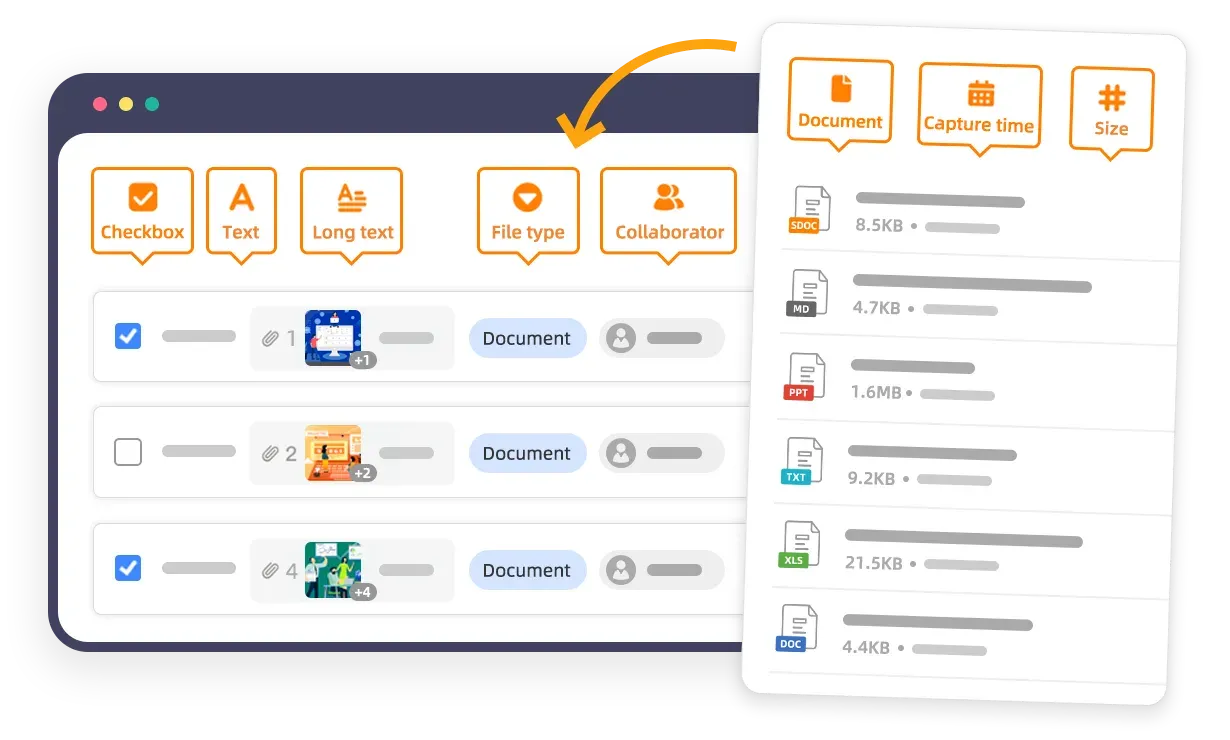
Official Seafile graphic of custom file properties such as type and collaborator shown beside library files.
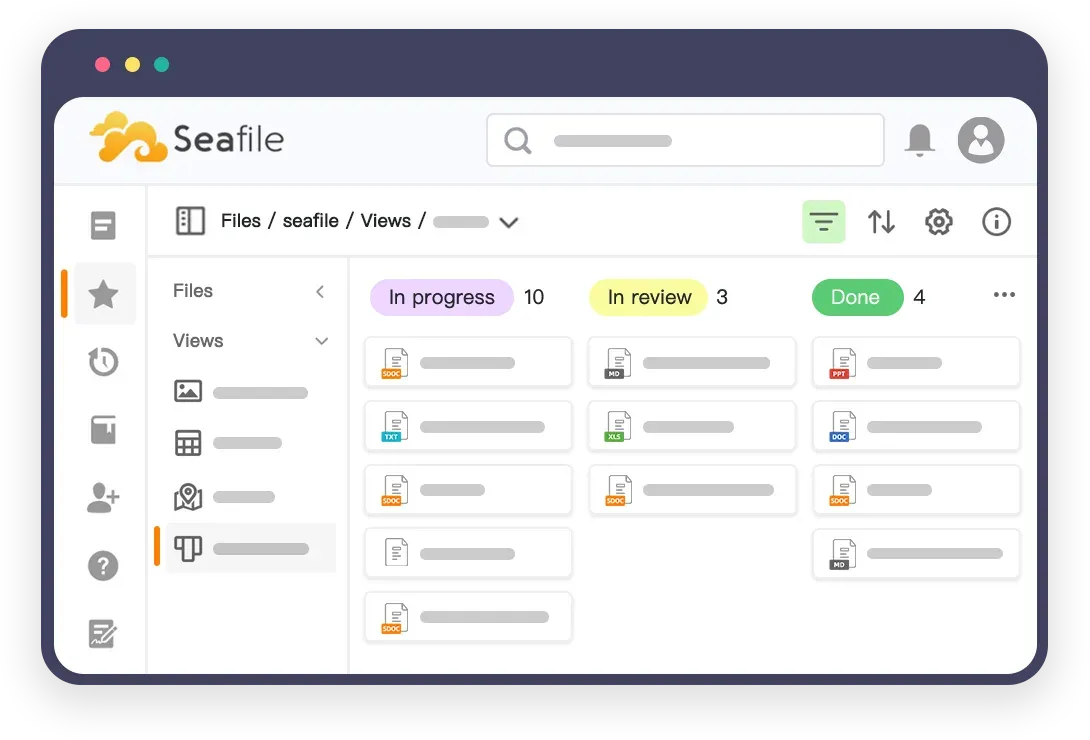
Official Seafile graphic of a Kanban view that groups files by a status property.
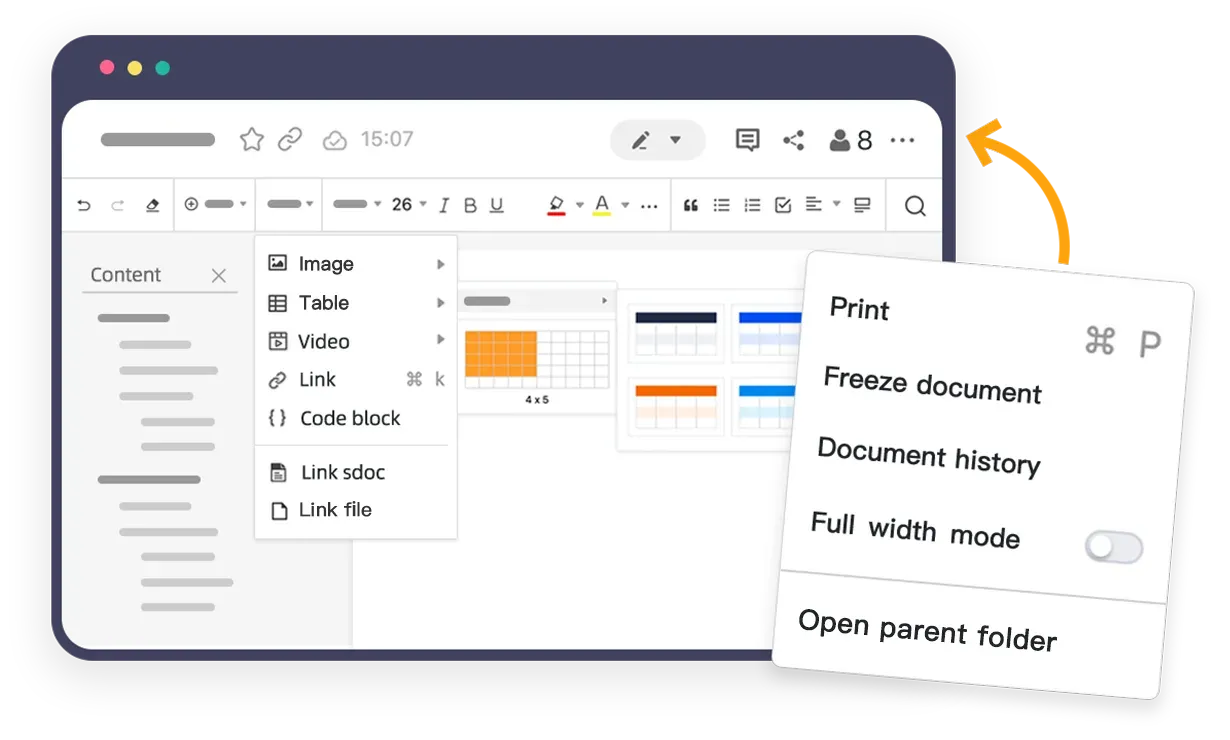
Official Seafile graphic of the SeaDoc editor, a built-in collaborative document editor.
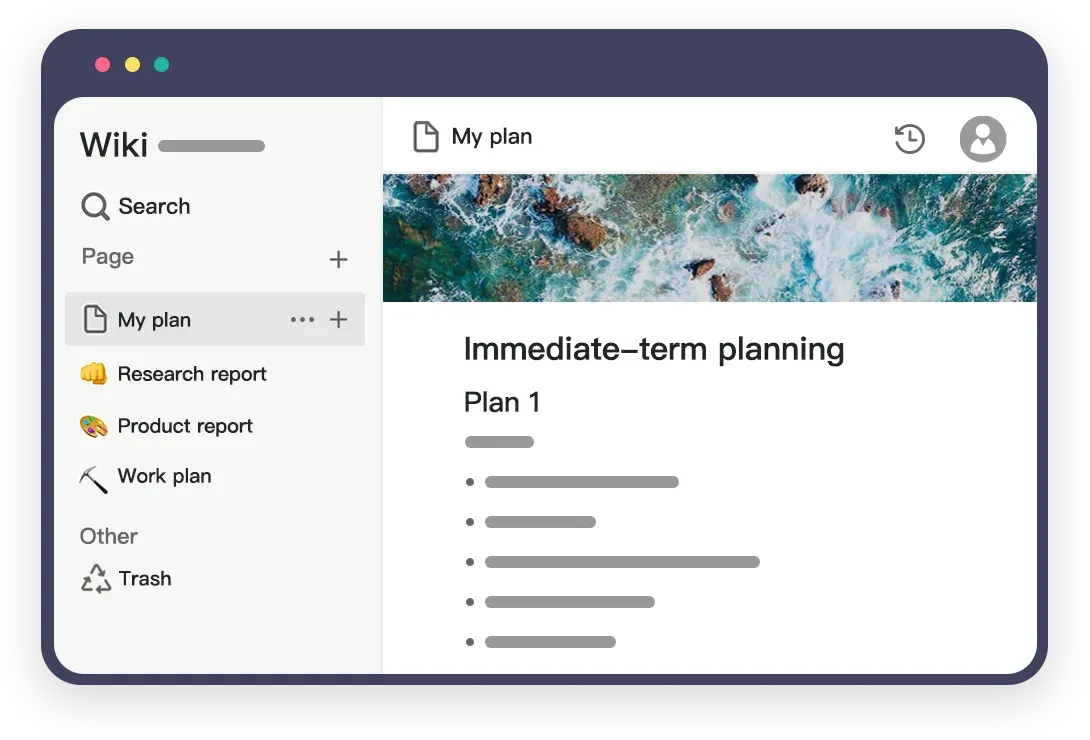
Official Seafile graphic of the wiki feature with a page list and a page open.
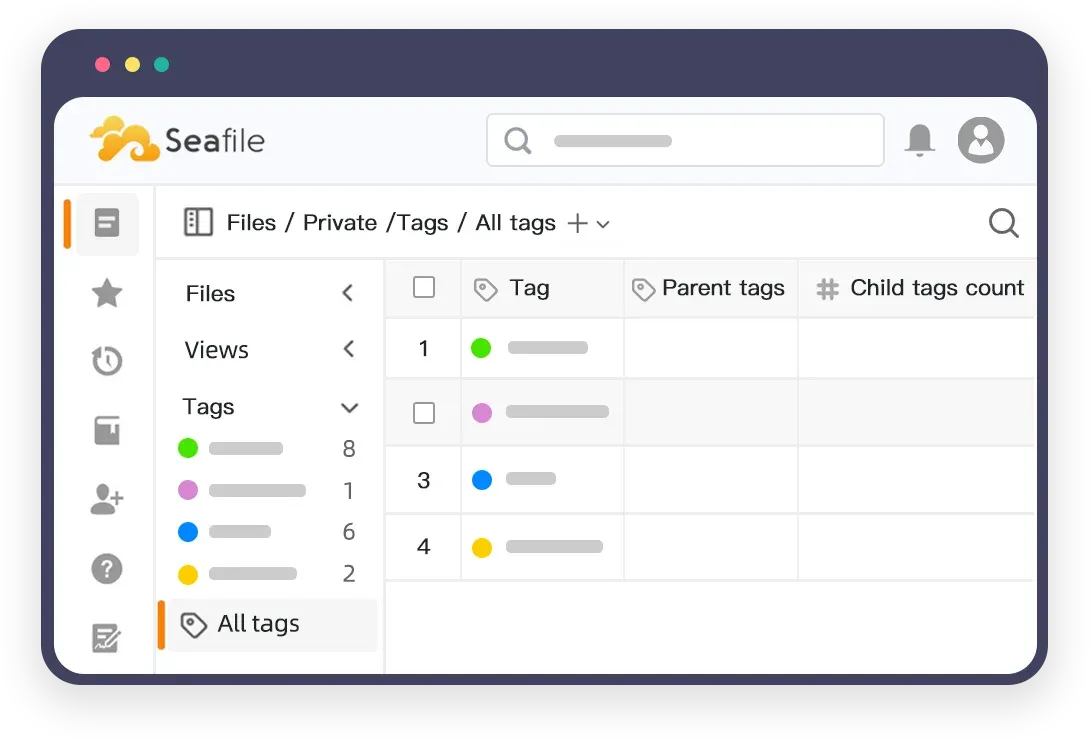
Official Seafile graphic of file tags with parent-child hierarchy.
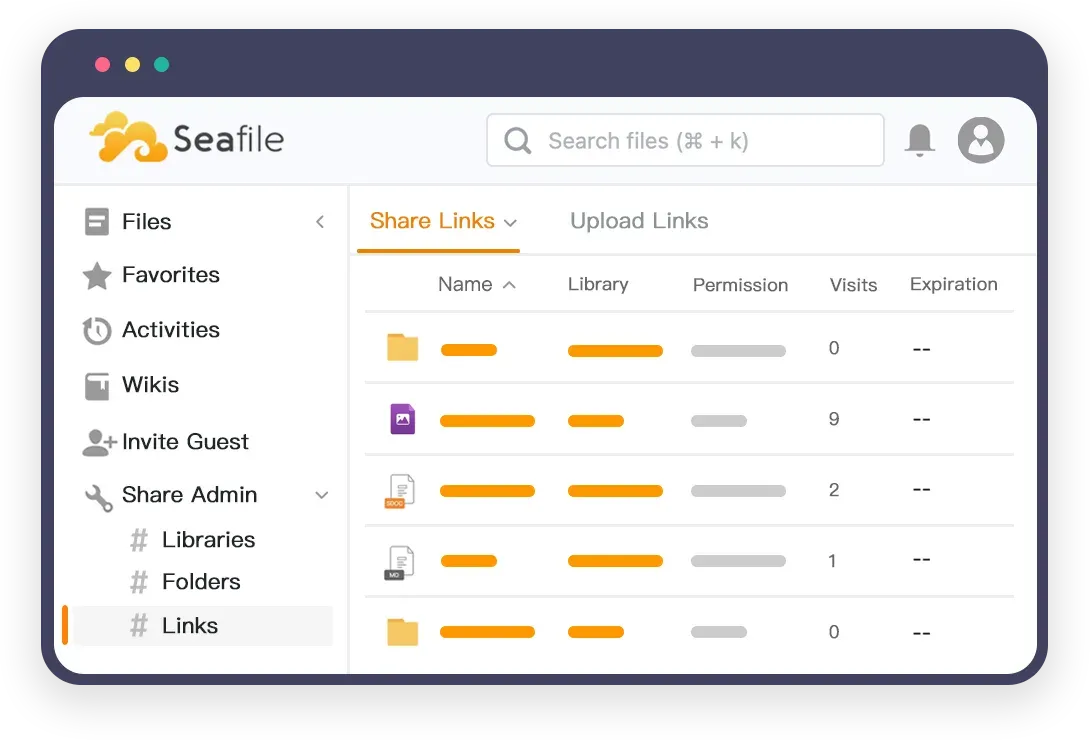
Official Seafile graphic of share links with permission, visits and expiration.
Source: official Seafile project page.
Key capabilities
- Library-based file sync Each library is a separate sync unit, so a laptop can hold one project and skip the rest. The sync daemon transfers only content deltas, resumes interrupted transfers, and can sync an existing local folder. A library can also sync with two or more servers.
- History-based conflict handling Conflicts are resolved from file history, not from timestamps alone. This avoids silent overwrites when two devices edit offline, but users should still know how conflicts appear and who reviews them.
- Desktop sync clients The download page lists clients for Windows 10 or later, macOS 11 or later and Linux (Ubuntu, Debian, Fedora), plus a terminal client. Version 9.0.22 was listed on November 7, 2026.
- SeaDrive virtual drive The Drive client shows server files like a network drive and downloads content on demand instead of syncing everything. It has Windows, macOS and Linux builds, listed at version 3.0.27. The macOS 3.0 build requires macOS 12.1 or later, with a 2.0.26 build for older systems.
- Mobile apps Android (Google Play, F-Droid or a direct download) and iOS apps are offered at version 4.0. They browse libraries, upload and open files, and are separate projects with their own issue trackers.
- Sharing and permissions Folders can be shared with users or groups with read or write permissions. Download links can be password protected and set to expire, and upload links let outside people send files into a folder without an account.
- Library encryption A library can be encrypted with a password chosen by the user, and the desktop client encrypts data on the client side before upload when syncing it. If the password is lost the content cannot be recovered, so admins should plan for that. Check which server-side features still work on an encrypted library.
- File history and trash The website lists file history recovery, and the manual documents history and trash settings. Retention drives storage use, so set it deliberately for large libraries.
- Extensible file properties and views Newer releases add a metadata layer: custom properties such as owner, status and deadline, with table, Kanban, gallery, map and statistics views. This makes a library behave more like a lightweight database for files. It relies on the optional metadata server, described in the metadata server documentation.
- Hierarchical file tags Tags can have parent and child relationships and can be filtered in views. This helps classify large document sets, and the AI-assisted tag suggestions mentioned on the website depend on the separate Seafile AI extension.
- SeaDoc and wiki SeaDoc is a built-in collaborative document editor and the wiki feature provides team knowledge bases with pages. Both are installed as extensions, and SeaDoc is part of the default Docker Compose services in the Community Edition setup.
- Office suite integration Seafile connects to OnlyOffice and Collabora Online for editing office files in the browser, and to Excalidraw for whiteboards. Those servers run separately and are configured in Seahub settings; Microsoft Office Online Server support is marked as a Professional feature. See ONLYOFFICE Docs and Collabora Online.
- WebDAV, FUSE and web API A WebDAV extension (seafdav) and a FUSE mount are documented as extensions. A web API v2.1 lets scripts and integrations list libraries, upload files and manage shares.
- Docker deployment for the Community Edition The documented install downloads an .env file plus the Compose files for the server, SeaDoc and Caddy into a directory, sets a MariaDB password, a JWT private key of at least 32 characters and the server hostname, then runs
docker compose up -d. The stack contains Seafile, Redis, MariaDB, SeaDoc and Caddy. See the Community Edition Docker guide. - System requirements The documented Community Edition minimum is 2 GB of memory and 2 CPU cores, with 10 GB of disk and 50 GB recommended. The Professional Edition needs 4 cores and 4 GB with the default Elasticsearch indexer, and Elasticsearch needs
vm.max_map_countof at least 262144. - Admin and audit features Administrators get user and group management, institution administration, and audit logs for file access. The virus-scan integration is marked as a Professional feature in the manual, so confirm the edition before relying on it.
- Cluster deployment The Professional Edition supports a cluster with frontend and backend nodes, an external MariaDB, Redis or Memcached, a file indexer and S3-compatible object storage. The manual recommends at least two nodes, and three or more for redundancy.
Where Seafile fits
Team file server with desktop sync
Install the Community Edition with Docker, create libraries per team or project, and have users sync only the libraries they need. Test the permission model first: share a folder with a group, remove a user, and confirm that access ends. Set the version retention policy before storage grows, because history is kept per library.
Replacing ad-hoc file sharing links
Use download links with a password and expiry date for external recipients, and upload links for collecting documents from customers. Review who can create links in the system admin settings and check the audit log for link visits. The link management page lists active links so old ones can be revoked.
Client-side encrypted storage
Encrypted libraries suit sensitive folders such as HR or legal material. Agree on a password-recovery policy in advance, since the server cannot decrypt the data. Check which features are unavailable on encrypted libraries, such as server-side preview or search, and measure sync speed on your slowest client machine.
Structured document sets with properties and views
Where a team tracks contracts, assets or media, the metadata features can replace a spreadsheet next to the files. Define properties such as status and deadline, then build a Kanban or table view. Enable the metadata server as described in its documentation, and test with a library of realistic size before rollout.
Online editing with an office suite
Connect OnlyOffice or Collabora so users can open Word, Excel and PowerPoint files in the browser, and use SeaDoc for lighter notes and wikis. Check the document server network access to Seafile, the JWT secrets on both sides and the file formats your users edit most.
Scaling to a cluster
Organisations with many users move to the Professional Edition cluster setup, with object storage such as S3. Plan the database, Redis and indexer as separate services, and rehearse the upgrade from the admin manual on a staging copy.
Reviews of Seafile
Be the first to share your experience with Seafile.
Write a review
Loading review form…
Alternatives to Seafile
 NextcloudAGPL-licensed collaboration server for files, sharing, Talk calls, Calendar, Contacts, Mail and browser office editing. Run it with the official All-in-One Docker setup or on your own PHP stack, with clients for desktop and mobile.
 SyncthingSyncthing is an open-source continuous file synchronization program that keeps folders in step across your devices without a central server.
 ONLYOFFICE DocsONLYOFFICE Docs, formerly Document Server, is an AGPL-licensed online office suite you run on your own server and connect to Nextcloud, SharePoint, Moodle or your own app. It edits OOXML files, PDFs and forms with co-editing.