

What is Collabora Online?
Collabora Online is a browser-based office suite for text documents, spreadsheets, presentations and drawings. It is developed by Collabora Productivity, the Collabora division formed in 2013 when SUSE's LibreOffice developers moved to Collabora, and it uses the LibreOffice engine for layout, file filters and rendering. Collabora Online does not store files itself: a host application such as Nextcloud, ownCloud, OpenCloud or Seafile keeps the documents and hands them to the editor over the WOPI protocol, while users work in an ordinary browser without a plugin.
The GitHub repository listed here is now the issue tracker and the home of the Helm chart and container build. Source code and review live on Gerrit at gerrit.collaboraoffice.com, with a read-only monorepo mirror on GitHub. The code is mainly under the Mozilla Public License 2.0; the branding files are Apache-2.0, and the Docker build notes state that the CODE brand package itself is not open source, so a fully open build has to drop it.
There are several distributions. CODE, the Collabora Online Development Edition, is free, rebuilt on average once a month and published as the collabora/code Docker image and as deb and rpm packages; Collabora describes it as a sandbox for testing, home use and small teams, not for production. The supported Collabora Online edition adds long-term support, signed security updates and an SLA under a subscription. The same code base also produces Collabora Office for Windows, macOS and Linux, and mobile apps for iOS and Android.
The current server branch is 26.04. Collabora Online 26.04 was released on July 21, 2026 and brought Table Design and Track Changes to Calc, document classification labels, Landlock sandboxing as an alternative to chroot jails, new /livez and /readyz health checks and much faster XLSX export. The newest development build at the time of checking is CODE 26.04.5.2 from October 23, 2026, with a Review Mode for Writer and document comparison against an older version fetched from the WOPI host. The latest release marked on GitHub is the mobile tag 25.04.7-mobile, which builds the iOS and Android apps, while Helm chart 1.3.7 ships image 26.04.5.2.1.
Architecturally, the coolwsd web services daemon accepts browser and WOPI connections, a forkit process spawns one kit process per document inside an isolated jail, and the JavaScript client in the browser displays the rendered document and sends input over a WebSocket. Collabora Online is not a file manager, sharing service or identity provider: users, permissions, versioning and storage remain with the integrating platform.
Collabora Online screenshots
Explore the interface. Open a screenshot to view it at full size.
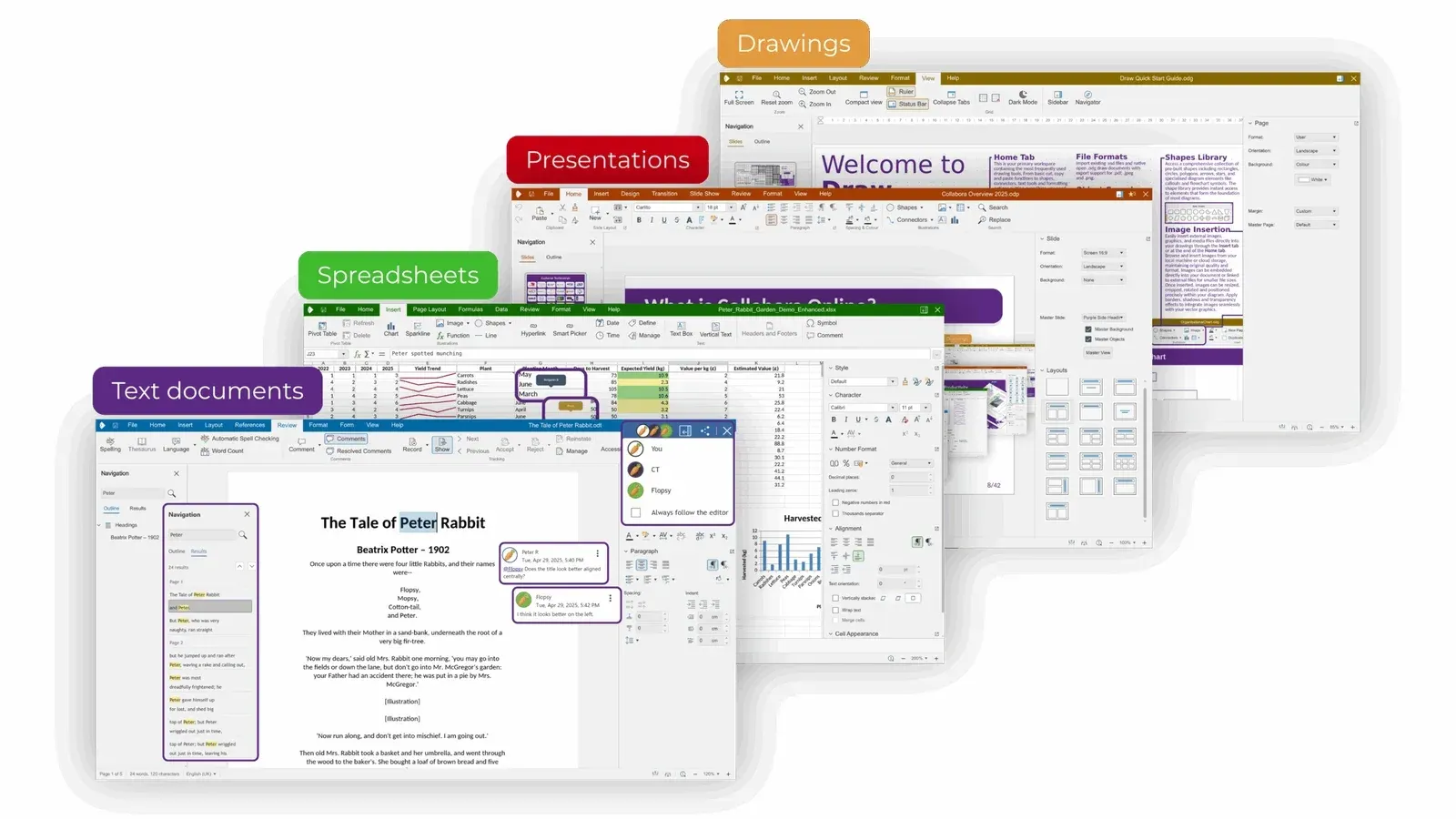
Official Collabora Online 25.04 overview showing the four editors, with co-editing avatars and comments in Writer.
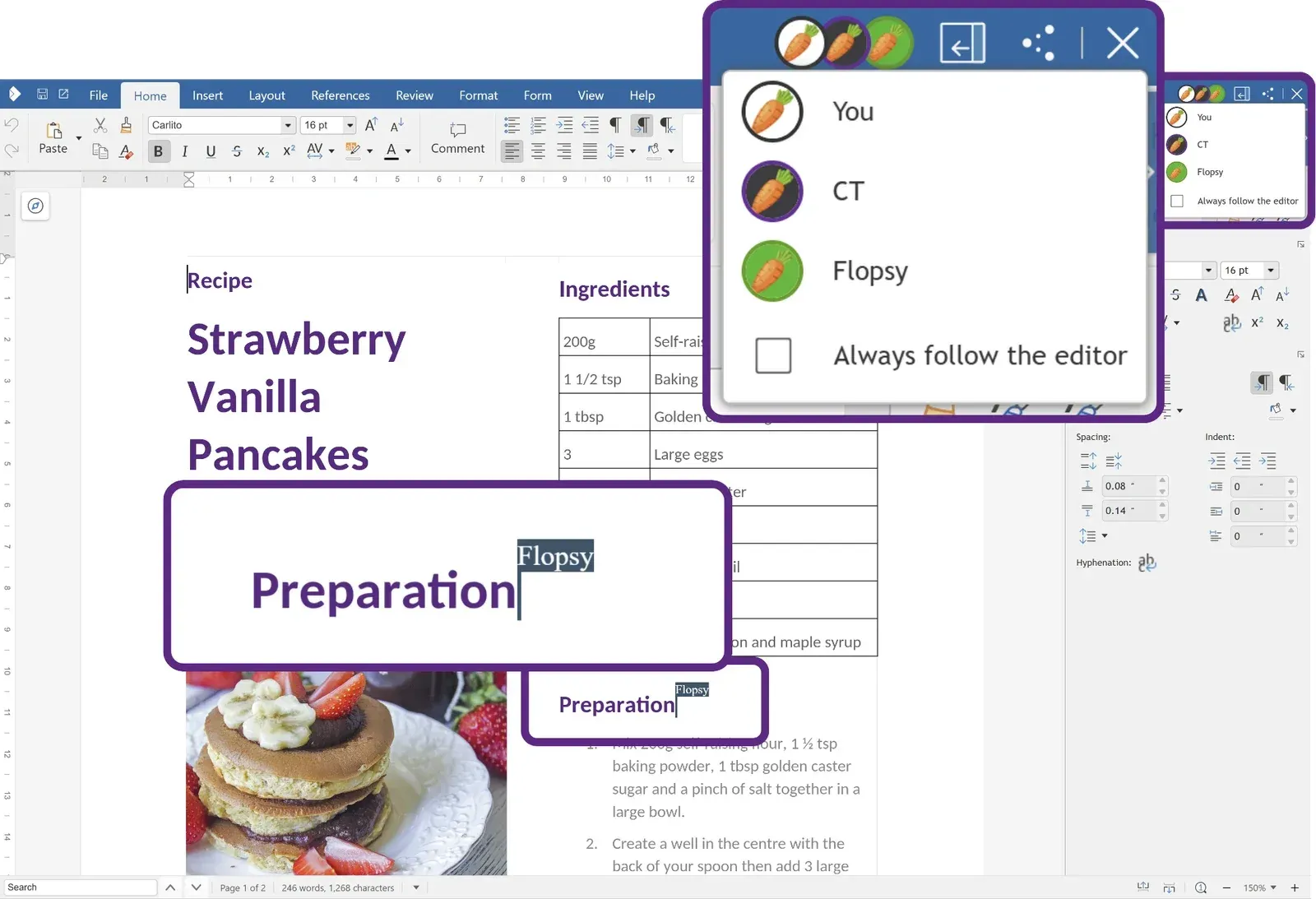
Official image of real-time co-editing in Writer, with the user list and a remote cursor enlarged.
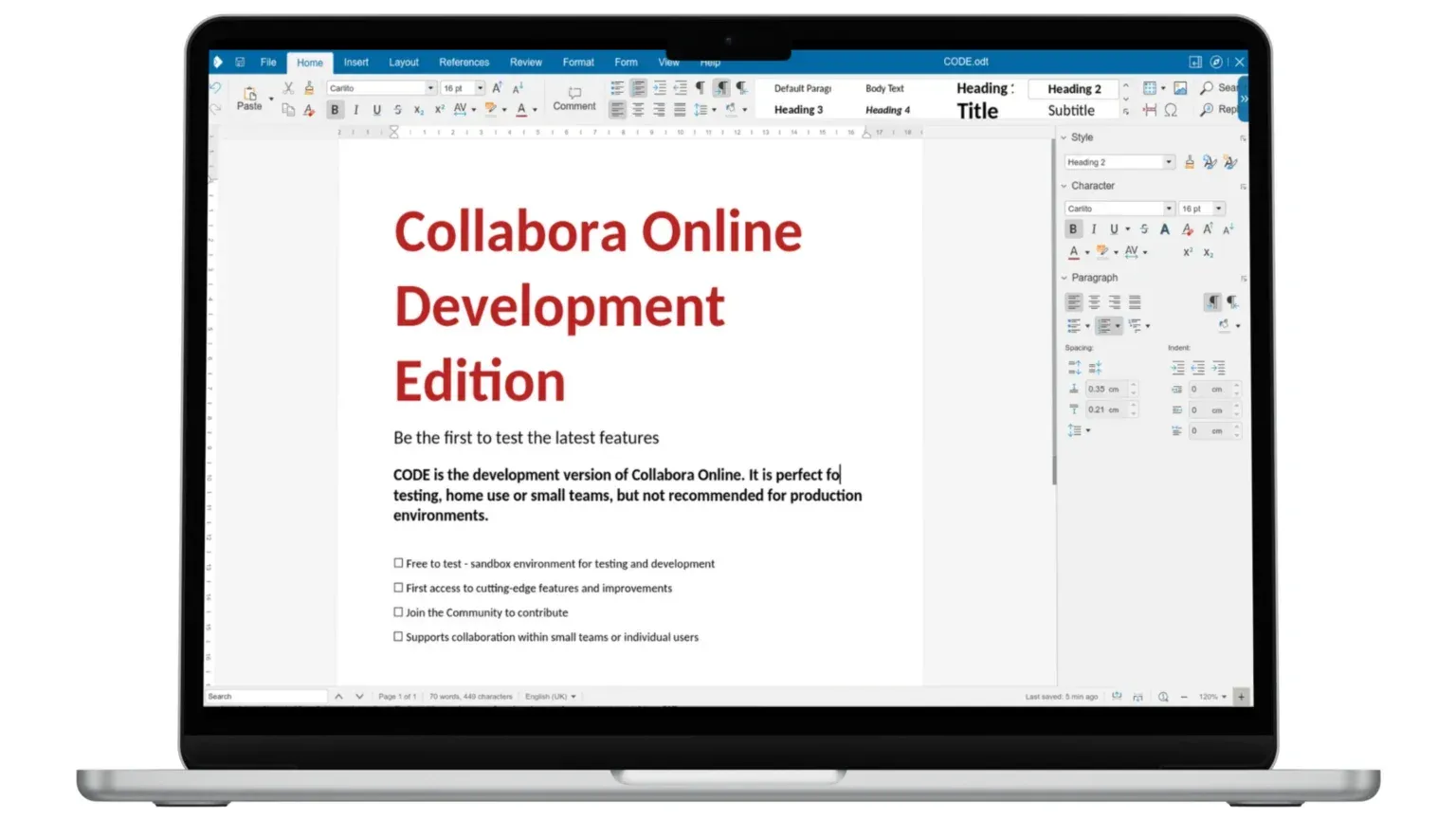
Official CODE 25.04 image: Writer with the tabbed notebookbar and the Style, Character and Paragraph sidebar.
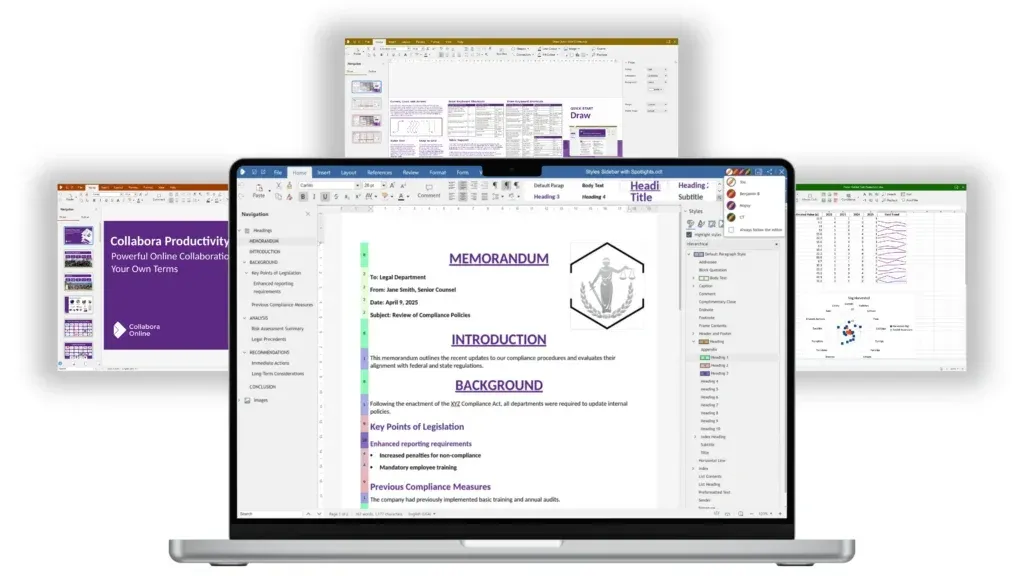
Official Collabora Online 25.04 product image with the Writer navigator and styles sidebar in front of the other editors.
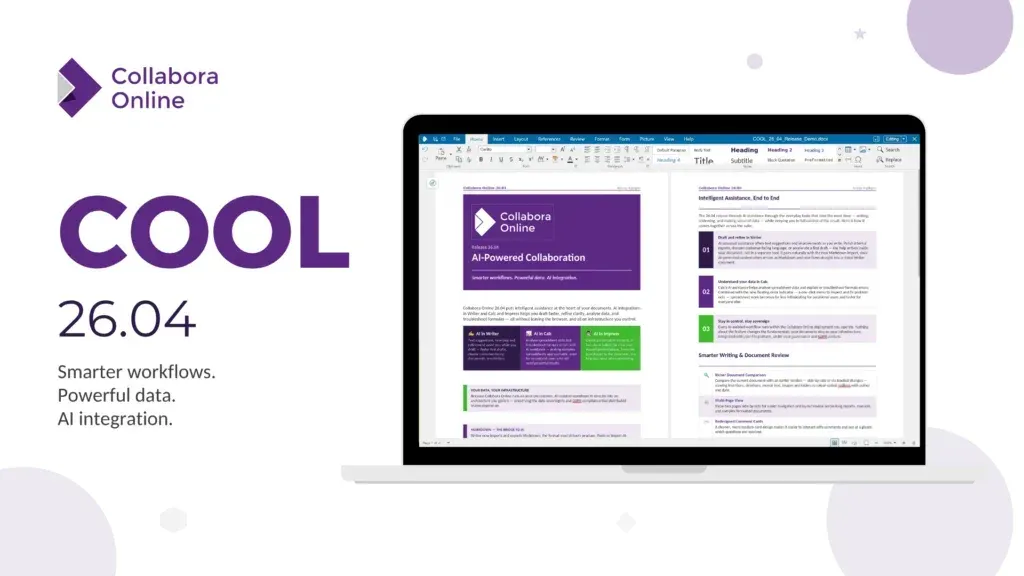
Official Collabora Online 26.04 release image; the document on screen is the release overview.
Key capabilities
- Writer, Calc, Impress and Draw in the browser The suite covers text documents, spreadsheets, presentations and diagrams. The official format list names .odt, .docx, .doc, .pdf and .rtf for Writer, .ods, .xlsx, .xls, .xlsm and .csv for Calc, .odp, .ppt and .pptx for Impress, and .odg, .vsd and .vsdx for Draw. ODF is the native format; Microsoft formats go through LibreOffice import and export filters, so complex layouts still need a round-trip check.
- Real-time co-editing Several users can edit the same file at once, with avatars, a follow-the-editor option and per-user cursors. All users of one document must reach the same server process, which is why load balancers route on the WOPISrc parameter. Comments, track changes and version comparison are available in Writer, and 26.04 added Track Changes to Calc.
- WOPI integration with file platforms The host application stores files, checks permissions and calls Collabora Online through WOPI. Ready-made integrations exist for Nextcloud and ownCloud (the richdocuments app), OpenCloud, Seafile, HumHub, Group-Office, Moodle, WordPress, Alfresco, Nuxeo, XWiki, Mattermost, Drupal and Odoo. The
alias_groupssetting decides which WOPI hosts may connect. - PostMessage API for custom integrations Developers embedding the editor in their own application use WOPI for file access and the PostMessage API to customise the editor and exchange messages between the iframe and the host page. The SDK includes a step-by-step integration tutorial. Server-side Python macros called through this API need an image built with Python support and macros enabled.
- Document conversion over REST Coolwsd accepts REST requests such as convert-to for batch conversions. These requests are filtered by client IP through the
post_allowlist, which by default contains loopback and private address ranges. Conversions run at a lower batch priority and stop after 100 seconds by default. - CODE Docker image The
collabora/codeimage runs on x86-64, arm64 and ppc64 hosts, including Linux and Windows with Docker. It listens on port 9980, is usually placed behind Apache or Nginx with TLS termination, and passes coolwsd options through environment variables such asextra_params. The default runtime base is the ZenDiS hardened image for amd64 and arm64, without a shell or package manager. - Native Linux packages CODE is also published as deb packages for amd64, arm64 and ppc64 and as rpm packages for amd64, with repositories for Debian and Ubuntu, RHEL, CentOS, Fedora and SUSE. A minimal installation needs
coolwsdand the brand package; full installs addcollaboraoffice*language packs. The service runs under systemd and reads/etc/coolwsd/coolwsd.xml. - Kubernetes Helm chart The official chart, version 1.3.7 at the time of checking, deploys Collabora Online with HAProxy or Nginx ingress examples that hash on WOPISrc. Horizontal pod autoscaling is disabled because scaling breaks co-editing and copy-paste, so replica counts are set by hand. The chart suggests 4 to 8 CPU cores and 6 to 8 GiB of memory per pod for production, plus Grafana dashboards and Prometheus rules.
- Process isolation Each document is rendered by its own kit process. coolwsd uses a mount namespace, a chroot built from file capabilities, or Landlock, and refuses to start if none is available; seccomp system call filtering is required by default. The project ships a
cool-seccomp-profile.jsonfor Docker. - Admin console and metrics A web admin console monitors documents, users and resource use, and can kill documents that have stayed open too long. Its JSON Web Token expires after 30 minutes, and the password is set through PAM or
coolconfig. The/cool/getMetricsendpoint returns Prometheus text format and requires authentication unless explicitly opened. - Health checks Since 26.04, /livez and /readyz follow the Kubernetes health-check convention. They need no authentication, return plain text and accept a verbose flag that lists checks such as forkit, spare kits, disk space, memory and connections. Failure reasons are written to the log, not to the response.
- Writing aids and translation Optional connectors call LanguageTool for grammar checking, DeepL or LibreTranslate for translation and Grammalecte for French. Each is disabled by default and needs its own endpoint and key. CODE 26.04.5.1 also added built-in grammar checking for English, Hungarian, Russian and Brazilian Portuguese.
- AI assistant and script add-ons Recent CODE builds include an AI Assistant tab with dedicated tools in Calc and Impress, where the administrator chooses the provider and stores API keys. Google Apps Script add-ons can work with Writer, Calc and Impress documents from the Extensions menu. These features send content to whichever external service is configured.
- Security labels and review features Writer, Calc and Impress can apply organisation-defined classification labels to banners, headers, footers and watermarks, preserved in DOCX, XLSX and PPTX. Password-protected documents can open read-only first, and CODE 26.04.5.2 adds a Review Mode that turns on change tracking for reviewers.
- Software bill of materials and signed images The build generates SPDX 3.0.1 SBOMs for the engine, server and browser client, and container images also carry a CycloneDX 1.6 file in
/usr/share/sbom/. Published images can be checked withcosign verifyagainst the project's public key. The documentation warns that a clean vulnerability scan is not proof of no known vulnerabilities. - Desktop and mobile apps Collabora Office brings the same interface to Windows, macOS and Linux through the Microsoft Store, Mac App Store and Flathub. Collabora Office for Android and iOS is distributed through Google Play and the App Store; the 25.04.7 mobile release changed phone layouts and hides toolbars on small landscape screens.
Where Collabora Online fits
Adding document editing to Nextcloud or ownCloud
Install the richdocuments app (listed as Collabora Online in the app stores), run a Collabora Online or CODE server and enter its URL in the app settings. Both sides must use the same scheme: if either uses HTTPS, both must. Set alias_groups to the exact Nextcloud host name instead of relying on the default mode, where the first host that connects after each start becomes the only trusted one. Then open a DOCX, an XLSX and a PPTX from the file list and confirm that saving writes a new version in Nextcloud.
Evaluating with CODE before buying
CODE is the free route for a pilot. Pull collabora/code, put it behind a reverse proxy with a valid certificate and connect one test host, or use the compose files Collabora publishes for Nextcloud, OpenCloud, ownCloud, Seafile, HumHub and Group-Office. Keep the pilot outside production, since CODE builds roll monthly without long-term support, and note which features you rely on so you can compare them against the supported 26.04 branch.
Running a supported production service
Production deployments use the Collabora Online packages or images from the customer portal, which add signed security updates and long-term support. Size memory first: each open document is its own process, idle documents unload after one hour by default, and the server starts cleaning up idle documents when its memory share is reached. Configure the admin console password through PAM or coolconfig, restrict post_allow to the hosts that really call the REST API, and decide deliberately whether to enable macro execution.
Scaling on Kubernetes
Use the Helm chart with an ingress that hashes on WOPISrc, so every user of one document lands on the same pod. Set replicaCount by hand because autoscaling is not supported, keep num_prespawn_children at about 4 for faster opens, and wire /readyz and /livez into the probes. For large Kubernetes-based estates, Collabora also offers the Collabora Online Controller.
Embedding the editor in your own application
Implement the WOPI file endpoints (CheckFileInfo, GetFile and PutFile) in your backend, read the server's discovery XML to find the editor URL for each file type, and load it in an iframe with an access token. Use the PostMessage API to adjust the interface and handle messages from the editor. Test with a token that has expired and with a read-only user before exposing the integration.
Converting documents in batch
Internal services can post files to the convert-to REST endpoint to produce PDF or other formats without a user session. Run conversion traffic on a separate instance or rely on the lower batch priority, keep the 100-second conversion limit in mind for large files, and allow only the calling service in post_allow.
Install
docker pull collabora/codeReviews of Collabora Online
Be the first to share your experience with Collabora Online.
Write a review
Loading review form…
Alternatives to Collabora Online
 ONLYOFFICE DocsONLYOFFICE Docs, formerly Document Server, is an AGPL-licensed online office suite you run on your own server and connect to Nextcloud, SharePoint, Moodle or your own app. It edits OOXML files, PDFs and forms with co-editing.
 CryptPadAGPL-licensed collaboration suite from XWiki that encrypts documents in the browser before they reach the server. Use a public instance such as CryptPad.fr, buy a hosted or on-premise enterprise plan, or self-host it with Node.js or Docker.
 LibreOfficeLibreOffice is a free, open source office suite with Writer, Calc, Impress, Draw, Base and Math, developed by a volunteer community.