

What is LibreOffice?
LibreOffice is an open source office suite offered at no cost. It contains six applications: Writer for word processing, Calc for spreadsheets, Impress for presentations, Draw for diagrams and illustrations, Base for databases, and Math for formulas. Each has a guide book published on the project site.
The project is developed by a community of contributors and run by The Document Foundation. LibreOffice was based on OpenOffice.org. The site states that the source code is licensed under the Mozilla Public License v2.0, while website text and images use a Creative Commons licence.
The software is installed on the desktop. Installation instructions, system requirements, release notes, templates and extensions are linked from the download and help sections of the site, and professional support is listed for organisations that need it.
Development is open to all, and the project says its community encourages translation, documentation and maintenance of the software in every language.
LibreOffice screenshots
Explore the interface. Open a screenshot to view it at full size.
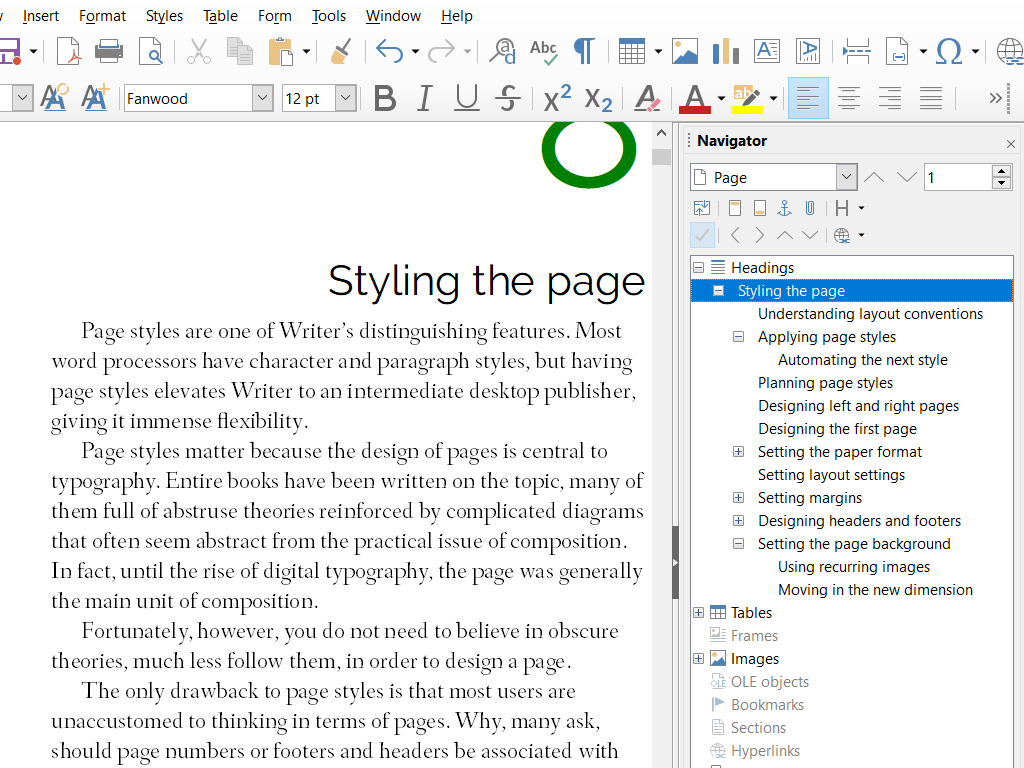
Source: official LibreOffice project page.
Key capabilities
- Writer A word processor for everything from quick notes to full-length books.
- Calc A spreadsheet to analyze data and create clear visuals.
- Impress Multimedia presentations.
- Draw Diagrams through to 3D illustrations.
- Base Databases with tables, forms, queries and reports.
- Math Mathematical formulas written in a visual editor or plain text.
Where LibreOffice fits
- Documents Writer for text documents of any length.
- Data analysis Calc for spreadsheets and charts.
- Presentations Impress for slide decks.
- Drawing Draw for diagrams and illustrations.
- Databases Base for tables, forms, queries and reports.
- Formulas Math for equations.
Reviews of LibreOffice
Be the first to share your experience with LibreOffice.
Write a review
Loading review form…
Alternatives to LibreOffice
 Collabora OnlineCollabora Online is an MPL-2.0 online office suite built on LibreOffice. It runs on your own Linux servers, Docker or Kubernetes and lets Nextcloud, ownCloud, Seafile and other WOPI hosts open documents, spreadsheets and slides in the browser.
 CryptPadAGPL-licensed collaboration suite from XWiki that encrypts documents in the browser before they reach the server. Use a public instance such as CryptPad.fr, buy a hosted or on-premise enterprise plan, or self-host it with Node.js or Docker.
 IronCalcIronCalc is an MIT and Apache 2.0 spreadsheet engine in Rust with about 500 functions, .xlsx support, a browser app, Python, Node.js and WebAssembly bindings, and a Docker Compose setup for self-hosting.