

What is CryptPad?
CryptPad is an open-source collaboration suite in which every document, spreadsheet, form and drive is encrypted in the browser before it is sent to the server or to collaborators. The server stores and relays ciphertext, and account access is based on cryptographic keys derived from the username and password, so the server never needs to see either. It is developed by the CryptPad team at XWiki SAS, a Paris company that has built open-source software since 2004. The project repository dates from 2014; between 2015 and 2019 development was funded by a French state research grant through BPI France, and later by NLnet, NGI TRUST, NGI DAPSI, CryptPad.fr subscribers and Open Collective donations.
The suite runs in a web browser. It combines a personal and team drive (CryptDrive) with Rich Text, Document, Presentation, Spreadsheet, Code/Markdown, Markdown slides, Form, Kanban, Diagram and Whiteboard applications, plus a calendar, contacts and encrypted chat. There is no desktop or native mobile client; the FAQ states that a dedicated mobile application is not planned and that a progressive web app is in development instead. People can use the flagship instance CryptPad.fr, one of the vetted third-party servers in the public instance directory, or an instance they host themselves.
Releases follow a roughly three-month cycle. The current release, 2026.10.0 (Autumn release, October 21, 2026), replaces the server with a rewritten, more scalable implementation that is also published as the cryptpad-server npm package. HTTP and websocket traffic now share one port, configuration is split between config/config.js and a new config/infra.js, and the sodium signature plugin is no longer needed. The office applications move from OnlyOffice-based editors to compatible editors based on Euro-Office 9.3, and a new linked-documents model makes office file data more reliable. Release 2026.5.0 moved the Diagram app to draw.io 29.6.7 with a sketch theme and theme switcher, and 2026.2.0 brought OnlyOffice 9.2, full history browsing in office documents and a redesigned drive tree.
The client is JavaScript. Real-time consensus uses ChainPad, a library from the XWiki research team in which each patch references the SHA-256 hash of the previous document state, so clients can agree on a document while the server only orders and stores encrypted messages; the architecture notes explain the model. Official AMD64 and ARM64 images are published on Docker Hub, a Helm chart is maintained for Kubernetes, and an official SSO plugin adds external identity providers.
CryptPad is licensed under the GNU AGPL 3.0 or later; the embeddable integration script carries an MIT header, and proprietary use is handled by the sales team. Two limits are stated plainly by the project: the encryption code is still loaded from the instance, so users must trust its administrator to serve unmodified code, and the operator can still see IP addresses and browser details. CryptPad is not a file-sync client, an email service or a desktop office package.
CryptPad screenshots
Explore the interface. Open a screenshot to view it at full size.
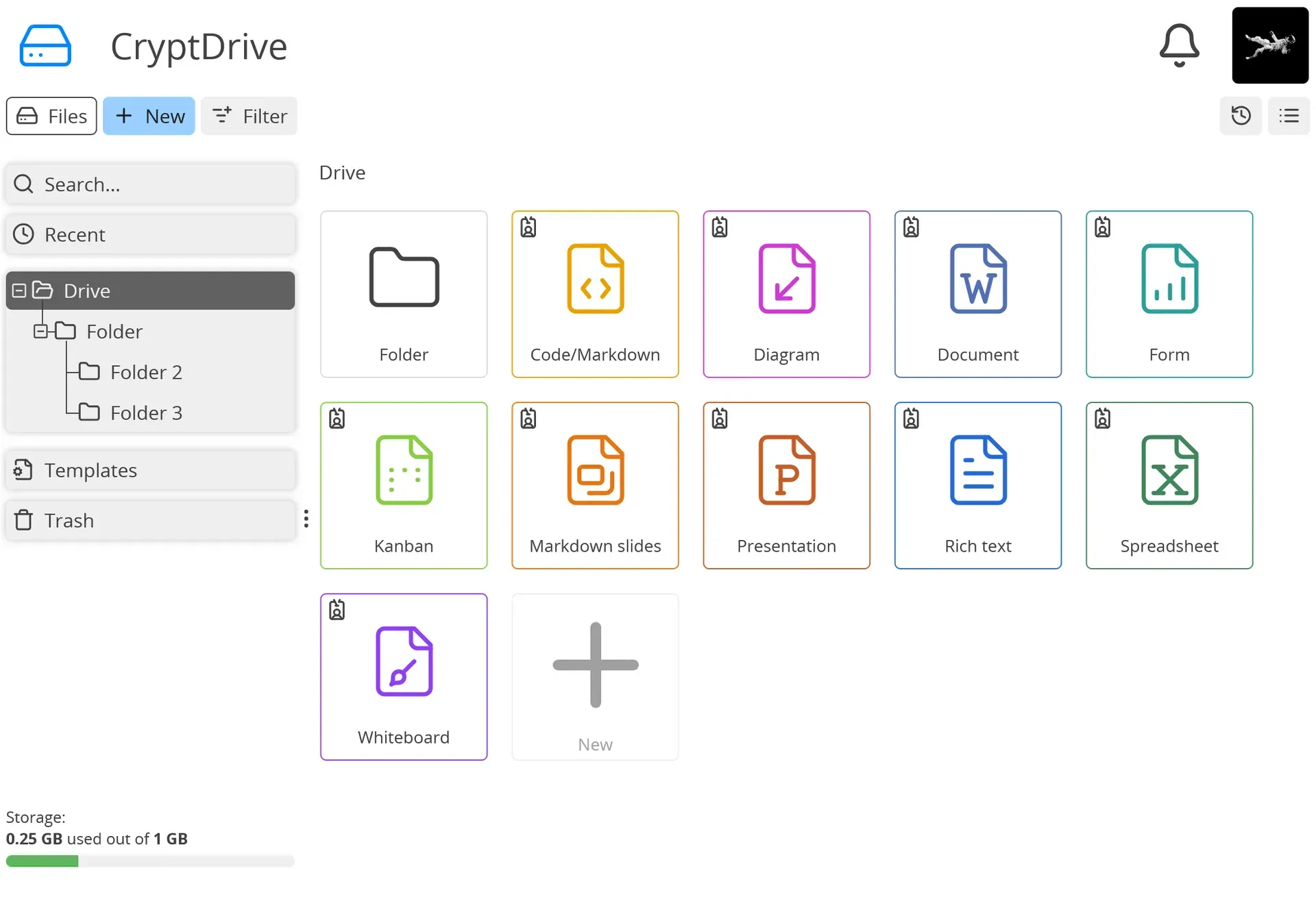
Official CryptDrive screenshot with the folder tree and tiles for Code/Markdown, Diagram, Document, Form, Kanban, slides, Presentation, Rich text, Spreadsheet and Whiteboard.
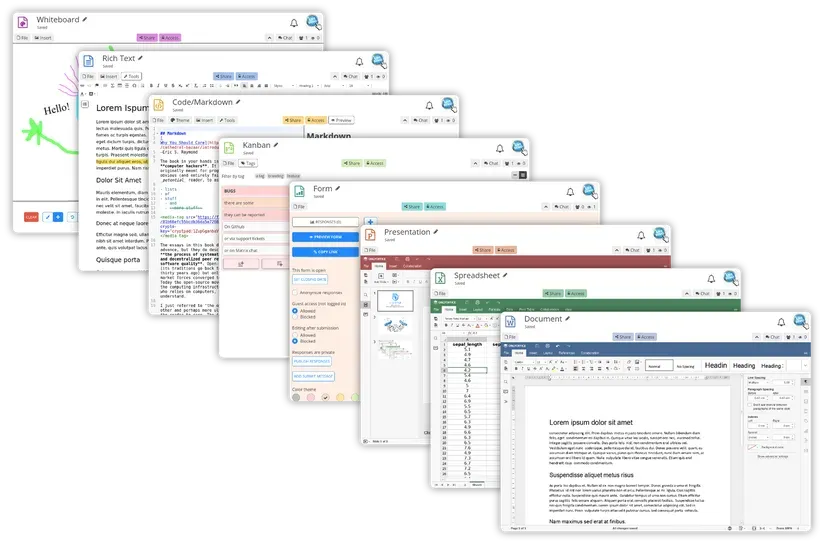
Official overview of the CryptPad applications from the project README.
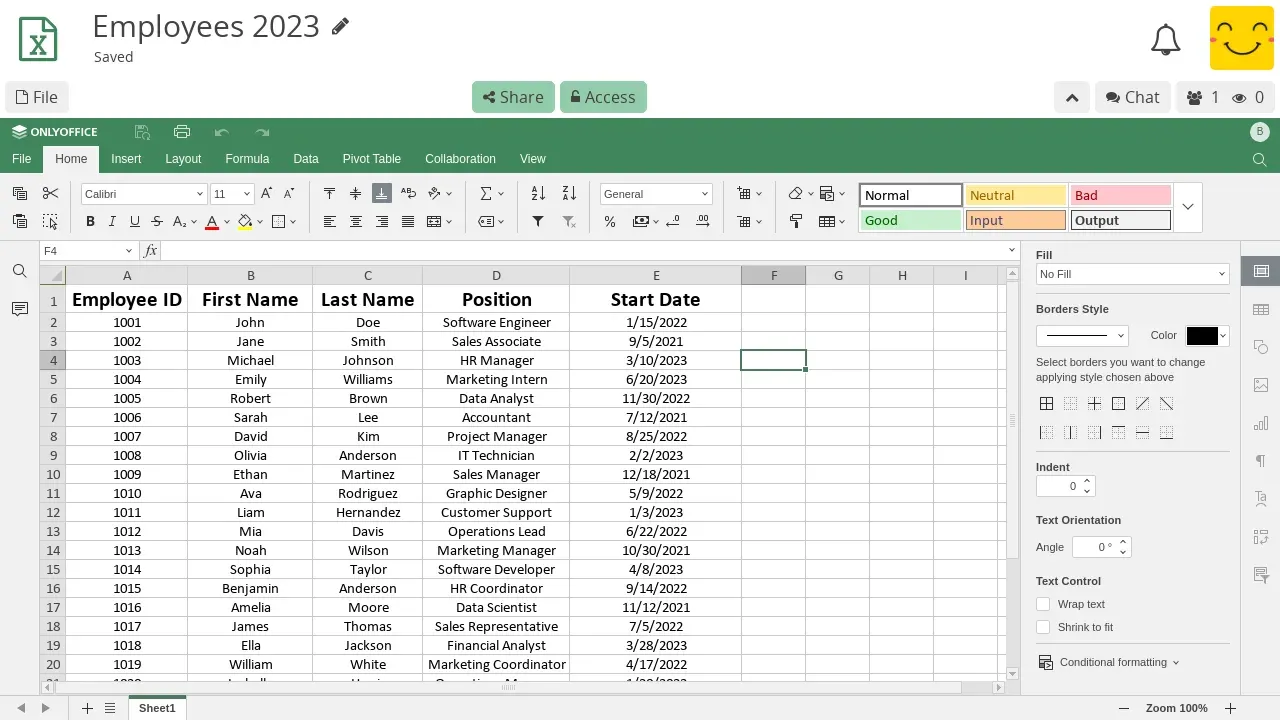
Official Spreadsheet app screenshot; it shows the earlier OnlyOffice-based editor, replaced by Euro-Office editors in 2026.10.0.
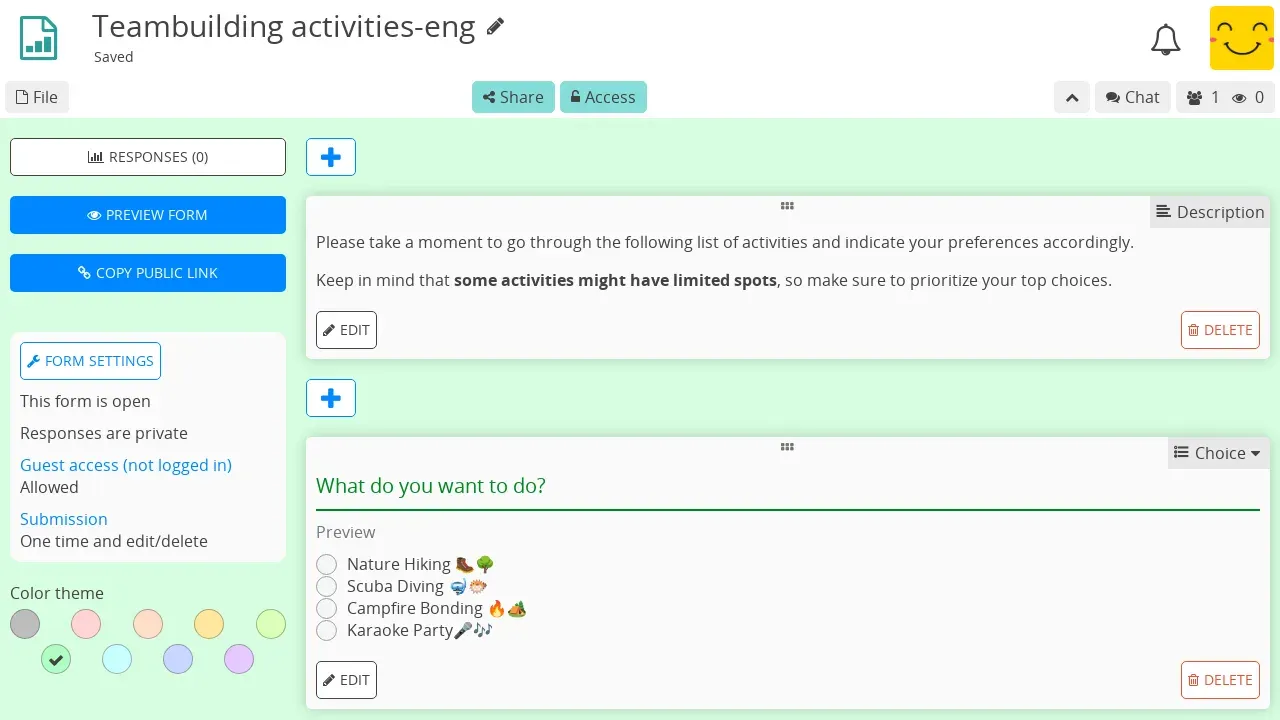
Official Form app screenshot showing form settings and a choice question.
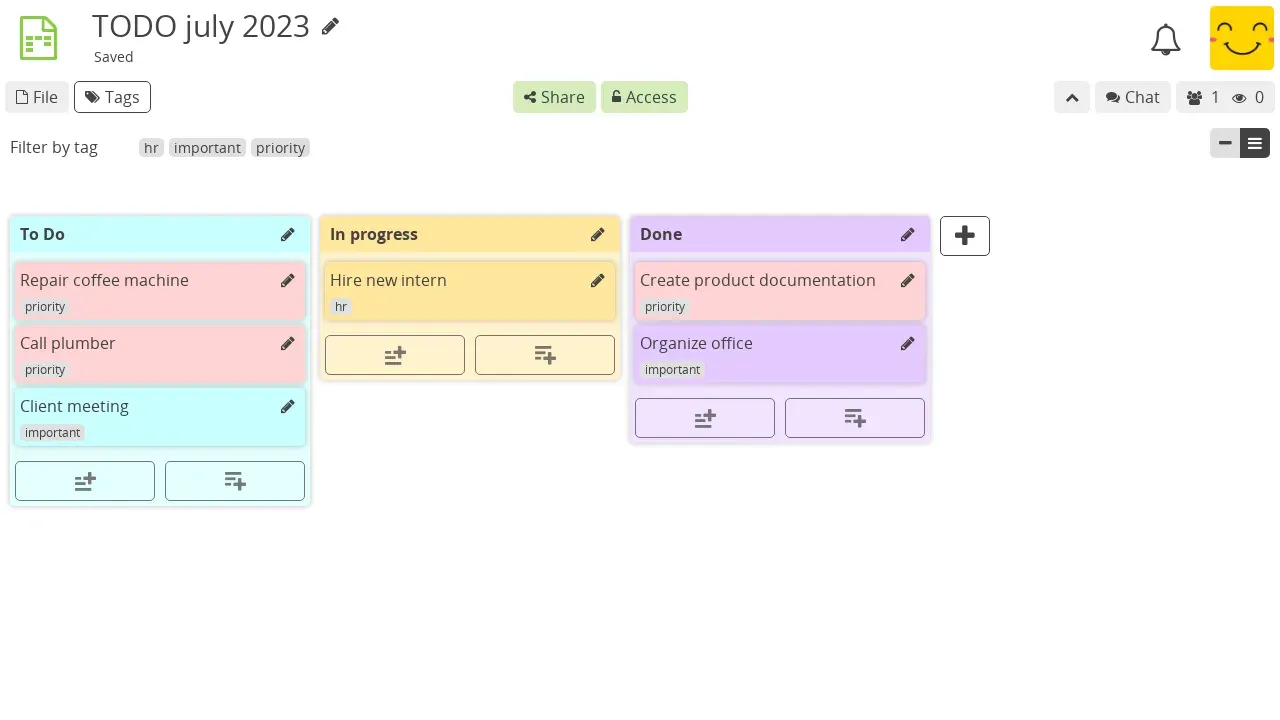
Official Kanban app screenshot with tag filtering.
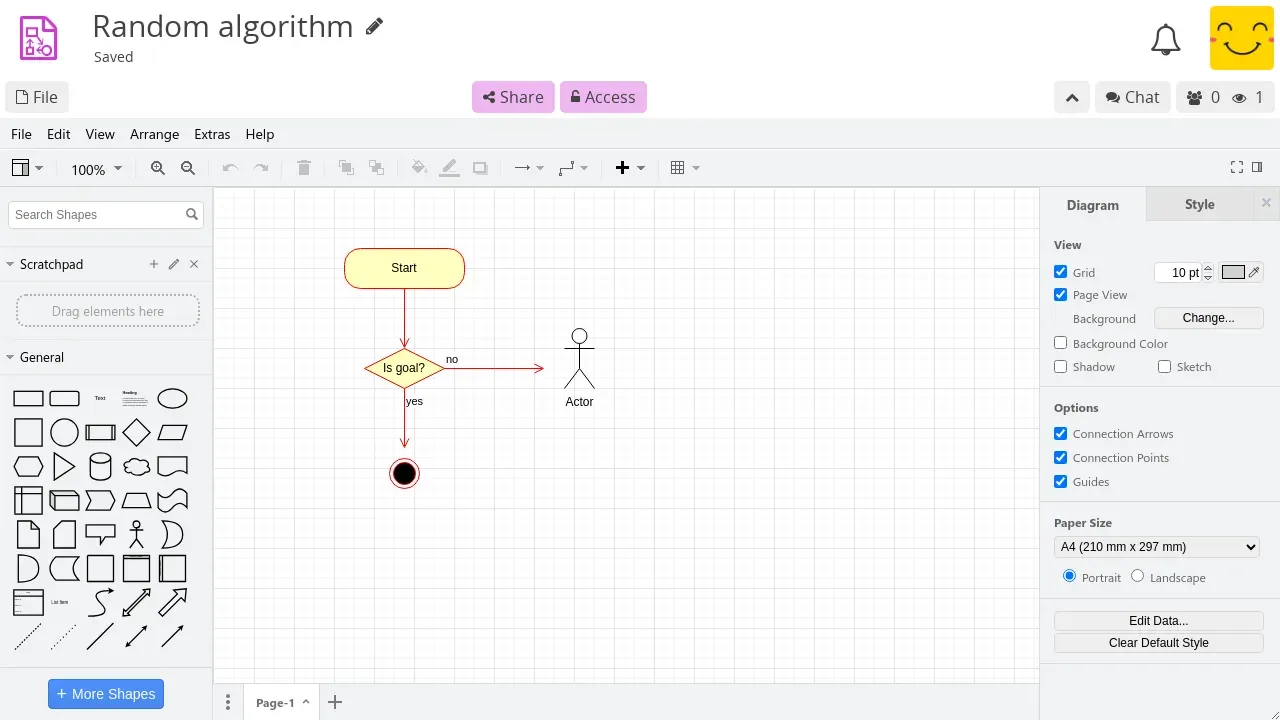
Official Diagram app screenshot with the full draw.io interface; 2026.5.0 made a sketch theme the default.
Source: official CryptPad project page.
Key capabilities
- Browser-side end-to-end encryption Content is encrypted in the browser before it leaves the device, and the server stores data it cannot read. Registration and login use keys derived from the username and password, so the server never receives either. The consequence is that instance administrators cannot recover or reset a lost password; a user who is still logged in can back up document keys and move them to a new account.
- CryptDrive and team drives The drive holds folders, tags, templates, trash, history and a storage quota for each account. Teams get a shared drive with roles, invitations, administration and team chat. The security guide notes that team members with edit rights can pass that access on, and that team messages use static keys that former members still hold.
- Office documents, sheets and presentations The Document, Spreadsheet and Presentation apps run office editors inside the encrypted session. Since 2026.10.0 they are based on Euro-Office 9.3, which is itself derived from OnlyOffice. Documents import .docx and .odt and export .docx, .odt or .pdf; spreadsheets use .xlsx and .ods, presentations .pptx and .odp. OpenDocument support is described as experimental, and CSV import and export are currently disabled.
- Rich Text and Code/Markdown Rich Text is a collaborative WYSIWYG editor with HTML import and export. Code/Markdown provides a source editor with a rendered preview, and Markdown slides turn Markdown into a presentation. Each app keeps a version history and supports snapshots.
- Forms The Form app builds surveys with choice, text and poll questions, required questions, guest access settings and private or public responses. Responses are encrypted like other content. Release 2026.10.0 added form printing and a revised sharing workflow; 2026.2.0 added required poll questions.
- Kanban boards Boards hold columns and cards with tags, Markdown content and tag filtering. They suit task lists and small team planning, not portfolio project management. Accessibility fixes for keyboard and screen reader use landed in 2026.10.0.
- Diagram and Whiteboard The Diagram app embeds draw.io, upgraded to version 29.6.7 in 2026.5.0, with a default sketch canvas and a switcher for the full diagramming interface. Whiteboard is a simpler freehand canvas. Diagrams can also be edited from Nextcloud through the official Open in CryptPad app, which currently supports draw.io files only.
- Calendar, contacts and chat Encrypted calendars can be personal or shared with contacts and teams. Contacts can exchange direct messages, which gained notifications in 2026.5.0, and each document has its own chat panel for the people editing it.
- Sharing links and access control Links can grant view or edit rights, and anyone with a link can open a document without an account. Owners can add a password to a document or shared folder, restrict it to an access list of contacts, and create view-once links or documents with an expiry date that self-destruct. Details are in the sharing and access guide.
- Public instances The flagship CryptPad.fr is run by the development team in France. The directory also lists third-party instances in Germany, Austria, Belgium, Ukraine, the United States and Quebec that pass checks for an up-to-date version and recommended security settings. They are not affiliated with the developers, and support comes from each operator.
- Self-hosting with Node.js The admin guide recommends Debian 12 with at least 2 GB RAM, 2 CPUs and 20 GB of storage, Git and the active LTS branch of Node.js. Installation clones the release tag, runs
npm ciandnpm run install:components, then installs the office editors with the bundled script. Example systemd and FreeBSD rc.d service files ship in the repository. - Docker images and Kubernetes Official images for AMD64 and ARM64 are tagged per release, for example
cryptpad/cryptpad:version-2026.10.0. The repository includes a Dockerfile and a read-only docker-compose.yml with volumes for blobs, blocks, data, files and office assets. Installing the office editors requires accepting the Euro-Office license through an environment variable. A Helm chart covers Kubernetes deployments. - Two-domain security model An instance needs a main domain and a separate sandbox domain covered by one TLS certificate, and it cannot run in a subfolder. The sandbox isolates user content from the code that holds keys. Nginx is the supported reverse proxy; the basic example configuration is rated for instances up to about 3,000 concurrent users.
- Administration panel The first account is created from a one-time installation URL. Administrators set the instance name, logo and accent color, choose which apps are enabled, can make two-factor authentication mandatory and close registration. The panel also hosts the encrypted help-desk, moderation tools and a
/checkup/page that tests the configuration. - Data retention controls By default unpinned documents are removed after 90 days, archived deleted data after 15 days and inactive accounts after 365 days. Eviction runs inside the server or through cron scripts. Documents that no account has stored in a drive count as unpinned, so links shared without saving them are subject to that limit.
- Integration API Other web platforms can load a CryptPad editor with
window.CryptPadAPI(containerId, config)from/cryptpad-api.js. It requires instance version 2024.6 or later and remote embedding enabled by the admin. CryptPad then provides only the encrypted collaborative session; the host platform stores the document and manages keys and access. The API examples repository documents the configuration. - SSO plugin The official plugin connects an instance to external identity providers for login. Release 2026.10.0 requires plugin version 1.0.0. SSO setup guidance and an installation session are part of the larger enterprise plans.
- Translations and accessibility The interface is translated through the project's Weblate instance; 2026.2.0 enabled Dutch and 2026.5.0 added Traditional and Simplified Chinese locales. Recent releases add labels, headings and keyboard fixes across modals, Kanban and forms. Firefox and Chromium-based browsers are recommended; Safari is not supported at this time.
Where CryptPad fits
Confidential drafting with external partners
Create a document or spreadsheet in a drive, then share a link with edit or view rights and, where the link travels over email, add a document password. External collaborators can open the link without an account. Check the access list and owners before sharing, and remember that recipients can see the full edit history and the list of collaborators.
Running an internal instance for a team or organization
Prepare two domains, one TLS certificate covering both, a Debian 12 host or Docker, and Nginx. Follow the installation guide, set the login salt before the first account (it cannot be changed later without breaking every login), then open the installation URL to create the admin account. Finish by running /checkup/ and deciding on registration and mandatory two-factor authentication.
Collecting sensitive form responses
Build a form, choose whether guests may answer and whether responses are private, then publish the public link. Responses are encrypted with the rest of the instance data. Test the respondent view on a phone, since there is no native app, and confirm that the people reviewing results have the right role before the form goes out.
Upgrading an existing instance to 2026.10.0
The new server changes the deployment. Read every set of upgrade notes since your version, copy config/infra.example.js to config/infra.js, move origin and port settings into it and remove websocketPort. Update the Nginx configuration so /cryptpad_websocket uses the public HTTP port, upgrade the SSO plugin to 1.0.0, remove the sodium plugin and review the checkup page after restart. The release notes list each step.
Embedding encrypted editing in another platform
Enable remote embedding in the instance's security settings, load cryptpad-api.js in the host application and pass the document URL, file type and CryptPad app name. The host platform stores the result and distributes session keys. For a real view-only mode, pass the CryptPad view key rather than relying on the mode flag, which only locks the interface.
Moving documents in and out
Import Word, Excel and PowerPoint files into the office apps and export them back to Office formats or PDF when a partner needs a conventional file. Treat OpenDocument round trips as experimental and avoid CSV for now. Exported files leave the encrypted environment, so store them according to your normal data handling rules.
Install
docker pull cryptpad/cryptpad:version-2026.10.0Reviews of CryptPad
Be the first to share your experience with CryptPad.
Write a review
Loading review form…
Alternatives to CryptPad
 LibreOfficeLibreOffice is a free, open source office suite with Writer, Calc, Impress, Draw, Base and Math, developed by a volunteer community.
 Proton WebClientsProton's public monorepo for its web clients (Mail, Calendar, Drive, Docs, Pass, VPN account, Wallet, Lumo, Meet) and Electron or Tauri desktop apps. GPL-3.0, but the clients need Proton's closed backend, so it is not a self-hosting kit.
 OutlineOutline is a team wiki by General Outline, Inc. with realtime collaborative Markdown editing, collections, search with AI answers, an MCP server and an API. It runs as a paid cloud service or self-hosted under the Business Source License 1.1.