

What is IronCalc?
IronCalc is an open-source spreadsheet engine written in Rust, together with a web application, language bindings and import and export for Excel .xlsx files. The project describes itself as a spreadsheet engine and ecosystem, with the aim of Excel compatibility: a formula that returns a different result than Excel is treated as a bug. The project site is operated by IronCalc GmbH, and the work has been supported by the NLnet Foundation through the NGI0 Core Fund and by the European Commission's Horizon Europe programme through the ELFA Consortium.
The repository contains the calculation engine in base, the .xlsx reader and writer in xlsx, bindings for Python, Node.js and WebAssembly, a React-based web interface and the documentation sites. The engine is dual licensed under MIT and Apache 2.0, and GitHub reports the license as Apache-2.0 with the MIT text alongside it. The hosted web app runs the engine in the browser through WebAssembly and works as a showcase and a lightweight spreadsheet.
The latest release is v0.9.1, published October 21, 2026. It removes stored views from the model, adds dark mode for embeds, switches the default to light mode, moves the .xlsx ZIP handling to a patched zip 9 dependency, and makes loading a model never fail. The v0.9.0 release before it added links, merged cells with merge across, merge and center, merge down and unmerge, and a second WebAssembly package, @ironcalc/wasm-xlsx, that includes .xlsx import and export.
The project is still in an early stage. The documentation lists real-time collaboration and charts as work in progress and pivot tables as planned. A standalone desktop application for Windows, macOS and Linux is not available yet, and the docs say work on it has not begun. A terminal interface called TironCalc is documented separately. This profile is based on the repository, the release notes and the official documentation.
IronCalc screenshots
Explore the interface. Open a screenshot to view it at full size.
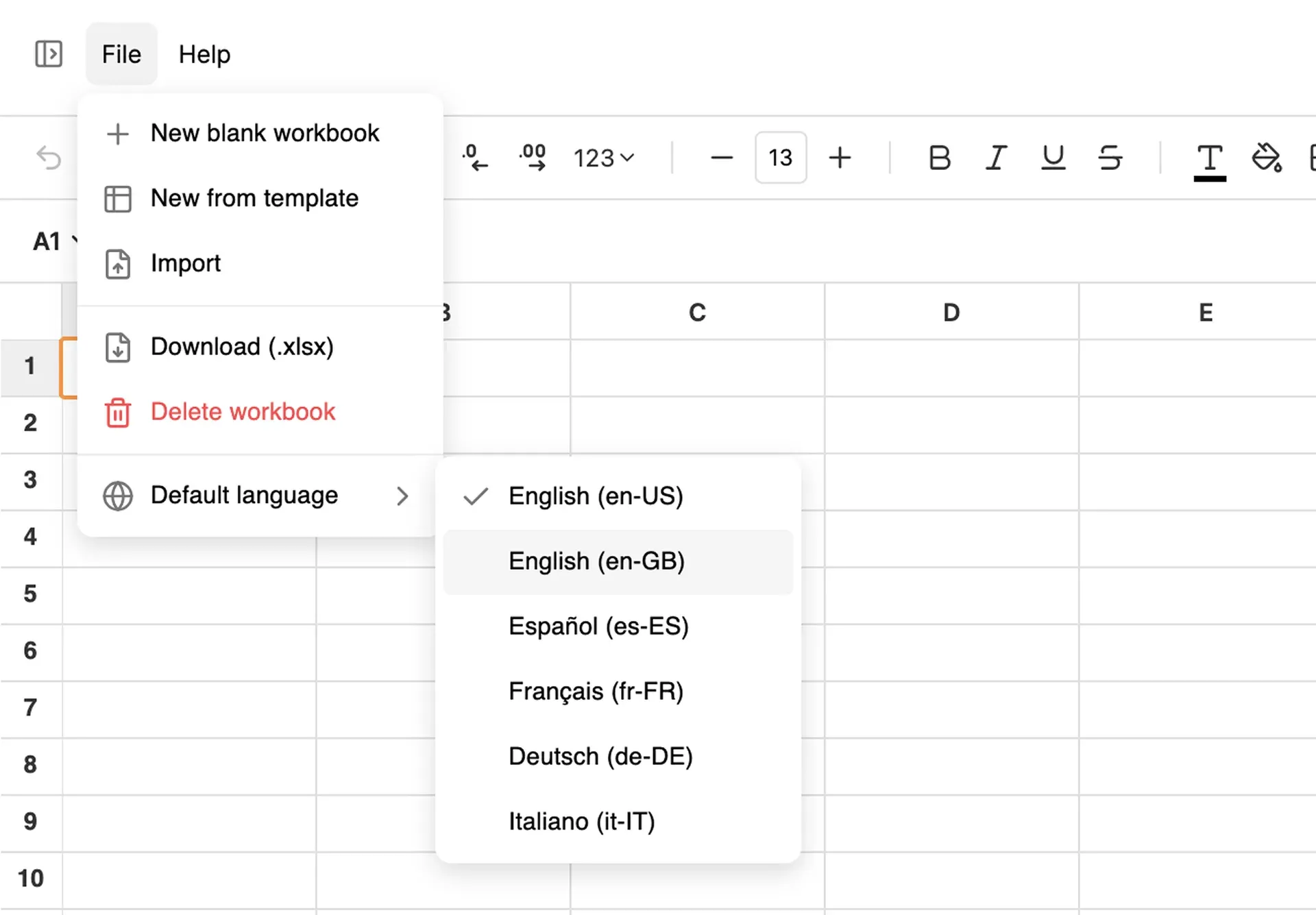
Official IronCalc documentation screenshot of the File menu listing new workbook, template, import, download and default language options.
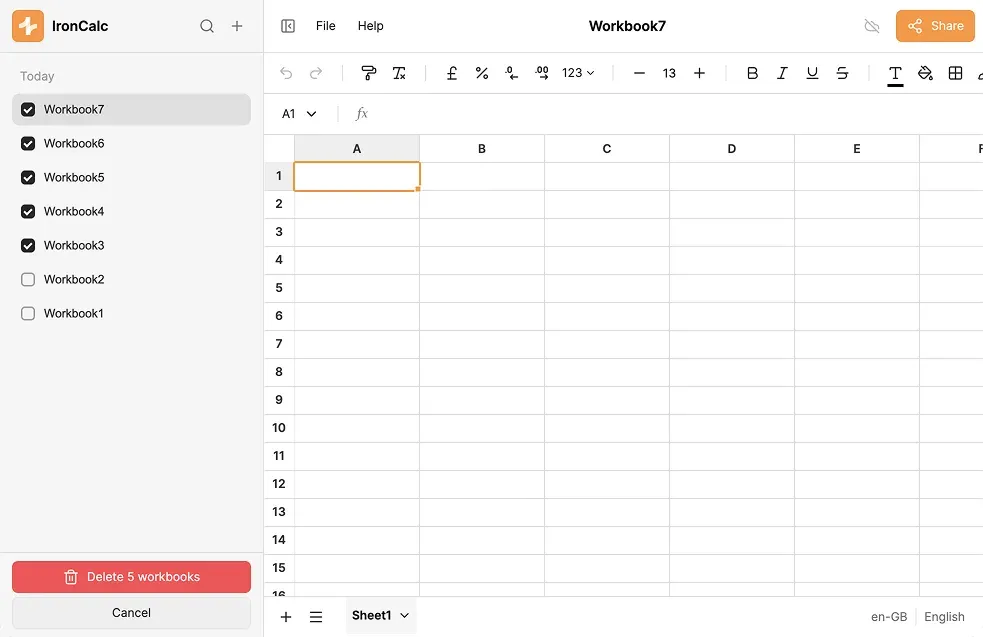
Official documentation screenshot of the workbook sidebar and the actions menu of a workbook.
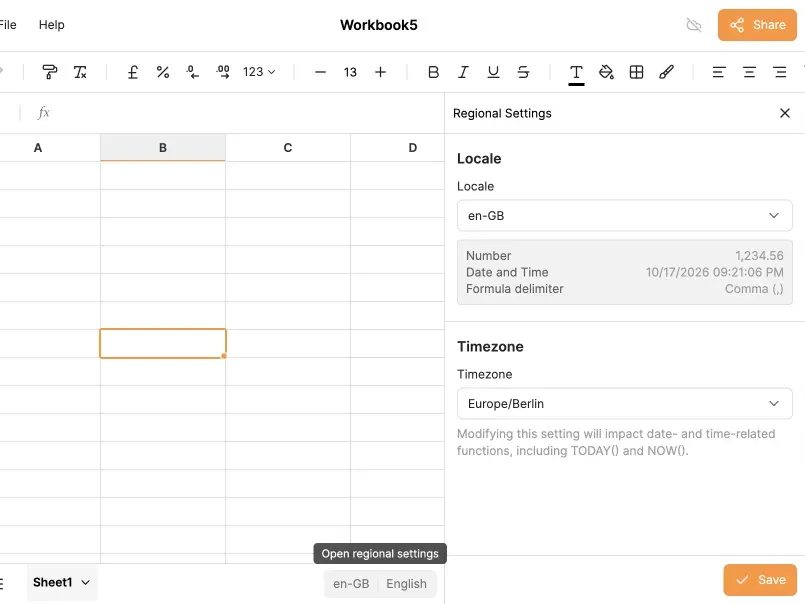
Official documentation screenshot of the regional settings panel, showing locale, number and date formats and time zone.
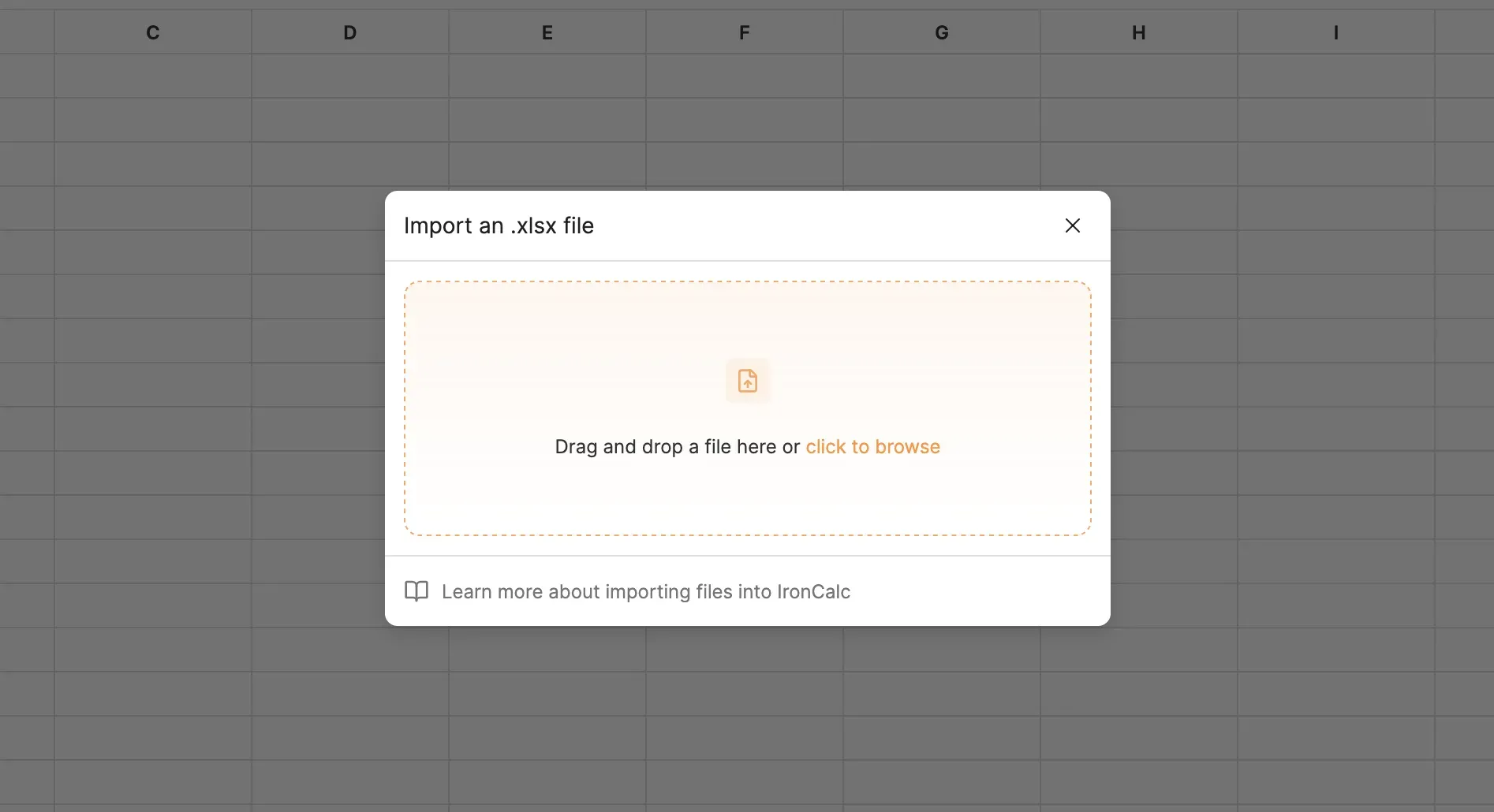
Official documentation screenshot of the dialog for importing an .xlsx file.
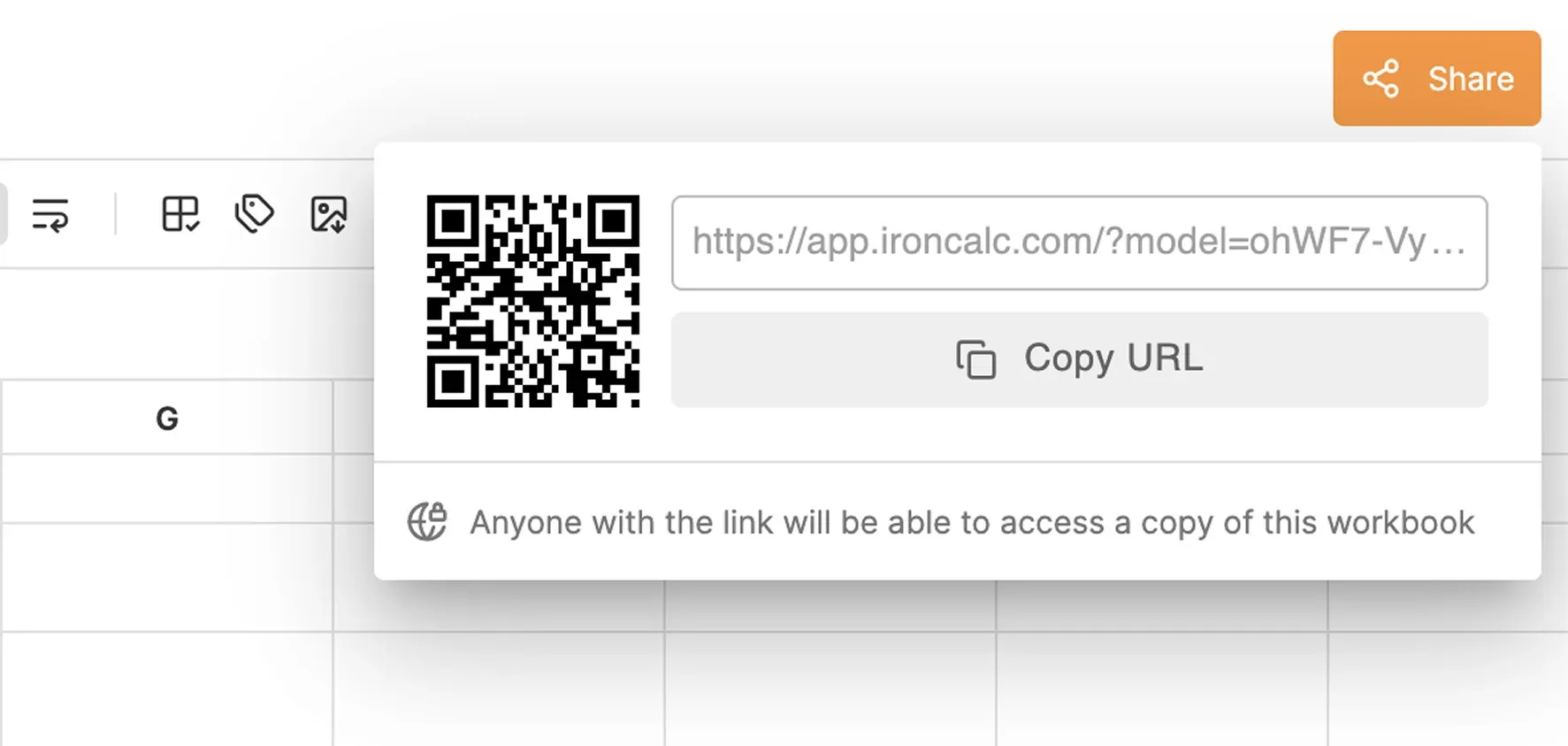
Official documentation screenshot of the Share dialog, which creates a snapshot link and a QR code.
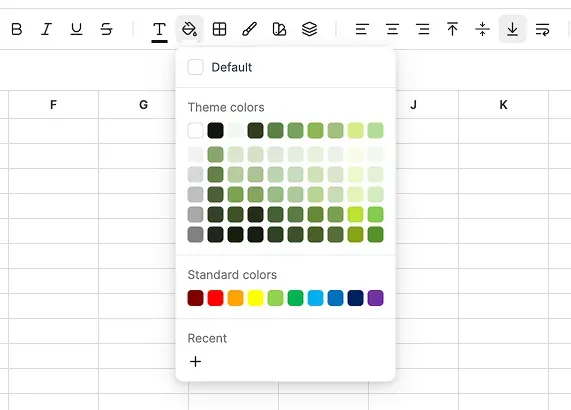
Official documentation screenshot of the color picker with theme and standard colors.
Source: official IronCalc project page.
Key capabilities
- Rust calculation engine The core crate evaluates formulas, tracks dependencies and formats values. It is a library, so an application can create a model, set cell input, call
evaluateand read formatted values without a browser. The API documentation on docs.rs describes the Rust interface. - About 500 spreadsheet functions The website states roughly 500 functions, grouped in the docs into lookup and reference, financial, engineering, database, statistical, text, math and trigonometry, logical, date and time, and information. Each function has a documentation page, and project contributors have been adding tests function by function. Check the function list for anything your workbooks depend on.
- Dynamic arrays, LET and LAMBDA The 0.8 line added dynamic arrays, and the site lists LET and LAMBDA. Spill behavior and implicit intersection are areas where engines differ, so run your own formulas against Excel results.
- .xlsx import and export The xlsx crate reads and writes Excel workbooks, and the web app can import a file by drag and drop and download a workbook as .xlsx. Features outside the supported set may be dropped, so compare a round-tripped file with the original.
- Web application app.ironcalc.com provides a spreadsheet with a formula bar, a style toolbar, multiple sheets, freeze panes, undo and redo, autofill, hyperlinks and merged cells. The docs call it a work in progress.
- Workbook management and templates The side panel lists workbooks and offers actions such as download, pin, duplicate and delete. A File menu offers New from template, Import, Download and a default language. See the workbook management page.
- Sharing by snapshot link The Share button creates a link and a QR code. The docs explain that it is a snapshot: later edits to the original do not appear in the shared copy, and each link is independent. The pages reviewed do not say where shared copies are stored or whether they expire.
- Cell styles, themes and named styles Fonts, fills, borders, number formats and named styles are supported, with theme colors and a color picker. The 0.8 release introduced themes, and the web app has light and dark appearance.
- Conditional formatting Rule-based formatting, color scales, data bars and icon sets are documented in the conditional formatting guide, and the engine keeps the rules in the workbook model.
- Named ranges A name manager defines and edits named ranges for use in formulas. See the name manager page.
- Locales, languages and time zones Regional settings control the number format, date and time format, formula delimiter and time zone. The web app has a language selector with English (US and GB), Spanish, French, German and Italian, as shown in the docs. Date functions such as TODAY and NOW depend on the time zone.
- Python bindings
pip install ironcalcinstalls a package with a high-level UserModel API, which has undo and redo and produces diffs, and a lower-level Model API where you callevaluate()yourself. Both can read and write .xlsx files. See the Python bindings page. - JavaScript and WebAssembly packages
@ironcalc/wasmcontains the engine only,@ironcalc/wasm-xlsxadds .xlsx import and export, and a Node.js binding exists in the repository. This lets a web app run calculations client-side. - Embeddable component The repository includes the web interface as a React package and an embed site. The v0.9.1 release added dark mode for embeds. The docs note that the JavaScript bindings page is still under construction, so read the source for the embedding contract.
- Docker deployment of the web app
docker compose up --buildbuilds a server image and a Caddy image and serves the app on port 2080. The compose file pins images tagged 0.9.1 under ghcr.io/ironcalc. This is the documented self-hosting route, and the stack has no user accounts. - TironCalc terminal interface The TUI is built with the ratatui library and is described in the docs as inspired by terminal spreadsheets such as sc and sc-im. The installation page is still being written.
- Keyboard shortcuts and error types The docs list shortcuts, Excel-style error values and value types, which help when you are comparing behavior with another spreadsheet application.
Where IronCalc fits
Embedding a spreadsheet in a web application
Add the WebAssembly package or the React component to a product that needs editable tables with formulas. Build a model, bind cells to your data, and check that the formulas you need exist in the function reference. Test load time and memory on large sheets, because the engine runs in the browser, and decide early whether users need .xlsx import, since that lives in the separate wasm-xlsx package and adds download size.
Evaluating formulas on a server
Use the Rust crate, the Node.js binding or the Python package to open an .xlsx file, change input cells, call evaluate and read the results. Compare outputs against Excel for a sample of real workbooks. Prefer the raw model API for batch jobs and the user API where undo history or diffs are needed.
Generating styled reports
The Python docs describe building workbooks with styles, named styles and conditional formatting and saving them to .xlsx. Create a report from a template workbook, then open the result in Excel and LibreOffice to confirm that fonts, number formats and rules survived.
Importing and cleaning spreadsheets
Use the web application's import dialog to open an .xlsx file and inspect how formulas, merged cells and formats come through. The unsupported features page is the first place to check before assuming a workbook will convert fully.
Running a private instance
Start the Docker Compose stack to host the web application behind your own proxy. Because there are no accounts, put access control in front of it, and confirm what the share feature stores on your server before enabling it for users.
Contributing to Excel compatibility
Compatibility is the project's stated goal, and contributors have added function tests in batches. Pick a function category, write test cases from documented Excel behavior, and report mismatches through the issue tracker or the project's Discord.
Install
pip install ironcalcReviews of IronCalc
Be the first to share your experience with IronCalc.
Write a review
Loading review form…
Alternatives to IronCalc
 LibreOfficeLibreOffice is a free, open source office suite with Writer, Calc, Impress, Draw, Base and Math, developed by a volunteer community.
 ONLYOFFICE DocsONLYOFFICE Docs, formerly Document Server, is an AGPL-licensed online office suite you run on your own server and connect to Nextcloud, SharePoint, Moodle or your own app. It edits OOXML files, PDFs and forms with co-editing.
 Collabora OnlineCollabora Online is an MPL-2.0 online office suite built on LibreOffice. It runs on your own Linux servers, Docker or Kubernetes and lets Nextcloud, ownCloud, Seafile and other WOPI hosts open documents, spreadsheets and slides in the browser.