
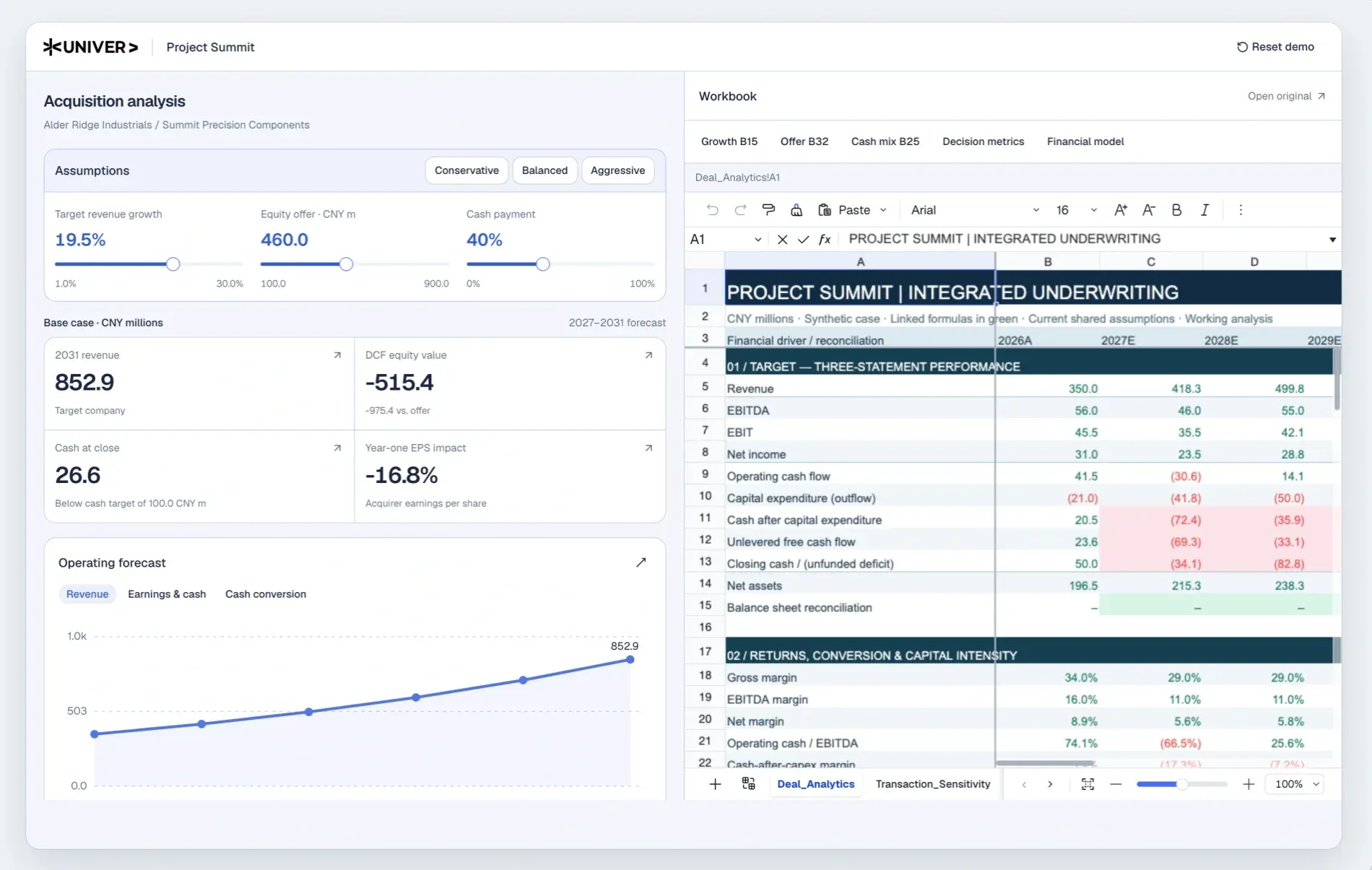
What is Univer?
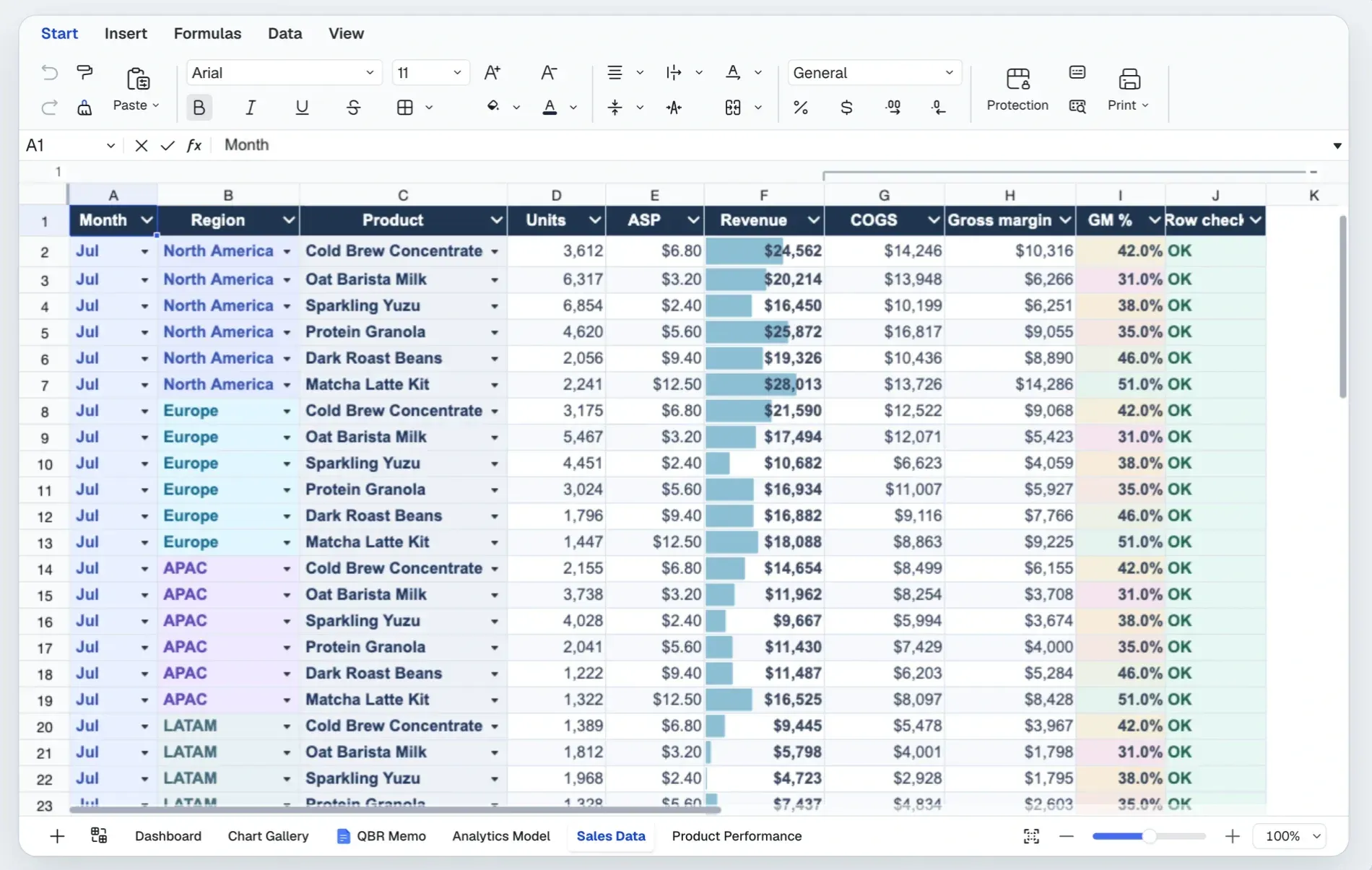
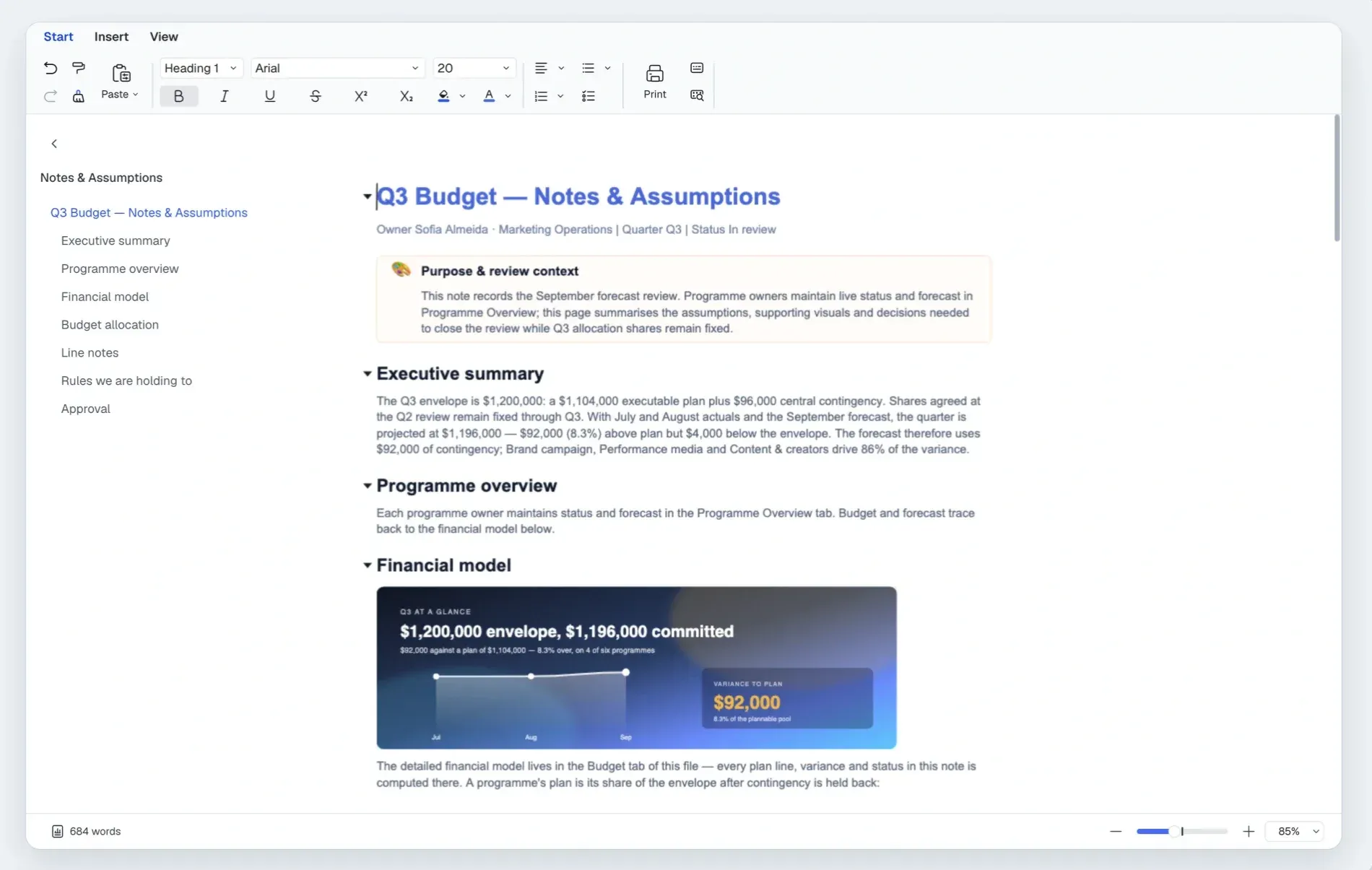
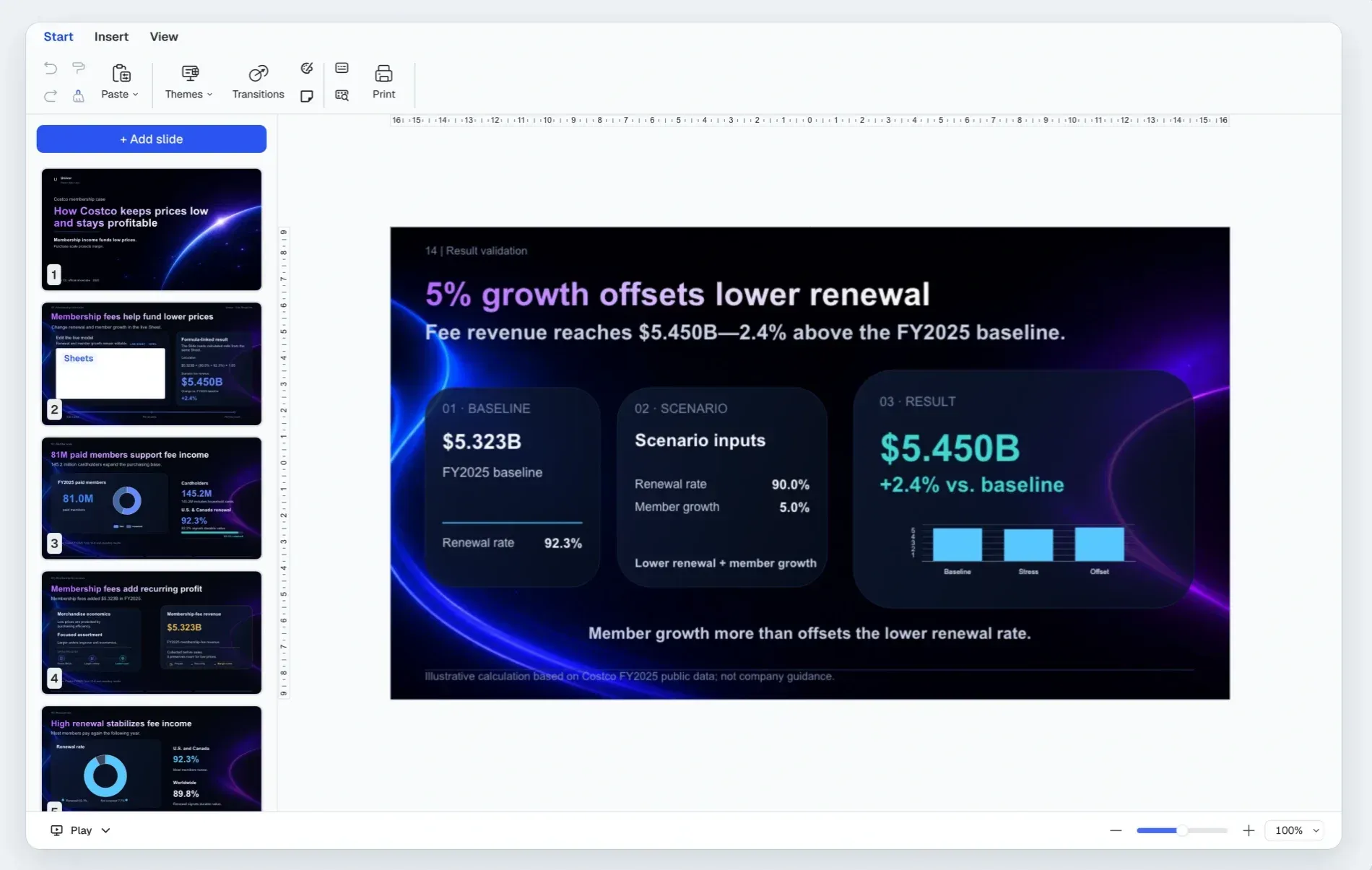
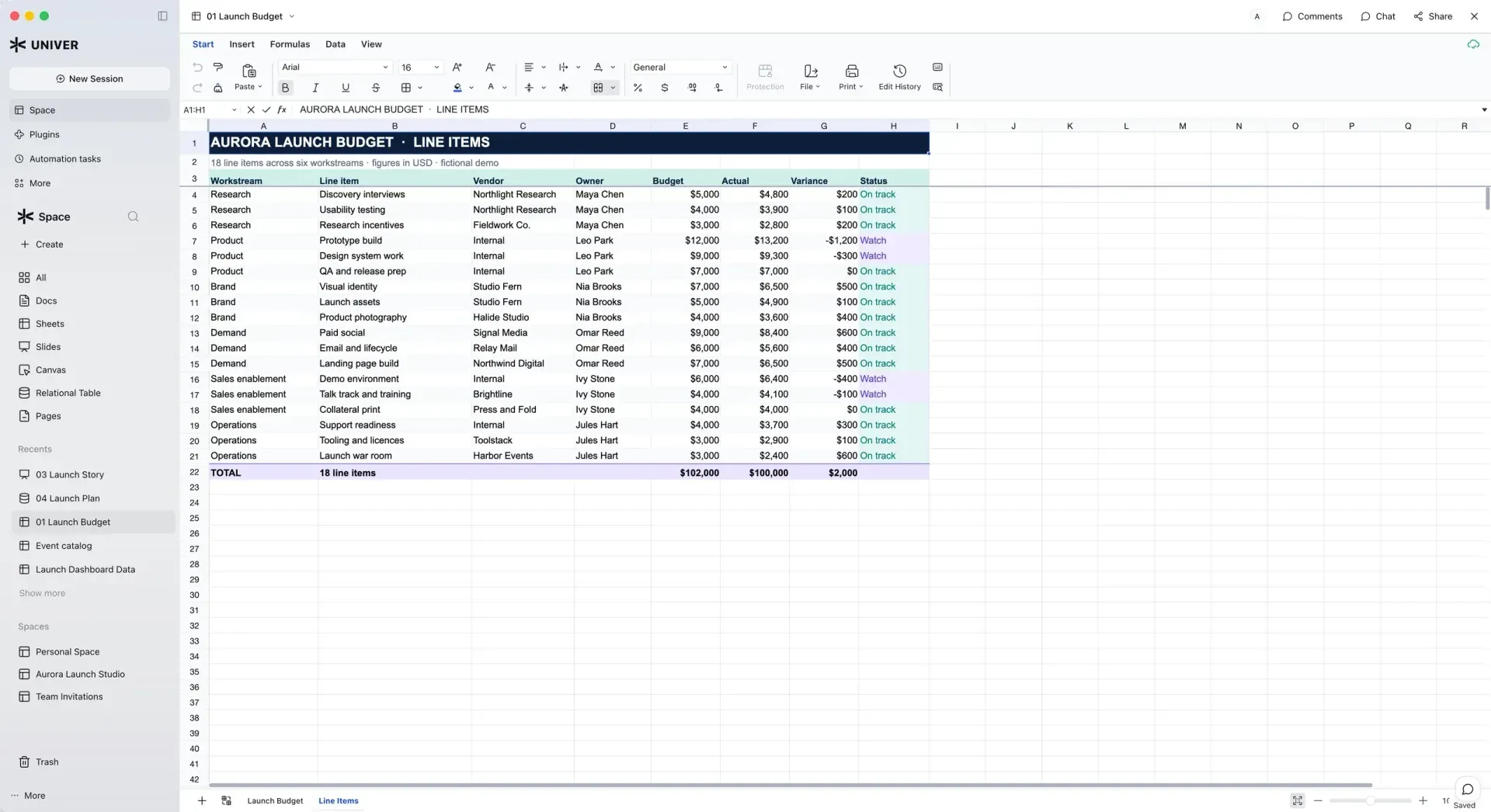
Univer is an Office SDK from DreamNum Co., Ltd. for building spreadsheet, document and presentation editing into a web application. The project describes it as Office editing, calculation, collaboration and file processing for people and existing agents, working on the host application's own data and permissions. The wider product family covers spreadsheets (Sheets), documents (Docs), presentations (Slides), relational tables, canvases (called Boards in the API) and PDFs. The source is developed in the dream-num/univer repository, and the documentation lives at docs.univer.ai.
The SDK has three parts. The Web SDK is the foundation: content models, editing, Canvas rendering, the formula engine and the Facade APIs that application code calls. The Server SDK adds backend services for real-time collaboration, edit history and Office file import and export (the Exchange service). The AI SDK exposes the same content capabilities to agents as TypeScript APIs and CLI building blocks. The GitHub repository contains the Web SDK's core architecture under the Apache-2.0 license: content models and snapshot formats, plugin and dependency management, the command system, the formula and rendering engines, Facade APIs, the UI foundation, and the Sheets and Docs editing features. Commercial Web SDK plugins (published under the @univerjs-pro npm scope), the Server SDK and commercial AI SDK extensions are distributed and licensed separately.
The open-source packages are published on npm under the @univerjs scope and can be used in commercial applications under Apache-2.0. Features are composed from plugins, either registered one by one (Plugin Mode) or through presets such as @univerjs/preset-sheets-core and @univerjs/preset-docs-core (Preset Mode). The feature comparison lists Sheets, Docs, Slides, Canvas, Relational Tables, PDF and Charts features side by side with Microsoft Excel and Google Sheets and offers an "Open source only" filter. Commercial modules run in a Freemium mode without a license, with watermarks and feature limits; production use of the commercial modules requires a Business or Enterprise license from the pricing page.
The latest release is Univer v1.5.0, published on November 14, 2026. It adds dedicated chart sheets, stacked and 100% stacked line charts and per-series error bars, new Sheets UI options (selectionAnimation, enableFillHandle, warnBeforeDragOverwrite), Board diagram layout planning and a @univerjs-pro/boards-latex-ui package, lower memory use during formula calculation, and Office import and export fixes. It removes the deprecated root Worker exports announced in 1.4.0, so custom Worker entry scripts move to dedicated entry points such as @univerjs/rpc/worker. Univer 1.0.0 was published on September 24, 2026, and the 1.x line has shipped releases roughly weekly since then; v1.4.0 added Office attachment workflows, shape merging in Slides and the GETPIVOTDATA function.
The codebase is a TypeScript monorepo. Its view layer is built on React 18, supports React 18 and 19 and has minimal compatibility support for React 16.9 and 17; Vue 3, Web Components and Angular (through Web Components) can host custom components. The build targets Chrome 88, and the README lists Edge 88, Firefox 90, Chrome 88, Safari 14.1 and Electron 12 or newer. Headless Univer runs on Node.js 18.17.0 or newer, while developing the monorepo itself requires Node.js 22.18 or newer and pnpm. Univer is the SDK, not a finished office application: DreamNum publishes Univer Workspace as a separate open-source, self-hostable reference application built on it. Comparable listings on iThub include ONLYOFFICE Docs, Collabora Online and the spreadsheet engine IronCalc.
Key capabilities
- Sheets editing and layout (open source) The Apache-2.0 Sheets packages provide multiple worksheets, row and column insertion and resizing, cell styles, merged cells, in-cell rich text, freeze panes, floating and in-cell images, copy and Paste Special, AutoFill and undo/redo. The feature comparison marks each feature that is fully supported in the open-source edition. Grouping and outlining rows and columns, and drawing objects such as shapes and connectors, are listed as supported in the full SDK but not marked as open source.
- Formula engine The formula engine covers aggregations, logical, text and date functions, lookups including VLOOKUP, INDEX, MATCH and XLOOKUP, dynamic arrays with spilling, FILTER, SORT and UNIQUE, LET, LAMBDA and MAP, REDUCE and SCAN, and financial and engineering functions, all marked as open source in the comparison. The comparison lists no native QUERY function. Release 1.5.0 reduced calculation memory in the JavaScript and native engines and improved Excel compatibility for complex numbers, ISOWEEKNUM, WEEKNUM type 21 and PV.
- Data tools in Sheets Open-source Sheets features include single and multi-column sorting, AutoFilter by values, conditions and colors, data validation with drop-down lists and custom formulas, in-cell checkboxes, conditional formatting with color scales, data bars and icon sets, tables with structured references, defined names, hyperlinks, comments, and find and replace. The comparison lists Remove Duplicates, Text to Columns and Sheet Views as not supported.
- Docs rich-text editing (open source) The open-source Docs packages provide rich-text editing, paragraph formatting, lists, hyperlinks, comments and drawing integration. The same document layout and rendering engine is reused inside Sheets for in-cell rich text. A
@univerjs/preset-docs-corepreset bundles the Docs plugins for Preset Mode. - Commercial Web SDK plugins Separately licensed plugins in the
@univerjs-proscope add charts, shapes, pivot tables, SmartArt, printing and other features, plus the Slides, Relational Tables (Bases), Boards and PDF content types. They follow the same plugin, dependency injection, Command/Mutation and Facade patterns as the open-source core. Without a signed client license these features run with watermarks on affected chart, print and screenshot output, according to the license guide. - Charts In the commercial chart plugin, release 1.5.0 added dedicated chart sheets that give a chart its own tab, stacked and 100% stacked line charts, and per-series error bars for 2D column, bar, line and scatter charts. Error amounts can be fixed values, percentages, standard deviation, standard error or custom fields, and scatter charts support separate X and Y error bars. Chart sheets and the new chart types are preserved in XLSX import and export.
- Preset Mode and Plugin Mode Preset Mode bundles preconfigured plugins and registers their Facade APIs, so a Sheets editor starts from
@univerjs/presetsand@univerjs/preset-sheets-core. Plugin Mode registers individual packages such as@univerjs/core,@univerjs/sheetsand@univerjs/sheets-ui, supports on-demand lazy loading and requires importing each Facade package by hand. The installation guide requires all@univerjs/*packages to share one version and warns against registering a plugin that a preset already contains. - Installation from npm The README quick start runs
pnpm add @univerjs/presets @univerjs/preset-sheets-corein a bundler project such as Vite, creates a container element and callscreateUniverwith the Sheets Core preset; the docs list equivalent npm, yarn and bun commands. React and RxJS are peer dependencies, which needs npm 7 or newer, pnpm 8 or newer, or manual peer installation with yarn. Vite, esbuild and Webpack 5 are the recommended build tools, and runtimes withoutIntl.Segmenterneed a polyfill. - Facade APIs and typed events Facade APIs wrap the engine in application objects such as
FWorkbook,FWorksheetandFRange, reached through theuniverAPIobject. Each plugin contributes its own Facade extensions, typed events throughuniverAPI.Eventand constants throughuniverAPI.Enum.BeforeCommandExecutecan inspect and cancel an execution, andCommandExecutedreports executions to listeners. The API reference documents the classes. - Snapshots and persistence Content is stored as serializable Unit snapshots, such as
IWorkbookDatafor Sheets andIDocumentDatafor Docs.workbook.save()returns a JSON snapshot with the workbook and registered plugin data, andcreateWorkbook()restores it. The host application owns persistence; snapshot storage is separate from XLSX import and export, which uses the separately distributed file conversion service. - Plugin architecture and command system Feature logic and UI live in separate plugins, for example
sheets-filterandsheets-filter-ui. Plugins declare runtime dependencies withDependentOnand use dependency injection internally, with instance-scoped injectors per Univer instance. Commands orchestrate actions, Mutations change saved content with serializable parameters, and Operations change transient state; a Command can combine several features' changes into one undo/redo record. - Headless processing in Node.js The same content plugins, models, commands and calculation run without an interactive editor in Node.js 18.17.0 or newer, and in appropriately composed Workers. The Headless guide covers editing, snapshots and automated tasks on the server. Release 1.5.0 moved Worker plugins to dedicated entry points such as
@univerjs/sheets-formula/worker. - UI customization The UI foundation consists of
@univerjs/designfor components and styles,@univerjs/uifor menus, shortcuts, panels and component registration, and@univerjs/icons. Applications can add toolbar items, top menus, context menus, sidebars, dialogs, cell popovers and floating components, and change themes and styles. Custom components can be written in React, Vue 3 or Web Components, with Angular integrated through Web Components. - Server SDK: collaboration and history The commercial Collaboration SDK packages Mutations into changesets, applies operational transformation to concurrent edits and keeps confirmed revisions and snapshots, from which history can reconstruct a revision. Participants see spreadsheet selections, document cursors and presentation pointers. Authentication, permissions, document ownership and storage remain the host application's responsibility, and the Server SDK guide covers database adapters, identity and deployment. Without a license it runs on a free tier of 1 collaboration node and 3 collaborative editing connections.
- Server SDK: Office file exchange Exchange maps OOXML files to and from Univer snapshots. According to the pricing FAQ, Sheets and Bases import XLS, XLSX, CSV and TSV and export XLSX, CSV and TSV, Docs imports DOC and DOCX and exports DOCX, Slides imports PPT and PPTX and exports PPTX, and Boards import Mermaid definitions. The project states that unsupported elements may be dropped during conversion. Imports are unlimited; Freemium allows 10 exports per month, and since 1.5.0 further exports continue with a license watermark.
- AI SDK for agents The commercial AI SDK builds on the Headless models and Facade APIs and provides structured TypeScript APIs and optional Commander presets for an application's own Office CLI or agent tools. It covers content inspection, Facade execution in read and write modes, a browser Render Runtime for screenshots, slide layout lint, and isolated Worktree drafts that people can review and merge. It does not include models or model credits; the application supplies the model and tool orchestration.
- Ecosystem projects DreamNum publishes Univer Workspace (an open-source, self-hostable workspace with server, web interface and Desktop client), Univer CLI, Univer Office integrations for DeepSeek Harness, WorkBuddy (developer preview) and OpenClaw, and Univer SDK Skills for coding agents. The installation guide installs the
univer-integrateskill withnpx skills add dream-num/skills --skill univer-integrate.
Where Univer fits
Embedding a spreadsheet editor in a web application
The README quick start installs @univerjs/presets and @univerjs/preset-sheets-core, adds a container element and calls createUniver with the Sheets Core preset and an English locale, then univerAPI.createWorkbook({}). This setup uses only Apache-2.0 packages and needs no commercial license or Server SDK. In component frameworks the project documents keeping the returned univer instance and calling univer.dispose() when the component unmounts, as described in the lifecycle guide.
Driving workbook content from application code
The README's quotation example waits for the lifecycle stage Steady, writes values and formulas into a range with setValues, changes a quantity with setValue and reads the recalculated total after onCalculationResultApplied(). The editor and the application operate on the same workbook, so edits from a form control, a backend or an agent and edits from a user share one model. The example then stores workbook.save() as JSON and restores it later with createWorkbook.
Server-side generation and calculation
Headless Univer runs the same plugins, models, commands and formula engine in Node.js without a browser editor. The project describes APIs or agents creating and editing content, calculating spreadsheets and running automated workflows on the server. Combined with the separately licensed Exchange service, the same process can import and export XLSX, DOCX and PPTX files without opening an editor; see Office file import and export.
Real-time co-editing in a product
The Server SDK guide describes an integration sequence: run the Collaboration Quick Start in two browser contexts, add persistence through a database adapter, connect identity and permissions, then connect the browser application and optional extensions such as history, comments, Worktree or Exchange. HTTP and WebSocket traffic must be forwarded through the application's proxies. The pricing page gives a starting configuration of 4 cores and 8 GB RAM per service for 250 concurrent editing connections; one Business license permits one collaboration and one import/export service instance, and multi-instance scaling requires Enterprise.
Building custom features and editors
Developers extend Sheets and Docs by following the existing feature plugins: a logic plugin owns models, services, controllers, commands and Facade extensions, and a UI plugin owns views, menus and shortcuts. Interceptors and reference-range handlers let a feature contribute related mutations when, for example, rows are inserted inside a filter range, so undo restores both. The README points to the filter implementation walkthrough and the API Stability Policy before depending on an extension point.
Connecting agents to Office content
Agents can use the open-source Facade APIs directly, with the application supplying the model and tool orchestration. The commercial AI SDK adds content inspection, rendered screenshots, slide layout lint and Worktree drafts for human review, and Univer CLI and the agent integrations show the pattern in working projects. The AI SDK documentation lists the packages, and collaborating agent instances consume editing connections in the same way as browser sessions.
Install
pnpm add @univerjs/presets @univerjs/preset-sheets-coreReviews of Univer
Be the first to share your experience with Univer.
Write a review
Loading review form…
Found Univer useful? Upvote it todayYour vote helps other IT teams find it in the daily ranking.