
What is DeckCraft?
DeckCraft is an open-source presentation editor and slide show app written in Rust. The project README describes a presentation and slide designer that builds decks with themes, layouts, shapes, pictures, tables, charts, transitions and animations, opens and saves .pptx files and presents them full screen. The contributor guide defines it as a clean-room application built from observed behaviour and public specifications, and the README states that its themes, layouts, shape geometry, icons and sample decks are original work drawn or generated in code. The project roadmap measures progress against Microsoft PowerPoint for Mac.
DeckCraft is made by the ArtCraft team and is one of the free Crafting Apps listed on getartcraft.com, next to sister projects such as PhotoCraft, WordCraft, GridCraft and SoundCraft. The repository was created in October 2026, and nineteen releases have been published since October 8, 2026. The code is dual-licensed under MIT or Apache-2.0 at the user's option; the ArtCraft name, wordmark and logos are trademarks excluded from that license, and bundled fonts, icons and images keep their own licenses, listed in an attribution file.
The project labels DeckCraft as alpha, heading for beta. Its roadmap reports a measured feature breadth of 84% over 191 tracked presentation features and an estimated 55% readiness for real work. The listed beta work covers a corpus of real-world .pptx decks, known round-trip losses, EMF and SVG pictures, and data-loss and startup-crash bugs; the roadmap notes that .pptx support has not yet been tested on a corpus of real decks. The interface is in English only, while slide text in other languages is supported.
Version 0.18.0, published on November 11, 2026, changed font indexing on open, ink stroke handling, H.264 decoder limits, metafile clipping and the undo memory budget. The latest release, v0.18.1, followed on November 12, 2026 and repairs Flatpak update checks and self-updates. Each release attaches desktop builds for Windows, macOS, Linux and FreeBSD, a macOS command-line tool, a static WebAssembly site and a SHA256SUMS.txt file.
The architecture document describes about 202,000 lines of Rust in 24 crates and 3 apps, with 1,641 tests and a registry of 320 engine commands that the interface, the CLI, the control channel and the MCP server all call. Slides are rasterised on the CPU with vello_cpu, text is shaped with HarfRust, the desktop app runs on eframe and wgpu, and the web app uses WebGPU with a WebGL2 fallback. The H.264, HEVC, VP9, AV1 and Opus decoders are pure Rust code from the shared craft-libs project. Other presentation tools on iThub include LibreOffice and ONLYOFFICE Docs; the ArtCraft family also includes WordCraft and PdfCraft.
Key capabilities
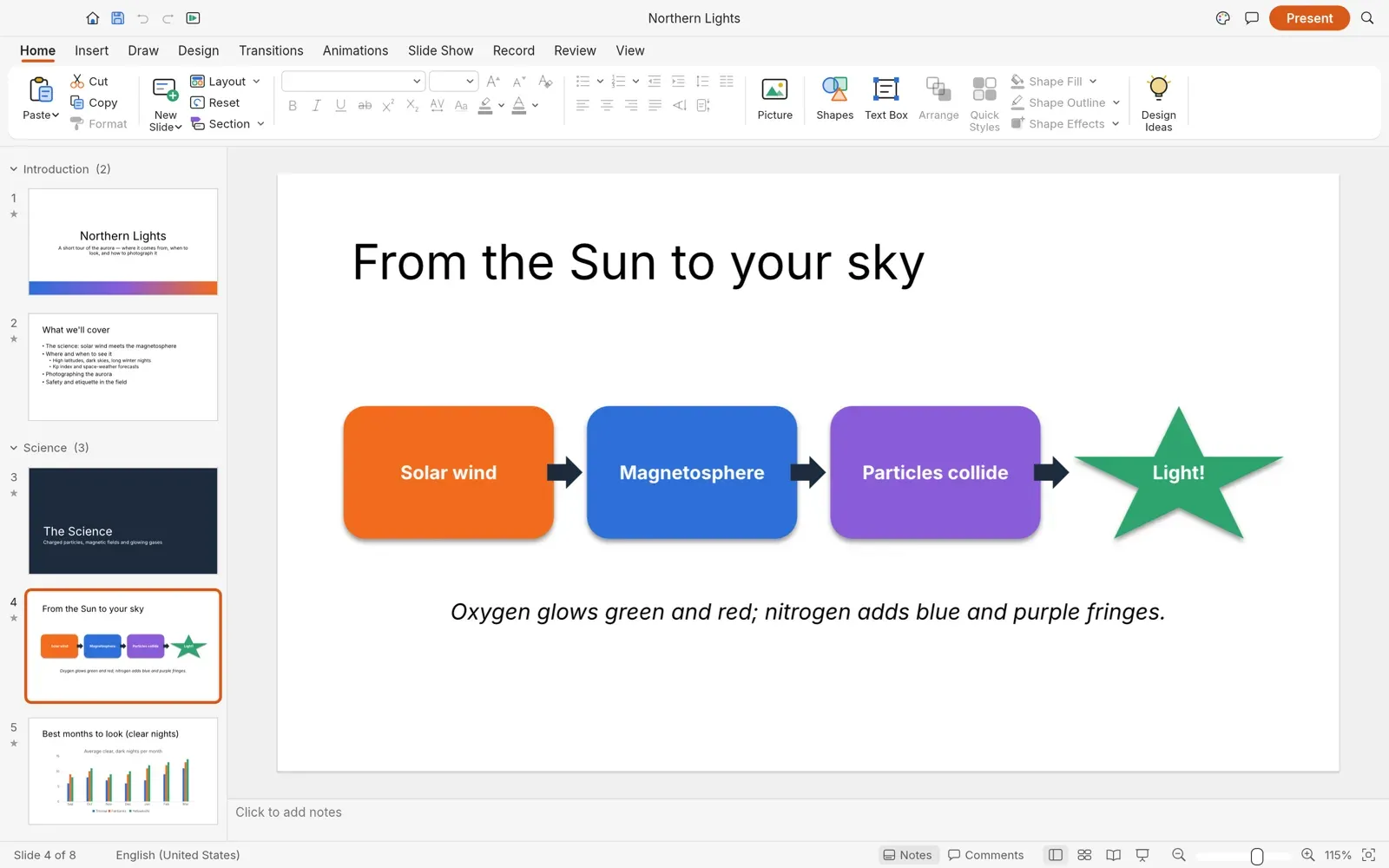
- Slide masters, layouts and themes Slide masters and eleven layouts provide placeholders that inherit position and formatting, and eight original themes carry colour and font schemes. Decks support sections, speaker notes, comments, headers and footers, and Widescreen (16:9), Standard (4:3) or custom slide sizes. Customize Colors and Customize Fonts create user schemes, and Design Ideas previews the current slide in each theme and layout without a network connection.
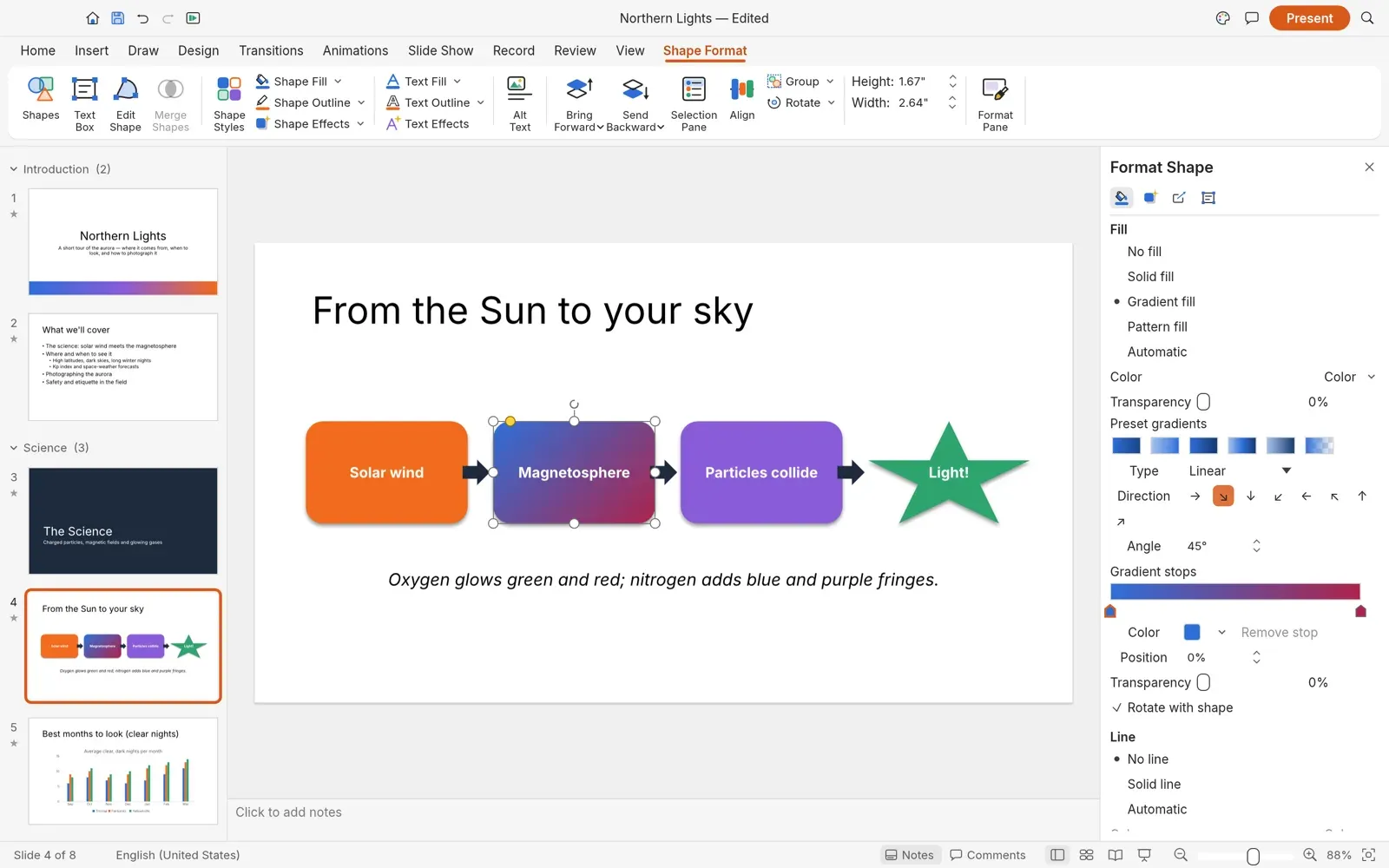
- Shapes and drawing More than 150 preset shapes have adjust handles, connectors stay glued to shapes, and freeform, curve and scribble tools draw custom paths. Merge Shapes offers union, combine, fragment, intersect and subtract. Fills can be solid, gradient, picture or pattern, outlines take dashes and arrowheads, and effects include shadow, glow, soft edges and reflection, all editable in the Format Shape pane.
- Text and fonts Text is edited in place with font and paragraph formatting, bullets and numbering, columns, autofit, vertical text, fields, hyperlinks and WordArt. Fonts come from the system or the optional craft-fonts set, and the font layer maps common Office fonts to metric-compatible substitutes such as Carlito for Calibri and Liberation for Arial. Replace Fonts swaps a missing font, and Rescan Installed Fonts picks up fonts installed while the app is open.
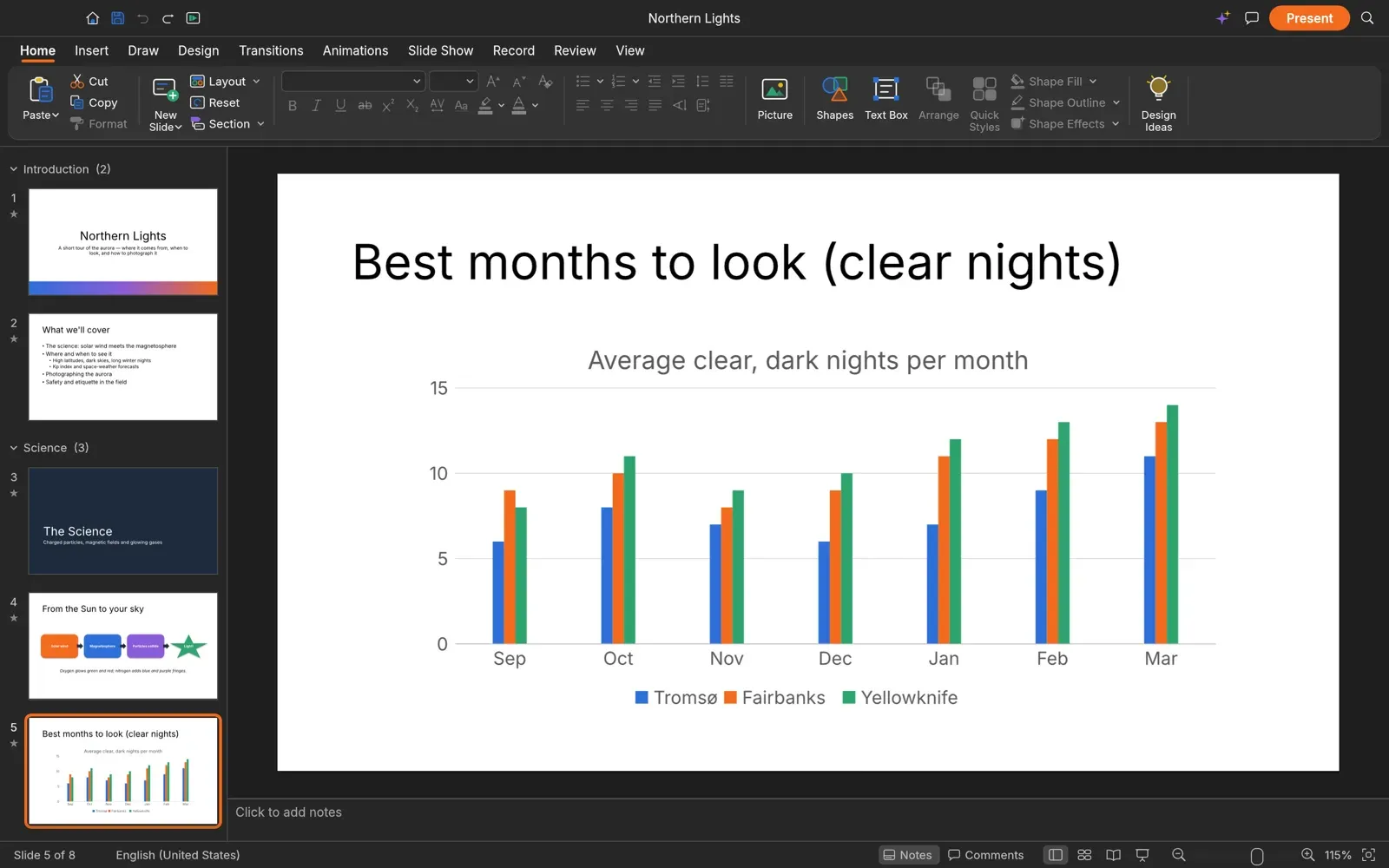
- Pictures, tables, charts and media Pictures in PNG, JPEG, GIF, WebP, BMP or TIFF can be cropped and corrected, tables come with styles and a Draw Table tool, and native charts are edited with Edit Data and Change Chart Type. SmartArt basics, icons, equations and symbols are also available. Audio (MP3, AAC, FLAC, ALAC, Ogg, Opus, WAV, AIFF) and video (H.264, HEVC, VP9, AV1) are copied into the deck and play in the slide show.
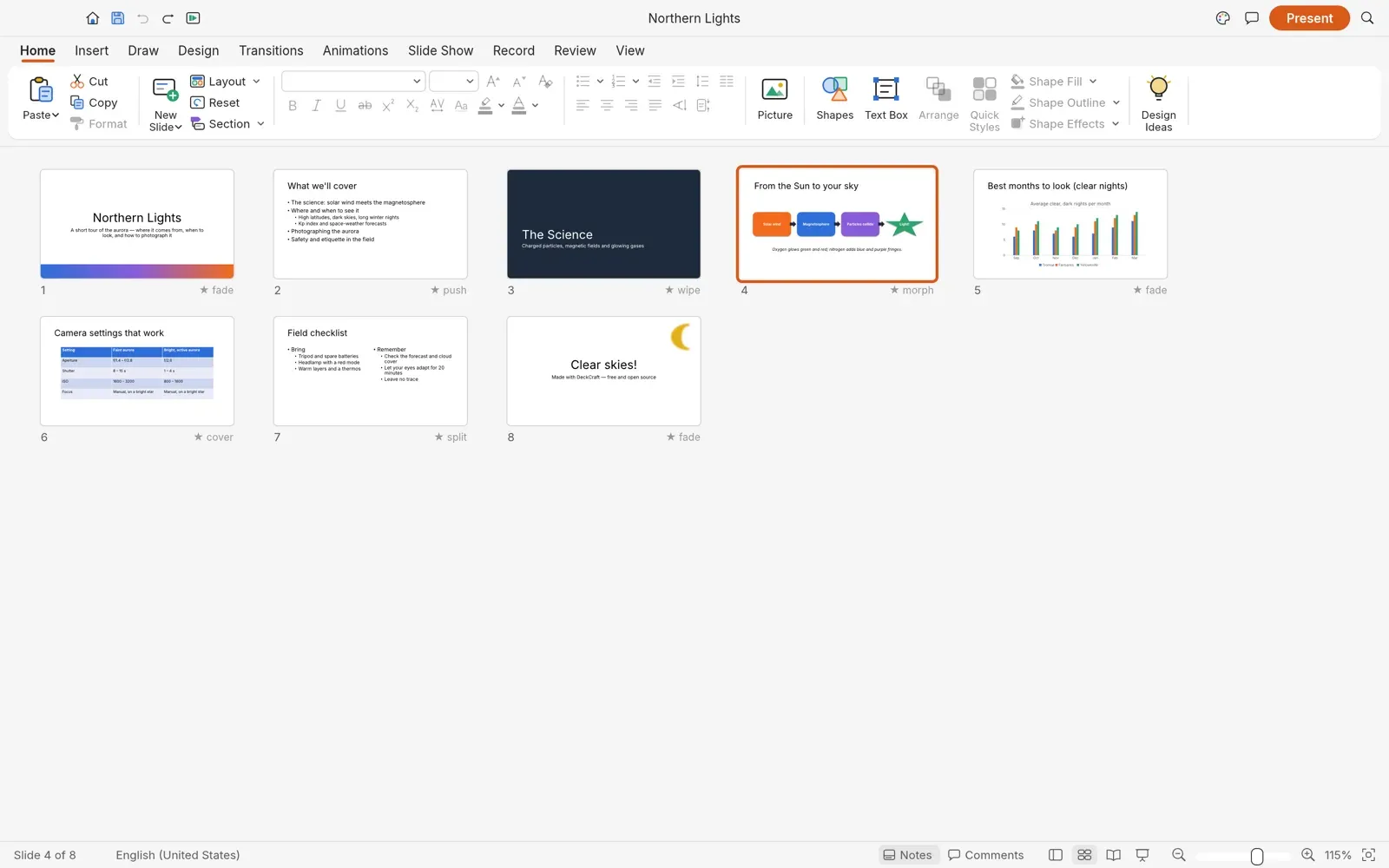
- Transitions and animations Slide transitions, Morph included, have effect options, duration, automatic advance and sound. Entrance, emphasis, exit and motion-path animations start on click, with or after the previous effect, and text can build one paragraph at a time. The Animation Pane lists the order, Animation Painter copies an effect to another shape, and Preview plays the slide's animations on the editing canvas.
- Slide show and Presenter View F5 starts the full-screen show from the first slide and Shift+F5 from the current one. With a second display, Presenter View shows the current and next slide, speaker notes, a timer, black and white screens, zoom and a grid of all slides. A pen, highlighter, laser pointer and eraser work during the show, Rehearse Timings records time per slide, and Set Up Slide Show offers speaker, window and kiosk modes, looping and custom shows. Narration and camera recording are not available yet.
- Review tools Spelling is checked as you type and with F7, alongside a thesaurus, per-text language settings, comments, Compare against a revised copy with per-slide accept or reject, and an accessibility checker that flags issues such as pictures without alt text. No spelling dictionary is bundled: DeckCraft reads standard Hunspell .aff and .dic files from documented folders, and without one it detects only common misspellings.
- Presentation file formats DeckCraft opens and saves .pptx, opens .potx templates and .ppsx shows, and has its own .deckcraft format (a zip with JSON and media). Elements it does not model are kept as raw XML and written back on save, and a deck can start from a .txt or .md outline. Binary .ppt, .pot and .pps files, OpenDocument .odp and password-protected presentations cannot be opened. A new deck saved with Ctrl+S uses .deckcraft; a .pptx copy comes from Save As or Change File Type.
- Export and printing Exports include PDF slides, notes pages and handouts with a selectable text layer and embedded font subsets, PNG or JPEG pictures from 640 to 1920 pixels wide or a custom width, an animated GIF with slide range, seconds per slide and looping, and outlines as .txt or .rtf. Printing creates a PDF and opens it in the system PDF viewer, with full slides, notes pages or handouts of 1, 2, 3, 4, 6 or 9 slides per page on Letter, A4, Legal or A3 paper. Printing straight to a printer is an open request.
- AutoRecover and logging While the app runs it keeps copies of presentations with unsaved changes and reopens them after a crash; Recover Unsaved Presentations lists them on demand. A log file in the settings folder records crashes, parts skipped on import, failed recovery saves and audio output problems. Each launch rotates the previous log, and the file stops growing at 16 MiB.
- Command-line tool
deckcraft-cliconverts between .deckcraft, .pptx, PDF, text, Markdown, PNG, JPEG and GIF, renders slides or transition frames to PNG at a chosen scale, prints a summary of a presentation and runs commands with JSON parameters on a deck. Thecommandsanddescribesubcommands list and document every command. The CLI ships next to the app on Windows, is installed with the Linux and FreeBSD packages, and comes as a separate signed zip on macOS. - MCP server for AI agents
deckcraft-cli mcpruns a Model Context Protocol server over stdio with tools to list and run commands, run batches, open, save and export files, inspect and render slides, and add slides, shapes, text, pictures, tables and charts. The--automation-read-rootand--automation-write-rootflags confine the headless server to given folders. With--connectit drives a running app instead, and the folder limits do not apply in that mode, as the MCP documentation explains. - JSON control channel Started with
--control PORT, the desktop app opens a JSON-lines server on 127.0.0.1 that runs any command, inspects the document and the interface, lists slide actions and accepts pointer, keyboard and screenshot requests. The control protocol limits clients to 16 connections, 16 MiB per request line and 64 queued requests, and closes idle sockets after 10 minutes. - Windows and macOS downloads Release v0.18.1 provides MSI installers and portable zips for Windows x64 and ARM64; installers and executables are code-signed, and the installer can target the current user without administrator rights or all users. The documentation also lists 32-bit x86 packages, which are not among the v0.18.1 assets. macOS gets a signed and notarized universal DMG for Apple silicon and Intel Macs on macOS 11 or later.
- Linux and FreeBSD downloads AppImage (with .zsync files for AppImageUpdate), Flatpak, .deb, .rpm, Arch package and tarball builds are published for x86_64 and aarch64, plus RISC-V 64 .deb, .rpm and tarball builds and FreeBSD tarballs for x86_64 and aarch64. Linux packages carry detached signatures, SHA256SUMS.txt is signed with the published release key, and the Linux builds need glibc 2.35 or newer. The ArtCraft Linux repositories add Flatpak, APT, RPM and Arch sources, and a community Gentoo overlay that the DeckCraft team does not maintain packages the release.
- Web build The
deckcraft-webzip is a static site with no server-side code that runs from any static host, at a domain root or under a subpath. WebGPU and the clipboard need HTTPS or localhost; elsewhere the app falls back to WebGL2. It can be embedded in an iframe, and a same-origin?host=parentmessage bridge lets a hosting page pass presentations in and receive saved files. The web version keeps no preferences between visits and cannot check for updates, and Reuse Slides needs the desktop app. - Launcher, updates and source builds The product page lists the ArtCraft Launcher as the recommended install path: it installs, updates and opens every Crafting App. The desktop app also checks for updates at start and offers to update and restart. From source,
cargo run --release -p deckcraftbuilds the app; the workspace manifest declares Rust 1.95, and Linux builds need the ALSA headers for slide-show sound.
Where DeckCraft fits
Editing a deck received as .pptx
A .pptx file opens with its masters, layouts, theme, shapes, tables, charts, transitions, animations and media, and saving writes it back as .pptx. Parts that DeckCraft does not model are stored as raw XML and written back unchanged. The troubleshooting guide states that some layouts, effects or fonts from other apps can render differently during the alpha, asks users to keep the original file, and lists open issues such as Japanese fonts not kept on import and Save As writing a .pptx without an extension.
Building a deck from a theme or an outline
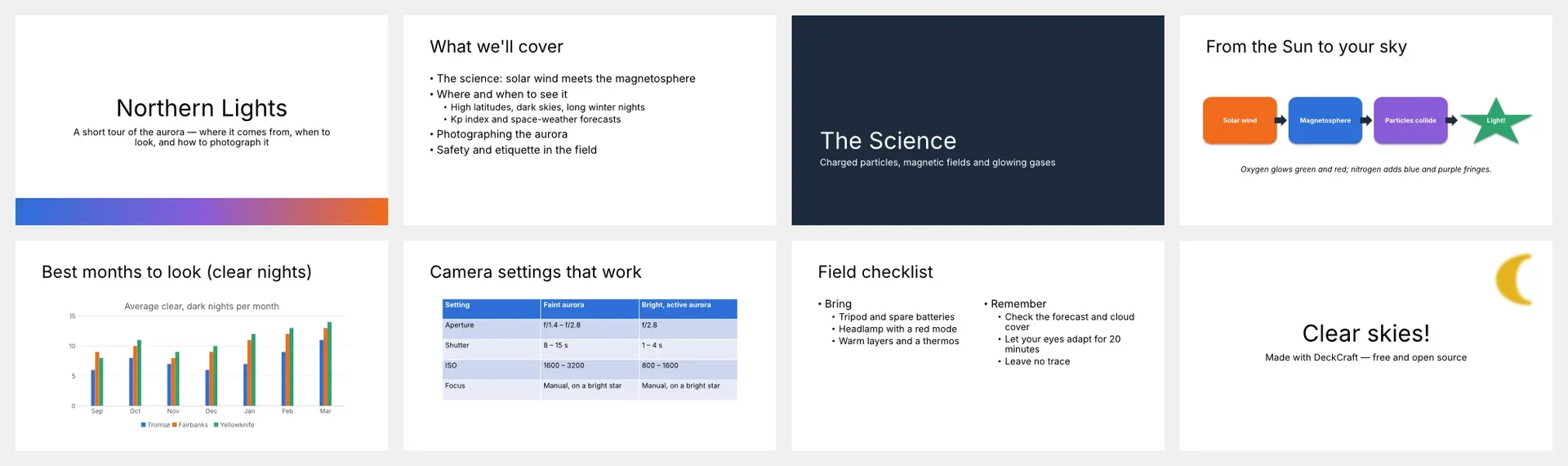
The start page offers a blank presentation, themes, templates and a Northern Lights sample deck that uses sections, shapes, a chart, a table, transitions and animations. New Slide adds slides by layout, the Design tab applies a theme, and Slide Master changes the layouts used across the deck. Slides from Outline creates a deck from a .txt or .md file, and Reuse Slides imports slides from another presentation, with or without their source formatting.
Presenting on two displays
With Presenter View on and a second display connected, the audience sees the slides while the presenter window shows notes, the next slide and a timer. Keys move through animations and slides, jump to a slide number, zoom, blank the screen or switch on the pen and laser pointer. Rehearse Timings records the time spent on each slide, and Use Timings advances the show automatically; kiosk mode and looping are set in Set Up Slide Show.
Generating presentations with an AI agent
An MCP client such as Claude Code or Claude Desktop registers deckcraft-cli mcp as a local stdio server, and the agent creates slides, fills and formats them and saves .pptx, .deckcraft or PDF output. The read and write root flags limit which folders a background agent can open and save. To watch changes as they happen, the app starts with deckcraft --control 7990 and the agent connects with deckcraft-cli mcp --connect 7990, as described on the AI agents page.
Converting and rendering decks in scripts
deckcraft-cli convert deck.pptx deck.pdf converts a file by its target extension, render --all writes every slide as a PNG, info summarises a presentation and render-transition draws frames of a slide transition at given times. run applies a sequence of commands with JSON parameters and saves the result, which the README demonstrates by adding a titled slide to the sample deck.
Hosting the editor inside a web platform
The static web release is unpacked on any web server, served with the application/wasm MIME type, and can be framed in another page. A file platform on the same origin opens the frame with ?host=parent, sends a presentation through a deckcraft:open message and receives each save as a deckcraft:save message instead of a browser download. The web hosting guide covers caching, compression, sandboxed iframes and nginx settings. Related browser office suites on iThub include Collabora Online.
Reviews of DeckCraft
Be the first to share your experience with DeckCraft.
Write a review
Loading review form…
Found DeckCraft useful? Upvote it todayYour vote helps other IT teams find it in the daily ranking.