What is DesignCraft?
DesignCraft is an open-source page layout and desktop publishing application written from scratch in Rust by the ArtCraft team. The project README lists spreads and parent pages, text frames with threaded stories, paragraph, character and object styles, tables, text wrap, swatches and a Knuth-Plass paragraph composer whose line breaks are identical on screen and in the exported PDF. The roadmap sets Adobe InDesign 2026 as the parity target. The contributor rules describe a clean-room project: InDesign may only be observed as a black box, and no Adobe code, artwork, presets or wording beyond feature names may be copied.
DesignCraft is one of the free Crafting Apps listed on getartcraft.com, alongside sibling projects such as VectorCraft, PhotoCraft, PdfCraft and WordCraft. The repository was created on October 1, 2026. The code is dual-licensed under MIT or Apache-2.0 at the user's option, with no subscription, no licence server and no telemetry according to the project. The ArtCraft name and logos are trademarks outside that license, bundled fonts are under the SIL Open Font License, and the interface icons are drawn in code.
The project labels DesignCraft as pre-alpha. The roadmap estimates feature breadth at about 80 percent (69 percent of InDesign's in-scope menu items matched, and 99 percent of its own 275-row checklist) and readiness for real work at about 47 percent. The stated reason for the pre-alpha label is that Primary Text Frame autoflow adds pages that cannot be deleted; beta also requires InDesign and IDML files proven on real-world corpora, composition compared with InDesign's and basic editing fixed on Windows and Linux. The user guide asks people to keep copies of important files.
The latest release, v0.20.1, was published on November 12, 2026 and repairs Flatpak update checks and self-updates. Version 0.20.0, released a day earlier, corrects arrowheads on curves, gives a graphic dropped on a line its own frame, adds a spine line where the pages of a spread meet, fixes Links panel stalls on network paths, adds 996 Brazilian Portuguese interface strings and bounds GREP and nested script execution. Version 0.19.0 added a Preflight report for white or Paper set to overprint and an updater that installs at exit.
According to the architecture notes of October 10, 2026, DesignCraft is a Cargo workspace of 16 library crates and three apps with 126,411 lines of Rust and 1,122 tests, with unsafe code forbidden across the workspace and no C dependencies by default. Pages are rendered on the CPU with vello_cpu, placed PDFs are drawn with hayro, PDF export goes through Krilla, and the GPU only composites the interface through wgpu. Every action is a command in a registry of 446 commands, used by the menus, the CLI, the control channel and the MCP server. Other multi-page design editors on iThub include Lumio and HyCanvas.
Key capabilities
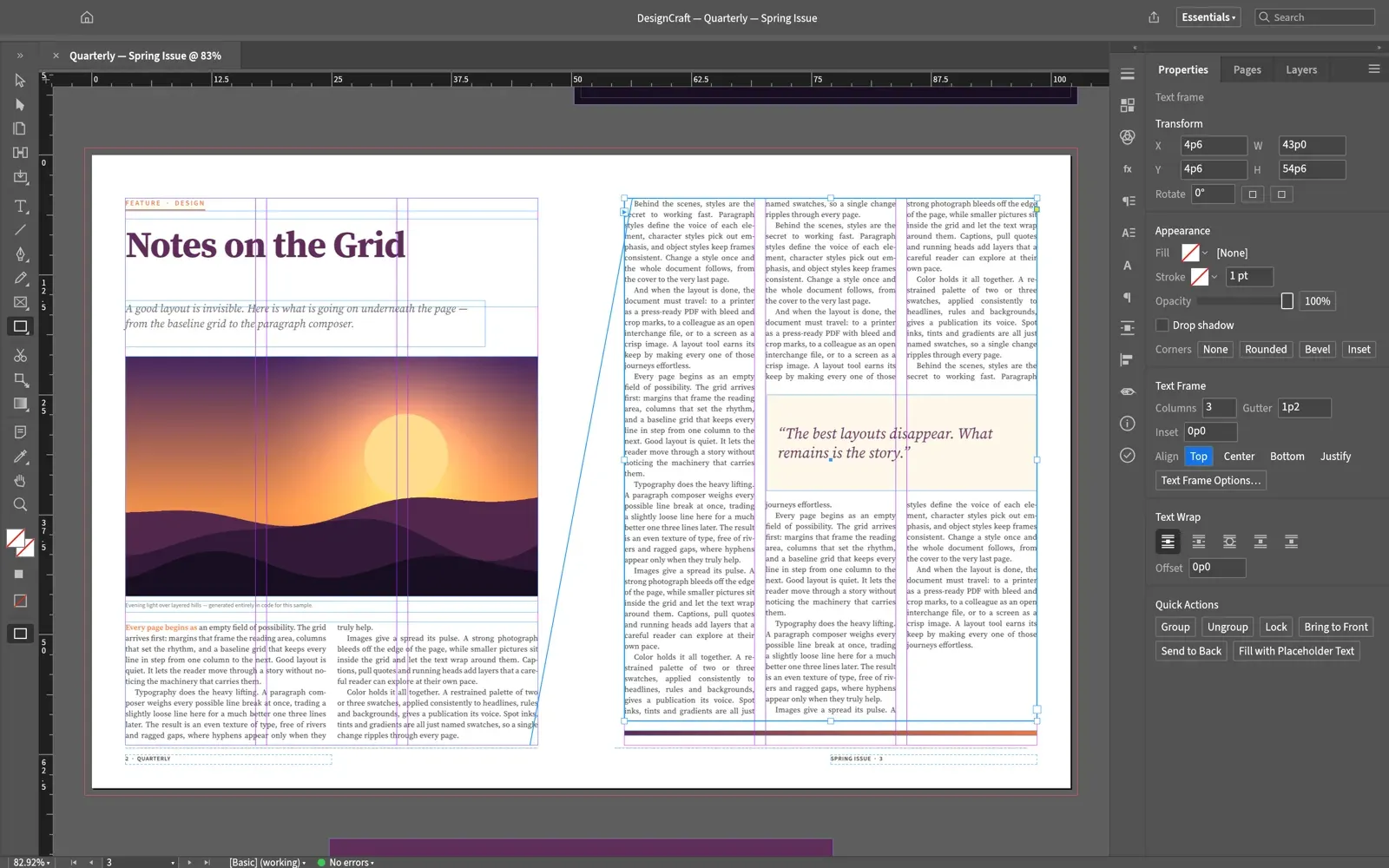
- Documents, spreads and parent pages Facing and non-facing spreads, parent pages with page-number markers, sections, layers, margins, columns, guides and a baseline grid make up the document model. The Pages panel reorders pages by drag and drop and applies parents, and alternate layouts and Export Layouts and Versions are listed in the roadmap. A sample magazine opens from Help, Sample Document or with the
--sampleflag. - Frames, threading and text wrap Text, graphic and unassigned frames hold content, and a story threads through columns, frames and spreads; text threads by hand through the in and out ports. Text wraps around frames and pull quotes, and overset text is detected. Anchored objects flow inline or above the line and travel with their story through copy, paste and threading.
- Paragraph composer and hyphenation The text engine offers a Knuth-Plass paragraph composer and a single-line composer, dictionary hyphenation from the public-domain Moby word list with the project's own trained patterns, and justification with word, letter and glyph-scaling ranges. Keep options, balanced ragged lines, optical margin alignment, tabs, bullets and numbering, paragraph rules, shading and vertical justification are included.
- Styles and Find/Change Paragraph, character, object, table and cell styles support based-on inheritance, with nested and GREP styles listed in the roadmap. Find/Change works on text and GREP patterns, and a Story Editor, Quick Apply, spell checking with a document dictionary and Change Case are available.
- Tables Tables anchored in stories have header, footer and body rows, merged cells, per-edge strokes, fills with alternating patterns, insets and row heights. Rows break across columns and frames with repeating headers and footers, and tables are exported to PDF with real text and to IDML.
- Long documents Footnotes with document-wide options, cross-references in 11 built-in formats plus user formats, indexes with up to four levels, tables of contents, hyperlinks and bookmarks are supported. Data Merge takes one linked CSV, TSV, text or Excel file with text, image, QR code and hyperlink placeholders. Books use DesignCraft's own
.dcbookformat, which the project describes as shallow. - Colour, effects and preflight Swatches cover process and spot colours, tints and gradients, with CMYK, RGB and Lab models, ICC colour management, separations and overprint preview. Adobe Swatch Exchange files load and save. Drop shadows, opacity, blend modes and corner options apply to frames. Preflight lists missing fonts, which appear highlighted in pink on screen only, and missing glyphs.
- Placing images and text JPEG, PNG, GIF, BMP, WebP and TIFF (including CMYK) are placed with embedded ICC profiles applied, PSD files as a composite, SVG through usvg, and PDF or PDF-compatible
.aipages as vectors in PDF export; EPS shows only its preview. Word.docx(styles, footnotes, tables, lists), RTF, the first sheet of.xlsx, Markdown, plain text and InDesign Tagged Text import as stories. A Links panel shows each graphic's status and effective resolution. - InDesign files IDML is opened and exported, with swatches, styles, parent spreads, threaded stories, tables, footnotes, cross-references and indexes.
.inddand.indtfiles open after conversion to IDML in memory by the separate indd-utils project, and DesignCraft does not write them. The file format parity notes state that neither INDD nor IDML import has been measured on a real-file corpus yet. - PDF export Export PDF writes selectable text with subset fonts, DeviceCMYK and RGB, spot separations, bleed and slug, crop and bleed marks, page or spread output, tagged PDF, PDF/X-4 with an output intent and PDF/A-2b, with presets for desktop printing, commercial printing, screen and email. PDF/X-1a:2003 output is flattened by a prepress library. PDF/X-3 and
.joboptionspresets are not supported, anddesigncraft-cli validate-pdfreports unembedded fonts that draw visible text. - Other exports PNG pages, JPEG from the CLI, EPUB 3 in reflowable and fixed-layout form, a single HTML page, XML, text, RTF and Tagged Text are written. PowerPoint export turns every page into a slide of editable shapes, pictures, native tables and text boxes. Interactive PDF export carries links, bookmarks, buttons, form fields, page transitions and object states, and Package collects fonts, links, IDML, PDF and a report.
- Printing Printing goes through the shared craft-print library to CUPS or Windows printing as PDF, without PostScript output, and the File menu also offers Print Booklet. The roadmap lists PostScript level 3 output and print presets as remaining work.
- Languages and right-to-left text Composition handles bidirectional text and Arabic kashida justification, and CJK features such as ruby, warichu, kinsoku and composite fonts carried through IDML. The interface is complete in English, with partial translations for Simplified Chinese, Spanish, Arabic (right-to-left interface), French, Brazilian Portuguese, Japanese, German and several more languages, as listed in the roadmap.
- Command-line interface and scripts
designcraft-cliprovidesrun,script,app,describe,commandsandmcp. A script holds one command per line, and later steps can use earlier results through$N.pathreferences;--exportwrites PNG, JPEG, PDF, IDML, EPUB, HTML, RTF or text by file extension. The agents guide documents the syntax. - MCP server and control channel
designcraft-cli mcpspeaks newline-delimited JSON-RPC 2.0 on stdio, headless or connected to the running app, and returns page and window images to the agent, as described in the MCP documentation. The desktop app's JSON control channel listens on 127.0.0.1 only, and the control protocol documentation states that the port has no authentication. The web build has no control channel. - Desktop downloads Release v0.20.1 attaches code-signed MSI installers and portable zips for Windows x64 and arm64, a signed and notarized universal macOS DMG that also contains the CLI, a separate universal CLI zip, and Linux AppImage, Flatpak, .deb, .rpm, Arch package and tarball builds for x86_64 and aarch64. RISC-V gets .deb, .rpm and tarball builds that need glibc 2.39 or newer, and FreeBSD gets x86_64 and aarch64 tarballs.
SHA256SUMS.txtlists checksums, and the ArtCraft Launcher installs and updates the app. - Web build and self-hosting
designcraft-web-0.20.1.zipis a static site with no server-side code, about 13 MB of WebAssembly or about 5 MB compressed, which runs on WebGPU and falls back to WebGL2. Open and Place use the browser's file picker, and Save and Export download the file. The web hosting guide covers MIME types, compression, caching and HTTPS. - Building from source and diagnostics
cargo run --release -p designcraftbuilds the desktop app, and the README states that Rust 1.95 or newer is required. Japanese fonts come from the optional craft-fonts input. The app writes a rotating log in its settings folder, records a graphics backend that failed at start-up and tries the next one, and aportable.txtfile beside the executable keeps settings in aDesignCraftDatafolder.
Where DesignCraft fits
Laying out a magazine or brochure
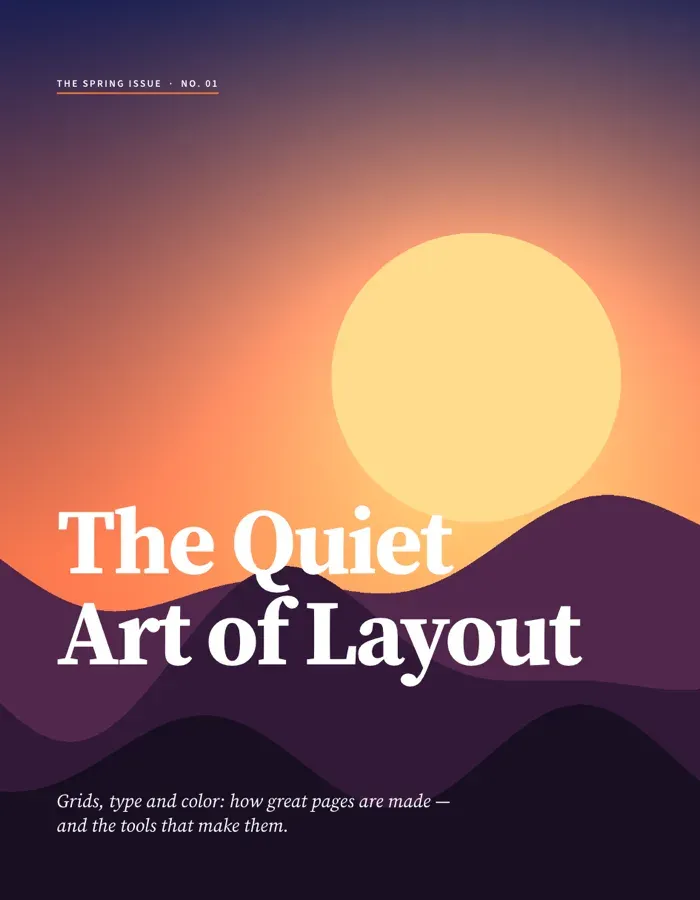
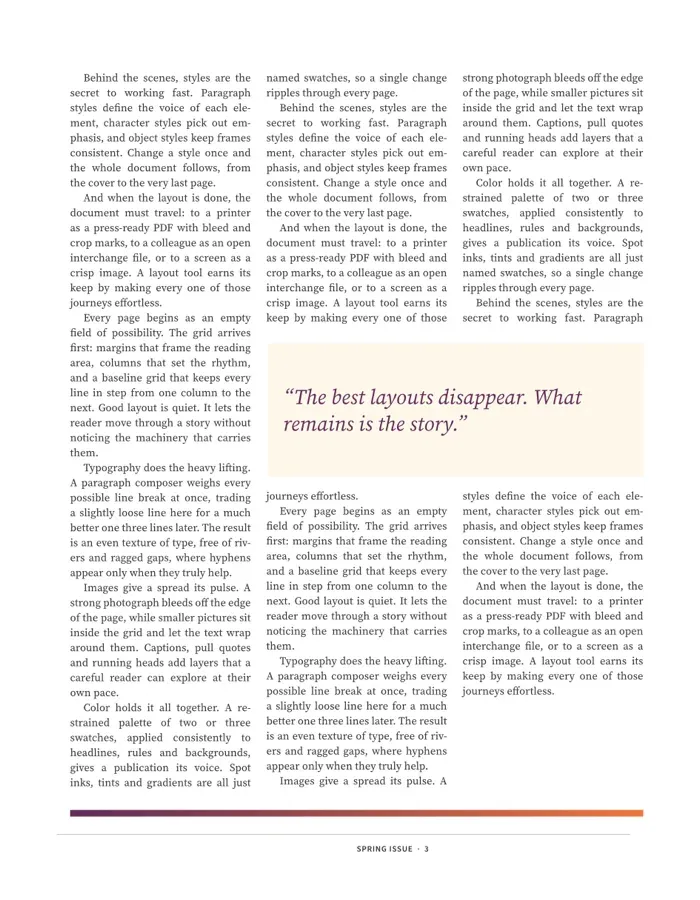
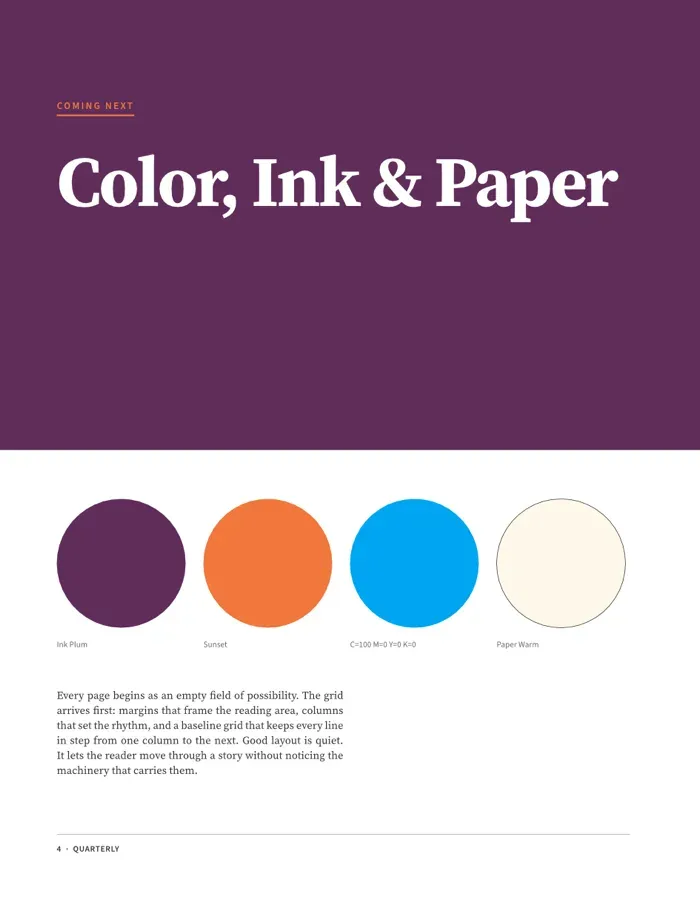
A document starts from the New Document dialog with page size, margins, columns and bleed; parent pages carry folios and running elements, and stories thread through columns and frames around pictures and pull quotes. The sample magazine that ships with the app, a four-page spring issue with a cover, a feature opener, a three-column threaded page and a swatch page, was laid out from code and exported by DesignCraft's renderer.
Opening and returning InDesign work
IDML packages open with their Links folder and an optional Document Fonts folder, and missing parts are listed in an Import Warnings alert. .indd and .indt files open through indd-utils. The finished layout is saved as .designcraft or exported back as IDML. The user documentation lists open issues for custom wrap boundaries, image clipping paths and list bullets in some IDML templates.
Producing print-ready PDF files
The Export PDF dialog selects a preset, a page range, spreads, image compression, marks and bleed, and a standard (PDF/X-4 or PDF/A-2b), and remembers the last settings. Preflight and validate-pdf report missing fonts, missing glyphs and overprint problems before output. Package gathers fonts, linked images, IDML and PDF for a print provider.
Long documents and data-driven pages
Books, reports and catalogues use footnotes, cross-references that resolve live during composition, indexes and tables of contents. Data Merge creates one record per page or tiles records on a page from a CSV, TSV, text or Excel file, including image and QR code fields.
Publishing to screens and slides
The same layout is exported as reflowable or fixed-layout EPUB, an HTML page, an interactive PDF with links and form fields, or a PowerPoint file whose pages become slides of editable objects. The roadmap states that PowerPoint export was checked against PowerPoint for Mac and LibreOffice.
Automating layout with agents and scripts
A command script creates frames, inserts text, footnotes and cross-references, and exports PDF and PNG in one designcraft-cli script run, or replays the same steps in the running app with --connect. MCP clients such as Claude Code register designcraft-cli mcp and receive page images back as they edit.
Reviews of DesignCraft
Be the first to share your experience with DesignCraft.
Write a review
Loading review form…
Found DesignCraft useful? Upvote it todayYour vote helps other IT teams find it in the daily ranking.