What is VectorCraft?
VectorCraft is an open-source vector illustration application written from scratch in Rust by the ArtCraft team. The project README describes a familiar arrangement of tools, menus, panels and shortcuts, including the Pen, Direct Selection, Pathfinder, Smart Guides, Appearance, Swatches and Layers. The roadmap calls it a clean-room reimplementation of the Adobe Illustrator workflow: parity with Illustrator 2026 is measured from public documentation only, and the contributor rules forbid using Adobe software. One engine runs the native desktop app on macOS, Windows, Linux and FreeBSD, the browser build compiled to WebAssembly, a headless command-line tool and an MCP server.
VectorCraft is one of the free Crafting Apps listed on getartcraft.com, next to sibling projects such as PhotoCraft, PdfCraft and WordCraft. The repository was created on September 30, 2026. Code and original assets are dual-licensed under MIT or Apache-2.0 at the user's option; the ArtCraft name, wordmark and logos are trademarks outside that license, and bundled fonts, icons and images keep their own licenses. Release builds embed Japanese, Simplified Chinese and Arabic faces from the craft-fonts repository under the SIL Open Font License 1.1.
The project labels VectorCraft as alpha. In its status of October 10, 2026, the README reports that about 88 percent of the core menu items, tools, effects and formats exist, that feature depth is about 75 percent and that readiness for a mainstream illustrator is about 65 percent, and it states that these scores are self-assessed. The listed gaps are reliable exchange of real-world .ai files, an interaction-fidelity pass over every tool, 3D and materials beyond the initial live Revolve, CJK composition for vertical type, scripting and the rest of Variables, and generative AI features. According to the user guide, the in-app VectorCraft Help item is not built yet.
The latest release, v0.24.1, was published on November 12, 2026. Its notes list Style Options for paragraph styles (indents, spacing, composition, hyphenation and justification), a built-in Energy Beams brush library, Paste in Place, in Front and in Back on every selected artboard, conversion of a PSD file's layers to objects on File > Open, ruler guides stored as document objects on their layers, conic gradients that sweep once around the center, a PDF option for pages longer than 200 inches, a fix for Flatpak updates and bounds checks in the EPS, SVG, PDF and font readers. The same notes cover work on a JavaScript script runtime, such as named engines selected with #targetengine.
Internally, VectorCraft is a Cargo workspace of 23 library crates and three apps with about 354,000 lines of Rust, according to the architecture notes. The canvas is rasterized on worker threads by vello_cpu and composited on the GPU through wgpu (Metal, DX12, Vulkan or GL, and WebGPU or WebGL2 in the browser). Every user action is a command in a registry of about 710 commands that the menus, Actions, the CLI, the control channel and the MCP server all call. History uses structural sharing for unlimited undo, and shipped code is built without panics. The README gives a render time of about 27 ms for 20,000 shapes at full retina resolution. Similar open-source editors on iThub include Graphite and SVGEdit.
Key capabilities
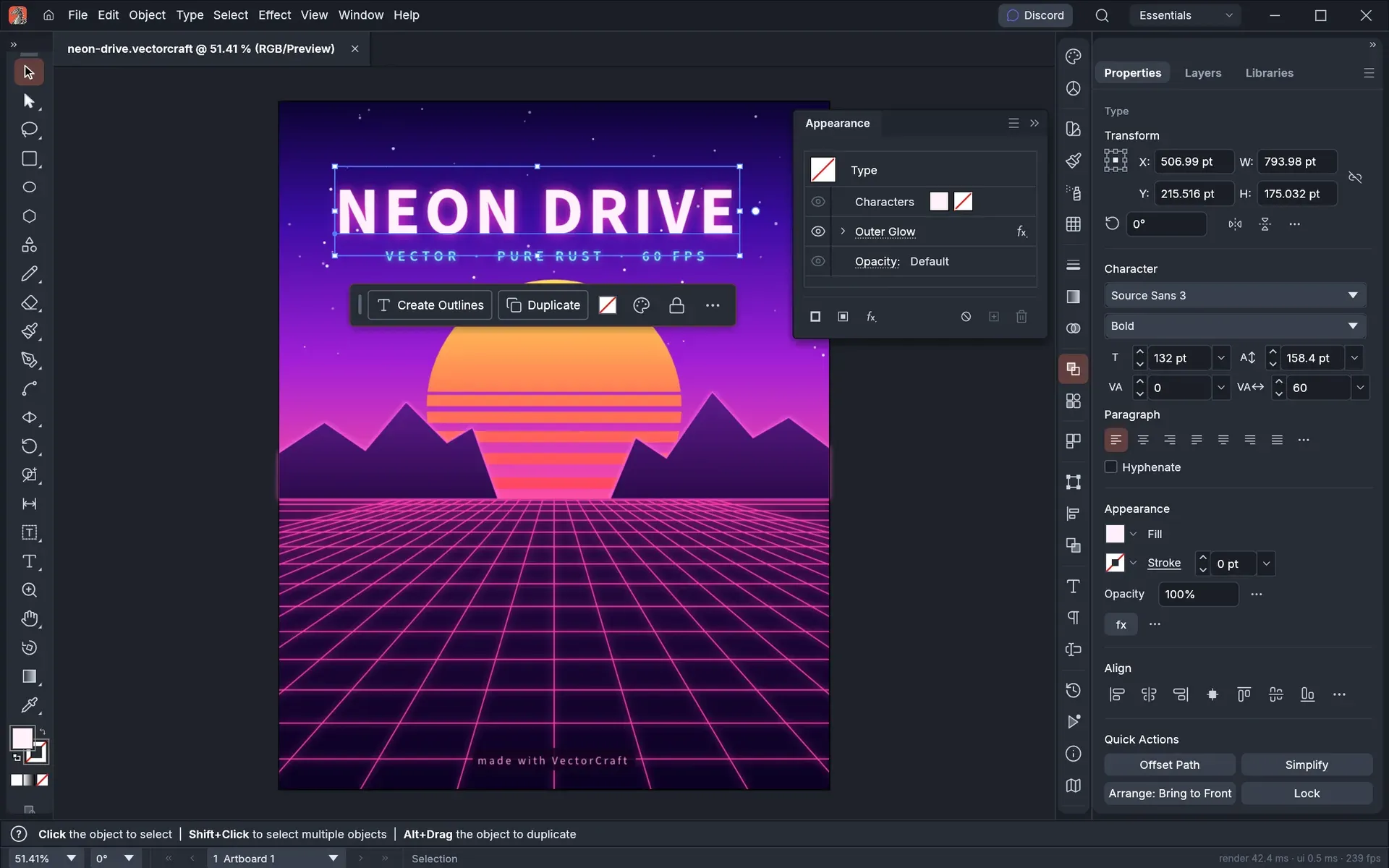
- Drawing and path tools The Pen, Curvature and Pencil tools, shape tools, Paintbrush, Blob Brush and Shaper tool create paths, and Direct Selection, the anchor tools, Join, Simplify, Offset Path and Outline Stroke edit them. Warp, Twirl, Pucker, Bloat, Scallop, Crystallize and Wrinkle reshape existing art. A contextual task bar under the selection offers next steps such as Offset Path, Simplify or Create Outlines.
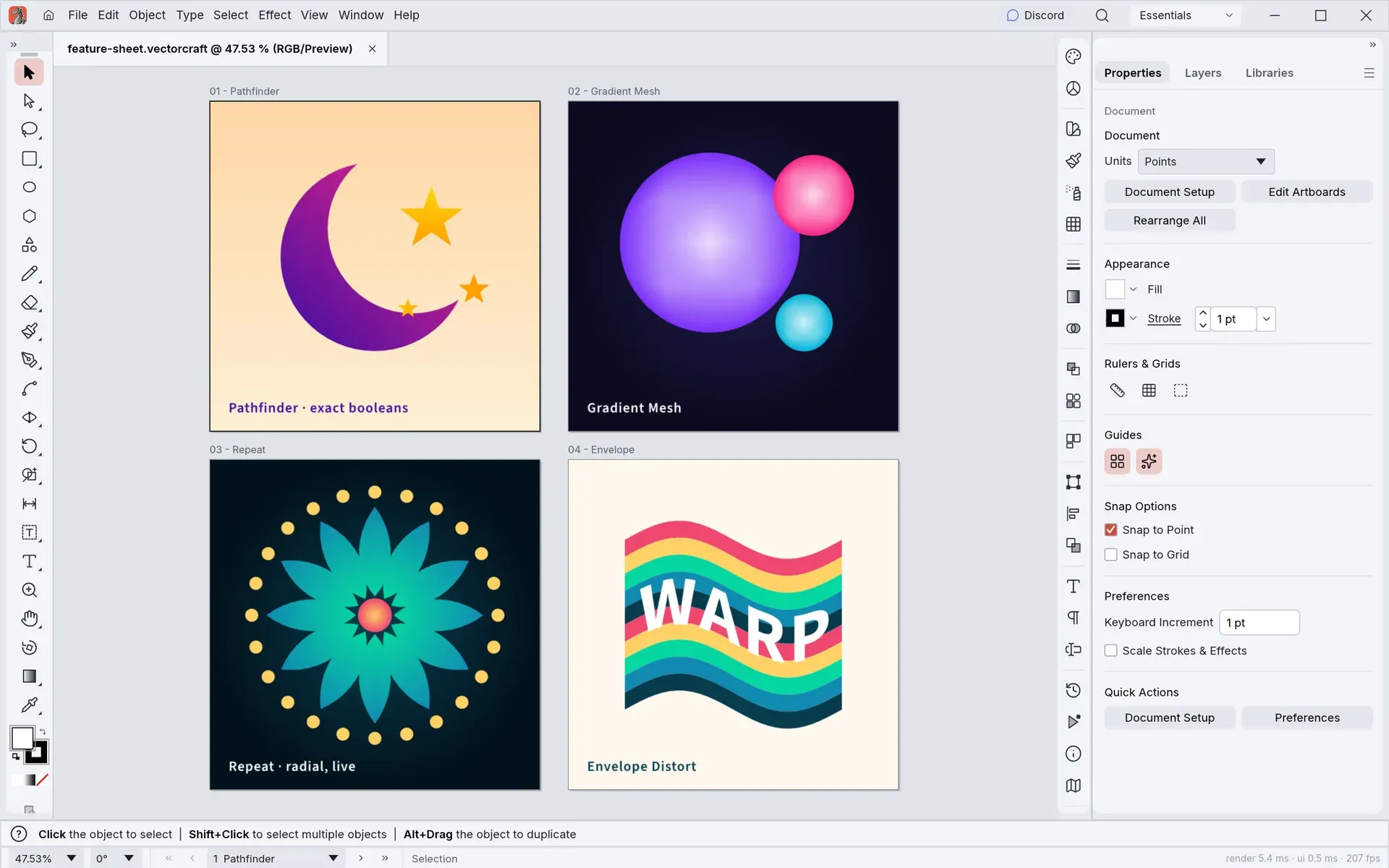
- Pathfinder and Shape Builder Shapes are combined, cut and divided with Pathfinder and Shape Builder, and Live Paint fills the regions that overlapping paths form. The project describes its curve booleans as exact. The roadmap lists Shape Builder regions among the core-tool corrections still planned.
- Paint, gradients and colour Swatches and colour groups, linear, radial and conic gradients, gradient meshes, patterns and Recolor Artwork are available. The Appearance panel stacks fills, strokes and effects on one object, with opacity, blend modes, graphic styles, opacity masks and clipping masks. Print colour management and separations are part of the output workflow.
- Brushes and variable widths Calligraphic, scatter, art, pattern and bristle brushes are supported, and the Width tool (Shift+W) varies a stroke's width along its path. Version 0.24.1 adds a built-in Energy Beams brush library. On Linux under native Wayland, the README notes that pen tablet input goes through XWayland.
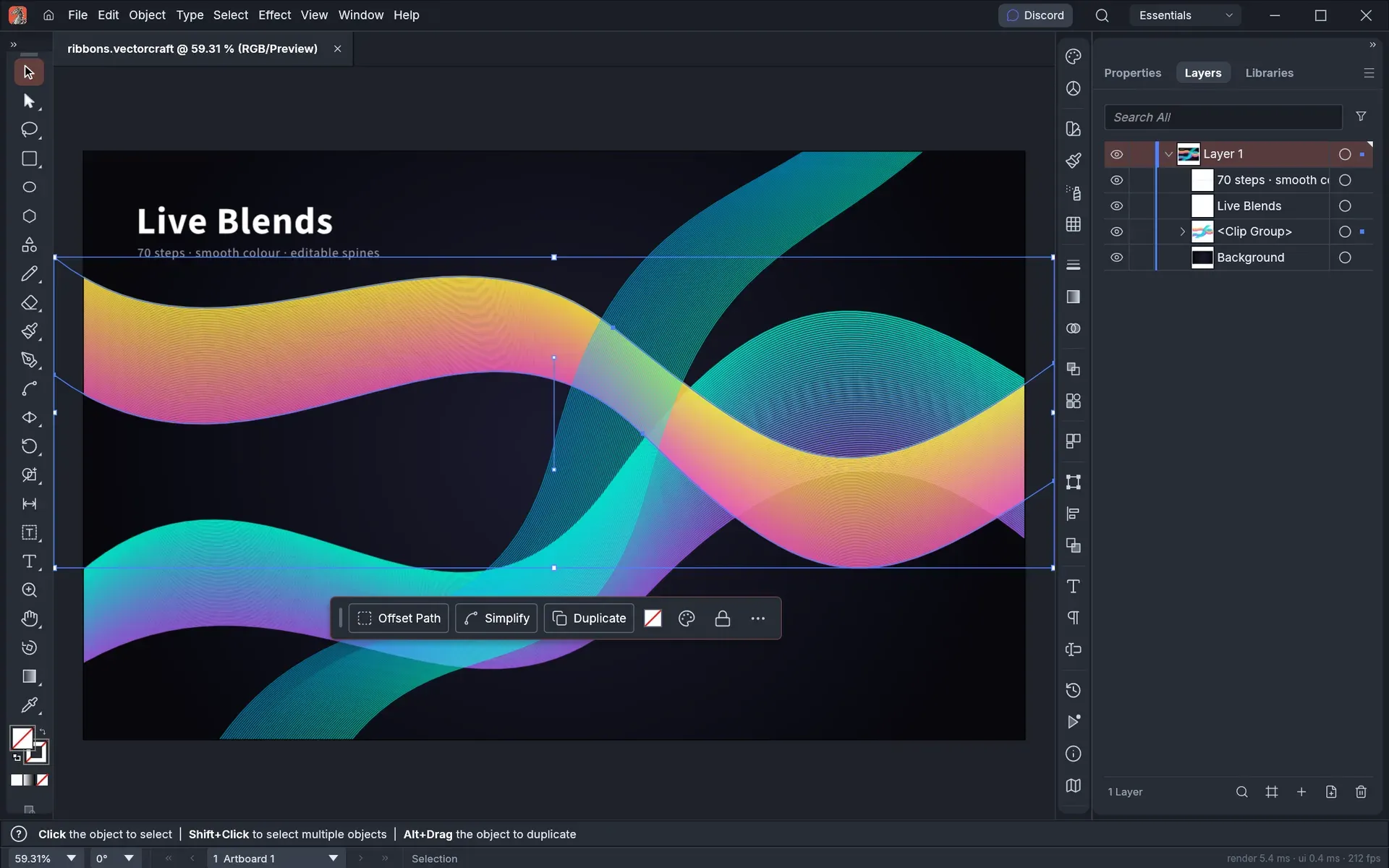
- Live effects Blends with editable key paths, Repeat in radial, grid and mirror modes, Envelope Distort, drop shadows and glows stay editable until they are expanded. The README states that the Effect Gallery and all 57 Photoshop-style raster filters are in, as approximations, while filter thumbnails and a preview area inside the gallery are still missing.
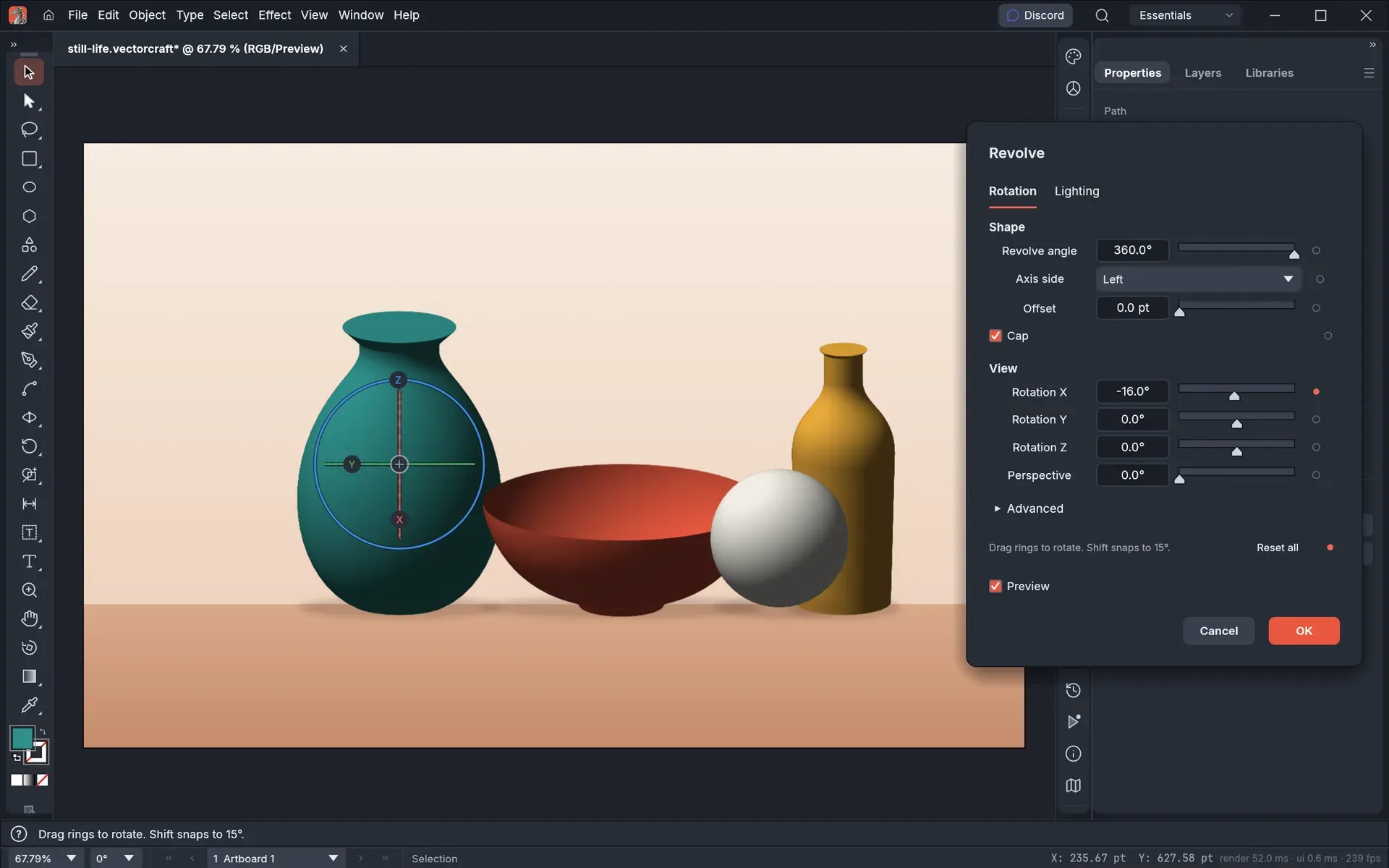
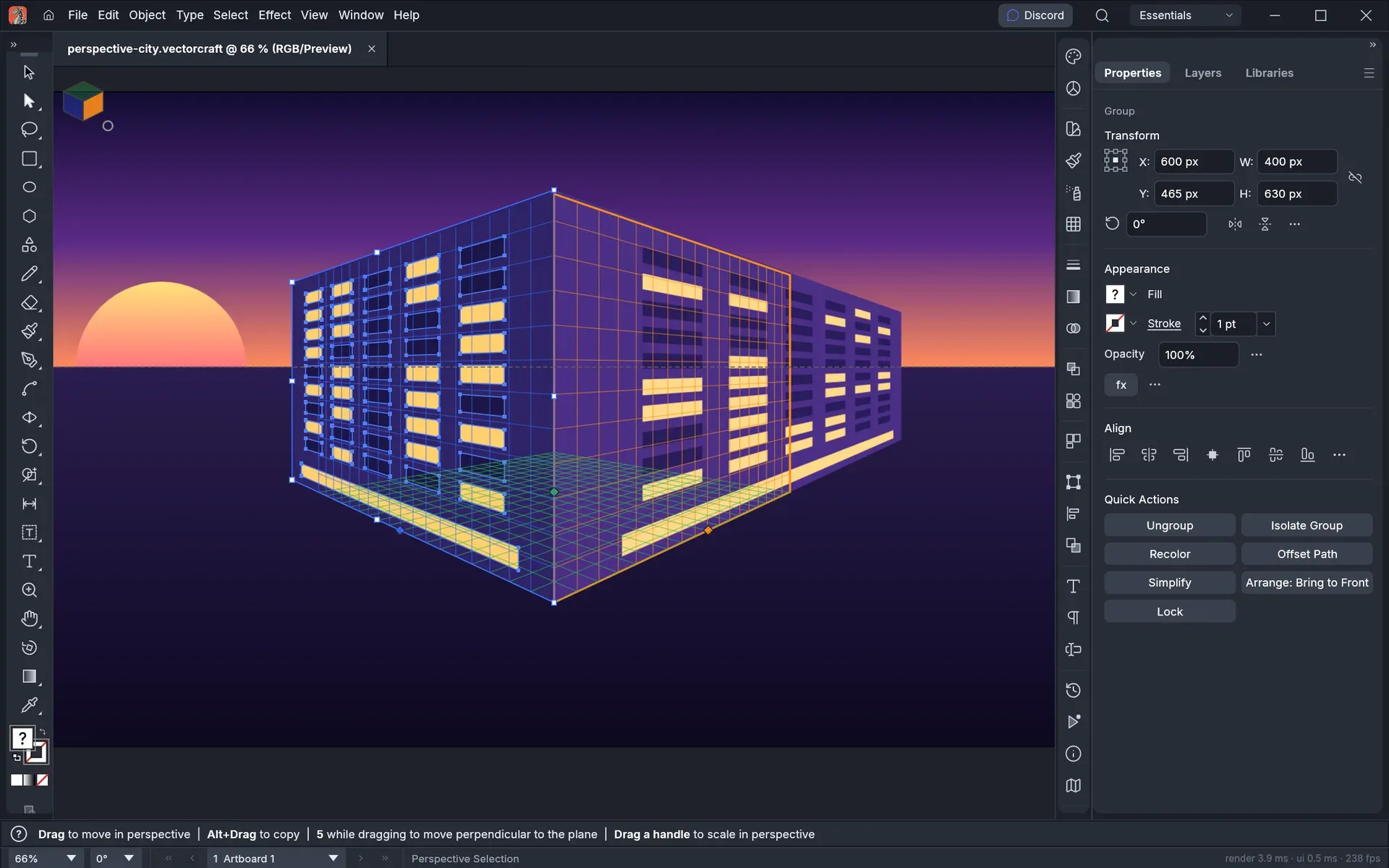
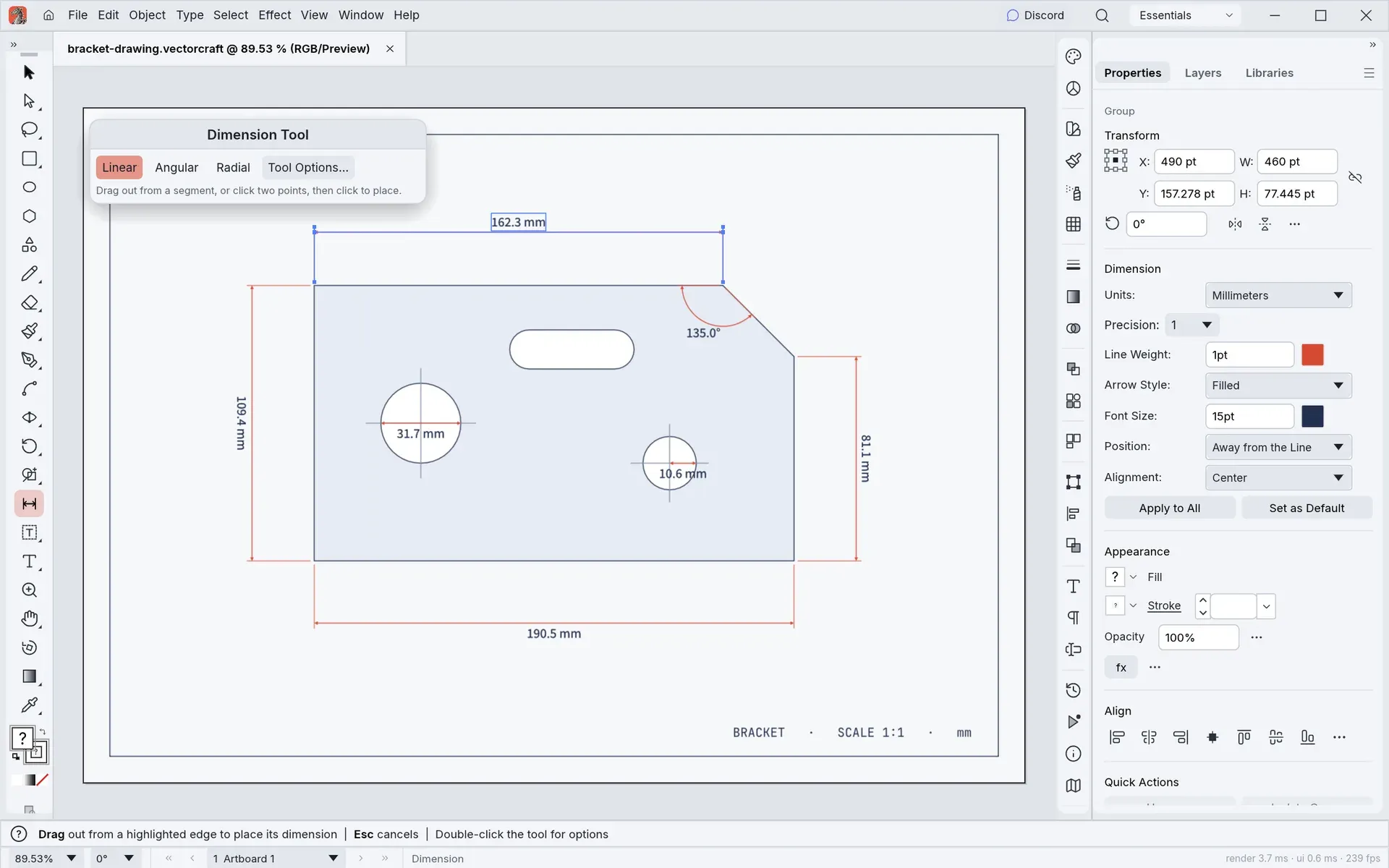
- 3D, perspective and dimensions 3D Revolve turns a profile into a shaded vector object with caps and a rotation gizmo; the roadmap scores 3D and Materials at about 25 percent, without materials. A perspective grid with one-, two- and three-point presets keeps art attached to its planes. The Dimension tool places linear, angular, diameter and radius dimensions that stay linked to the art they measure, as described in the dimensions guide.
- Type Point, area and path type, threaded frames, character and paragraph styles and OpenType features are supported, with bidirectional layout for Hebrew and Arabic. Vertical type has initial support, and CJK composition for vertical type is listed as missing. A separate guide covers typography and custom lettering.
- Symbols, graphs and data-driven art Editing a symbol updates every placed copy, and the Symbol Sprayer and its adjustment tools work on many instances at once. Nine graph types, from column to radar, are built from a data table. Variables and data sets fill one template with rows of data, which can be imported from CSV.
- Image Trace Raster pictures are converted to vector paths, and the product page lists 12 tracing presets. Related iThub listings include ImageSVG, a browser tool for tracing logos and icons into SVG.
- Artboards, layers and screen export Documents hold multiple artboards, layers and sublayers, guides, grids and Smart Guides. Export for Screens, Asset Export and Save for Web (Legacy) slices write images in several sizes and formats. The interface has dark and light themes and, according to the user guide, 28 languages.
- Native format and vector exchange The native
.vectorcraftfile is versioned, compressed JSON with embedded images, saved atomically. SVG, SVGZ, PDF (including PDF/X), PDF-compatible.aiand EPS are opened and saved, and legacy version 7.aikeeps layers, groups and type. DXF, EMF and WMF are read. The file format parity notes list FreeHand, CorelDRAW, DWG and PICT as unsupported, and state that a saved.aikeeps live effects only on objects that qualify. - Raster formats and Affinity import PNG, JPEG and WebP are exported, GIF, TIFF and BMP open, JPEG XL is read and PSD is written with layers. Affinity documents (
.af,.afdesign,.afpuband, by content,.afphoto) open with layers, artboards, pages, curves, gradients, text, tables and master pages; items that do not come in are listed in an import warning, and VectorCraft does not write Affinity files. - Printing and Package The Print dialog sends jobs to the system print service or to a PDF file, with PDF print presets and separations. Tiled printing spreads a poster or sewing pattern across numbered A4, Letter or Japanese paper sheets with a chosen overlap. Package copies a document and its linked files into a folder.
- Command-line interface
vectorcraft-cliprovidesrun,convert,info,bench,perfandmcpsubcommands.run --inapplies commands to a document and exports the result without opening a window, and the Actions panel can run recorded actions on folders of files. - MCP server and control channel
vectorcraft-cli mcpruns an MCP server on stdio, either headless with a CPU renderer or connected to the desktop app started with--control 7979, so the change appears live. The JSON control channel listens on loopback only; the control protocol documentation states that the port has no authentication. The--automation-read-rootand--automation-write-rootflags confine the folders an agent can read and write, as described in the MCP documentation. - WebAssembly plug-ins Plug-ins are sandboxed WebAssembly modules, so one
.wasmfile works on every desktop platform and in the browser. Four kinds exist: object filters, live effects, exporters and importers, for example for pen plotters or cutting machines. Native plug-ins built for other illustration apps are not hosted, and a module that requests permissions installs only when they are granted, according to the plug-in API documentation. - Desktop downloads Release v0.24.1 attaches code-signed MSI installers and portable zips for Windows x64 and arm64, a signed and notarized universal DMG for macOS 11 or later plus a separate universal CLI zip, and Linux AppImage, Flatpak, .deb, .rpm, Arch package and tarball builds for x86_64 and aarch64. RISC-V gets .deb, .rpm and tarball builds, and FreeBSD gets x86_64 and aarch64 tarballs.
SHA256SUMS.txtlists checksums, and the product page also offers the ArtCraft Launcher, which installs and updates the Crafting Apps and checks SHA-256 checksums. - Web build and self-hosting
vectorcraft-web-0.24.1.zipis a static site with no server-side code, about 13 MB of WebAssembly or about 5 MB compressed. It needs WebAssembly SIMD (Chrome and Edge 91, Firefox 89, Safari 16.4 or newer) and renders with WebGPU, falling back to WebGL2; HTTPS or localhost enables WebGPU and the clipboard. The web hosting guide covers server settings and iframe embedding, and the web version does not check for updates. - Building from source
cargo run --release -p vectorcraftbuilds and starts the desktop app; the workspace declares Rust 1.95 as its minimum. The web build is produced with Trunk fromapps/vectorcraft-web. Japanese fonts come from the optional craft-fonts input, and without it Japanese text uses the installed system fonts.
Where VectorCraft fits
Illustrating posters and graphics
A poster or illustration is built from paths, gradients, live effects and type on one or more artboards, then exported as SVG, PDF or PNG. The README shows example documents in the examples/ folder, such as Neon Drive, Dusk, Still Life and a radial Repeat mandala; the project states that these were built entirely through the command API and exported by VectorCraft's own renderer.
Opening files from other vector applications
PDF-compatible and legacy .ai files, EPS, SVG and PDF open as editable documents, and Affinity documents open with their layers, pages and text. The import warning lists what did not come in. The roadmap names .ai files from real users, including their layer structure, as the main exchange gap before beta, and the file format notes describe what a saved .ai carries.
Technical drawings and perspective scenes
The Dimension tool measures lengths, angles and radii in a chosen unit and precision, and its dimensions follow the art when it moves or is reshaped; the README example is a bracket drawing in millimetres. The perspective grid and Perspective Selection tool keep building facades and other art editable on their planes.
Driving the editor from an AI agent
An MCP client such as Claude Code registers the server through claude mcp add with the command vectorcraft-cli mcp. With the desktop app started on control port 7979, every menu item, tool gesture, panel and dialog can be driven while the document updates on screen; without it, a headless session draws and exports with the CPU renderer. Read and write roots limit the files an agent reaches.
Batch conversion and export
vectorcraft-cli run --in opens a document, applies commands and writes PDF, SVG or raster output, and convert changes files between formats without a window. The release packages ship the CLI: on Linux as /usr/bin/vectorcraft-cli, on Windows inside the installation folder and on macOS as a separate signed zip.
Printing large posters and patterns
Tiled printing divides an artboard into numbered sheets at a chosen scale, with Tile Imageable Areas or Tile Full Pages, an overlap strip and a tile range. The result goes to a printer or to a PDF with one page per tile. The print tiling guide describes the dialog; in the web app, printing goes through the browser's print dialog.
Running VectorCraft in a browser
The web release zip is unpacked onto any static web server, under a domain root or a subpath, or embedded in a page with an iframe. Preferences are kept in the browser's localStorage, Save and Export download files, and URL flags such as ?webgl and ?cpu select the renderer.
Reviews of VectorCraft
Be the first to share your experience with VectorCraft.
Write a review
Loading review form…
Found VectorCraft useful? Upvote it todayYour vote helps other IT teams find it in the daily ranking.