
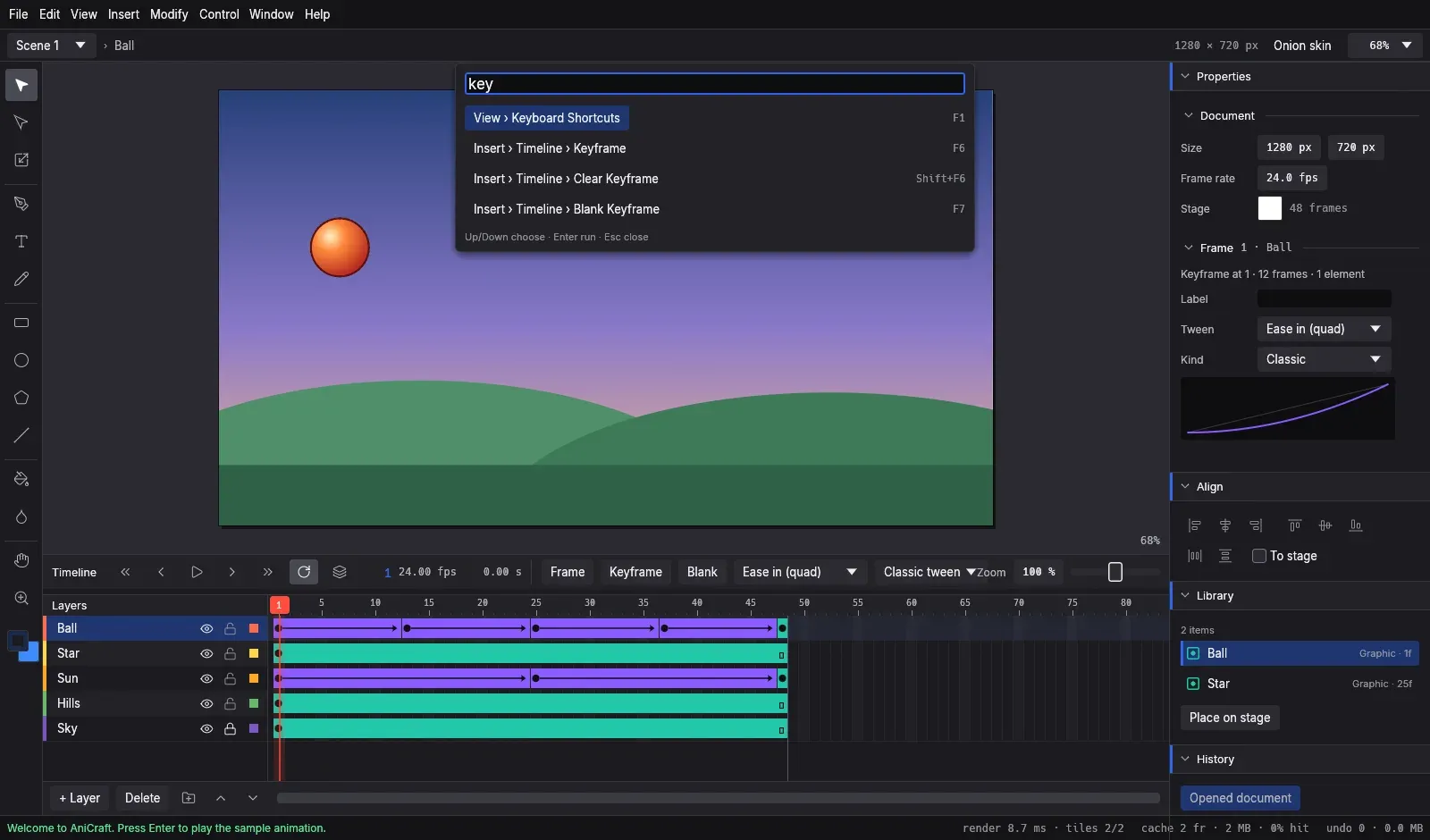
What is AniCraft?
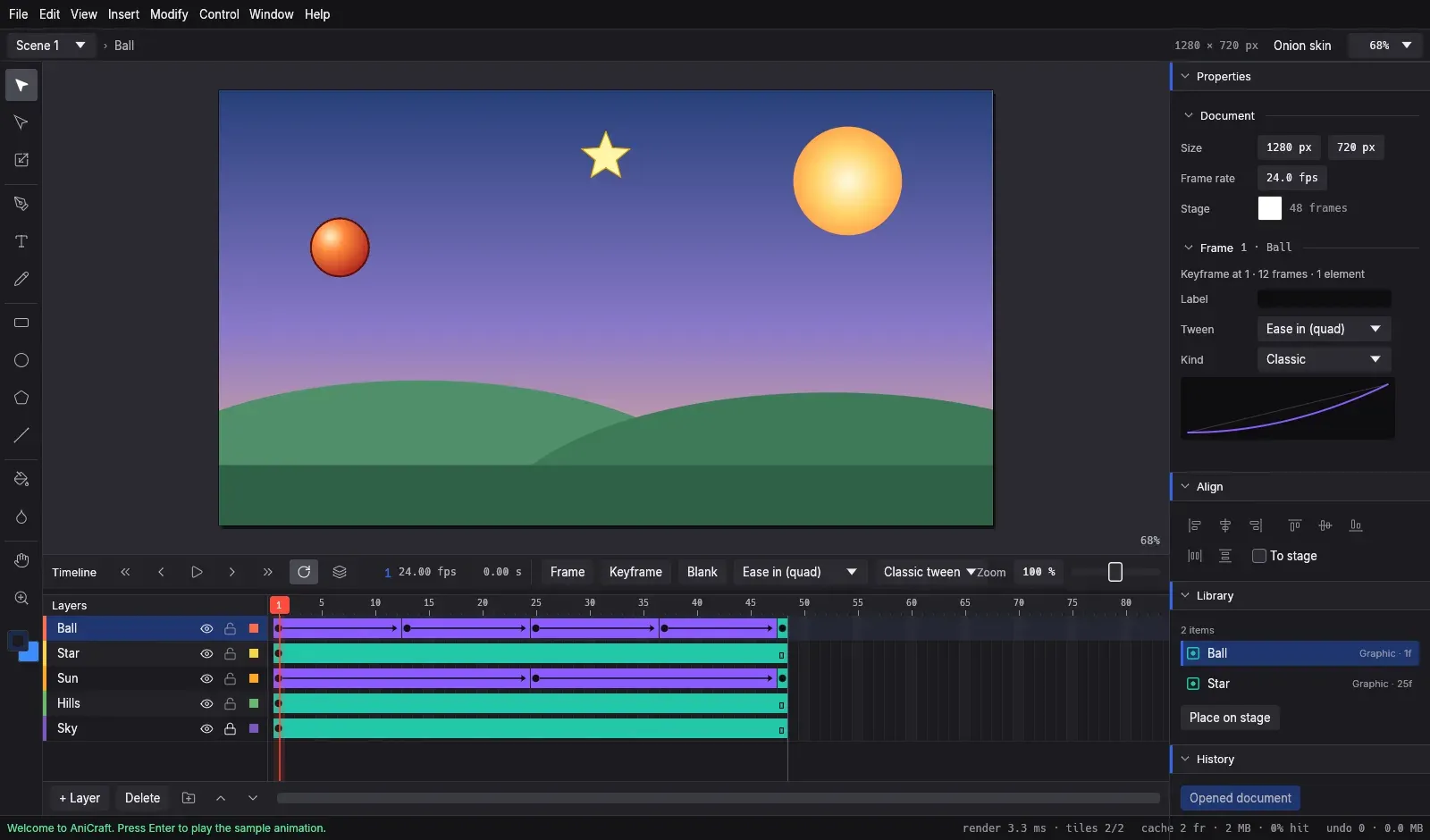
AniCraft is an open-source 2D vector animation editor written in Rust. The project README describes it as a clean-room reimplementation of the Adobe Animate workflow: a stage with vector drawing tools, a timeline with layers and keyframes, classic and shape tweens, onion skinning, symbols and a Library, all drawn with an egui interface. The repository's contributor rules state that behaviour is learned from public documentation and observation only, without proprietary code or assets, and the project states that it is not affiliated with or endorsed by Adobe.
AniCraft is made by the ArtCraft team and is one of the free Crafting Apps listed on getartcraft.com, next to sibling projects such as PhotoCraft, VectorCraft, FilmCraft and EffectCraft. The repository was created in October 2026. The code is dual-licensed under MIT or Apache-2.0 at the user's option (GitHub's license detection shows Apache-2.0). The ArtCraft name, wordmark and logos are trademarks excluded from that license, and bundled fonts, icons and other assets keep their own licenses, listed in ATTRIBUTION.md.
The README labels the project early alpha and not yet intended for production animation work. The roadmap keeps a status table per area and nine milestones, M0 to M8, running from foundations to release quality. Items the project lists as missing include ActionScript beyond the supported timeline subset, motion tweens imported from XFL files, and macOS and Linux CI runners; the roadmap at the 0.2.1 tag notes that the app has been verified on Windows so far.
Three releases were published on GitHub within two days. Version 0.1.0 (November 11, 2026) collected the first milestones, including shape tweens, scenes, layer folders, motion guides, audio layers, a Bone tool, a camera layer, sandboxed WebAssembly plug-ins, HTML canvas export, an MCP server and installers for Windows, macOS and Linux. Version 0.2.0 added onion skin markers and Edit Multiple Frames, stroke caps, joins and dashes, Library folders with Swap Symbol, and a hardened reader for .fla packages. The latest, v0.2.1 from November 12, 2026, adds ActionScript small logic, 9-slice scaling for symbols, complete colour effects, Find and Replace with a Movie Explorer, button sounds and hit-area editing, file drops with Open Recent and a start screen, Publish Settings with Publish, and a Help menu update check.
The workspace is split into 13 layered crates below the egui shell, and a test enforces that no lower layer depends on the interface. The document is plain data, and the picture at any frame is computed by a pure evaluation function. A CPU renderer with analytic anti-aliasing serves as the reference, while a wgpu GPU stage is the default canvas renderer, with an automatic OpenGL fallback. The README states that the code forbids unsafe Rust, that every command is fuzzed and that undo history uses structural sharing. Similar tools on iThub include Krita, which also offers 2D animation; sibling ArtCraft listings include PhotoCraft, PdfCraft, WordCraft and Craft Anything.
Key capabilities
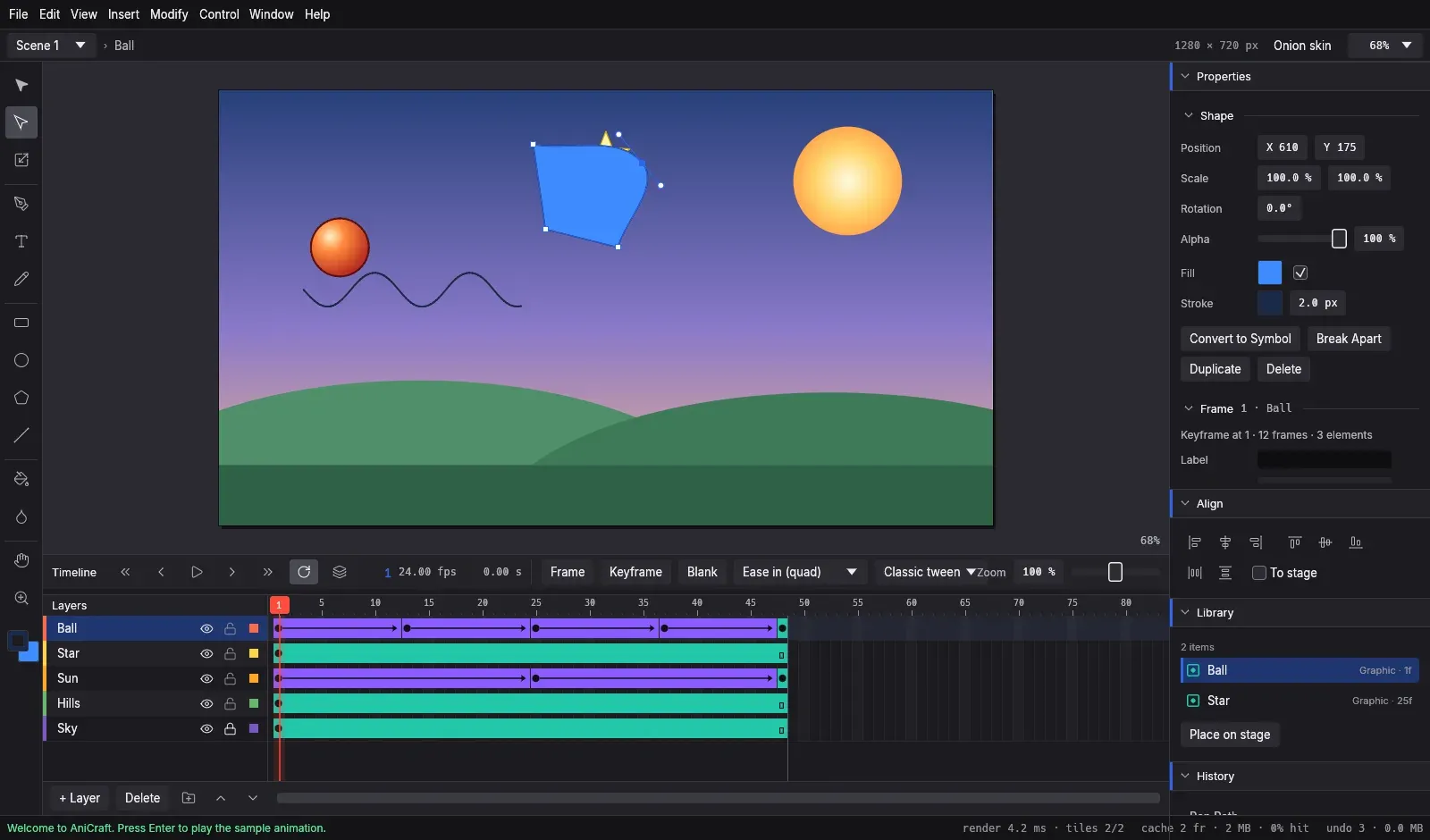
- Vector drawing tools The toolbox has Selection, Subselection (A) for Bézier anchors and handles, Pen (P), Pencil (Shift+Y) with Smooth, Straighten and Ink modes, Rectangle with corner radius, Oval, PolyStar, Line and Text. A Brush tool paints filled sweeps with pen pressure and paint modes, and Eraser, Eyedropper and a Width tool for variable-width strokes are included.
- Merge drawing, fills and strokes Raw shapes on a layer cut and join each other as in Animate: fills replace or join, and lines split where they cross; Object Drawing (J) keeps shapes separate. Paint Bucket (K) closes gaps, Ink Bottle (S) applies strokes, and fills can be solid colours, linear or radial gradients or bitmaps. Since 0.2.0, strokes support caps, joins, miter limits and dashed or dotted lines.
- Free Transform and arrangement Free Transform (Q) scales from corner and edge handles, with Shift for proportional and Alt for centred scaling, and rotates with 15 degree snapping. Align, distribute, rotate by 90 degrees and horizontal or vertical flip are available from menus and a dock panel, with an option to align to the stage.
- Timeline, layers and frames Layers can be normal, guide, motion guide or mask layers and can be grouped in nestable folders. Keyframes (F6), blank keyframes (F7) and frames (F5) work on multi-frame selections across layers, keyframes can be dragged between frames and layers, and frames can be cut, copied and pasted with their symbols.
- Classic, shape and motion tweens Classic tweens offer eight easing presets and custom ease curves. Shape tweens morph between arbitrary vector contours and accept shape hints. Motion tweens with property curves come with a first Motion Editor, and motion paths support orient to path and anchors pinned to frames.
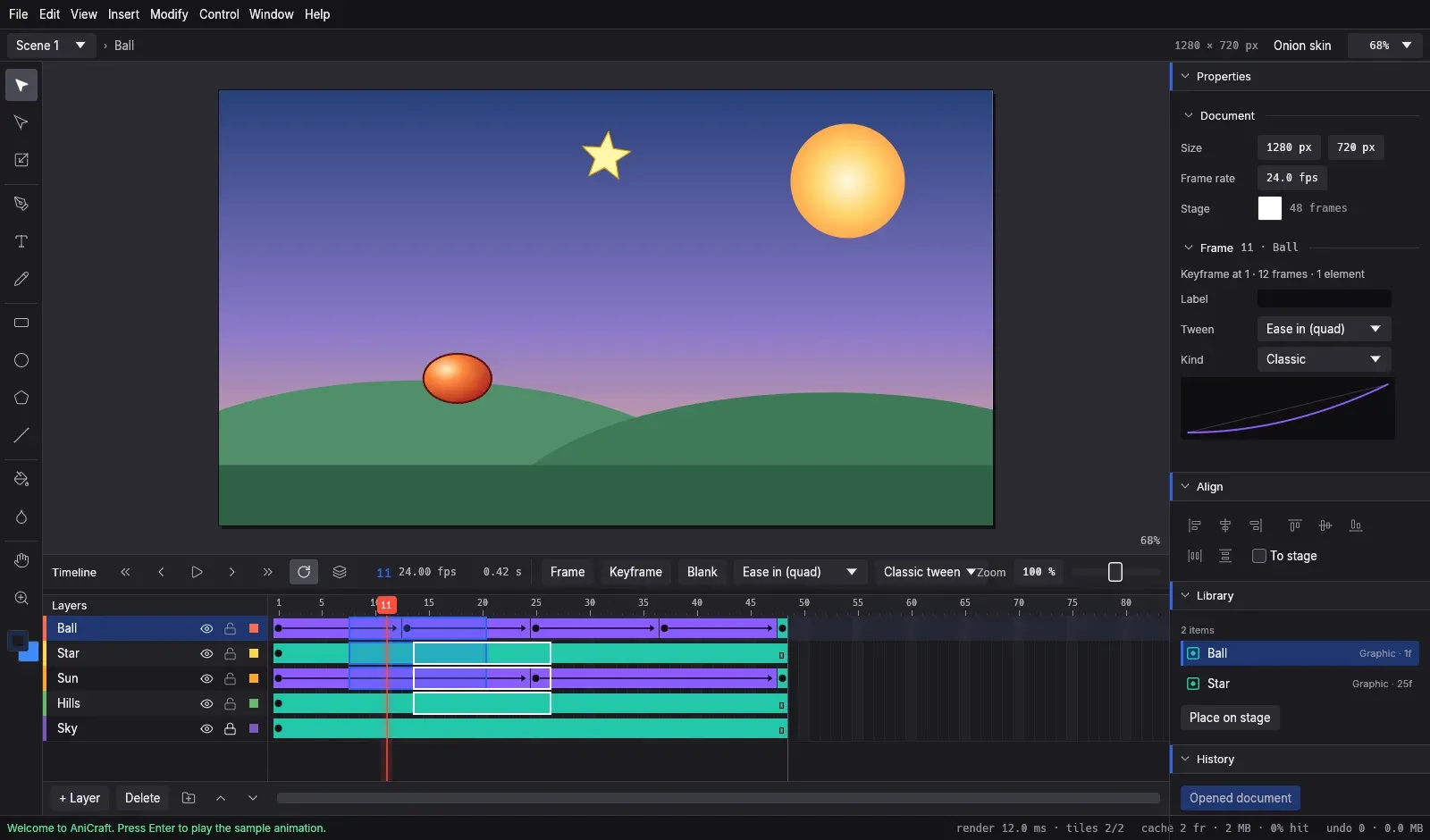
- Onion skinning and Edit Multiple Frames Onion skinning shows a range of frames before and after the playhead, with markers, tint and outline display, and also works inside symbols. Edit Multiple Frames, completed in 0.2.0, edits artwork across several keyframes at once.
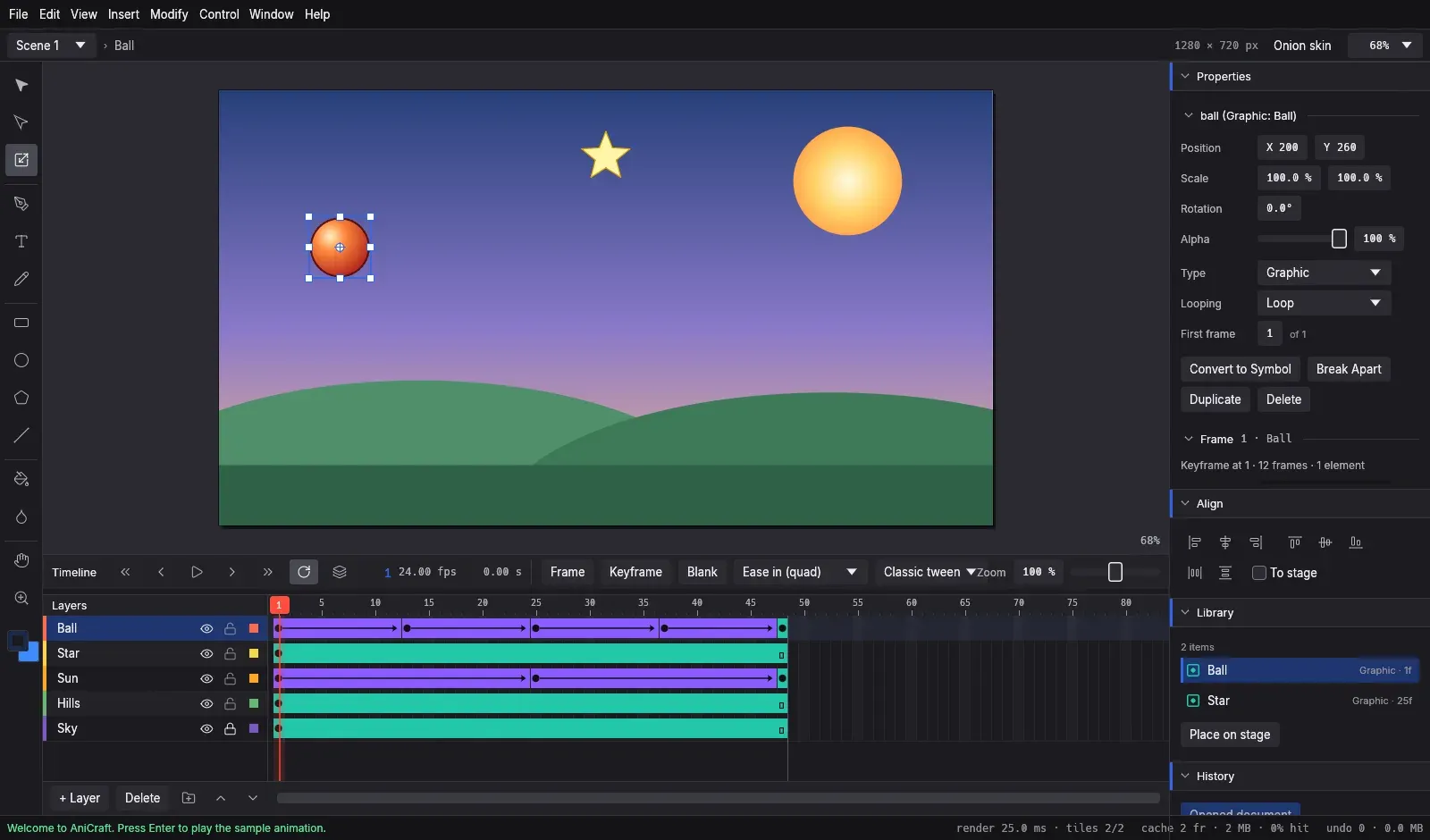
- Symbols, scenes and the Library Graphic symbols have nested timelines with Loop, Play Once and Single Frame modes; movie clips and buttons have their own playback, and documents can hold several scenes. Movie clips take filters, including Bevel, Gradient Glow and Gradient Bevel, and Animate's 14 blend modes; 0.2.1 adds 9-slice scaling and complete colour effects (Brightness, Tint, Advanced and Alpha). The Library has folders, inline rename, Duplicate Symbol, Swap Symbol, use counts, Select and Delete Unused Items, search and previews.
- Camera layer and bones A camera layer pans, zooms, rotates and tints the view, and layer depth makes camera moves shift near and far layers by different amounts. The Bone tool links symbol instances into an armature with inverse kinematics, joint limits and pins, and poses tween between keyframes; the roadmap marks this as a first slice.
- Sound on the timeline WAV, Ogg Vorbis and MP3 files import into the Library and attach to keyframes with Event, Start, Stop or Stream sync and repeat or loop options, with waveforms drawn on the timeline. Effects and custom envelopes of up to 16 volume points per channel shape each sound, layers have volume and mute, and 0.2.1 adds sounds on button frames. The soundtrack exports as WAV.
- Interactivity and ActionScript Frame actions (stop, play, go to a frame or label, set properties) attach to keyframes and to button and movie clip instances through the Actions panel (F9), and Test Movie (Ctrl+Enter) plays the result with the pointer in its own window. ActionScript frame scripts from Animate files are kept, and those that control the timeline run; 0.2.1 adds variables, expressions, loops, property reads, enter-frame and key events. Code outside this subset is kept but not executed.
- Opening Adobe Animate documents .fla files, .xfl files and XFL folders open with stage, scenes, layers, keyframes, labels, classic and shape tweens, shapes, symbols, mask layers, folders, PNG and JPEG bitmaps and text. Unsupported elements are listed in a report after opening, and imported files stay untitled so Save never overwrites them. Animate's own bitmap encodings and motion tweens from XFL are not imported yet.
- SVG import Import to Stage (Ctrl+R) turns an SVG drawing into editable shapes on a new layer, with groups, use elements, transforms, styles, opacity and gradients. Clip paths and opaque masks become mask layers in a folder named after the file, and SVG text becomes text blocks; soft masks and text on a path are reported.
- Export formats and Publish Exports cover PNG frames and sequences, animated GIF, SVG frames, sprite sheets with a JSON frame map, Lottie JSON, a self-contained HTML canvas page with buttons and actions, and WAV audio. WebM (VP9) and MP4 (H.264) video is encoded by the user's own ffmpeg, as no encoder is bundled. Since 0.2.1, Publish Settings are stored in the document and File, Publish (Shift+F12) writes every selected format in the background.
- Find and Replace and Movie Explorer Find and Replace (Ctrl+F) searches text fields, frame labels, layer and instance names, frame scripts, fonts, colours, symbols, sounds and bitmaps, with match case, whole word and regular expressions. The Movie Explorer (Alt+F3) shows scenes, layers, keyframes, instances and symbol definitions as a searchable tree.
- Command palette, shortcuts and recovery The command palette (Ctrl+K) searches every engine command, and the shortcut editor (F1) rebinds, adds or clears keys for any tool or command. Destructive actions use tiered confirmations, and crash-recovery autosave copies unsaved work in the background every minute or 25 changes by default. A start screen offers presets such as 1920 by 1080 and 1080 by 1920, the sample animation and recent files.
- Accessibility AccessKit gives every control a name and role. Ctrl+F6 moves focus between Stage, Timeline, Properties, Library and Tools, a High contrast theme is available, and the interface scales from 75 to 200 percent. The accessibility notes describe checks with Narrator or NVDA, VoiceOver and Orca.
- WebAssembly plug-ins Plug-ins are sandboxed WebAssembly modules run by wasmi that send JSON requests to the command registry. Each run is limited to 10 to the power of 9 instructions, 256 MiB of memory and 5 seconds, file, undo and clipboard commands are refused, and a run is one undo step. Plug-ins appear in a Commands menu with a dialog generated from their parameters.
- Command-line interface and JSON-lines
anicraft-cliprovides info, render, render-seq, gif, commands, exec, run, new, serve and mcp subcommands.servetakes one JSON request per line on stdin, such as a timeline command with parameters, and answers with status, result and document revision. - MCP server
anicraft-cli mcpis a Model Context Protocol server on stdio supporting protocol revisions 2025-06-18, 2025-03-26 and 2024-11-05. It exposes five tools: list commands, run a command, run a script of commands, describe the document and render a frame as PNG, as documented in docs/mcp.md. Commands that would lose work need an explicit confirm parameter, and file access uses the permissions of the user running the server. - Windows and macOS downloads The v0.2.1 release has code-signed MSI installers and portable zips for Windows x64 and ARM64; the MSI installs per user by default, offers an all-users option and upgrades in place. The README also lists 32-bit x86 builds, but none are attached to v0.2.1. macOS gets a signed and notarized universal DMG for Apple silicon and Intel, plus a separate universal zip with the command-line tool.
- Linux and FreeBSD downloads Linux builds come as AppImage (with zsync update files), Flatpak, .deb, .rpm, Arch package and tarball for x86_64 and aarch64, plus .deb, .rpm and tarball for riscv64. FreeBSD tarballs are published for x86_64 and aarch64. A SHA256SUMS.txt file, detached signatures and the release signing key accompany each release, and the ArtCraft Launcher can install and update AniCraft with the other Crafting Apps.
- Web build and building from source The source builds with Cargo and Rust 1.90 or newer, and Inter and JetBrains Mono come from the optional craft-fonts input. The editor also compiles to WebAssembly with WebGL2, but web packages are not in the releases yet; docs/web.md explains how to build it and serve it from a static server. In the browser, video export, sound playback, the GPU stage and plug-in installs are not available.
Where AniCraft fits
Keyframe animation with eased tweens
Artwork is drawn on the stage, keyframes are set on the timeline with F6, and a classic tween between two keyframes interpolates the instance transform with one of eight easing presets or a custom curve. Shape tweens morph one contour into another, with shape hints to control which points correspond. Onion skinning shows neighbouring frames for in-betweening, and the bundled sample animation shows classic tweens with easing and symbols with their own timelines at 24 frames per second.
Opening existing Adobe Animate projects
A .fla or .xfl document opens as an untitled AniCraft document, so the original file is not overwritten on Save. After loading, AniCraft lists what it could not convert, such as Animate's proprietary bitmap encodings, motion tweens or script code outside the supported subset. The user guide on the main branch has a chapter for people coming from Animate that maps panels, tools and shortcuts.
Exporting for the web, video and game engines
Publish Settings store the chosen outputs in the document: an HTML canvas page that plays the movie with its buttons and actions, animated GIF, Lottie JSON, sprite sheets with a JSON frame map, PNG sequences, SVG frames, audio and video. File, Publish writes all of them in one step in the background. Video export streams rendered frames to an ffmpeg binary taken from a parameter, the ANICRAFT_FFMPEG variable or the PATH.
Building interactive movies
Buttons get Up, Over, Down and Hit frames, with sounds on button frames since 0.2.1, and frame actions or ActionScript frame scripts control playback. Test Movie runs the document in its own window with the pointer, restart, pause and step controls and an Output panel for trace messages, and the HTML canvas export carries the same interactivity into a browser page.
Headless rendering in scripts and pipelines
The command-line tool renders single frames or frame ranges to PNG, exports animated GIFs and runs engine commands against a document without a window, for example anicraft-cli render-seq intro.anicraft --out-dir frames/. The commands subcommand prints the full command registry as JSON, and serve keeps a session open for a controlling process that sends one JSON request per line. The AI agents guide shows these commands in CI and shell scripts.
Animating with an AI assistant over MCP
An MCP client such as Claude Code registers the server with its claude mcp add command pointing at anicraft-cli mcp, and Claude Desktop or other clients use an equivalent server entry with the full path to the binary. The assistant then lists commands, draws, keys and tweens artwork, inspects the document and renders frames as images. The project states that AniCraft contains no AI of its own and connects to no external AI service; the assistant is supplied by the user.
Reviews of AniCraft
Be the first to share your experience with AniCraft.
Write a review
Loading review form…
Found AniCraft useful? Upvote it todayYour vote helps other IT teams find it in the daily ranking.