
What is FilmCraft?
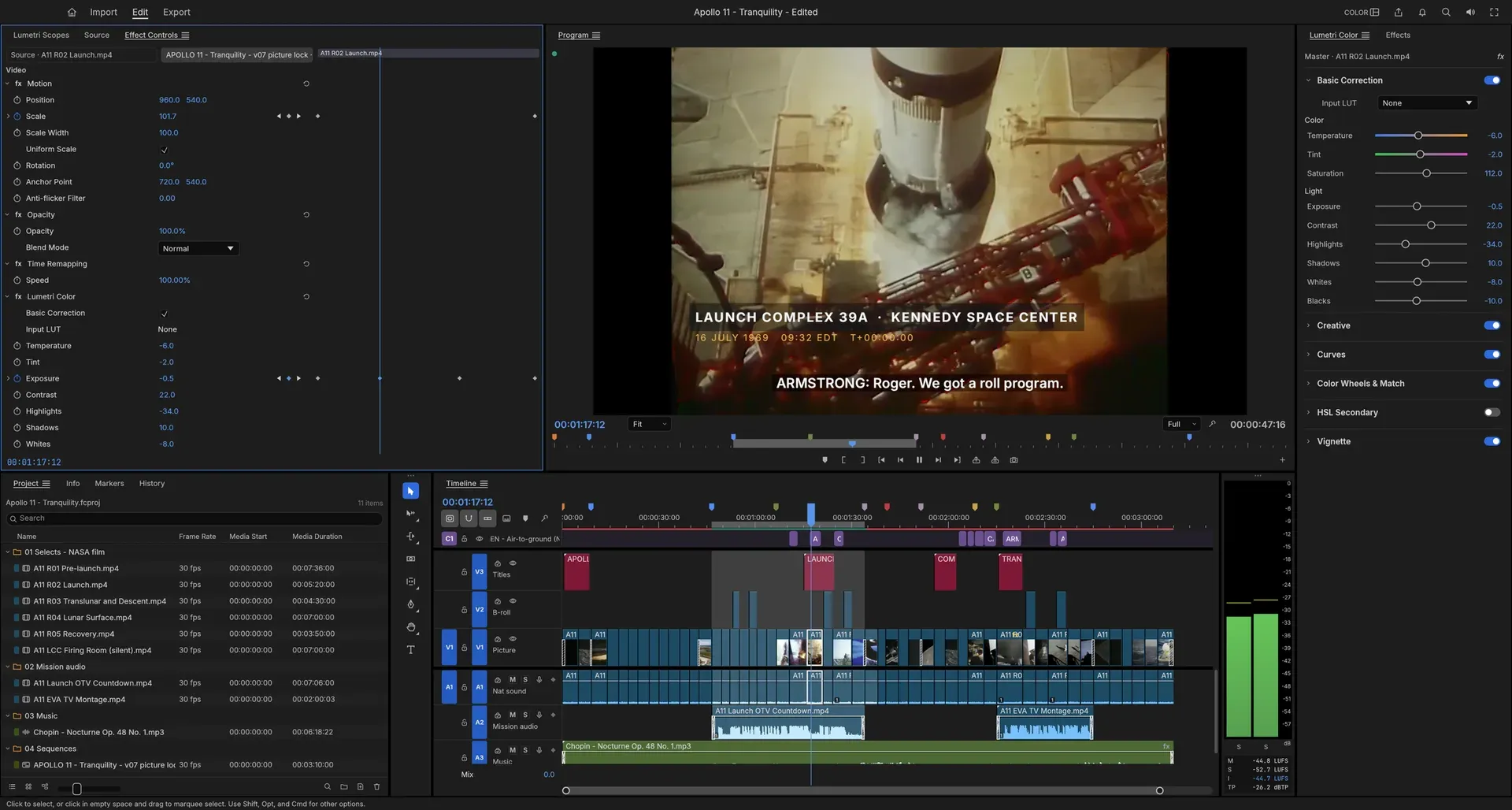
FilmCraft is an open-source non-linear video editor written in Rust by the ArtCraft team. The project README describes a professional editing layout with Source and Program monitors, bins, a multi-track timeline and Editing, Assembly, Color, Effects and Audio workspaces, built on its own engine instead of FFmpeg. The H.264, HEVC, ProRes and AAC codecs and the container readers are Rust code written from the public ITU-T, ISO and IETF specifications, and ffmpeg is used only as an external test oracle. Edits are calculated on an integer time base of 254,016,000,000 ticks per second, which divides evenly by the common frame and sample rates, so 23.976, 29.97 drop-frame and 59.94 fps are represented exactly.
FilmCraft is one of the free Crafting Apps listed on getartcraft.com, a family that also includes PhotoCraft, PdfCraft, WordCraft and Craft Anything. The repository was created in September 2026. The code is dual-licensed under MIT or Apache-2.0 at the user's option; bundled fonts, icons and other assets keep their own open licenses, and the ArtCraft name and logos are trademarks that the code license does not cover. The README states that FilmCraft contains no proprietary code, icons, presets or LUTs and no GPL or LGPL code.
The project labels FilmCraft as alpha. Its roadmap measures progress against Adobe Premiere Pro 2026 and, at the re-measure of October 10, 2026, reported about 86% feature breadth and about 56% readiness for full production work. The README lists the largest gaps: color grading, keys and export rendering still run on the CPU, native .prproj projects cannot be opened, there is no VST3, Audio Units or OpenFX plug-in hosting, H.264 is the only software delivery codec for export (H.265 needs a hardware encoder and AV1 export is missing), and Windows and Linux receive less testing than macOS. AI features are few, and speech to text is optional and off by default.
Releases appear every few days. Version 0.20.0 was published on November 11, 2026 and v0.20.1 on November 12, 2026. The 0.20.0 notes cover a fallback to the integrated GPU when the chosen GPU cannot draw to the window, a graphics start-up test in a child process so that a hanging driver is reported, natural narration voices in the official packages, and size and bounds checks across codecs, project files and render work. Version 0.20.1 adds limits on mixer latency and stored remix plans, reuse of deflate hash tables across the chunks of a frame in OpenEXR ZIP export, and places the default screenshot, session log and voice-over folders in a private temporary folder.
The code is a layered Cargo workspace: codec and container crates, foundation crates for time, color, frames, media, text, projects and audio DSP, editing and interchange crates, rendering and export, an engine crate with the command registry, undo and background jobs, and the front ends (the egui interface, MCP automation, the desktop app and the CLI). The roadmap reports 45 crates, about 343,000 lines of Rust and 2,520 tests. Other open-source editors on iThub include Kdenlive, Shotcut, OpenShot and OpenCut.
Key capabilities
- Three-point editing and timeline Marks set in the Source monitor are inserted with
,or overwritten with.onto the patched tracks, and lift (;) and extract (') remove ranges again. The timeline has patch and target buttons, sync locks, linked selection, snapping, nesting, add edit on one or all tracks, ripple delete and close gap. Markers carry colours, names and durations and can be exported as CSV for review notes, and undo is unlimited with a History panel. - Trim tools and dynamic trimming Ripple, roll, slip, slide, rate stretch and razor tools are available, and Trim mode nudges edit points one frame at a time or five with Shift. The Trim Monitor shows both sides of an edit, and dynamic trimming trims during playback with
J,KandL, committing the result as one undo step. - Multicam, proxies and media management The README lists multicam among the working features, and the roadmap log describes Synchronize, Merge Clips and multi-camera source sequences synced by In or Out points, timecode, clip markers or audio. Proxies are created in the background and export stays at full resolution. Offline media can be relinked through a Link Media dialog with fingerprint checks.
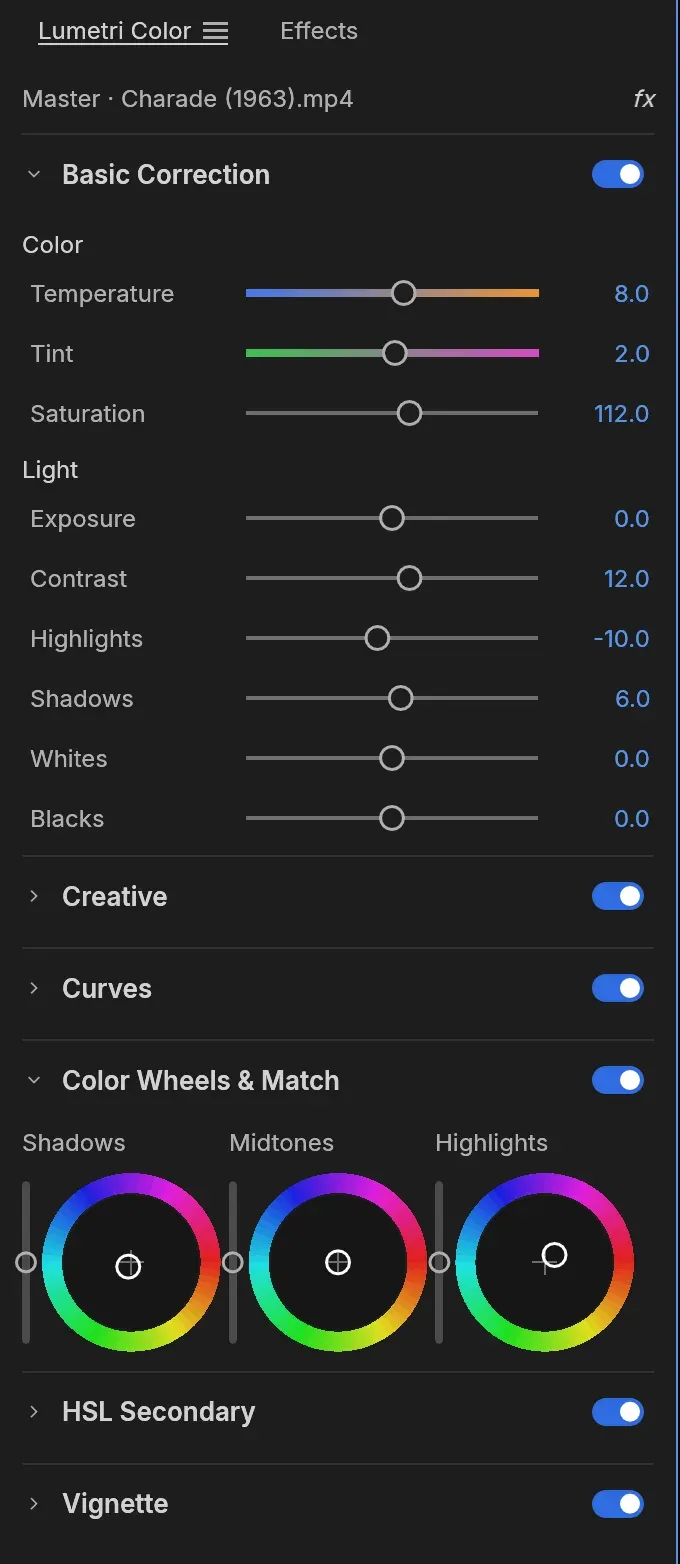
- Color grading panel The grading panel follows the order Basic Correction (temperature, tint, exposure, contrast, highlights, shadows, whites, blacks, saturation), Creative with eight built-in looks written in code instead of LUT files, Curves with an RGB editor and hue or saturation curves, shadow, midtone and highlight color wheels, HSL Secondary keying and Vignette. All grading happens in linear light at 32-bit float. LUTs can be imported, a clip grade can be exported as a
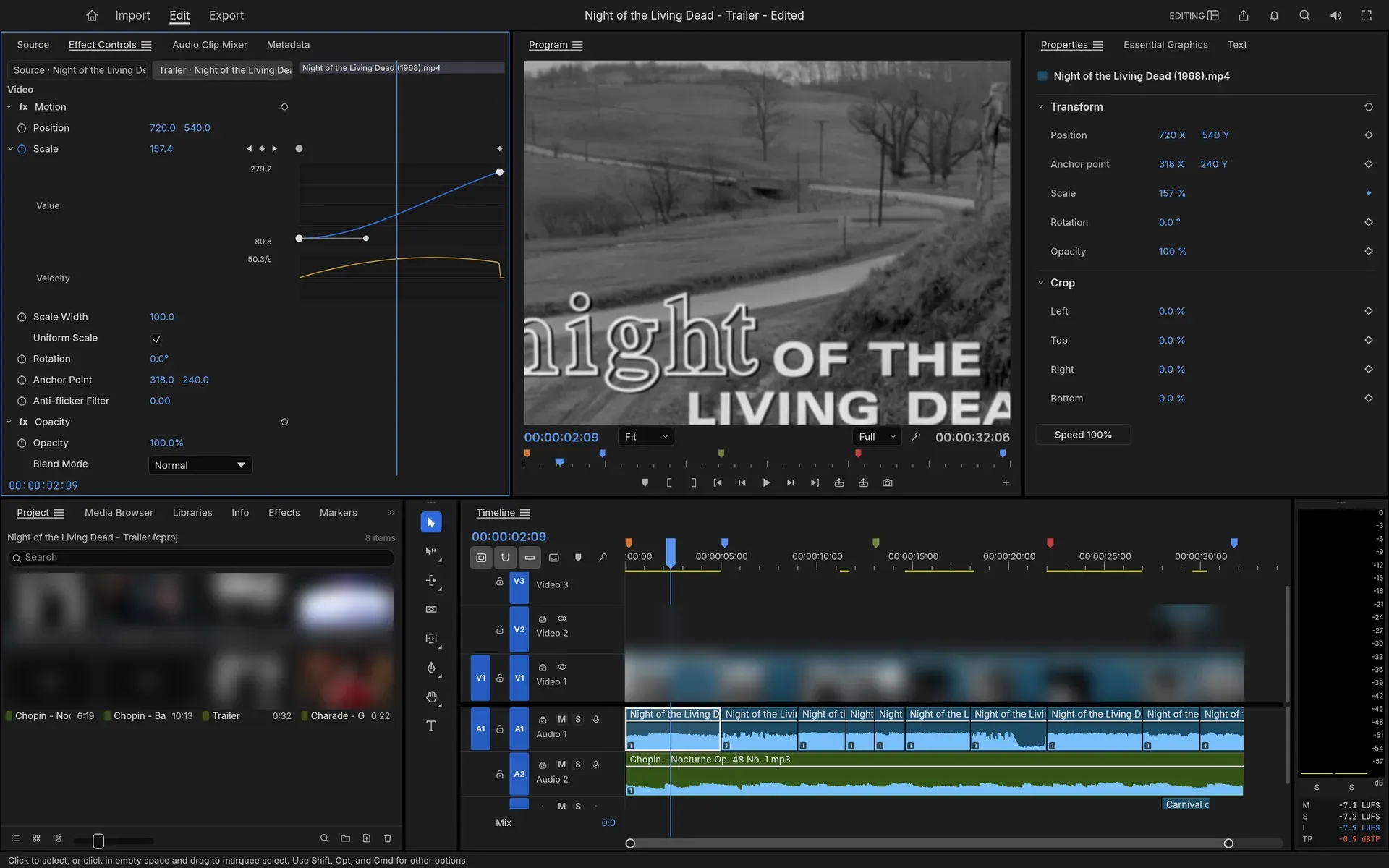
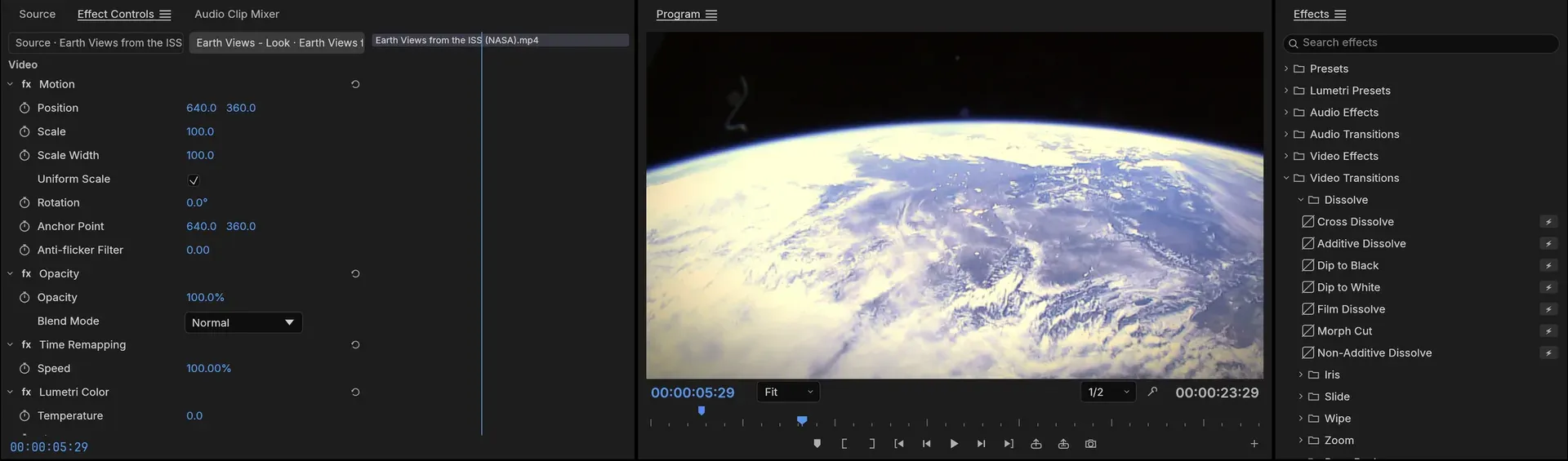
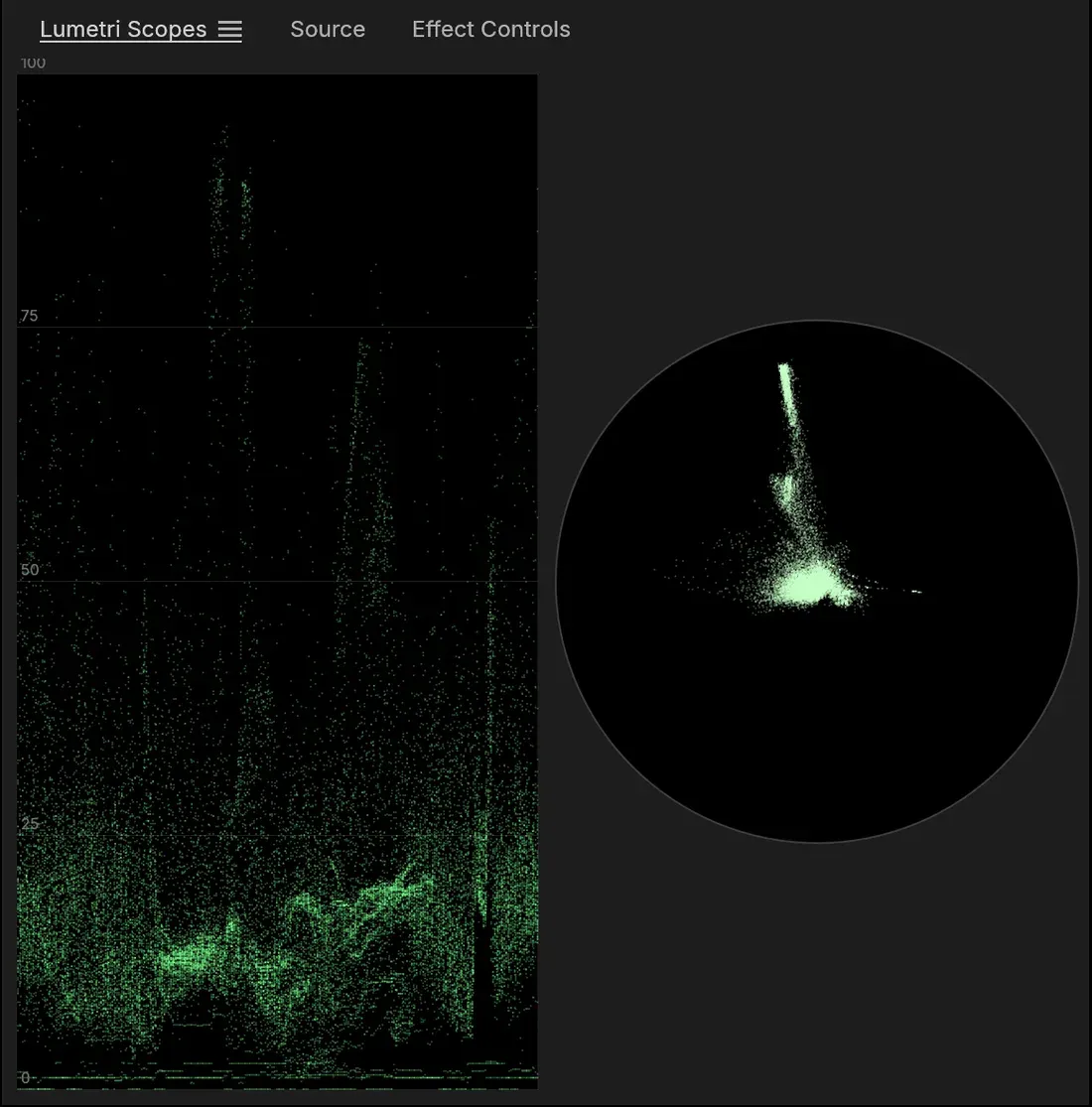
.cubefile, and the waveform, vectorscope, histogram and parade scopes are computed from the graded frame. - Effects, transitions and keyframes The README lists over 90 video effects in 16 categories, legacy effects and around 30 transitions, covering blurs, Ultra Key and Track Matte keys, Corner Pin, Turbulent Displace, Warp Stabilizer, glows, VR effects for equirectangular footage, dissolves, wipes, irises, pushes, slides and zooms. Every clip has position, scale, rotation, anchor point, anti-flicker and 26 blend modes. Keyframes support linear, Bezier, auto and continuous Bezier, hold and ease interpolation, with value and velocity graphs and draggable influence handles in Effect Controls.
- GPU compositor and render previews A compositor built on wgpu (Metal, Vulkan, DirectX 12, WebGPU) samples YUV directly from the decoder with footprint supersampling and blends in linear light; a CPU path renders the same frames and the two are tested against each other. The render bar marks segments green, yellow or red, and rendered previews are cached by content so an edit only invalidates the part it changes.
- Audio mixing and loudness Loudness meters show momentary, short-term and integrated loudness and true peak to ITU-R BS.1770 and EBU R128, and the project states that its integrated reading matches ffmpeg's ebur128 filter to a tenth of a LU. Clip effects on FilmCraft's own DSP library include parametric EQ, filters, dynamics, a true-peak limiter, delay, reverb, DeNoise, DeHummer and pitch shift. The Audio Track Mixer and Audio Clip Mixer have faders, pan, mute, solo, five insert slots per track, sends, submixes and Read, Latch, Touch and Write automation.
- Titles and graphics A text engine provides OpenType shaping with kerning and ligatures, bidirectional text, line breaking, tracking and leading. Type, Shape and Pen tools work directly on the Program monitor, and graphic clips hold text and shape layers with fill, strokes, background and shadow, all keyframable in the Properties panel.
- Captions and transcripts Caption tracks support Subtitle, CEA-608, CEA-708 and Teletext formats, with SRT, WebVTT and SCC import and export at frame-exact timing and burn-in on export. The Transcript tab turns dialogue into text for selecting, lifting or extracting words, removing filler words and pauses, and creating captions. Speech recognition uses Whisper models (tiny, base, small) on the CPU through the candle crate as an optional feature; the transcript documentation states that model weights are never bundled and are downloaded on request with SHA-256 checks.
- Narration voices The Text to Speech panel creates narration clips with two built-in formant voices that need no download and also work in the web build. Natural voices based on Kokoro-82M (nine US English voices) come as a 336 MB package downloaded after the user confirms. Scripts are limited to 64 KB and narrations to 30 minutes.
- Own codecs and supported formats Decoding covers H.264, HEVC Main and Main 10, Apple ProRes 422 Proxy to 4444 XQ, VP8, VP9, AV1, DNxHD and DNxHR, MJPEG, AAC-LC and Opus, which the README reports as bit-exact on published conformance streams; MP3, FLAC, ALAC and Vorbis currently go through the symphonia crate. Containers include MP4 and MOV, Matroska and WebM, AVI, MXF and MPEG transport and program streams, plus MPEG-2 video, AC-3 and MP2. Camera RAW, E-AC-3, DivX, Xvid and DV are not supported yet.
- Hardware decoding and encoding Hardware decoding uses VideoToolbox on macOS, Media Foundation on Windows and, for H.264 and HEVC, VA-API on Linux. H.264 export can use NVIDIA's encoder on Windows and Linux as an opt-in, and H.265 export works only through a hardware encoder: NVENC on Windows (8-bit SDR and Main 10 HDR PQ or HLG) or VideoToolbox on macOS (8-bit SDR).
- Export formats H.264 MP4 with AAC uses FilmCraft's own encoders, with High, Main and Baseline profiles, CABAC, B-frames and CRF, CBR, VBR or two-pass rate control. Other outputs are ProRes 422 HQ and Motion JPEG in QuickTime, DNxHR in MOV, MXF OP1a and OP-Atom, PNG sequences, animated GIF and WAV. Exports run as background jobs with progress and cancel, and Export mode has destination entries for a media file, YouTube, Vimeo, TikTok, Instagram and FTP.
- Timeline interchange Timelines move in and out as FCP 7 XML, FCPXML 1.9 to 1.11, OpenTimelineIO, CMX 3600 EDL, AAF (Edit Protocol) and OMF 2.0 for audio post. AAF export can embed audio or write separate WAV or AIFF files with handles, and import merges bins, media and sequences into the open project as one undoable step. Native .prproj import is not available.
- Project files and crash recovery Projects are saved as
.fcprojfiles that point to media where it already is. Saves are atomic, auto-save keeps a rolling set of earlier versions, and a crash-recovery journal written about a second after each edit restores unsaved changes after a crash or power cut, as described in the project file documentation. - CLI, control channel and MCP server More than 650 engine commands are shared by the interface,
filmcraft-cli, a JSON-lines control channel and an MCP server. The control channel listens on 127.0.0.1 only and requires a 64-character hex token inFILMCRAFT_CONTROL_TOKEN, as documented in the control protocol reference.filmcraft-cli mcpruns headless or bridged to the running app and exposes tools for commands, inspection, rendering and UI input; the documentation notes that it has no folder confinement and can read and write wherever the user can. - Desktop downloads The v0.20.1 release attaches a signed and notarized universal DMG and a separate CLI zip for macOS, code-signed MSI installers and portable zips for Windows x64 and arm64, Linux AppImage, Flatpak, .deb, .rpm, Arch package and tarball builds for x86_64 and aarch64, RISC-V tarball, .deb and .rpm builds, and FreeBSD tarballs for x86_64 and aarch64.
SHA256SUMS.txtlists checksums, and the website offers the ArtCraft Launcher plus Flatpak, APT, RPM and Arch package repositories on its Linux page. - Web build Each release includes
filmcraft-web-0.20.1.zip, a static site with a WebAssembly app of about 13 MB (about 5 MB compressed) that runs from any static web server serving.wasmas application/wasm. WebGPU needs HTTPS or localhost, otherwise frames are composited on the CPU through WebGL2. The web build is single-threaded, and render previews, proxies, Project Manager and mask tracking report an error there for now. - Interface languages and source builds English is complete, and the roadmap lists whole-interface translations for 14 more languages, among them German, French, Spanish, Japanese, Korean and Simplified Chinese, several awaiting native review; Hindi and Arabic are not available. Building from source needs Rust 1.95 or newer and
cargo run --release -p filmcraft, with Japanese fonts coming from the optional craft-fonts input.
Where FilmCraft fits
Cutting a sequence from source footage
Media is imported into bins, In and Out points are marked in the Source monitor, and clips are inserted or overwritten onto the patched tracks of a sequence. Edits are refined with the ripple, roll, slip and slide tools or dynamically with J, K and L, and markers are placed for review and exported as CSV. The getting started guide walks through video fades and audio volume keyframes.
Grading footage against scopes
In the Color workspace a clip is corrected with the Basic Correction controls, given a look in Creative, and refined with curves, color wheels and HSL Secondary keys, while the waveform and vectorscope show the graded frame. The grade is keyframable in Effect Controls and can be exported as a .cube LUT for use elsewhere.
Mixing to a loudness target
Dialogue, effects and music are balanced in the Audio Track Mixer with inserts, sends and submixes, and fader moves are recorded live in Read, Latch, Touch or Write mode as track keyframes. The loudness meters report integrated loudness and true peak to EBU R128, and the Audio Gain dialog normalizes clips before export.
Captioning from a transcript
When the speech-to-text feature is available, the Transcript tab transcribes the dialogue of a sequence with a downloaded Whisper model, after which filler words and long pauses can be removed in one step and the words laid out as a caption track. Captions are edited in the Text panel and delivered as SRT, WebVTT or SCC files or burned into the export.
Handing a timeline to another application
A finished cut is exported as FCP 7 XML, FCPXML, OpenTimelineIO or a CMX 3600 EDL for other editors, or as AAF and OMF with embedded or separate audio for a sound mix. Sequences from other editors come in the same way, since .prproj files cannot be opened directly; the file format checklist lists what each format carries.
Editing through an AI agent or script
An MCP client starts filmcraft-cli mcp headless on a project, or bridged to a desktop app launched with --control and a session token, and then runs the same commands the menus use to cut, trim, grade, mix and export. The project states that the trailer and grades in its README screenshots were built by an agent driving the running app, and the agents guide documents setup for Claude Code and other MCP clients.
Install
flatpak install --user https://getartcraft.com/apps/filmcraft/filmcraft-oci.flatpakrefReviews of FilmCraft
Be the first to share your experience with FilmCraft.
Write a review
Loading review form…
Found FilmCraft useful? Upvote it todayYour vote helps other IT teams find it in the daily ranking.