

What is SuniCapture?
SuniCapture is a desktop app for capturing screenshots, annotating them and recording the screen to video. It runs on Windows x64 and Linux x86_64 and is developed by Suniworks. The project describes it as having no account, no application telemetry and no capture uploads, so captures stay on the computer.
You can capture a region, all displays or a selected window, with an optional delay of 0, 3, 5 or 10 seconds, or import an image by file, drag and drop or paste. The editor offers arrows, rectangles, ellipses, pen strokes, highlights, text, numbered steps and opaque redaction. Results export to PNG, JPEG, BMP or a single-page PDF, or can be copied to the clipboard.
Screen recording produces H.264 MP4 at 30 fps, includes the cursor and can include system playback audio. Captures and videos go into a local library with search, favorites and a restorable Trash. On Windows the files are kept under %LOCALAPPDATA%\SuniCapture.
On Windows the app ships as a portable ZIP that includes .NET and needs no administrator rights. On Linux there is a Debian and Ubuntu package plus an archive. The validated Linux capture session is X11; Wayland capture is described as experimental. Scrolling capture, OCR, webcam, video trimming and cloud destinations are not included.
SuniCapture screenshots
Explore the interface. Open a screenshot to view it at full size.
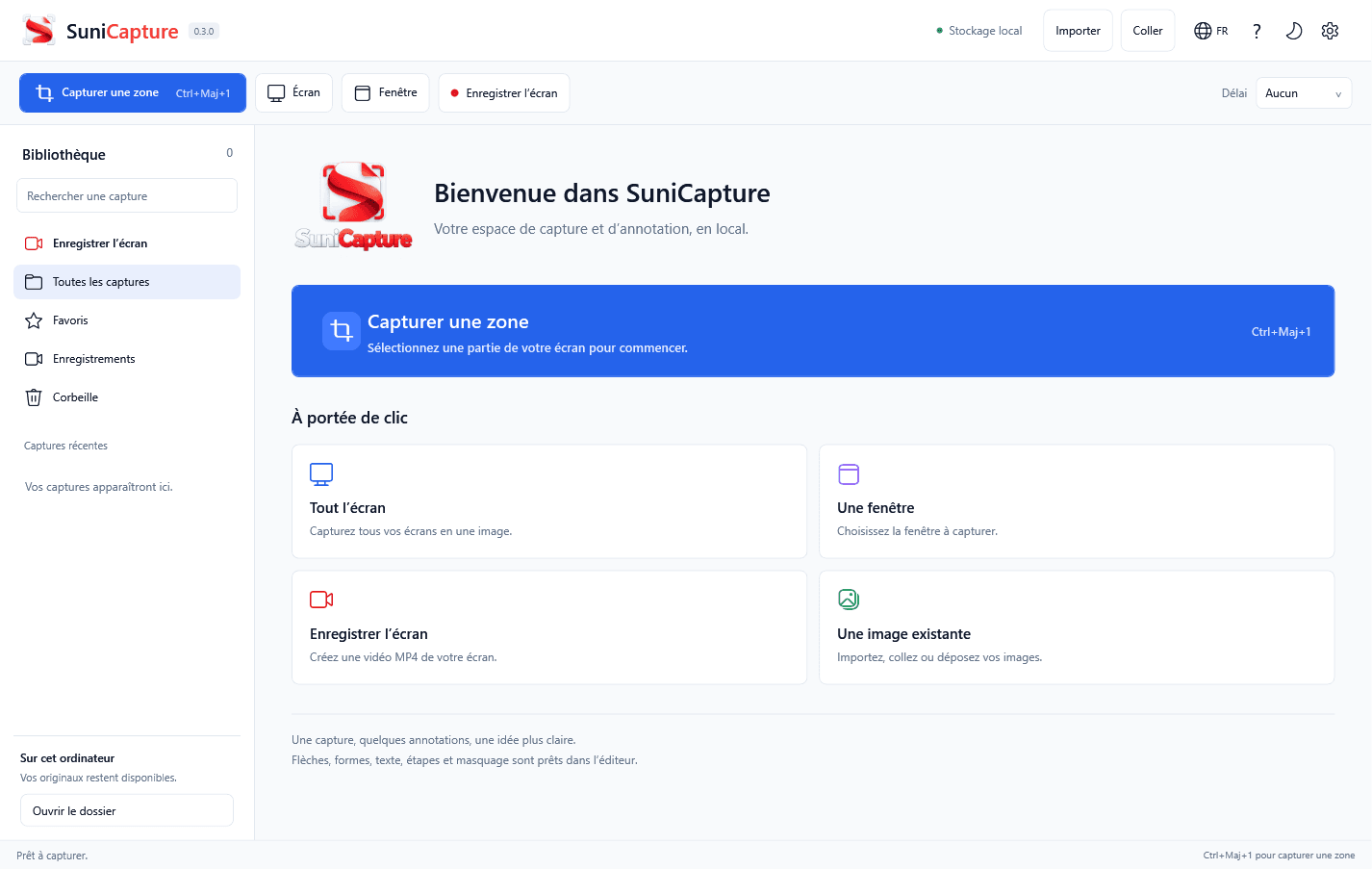
Source: official SuniCapture project page.
Key capabilities
- Flexible capture Capture a region, all displays or a selected window, with an optional delay of 0, 3, 5 or 10 seconds.
- Annotation editor Add arrows, rectangles, ellipses, pen strokes, highlights, text, numbered steps and opaque redaction.
- Several export formats Save PNG, JPEG, BMP or a single-page PDF, or copy the annotated image.
- MP4 screen recording Record H.264 MP4 at 30 fps with the cursor and optional system audio.
- Local library Search, rename, mark favorites and restore captures from Trash.
- French and English interface Switch language from the header; the choice is remembered after restart.
Where SuniCapture fits
- Documentation screenshots Capture a window or region, number the steps and redact sensitive areas before export.
- Bug reports Annotate a capture or record a short MP4 to show a problem.
- Offline and privacy-sensitive work The app works without an account or uploads, which suits machines with restricted network access.
- Windows and Linux desktops One tool for both systems, with a Wayland path that is still experimental.
Install
sudo apt install ./SuniCapture-0.4.1-linux-amd64.debReviews of SuniCapture
Be the first to share your experience with SuniCapture.
Write a review
Loading review form…
Alternatives to SuniCapture
 CapCap is an open-source screen recorder for macOS, Windows and Linux that shares a link when you stop or opens a local editor for polished videos.
 CaptureFlowCaptureFlow is an open-source screen recorder that gives you a share link as soon as you stop recording and can be self-hosted on Cloudflare or Docker.
 OBS StudioOBS Studio captures screens, windows, games, cameras and audio, composes them into scenes, then records the result or streams it over RTMP or WHIP. It runs on Windows, macOS and Linux under GPL-2.0-or-later, with plugins, scripting and WebSocket control.