

What is Krita?
Krita is a free and open source digital painting application for illustrators, concept artists, comic artists, texture and matte painters and animators. The Krita manual states the vision as an end-to-end solution for creating digital art files from scratch, and it says Krita is not meant as a Photoshop replacement: photo editing tasks such as stitching photographs are not its focus. It is built on Qt and the KDE frameworks and is developed by a community of contributors and the Krita Foundation, which owns the trademark.
The history is long. The release history page traces the project to the KImageShop effort of 1999, renamed Krayon and then Krita, with the first public release in 2005. The GitHub repository is a mirror: the README says the real code repository is hosted by KDE at invent.kde.org/graphics/krita, and that is where merge requests, CI and nightly builds live.
The download page lists Krita 5.3.4.1, released October 7, 2026, as the current stable version, with a Windows installer and portable zip, a macOS installer, a Linux AppImage, community-maintained Flatpak and snap packages, and Android builds on Google Play and as APKs. Paid builds on the Microsoft Store, Steam, Epic Games Store and Mac App Store fund development. Apple iPads and iPhones are not supported. The 5.3.4.1 hotfix fixes assigning display profiles, per the October 2026 monthly report; Krita 5.3.4 brought video export to Android and removed the GIMP XCF import plugin.
The same source builds two lines. Built with Qt5 it is Krita 5.3; built with Qt6 it is Krita 6, which the 5.3 release notes call early access and which adds Wayland color management and HDR on Linux. The project says 5.3.4 is suitable for productive work and 6.0.4 is more experimental. Krita is licensed under GPL v3. It is a desktop application and has no hosted service, so there is nothing to self-host.
Krita screenshots
Explore the interface. Open a screenshot to view it at full size.
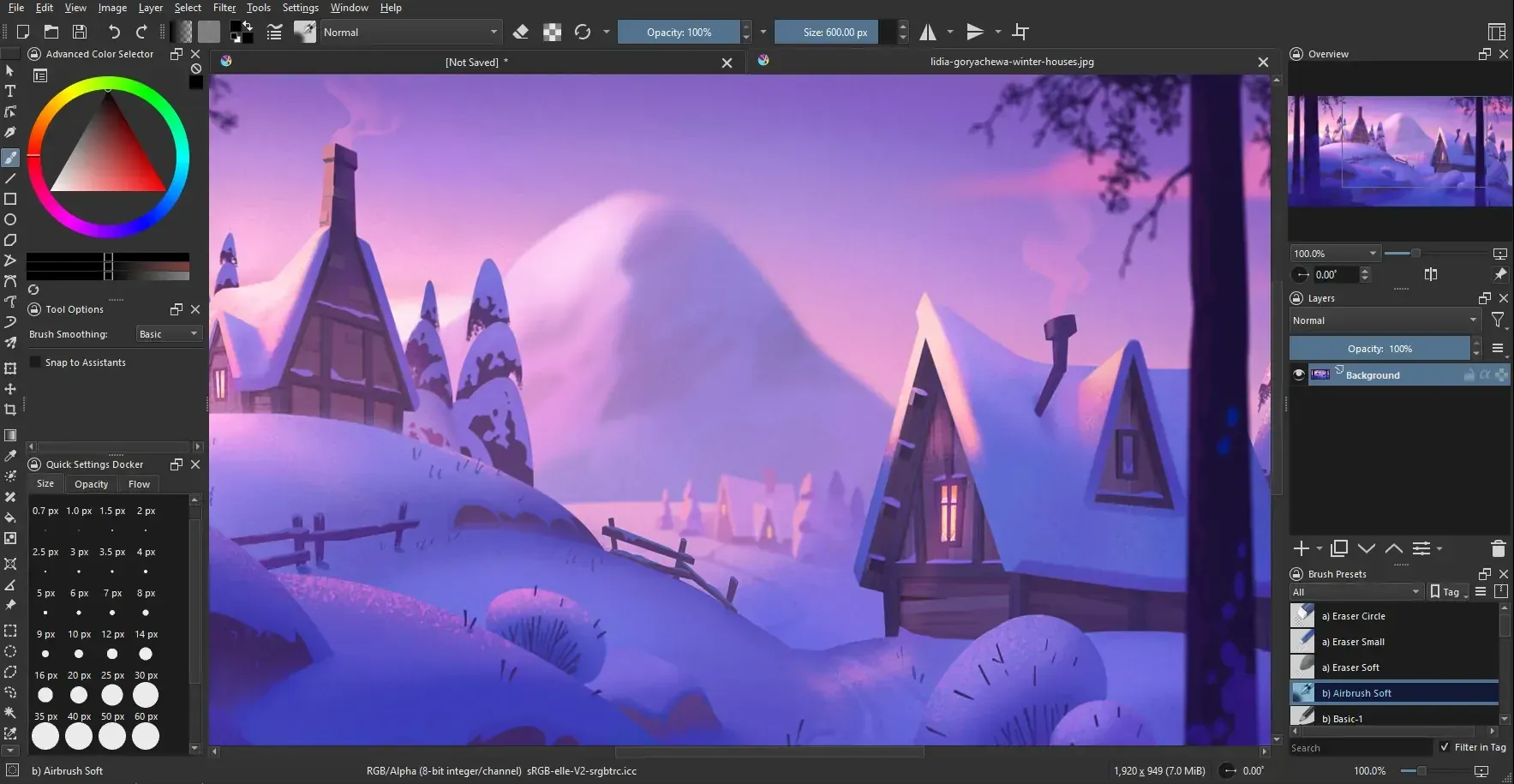
Official Krita screenshot of the main window with the toolbox, color selector, layers and brush presets around a painting.
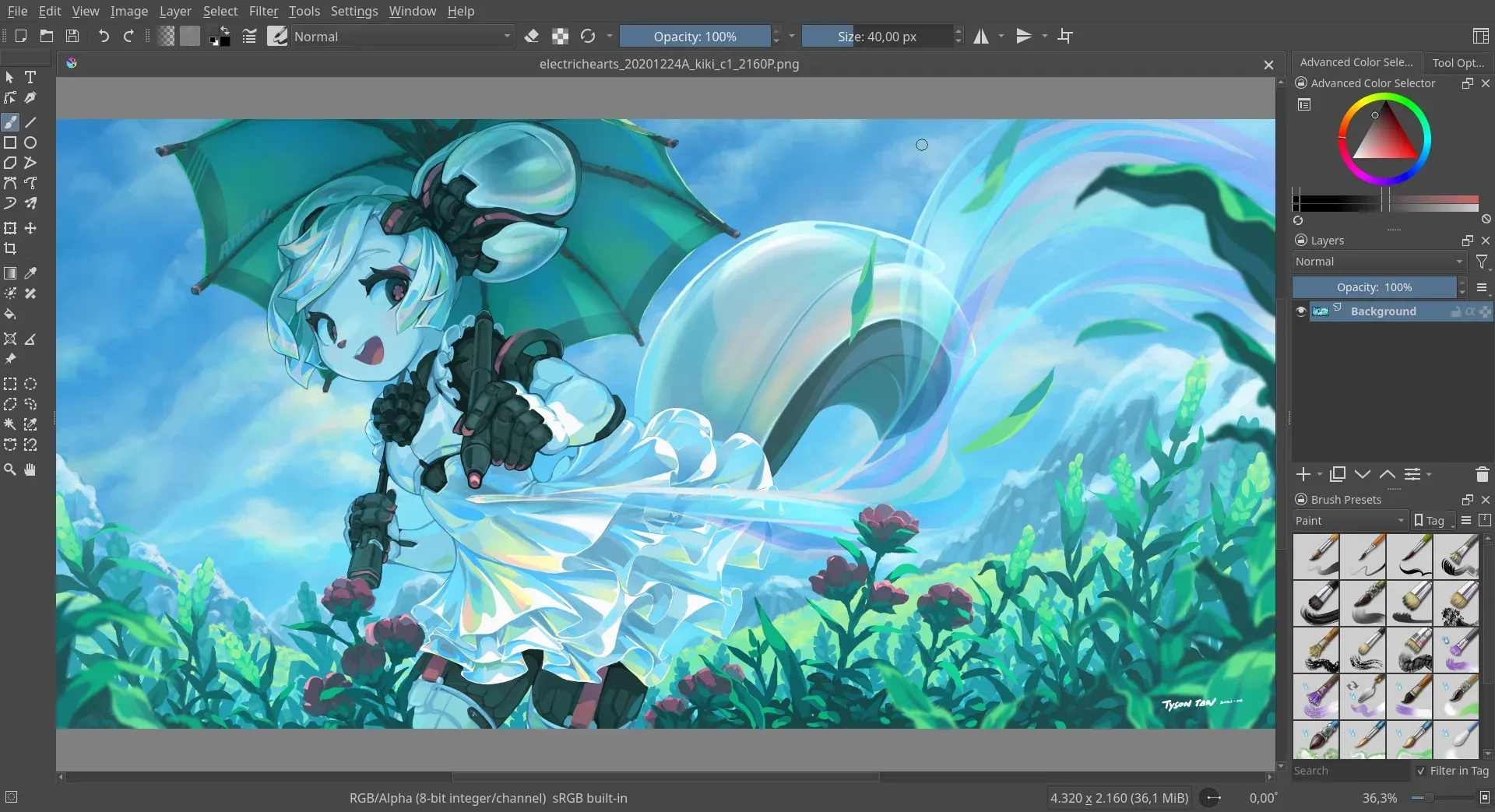
Official Krita screenshot from the application metadata showing a painting open in the canvas.
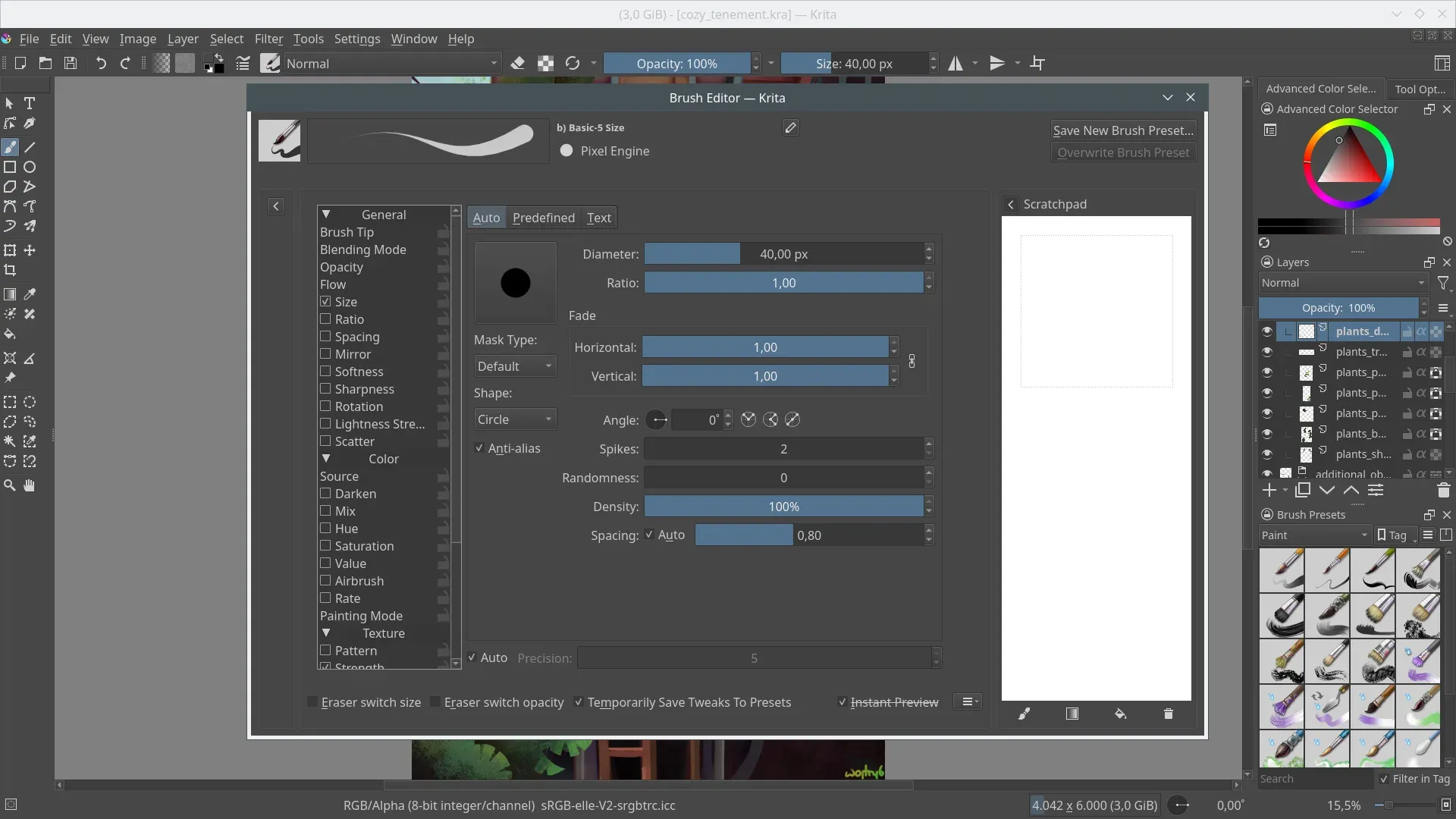
Official Krita screenshot of the brush editor with a pixel brush engine and a scratchpad.
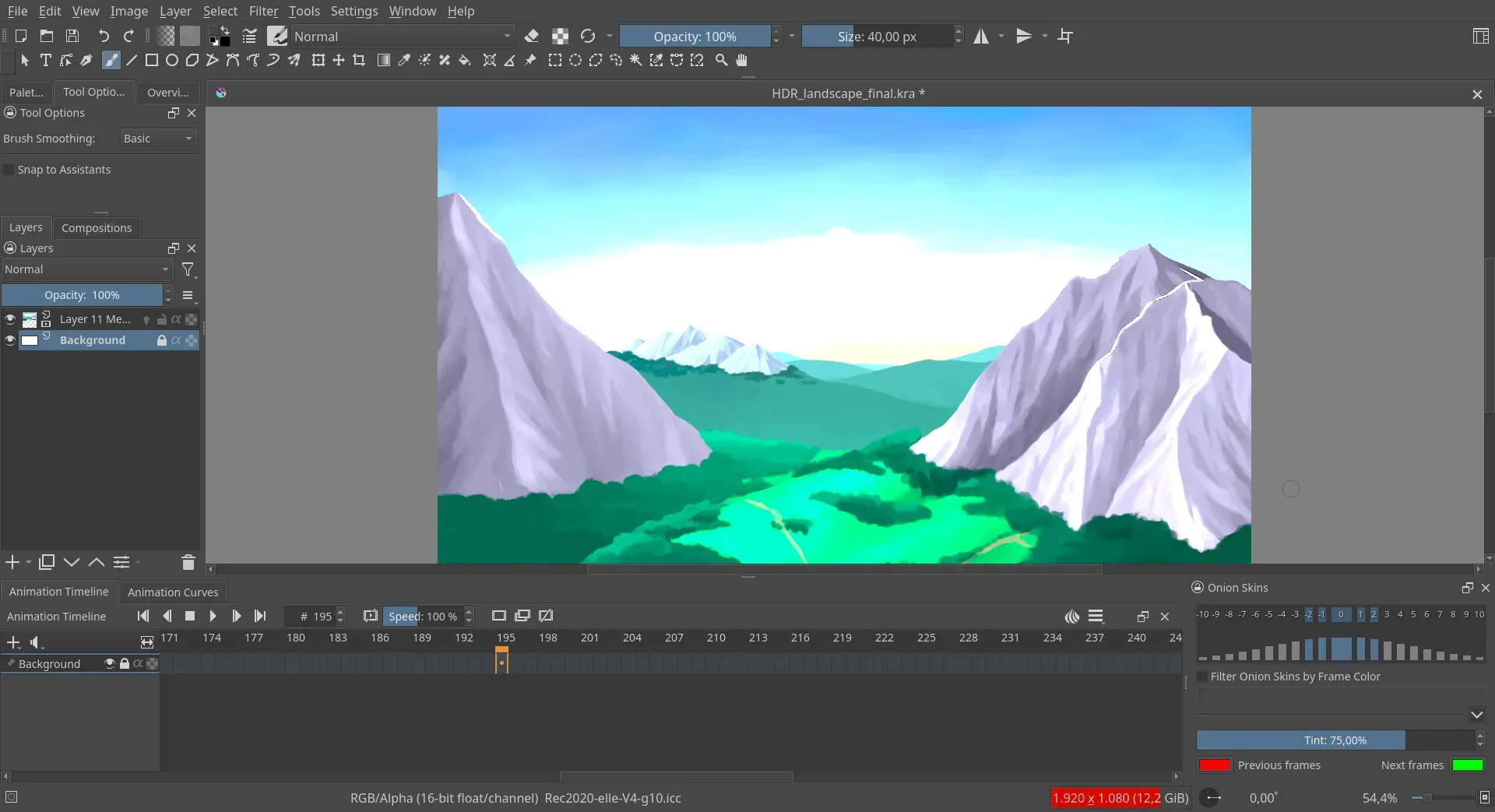
Official Krita screenshot of the animation workspace with timeline, layers and onion skin controls.
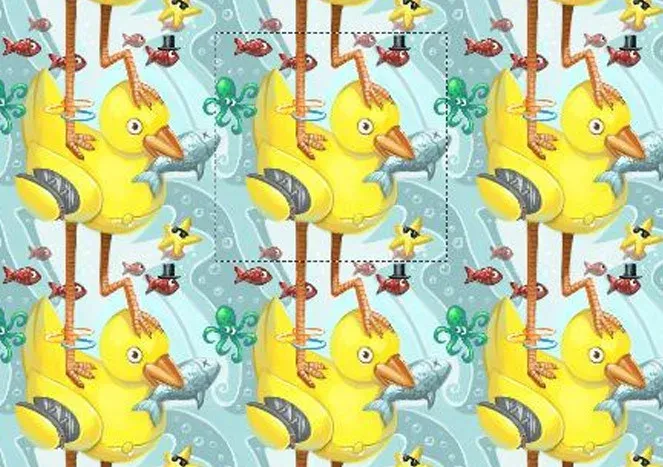
Official illustration of wrap-around mode: the canvas tile is marked with a dashed outline and repeats around it.
Source: official Krita project page.
Key capabilities
- Brush engines and presets Krita ships over one hundred brushes and more than nine brush engines, including color smudge, shape, particle and filter engines. The brush editor exposes size, ratio, spacing, mirror and texture settings, and brushes can be saved, tagged and organized into bundles. Complex presets need tablet pressure and tilt support from the operating system driver.
- Brush stabilizers Three ways of smoothing strokes are documented, plus a dynamic brush tool with drag and mass. This helps with shaky lines on tablets or mice, at the cost of a lag between pen and stroke that you can tune.
- Layers and masks Beyond paint layers there are vector, filter, group and file layers, with masks for transparency, selection and filters. Layers can be combined and flattened, and a global selection mask paints a selection. Large stacks use memory quickly, so the 16 GB recommendation matters for big canvases.
- Drawing assistants Assistants provide straight lines, ellipses, vanishing points and a fisheye perspective tool. The October 2026 monthly report also describes temporary ruler actions in the Krita Next builds. Assistants guide strokes but do not alter your layers.
- Wrap-around mode Wrap-around mode repeats the canvas along both axes while you paint so tiling textures and patterns can be checked live. It is meant for repeating textures for games and design, and needs a final check at the borders of the exported file.
- 2D animation The animation workspace offers a timeline with thousands of frames, onion skinning, tweening of opacity and position, audio import, adjustable frame rate and drag and drop frame ordering. Output is a video or an image sequence. On desktop the manual describes linking an FFmpeg binary for video export, and Android gained video export in 5.3.4.
- Text and vector tools The text tool was rewritten for 5.3 with on-canvas editing, wrapped text, text in shapes and text on a path, plus a text properties docker. Vector tools handle comic panels and speech bubbles, and Krita uses SVG for vector data.
- Fill, selection and transform tools Version 5.3 added gap closing for the fill tool, a selection toolbar and a knife tool, according to the release notes. The usual selection, feathering and transform tools are present.
- Color management and HDR Color management uses LCMS for ICC profiles and OpenColorIO for EXR, with many ICC working spaces. Krita can open, edit and save HDR and scene-referred images. Krita 6 adds Wayland color management, which requires a recent compositor; the project recommends KWin 6.4.4 or newer.
- File formats and PSD support The native format is KRA. PSD files can be loaded and saved, and the 5.3.4 release removed the GIMP XCF import plugin because the underlying library was unmaintained. Check layer behavior when exchanging PSD files with other editors.
- Python scripting A Python API based on PyQt lets you write plugins, dockers and actions. The scripting reference documents the API and the manual explains how to install and write plugins. Plugins must be distributed under the GPL, as the license page explains.
- Resources and bundles The resource manager imports brush packs, patterns and bundles from other artists and lets you export your own. Resources are shared through the Krita Resources area and the artists forum. Review third-party resource licenses before commercial use.
- GPU acceleration OpenGL 3.0 or higher, or Direct3D 11 on Windows, speeds up canvas rotation and zooming. Check the canvas graphics settings if the display looks wrong after a driver update.
- System requirements The download page lists Windows 8.1 or higher, macOS 10.15 and Linux, 4 GB of RAM at minimum and 16 GB recommended, a GPU with OpenGL 3.0 or Direct3D 11, and any tablet supported by the operating system. New Windows builds no longer support 32-bit systems. The Microsoft Store version needs Windows 10 or above.
- Nightly builds Krita Plus provides nightly builds with only bug fixes on top of the current release, and Krita Next provides daily builds with new features for testing. The download page warns that Krita Next is for testing and used at your own risk.
- Android builds Android builds are on Google Play and as individual APKs, with an optional supporter subscription that adds brush bundles. Android lacks some desktop features, and Krita 6 is not available for Android yet.
Where Krita fits
Illustration and concept art
Start with a canvas at your target print or screen size, choose a brush set and use layers for sketch, flats and rendering. Check the color profile at the start and keep a layered KRA master. Export flattened copies only for delivery, because they cannot be edited later. Keep brush bundles and resources used by the project in the same folder so a colleague can reproduce the look.
Comics and manga pages
Use vector layers for panels and speech bubbles, assistants for perspective and the comic manager plugin for page structure and EPUB export. Test the export path with one page before the whole volume, especially for text and font handling in the rewritten text tool. Agree on page size, resolution and bleed with the printer or publisher before the first page is drawn.
Texture and pattern work
Turn on wrap-around mode, paint the texture and check seams at several zoom levels. Export at the size the target engine expects, and test the result in the engine, because compression and mipmaps can show seams that the canvas hid. Save the project file next to the exports so the texture can be adjusted later.
Hand-drawn animation
Open the animation workspace, set frame rate and range, draw with onion skins and use the timeline to adjust timing. Set up FFmpeg as the manual describes for video export, keep an image sequence as a backup and render a short test before the final. Review frame timing on the target device, since playback speed in the canvas can differ from the exported video.
Color-managed and HDR work
Choose a working space that matches the delivery target, assign monitor profiles in the settings and confirm that the profile assignment works after updates; 5.3.4.1 existed to fix that. For HDR on Linux, use Krita 6 with a Wayland compositor that supports the color management protocol, and verify the result on a calibrated display.
Extending Krita with Python
Read the scripting reference, start with a small plugin that adds a docker or an action, and test it against the exact release you use. Krita 5.3 and Krita 6 use different Qt versions, so test on both if your studio runs mixed builds.
Reviews of Krita
Be the first to share your experience with Krita.
Write a review
Loading review form…
Alternatives to Krita
 GIMPGIMP, the GNU Image Manipulation Program, is a free and open source cross-platform image editor for GNU/Linux, macOS and Windows with scripting and plug-ins.GGraphiteGraphite is a free, open-source vector and raster graphics engine in alpha. Its editor combines nondestructive layer-based workflows with a node graph for procedural graphics and generative design.MminiPaintminiPaint is an open-source image editor that runs in the browser. It supports layered editing, drawing, image adjustments and multiple export formats, with processing kept in the browser.