



What is Adobe Photoshop?
Adobe Photoshop is a layer-based raster image editor for photo editing, retouching, compositing, graphic design and digital painting. It is made by Adobe, whose contact page gives its corporate address in San Jose, California, and Adobe's 35th anniversary post dates the birth of Photoshop to 1990. Documents are built from layers with blend modes, masks, adjustment layers and Smart Objects, and the native PSD format keeps that structure editable.
Photoshop runs on several surfaces. The desktop app is available for Windows and macOS, and Adobe also offers Photoshop on the web, Photoshop on iPad and Photoshop on mobile for iPhone and Android. Adobe announced the iPhone app on February 25, 2025, together with web support for Safari, Chrome, Firefox and Edge. According to the mobile app page, the iPhone, Android and iPad apps are free with premium features unlocked by a subscription, and Photoshop on the web is included in all Photoshop plans.
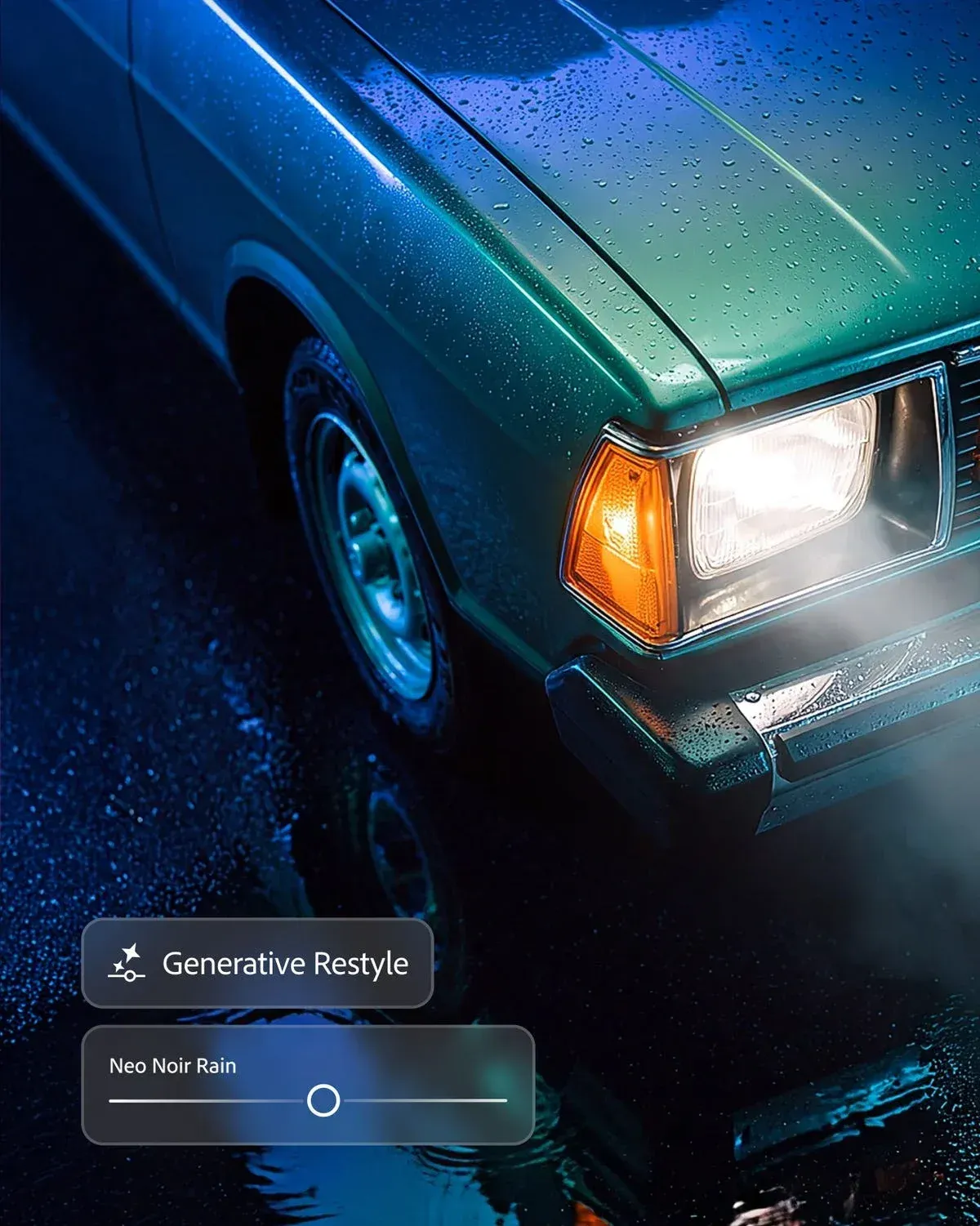
The current desktop release is version 28.0, listed as the November 2026 release in Adobe's release notes (page updated November 10, 2026). It adds Relight for adding and reshaping light in a photo, Quick Compare for before and after views, Generative Restyle with an intensity slider, a Remove tool that also removes shadows, reflections and ripples tied to an object, Generative Recompose for new canvas sizes and aspect ratios, Firefly Upscaler 2 and the AI Assisted Editor next to the Pro Editor. Adobe also reports faster opening and saving of large PSD and PSB files. The current long-term support (LTS) version of Photoshop 2026 is 27.11.1.
Version 27.11 (September 2026) introduced Freemium access: the desktop app can be downloaded and signed in to with only an email address, without a subscription, to use the Firefly Image Editor with daily free AI generations. Adobe's mobile page states that Photoshop AI Assistant (beta) is available on the web and on mobile and not currently in Photoshop on desktop, while the 28.0 notes describe AI Assistant guidance in the separate Photoshop (beta) desktop app.
Adobe states that Photoshop cannot be bought outright and is available only through a Creative Cloud subscription. On the US plans page checked on November 17, 2026, the Photoshop plan costs US$22.99 per month on an annual plan billed monthly, or US$263.88 per year prepaid. The Photography plan with Lightroom, Lightroom Classic and Photoshop costs US$19.99 per month, Creative Cloud Pro with more than 20 apps is regularly US$69.99 per month, and Firefly Pro, which includes Photoshop on the web and mobile but not on desktop, is regularly US$19.99 per month; time-limited promotional prices were also shown. Photoshop for teams costs US$37.99 per month per license. The individual plans include a 7-day free trial that converts to a paid membership unless it is cancelled.
Other image editors listed on iThub include PhotoCraft, GIMP, Krita, Graphite, Compositor and miniPaint; more are listed in the Image and Graphic Design category.
Key capabilities
- Layers and compositing Unlimited layers, blend modes and masks combine several images in one document. Adobe says AI features help merge elements so that lighting, shadows and perspective match. Smart Objects keep placed content editable, and artboards hold several canvases in one file.
- Non-destructive adjustments and Camera Raw Adjustment layers change color grading, tone and exposure without altering pixels. Camera Raw develops raw camera files inside Photoshop before pixel editing. The 28.0 release adds Quick Compare, a one-click split view of the starting image and the edited version.
- Retouching and Remove tool Healing, cloning and removal tools retouch images while keeping natural texture. In version 28.0 the Remove tool also detects and removes shadows, reflections, ripples and other effects related to the removed object. On supported Windows ARM devices with NVIDIA RTX Spark GPUs, the Remove tool runs locally on the device.
- Selections and masking Selection and masking tools isolate subjects, backgrounds, hair and complex edges. Enhance edge, added in version 27.11, targets hair, fur and semi-transparent edges and, according to Adobe, uses RGBA diffusion to reduce color fringing in cutouts.
- Painting and illustration Customizable brushes, pattern and gradient tools and pixel-level control support illustration, concept art and lettering., and the Brush tool works with preset and custom brushes.
- Type, graphics and layout Fonts, vector shapes, artboards, Smart Objects and libraries are used for visual assets, mockups and graphics. Dynamic Text fits type to paths, shapes, circles and arcs, and version 28.0 preserves character formatting when Dynamic Text is toggled and copies character styles between text blocks. Placeholder text can be set for any language with a PlaceHolder.txt file in the Presets folder.
- Generative Fill and Generative Expand Generative Fill adds, removes or changes content from a text prompt, and Generative Expand extends an image in any direction. Both are powered by Adobe Firefly and use generative credits, depending on the plan.
- Choice of AI models Adobe states that Nano Banana Pro, FLUX models and Firefly Image 5 are integrated in Photoshop, and the plans page lists access to models from Adobe, Google, OpenAI and others. Version 27.11 upgraded Generate Image and Prompt to edit to the GPT Image 2 model for targeted single edits.
- Prompt-based editing Prompt to edit changes an entire image from a natural-language instruction and generates variations to preview. Generative Restyle transforms an image and controls the intensity of the effect with a slider, and Generative Recompose adapts an image to a new canvas size or aspect ratio by repositioning subjects and adapting backgrounds.
- Relight, Rotate Object and Harmonize Relight adds, adjusts and reshapes light in a photo, with control over direction, intensity, warmth and softness, as a non-destructive edit. Rotate Object tilts, rotates and scales objects, and Harmonize blends inserted elements into a scene.
- Generative Upscale Generative Upscale raises resolution and detail using AI models from Firefly and Topaz Labs. Version 28.0 adds Firefly Upscaler 2, which Adobe describes as preserving faces, textures and fine details for large-format printing.
- Generative credits by plan The plans page lists 25 monthly generative credits for the Photoshop plan, 1,000 for Photography and 4,000 for Firefly Pro and Creative Cloud Pro. Standard AI features such as Generative Fill use credits on the Photoshop and Photography plans and are unlimited on Firefly Pro and Creative Cloud Pro. Premium AI features such as Text to Video use credits on every plan.
- File formats Adobe lists PSD, Large Document Format (PSB), Photoshop Cloud Document (PSDC), Photoshop PDF, TIFF, PNG, JPEG, JPEG2000, WebP, AVIF, HEIF/HEIC, GIF, BMP, OpenEXR, Radiance, DICOM and Photoshop Raw among the graphic formats for import and export. Video formats such as MP4 and MOV can be imported, and 3D formats such as OBJ and DAE are supported, according to the supported formats page.
- Scripting and plugins The Photoshop developer site lists UXP scripts in modern JavaScript (Photoshop 23.5 and later), UXP plugins built with HTML, CSS and JavaScript (22.0 and later) and UXP hybrid plugins that add C++ (24.2 and later). ExtendScript, CEP and the C++ Photoshop Plug-in and Connection SDK cover older versions and low-level integrations.
- Photoshop API The cloud Photoshop API edits Photoshop documents in bulk from any language that can make REST calls, and combines Photoshop, Lightroom and AI features in web or server workflows. The Actions API plays back Photoshop Actions on one or many images in the cloud.
- Plans contents and storage The Photoshop plan includes Photoshop on desktop, web and mobile, the Adobe Express Premium plan and 100 GB of cloud storage. The Photography plan lists 1 TB of storage, and all plans list more than 20,000 fonts, more than 1 million free stock assets and tutorials. Images can move from Firefly Boards into Photoshop for refinement.
- Desktop requirements on Windows Version 28.x needs a multicore Intel, AMD or Windows on ARM processor with AVX2 and SSE 4.2 support on Intel or AMD, Windows 10 version 21H2 or later, 8 GB of RAM and 10 GB of free disk space. Windows on ARM devices need Windows 10 64-bit version 20H2 or later and 4 GB of GPU memory. A broadband connection is required for activation, membership validation and online services.
- Desktop requirements on macOS Version 28.x needs a multicore Intel or Apple silicon processor and macOS 14.0 or later, with macOS 15, 26 and 27 recommended, plus 8 GB of RAM and 10 GB of free disk space. Photoshop cannot be installed on a volume that uses a case-sensitive file system. The full list is in the technical requirements.
- Licensing and LTS Photoshop is sold only as a subscription, paid monthly or annually. A Photoshop for teams license lets one person install the app on two or more computers, stay signed in on up to two and use it on one computer at a time. Adobe also maintains an LTS version, currently 27.11.1 for Photoshop 2026.
Where Adobe Photoshop fits
Photo retouching and object removal
Photographers develop raw files in Camera Raw, correct tone and color with adjustment layers and retouch with healing, cloning and the Remove tool, which in version 28.0 also removes an object's shadows and reflections. Quick Compare shows the starting image beside the edited version. Firefly Upscaler 2 in Generative Upscale enlarges images for large-format printing.
Compositing and scene building
Composites combine several images on separate layers with masks, blend modes and Smart Objects. Harmonize blends new elements into a scene, Rotate Object adjusts an object's angle and scale, and Relight changes the direction, intensity, warmth and softness of light after the shot. Enhance edge produces cutouts of hair, fur and semi-transparent edges for placing subjects on new backgrounds.
Graphic design and mockups
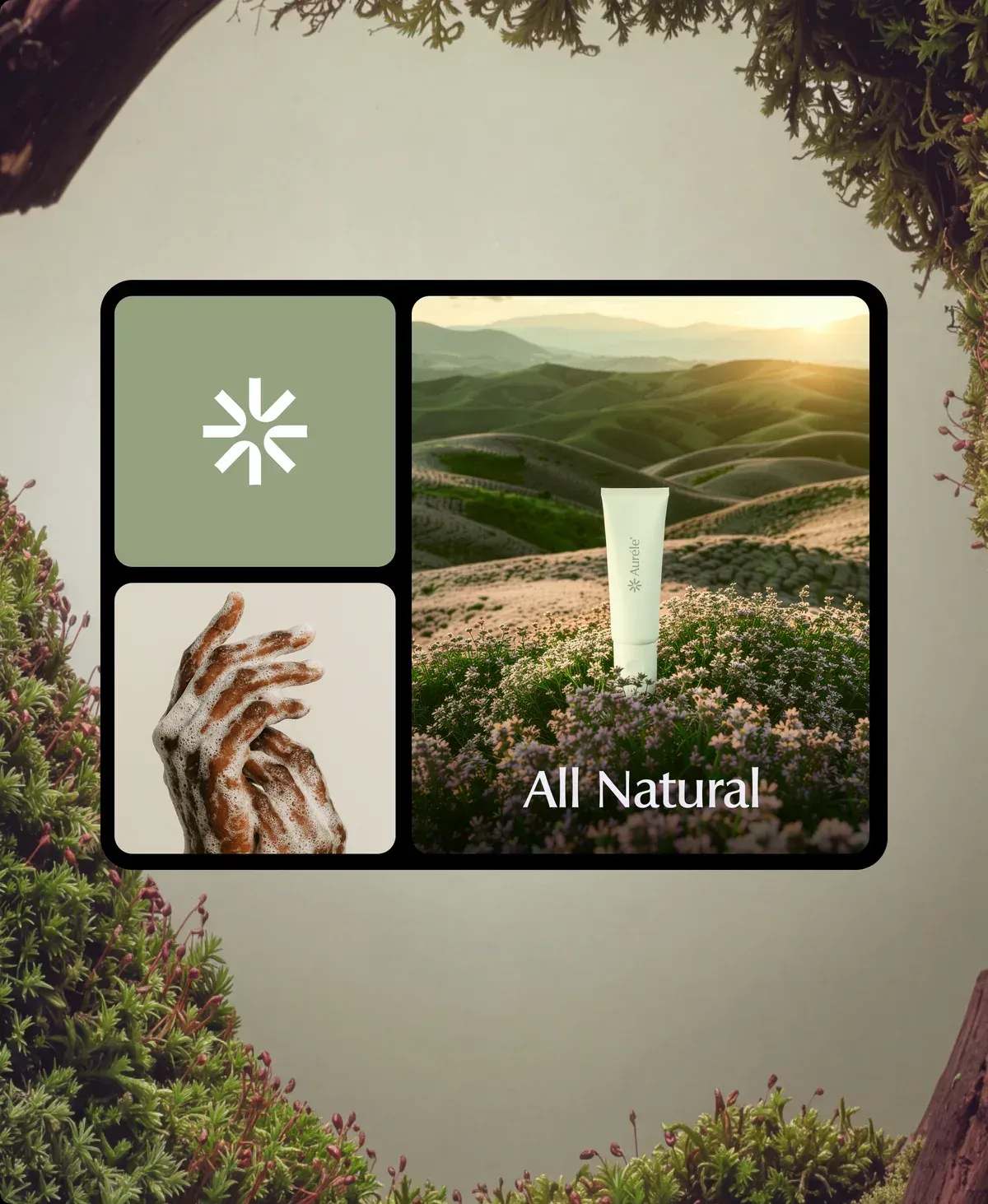
Designers create visual assets, mockups and graphics with fonts, vector shapes, artboards, Smart Objects and libraries. Dynamic Text places type along paths and shapes, and character styles can be copied between text blocks. Generative Recompose adapts an image to other canvas sizes and aspect ratios, for example from landscape to portrait.
Digital painting and illustration
Illustrators work with customizable brushes, pattern and gradient tools and pixel-level control for illustration, concept art and lettering. Photoshop on iPad is a free standalone app with premium features available through a subscription, and Adobe states that the mobile app is compatible with Photoshop on desktop, web and iPad.
Generative and prompt-based editing
Generative Fill and Generative Expand add, remove or extend content from a prompt, Prompt to edit changes a whole image from an instruction, and Generative Restyle applies a creative adjustment with an intensity slider. The AI Assisted Editor offers a prompt-first start, with the Pro Editor available for layered editing. Generative features use the monthly generative credits of the plan, and the Freemium desktop access includes daily free generations in the Firefly Image Editor.
Automation and production pipelines
Repeated steps are recorded as Actions, UXP scripts automate tasks in JavaScript and UXP plugins add panels and integrations. For server-side work, the Photoshop API edits documents in bulk in the cloud and the Actions API plays back Photoshop Actions on one or many images. Adobe also publishes an LTS version, 27.11.1 for Photoshop 2026, next to the regular feature releases.
Editing on phones and in the browser
Photoshop on mobile for iPhone and Android adds objects, removes distractions, swaps backgrounds and makes targeted adjustments, and Photoshop on the web runs in Safari, Chrome, Firefox and Edge. AI Assistant (beta) on the web and on mobile edits only what a request asks for; on mobile, the request can be typed into the prompt bar or spoken through the microphone icon.
Reviews of Adobe Photoshop
Be the first to share your experience with Adobe Photoshop.
Write a review
Loading review form…
Found Adobe Photoshop useful? Upvote it todayYour vote helps other IT teams find it in the daily ranking.


