

What is ImageSVG?
ImageSVG is a web tool at imagesvg.com that traces raster artwork into SVG vector shapes. You choose a PNG, JPG, WebP, GIF or BMP file of up to 20 MB, pick an image purpose and a curve style, preview the result next to the original, and export. It is aimed at logos, icons, stickers, flat illustrations and line art that need to be resized or recolored in a drawing app. The site describes the vectorization as tracing rather than generation, and it states that tracing does not perform text recognition.
The conversion itself runs in the browser. According to the privacy page, the original image and the SVG result are not uploaded during conversion; the service processes file dimensions, verification data and task status to authorize the account and enforce limits. Originals and results stay in the browser tab for up to 24 hours, with no cloud history and no cross-device recovery. If you choose to send feedback, the related image, result and comments are uploaded and kept privately, and feedback originals are removed after 180 days.
You need an account to convert your own images. The free allowance is 3 successful conversions per UTC day and 15 per month, one image at a time, with SVG download. Public examples can be downloaded without signing in. The pricing page lists a 7-day pass at $4.99 and a monthly subscription at $9.99, both with batches of up to 40 images and SVG, PDF, EPS and DXF download; the Terms describe the monthly plan as available when offered, and the home page showed checkout as unavailable when we reviewed it. The pricing page carries a Beta label.
ImageSVG also publishes a ChatGPT app that uses the Model Context Protocol, documented on the developer page. It opens a conversion panel inside ChatGPT, signs in with OAuth against the same ImageSVG account, and shares the website allowance. The site does not offer a REST conversion API, a static API key or a cloud conversion service. The interface is available in 18 languages. We did not find a public source repository, a release version or a stated company address, so those fields are left empty on this profile.
ImageSVG screenshots
Explore the interface. Open a screenshot to view it at full size.
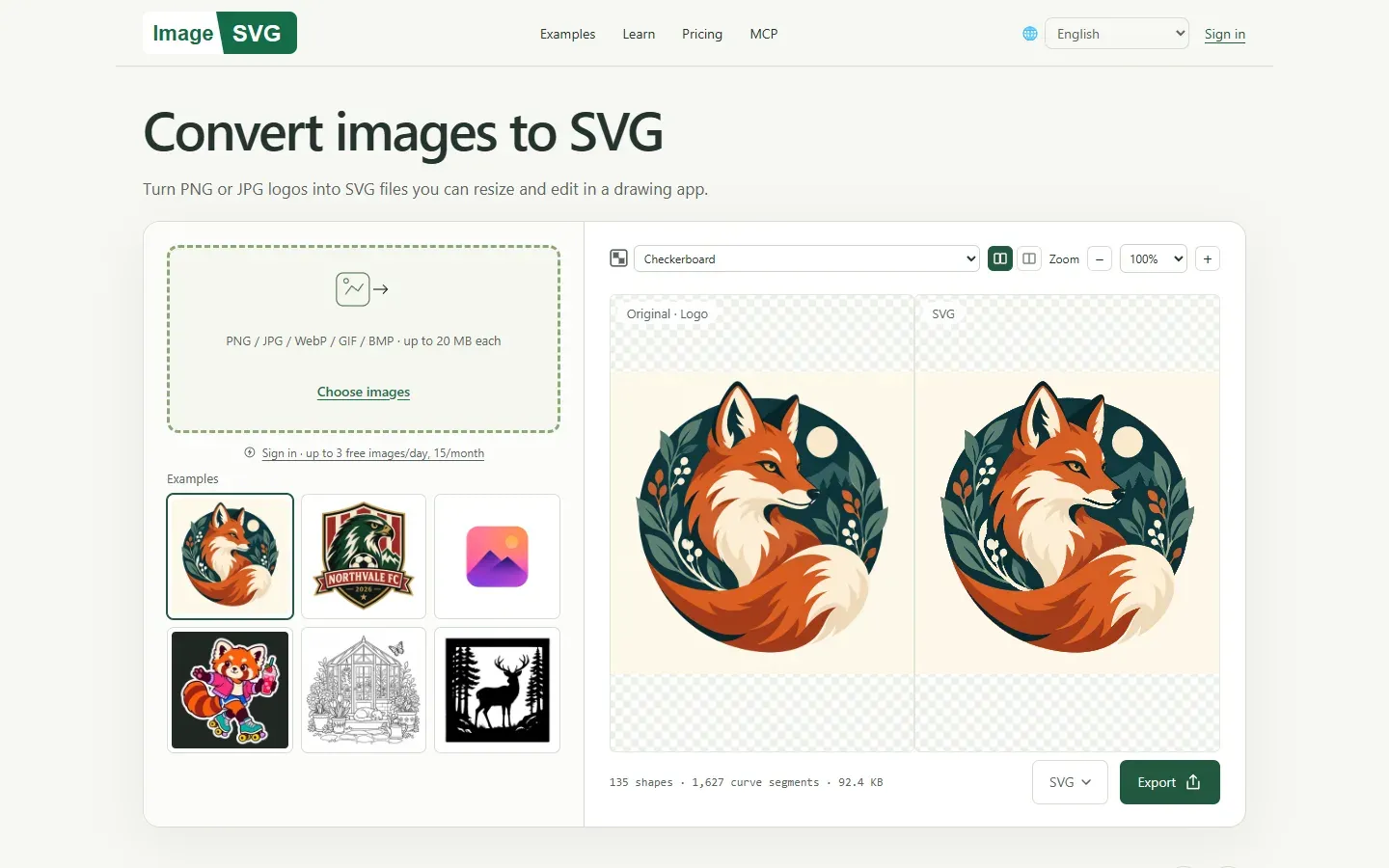
Screenshot of the ImageSVG converter home page, with example images, side-by-side preview, SVG format menu and Export button.
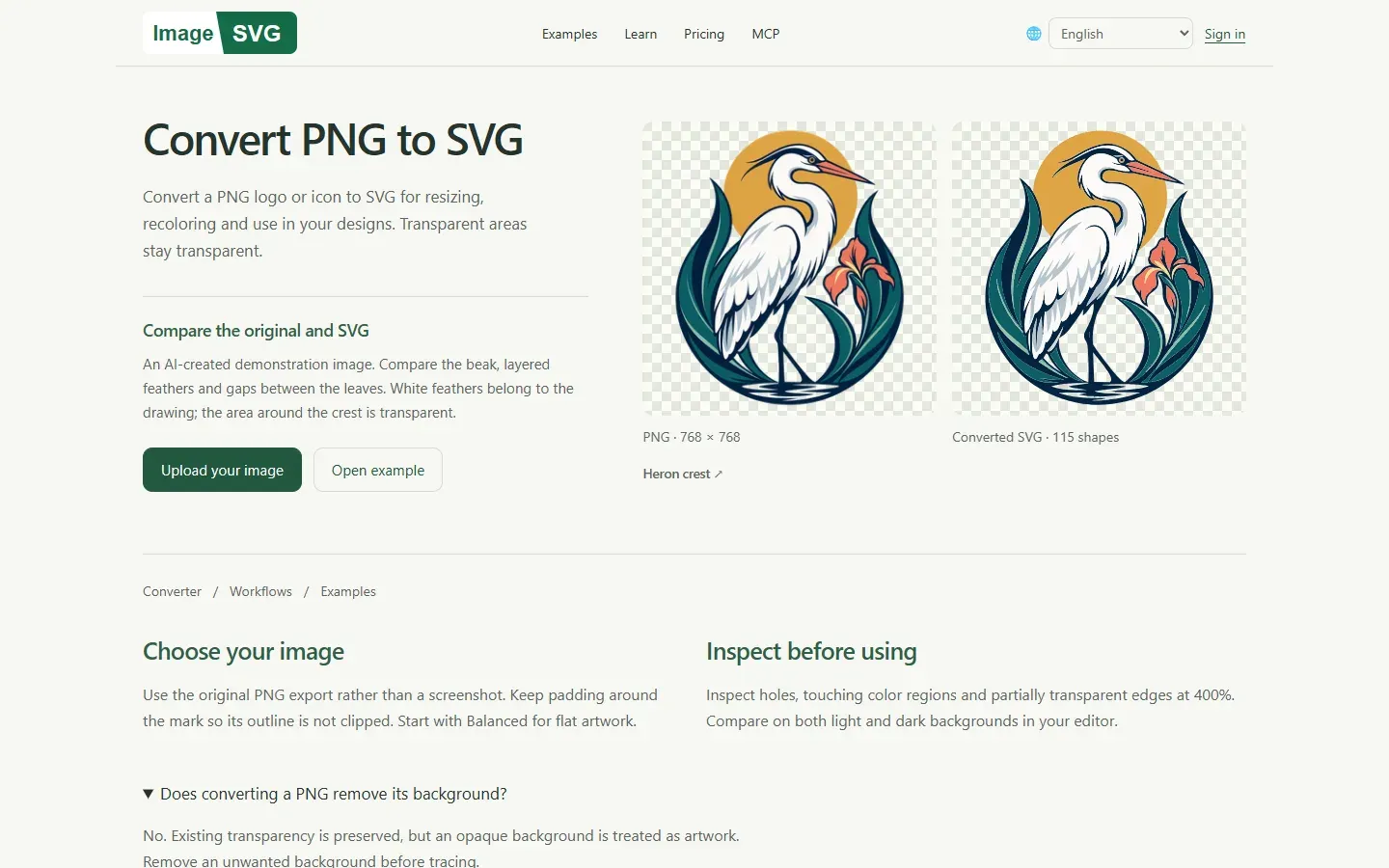
Screenshot of the PNG to SVG guide, which compares an AI-created demonstration PNG with its converted SVG.
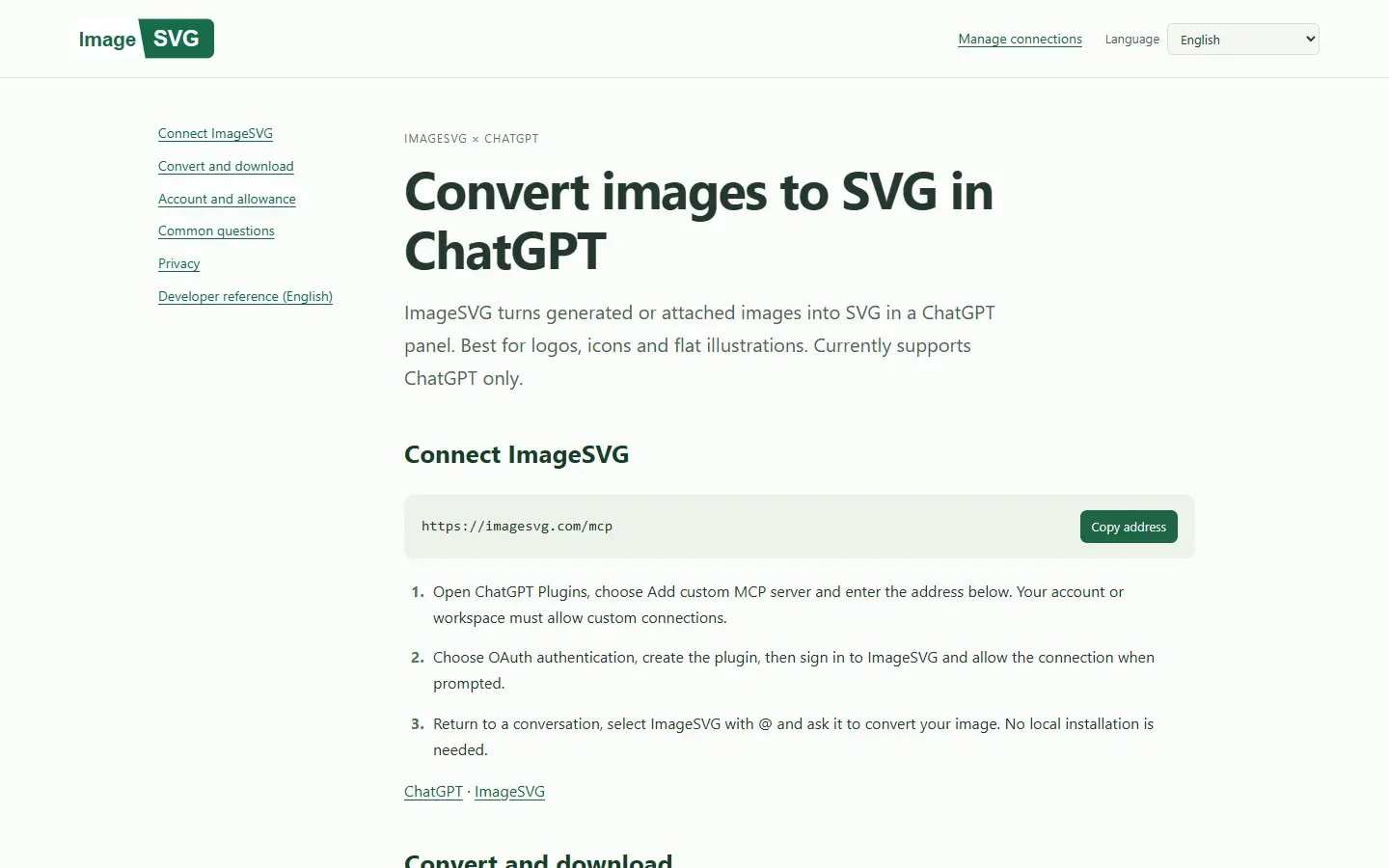
Screenshot of the ChatGPT app page with the MCP server address and connection steps.
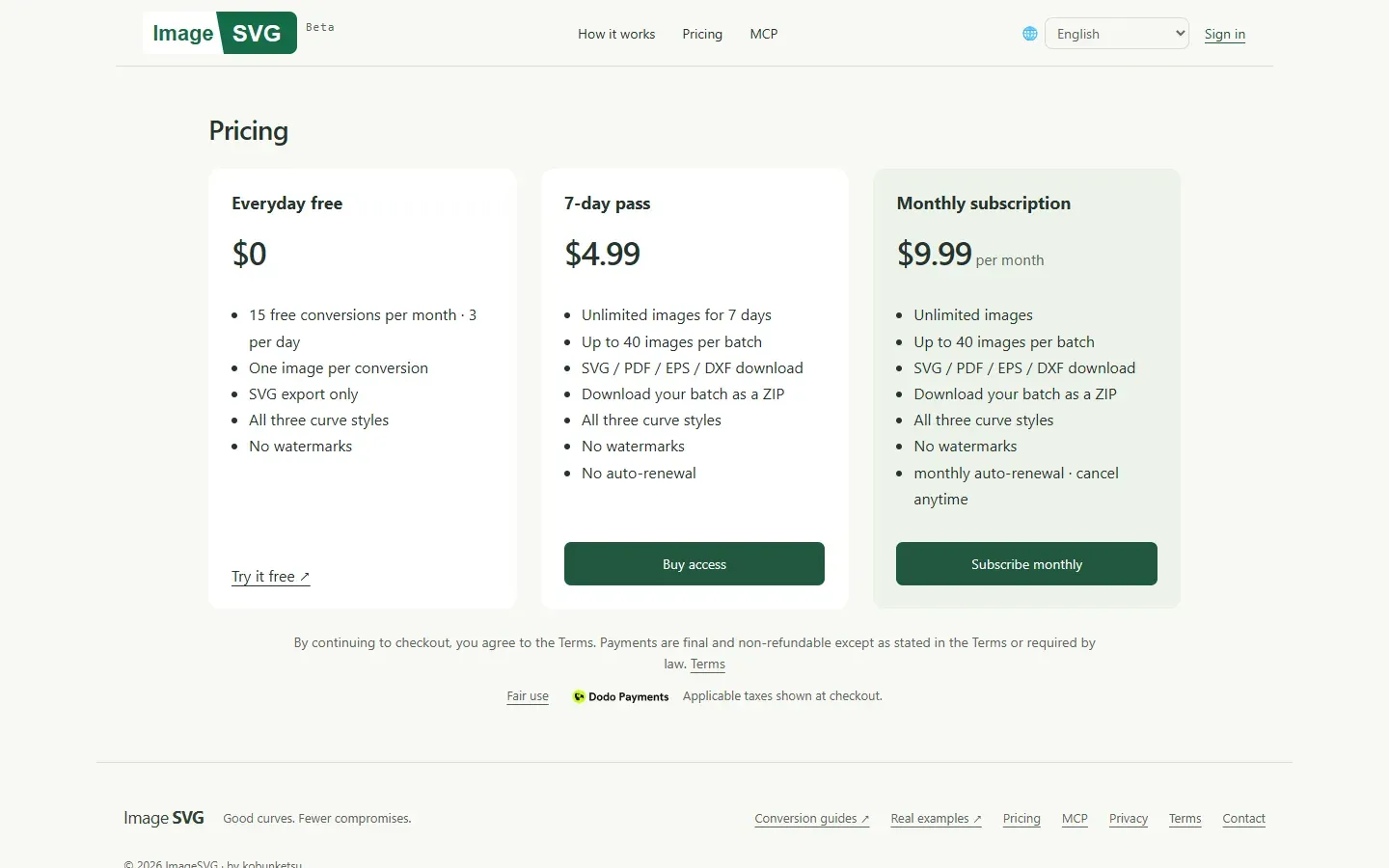
Screenshot of the pricing page, which carries a Beta label and lists the free tier and two paid plans.
Source: official ImageSVG project page.
Key capabilities
- Raster to SVG tracing Upload PNG, JPG, WebP, GIF or BMP files up to 20 MB each and get an SVG built from vector shapes. The converter shows the shape and curve-segment count and the SVG size for the current preview. Animated WebP and GIF files use their first frame, according to the conversion guides.
- Image purpose settings Choose Icon or Logo, Illustration (ClipArt), Photo, or Black and white line art for coloring pages. The purpose changes how the image is traced. The site says photos usually work better kept as PNG, JPEG or WebP, so use the Photo setting as an experiment rather than a recommendation.
- Three curve styles Balanced suits icons and logos, Fewer nodes simplifies shapes, and More detail keeps fine marks. All three are available on the free tier. Changing style on the same image within the same panel reuses the free-image allowance but counts as another attempt toward the fair-use limit.
- Side-by-side preview The workspace shows the original and the SVG together with checkerboard, light and dark backgrounds and zoom levels from 100 percent to 400 percent. Zoom in on lettering, holes and touching shapes before exporting, because the site warns that no automatic tracer is perfect.
- Transparency handling Existing transparency is preserved, but an opaque background is treated as artwork, and a saved checkerboard or white background is not removed automatically. Remove the background in an editor first if you need a transparent result.
- Export formats The free tier exports SVG. Paid access adds PDF, EPS and DXF export, a Copy SVG action for pasting into a Figma canvas, and a ZIP download for batches. DXF output needs its size checked in CAD or cutting software before use.
- Browser-side processing Conversion happens in your browser tab and uses blob Web Workers, so the original image is not sent to ImageSVG during conversion. The service still receives account and usage data to enforce the daily and monthly allowance. Browser storage is not a backup, so download results within 24 hours.
- Free allowance and fair use A registered free account gets 3 successful images per UTC day and 15 per month, plus up to 30 computation attempts per UTC day. Adjusting and exporting again does not use extra image allowance. Paid access is limited to 100 attempts per rolling 60 minutes.
- Paid access The Terms list a 7-day pass for USD 4.99 without renewal and a monthly subscription for USD 9.99 when available, renewing monthly until cancelled or ten years pass. Payments are handled by Dodo Payments, and the Terms say payments are final except for legal requirements, duplicate charges, undelivered access or material service failure.
- Batch conversion Paid users can convert up to 40 images per batch and download them as a ZIP. The page lists unlimited images during the pass or subscription, subject to the fair-use limits and account rules. Account sharing, scraping and bypassing limits are prohibited, and personal accounts allow two active sign-in sessions.
- Public examples and guides The examples page lists original images with their traced SVGs that anyone can inspect and download without signing in or using allowance. Guides cover PNG to SVG, JPG to SVG, WebP, GIF and BMP sources, app icons, Figma workflows, DXF cutting designs and printable stickers. The sample images on the site are described as AI-created demonstrations.
- ChatGPT app over MCP The app is added in ChatGPT as a custom MCP server at
https://imagesvg.com/mcpwith OAuth authentication. Theimagesvg_vectorizetool opens a visible panel where the user starts the conversion and clicks Download. Your ChatGPT account or workspace must allow custom connections, and the app currently supports ChatGPT only. - MCP tools and limits The documented tools are
imagesvg_vectorize,imagesvg_accountandimagesvg_job_status, plus app-only helper tools used by the panel. The MCP path accepts PNG, JPEG and WebP up to 20 MB and 40 megapixels, works at up to 2,048 pixels per edge and 4 million pixels, and exports SVG only. - OAuth connection management OAuth 2.1 with PKCE issues access tokens that last one hour and refresh grants that last 30 days. Signed-in users can inspect and revoke connections at
/oauth/connections. Image pixels, base64 files and SVG strings are not accepted by MCP tool calls, so a headless agent cannot run a conversion without the visible panel. - Temporary SVG downloads in ChatGPT When a download needs a stored copy, the generated SVG is saved temporarily behind a private link that expires after 15 minutes and is then deleted. Anyone with the link can download it until expiry, and you can delete it earlier from More options.
- Languages The interface and guides are available in 18 languages, including Arabic, Chinese, Japanese, Korean, Spanish, French, German and Hindi.
- Privacy and analytics controls The privacy page names Cloudflare for hosting, Resend for email, Dodo Payments for checkout, and Ahrefs Web Analytics, Google Analytics and Microsoft Clarity for usage analytics. Google Analytics and Clarity can be turned off from the footer without affecting the tool, and the site states that it uses no advertising cookies.
Where ImageSVG fits
Turning a PNG or JPG logo into an editable SVG
Start from the original export rather than a screenshot, keep padding around the mark so the outline is not clipped, and begin with the Balanced curve style. Compare the original and the SVG at 400 percent, check lettering, holes and thin lines, and reopen the downloaded file in your editor to confirm you can select and recolor a shape. The PNG to SVG guide lists these checks.
Cleaning up an AI-generated logo
Generate or save the image at a clear, flat-color size, remove stray backgrounds, then trace it and fix lettering by retyping the words in your editor. The site says tracing does not perform text recognition, so letters become shapes and a misspelling in the source stays misspelled.
Making icons and website graphics resizable
Use the Icon or Logo purpose and compare the result at your smallest and largest display sizes. A line that looks smooth when enlarged may disappear when reduced. Keep the PNG when a fixed-size raster is already sharp enough.
Preparing artwork for cutting or print
Convert line art or silhouettes with the line-art purpose, then export DXF, EPS or PDF with paid access. Set the physical size in your CAD or cutting software and run a test cut or proof, because the converter does not verify real-world dimensions.
Converting a batch of assets
Use the 7-day pass when you have a one-off set of logos or icons, with up to 40 images per batch and a ZIP download. Check the fair-use limits and confirm whether purchases are currently available on the pricing page before planning a deadline around them.
Converting inside a ChatGPT conversation
Connect the MCP server, ask ChatGPT to use ImageSVG on a generated or attached image, review the panel preview and click Download before closing it. Remember that the ChatGPT route exports SVG only, shares the website allowance and needs the visible panel.
Reviews of ImageSVG
Be the first to share your experience with ImageSVG.
Write a review
Loading review form…
Alternatives to ImageSVG
 SVGEditSVGEdit is an open-source, browser-based SVG drawing editor that can be self-hosted or embedded and extended within a web application.GGraphiteGraphite is a free, open-source vector and raster graphics engine in alpha. Its editor combines nondestructive layer-based workflows with a node graph for procedural graphics and generative design.PPenpotPenpot is an open-source, browser-based design and prototyping platform with real-time collaboration, design systems and code inspection, hosted or self-hosted.