

What is Grist?
Grist is a relational spreadsheet developed by Grist Labs, a company that its About page says was founded in 2014 and is headquartered in New York City. The grist-core repository, also called the Grist Community edition, contains the server for hosting Grist documents. Its README describes Grist as a hybrid of database and spreadsheet: columns are named and hold one kind of data, as in a database, and can be filled by formulas that update when referenced cells change, as in a spreadsheet. The French government organizations ANCT Données et Territoires and DINUM are credited with significant contributions to the code base.
Grist is distributed in several forms. grist-core runs as a server, most simply with the gristlabs/grist Docker image. Grist Desktop is an Electron build for Linux, macOS and Windows that opens and edits Grist files locally without an online account, and grist-static is an in-browser build for showing spreadsheets on a website without a back end. All three repositories are under the Apache License 2.0. The older grist-omnibus bundle is marked deprecated in its own README, which points users to the regular image, Quick setup and sign in with getgrist.com. Grist Labs also runs hosted Grist at getgrist.com with Free, Pro, Business and Enterprise plans, and sells a full edition for self-managed installs.
The README lists the features that are in the full edition but not in grist-core: GristConnect, an Azure storage back end, audit log streaming, advanced admin controls, the newer Grist Assistant, invite and document change notifications, automations, OAuth apps, a built-in MCP server and single sign-on through OIDC or SAML. The default gristlabs/grist image contains these extensions, which are not under an open-source license and stay inactive while the Admin Panel edition is set to Community Grist; the gristlabs/grist-oss image contains only open-source code. According to the README, the full edition is free for individuals and organizations with less than 1 million USD in total annual funding.
The latest release is v1.7.22, published on October 29, 2026. It adds the Widget Creator, a code editor with live preview for writing a widget's HTML and JavaScript inside a document, plus sorting options for empty values, an Access Rules warning about Editors who can edit structure, keyboard and screen reader support for more menus, and storage persistence checks in the Admin Panel. Its security notes mention Node.js 22.23.4 in the Docker images. Version 1.7.21 restricted custom widget access tokens to single routes, and 1.7.20 redesigned the home page, raised the default log level to info and reworked the docker-compose examples into five setups.
Grist is written in TypeScript with a Python data engine for formulas, and each document is stored as a SQLite file. Documentation lives in the Grist Help Center. Similar listings on iThub include Teable, Baserow, NocoDB and NocoBase.
Grist screenshots
Explore the interface. Open a screenshot to view it at full size.
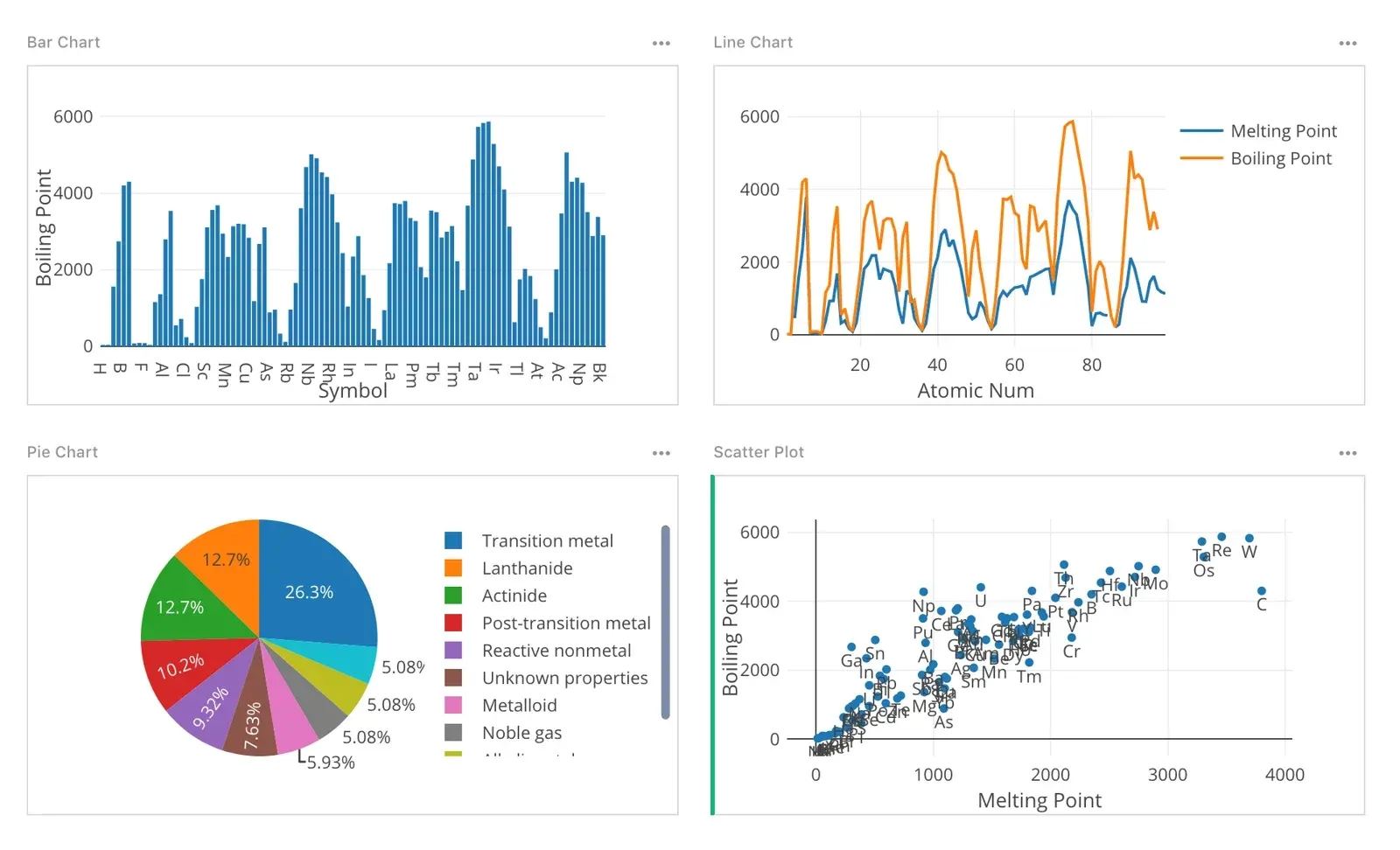
Chart widgets: bar, line, pie and scatter plot on one page. Image from the Grist Help Center.
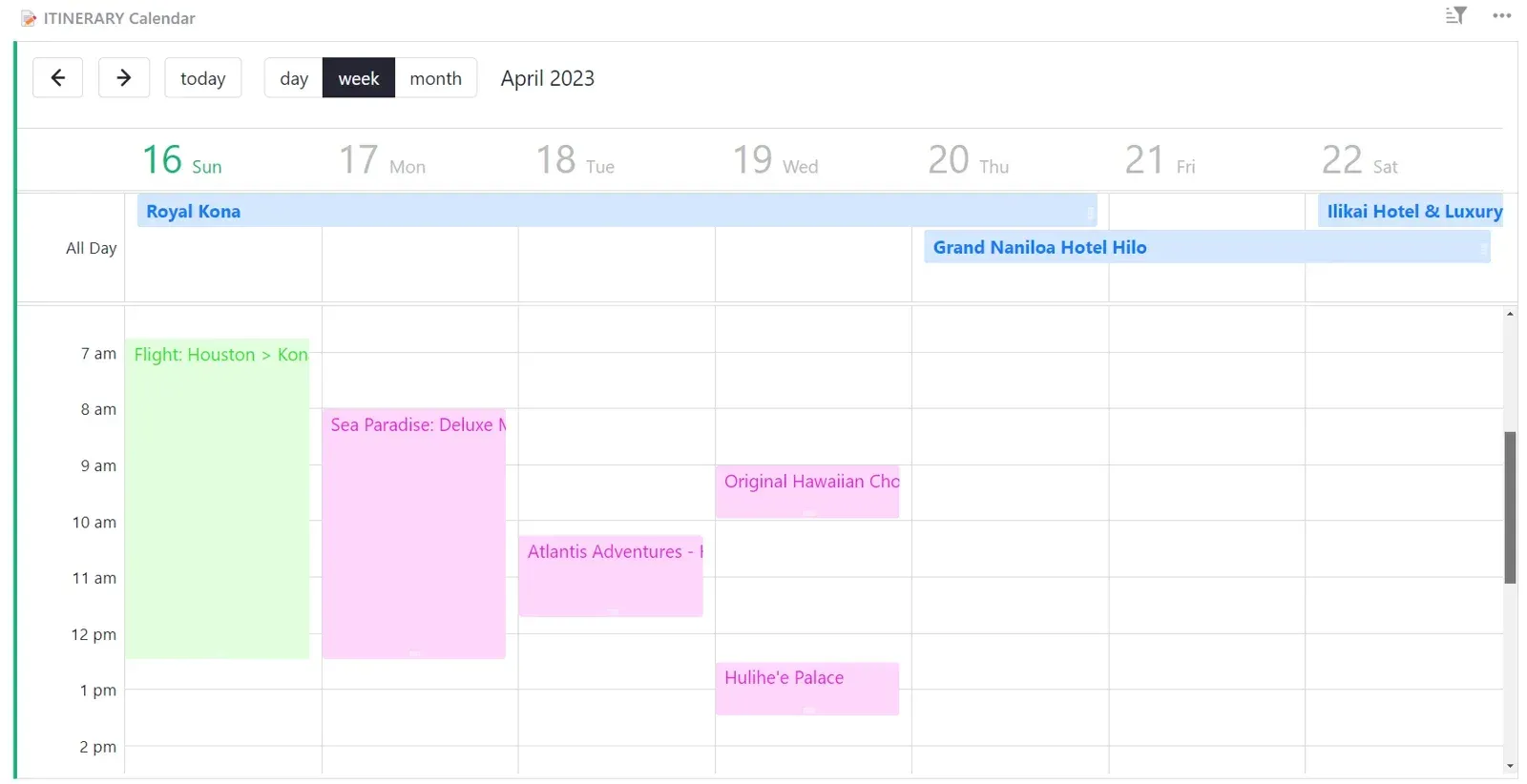
Calendar widget in week view showing records as events. Image from the Grist Help Center.
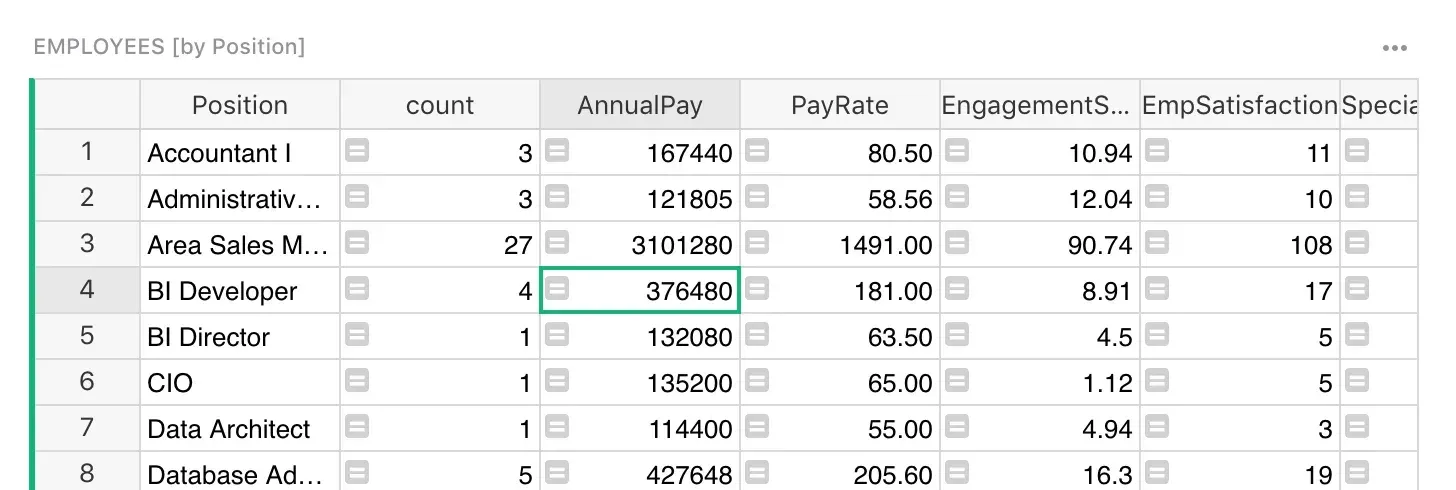
Summary table grouping records by position with count and summed columns. Image from the Grist Help Center.
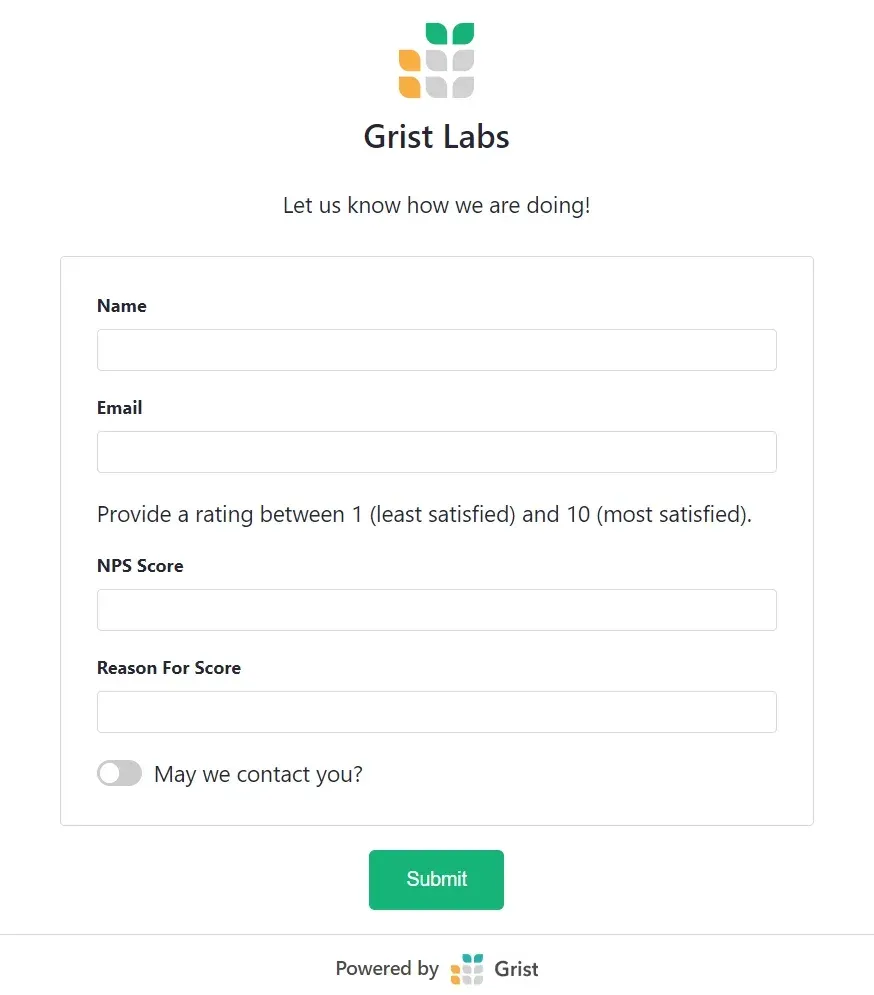
A published form widget whose submissions are stored in a table. Image from the Grist Help Center.
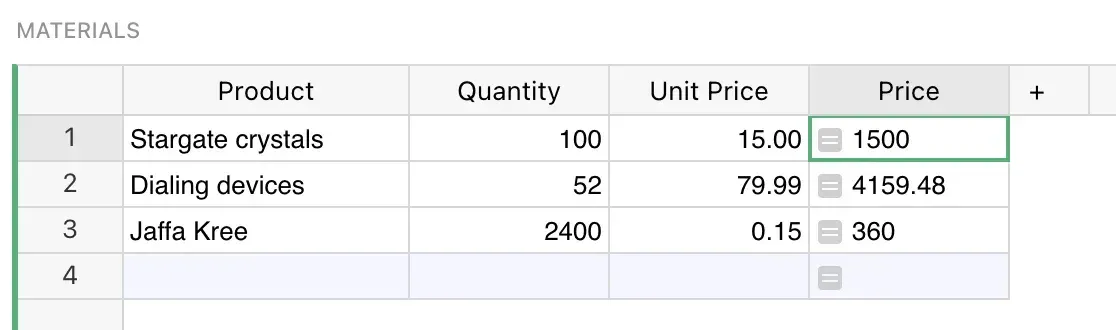
Formula column calculating Price from Quantity and Unit Price. Image from the Grist Help Center.
Source: official Grist project page.
Key capabilities
- Python formulas Formula columns accept full Python syntax including the standard library, as described in the formula documentation. Many Excel functions are also available, and a formula timer helps find slow formulas. Formulas recalculate automatically when referenced cells change.
- Database-style columns and references Each column is named and holds one data type: text, numeric, date and time, toggle, choice and choice list, attachment, reference and reference list. Two-way references keep links synchronized between tables, and text cells support Markdown formatting.
- SQLite document format A Grist document is a self-contained SQLite file. The README states that any tool that reads SQLite can read numeric and text data from it, and that whole-document backups can be restored in full or moved between hosts.
- Widgets and page layouts Pages are built by arranging widgets: tables, card views, charts, a calendar, forms and custom widgets. Widget linking lets selecting a record in one widget filter or select records in another, and widgets can be duplicated to build variations of a view.
- Summary tables and charts Summary tables group records and count or sum across groups like pivot tables, and summary formulas can compute further values per group. Chart widgets include bar, line, pie, area and scatter types.
- Native forms Form widgets write submissions directly into a table. The README notes support for file attachments, hidden fields and pre-filling values through URL parameters.
- Custom widgets and Widget Creator Custom widgets hosted externally can read and link document data. Release 1.7.22 added the Widget Creator, which edits a widget's HTML and JavaScript inside the document with a live preview; widgets from the older Custom Widget Builder can switch over.
- Access rules With logins configured, documents, workspaces and team sites can be shared, and access rules control who can see or edit individual tables, columns and rows, including conditions based on cell values and user attributes. Since 1.7.22 the Access Rules page warns that Editors who can edit structure may get around table and column rules through formulas.
- Collaboration Cell comments support threaded replies and mentions, the document shows who else is viewing it in real time, and suggested changes can be reviewed and approved. Documents can be compared to see what changed, and snapshot history allows reverting to earlier states.
- Imports and exports Data imports from CSV, Excel, JSON, Google Drive and Airtable, and incremental imports update existing records without duplicates. Exports include CSV, TSV, XLSX and table schema.
- REST API and integrations The REST API has an interactive console, and Grist is available in Zapier and other integrators. Outgoing webhooks support authorization headers, column-specific triggers and formula conditions. Service accounts and SCIM user and group provisioning are listed among grist-core features.
- AI Formula Assistant Grist-core includes an AI Formula Assistant for generating formulas. It works with OpenAI or with other models through OpenRouter or any OpenAI-compatible endpoint, set through ASSISTANT_* environment variables. The broader Grist Assistant for building tables and dashboards is a full-edition feature.
- Sandboxing of formulas Formulas run as Python on the server. GRIST_SANDBOX_FLAVOR selects gVisor on Linux or Docker, native sandbox-exec on macOS, or a Pyodide sandbox through Deno on any OS including Windows.
- Docker deployment The quick start runs docker run -p 8484:8484 with gristlabs/grist and a /persist volume. A first-run Quick setup page, unlocked with a boot key printed to the container log, sets the admin email, sign-in method and site access. The self-managed guide covers public servers, and the repository includes docker-compose examples up to HTTPS, Keycloak, PostgreSQL, Redis and S3-compatible storage.
- Authentication options Without sign-in configured, Grist runs in a limited anonymous mode, or with a single default identity via GRIST_DEFAULT_EMAIL. Sign in with getgrist.com and forward authentication are available in all editions; direct OIDC or SAML sign-in requires an activation key. The README names Authentik, Auth0 and Dex as tested.
- Admin Panel The /admin page shows health probes, installation problems and settings, and switches between the Community and full editions. Release 1.7.22 added checks that storage survives a restart and lists detected problems at the top of the Installation page.
- Storage and networking for self-hosters Document versions can be stored in S3-compatible storage, and attachments can be kept externally to keep .grist files small. HTTP long polling is available as an alternative to WebSockets for restrictive networks.
- Accessibility and languages The interface is translated through Weblate into many languages, offers a high-contrast theme that the README says meets WCAG level AA, and supports screen readers and keyboard navigation in grids, menus and the widget picker.
- Hosted Grist plans The pricing page lists a Free plan (up to 5,000 records per document, 30 days of snapshots), Pro at 10 USD per user per month or 8 USD billed annually (100,000 records, 3 years of snapshots), Business at 30 or 24 USD per user per month with a 5-user minimum (150,000 records, automations) and Enterprise on request with a dedicated server and region choice. For self-hosters, Grist Community edition is 0 USD, and the full edition is listed at 30 or 24 USD per user per month.
Where Grist fits
Turning spreadsheets into relational data
Users import a CSV, Excel file or Airtable base, give each column a type and replace repeated text with reference columns that point to records in other tables. Lookups in Python formulas, such as lookupOne, pull related values across tables. The template gallery shows prepared documents for uses such as payroll, inventory and invoicing.
Building dashboards from linked widgets
A page combines a table, cards, charts and summary tables. Linking widgets lets a selection in one table drive the records shown in the others, so a list of departments can filter employees, and summary tables feed charts with grouped totals.
Collecting data with forms
A form widget publishes a form whose submissions become rows in a table, with hidden fields and URL pre-population for tracking sources. Access rules then define which collaborators can read or change the collected rows.
Sharing data with row and column permissions
Owners share a document or a team site and write access rules that hide tables or columns, or limit rows by user attributes, for example to show each user only their own records. Comments and suggested changes support review before data is edited.
Self-hosting a team server
An administrator runs the gristlabs/grist or gristlabs/grist-oss image with a persistent volume, completes Quick setup, and connects sign-in through getgrist.com accounts, forward authentication, or OIDC and SAML with an activation key. Document storage can move to S3-compatible services and the Admin Panel reports configuration problems.
Connecting Grist to other systems
Developers read and write records through the REST API, use webhooks to notify other services when rows change, and build custom widgets that display data in maps or other views. The hosted service and the full edition also offer an MCP server and OAuth apps for scoped access by external tools.
Install
docker run -p 8484:8484 -v $PWD/persist:/persist -it gristlabs/gristReviews of Grist
Be the first to share your experience with Grist.
Write a review
Loading review form…
Alternatives to Grist
 TeableTeable gives teams spreadsheet-style tables backed by PostgreSQL, with five view types, field-level permissions, automations, AI chat, an app builder, a REST API and an MCP server. AGPL Community Edition, self-hosted licenses and Teable Cloud.
 BaserowSelf-hostable no-code database from Baserow B.V. with spreadsheet-style tables, form and kanban views, an application builder, workflow automations, dashboards, a REST API and an MCP server. The core is MIT; premium features need a license.
 NocoDBNocoDB is a free, self-hostable Airtable alternative with grid, gallery, form, kanban and calendar views and Docker install options.