

What is Teable?
Teable is a no-code database and AI workspace built on PostgreSQL, developed by Teable AI, Inc. Tables behave like a spreadsheet in the browser, but each one is stored in a real PostgreSQL database, and the same records are reachable from views, automations, an HTTP API, an MCP server and the AI features. The project now describes the product as four parts in one deployment: a database collaboration layer, an AI workflow engine, an isolated agent sandbox and a platform that hosts the apps teams build on their data. It runs on Teable Cloud or on your own infrastructure.
The repository is the Teable Community Edition. The core applications (apps/nestjs-backend and apps/nextjs-app) are licensed under AGPL-3.0, and the packages under packages/ under MIT. The official image ghcr.io/teableio/teable contains the complete product: it is free to run, and paid plans unlock AI features and enterprise functions in place with a license key, without swapping images or migrating data. A teable-community image limited to Community features is also published. Standalone instances run with Docker Compose, the full AI platform is installed from the separate teable-deployment repository with Docker or a Helm chart, and the October 2026 changelog announced apps for iPhone, iPad and Android.
Releases use date-based tags in the form release.<timestamp>.<build>, often several per week. The latest build, release.2026-11-10T05-38-53Z.3830, was published on November 10, 2026. It adds filter-based updates that apply the same values to all records matching a filter when the update runs, search for JWT credentials by app or project, credential refresh for published apps that keeps their last published code and login configuration, and structured queries for record lists, aggregations and time-based grouping in default Pi sessions. It also rejects a new password that equals the current one, blocks column dragging, resizing and freezing in locked Grid views, and fixes pasted text starting with "rec" in Single line text fields. The previous build, release.2026-11-06T11-23-32Z.3804 (November 6, 2026), listed improved security of key management, and builds earlier that week added a read-only MCP query-data tool, read-only impact previews before field deletion, type conversion, table deletion and bulk updates, custom domains with automatic HTTPS for published apps on self-hosted instances and an instance-wide OIDC provider for App Builder apps.
The code base is a TypeScript monorepo managed with pnpm and requiring Node.js 22 or later. The backend uses NestJS with Prisma and Knex, real-time collaboration runs on ShareDB, and background jobs use BullMQ on Redis; the front end is a Next.js application on React 19. According to the architecture guide, PostgreSQL holds tables, views and metadata, Redis handles caching, queues and real-time updates, and S3-compatible object storage keeps public assets, private attachments and App Builder build output in three buckets. The full platform adds a runtime plane: an Infra Service, a sandbox engine that starts one container per AI session, a Git registry for app source and a preview gateway that serves apps under *.app.<domain>.
The standalone deployment covers tables, collaboration, the API and automations, but not AI chat, agents, App Builder or sandbox previews. On self-hosted instances, AI settings and BYODB storage require the self-hosted Business plan or above, and AI features need a model provider you configure. BYODB moves a space's data into a separate PostgreSQL database but does not connect existing tables in that database. The LICENSE adds a Section 7(e) term: the Teable name, logo and visual identity may not be modified, replaced or removed in derived versions. Similar no-code databases in this directory include Baserow and NocoDB.
Teable screenshots
Explore the interface. Open a screenshot to view it at full size.
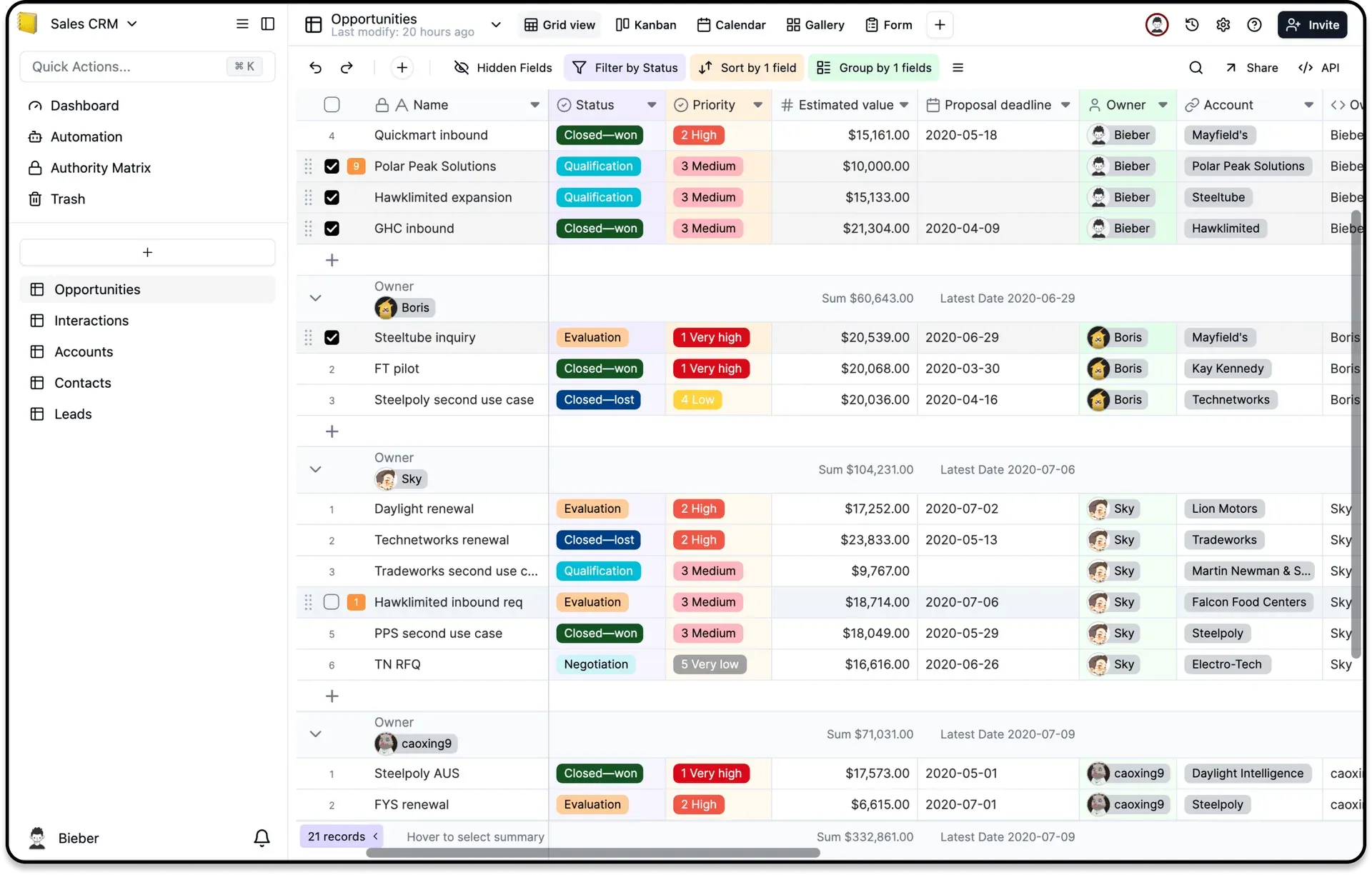
Official Teable screenshot of a grid view with a status filter, sorting, grouping by owner and per-group sums.
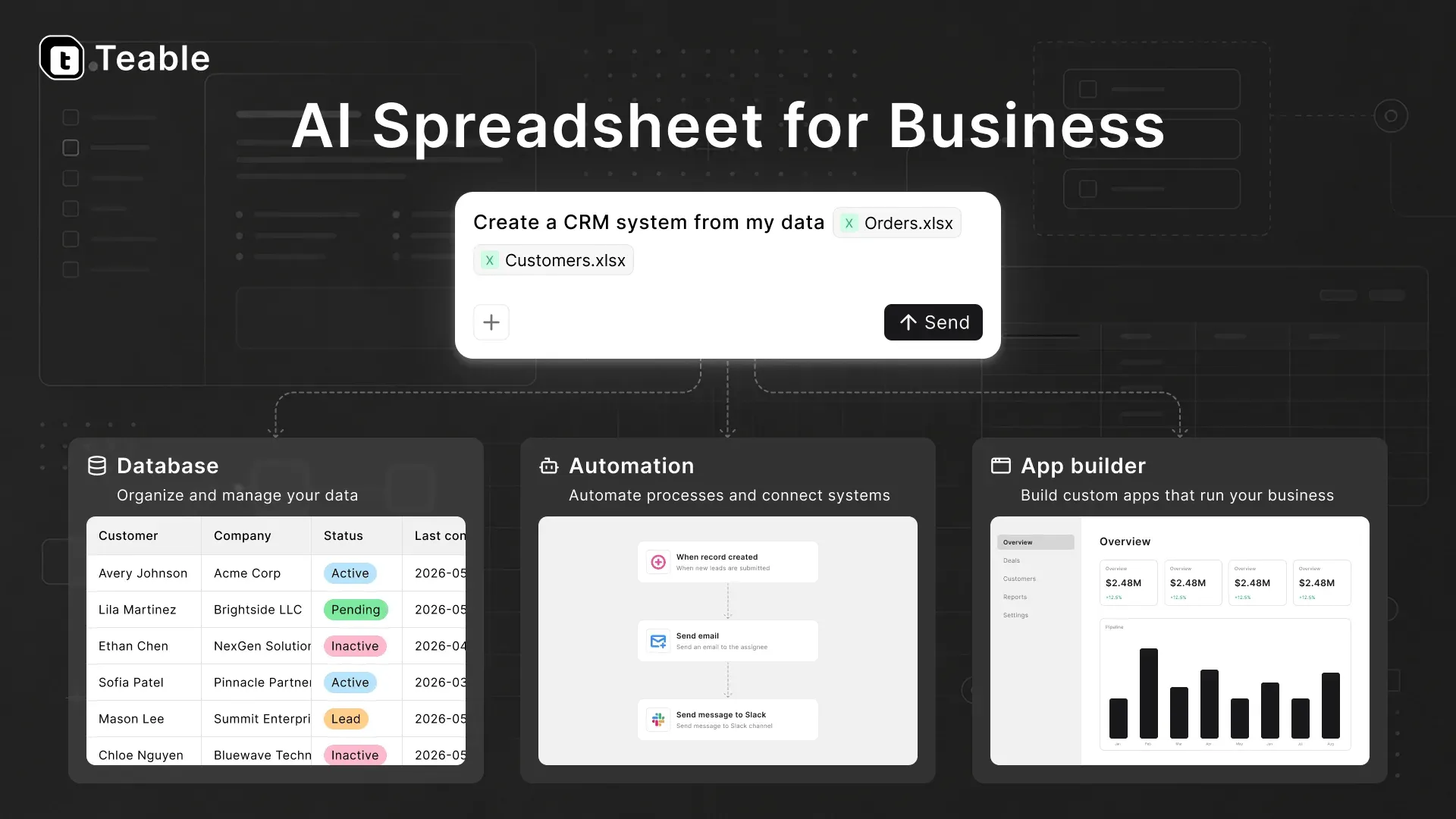
Official project cover illustrating the database, automation and App Builder parts of Teable.
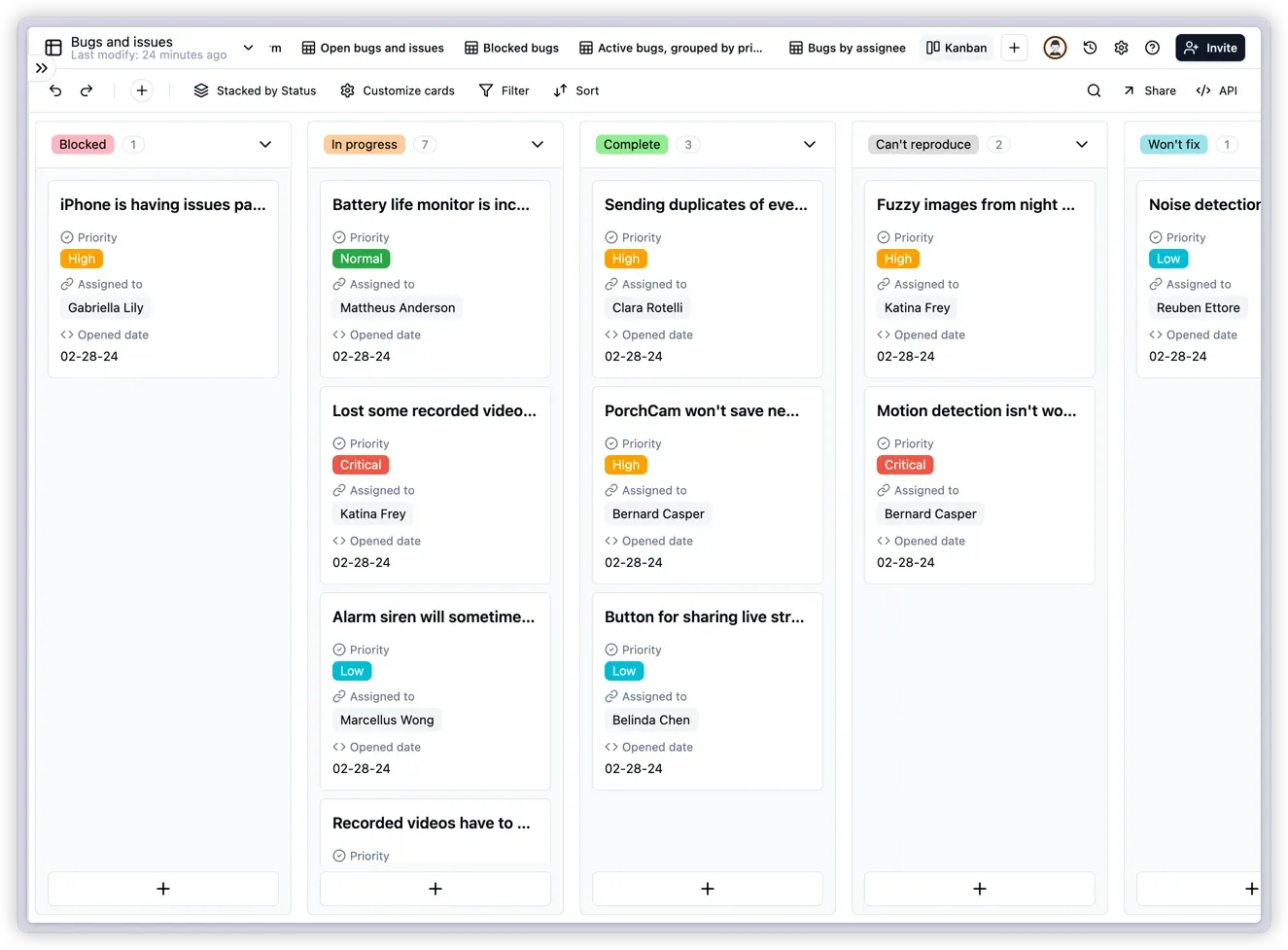
Official Teable screenshot of a Kanban view stacked by a status field.
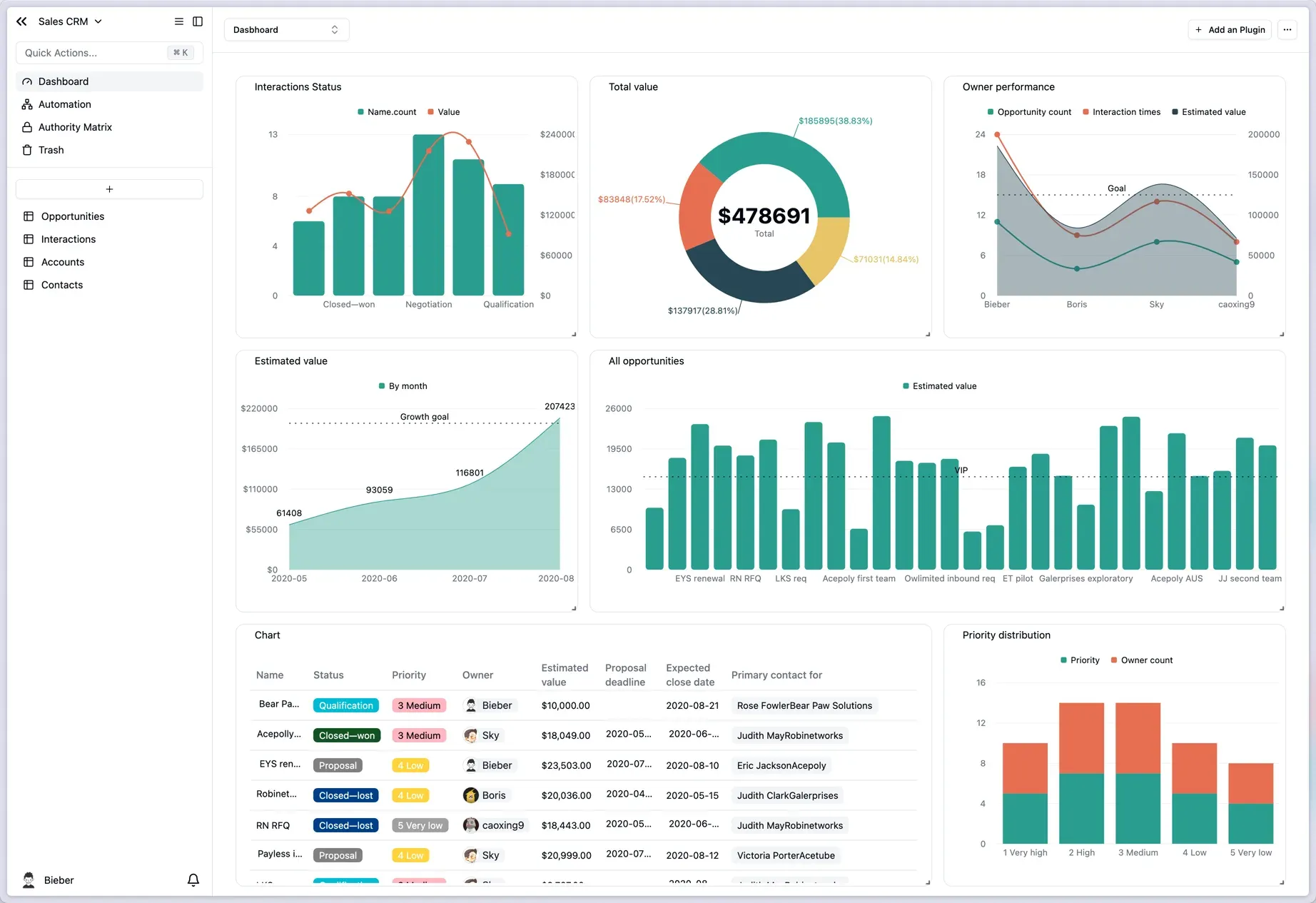
Official Teable screenshot of a dashboard combining chart plugins and a table on live CRM data.
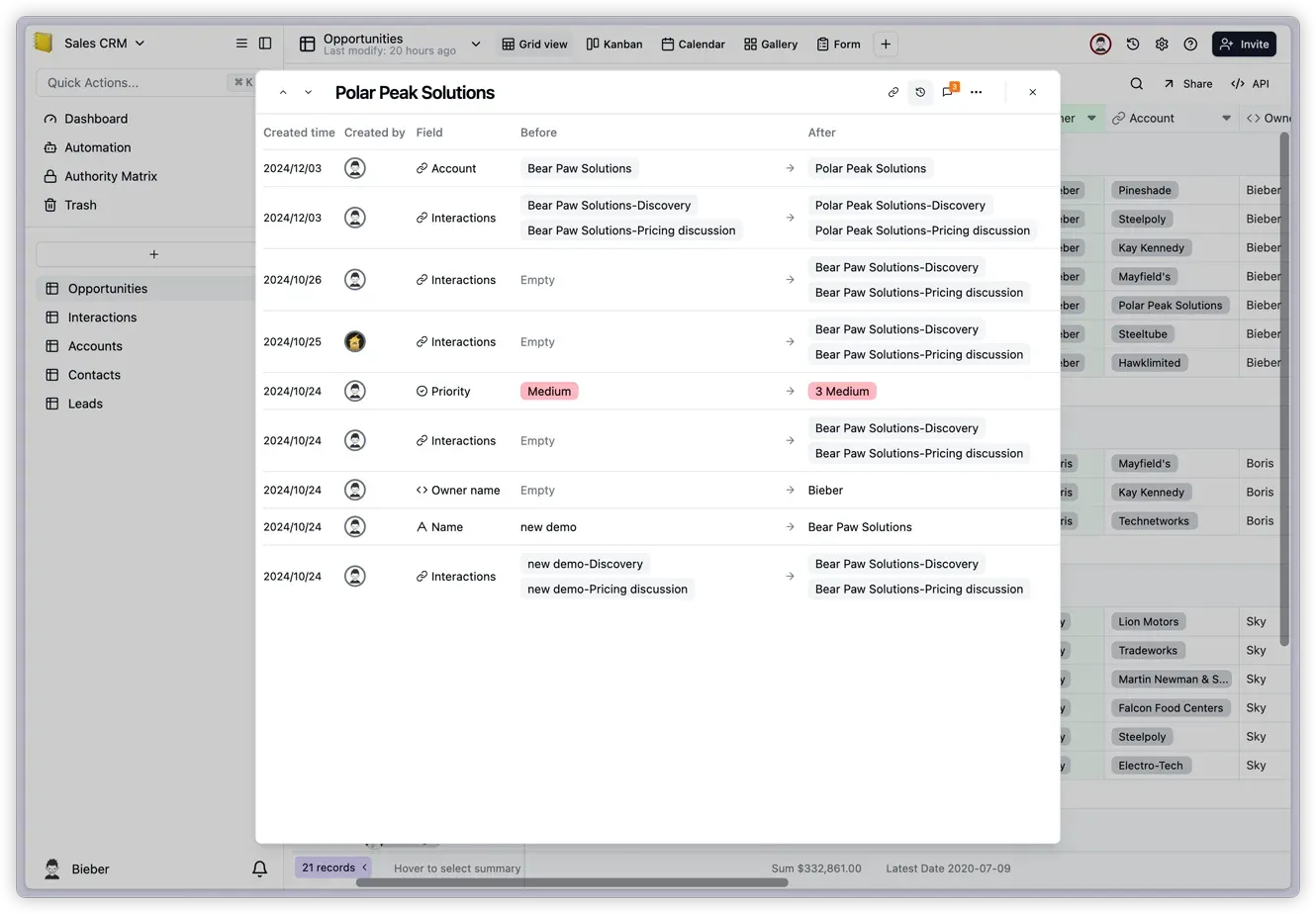
Official Teable screenshot of per-record history showing who changed each field and when.
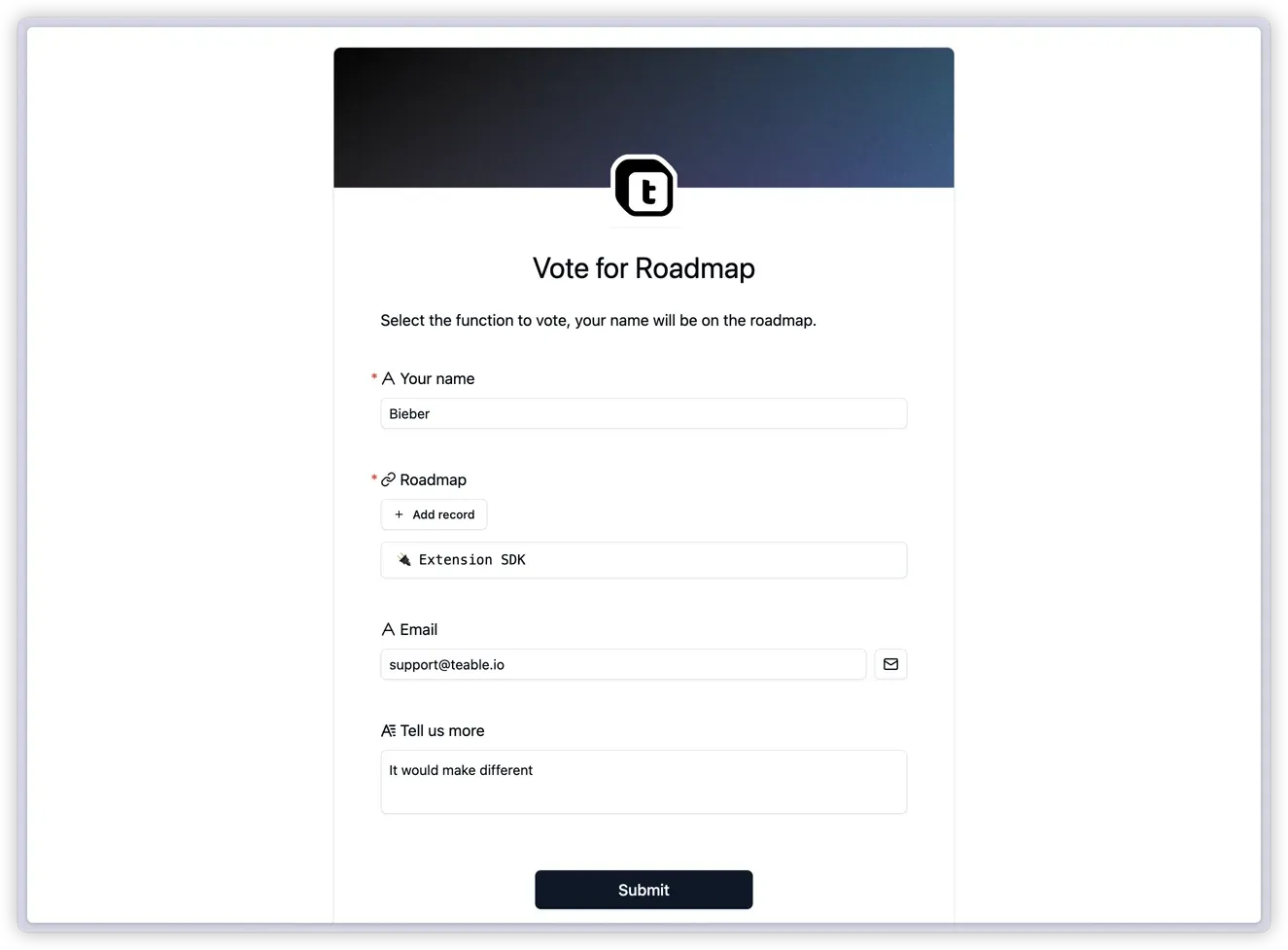
Official Teable screenshot of a form view that writes submissions into a table.
Source: official Teable project page.
Key capabilities
- Teable Cloud in the browser Sign up at teable.ai and work without installing anything. The Free plan costs $0 and includes 1,000 rows per space, 1 GB of attachments, 100 automation runs and 200 one-time AI credits, with two weeks of run and record history. Pro is listed at $13 and Business at $20 per seat per month on yearly billing, with 250,000 and 1,000,000 rows per space. All plans share an API rate limit of 10 requests per second, as listed on the pricing page.
- Standalone self-hosting with Docker Compose The Docker guide runs the app with PostgreSQL 15.4, Redis 7.2.4 and optional MinIO or Amazon S3 storage. It asks for Linux (Ubuntu 20.04 LTS recommended), 2 CPU cores, 4 GB of RAM and 40 GB of free disk, and recommends this setup for up to 50 users. You set
POSTGRES_PASSWORD,REDIS_PASSWORD,SECRET_KEYandPUBLIC_ORIGINin.env, start the stack and open port 3000. The first account created becomes the instance administrator. - Full-featured self-hosted platform The teable-deployment repository installs the app plus the runtime plane on one machine with Docker (local or server mode) or on Kubernetes with a single Helm chart where only
global.baseDomainis required. It needs DNS records for the app,infra.<domain>,*.app.<domain>and*.sandbox.<domain>. A migration guide installs the runtime plane next to an existing standalone instance while the data stays in place. The project also documents handing the repository, a domain and a scoped DNS token to a coding agent to run the deployment. - Mobile apps for iOS and Android Official apps are published on the App Store for iPhone and iPad and on Google Play for Android. They give access to projects, tables, apps and chats with Cuppy, Teable's AI agent, and a conversation started on the desktop can continue on the phone. Phones keep the classic layout.
- Grid, Kanban, Calendar, Gallery and Form views Each table can have several views with their own filters, sorting, grouping, row colors and hidden fields, and grid footers show aggregations such as sums or latest dates. Kanban stacks records by a single-select field, and records created inside a column inherit that column's value. Form views collect submissions as new records.
- Fields, formulas, lookups and rollups Field types include text, numbers, dates, selects, attachments, users, links between tables, buttons and AI-filled fields. Formulas, lookups and rollups compute values across linked tables, and conditional rollups can filter by formula fields of the current table. Recent builds changed
DATETIME_DIFFwith days to return whole elapsed days in the formula time zone, with a fourth argument to keep fractional results. Single-select option names are limited to 1,000 characters. - Collaboration, comments and record history Edits appear in real time for every collaborator, with comments, notifications, undo/redo and per-record history that shows each field change with its before and after value. History retention depends on the plan: two weeks on Free, one year of run history on Pro and Business, and three years of record history on Business. Deleted items go to the trash and can be restored within the retention period.
- Impact previews before destructive changes Deleting or converting a field, deleting or duplicating a table, pasting records or running bulk updates now opens a read-only preview of blockers, warnings, dependencies and unknowns. Field previews list affected apps, saved queries and data sources, separating published and latest-saved app versions. Confirmation is blocked when a preview is expired, incomplete or contains blockers. The same previews are available through the HTTP API.
- Filter-based bulk updates Since the November 10, 2026 build, an update can target all records that match a filter instead of a fixed list of records. The filter conditions are evaluated when the update runs, and every matching record receives the same values. Updates that also change relationships between records still use record-based updates.
- Roles, Authority Matrix and share links Workspaces use five roles: Owner, Creator, Editor, Commenter and Viewer. The Authority Matrix adds field-, record- and view-level permissions inside a project, and share links can be protected with a password. Sign-in is locked for 15 minutes after five failed attempts. On self-hosted licenses, Owner, Creator and Editor count as billable seats while Commenter and Viewer are free.
- Automations with AI steps Workflows start on record changes, schedules or incoming webhooks and run steps such as sending email or Slack messages, plus AI steps that reason over the records. Cloud plans cap automation runs (100, 25,000 and 100,000 per month) and email sends. On self-hosted instances, System Admin lists active workflows with run counts, success rates and run history for locating failures.
- AI Chat, AI fields and Scheduled Routines AI Chat answers questions about table data and changes records in natural language, while AI fields generate or enrich values in bulk. Scheduled Routines run a saved instruction on a schedule, keep a run history and run as their owner. Self-hosted administrators connect an OpenAI Compatible or Anthropic provider with their own key and map models to four tiers (Ultra, Smart, Standard, Lite) described in the AI settings guide.
- App Builder and published apps You describe an app and an agent builds it in an isolated sandbox against the same tables, then publishes it as its own long-lived container at a separate URL. Self-hosted administrators can map custom domains with automatic HTTPS and offer an instance-wide OIDC sign-in for apps. App credentials can be rotated without a new version, which signs app users out, and published apps can be refreshed with new credentials while keeping their last published code and login configuration. JWT credentials can be searched by app or project name or ID. App Builder requires the full-featured deployment or Teable Cloud.
- REST API, tokens and OAuth apps Every table is reachable through an HTTP API with personal access tokens sent as Bearer tokens. Tokens have a fixed expiration, permission scopes grouped by read and write level, four presets and access to all or selected spaces and projects; the token is shown only once. Multi-tenant integrations use OAuth apps instead. The reference is generated from an OpenAPI specification published with the API documentation.
- Official MCP server and CLI MCP clients such as Claude Code, Codex and Cursor connect to
https://mcp.teable.ai/mcpand authenticate in the browser without an API token, then query and update records and create tables, fields and views within the user's permissions. A read-only query-data tool filters, paginates, aggregates and groups records without SQL. AteableCLI covers tasks such as downloading Artifact versions. Connected clients can be reviewed and removed under Settings, MCP. - Imports, exports and migration The backend includes import modules for files, Google Sheets and Airtable bases, and the website offers an Airtable migration path. Data leaves Teable as CSV per table, through the API, or as a
.teaproject export that can include records. Projects can also be duplicated inside an instance. - Dashboards, plugins and SQL Dashboards combine chart and table plugins on the same data, with bar, line, area and pie charts and goal lines. Plugins also extend views, for example a sheet form view, and the README lists a SQL query feature for reading table data. Charts are calculated from live records, so permissions on the underlying tables still apply.
- System Admin for self-hosted instances Instance administrators manage users, spaces, templates and announcements, and review an instance-wide audit log. Operational pages cover table search and indexes, the computed field queue for stalled formulas and lookups, the AI generation queue and schema integrity checks between field definitions and the database. BYODB, on Business and above, places a space's data in a separate PostgreSQL database.
- OIDC single sign-on and social login Self-hosted instances enable OIDC through
BACKEND_OIDC_*environment variables andSOCIAL_AUTH_PROVIDERS, which can also enable GitHub and Google login. Teable links OIDC logins to existing accounts by email, so the documentation warns to connect only identity providers that guarantee verified email addresses, such as Okta, Microsoft Entra ID, Google Workspace or Keycloak.
Where Teable fits
Moving an Airtable base or spreadsheet tracker
The backend includes import modules for files, Google Sheets and Airtable bases, and the website describes an Airtable migration path. After an import, the data is available in grid, Kanban, calendar, gallery and form views, with links between tables, formulas, lookups and rollups. The Free plan on Teable Cloud allows 1,000 rows per space, Pro 250,000 and Business 1,000,000, as listed on the pricing page.
Running a standalone instance for a small team
The Docker guide starts Teable with PostgreSQL, Redis and optional S3-compatible storage on a Linux host with 2 CPU cores, 4 GB of RAM and 40 GB of disk, a setup the guide describes for up to 50 users. The .env file holds the database and Redis passwords, SECRET_KEY and PUBLIC_ORIGIN, and the first account created becomes the instance administrator. Telemetry can be switched off with TELEMETRY_REPORT_DISABLED=true.
Adding the AI platform to an existing instance
The teable-deployment repository installs the runtime plane next to a standalone app, which then connects to it through TEABLE_INFRA_API_URL and TEABLE_INFRA_API_KEY while the data stays in place. The platform uses wildcard DNS records for apps and sandboxes and starts one sandbox container per AI session. On self-hosted instances, AI settings require the Business plan or above and a model provider configured by the administrator.
Connecting scripts and AI agents
Scripts call the HTTP API with personal access tokens that carry scopes, an expiration date and access to selected spaces and projects; Teable Cloud applies a limit of 10 requests per second. MCP clients such as Claude Code, Codex and Cursor connect to the hosted MCP server, authenticate in the browser and work within the user's permissions. Connected clients are listed under Settings, MCP, where they can be removed.
Building an internal app on live table data
In App Builder, an agent builds an app from a description inside an isolated sandbox against the same tables, and the app is published to its own URL or, on self-hosted instances, a custom domain with automatic HTTPS. Apps can use an instance-wide OIDC sign-in. Impact previews before field deletion or conversion list the apps and saved queries that depend on a field, and published apps can be refreshed with new credentials without republishing their code.
Upgrading and operating a self-hosted deployment
Releases are published under dated tags, often several per week. Docker deployments update with docker compose pull and up -d, and the upgrade guide and the deployment repository's version sheet describe upgrades when both the app and the platform change. System Admin shows the computed field queue, automation run history, the AI generation queue, schema integrity checks and an instance-wide audit log.
Reviews of Teable
Be the first to share your experience with Teable.
Write a review
Loading review form…
Alternatives to Teable
 BaserowSelf-hostable no-code database from Baserow B.V. with spreadsheet-style tables, form and kanban views, an application builder, workflow automations, dashboards, a REST API and an MCP server. The core is MIT; premium features need a license.
 NocoDBNocoDB is a free, self-hostable Airtable alternative with grid, gallery, form, kanban and calendar views and Docker install options.
 BudibaseBudibase is an operations platform for building internal apps, automations and AI agents around existing databases, REST APIs and business systems. The core is GPLv3, paid features are under a Business Source License, and it runs self-hosted with Docker or Kubernetes or on Budibase Cloud.