What is Timefall?
Timefall is a desktop time tracker for macOS and Windows that records working time per task, applies an hourly rate to each task and shows reports for weeks, months, years or a custom range. It is developed by Anton Reshetov, who also maintains the massCode snippet manager, and its README describes it as built with Electron and Vue and inspired by Timemator. The repository was created on January 28, 2024, and the first release, v0.1.0, followed on February 10, 2024.
The last development activity dates from spring 2024. The latest release is v0.6.1, published on April 13, 2024, which moved the running timer into the Electron main process. The last commit, a README update, is dated May 31, 2024, and there have been no commits, tags or releases since then. The README still carries a caution that the project is in an active development stage and recommends using the app for familiarization only, and the project website described v0.6.1 as "currently in beta". The timefall.app domain linked from the repository no longer hosts the project site, while the release files on GitHub remain available for download.
The changelog and release notes trace a short development history. Version 0.1.0 shipped only for Apple Silicon Macs with the tracking view and resizable sidebar and task columns. Version 0.2.0 added task colors, and 0.3.0 added editing of tasks and records, task creation from a context menu and an Intel Mac build. Version 0.4.0 (March 26, 2024) brought folders, a filter for task entries, a tray timer, cost calculation and the first Windows installer. Version 0.5.0 added the main menu, reports and an update check, and 0.6.0 added automatic saving of a running record's duration and a custom date range for reports.
Each release on the GitHub releases page contains a Windows installer (Timefall-0.6.1.Setup.exe, built with Squirrel, about 274 MB) and ZIP archives for macOS on Apple Silicon (arm64) and Intel (x64). There are no Linux release builds; in a GitHub Discussions reply from February 2024, before the Windows build existed, the maintainer wrote that releases targeted macOS and that Linux users could build locally with Bun. The macOS app is not signed, and the README gives a xattr command for the "damaged and can't be opened" message. The app is built with Electron 28, Vue 3, Vite through Electron Forge, Tailwind CSS, Radix Vue components, ApexCharts and electron-store.
Timefall is free to use and licensed under AGPL-3.0, with no paid edition. The README and the app's Help menu ask for donations through PayPal and a Gumroad page, which is set up as pay what you want with a 1 USD minimum. Similar time trackers listed on iThub include TimeScribe, solidtime and Super Productivity.
Key capabilities
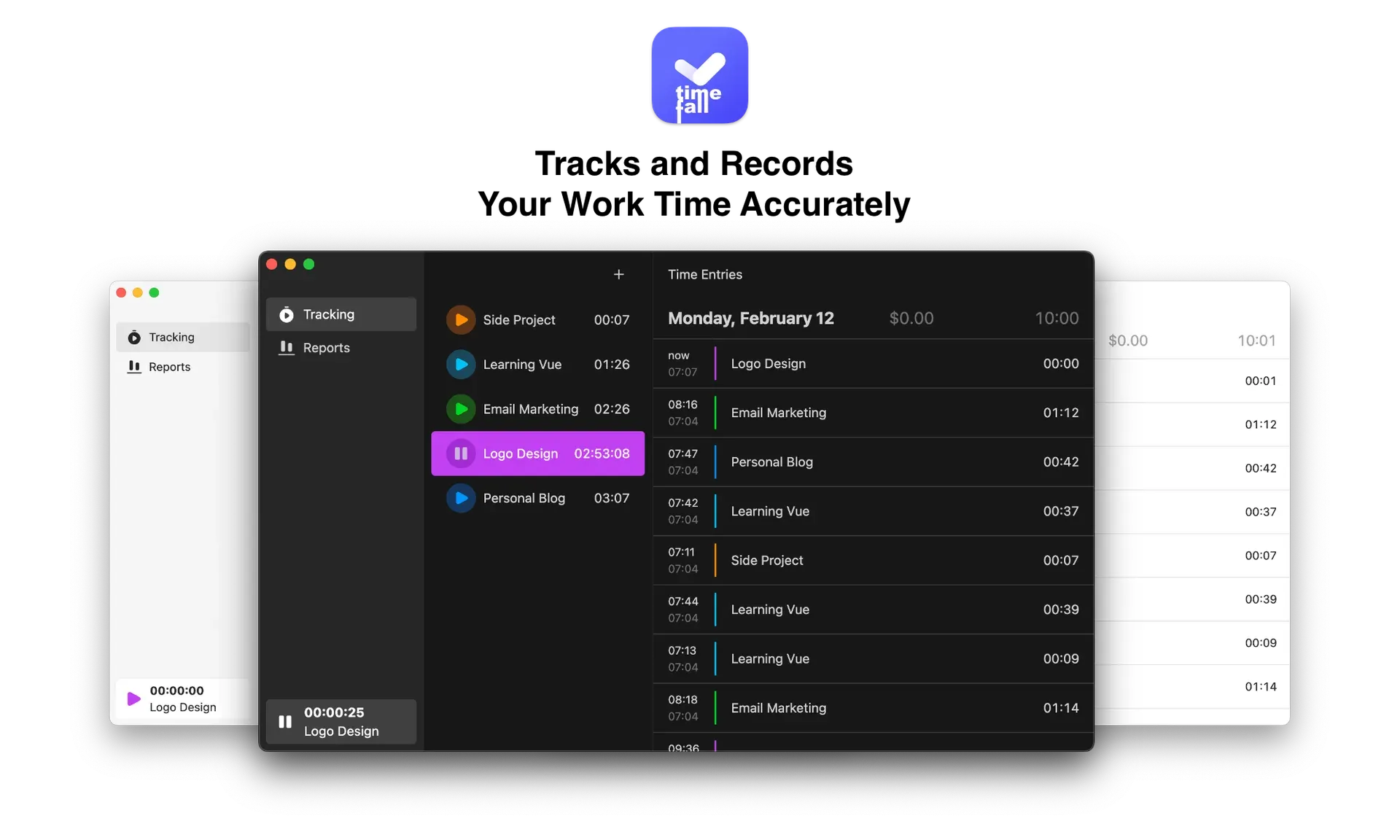
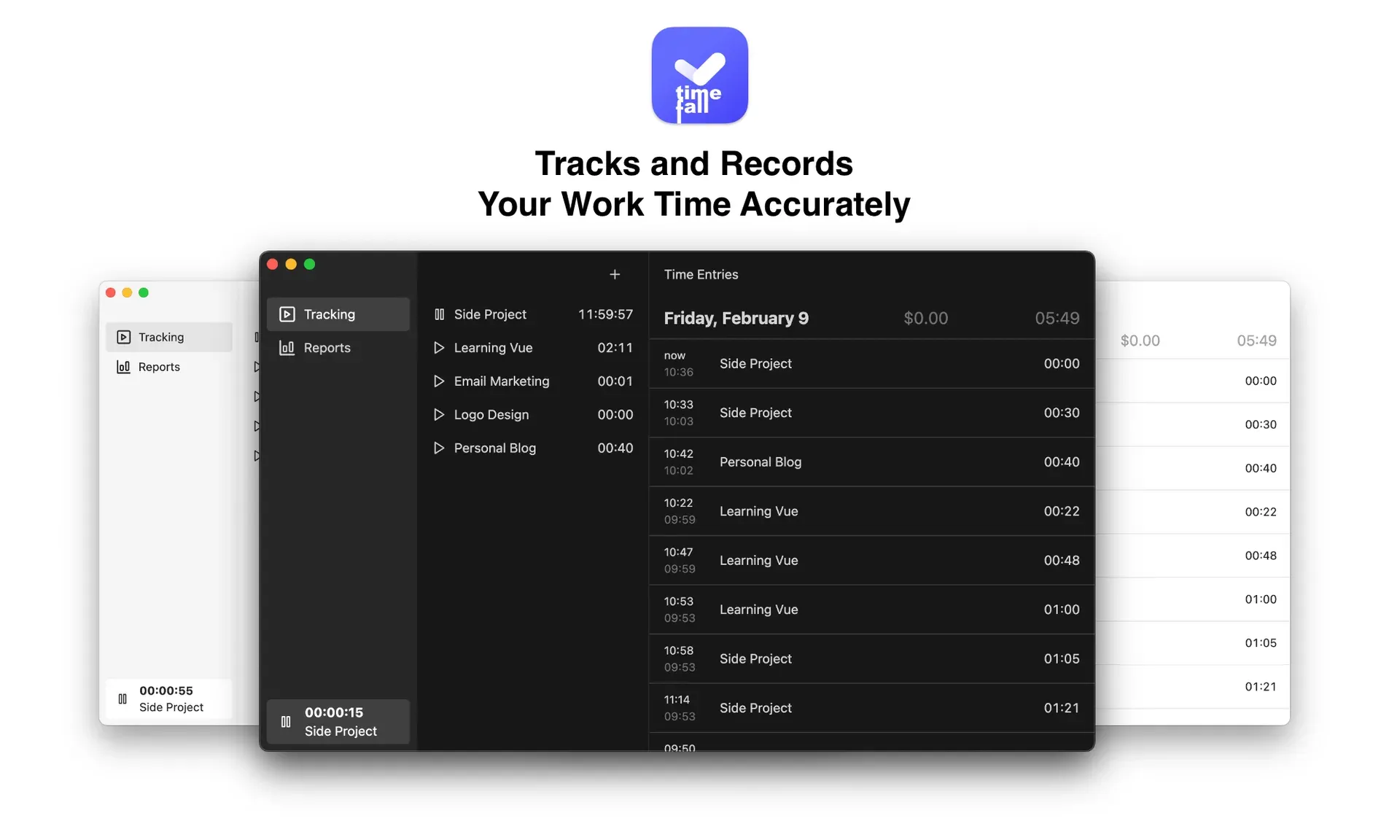
- Task timer Each task in the task list has a play button that starts tracking time for it, and the running task and elapsed time appear at the bottom of the sidebar with a pause control. Since v0.6.0 the duration of a running record is saved automatically, and v0.6.1 moved the timer into the main process so it keeps counting independently of the window. A single timer runs at a time.
- Tasks with hourly rates A task has a name, a color and an hourly rate, all editable from the task menu. Time records also carry an hourly rate field, and the app calculates the amount earned per record, per day and per task; cost calculation was added in v0.4.0. Amounts are shown with a dollar sign, and the README names billable hours for freelancers and consultants as a main use.
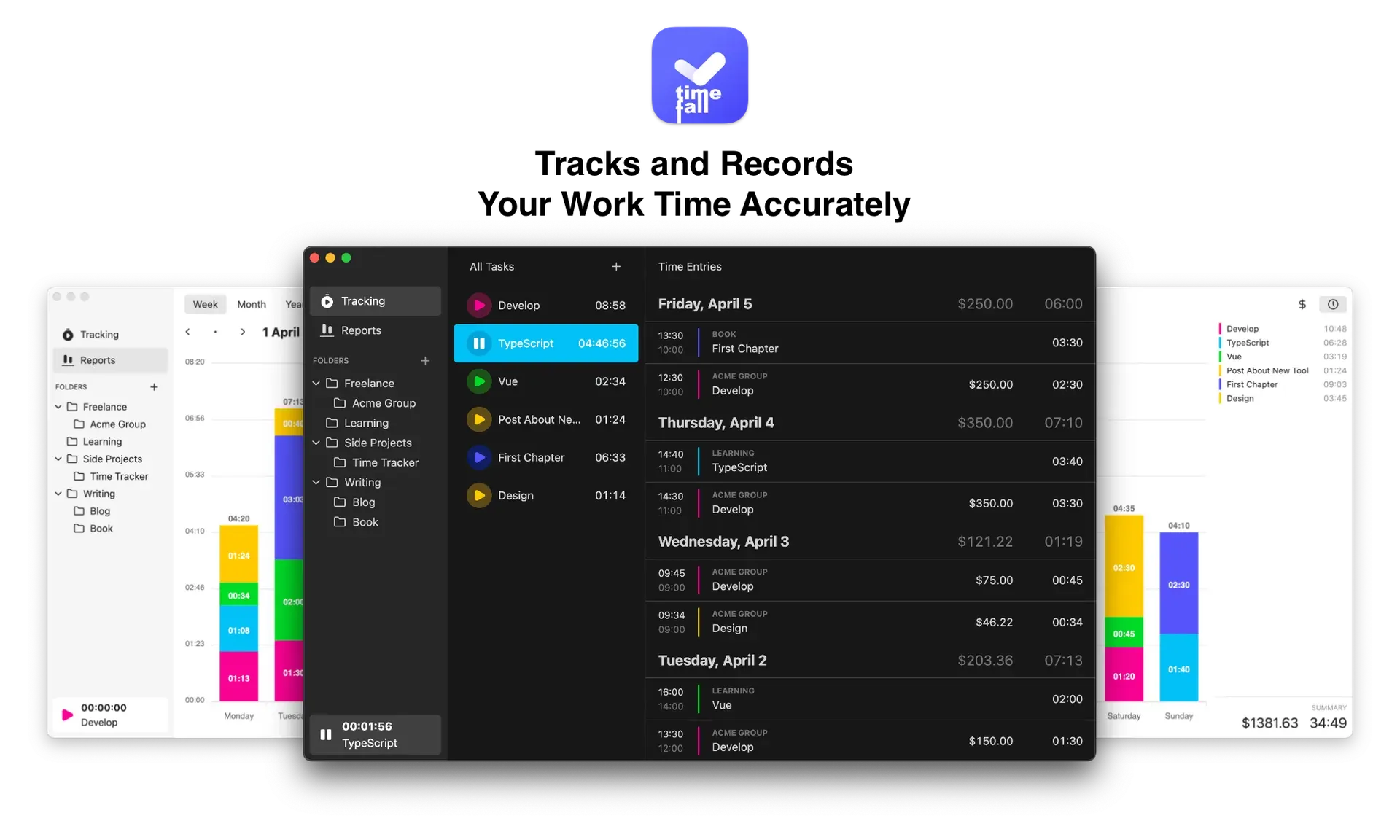
- Nested folders Tasks are grouped into folders that can be nested, for example a Freelance folder with one subfolder per client, as shown in the README preview. Folders have their own colors, can be expanded and collapsed in the sidebar, and tasks can be moved between them. The app remembers the last selected folder and task between sessions.
- Time entries grouped by day The Time Entries column lists records grouped by day, with the total amount and total duration for each day. Each record shows its start and end time, the folder, the task and the amount. Since v0.4.0 the entries can be filtered to a single task.
- Editing tasks and records Since v0.3.0 the name, color and hourly rate of a task and the duration and description of a record can be edited after the fact, for example when a timer ran too long. Tasks and their records can be deleted, and a new task can be created from the context menu.
- Reports The Reports view, added in v0.5.0, shows a stacked bar chart of tracked time per day and task for a week, a month, a year or, since v0.6.0, a custom date range. A side panel lists each task with its total, and a switch changes the totals between duration and amount. The summary line shows the overall amount and hours for the selected period.
- macOS menu bar timer On macOS, Timefall adds a menu bar item whose title shows the running time, with Start or Stop and Quit commands; the tray was added in v0.4.0. Closing the main window hides the app instead of quitting it, so the timer keeps running. The tray code is only enabled on macOS.
- Local JSON storage The README states that Timefall uses a simple JSON-based database stored locally on the computer rather than in the cloud. In the source, folders, tasks and time records are kept in an
electron-storefile nameddb, and window bounds and column widths in a separateappfile. There is no account or sync, and the source contains no import or export function. - Update check From v0.5.0 the app checks the latest GitHub release at startup and every six hours and shows a notice when a newer version exists; a Check for Updates command is also in the menu. Because no release has followed v0.6.1, the check finds no newer version.
- Light and dark appearance The preview images show Timefall windows in both light and dark appearance, and the window background follows the system color scheme at startup. The window has a hidden title bar with a custom drag area and a minimum width of 1,000 pixels.
- Download for macOS Every release since v0.3.0 includes
Timefall-darwin-arm64andTimefall-darwin-x64ZIP archives (about 129 MB and 134 MB for v0.6.1). The app is unsigned, so macOS may report it as damaged; the README fix issudo xattr -r -d com.apple.quarantine /Applications/Timefall.app, and a Discussions post explains allowing the app in Security and Privacy settings. - Download for Windows Since v0.4.0 each release includes a Squirrel setup executable,
Timefall-0.6.1.Setup.exefor the latest version, which installs the app and creates shortcuts. The README states that the app is available for Windows and macOS. - Build from source Development uses Bun:
bun installinstalls dependencies,bun run devstarts the app andbun run makebuilds packages with Electron Forge. The Forge configuration includes Squirrel, ZIP, deb and rpm makers, but only Windows and macOS packages are published. - AGPL-3.0 source code The full source is published under the GNU Affero General Public License 3.0, and the README shows the copyright as 2024-present Anton Reshetov. Questions and requests are collected in GitHub Discussions.
Where Timefall fits
Tracking billable hours per client
A freelancer creates a folder per client and tasks with hourly rates inside it, then starts the timer on the task being worked on. The Time Entries column shows each record with its amount and the daily totals, which the README describes as the basis for calculating payment. Folders can be nested, for example with one level per client and one per project, and the color of each task marks its entries in the lists and in the report chart.
Reviewing a week or month
The Reports view summarizes tracked time per day and per task for the current week, month or year, or for a custom range. Switching the totals between duration and amount shows either the hours spent or the earnings per task for that period. In the week view, arrow buttons step to the previous or next week, and the chart stacks the time of each task per day in the task color with the hours printed on every segment.
Correcting forgotten timers
When a timer ran too long or was started on the wrong task, the duration of the record can be edited or the record deleted afterwards, and tasks can be renamed, recolored or moved to another folder. The filter in the Time Entries column narrows the list to a single task. Since v0.6.0 the duration of a running record is written to storage while the timer runs, so the saved record stays current until the timer is stopped.
Starting and stopping from the macOS menu bar
On a Mac the menu bar item shows the running time and offers Start and Stop, so tracking continues while the main window is hidden. The README lists software developers, designers, consultants, students and researchers among the intended users for this kind of per-task tracking. Closing the main window hides it rather than quitting the app.
Keeping time data on the local computer
Timefall has no account, server or sync. Folders, tasks and time records are written by electron-store to a JSON file in the app data folder on the Mac or PC, as described in the README privacy note and visible in the store definition. The only network request the app makes on its own is the update check against the GitHub releases page; the Help menu links open in the browser.
Running Timefall on Linux
No Linux packages are published. The maintainer pointed Linux users to a local build with bun install and bun run make, and the Forge configuration includes deb and rpm makers. The request for Linux support and the answer from the maintainer are in GitHub Discussions.
Reviews of Timefall
Be the first to share your experience with Timefall.
Write a review
Loading review form…
Found Timefall useful? Upvote it todayYour vote helps other IT teams find it in the daily ranking.