What is Web-Obs?
Web-Obs is an open-source plugin for Obsidian that captures a public website into an Obsidian vault. The user types a domain, and the plugin reads the public pages, saves each page as a Markdown note with its images stored locally, and draws the site as an interactive 3D map. In the Obsidian community plugin browser it appears as Web-Obs Site Globe, with the plugin ID web-obs. The GitHub repository names Daniel Agrici as the author.
The project has two parts. A TypeScript and React front end inside Obsidian draws the Globe, Road and Clusters views, the Site Intel panel and the Site Audit view. A Python capture engine fetches pages, robots.txt, sitemaps and discovery files, converts HTML to Markdown and runs the page and site checks. The engine is packed inside the plugin bundle and unpacked next to the plugin files on first start, so a release consists of only main.js, manifest.json and styles.css. The engine runs in a Python 3.14 or newer environment that the user creates; the plugin does not install packages or download a browser by itself.
The README describes the tool as running on the user's computer, with no account, no tracking, no AI service and no API key needed for captures. Network traffic goes to the captured website and the links found on it. Two stated exceptions exist: an optional email DNS check that queries the user's own DNS resolver, and client report publishing, which sends an approved report to a server or folder the user configures. The crawler page documents the user agent, robots.txt handling and request limits for site owners who see WebObs in their logs.
The first release, 0.1.0, was published on November 3, 2026. Version 0.2.0 added a much larger audit: content, document hygiene, performance and security checks per page, duplicate detection, a link graph fix list, structured data checks, a TLS certificate check, a browser sample with axe-core, full llms.txt validation and the _tasks.md checklist. Version 0.3.0 added Publish and Archive in Site Audit, optional translucent map orbs and faster rendering of large maps. The current release, 0.3.3 from November 10, 2026, fixes two cases where Publish refused a report it should have created: crawl trap findings that stored a path instead of a full address, and a promise check that reacted to words such as "guarantee" in a site's own titles. The changelog lists every release.
Web-Obs is desktop only (isDesktopOnly in the manifest, minimum Obsidian version 1.5.0), because it starts Python and, optionally, Playwright with Chromium as local processes. The README states that it is tested on Linux and that its automated checks also pass on macOS and Windows, with Windows support being the newest. The project states its own limits: a capture shows what a visitor could reach and is not a full SEO score, browser timings are lab numbers from one load rather than Core Web Vitals field data, and the accessibility rules are automated checks rather than a full audit. The code is released under the MIT license; the bundled axe-core 4.14.0 is MPL-2.0. Similar listings on iThub include OpenSEO and SEO Audit Console.
Key capabilities
- Website capture into the vault A capture starts from a domain typed into the plugin view. The engine reads robots.txt and sitemaps first, including sitemap indexes,
.xml.gzarchives, RSS and Atom feeds and text sitemaps, then crawls the pages. A capture stops at 250 pages by default; the CLI flag--max-pageschanges the limit. - Markdown note for every page Each page becomes a Markdown note under
sites/<domain>/pages/, mirroring the URL path, with YAML frontmatter. Headers, navigation, sidebars and footers are kept as labelled, collapsed callouts around the main content, and tables, code blocks and FAQs are converted to Markdown. Images and inline SVG charts are saved underassets/so the notes work offline. - Network-free notes A safety pass runs over every note at the end of a capture. Remote image embeds become plain links and raw HTML tag openers are made inert, so opening a captured note in Obsidian does not load content from the captured site. The technical reference describes the rules.
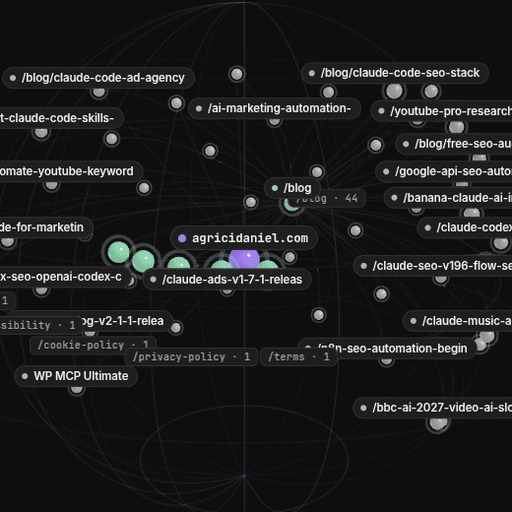
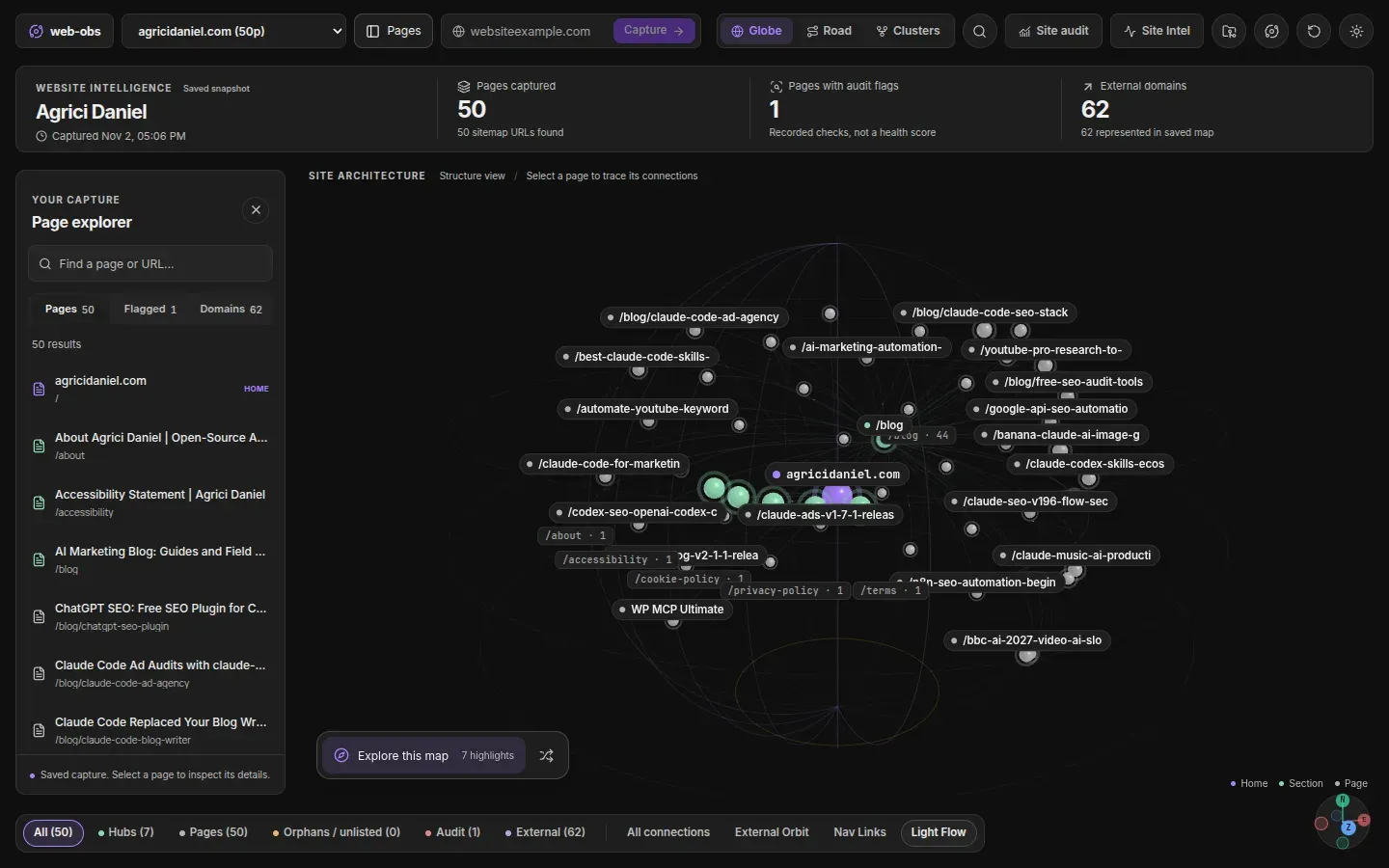
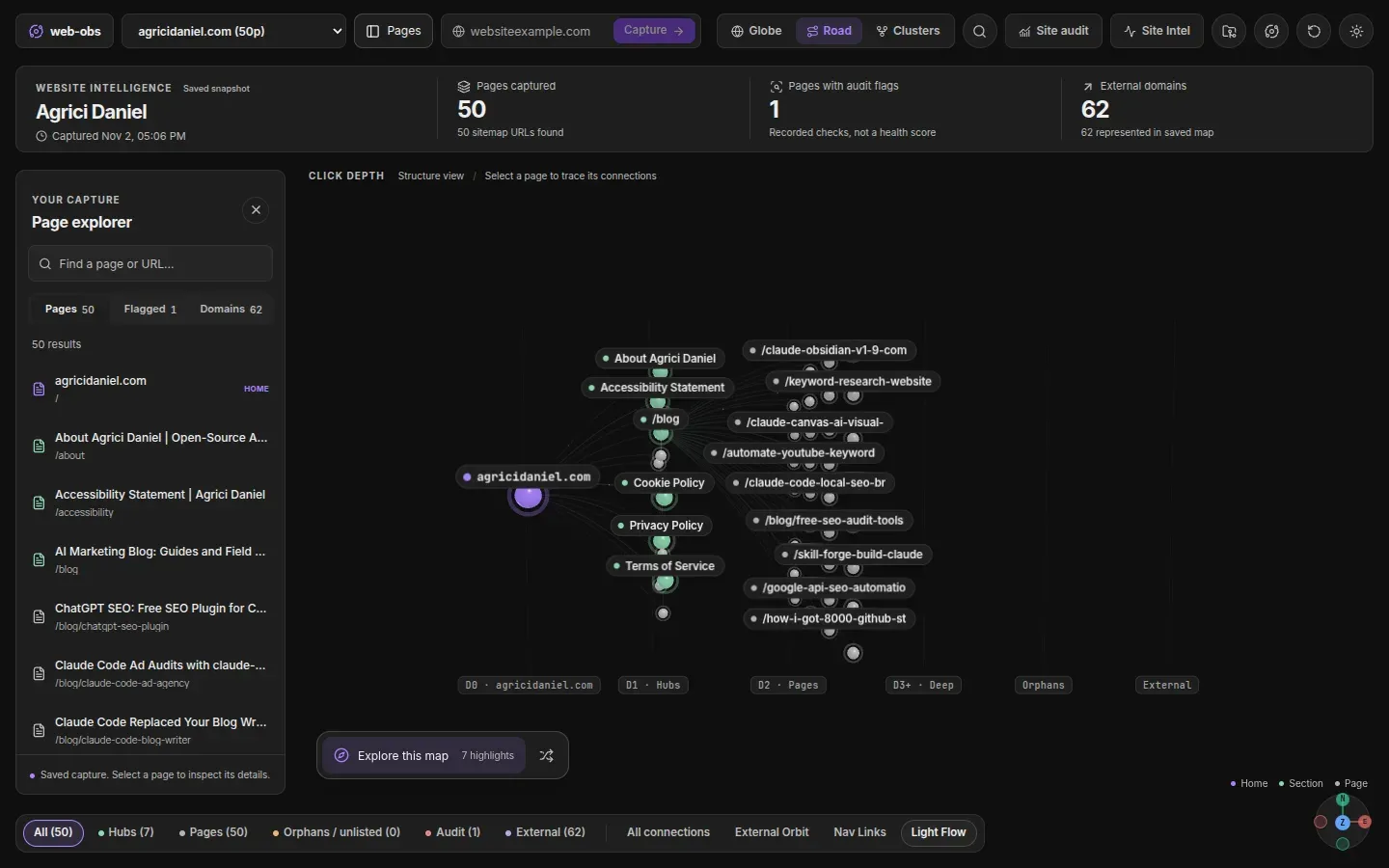
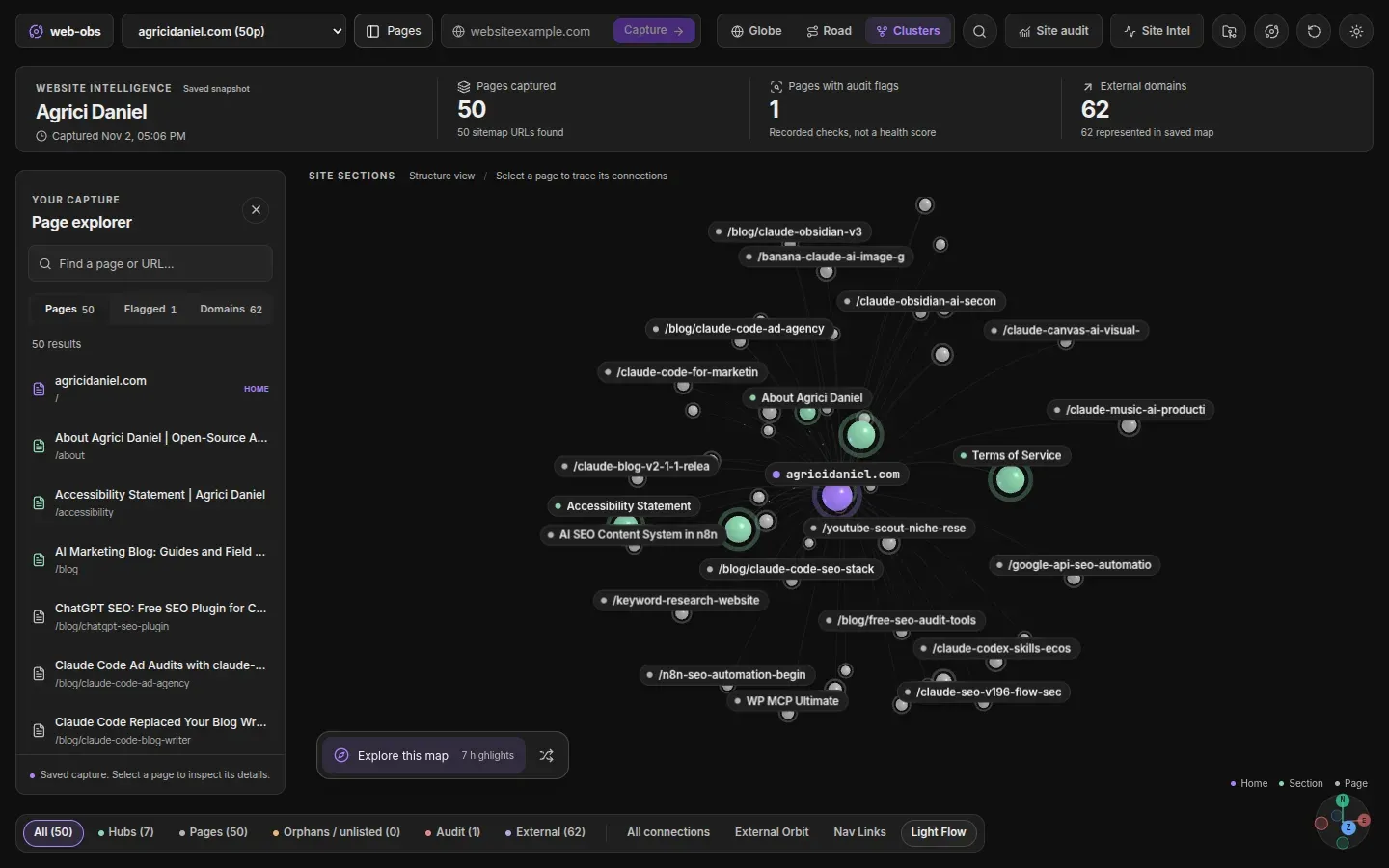
- 3D Site Globe with three layouts The map puts the website domain at the centre. In the Globe layout, section hubs orbit an inner shell, orphan pages collect on a polar ring and external domains orbit an outer shell. Road lays pages out by click depth from the homepage, and Clusters groups pages by URL section. Layers such as All connections, External Orbit, Nav Links and Light Flow can be switched on, and a page explorer searches titles and URLs.
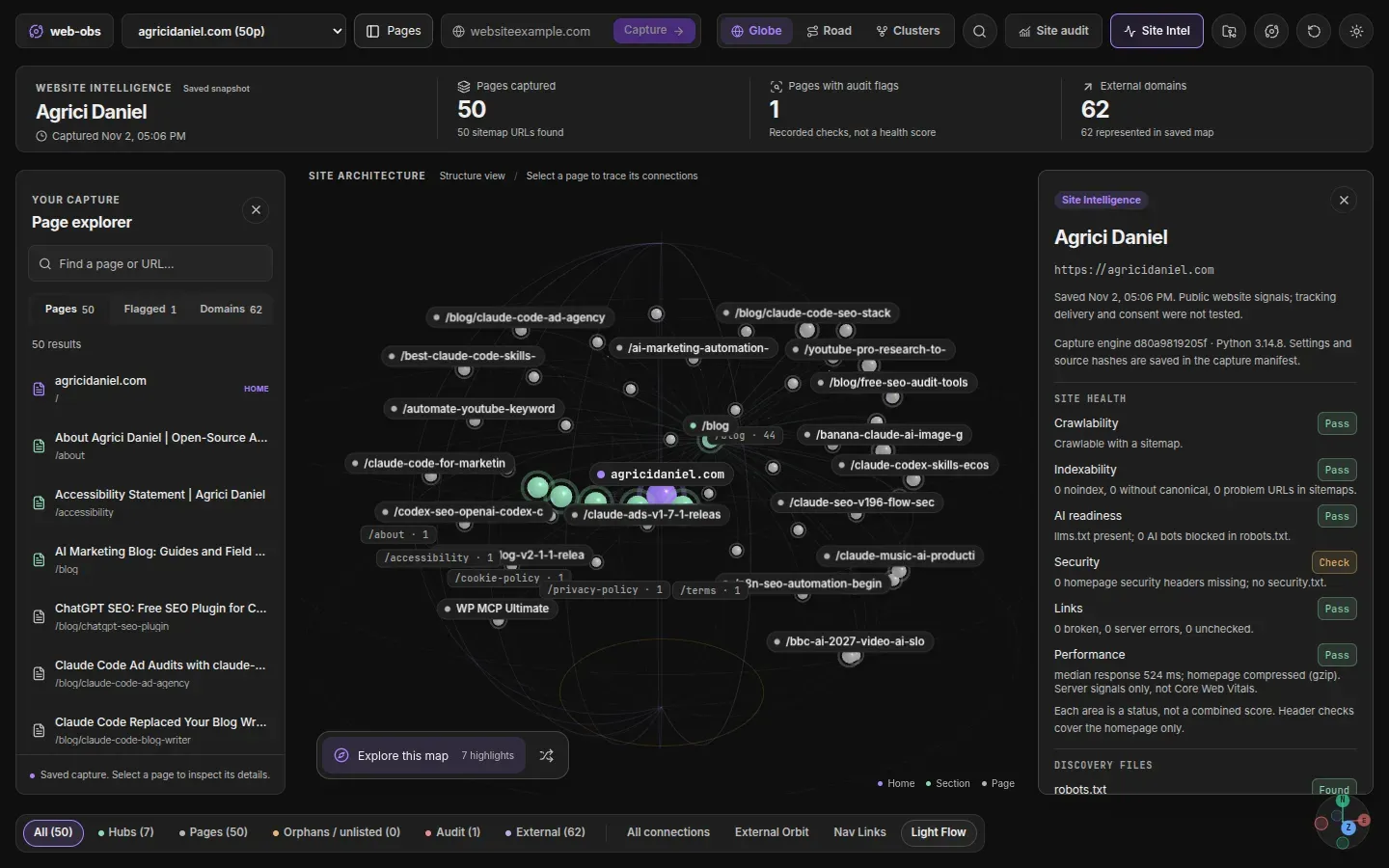
- Site Intel health card One card reports crawlability, indexability, AI readiness, security, links and performance as separate statuses, not a combined score. Performance comes from server signals such as response time, compression and HTML size. Header checks cover the homepage.
- Discovery files checklist The plugin checks for a sitemap, robots.txt, llms.txt, security.txt, humans.txt, ads.txt, manifest.webmanifest and api-catalog (RFC 9727). For missing files it offers a starter version to copy. security.txt is validated against RFC 9116, including its expiry date.
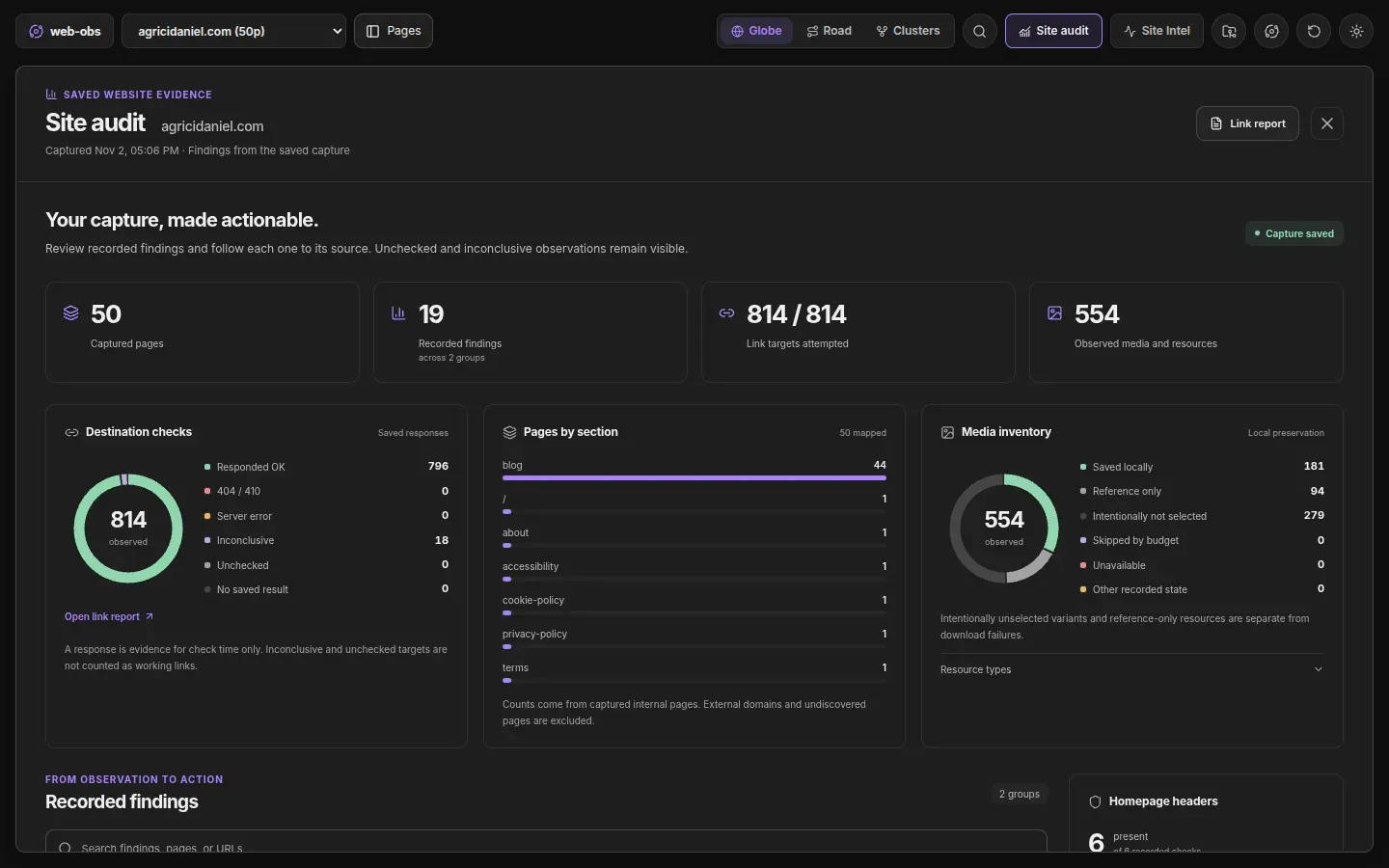
- Site audit with findings Site Audit turns a capture into charts and a findings list that links each result to the page behind it. Checks include duplicate and near-duplicate pages (SimHash), thin content, internal links that point at redirects or 404s, link opportunities, conflicting canonicals and noindex signals, crawl traps, stale or undated pages, structured data gaps per Google rich result type, TLS certificate details and security header quality. Results are written to
_audit.mdand_findings.csv. - Task list that survives recaptures Every finding becomes a checkbox in
_tasks.md. Ticks are kept across recaptures, and a task closes by itself when the next capture no longer observes the problem. The task list can be turned off with--no-tasksor in settings. - llms.txt validation and draft Llms.txt is checked line by line against the llmstxt.org format, and its links are compared with the capture (up to 60 uncaptured links checked in 30 seconds). A missing llms.txt is reported as information, not as a task. The plugin writes
_llms-txt-draft.mdfrom the live, indexable, canonical pages of the capture. - robots.txt and sitemap handling The crawler follows robots.txt per RFC 9309, using a
WebObsgroup if present and*otherwise, and does not crawl a site whose robots.txt fails with a server error or rate limit. Sitemap checks report broken, redirected and noindex URLs, undeclared sitemaps, size and URL limits, lastmod mismatches and non-reciprocal hreflang. - Polite crawler identity Requests carry the user agent
Mozilla/5.0 (compatible; WebObs/<version>; +info page). Crawl-delay is honoured up to 60 seconds, HTTP 429 andRetry-Afterpause requests, and at most two requests run at once per origin and six overall. Per the security policy, the engine blocks private and loopback addresses. - Browser sample and page snapshots With Playwright and Chromium installed, up to five pages open in a headless browser for lab LCP, CLS and load timings, axe-core accessibility rules, a screenshot and the third-party hosts that load before interaction. Separately, up to 25 important pages are rendered once for full-page snapshots at 1280 px width, stored as JPEG files in the vault. Both can be turned off.
- Change reports and safe recapture Captures are staged and promoted under a vault-wide lock, and the previous capture is kept under
.web-obs/history/. Notes edited by the user are never overwritten; fresh versions go to.web-obs/proposals/and are listed in_recapture-report.md. A drift report lists changes since the previous capture, such as meta descriptions, canonicals, noindex pages and robots.txt diffs. - Obsidian-native outputs Each site folder includes a
_dashboard.mdoverview, a_sitemap.canvasJSON Canvas sitemap and a_pages.basefile with nine Bases views, including Content Quality, Duplicates, Link Opportunities and Thin Pages. Link health, fetch logs and an evidence pack with quoted observations are written as Markdown and JSON. - Site comparison The command Web-Obs: Compare two captured sites writes a side-by-side note for two saved captures under
sites/_compare/. Measurements that are unavailable in one capture are shown as no data. - Client reports and archives From Site Audit, an approved report can be saved as a local JSON export or sent to a user-run report server over HTTPS or SSH. Reports include page titles, public URLs, the site map, findings and the approver's name, and exclude vault paths, raw page text and resource lists. Archive moves a capture into a recoverable folder. The client reports guide documents the server contract.
- Optional checks Three optional Python packages add checks:
dnspythonfor email DNS (MX, SPF, DMARC, common DKIM selectors, CAA),pyspellcheckerfor an opt-in English spell check, andhtml5libfor HTML parse error counts. Without them the plugin reports which checks were skipped. - Installation in Obsidian The README installs the plugin from Settings, Community plugins, Browse by searching for Web-Obs Site Globe. A manual install copies
main.js,manifest.jsonandstyles.cssfrom the latest release into.obsidian/plugins/web-obs. The Python executable setting then points to the prepared environment, and Web-Obs: Run diagnostics checks the setup. - Python environment requirements The engine needs Python 3.14 or newer with
requests,beautifulsoup4andlxml, installed by the user into a virtual environment; the README gives commands for Linux and macOS shells and for PowerShell on Windows. JavaScript-heavy pages and the browser sample needplaywrightplus its Chromium download. A Fast HTTP only mode captures without a browser. - Command-line engine The Python engine can run outside Obsidian with
engine/crawl_site.py <domain> --vault . --max-pages 250. Flags include--render auto|always|never,--no-images,--no-check-external,--no-browser-audit,--no-dns-checks,--no-snapshotsand--deadlinefor a time limit across every network phase.
Where Web-Obs fits
Saving a website as offline notes
After entering a domain and pressing Capture, the notes appear in sites/<domain>/ with images in the local assets/ folder. Each note carries frontmatter properties such as findings count, text ratio and readability, which the bundled Bases views filter and sort. Because notes are made network free, they can be read and linked from other notes in the vault without contacting the captured site.
Mapping site structure and internal links
The 3D map shows how pages, sections and external domains connect. Globe shows sections and orphans, Road shows click depth from the homepage, and Clusters groups pages by URL section. Selecting a page reveals its direct connections in an inspector, and the audit lists pages with one inlink, dead ends, deep pages and internal nofollow links.
Running a technical SEO audit
Site Audit and _audit.md list findings such as duplicate titles and descriptions, near-duplicate content, redirected internal links, conflicting canonicals, hreflang issues, missing structured data properties, mixed content and header gaps. _findings.csv exports every finding with a stable task ID, and _tasks.md tracks fixes across recaptures. The project notes that the result is a set of observations, not a full SEO score.
Checking robots.txt, sitemaps and llms.txt
The discovery checklist in Site Intel shows which standard files a site publishes. Sitemap hygiene, robots.txt syntax notes, AI crawler rules per bot token and the llms.txt structure and link results are written into the audit report. The _llms-txt-draft.md note gives a starting llms.txt built from the capture, and the change report shows robots.txt and llms.txt diffs between captures.
Tracking changes between captures
Capturing the same site again produces a drift report covering meta descriptions, canonicals, pages that became noindex, removed structured data, new page issues and homepage security headers. Edited notes are preserved, and generated replacements are saved as proposals for review. Two different saved sites can also be compared side by side in one note.
Sharing an approved client report
For agency work, the Site Audit view can publish an approved report to a local folder or to a self-run report server that implements the webobs.client-report v1 contract. Credentials use Obsidian secret storage where available. Captures that are no longer needed can be archived into a recoverable folder with restore instructions.
Reviews of Web-Obs
Be the first to share your experience with Web-Obs.
Write a review
Loading review form…
Found Web-Obs useful? Upvote it todayYour vote helps other IT teams find it in the daily ranking.