

What is Postiz?
Postiz is a social media management application for planning, scheduling and publishing posts from one calendar. The official documentation lists 34 supported platforms, including X, LinkedIn and LinkedIn Pages, Facebook Pages, Instagram, Threads, YouTube, TikTok, Pinterest, Reddit, Mastodon, Bluesky, Discord, Slack, Telegram, Google My Business, and blogging targets such as Medium, Dev.to, Hashnode and WordPress. The source is developed in the gitroomhq organization on GitHub and published under the AGPL-3.0 license.
The same application is offered in two ways. Postiz Cloud is a paid hosted service with pre-registered developer apps for each social platform and plan-based limits on channels, AI credits and webhooks. The open-source edition runs on your own infrastructure with no plan gates: channels, posts and team members are unlimited, but you register a developer app on each platform yourself and supply the keys as environment variables. The project states that it does not reserve features for the hosted version.
Self-hosting is documented through the official postiz-docker-compose repository, a standalone image at ghcr.io/gitroomhq/postiz-app, an OCI Helm chart for Kubernetes and a development setup from source. The architecture page describes three services that usually share one container: a Next.js frontend, a NestJS backend and an orchestrator that runs Temporal workflows for publishing, token refresh and notification emails. External dependencies are PostgreSQL 14 or later through Prisma, Redis 6 or later, Temporal, and media storage on the local filesystem or Cloudflare R2.
The current release is v2.25.3, published October 24, 2026, a security release that addresses two published advisories; the maintainers recommend upgrading immediately. Version 2.25.2 fixed another advisory and dozens of provider errors, and exposed LinkedIn company mention lookup to the API and MCP. Version 2.25.0 added inline comments on post preview pages, a self-hosted MCP connector, a responsive layout and Prisma schema changes that require migration. Version 2.24.0 introduced YouTube video clipping, a TikTok for Business provider, Sign in with Apple and a deeper MCP surface; 2.23.0 moved provider media uploads to streaming and added duplicate-post protection.
Postiz publishes through each platform's official API and OAuth flow; the README states that it does not scrape platforms. One exception is documented: Skool, which has no public posting API, connects through a browser extension that passes session cookies, and the docs warn that this may violate platform terms. Postiz is not a social listening, inbox or comment-reply tool: the MCP tools and the built-in agent cannot read or answer comments. Analytics depend on what each platform's API exposes.
Postiz screenshots
Explore the interface. Open a screenshot to view it at full size.
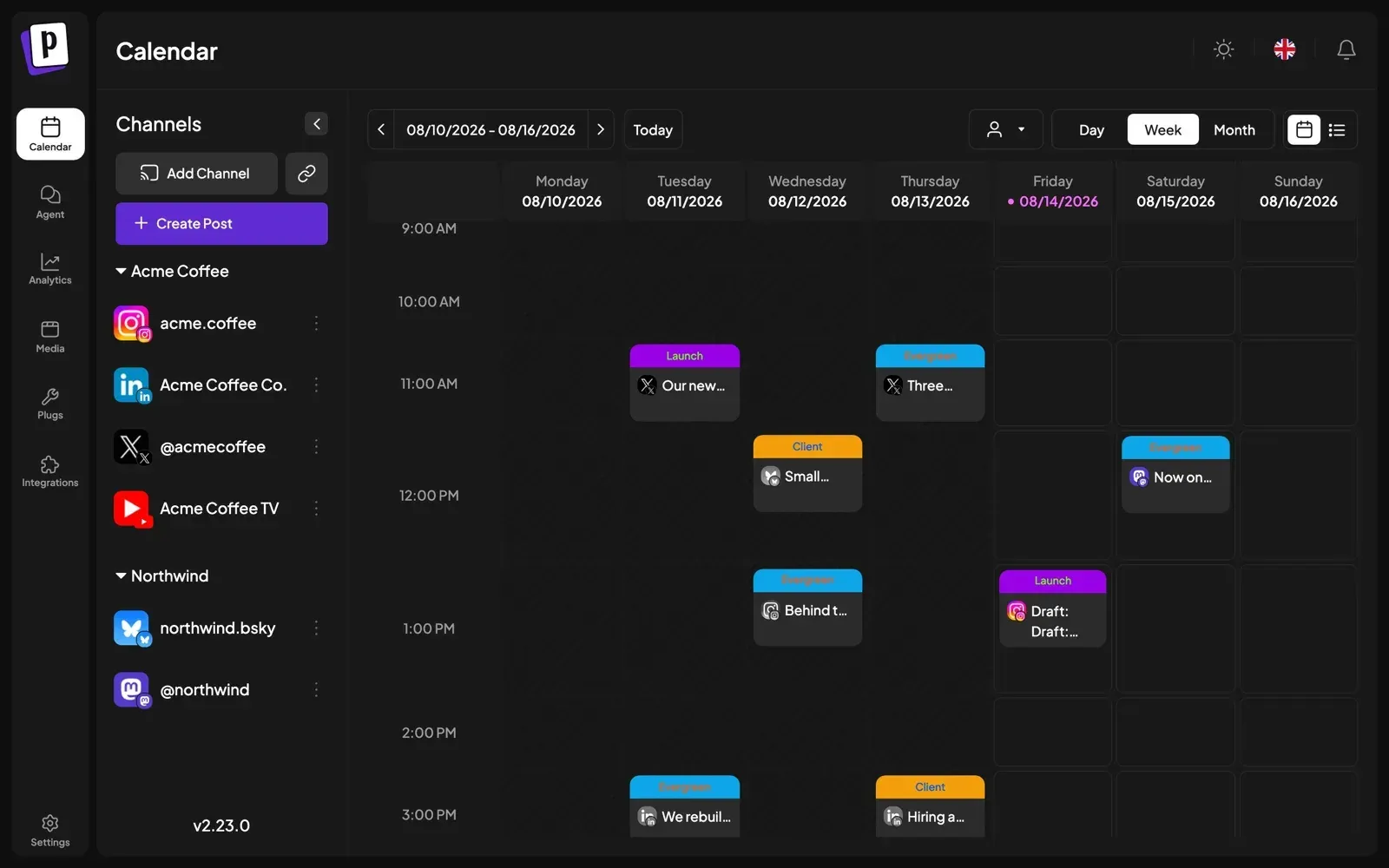
Official documentation screenshot of the week view, with channels for two example clients in the sidebar.
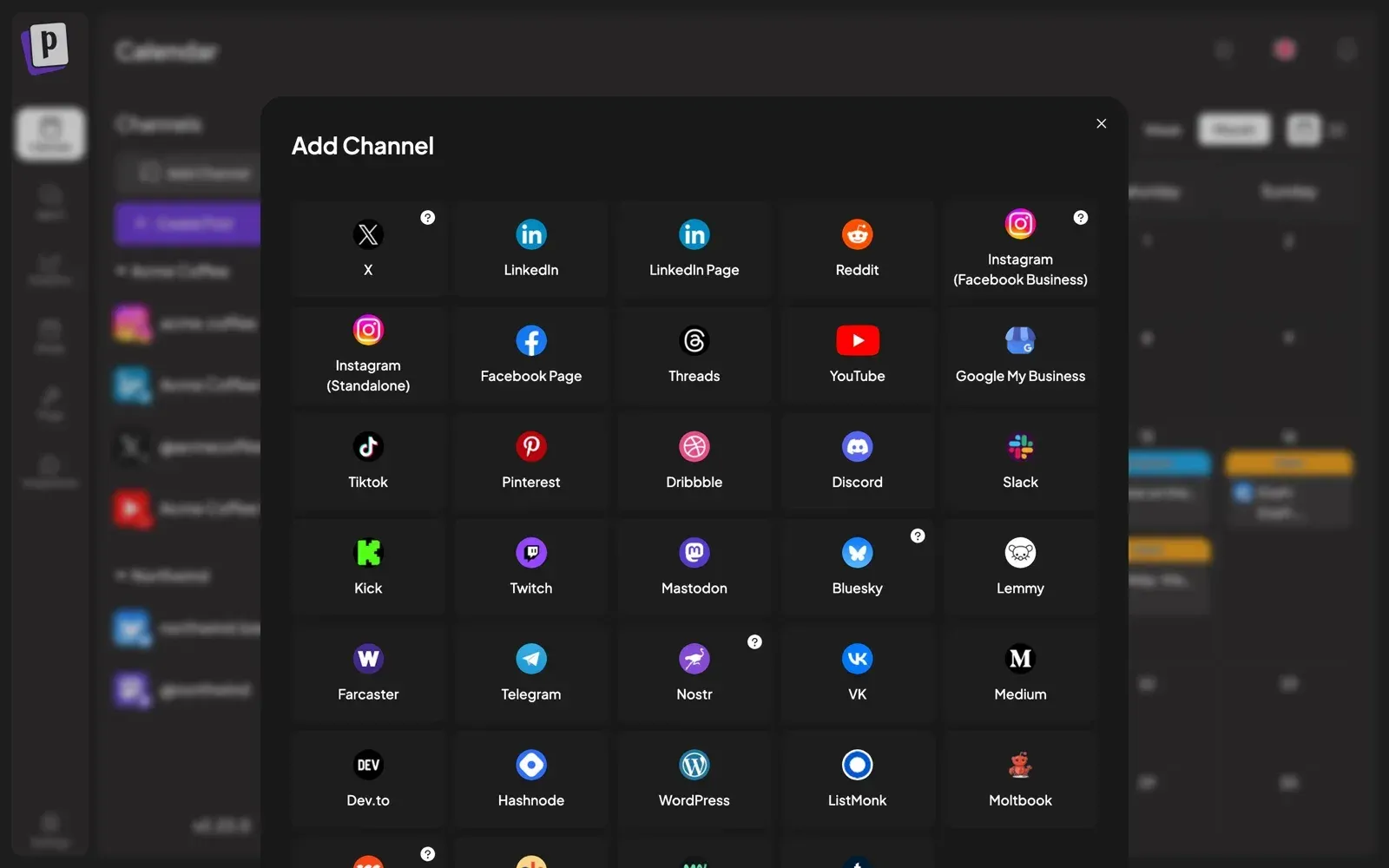
The Add Channel dialog from the documentation, showing the grid of supported platforms.
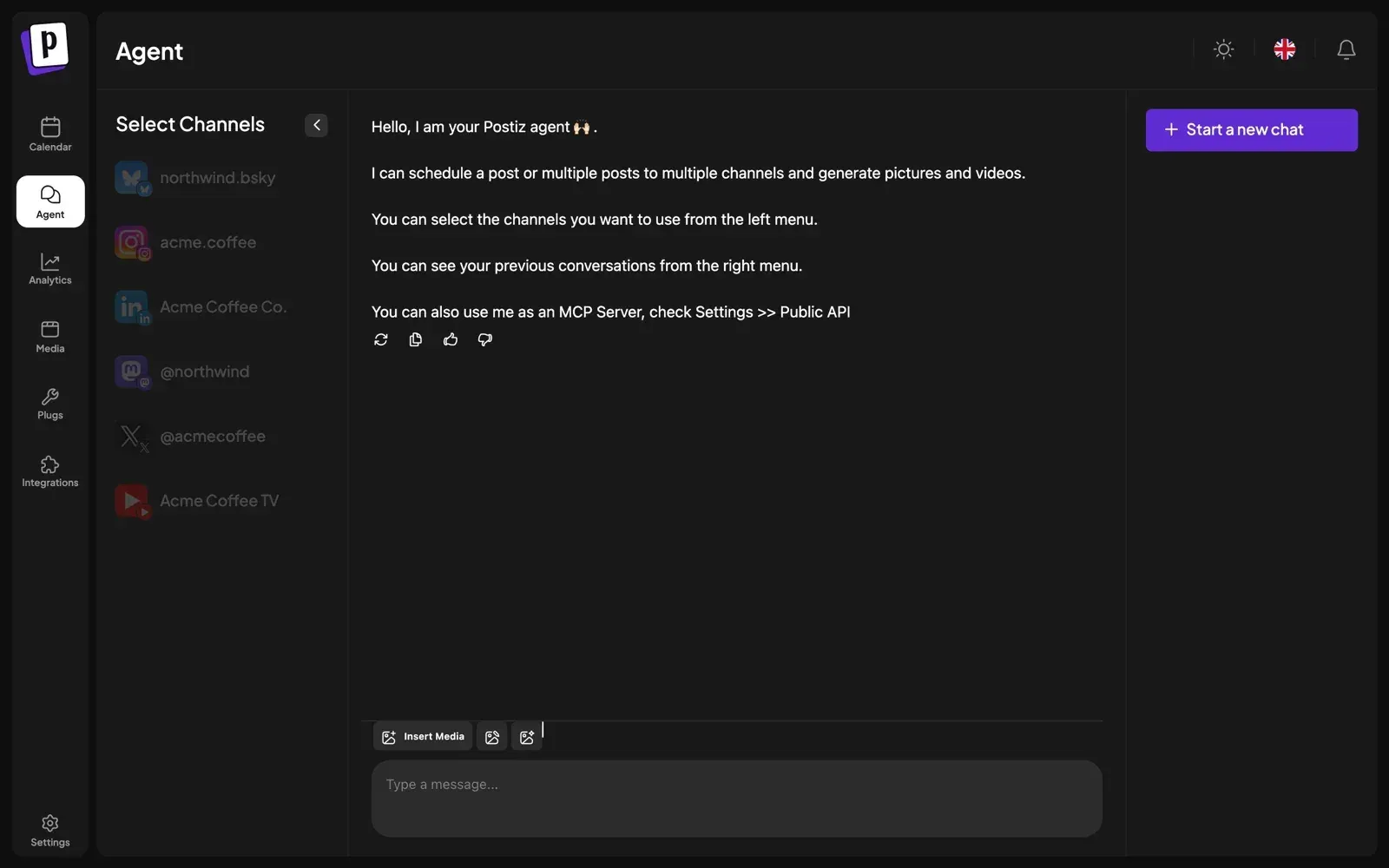
The built-in AI agent chat, which schedules posts on the channels selected in the left column.
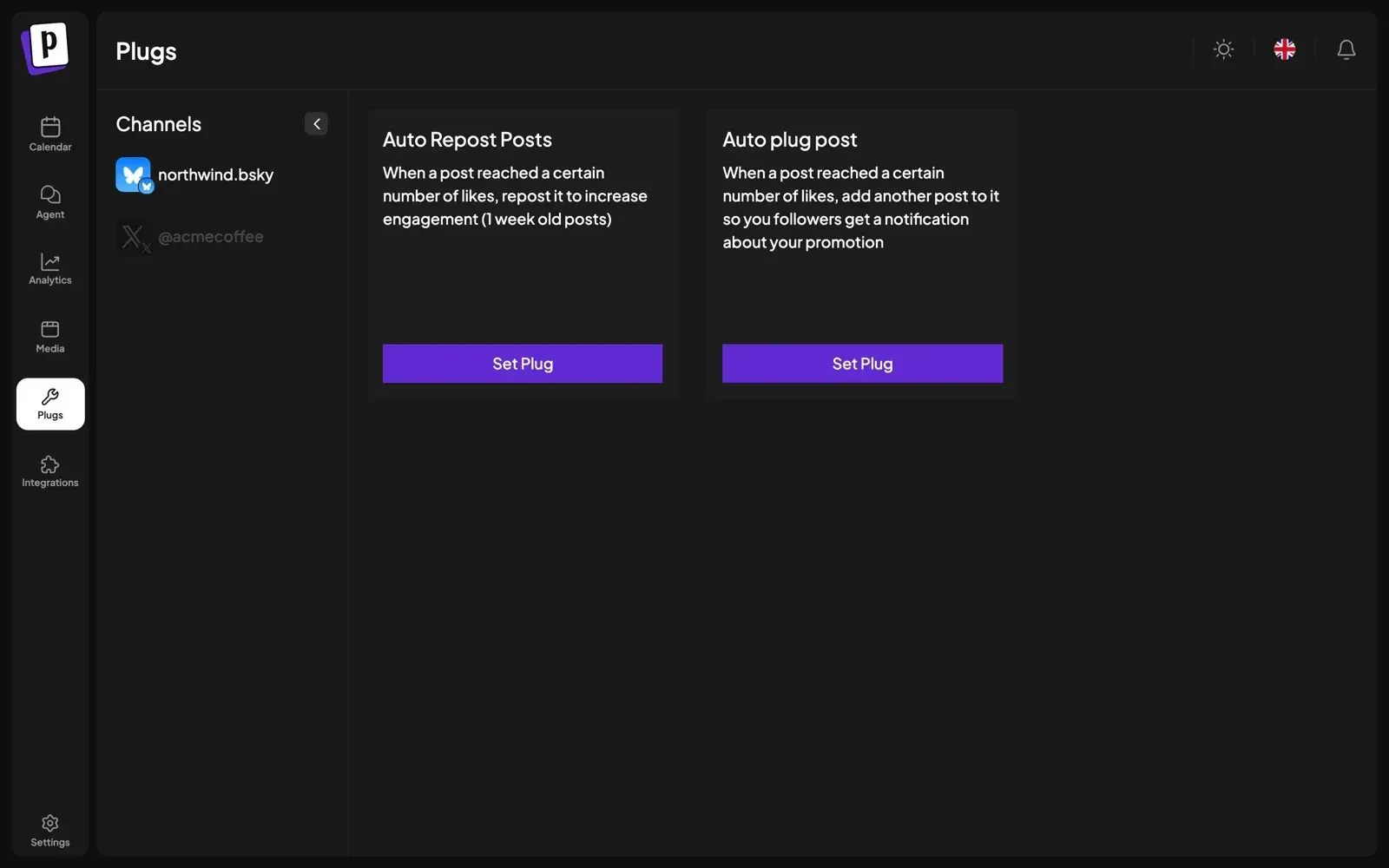
The Plugs page from the documentation, with the two like-threshold automations available for a Bluesky channel.
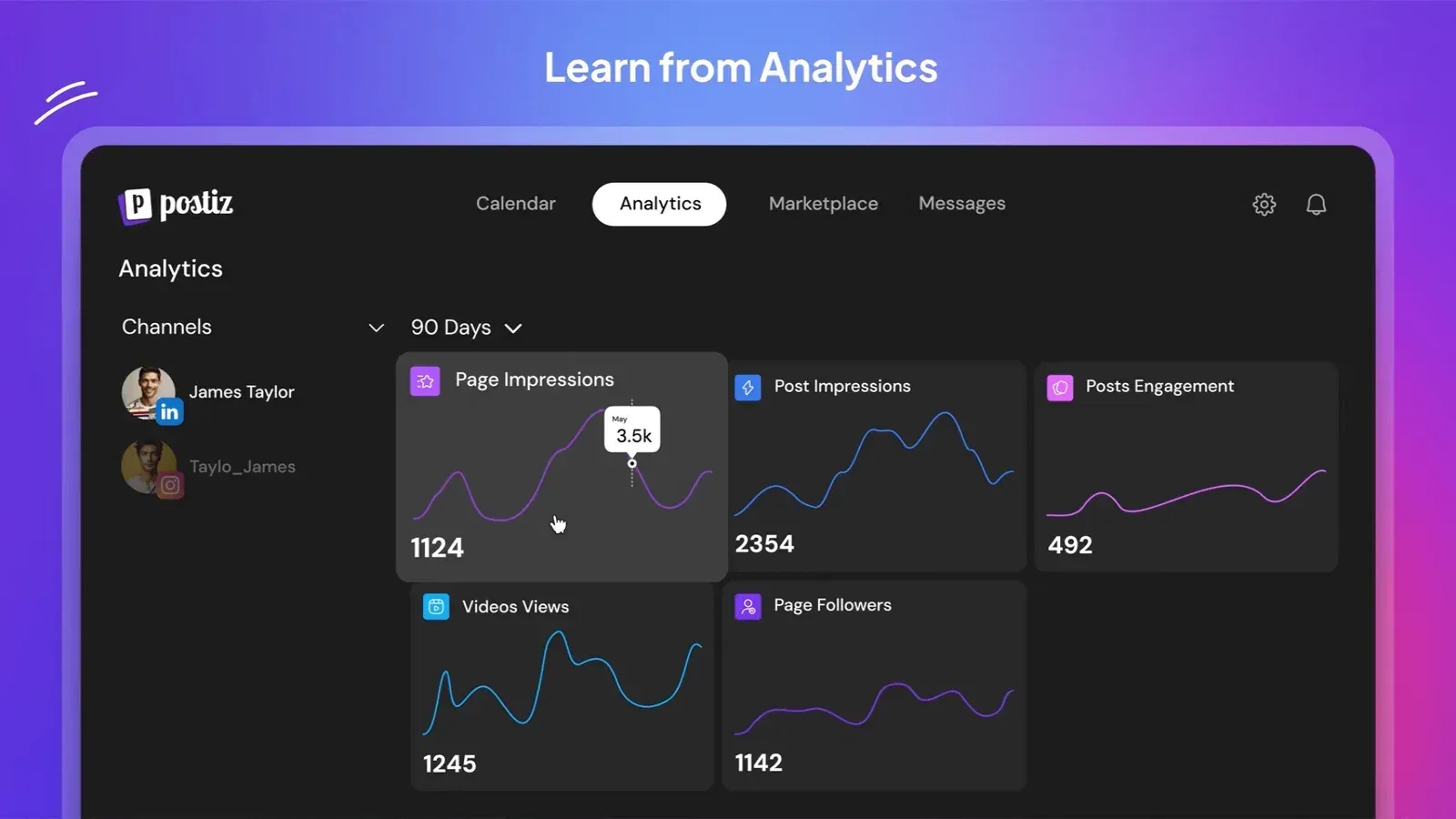
Frame from the animated feature illustration in the README; it shows sample data and an earlier navigation layout.
Source: official Postiz project page.
Key capabilities
- Self-hosted install with Docker Compose Clone
gitroomhq/postiz-docker-compose, set the environment variables and rundocker compose up. The bundled stack starts Postiz with PostgreSQL, Redis and Temporal, maps the web interface to port 4007 and exposes the Temporal UI on port 8080. The documented floor is 2 vCPU and 2 GB RAM for light single-user use; the system requirements recommend 4 vCPU, 8 GB RAM and 50 GB of disk for teams of up to 20 users. - Standalone container and Kubernetes The image
ghcr.io/gitroomhq/postiz-appserves the frontend and backend on port 5000 and reads its configuration from a.envfile mounted in/config. You supply PostgreSQL, Redis and Temporal yourself throughDATABASE_URL,REDIS_URLandTEMPORAL_ADDRESS. An OCI Helm chart exists for Kubernetes; the docs mark it as early documentation in active development. - Postiz Cloud subscription The hosted service at platform.postiz.com runs the same application without installation. Plans are Standard, Team, Pro and Ultimate at 29, 39, 49 and 99 US dollars per month, with 5, 10, 30 and 100 channels and cheaper yearly billing. There is no free plan; new organizations normally get a 7-day trial, and team members are not included on Standard.
- Calendar with day, week, month and list views Posts appear on a shared calendar that can be filtered by channel or client group, and posts can be moved to a new slot by drag and drop. Each channel can have default posting time slots that the composer and RSS automation use to find the next free position. Published posts are framed separately so they are distinguishable from scheduled ones.
- Composer with global and per-channel content Write one post for every selected channel, or override the text, media and settings for a single channel without affecting the others. The editor handles mentions, emoji, character counts, threads with delays between parts, and platform-specific settings such as YouTube titles, TikTok privacy options or Reddit flairs. Validation blocks saving when a post breaks a platform's rules.
- Client groups, preview links and comments Channels can be grouped per customer, and invite links let a client connect an account without a Postiz login. Every post has a public preview page where reviewers can leave comments, including anonymous comments anchored to selected text since 2.25.0. Preview links are not password protected, and there is no approval state that blocks publishing.
- Team roles Organizations have User, Admin and Super Admin roles; members can only manage people below their own level. Posts and channels belong to the organization, so removing a member does not remove their work. On self-hosted installs team management is always available.
- Analytics for supported platforms Account-level metrics such as impressions, followers and engagement are shown as cards with 7, 30 or 90 day ranges where the platform allows it. According to the analytics documentation, only about ten of the 34 platforms return analytics, including X, LinkedIn Pages, Facebook Pages, Instagram, Threads, YouTube, TikTok, Pinterest and Google My Business. Personal LinkedIn profiles do not report analytics.
- Plugs for repost and follow-up automation A plug watches a published post and acts when it reaches a like threshold: Auto Repost reposts posts up to a week old, and Auto plug adds a follow-up post to the thread. Plugs are available for X, LinkedIn Pages and Bluesky, with Auto plug also on Threads. They depend on the platform reporting likes.
- RSS auto-posting and webhooks An RSS feed can turn each new item into a post, either from your own template or with AI-written text, and can place posts in the next free time slot. Webhooks send an HTTP POST when a post publishes, scoped to all channels or a selected set. On Cloud, RSS needs the Team plan and webhook counts range from 2 to 10,000 by plan; self-hosted installs have no limits.
- Public API and SDKs The Public API covers channels, posts, uploads, analytics, notifications, video generation and clipping, authenticated with a workspace API key or an OAuth2 token prefixed
pos_. The create-post endpoint is limited to 90 requests per hour on self-hosted installs by default (100 on Cloud), adjustable withAPI_LIMIT, and request bodies above 50 MB are rejected. An official Node.js SDK (@postiz/node), an n8n community node and a Make.com app are published. - MCP server for AI clients The built-in MCP server exposes 13 tools for listing channels, reading platform rules, scheduling posts, updating settings, generating media and starting clippings. Cloud users connect to
mcp.postiz.com; self-hosted instances serve/mcp,/mcp/:apiKeyand/mcp-oauthfrom the backend, and the reverse proxy must support streamed HTTP. The tools cannot read or reply to comments. - Command-line interface Install with
npm install -g postiz, then authenticate with an OAuth2 device flow (postiz auth:login) or aPOSTIZ_API_KEYvariable. Commands cover integrations, posts, analytics, uploads and clipping, and every command prints JSON for scripts. SetPOSTIZ_API_URLto point the CLI at a self-hosted instance; the device-flow server can also be self-hosted. - AI generation and the built-in agent The composer can generate post text, images and videos, and the Agent section is a chat that schedules posts on the channels you select. On Cloud, image, video and clipping usage is metered in monthly credits; self-hosted installs need your own OpenAI and other provider keys. The agent cannot connect channels, change billing or answer comments.
- YouTube video clipping Since 2.24.0, a YouTube URL can be turned into 1 to 10 captioned vertical clips at 1080 by 1920, fitted by blur or crop, saved to the media library and optionally drafted for up to 20 channels. Nothing is published automatically. The release notes describe processing on RunPod Serverless with Deepgram transcription, so self-hosted clipping requires extra provider configuration.
- Media storage options Uploads are written to a local directory (
STORAGE_PROVIDER=local, the default) or to Cloudflare R2. Providers that pull media by URL, TikTok among them, need the upload path reachable over public HTTPS, so a private-network install should use R2 or a CDN. Multiple backend replicas need a shared volume. - Single sign-on with OIDC Self-hosted instances can enable a generic OAuth/OIDC login with
POSTIZ_GENERIC_OAUTH, documented with Authentik and applicable to Keycloak or Dex. Enabling it disables the GitHub and Google login buttons. Sign in with Apple was added in 2.24.0 and needs an Apple Services ID and key. - Provider credentials you control On a self-hosted install, most platforms need a developer app and keys set as environment variables, with redirect URIs of the form
{FRONTEND_URL}/integrations/social/{provider}. Ten platforms, including Bluesky, Lemmy, Nostr, Medium, Dev.to, Hashnode, WordPress and Listmonk, take user-supplied credentials instead. The provider guide notes which keys are shared, such as Instagram for Business using the Facebook app.
Where Postiz fits
Running social channels for several clients
Group each client's channels under a customer, filter the calendar to that customer and draft the week. Send each post's preview link for comments, apply changes, then switch drafts to scheduled yourself, because Postiz has no approval flag that blocks publishing. Treat preview links as unlisted rather than private. On Cloud, count the channels you need before choosing a plan, since the channel cap is the limit most teams reach first.
Self-hosting for data control
Start from the official Docker Compose repository on a host with at least 4 GB RAM if more than one person will use it, and put Caddy, Nginx or Traefik with HTTPS in front, since Postiz sets secure cookies. Check that NEXT_PUBLIC_BACKEND_URL is reachable from users' browsers and that the backend can reach every provider API through your firewall. Register one developer app first, or start with a credential-based platform such as Bluesky, to confirm the install works before waiting on Meta, YouTube or TikTok app reviews.
Scheduling from scripts, n8n or CI
Create an API key under Settings, Developers, then call /public/v1/posts or use the CLI, which prints JSON. Batch several posts in one create request, because the hourly limit counts requests on that endpoint rather than posts. Upload media first and reference the returned path instead of inlining base64. For no-code pipelines, the n8n node and Make.com app wrap the same API, and outgoing webhooks can trigger the next step after publication.
Driving Postiz from an AI assistant
Connect Claude, ChatGPT, Cursor or another MCP client to the hosted endpoint or to your own instance's /mcp path, using an API key or an OAuth token. Ask the assistant to create drafts rather than publish while you check its output, and limit the channels it can see. The schedulePostTool returns a preview URL for each created post, which makes review easier. Regenerating an API key disconnects every client that used it.
Syndicating a blog, changelog or podcast
Add the RSS feed, decline the option to post the current newest item unless you want a backfill, and choose next available slot so bursts are spread across your time slots. Use your own template when wording matters, or AI-written text for long titles that are not posts on their own. Start with one feed and one channel and watch the first results before widening the scope.
Repurposing long video
Paste a YouTube link into the agent, an MCP client, the CLI or the clipping API and request a number of clips. Choose blur unless the speaker stays centered, because crop has no face tracking. Review the drafted clips on the calendar before scheduling. On Cloud, clipping consumes minutes of source video from the plan allowance; on a self-hosted instance, configure the clipping providers first.
Install
git clone https://github.com/gitroomhq/postiz-docker-compose && cd postiz-docker-compose && docker compose up -dReviews of Postiz
Be the first to share your experience with Postiz.
Write a review
Loading review form…