
What is Trilium Notes?
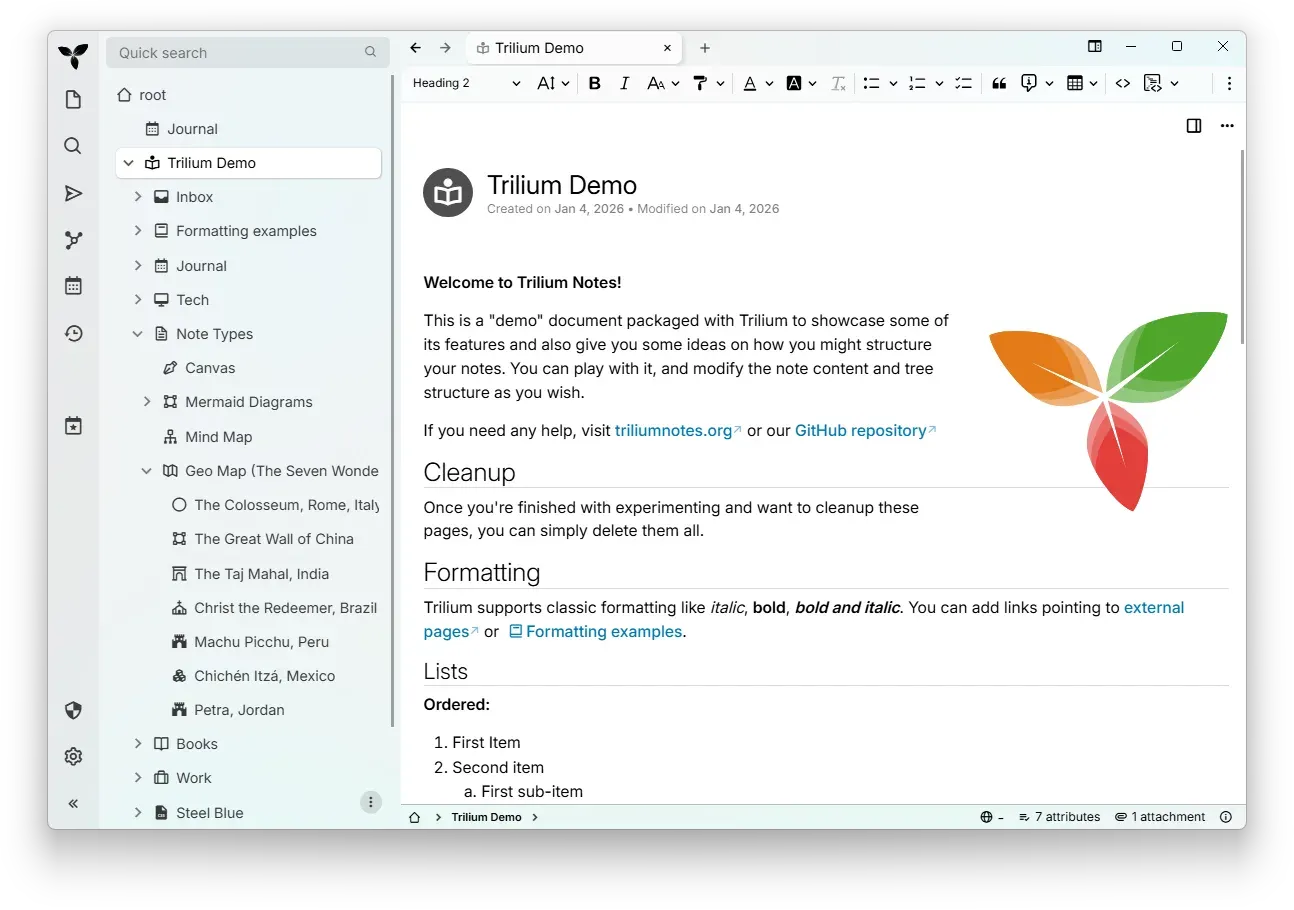
Trilium Notes is a free and open-source, cross-platform note-taking application for hierarchical notes, built for large personal knowledge bases. Notes sit in a tree of any depth, and one note can appear in several places of that tree at once. The application runs as a desktop program that keeps its data locally, and as a self-hosted server that provides the same interface in a browser and acts as the synchronization point for desktop clients.
The project is maintained by the TriliumNext community. According to the README, the original Trilium developer, zadam, gave the Trilium repository to the community project at github.com/TriliumNext. No special migration steps are needed from a zadam/trilium installation: TriliumNext uses the existing database. Versions up to and including v0.90.4 are compatible with zadam/trilium v0.63.7; later versions raised the sync version, which prevents direct migration between the two lines.
Releases are published on GitHub. Desktop builds cover Windows (x64 and ARM64, as installer and zip), macOS (Intel and Apple Silicon, as DMG and zip) and Linux (x64 and ARM64, as AppImage, deb, rpm, Flatpak and zip). On Linux, Trilium is also listed on Flathub. The server is distributed as a packaged Linux build for x64 and ARM64 and as the triliumnext/trilium Docker image, with documented NixOS, Kubernetes and manual installation paths in the setup guide. A nightly build is published separately as an unstable development version.
The latest stable release is v0.107.0, published on November 8, 2026. It turns the text editor into a block editor with editable transclusion of other notes, live excerpts and block references, adds multicolumn layouts and merged cells and sorting for tables, asks for approval before AI tool calls read or change notes, renders shared pages with the app's own theme and removes the old layout. It also raises the sync protocol from version 39 to 41 and the database version from 240 to 242, with an automatic backup before migration, and reworks the Docker image so it can run as a non-root user.
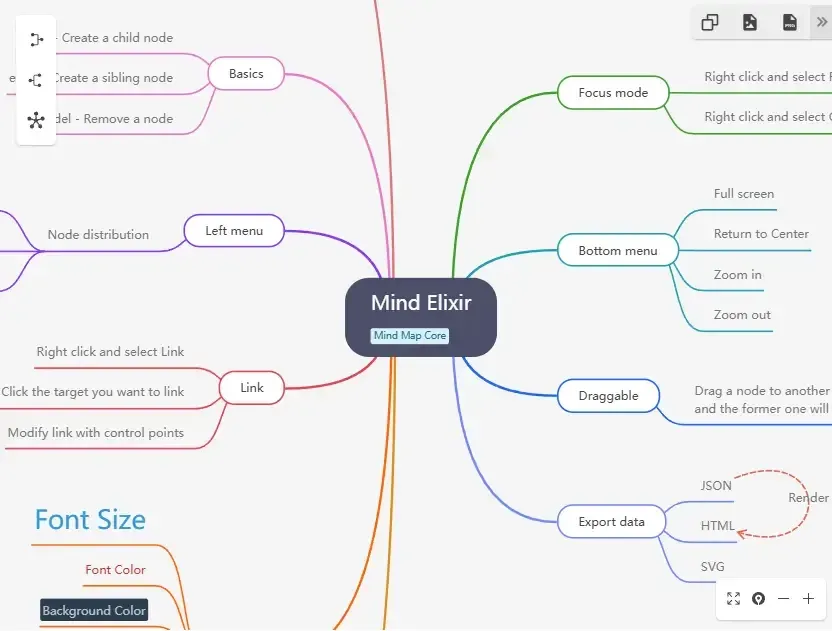
The code base is written in TypeScript. The desktop app is an Electron application, the server uses Node.js 24, and all notes, tree structure, metadata and most configuration live in a single SQLite database file named document.db. The text editor is based on CKEditor 5 and code notes on CodeMirror; canvas notes use Excalidraw, mind maps use Mind Elixir and geo maps use Leaflet. The license is AGPL-3.0. There is no official hosted service; the website names third-party hosting such as PikaPods. Similar note applications in the directory include Joplin, Obsidian, Logseq and SiYuan.
Key capabilities
- Note tree with cloning Notes are arranged in a tree of arbitrary depth, and a single note can be placed in several branches without duplicating its content, a mechanism the docs call cloning. Note hoisting limits the visible tree to one subtree, which the website describes as workspaces. In v0.107.0 the tree menu entry for this was renamed from "Clone" to "Copy", with a tooltip explaining that it pastes as a clone.
- Rich text editor Text notes use a WYSIWYG editor with tables, images, math and Markdown autoformatting. Since v0.107.0 a text note can embed other notes and edit them in place, quote blocks of another note as live excerpts that stay in sync, and link to a single paragraph, heading or table through block references. Tables support merged cells, column sorting and inserts up to 1000 by 100 cells.
- Many note types Besides text, Trilium has Markdown, code with syntax highlighting, spreadsheet, canvas (Excalidraw), Mermaid diagram, mind map (Mind Elixir) and file notes. Further types include note map, relation map, saved search, render note and web view. Notes can be converted between some of these types.
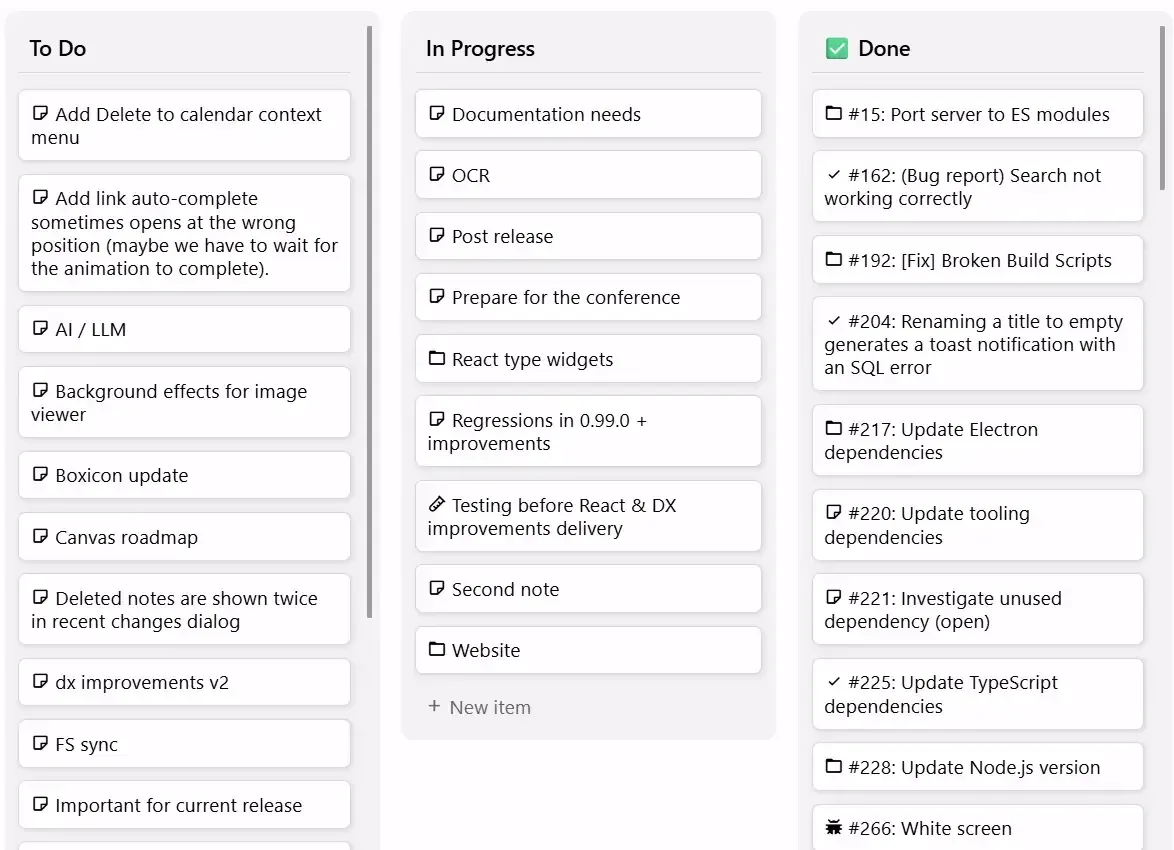
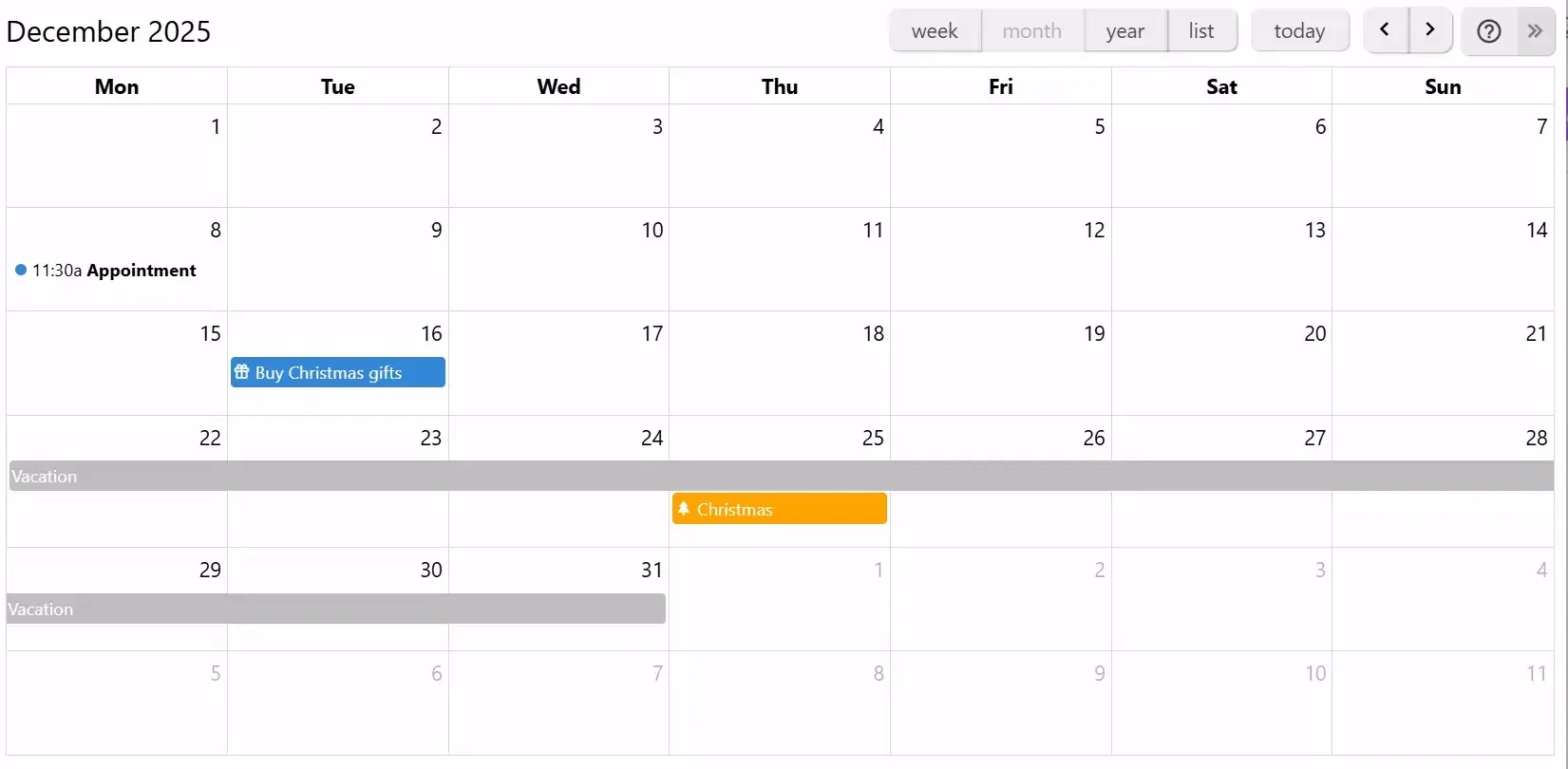
- Collections A parent note can display its children as a collection: calendar, table, Kanban board, geo map with location pins and GPX tracks, presentation, dashboard, grid or list. In v0.107.0 the calendar and geo map collections gained properties dialogs, and a geo map can use an image note, such as a floor plan, as its map.
- Attributes and templates Labels and relations, together called attributes, attach metadata to notes. They are used for organization, search queries, templates, sorting and scripting, and can be inherited by child notes.
- Search and OCR Full-text search with fuzzy matching covers note content, and a jump dialog and command palette navigate the tree. Since v0.103.0 built-in OCR based on Tesseract.js extracts text from JPEG, PNG, GIF, BMP and WebP images and from PDFs, so it can be found through search. OCR on scanned PDFs is limited to 50 pages per file, and text is also extracted from Word, Excel, PowerPoint and OpenDocument files.
- Note revisions and backups Trilium keeps note revisions so earlier versions of a note can be viewed and restored. The application also copies the database once a day, once a week, once a month and before each database migration, keeping at most four automatic backups in the
backupfolder of the data directory. The docs describe this as a basic scheme and suggest an additional backup of the database. - Protected notes Individual notes can be protected with a password. Title, content, images and attachments of a protected note are encrypted with AES-128 in CBC mode, using a data key unlocked through scrypt. The tree structure, metadata such as modification dates and attributes are not encrypted, the session ends after 10 minutes of inactivity by default, and protected notes cannot be shared.
- Self-hosted synchronization Desktop clients keep data locally and synchronize in a star layout through a sync server that the user runs. When the same note was edited on two instances, the newer change wins and the older version stays in the note revisions. Client and server clocks must be within five minutes, and all instances must use the same sync protocol version.
- Server and Docker deployment The server is available as a packaged Linux build for x64 and ARM64 and as the
triliumnext/triliumimage for AMD64, ARM64 and, on a best-effort basis, 32-bit ARM. The Docker guide uses port 8080 and the container path/home/node/trilium-data, and advises pinning a version tag instead oflatest. Since v0.107.0 the image can run entirely as a non-root user with a read-only root filesystem. - Desktop applications Release binaries are published for Windows x64 and ARM64, macOS on Intel and Apple Silicon, and Linux x64 and ARM64. The documented minimums are Windows 11 and macOS Ventura; 32-bit ARM Linux is not supported for the desktop app. Startup scripts include a portable mode and a mode without TLS certificate checks for self-signed servers.
- Web and mobile frontends A server installation serves a web interface that is almost identical to the desktop app and can be installed as a PWA; the README lists current Chrome and Firefox as supported browsers. Phones and tablets get a touch-optimized mobile frontend with fewer features. Native Android and iOS apps listed in the README, such as TriliumDroid and Trinote, are third-party projects.
- Login security Server logins support TOTP multi-factor authentication and OpenID Connect sign-in. Since v0.107.0 the ETAPI login endpoint also requires a one-time code when TOTP is enabled.
- Public sharing A server can publish selected notes, with their whole subtree, as read-only web pages; see sharing. Labels set readable URLs, HTTP credentials for a subtree, custom CSS and a share root. Protected notes and several note types, such as saved search, relation map and web view, cannot be shared.
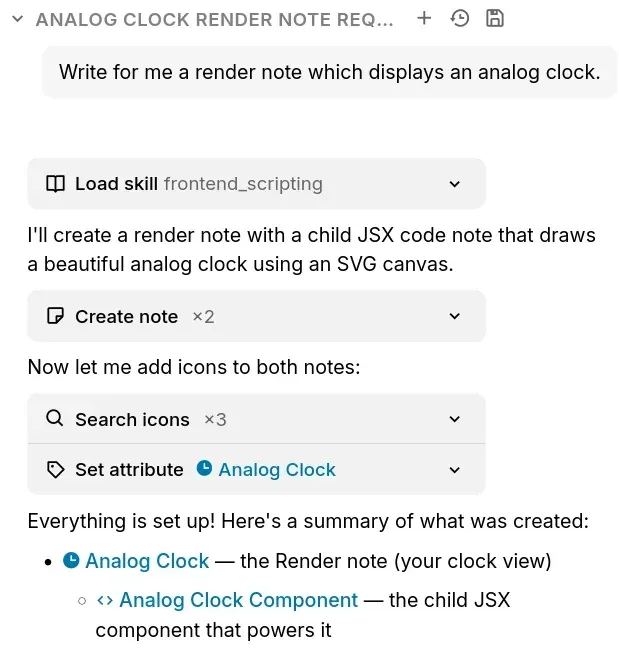
- Scripting JavaScript scripts stored as code notes can run in the frontend, for custom widgets and render notes, or in the backend, reacting to events. A Script API exposes notes, attributes and the tree to these scripts.
- ETAPI REST API ETAPI lets other software read and write notes, content and subtrees, including import and export. Requests use a token created under Options, sent as a Bearer token or through Basic auth, and endpoints live under
/etapi/. The OpenAPI definition is kept in the repository. - Optional AI integration and MCP The AI integration is disabled by default and ships no model. When enabled, it connects to cloud providers such as OpenAI, Anthropic, Google, DeepSeek and OpenRouter, to subscription tools such as Claude Code, GitHub Copilot and OpenAI Codex, or to self-hosted OpenAI-compatible models. A built-in MCP server over HTTP, added in v0.103.0, lets external assistants work on notes with an ETAPI token, and notes labeled
#excludeFromLlmare hidden from both. - Web Clipper and import The Trilium Web Clipper extension for Firefox and Chrome saves selections, whole pages, PDFs and screenshots into Trilium. Imports cover Evernote, Anytype, Markdown, HTML and OPML, exports cover Markdown, HTML and OPML, and notes can be printed to PDF.
- Meeting transcription (beta) The desktop app can transcribe meetings into a note using speech models that run on the device and are downloaded on first use. The feature is off by default, marked as beta, and not available in the browser or on mobile.
Where Trilium Notes fits
Building a personal knowledge base
The project describes Trilium as a tool for large personal knowledge bases and states that it scales to more than 100,000 notes. Notes are organized in the tree, cloned into several contexts, tagged with labels and connected through relations, and the docs include a page on patterns of personal knowledge.
Running a self-hosted sync server
A server installed with Docker, the packaged Linux build or NixOS becomes the central point that desktop clients synchronize with, and it also serves the browser and mobile interfaces. Server and clients must run matching sync protocol versions; v0.107.0 raised that version to 41, so the release notes state that the server and every client are updated together. The upgrading guide covers the process.
Keeping sensitive notes encrypted
Notes with confidential content can be marked as protected. Their titles and contents are encrypted on disk and in sync, and they stay unreadable until the protected session is unlocked with the password. Note structure and attributes remain visible, and protected notes are excluded from public sharing.
Publishing notes on the web
From a server installation, a subtree of notes can be shared as read-only pages, optionally behind HTTP credentials and with custom CSS. Since v0.107.0 shared pages use a theme derived from the app in light and dark mode, collections such as boards and calendars render with their own views, and each block of a shared note has its own public link.
Automating notes with scripts and the API
Backend scripts react to events, render notes build custom views with JSX, and dashboard collections hold widgets. External tools use ETAPI, and the built-in MCP server lets an AI assistant such as Claude Code read and edit notes. Since v0.107.0 the internal chat asks before a tool reads or changes a note, configurable as always ask, ask only before changes, or never ask.
Migrating from the original Trilium
Users of zadam/trilium install TriliumNext as usual and keep their existing database. Versions up to v0.90.4 can still sync with zadam/trilium v0.63.7; later releases cannot, because their sync version was incremented. Each database migration creates an automatic backup first, and older versions refuse to open a migrated database.
Install
flatpak install flathub org.triliumnotes.TriliumReviews of Trilium Notes
Be the first to share your experience with Trilium Notes.
Write a review
Loading review form…
Found Trilium Notes useful? Upvote it todayYour vote helps other IT teams find it in the daily ranking.