

What is Tana?
Tana is an agentic meeting platform for teams made by Tana Inc. Its central idea, as described on tana.inc, is that people bring the AI agent they already use, their own Claude (including Claude Code) or ChatGPT, into a meeting. The agent receives the live transcript, the shared screen and the meeting's documents, and works on what is being discussed while the call is still running. Tana's own built-in assistant answers in every meeting and chat when no external agent is connected.
The name Tana previously referred to the company's personal knowledge outliner built on Supertags, nodes and daily notes. Tana Inc. states that this earlier product was renamed Tana Outliner and continues as a separate product at outliner.tana.inc. Both products are made by Tana Inc. and share the brand name; this listing describes the meeting platform. The company page lists Tarjei M. Vassbotn, Olav S. Kriken and Grim H. Iversen as founders and refers to the team's Oslo office.
Meetings are captured in two ways. The Tana desktop app on Mac or Windows captures Zoom, Google Meet and Microsoft Teams calls through the computer's audio, so no bot appears in the call. Alternatively, a meeting can be held as a native Tana call that guests join from a link without an account or download. Every meeting adds its transcript, screen shares, decisions, tasks and documents to the organization's shared context, with access control deciding who sees what.
Tana is a hosted, closed-source service. It is distributed as a desktop app for Mac, Windows and Linux, a web app, and an app for iPhone and iPad; Android is listed as on the roadmap in the apps documentation. The product has no version numbers; the changelog is dated, and its October 26, 2026 entry introduced using your own Claude or ChatGPT in meetings with private answers, a live transcript and suggested actions. Earlier entries in October 2026 added an iPhone and iPad app, live suggestions during meetings and meeting briefs with web research on outside attendees.
Tana lists several things it does not do: it does not currently support conference room hardware, it is not an IDE or coding environment, it does not generate or host apps itself, and it is not built for large webinars. Pricing on the pricing page covers a Free plan, Pro and Business. Similar listings on iThub include Prismical and Meetily for meeting capture, and Notion for shared workspaces.
Tana screenshots
Explore the interface. Open a screenshot to view it at full size.
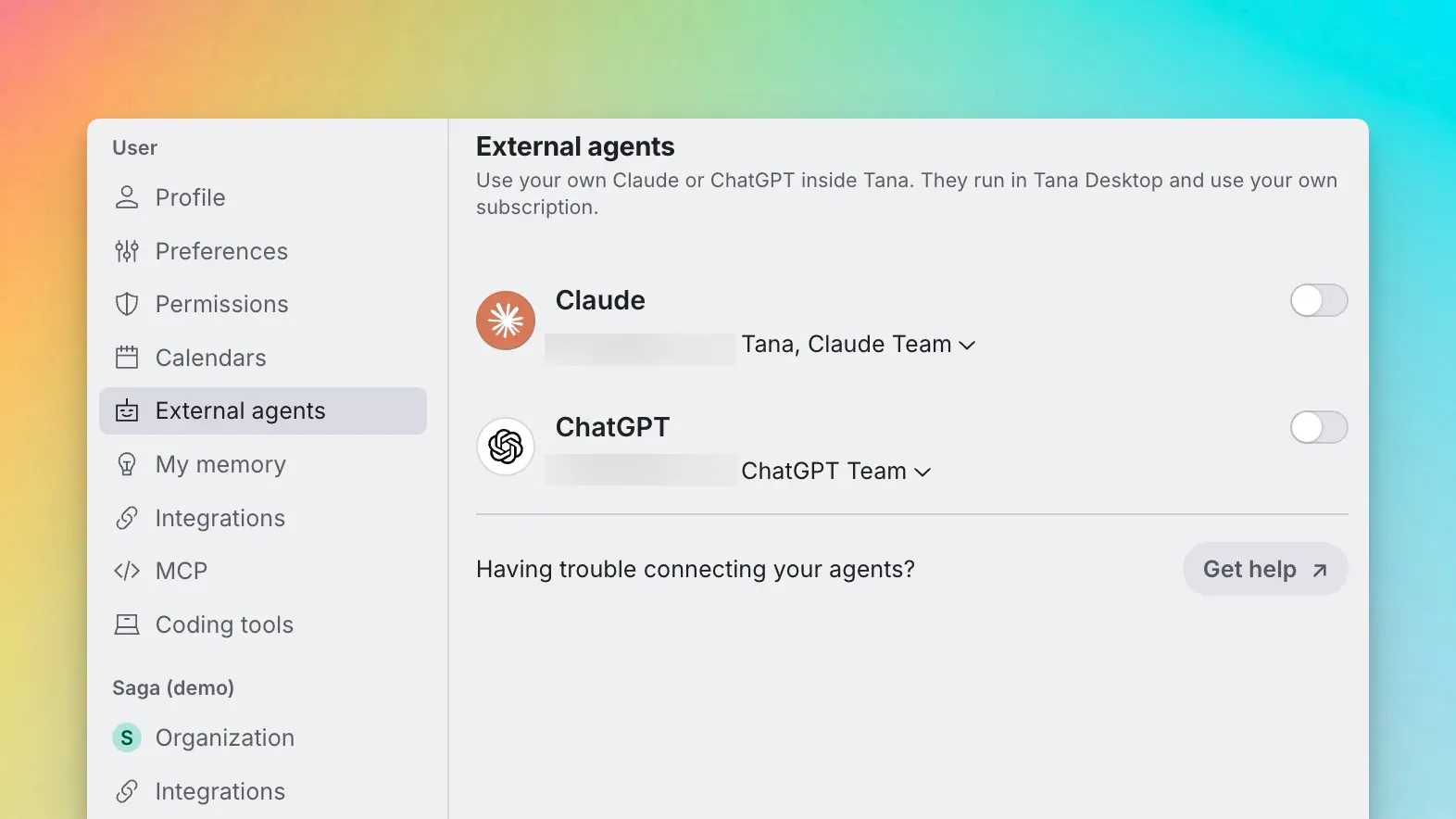
External agents settings, where users connect their own Claude or ChatGPT subscription.
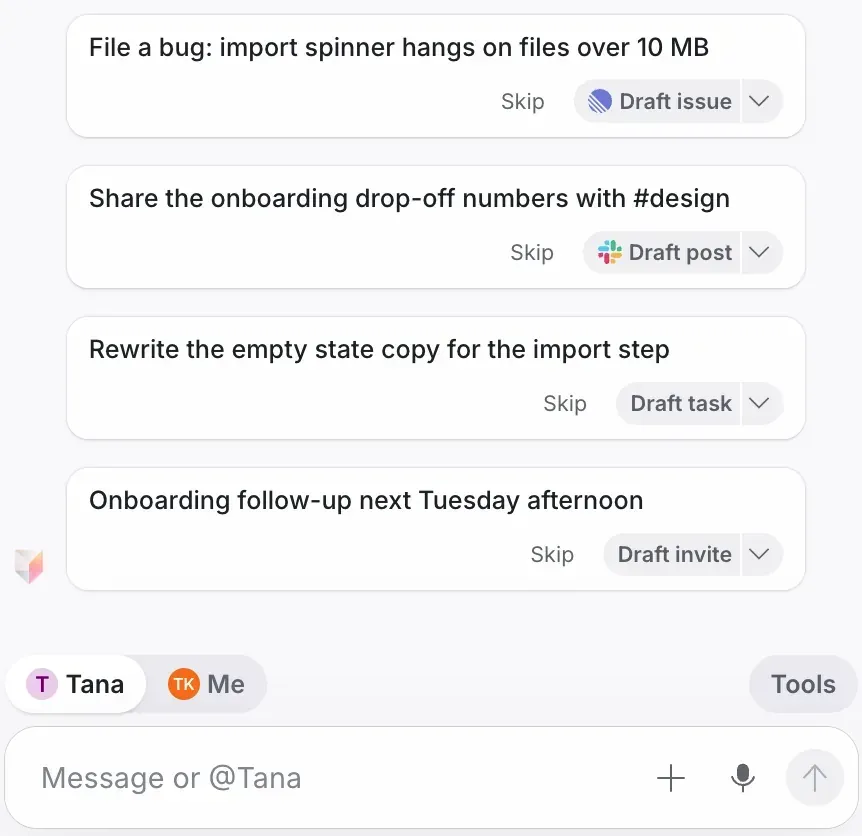
Live suggestions in the meeting companion, each offered as a draft to skip or accept.
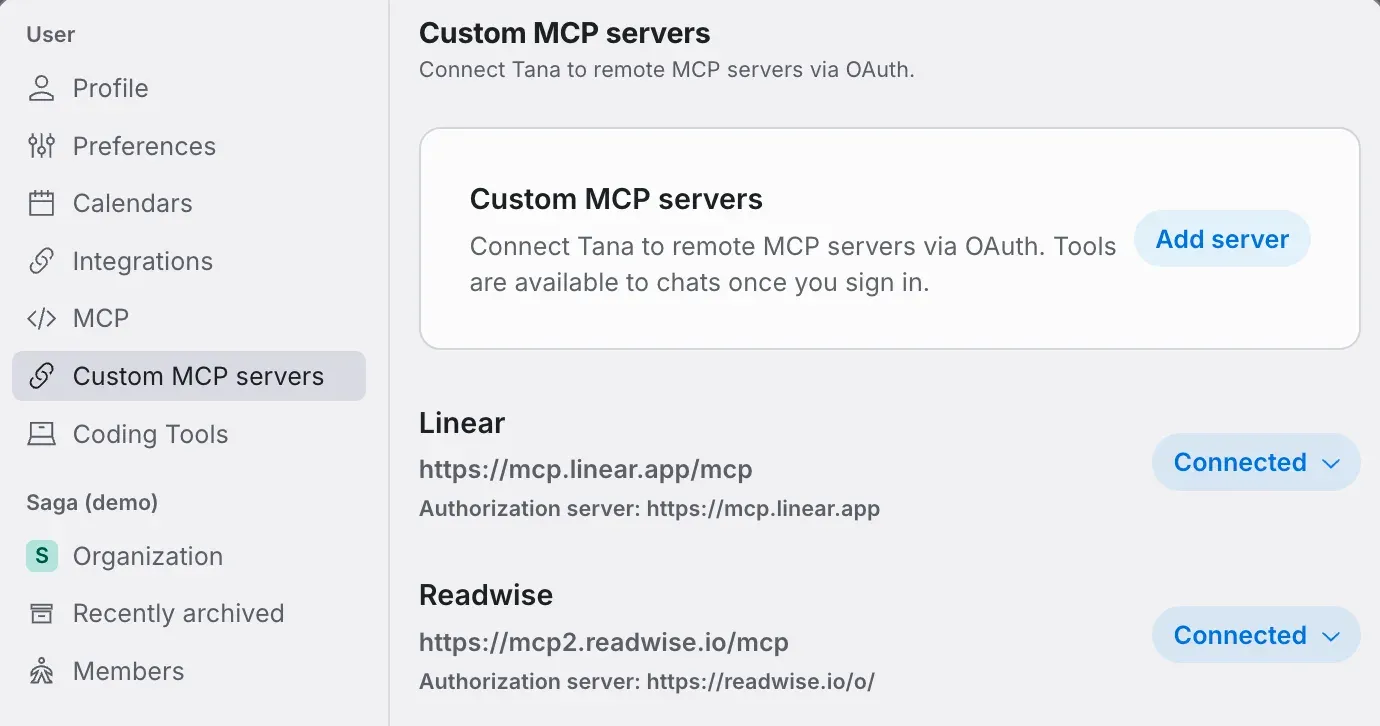
Custom MCP servers settings: remote MCP servers connected over OAuth for use in chat.
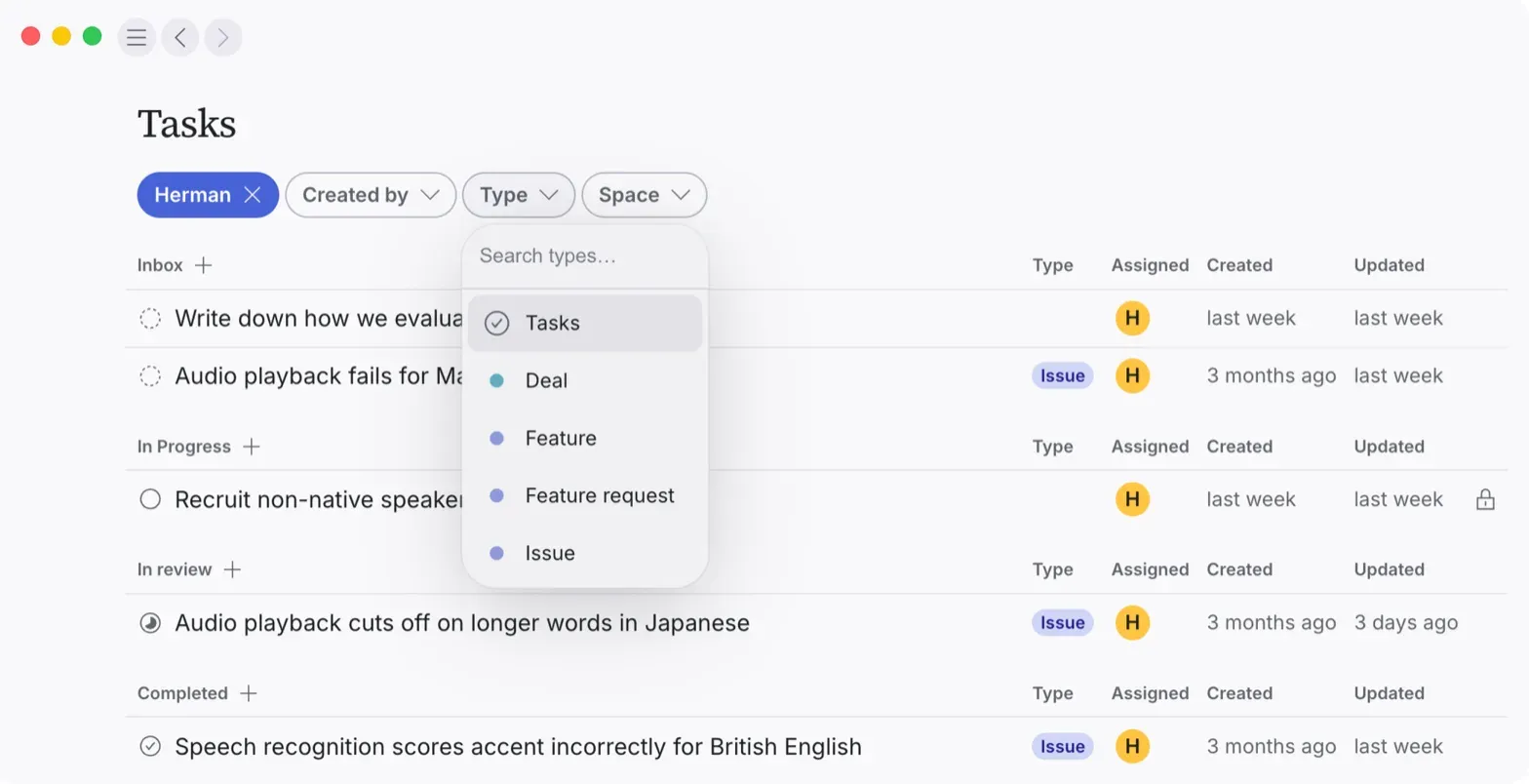
Tasks view grouped by Inbox, In Progress, In review and Completed, filtered by type.
Source: official Tana project page.
Key capabilities
- Bring your own Claude or ChatGPT External agents are connected under Settings, External agents in the Tana desktop app on Mac, Windows or Linux, using the person's own subscription. The agent runs on the user's computer and keeps its own connectors, skills and memory. Auto mode lets it decide what needs approval, while Manual mode always asks first. It is not available on mobile or in a browser, according to the external agents documentation.
- Other external agents Lovable can be connected with a Lovable account and builds or changes an app in one of the user's Lovable projects when asked in a meeting, using the user's own Lovable credits. Ari, the AI CFO from cfo.ai, is also listed. Gemini and Grok are described as coming.
- Meeting companion without a bot On Mac and Windows the desktop app detects active Zoom, Teams and Google Meet calls and captures their audio and screen content. A small Tana window opens next to the call. Capture does not run on Linux. Tana can also notice a call that was not scheduled and offer to capture it.
- Tana calls Native video calls include screen sharing, presenting documents, reactions and chat. Guests join from a link with no account and no download, and the call can show the organization's logo. A meeting can also be recorded as video alongside the transcript, with everyone told that recording is running.
- Live transcript and two chats Transcription covers 33 languages and is organized by topic. The meeting column has a private Agents chat and a shared Meeting chat. Answers stay private until the user chooses Share with everyone; Don't share keeps them private.
- Live suggestions routed to people Tana listens for tasks, decisions, bugs and requests and sends each one to the person who was asked, offered to do it or raised it. Suggestions appear as drafts, such as a Linear issue, a Slack post, a task or a calendar invite, that can be skipped or accepted.
- Proposals and actions AI in Tana does not change content or write into a connected service without approval. Changes arrive as create, update or delete proposals with a diff view, and writes to GitHub, Slack, Linear, Jira, HubSpot or mail are actions the user accepts, as described in the proposals documentation. Version history tracks document changes.
- Summaries and outcomes When a call ends, Tana writes a summary and outcomes that can be emailed or shared with a link. Meeting outcomes use the same proposal system, so follow-up changes are reviewed before they apply.
- Meeting briefs, Home and Calendar Google Calendar and Outlook sync meetings. Tana sends a short brief before each meeting, which can include web research on attendees the user has not met. Home shows meetings as a daily timeline with the work each meeting left, and the Calendar offers day, week and month grids.
- Shared context with access control Meetings, documents, tasks, chats and the people and companies they mention live together. Spaces have their own members and AI instructions, with access inherited from organization to space to document. Types such as Person, Company, Bug and Decision give structure that agents use when processing a meeting.
- AI chat, skills and custom agents Chat can read, search, create, update and delete content across Tana, with model choices from OpenAI, Anthropic and Google. Skills are reusable instructions written once. Custom agents are built by describing what is needed and can run in chat, by voice or on a schedule.
- Integrations GitHub, Slack, Linear, Jira and HubSpot connect directly, together with Google Calendar, Outlook and Outlook mail. Custom remote MCP servers can be added over OAuth so their tools are available in chat. Chat can also hand work to Cursor, GitHub Copilot, Codex or Lovable through links that open the tool with context filled in.
- MCP server Tana exposes an MCP server at home.tana.inc/mcp with OAuth authentication. Clients such as Claude Code, Claude Desktop and other MCP clients with HTTP transport can search, read, create and update content; writes create proposals. Setup is documented on the MCP page.
- Desktop, web and iOS apps The desktop app for Mac, Windows and Linux adds tabs, split view, profiles for several accounts and a system tray agenda. The web app covers calls, chat and documents. The iPhone and iPad app joins meetings, starts them with Siri and shows summaries. Downloads are on the download page.
- Plans Free costs $0 and includes bring your own agent, the botless meeting agent, unlimited meetings under fair use, one calendar, about 50 AI queries and 30 days of searchable history. Pro is $15 per member per month billed yearly or $19 billed monthly, with unlimited history, shared team spaces, integrations and full MCP, and a 14-day trial. Business starts at $35 per member per month billed yearly.
- Security and compliance Tana states GDPR compliance and a SOC 2 Type 2 examination by Prescient Assurance LLC covering March 30 to June 30, 2026, with the report on request; Tana Outliner is not in scope. HIPAA compliance is in progress and expected in Q1 2027. Tana states that it does not train LLMs on customer data, offers DPAs on request and supports data export.
- Business plan controls Business adds SAML SSO, audit logs, advanced security and admin controls, a custom DPA, data residency and retention control, EU hosting and inference, and a designated customer success manager. On the Enterprise plan, external agents stay off until an admin allows them, and transcripts, screenshots and recordings can be deleted after a set time.
Where Tana fits
Product and engineering meetings
Tana describes user interviews, product reviews, standups and planning sessions in which bugs and feature requests are drafted for Linear, Jira or GitHub during the call, together with the conversation and screenshots. An engineer's own Claude Code has the repository, the transcript and the screen share, so it can start work on a branch while edge cases are discussed. Code is still run and reviewed in the existing tools.
Customer and sales calls
For customer calls, the documented workflow updates HubSpot and drafts follow-ups before the call ends. Follow-up questions are surfaced during the call, and the recap is drafted before participants hang up. Each write to HubSpot or mail is an action that the user accepts.
Data questions during a meeting
When someone asks whether a number is good, the user's own agent can pull a comparison from an analytics connector it already has and answer in the private Agents chat. The answer stays private until the user shares it with everyone in the call.
Decisions and back-to-back meetings
Decisions are logged with the discussion that led to them and surfaced in later meetings on the same topic. Meeting briefs before each call and the Home timeline show open work from past meetings, and agents handle follow-ups during the call rather than after it.
Capturing meetings in other companies' tools
A user invited to someone else's Zoom, Meet or Teams call can capture it with the desktop app on Mac or Windows, without a bot joining. The transcript, screen content and outcomes then become part of the user's own Tana context.
Connecting external AI tools to meeting context
Through the MCP server, tools such as Claude Code, Claude Desktop, ChatGPT or Cursor can read meetings and documents in Tana and propose changes. A single readEvent call on a calendar event URL returns participants, transcript references, screen-share screenshots and related documents.
Reviews of Tana
Be the first to share your experience with Tana.
Write a review
Loading review form…
Alternatives to Tana
 PrismicalMIT-licensed meeting and voice note app for macOS and Windows that captures microphone and system audio, transcribes on-device with whisper.cpp or in Prismical Cloud, and writes summaries, decisions and action items.
 MeetilyMeetily is an MIT-licensed meeting assistant for Windows and macOS that records microphone and system audio, transcribes locally with Whisper or Parakeet, and writes summaries with a built-in model, Ollama or your own provider.
 NotionNotion is a hosted workspace from Notion Labs, Inc. for documents, wikis, databases and projects, with Notion Agent, Custom Agents, an MCP server, a REST API, desktop apps for macOS and Windows, and mobile apps for iOS and Android.