

What is Meetily?
Meetily is an open-source AI meeting assistant made by Zackriya Solutions, a software company based in Bengaluru, India. It runs as a desktop application that captures the microphone and the computer's system audio at the same time, so it works with Google Meet, Zoom, Microsoft Teams or any other call that plays through the speakers, without adding a bot participant to the meeting. Speech is transcribed on the device with Whisper or NVIDIA Parakeet models, and summaries come from a built-in local model, Ollama or a provider the user configures. The Community Edition is free under the MIT license; Meetily PRO is a separate paid edition.
The current release is version 0.4.1, published on September 12, 2026 on the GitHub release page. It ships a Windows x64 setup executable and MSI package, a macOS DMG for Apple Silicon (aarch64) and signed archives used by the built-in updater. There is no Intel Mac build and no Linux package: Linux users build from source. The README states that official builds are distributed only through meetily.ai and the GitHub releases page.
Version 0.4.1 is a reliability release. It keeps the whole transcript covered when long meetings are summarized in chunks, corrects the duration of imported HE-AAC files, respects the selected transcription provider during recording, parses Claude responses that contain thinking blocks and stops discarding transcript segments below the confidence threshold. It also keeps completed Parakeet downloads across retries, recovers Bluetooth microphones on macOS after a cold start or a disconnect, stops voice activity detection from splitting live speech into requests shorter than four seconds, filters hallucinated text on every engine and loads a compatible ONNX Runtime dynamically on Windows. Version 0.4.0 (June 2026) added summaries in other languages, built-in Qwen 3.5 models, closing to the system tray and opt-in analytics; version 0.3.0 (March 2026) introduced audio import and retranscription as beta features.
The application is built with Tauri: a Next.js interface talks to a Rust core through Tauri commands. The Rust side handles audio capture with cpal, RNNoise-based noise suppression, EBU R128 loudness normalization and Silero voice activity detection, runs Whisper through whisper-rs and Parakeet through ONNX Runtime, stores meetings, transcripts and summaries in a local SQLite database, and runs built-in summary models through a llama.cpp sidecar. The architecture document describes these components. An older Python, FastAPI and Docker backend remains in the repository only as an unsupported archive.
Several capabilities shown on the website belong to PRO rather than the open-source edition: speaker identification, custom summary templates, PDF and DOCX export, automatic meeting detection, and the local automation API with MCP server, CLI and webhooks. Meetily is not a hosted transcription service and has no web or mobile client. Chat with meetings and calendar integration are listed as coming soon. The official documentation covers both editions, so check which edition a page describes.
Meetily screenshots
Explore the interface. Open a screenshot to view it at full size.
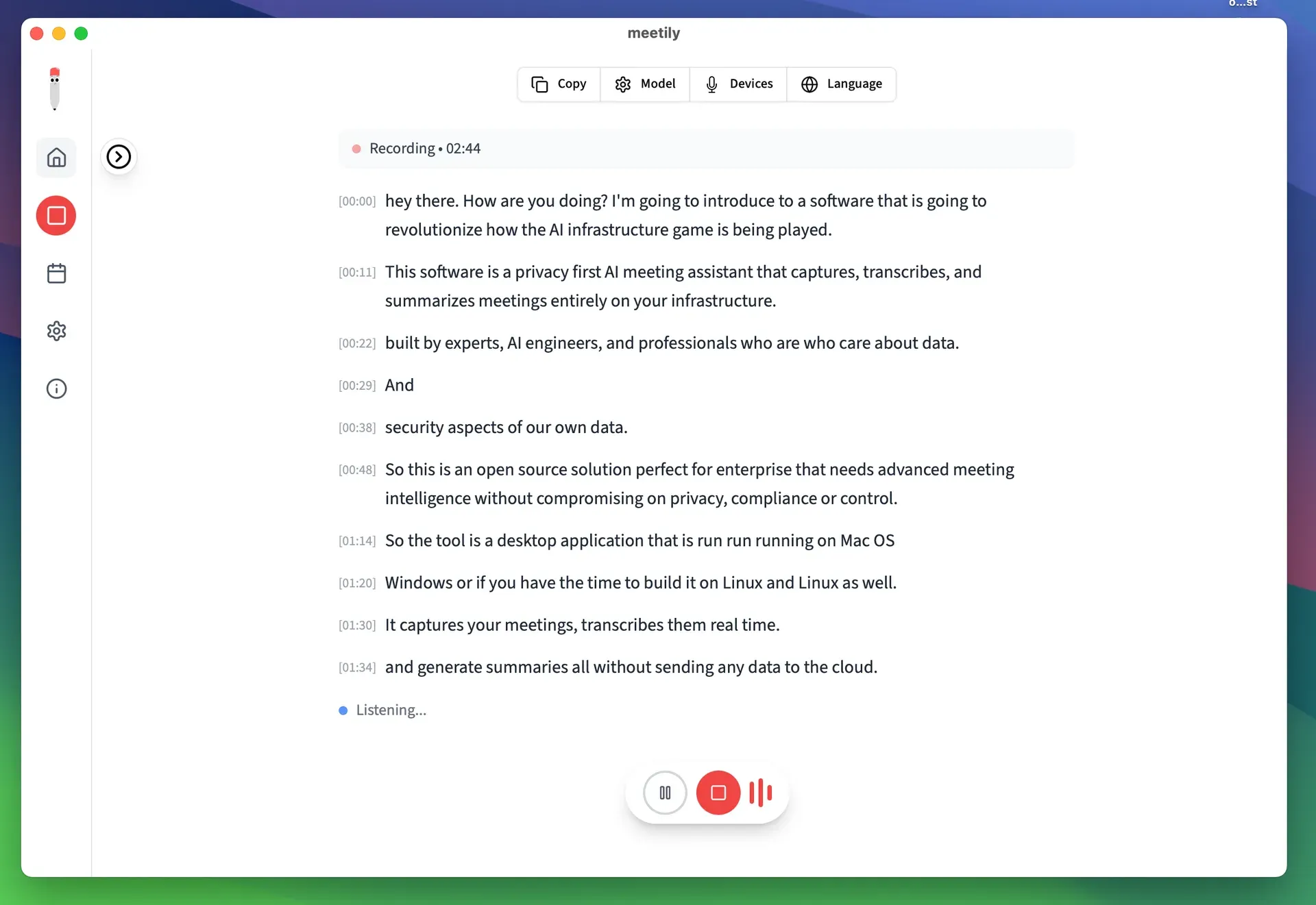
Live recording view with a running transcript, pause and stop controls. Official screenshot from the Meetily repository.
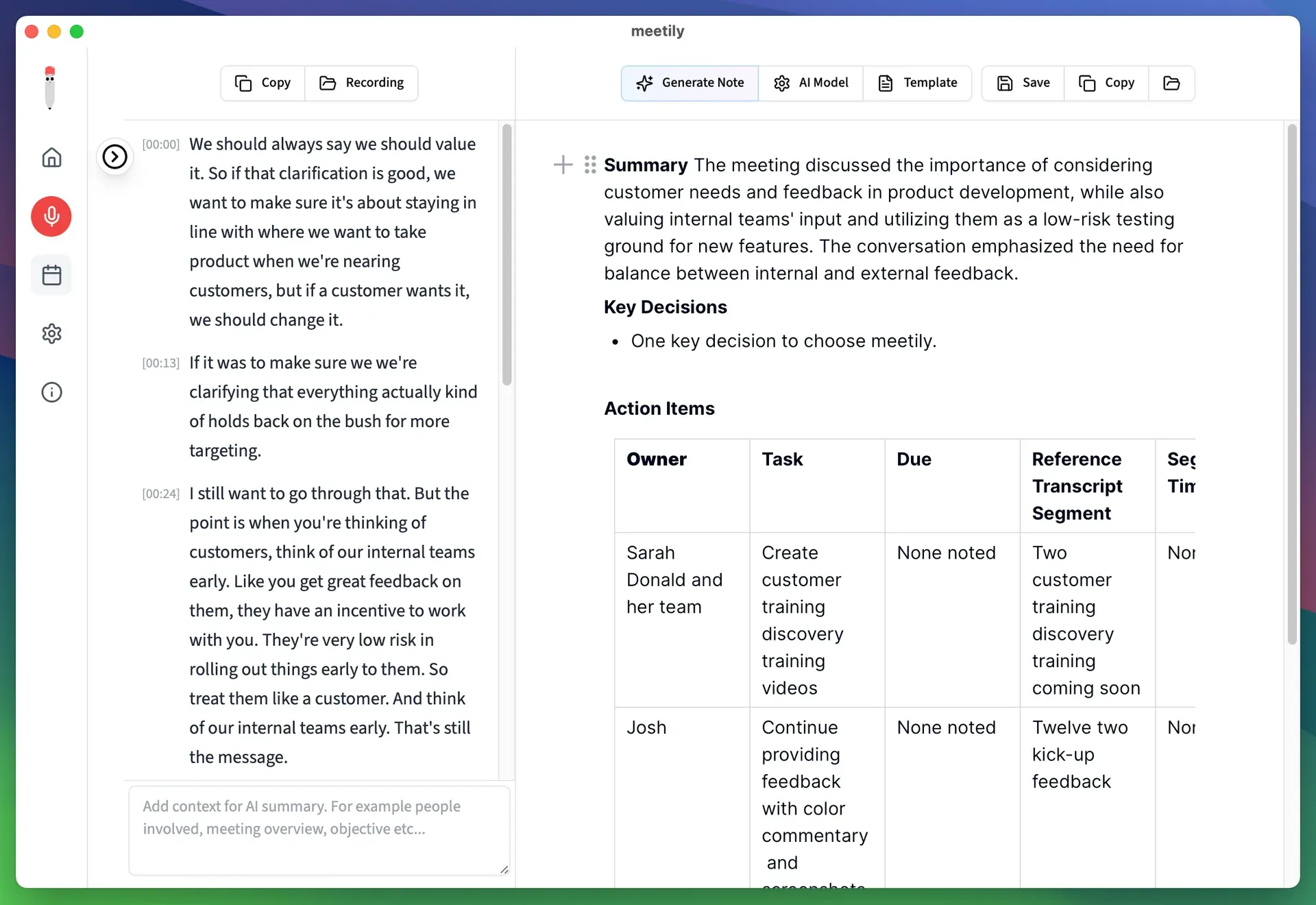
Transcript and generated note side by side, with Generate Note, AI Model and Template controls. Official screenshot from the Meetily repository.
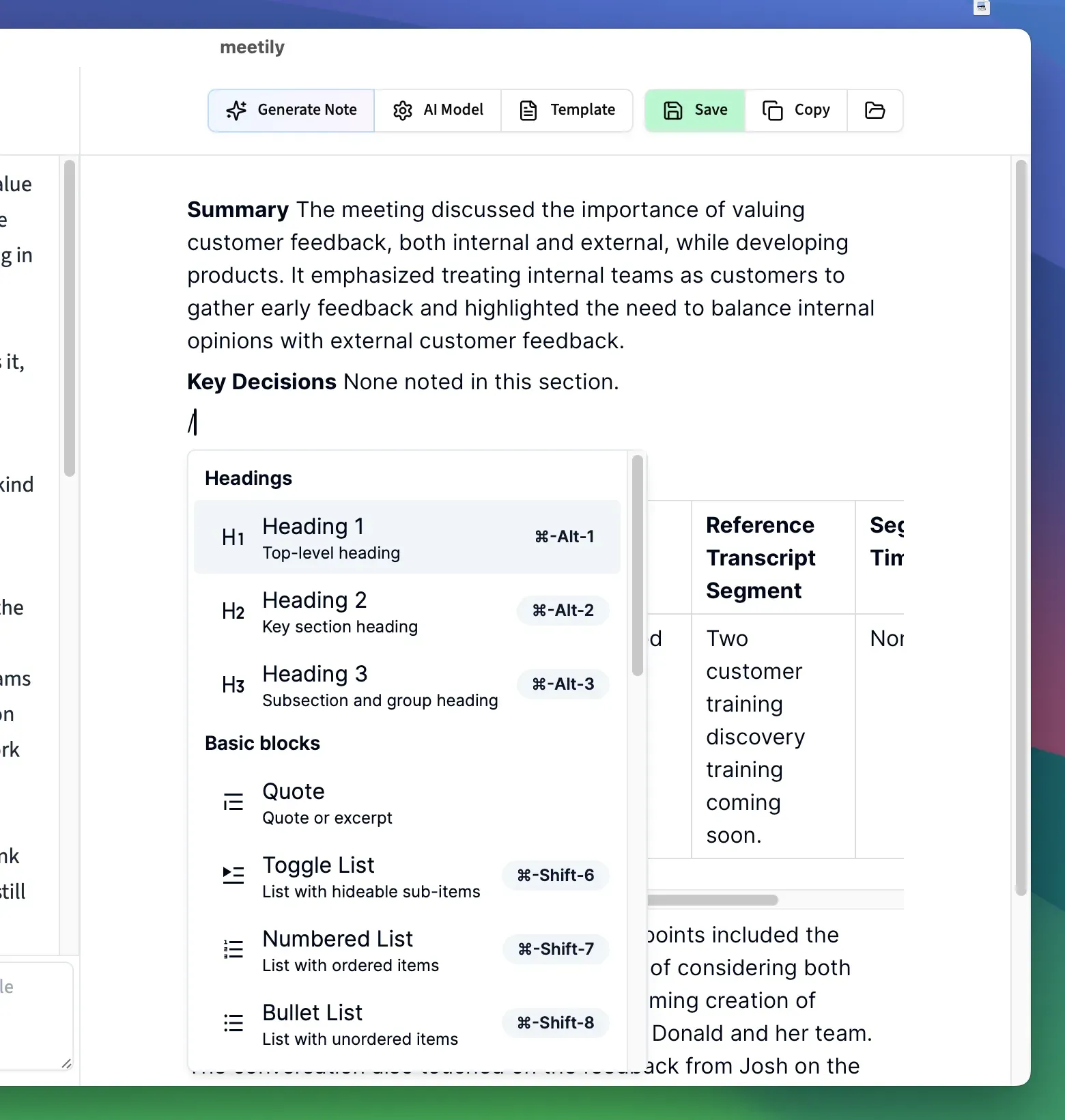
Block editor for refining a generated summary before saving or copying it. Official screenshot from the Meetily repository.
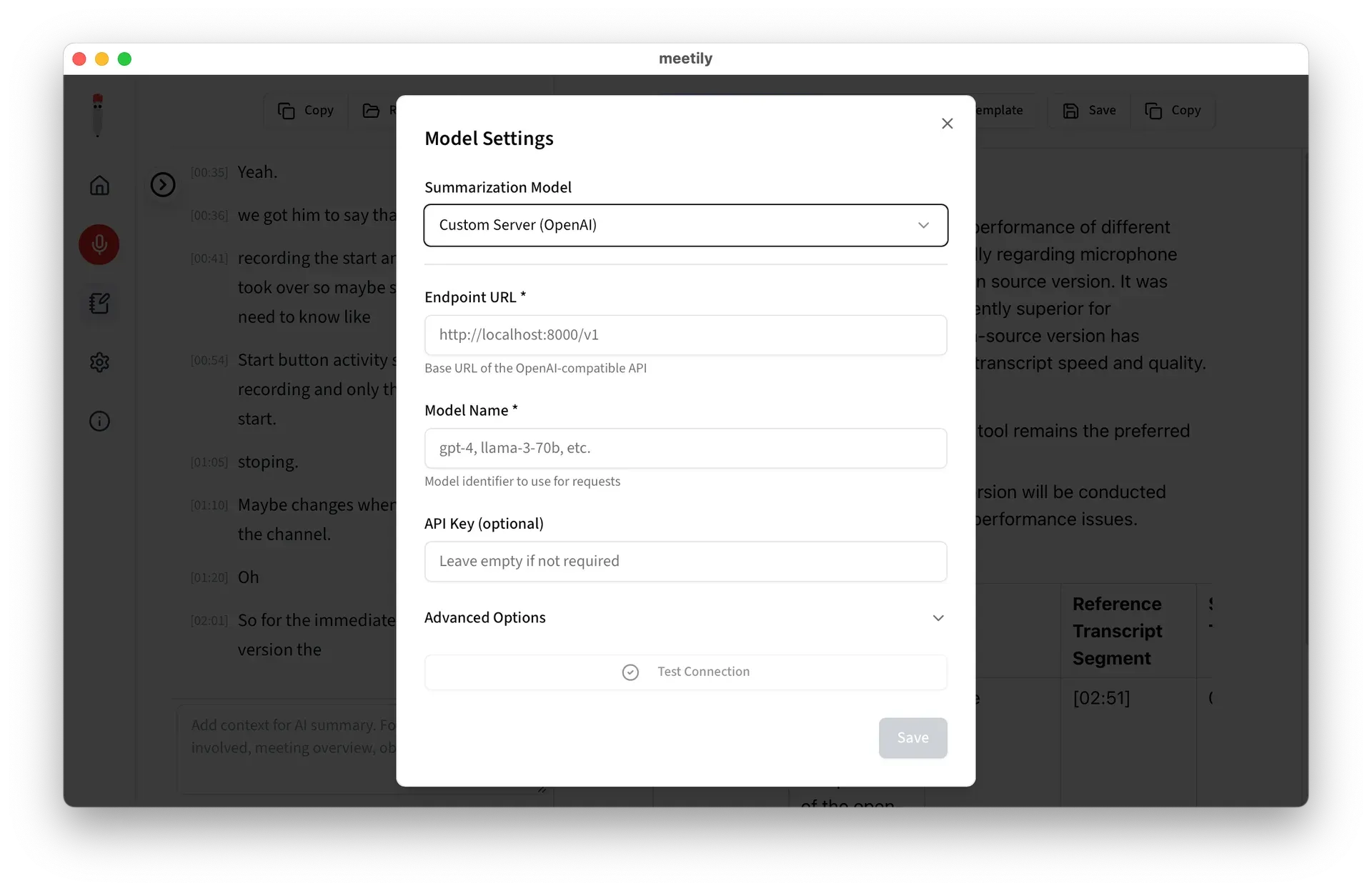
Summary model settings pointing to a custom OpenAI-compatible endpoint, with a connection test. Official screenshot from the Meetily repository.
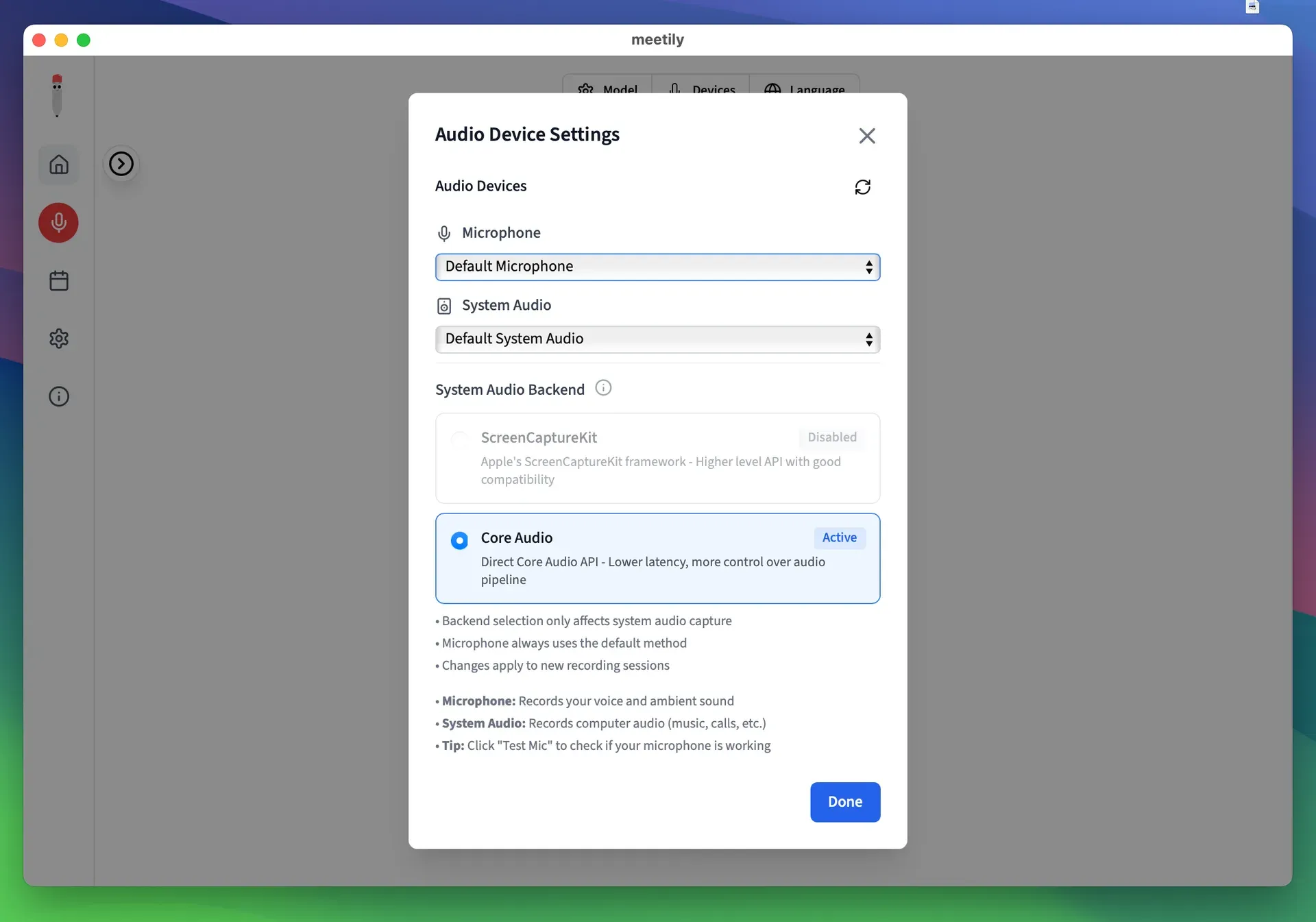
Microphone and system audio selection on macOS, with a choice between Core Audio and ScreenCaptureKit. Official screenshot from the Meetily repository.
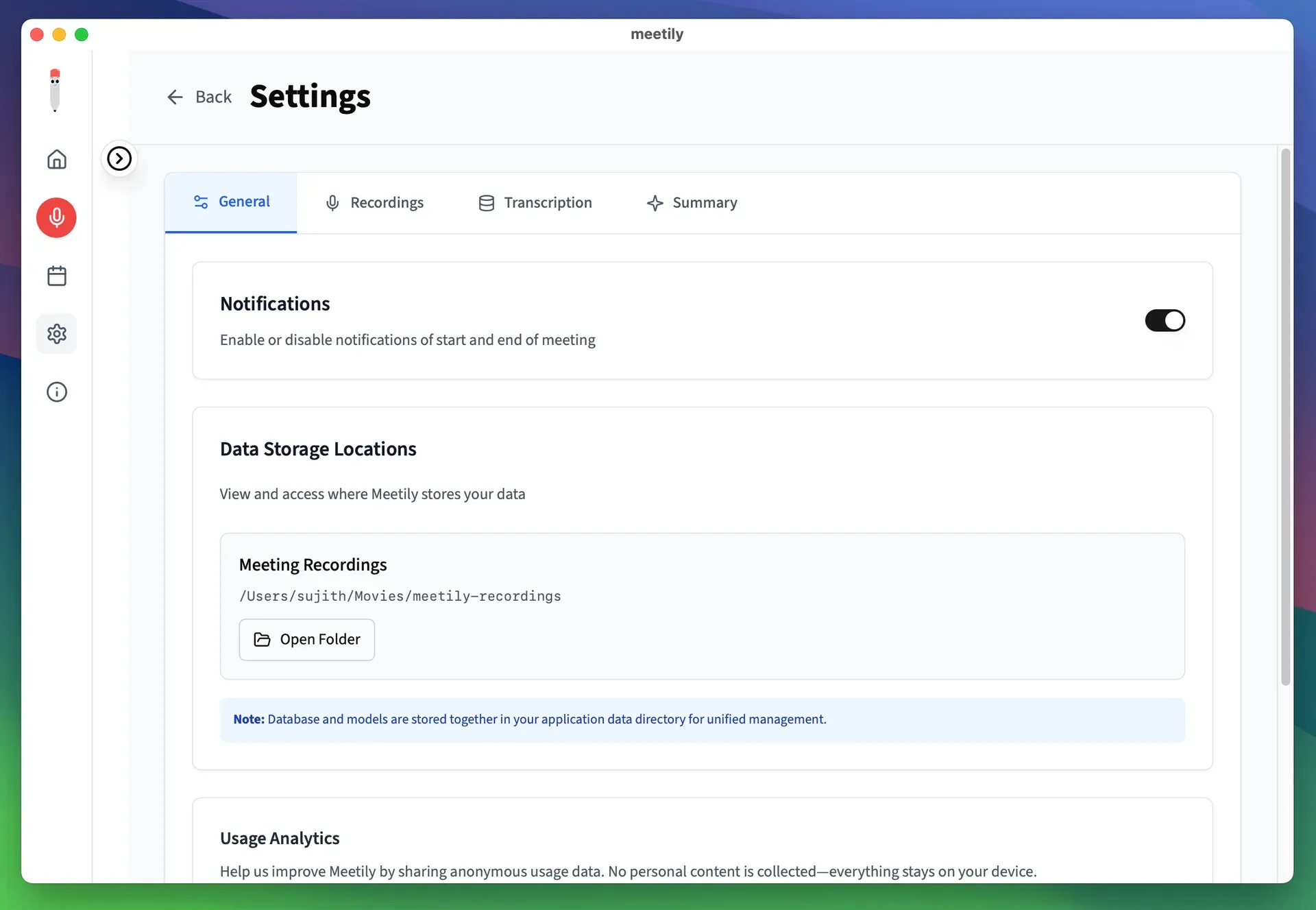
General settings with the local recordings path and a note that the database and models share the application data folder. Official screenshot from the Meetily repository.
Source: official Meetily project page.
Key capabilities
- Download Meetily for Windows Windows x64: download
meetily_0.4.1_x64-setup.exeor the MSI package from the latest release page and run the installer. The packaged build uses a Vulkan-enabled Whisper engine and requires a CPU with AVX2; AVX-512 is not required. CUDA acceleration is not selected by the standard installer and needs a source build with an NVIDIA CUDA toolchain. - Download Meetily for macOS MacOS on Apple Silicon: download
meetily_0.4.1_aarch64.dmg, open it and drag Meetily to the Applications folder. Metal and Core ML acceleration are enabled automatically in this package. The release contains no Intel Mac build, and the app needs microphone and screen or system audio permissions to capture both sides of a call. - Build Meetily on Linux Linux has no packaged release. The build guide installs pnpm 9.15.9, runs
pnpm install --frozen-lockfilein the frontend folder and then./build-gpu.sh. The script detects CUDA, ROCm, Vulkan or OpenBLAS development kits and falls back to CPU only; GPU drivers alone are not enough for acceleration. - Bot-free capture of microphone and system audio Meetily records your microphone and the computer's output at the same time and mixes them with ducking and clipping prevention. Because it listens to system audio, it works with any meeting application rather than joining calls as a participant. On macOS the system audio backend can be Core Audio or ScreenCaptureKit; the backend choice applies to new recording sessions.
- Live local transcription A running transcript with timestamps appears while the meeting is recorded, and the recording can be paused and resumed. Voice activity detection segments speech before it reaches the speech model. Release 0.4.1 changed this segmentation so live speech is no longer cut into fragments shorter than four seconds, and it filters hallucinated text on every engine.
- Whisper and Parakeet models Whisper models range from tiny and base to small, medium, large-v3 and large-v3-turbo, including quantized variants, and support automatic language detection or a manual language choice. Parakeet runs on the CPU through ONNX Runtime; its v3 model covers 25 European languages including English, and the optional v2 model is English-only. Models are downloaded on first use, and a manual download procedure exists for stalled downloads.
- Built-in summary models Summaries can be generated without any external service by a built-in model run through a llama.cpp sidecar. The catalog in the source lists Qwen 3.5 2B (about 1.2 GB) and 4B (about 2.6 GB) and Gemma 3 1B and 4B, each with a 32,768-token context window. Larger models need more memory and give slower results on CPU-only machines.
- Ollama and cloud summary providers Summaries can also come from a local Ollama server, or from Claude, Groq, OpenRouter or OpenAI with your own API key. Keys are stored locally and sent only to the configured provider. When a cloud provider is chosen, the transcript text leaves the device; the audio does not.
- Custom OpenAI-compatible endpoint A Custom Server option takes a base URL, a model name and an optional API key, with a connection test before saving. This suits organizations that run their own OpenAI-compatible model server or gateway on their network. The custom API guide covers setup.
- Summary templates and multi-language summaries The Community Edition ships six templates: standard meeting, daily standup, project sync, retrospective, sales or marketing client call and psychiatric session. A context field lets you add participants or the meeting objective before generating a note. Since 0.4.0 the summary language can differ from the transcript language. Custom templates are a PRO feature.
- Editable notes and copy Generated summaries open in a block editor with headings, lists, toggles, quotes and tables, and they can be regenerated. Transcript and summary can be copied to the clipboard. Formatted PDF and DOCX export belongs to PRO.
- Audio import (beta) Existing recordings can be imported to produce a transcript and summary on the device. The documentation lists WAV, MP3, MP4, M4A, FLAC, OGG, AAC, MKV, WebM and WMA, with video containers reduced to their audio track and a 20 GB file size limit. The feature is gated behind the beta settings in the Community Edition.
- Retranscription (beta) A recorded meeting can be processed again with a different model or language. This is useful when a meeting was captured live with a fast model and needs a more accurate pass afterwards. Retranscription requires that the meeting audio was saved.
- Local storage and meeting history Meetings, transcripts and summaries live in a SQLite database in the application data folder, next to the downloaded models. Recordings are saved to a separate folder that can be opened from the settings. A legacy database importer migrates data from older installations, including Homebrew-based ones.
- GPU acceleration by platform Whisper uses Metal and Core ML on Apple Silicon and Vulkan in the Windows package. Source builds can enable CUDA, ROCm (hipBLAS), Vulkan or OpenBLAS through Cargo features or the
TAURI_GPU_FEATUREvariable. The GPU acceleration guide lists the options. - Opt-in analytics and signed updates Usage analytics through PostHog are off by default since 0.4.0 and, per the privacy policy, exclude meeting content, transcripts and recordings. The app checks for updates and installs signed update archives from the release page. Closing the window hides Meetily to the tray, and only one instance can run at a time.
- Meetily PRO additions PRO adds on-device speaker identification (beta, after recording, with saved audio), custom summary templates, PDF, DOCX and Markdown exports, automatic meeting detection and a local automation API with an MCP server, the
meetily-proCLI and webhooks. The API reference applies to PRO 1.11.0 or later only. PRO costs $10 per user per month billed annually, with a 14-day trial. - Self-hosted Enterprise server For organizations, Meetily Enterprise adds a server installed on Linux, macOS on Apple Silicon or Windows that distributes transcription and summary settings to clients through one organization key. It needs a DNS name and port 443 for certificates. The Enterprise quick start describes a 30-day trial for up to 10 people; pricing is by contact.
Where Meetily fits
Recording confidential internal meetings
Install the packaged app, choose the microphone and system audio device, and pick a Whisper or Parakeet model plus a built-in summary model. With those choices, audio, transcript and summary stay on the computer. Before relying on it, record a short test call in the meeting tool you use and confirm that both your voice and the remote participants appear in the transcript. Inform participants and follow your organization's rules on recording consent.
Summarizing with an internal LLM gateway
Teams with an approved model server can point the Custom Server option at its OpenAI-compatible URL, enter the model name and test the connection. Only transcript text is sent to that endpoint. Check that the gateway's context window fits long meetings; release 0.4.1 changed chunked summarization so the whole transcript is covered. Keep a cloud provider disabled if policy requires that no text leaves the network.
Transcribing existing recordings
Enable the beta features, import a recorded call or interview and let Meetily transcribe and summarize it locally. Compare a fast model with a large Whisper model through retranscription when accuracy matters more than speed. Check the language setting first: Parakeet v3 covers 25 European languages, while Whisper covers more languages and can detect them automatically.
Choosing hardware for live transcription
Apple Silicon Macs get Metal and Core ML acceleration automatically. On Windows, the packaged Vulkan build needs an AVX2 CPU, and Parakeet is the documented CPU option for machines without a supported GPU. Run a one-hour test meeting, watch CPU, GPU and memory use, and pick the largest model that keeps the live transcript close to real time.
Building and auditing from source
Security teams can review the Rust and TypeScript code, the content security policy in the Tauri configuration and the analytics implementation before approving the app. Build from the tagged v0.4.1 source with the frozen pnpm lockfile, and on Linux set the GPU feature explicitly if auto-detection does not find your SDK. Contributions follow CONTRIBUTING.md.
Deciding between Community, PRO and Enterprise
Start with the Community Edition if a single user needs local transcripts and summaries. Move to PRO when speaker labels, formatted exports, custom templates or the MCP and webhook integrations are required, and note that the pricing FAQ ties a PRO license to one device. Evaluate the Enterprise server when IT needs to deploy clients through Intune or SCCM and manage provider settings centrally.
Reviews of Meetily
Be the first to share your experience with Meetily.
Write a review
Loading review form…
Alternatives to Meetily
 OpenWhisprMIT-licensed dictation app for macOS, Windows and Linux that types speech at the cursor, records meetings with speaker labels and keeps searchable notes. Runs Whisper, Parakeet and other models locally, or uses OpenWhispr Cloud or your own API keys.
 TanaTana is an agentic meeting platform from Tana Inc. Your own Claude, ChatGPT or Tana's assistant gets the live transcript and shared screen during Zoom, Meet, Teams or Tana calls, and proposes tasks, documents and tool updates for approval.
 HandyHandy is a free, MIT-licensed speech-to-text app for Windows, macOS and Linux. Press a shortcut, speak, and a local Whisper, Parakeet or other model transcribes the audio and pastes the text into the focused field, without a cloud service.