

What is OpenWhispr?
OpenWhispr is an open-source desktop application for voice dictation, meeting transcription and voice-driven AI actions on macOS, Windows and Linux. A global hotkey records speech, transcribes it and pastes the text at the cursor of the application in focus. The same app records meetings with speaker labels, keeps notes and transcripts in a local library, and offers a voice and chat assistant that can work with those notes. The project presents itself as an open-source alternative to Wispr Flow and Granola. It is developed by Gizmo Labs Inc., which signs the macOS and Windows builds and runs the optional OpenWhispr Cloud service.
Speech recognition is configured separately for dictation, note recording and audio upload, and each can use one of five modes: local models on the device, a self-hosted OpenAI-compatible endpoint, OpenWhispr Cloud, your own API keys for providers such as OpenAI, Groq, Deepgram, AssemblyAI or Mistral, or an enterprise cloud account on Amazon Bedrock or Azure OpenAI. Local transcription uses whisper.cpp for Whisper models and sherpa-onnx for Orukeet, NVIDIA Parakeet and Nemotron, and Cohere Transcribe; local text models run through llama.cpp. The cloud vs local guide compares setup, privacy and cost for each mode.
Builds are published on the GitHub releases page: separate DMG files for Apple Silicon and Intel Macs, a Windows x64 Setup installer, and Linux x86-64 packages as AppImage, DEB, RPM and tar.gz. A community-maintained Homebrew cask covers macOS and x86_64 Linux. There is no ARM build for Windows or Linux and no web version. An iPhone and iPad app is distributed through the App Store, with its Expo source in the openwhispr-mobile folder of the same repository.
Version 1.11.0, published October 29, 2026, added a shared team dictionary for Business and Enterprise workspaces, a Skills library the assistant can follow for recurring work, new cloud and local model choices, a startup check that falls back from CUDA to Vulkan to CPU when Whisper GPU acceleration fails, and separate organization switches for meeting recording and audio upload. Version 1.10.4 introduced Tone and Style, which adjusts dictation cleanup per kind of app, and calendar linking from the note header. The changelog lists the fixes in each release.
The desktop app is built with Electron, React 19, TypeScript, Tailwind CSS and better-sqlite3, and building from source needs Node.js 24 or later. The code is MIT-licensed. Paid plans add unlimited OpenWhispr Cloud transcription, more meeting hours, device sync, a REST API and a hosted MCP server; local models and your own API keys are unlimited on every plan, including Free. Documented limits: on Intel Macs live speaker identification and voice fingerprinting are unavailable because ONNX Runtime no longer ships macOS x86_64 binaries, recording the other side of a call on macOS needs version 14.2, and Linux AppImage and tar.gz installs support email sign-in only. The gallery combines a desktop settings view cropped from an official OpenWhispr video with official App Store screenshots of the iOS app.
OpenWhispr screenshots
Explore the interface. Open a screenshot to view it at full size.
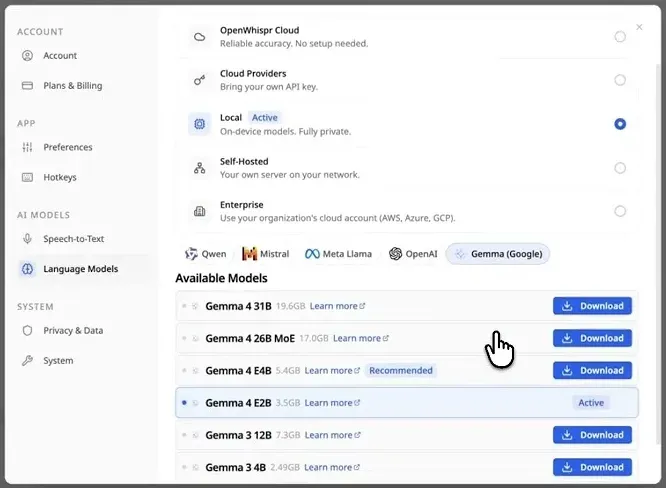
Language Models settings with Local mode active and Gemma models listed for download. Cropped from the thumbnail of an official OpenWhispr video.
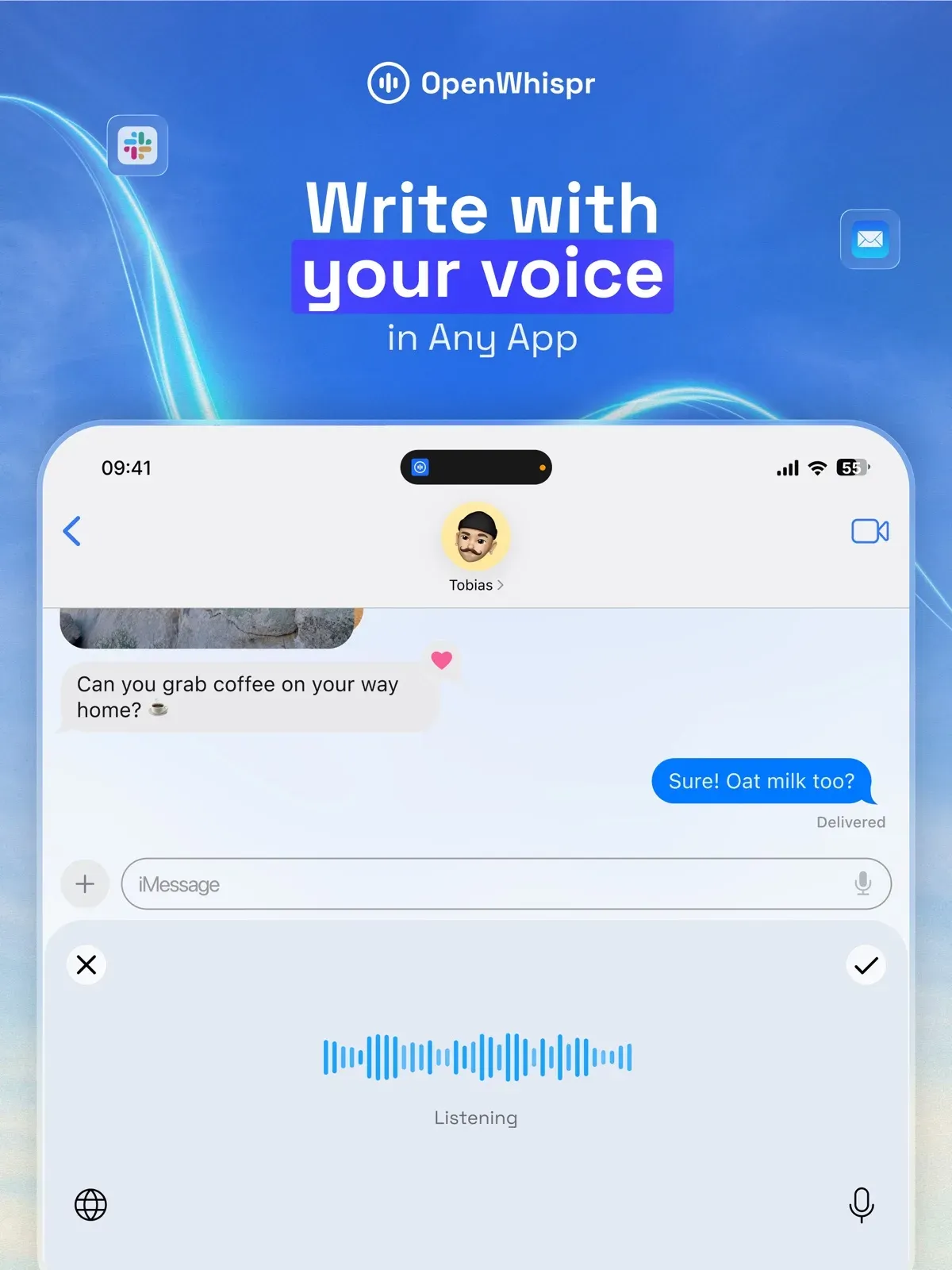
Official App Store screenshot of dictation into a messaging app on iOS.
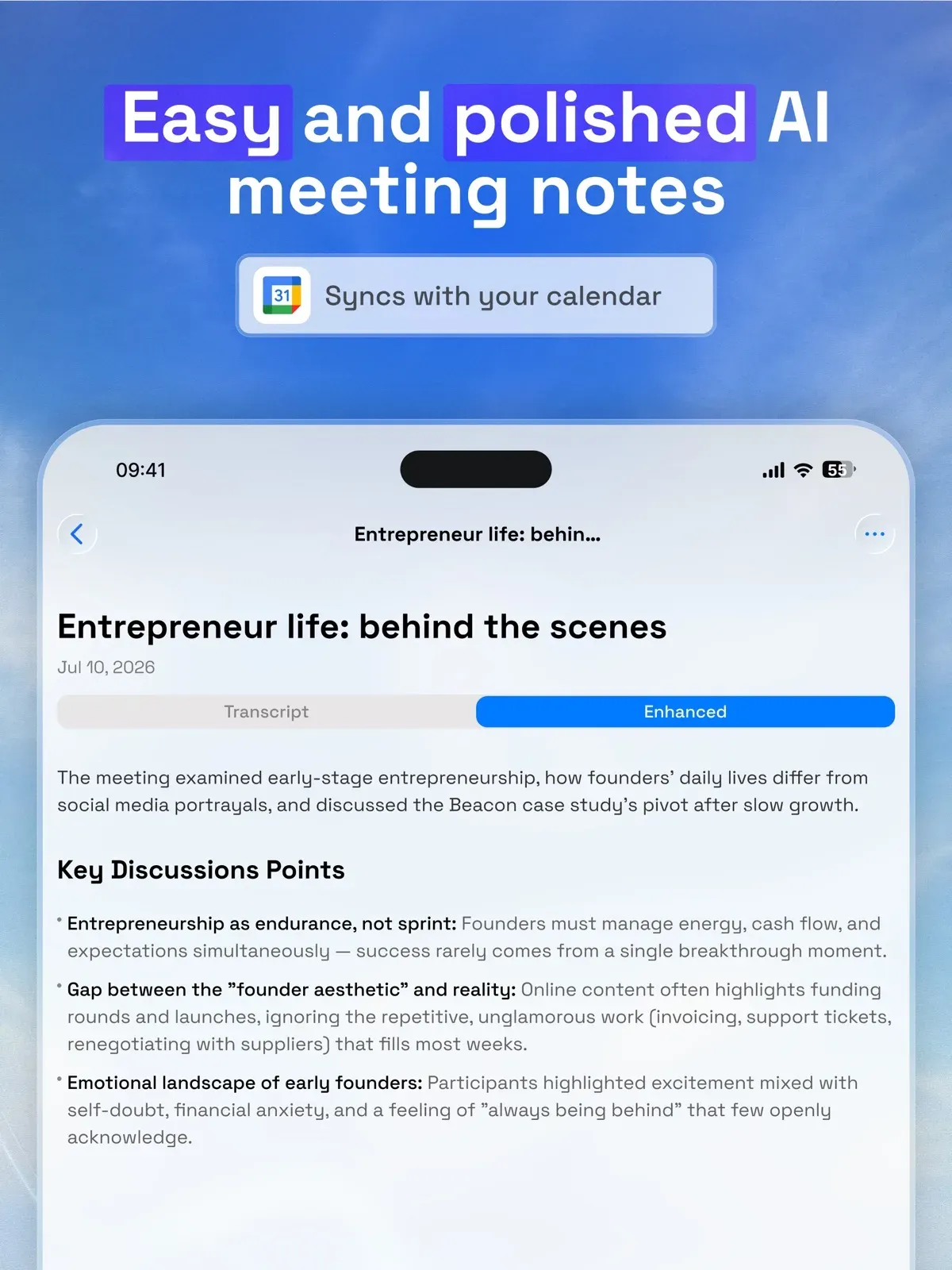
Official App Store screenshot of an AI-enhanced meeting note with calendar sync.
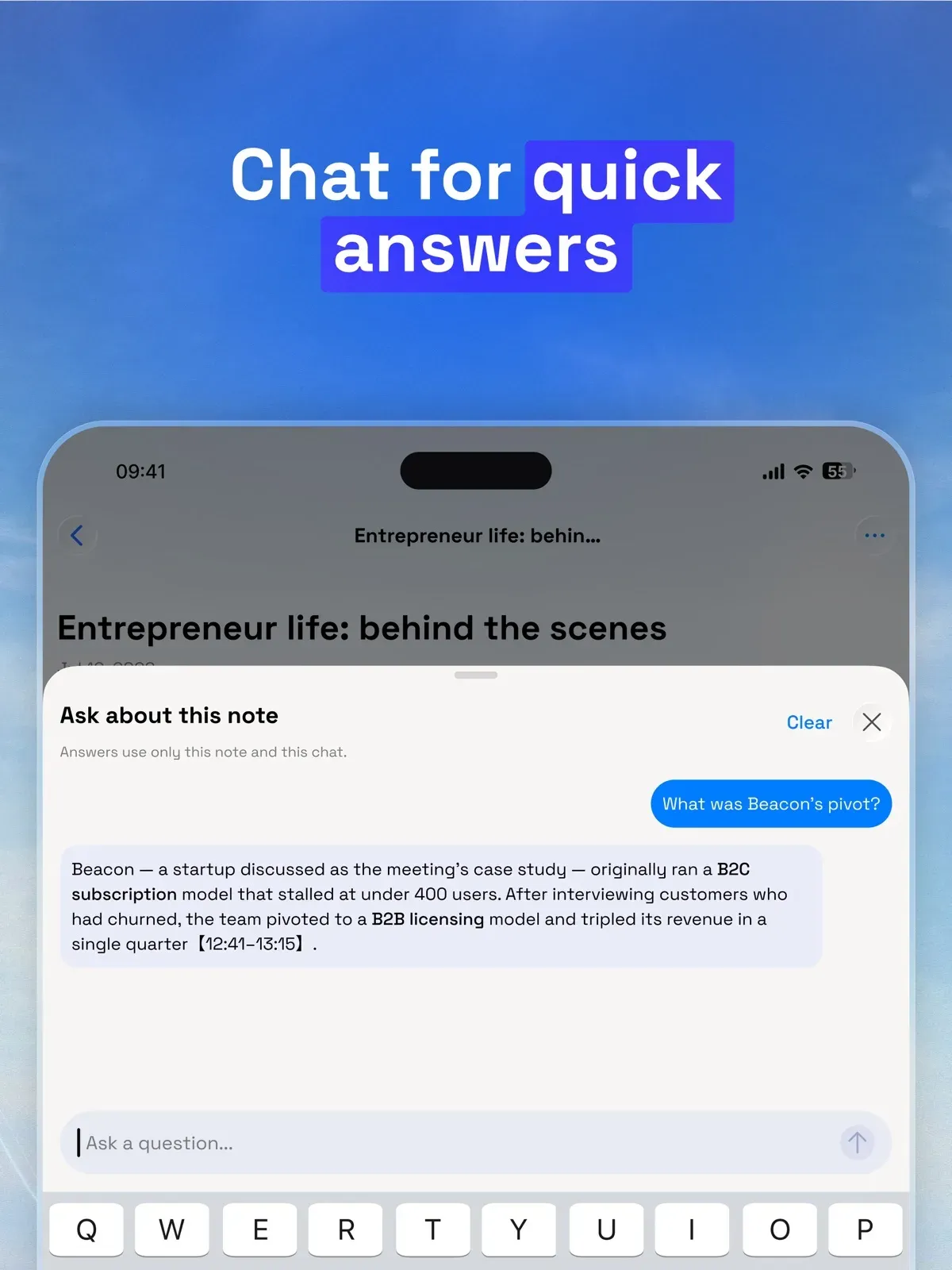
Official App Store screenshot of the chat panel answering questions about one note.
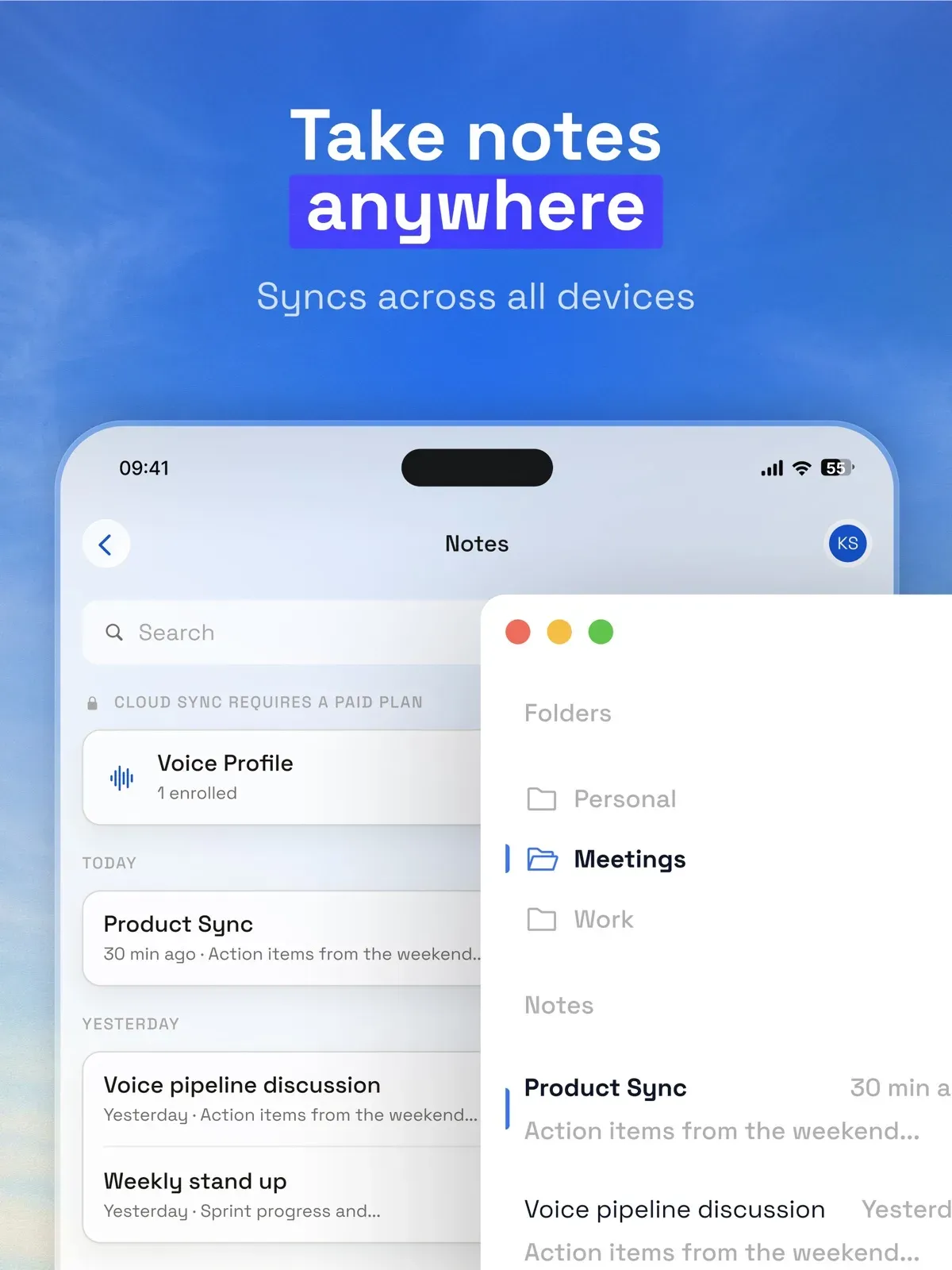
Official App Store screenshot of notes on iPhone and desktop; cloud sync requires a paid plan.
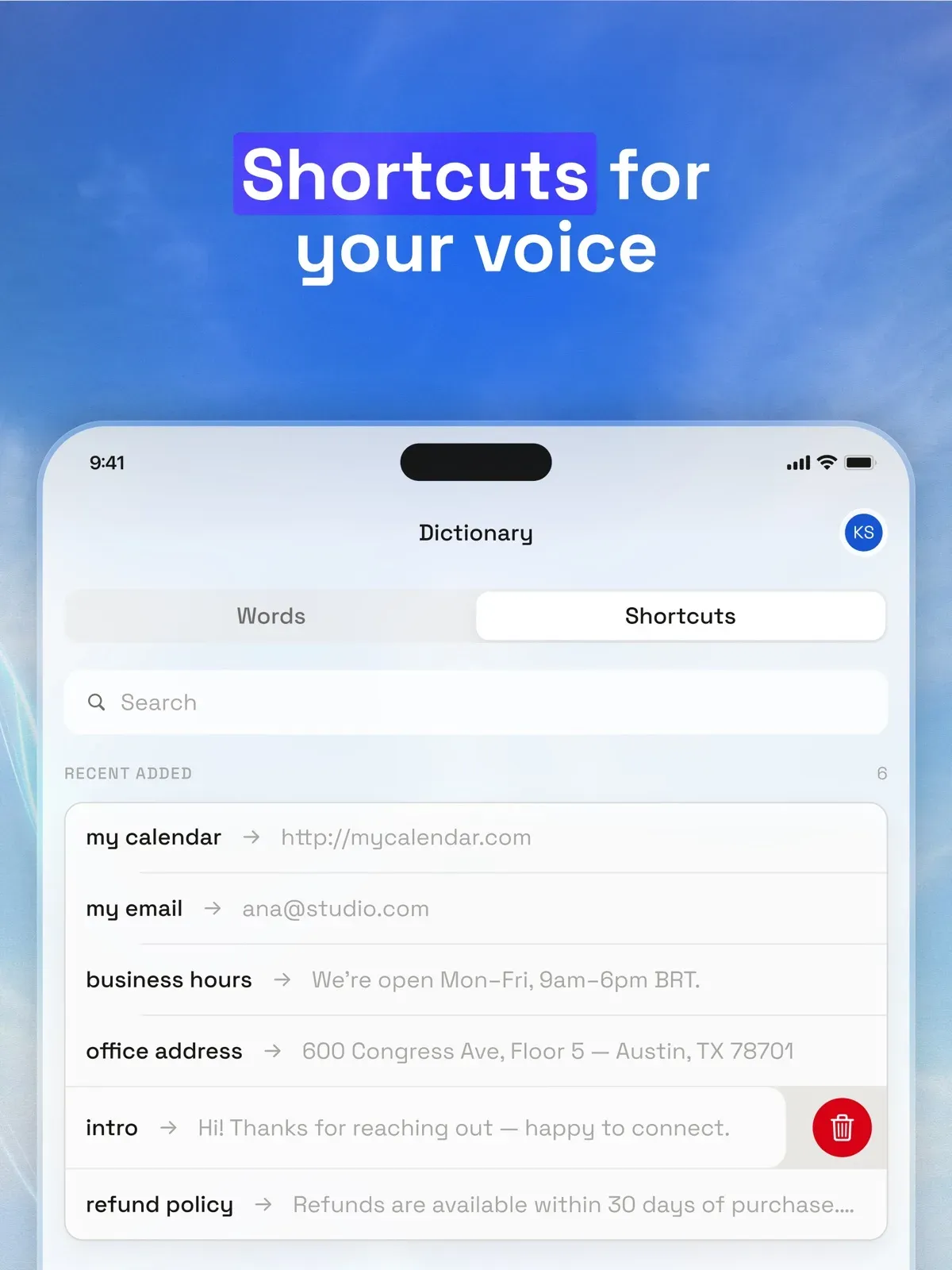
Official App Store screenshot of snippets that expand short spoken phrases into full text.
Source: official OpenWhispr project page.
Key capabilities
- Download OpenWhispr for macOS MacOS 12 Monterey or later, with separate DMG files for Apple Silicon and Intel on the latest release page. Drag the app to Applications before opening it; the builds are signed and notarized by Gizmo Labs Inc. Onboarding asks for Microphone and Accessibility access, plus optional System Audio for meetings and Screen Recording for the voice agent's screen context. A community-maintained cask is available with
brew install --cask openwhispr. - Download OpenWhispr for Windows Windows 10 or later, 64-bit x64 only, as a Setup installer that lets you choose the install location. The app is code-signed as Gizmo Labs Inc., and the installer adds a firewall rule blocking inbound connections to the bundled local transcription server. No permission grants are needed for automatic pasting. The default dictation hotkey is Ctrl+Win, and hold-to-talk works through a native keyboard listener.
- Download OpenWhispr for Linux 64-bit x86-64 only, with PulseAudio or PipeWire, as DEB, RPM, AppImage or tar.gz. Only the DEB and RPM packages register the
openwhispr://scheme needed for Google, Apple or Microsoft sign-in; AppImage and tar.gz offer email sign-in. On Wayland the paste helper needs/dev/uinputaccess through the input group, withxdotoolorwtypeas fallbacks. The Linux guide covers desktop-specific hotkey and paste behaviour. - iPhone and iPad app The iOS app is free on the App Store, and on-device transcription is unlimited without an account. It is newer than the desktop app and does not yet cover every desktop feature. Pro bought through the App Store costs $9.99 per month or $99.99 per year because Apple handles billing; it is the same subscription as a desktop purchase.
- Hotkey dictation into any application Press the dictation hotkey, speak, and the text is pasted at the cursor; it is always copied to the clipboard as well. The app has four separate shortcuts: dictation, the voice agent, translation and meeting mode. Optional cleanup removes filler words and fixes grammar and punctuation before pasting, and it can be switched off. Terminals and code editors get a different paste shortcut where OpenWhispr recognises them.
- Local speech recognition models Orukeet, a multilingual Parakeet fine-tune of about 672 MB, is the default local model. Whisper runs through whisper.cpp in sizes from tiny (about 75 MB) to large (about 3 GB), with turbo at about 1.6 GB. NVIDIA Parakeet TDT 0.6B v3 covers 25 languages, Nemotron models stream text while you speak, and Cohere Transcribe covers 14 languages at about 2.7 GB without automatic language detection. The local models guide lists sizes and setup.
- GPU acceleration for Whisper Metal works on Apple Silicon with no setup. On Windows and Linux, NVIDIA cards use a CUDA runtime and AMD or Intel graphics use a Vulkan runtime, each downloaded with one click from the model picker. Since 1.11.0, Whisper reads the server's startup output before reporting GPU use, falls back from CUDA to Vulkan to CPU when a backend fails, and Settings shows the backend in use.
- OpenWhispr Cloud and bring-your-own-key providers OpenWhispr Cloud needs only a sign-in with Google, Apple, Microsoft or email; it processes audio on OpenWhispr servers and keeps the transcript text, not the recording. With your own keys, requests go directly to OpenAI, Groq, xAI, Mistral, Tinfoil, Corti, Deepgram, AssemblyAI, OpenRouter, Anthropic or Google Gemini. Keys are encrypted through Electron safeStorage, which uses Keychain, DPAPI or libsecret; on Linux without a keyring they fall back to plaintext.
- Self-hosted and enterprise endpoints The Self-Hosted mode sends audio to your own OpenAI-compatible server, and the repository includes a custom ASR shim example for APIs that are not OpenAI-compatible. Enterprise mode connects Amazon Bedrock or Azure OpenAI, either through centrally managed SSO federation or manual credentials; managed credentials are short-lived and held in desktop memory. GCP Vertex AI is listed as planned.
- Meeting transcription without a bot OpenWhispr detects Zoom, Teams and FaceTime calls, records the microphone and, with permission, system audio, and shows text live. It does not join the call as a participant. Speaker labels are assigned during the call and refined afterwards, and the note lands in a Meetings folder. Google Calendar, Microsoft Calendar and Apple Calendar connections add titles, attendees and join links.
- Local speaker diarization and voice fingerprints Speaker labelling runs on the device and can recognise enrolled voices across meetings. Labels can be corrected, and "This is me" marks your own voice in an in-person note. On Intel Macs these features are unavailable because they depend on ONNX Runtime builds that no longer exist for macOS x86_64.
- Notes library with AI summaries Dictations, meetings and uploads are kept as notes with folders, search and AI actions; the AI Summary uses a detailed-notes structure with action-item checklists. Notes can be exported as Markdown or mirrored to a folder on disk. Semantic search falls back to keyword matching where the local embedding runtime is unavailable. Cloud backup is off by default, but notes in team spaces or shared by link always sync.
- Audio, video and URL import Drag in files, batch-upload them or paste a YouTube or direct audio URL, with optional speaker detection. File size limits depend on processing: none for local models and self-hosted endpoints, 25 MB for your own API keys and the Free cloud plan, and 500 MB on paid cloud plans. URL downloads are capped at 500 MB, and the app checks the size before uploading.
- Voice agent, chat and Skills A dedicated hotkey sends speech to the assistant as a command, and highlighted text can be edited in place. Share screen context is off by default; when enabled it sends a screenshot of the current display with that request only. The chat agent can search and edit notes, search the web and read your calendar. Version 1.11.0 added a Skills library using the open Agent Skills format, stored on the computer, with changes applied only after approval.
- Translation and language support A translation hotkey takes speech in one language and pastes text in another. The app lists more than 100 languages with auto-detection, but coverage depends on the model: Whisper covers the widest set, while Parakeet and Cohere Transcribe cover smaller sets.
- Custom dictionary, snippets and tone The dictionary holds up to 5,000 names and terms. Snippets expand a spoken trigger into a link, sign-off or template. Dictionary terms are sent with every cloud transcription request as a prompt, so keep sensitive names out of it when using cloud modes. Tone and Style, off by default, sets the cleanup tone for personal messages, work messages, email and other apps.
- REST API, CLI and MCP server The REST API at
https://api.openwhispr.com/api/v1manages notes, folders, transcriptions, dictionary, snippets and usage with scopedowk_live_keys on paid plans; limits are 120 requests per minute and 10,000 per day on Pro, 300 and 50,000 on Business. The CLI installs withnpm install -g @openwhispr/clion Node.js 20 or later and talks to the running desktop app or the cloud API. The hosted MCP server connects Claude, Claude Code, Cursor and VS Code. - Retention and privacy settings Data Retention is on by default, stored audio is deleted after 30 days, and transcripts are kept until you set a period of 1 to 90 days. Turning Data Retention off still pastes text but writes nothing to history, and Clear All Audio removes stored recordings. Usage analytics are off by default. Data sits in
~/Library/Application Support/OpenWhispron macOS and%APPDATA%\OpenWhispron Windows. - Team spaces and organization controls Signed-in users can share notes by link, domain or invitation and work in team spaces with roles and server-enforced membership. Enterprise plans add SSO, SAML and SCIM provisioning, audit logs and retention controls. Organization policy can switch off meeting recording and audio upload separately, and that policy applies to local models and personal keys as well.
Where OpenWhispr fits
Private dictation on a work laptop
Install the desktop app, download Orukeet or a Whisper model, and choose Local in each of the three Speech-to-Text tabs: Dictation, Note Recording and Audio Upload. The tabs are independent, so checking only one leaves the others on their previous mode. Confirm that cleanup also uses a local or self-hosted model if text must not leave the machine, and disconnect the network once to verify that dictation still works. The data flow page lists what each mode sends.
Recording meetings without a bot in the call
Let OpenWhispr prompt when Zoom, Teams or FaceTime starts, or use the meeting hotkey. Grant System Audio on macOS 14.2 or later, or check the native capture helper on Windows and PipeWire on Linux, otherwise only your microphone is recorded. Connect a calendar so notes get titles and attendees, then review speaker labels before generating the AI Summary. Tell participants that the call is recorded, since no bot announces it.
Transcribing interviews and recorded files
Use the Upload view to drop audio or video files, run a batch, or paste a URL. A local model removes file size limits and per-word cloud counting; a 45-minute MP3 often exceeds the 25 MB limit that applies to the Free cloud plan and to your own API keys. Enable speaker detection when several voices matter, and check names against the custom dictionary before exporting the note as Markdown.
Rolling out to a team under IT policy
Business and Enterprise workspaces add shared dictionaries, team spaces and central policy. Enterprise administrators can provision people through SCIM from Microsoft Entra ID or Okta, require company SSO and route AI text to the organization's own Bedrock or Azure OpenAI account. Give the firewall team the network allowlist, and decide whether meeting recording and audio upload should be allowed before deployment.
Connecting notes to an AI assistant
Add the hosted MCP server to Claude or Claude Code with OAuth, or to Cursor and VS Code with a personal API key carrying only the scopes you need. Assistants can then search notes and transcripts, read the dictionary and save notes back. For scripts, the CLI can use the running desktop app as a local backend, and the REST API offers cursor-paginated endpoints with rate-limit headers. Revoke unused keys from the Integrations page.
Dictating into terminals and code editors
Terminals read Ctrl+V differently, so OpenWhispr uses a terminal-specific paste shortcut where it recognises the app; release 1.11.0 switched Omarchy agent terminals to Shift+Insert. On Wayland, add your user to the input group and log in again so the paste helper can type. Test dictation in your editor, a terminal running a coding agent and a browser text field before relying on hold-to-talk for longer prompts.
Install
brew install --cask openwhisprReviews of OpenWhispr
Be the first to share your experience with OpenWhispr.
Write a review
Loading review form…
Alternatives to OpenWhispr
 HexHex is an open-source, MIT-licensed voice dictation app for Mac, Windows and Linux that transcribes on your device and pastes text into any app.
 VoiceInkGPL-3.0 voice-to-text app for macOS that transcribes on-device or through your own provider keys, pastes at the cursor and applies per-app Modes. Prebuilt app is a one-time license from $25; the source can be built for free.Lllama.cppllama.cpp is an MIT-licensed C/C++ library, with CLI tools and an OpenAI-compatible server, for running language and vision-language models on CPU or GPU.