

What is Joplin?
Joplin is a free, open source note taking and to-do application that handles a large number of notes organized into notebooks. Notes are searchable, can be tagged and modified from the applications or from your own text editor. It is available for Windows, Linux, macOS, Android and iOS.
Joplin is offline first, so all data is kept on your phone or computer and stays accessible without a connection. Notes can be synchronized with end-to-end encryption through various cloud services, and notes exported from Evernote can be imported with formatting, attachments and metadata. Full text search is available on all platforms.
The app can be customised with plugins, custom themes and multiple text editors (Rich Text or Markdown), and scripts and plugins can use the Extension API. For synchronisation and sharing, the project offers Joplin Cloud as managed hosting and Joplin Server Business as a self-hosted option for organisations.
Joplin screenshots
Explore the interface. Open a screenshot to view it at full size.
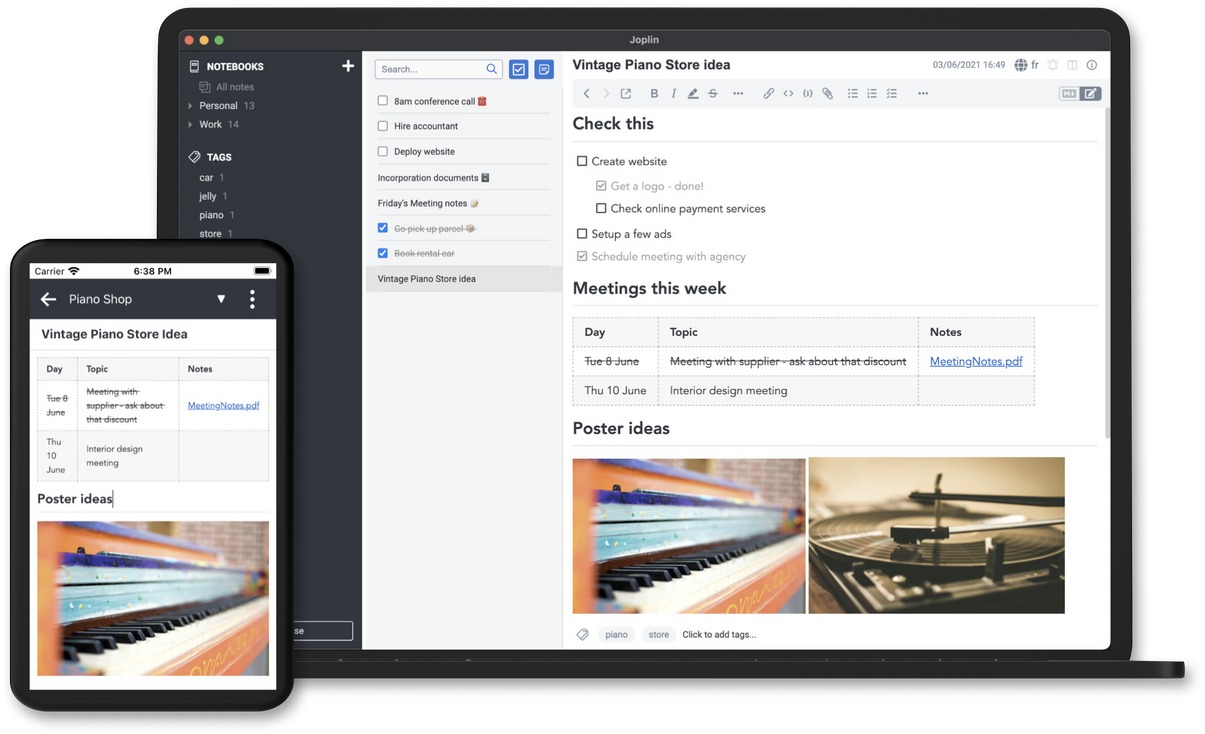
Source: official Joplin project page.
Key capabilities
- Notebooks, tags and full text search on every platform
- Apps for Windows, Linux, macOS, Android and iOS
- Offline-first storage with end-to-end encrypted sync
- Evernote import
- Plugins, themes and Rich Text or Markdown editors
- Joplin Cloud or self-hosted Joplin Server Business
Where Joplin fits
Joplin fits personal knowledge management, reference collections and day-to-day note-taking across computers and phones. Its notebooks, tags and search help organise material, while the Web Clipper brings browser content into the note collection. Evernote import provides a migration route for existing notes and attachments.
Before deployment, users should verify the chosen synchronisation service, encryption setup and device requirements. A migration trial should check how imported formatting, attachments and metadata are retained. Teams considering it for shared knowledge should separately confirm collaboration and administration requirements, which are not detailed in the supplied material.
Reviews of Joplin
Be the first to share your experience with Joplin.
Write a review
Loading review form…
Alternatives to Joplin
 ObsidianObsidian is a free note-taking app by Dynalist Inc. that stores notes as local Markdown files, with links, graph view, Canvas, Bases, a CLI and community plugins, plus optional paid Sync and Publish services.
 LogseqLogseq is a privacy-first, open-source platform for knowledge management and collaboration, with PDF annotation, task management and Markdown or Org-mode files.