

What is SilverBullet?
SilverBullet is a browser-based knowledge base that stores notes as Markdown files in an ordinary folder, which the project calls a space. On top of those files it adds wiki links with backlinks, an index of pages, tasks and tagged objects, a query syntax and Space Lua, an embedded Lua dialect for commands, templates and widgets. Zef Hemel created the project in February 2022 and maintains it with community contributions. The about page describes the intended uses: a personal journal, a team wiki, documentation kept next to code and a shared family space.
The product has two editions built on one core. SilverBullet Server and the sb CLI are MIT-licensed and self-hosted: the server delivers a web client that can be installed as a progressive web app. SilverBullet Desktop is a native application for macOS, Windows and Linux that opens local folders as spaces and can sync with any Server. Desktop is not open source; it is free for personal and educational use, and work use requires a Pro license at $50 per user per year according to the pricing page. PikaPods offers hosted Server instances from $2 a month.
Server is distributed as standalone binaries for macOS (Intel and Apple Silicon), Linux (x86_64, arm64 and armv7), Windows x64 and FreeBSD x86_64, and as Docker images on GHCR and Docker Hub. The default :latest image bundles Chromium for the Runtime API, while :latest-slim omits it. Desktop ships as a DMG, an AppImage or Flatpak, and a Windows installer. The current release is 2.12.1, published on October 12, 2026: it makes the filesystem API refuse dot-prefixed files and folders and gives public spaces a robots.txt, a sitemap and canonical URLs. Version 2.12.0 added a programmable keyboard bar for mobile, an Android share target and faster handling of spaces with tens of thousands of pages. Version 2.11.0 renamed the space manager to the Dashboard and added single sign-on, public spaces, near real-time sync, mentions and Git-backed revisions, while 2.10.0 introduced multi-space hosting with accounts and replaced the Go backend with Rust.
The client is TypeScript on the CodeMirror 6 editor with Preact for additional UI. The Rust server, a Cargo workspace, serves the client bundle, the file HTTP API, authentication and an optional headless Chrome runtime for server-side Lua. Each browser tab runs its own client; a service worker provides the offline cache and sync into IndexedDB. Extensions called plugs run in sandboxed web workers, as the architecture page describes.
Some boundaries are deliberate. There is no app-store mobile application: phones use the installable web client. Concurrent edits are reconciled by three-way merging instead of a CRDT editor, so simultaneous typing in one line can produce a conflict to resolve. Within a space, anyone with write access can author scripts that run for other readers. The public documentation tracks the development branch, so features such as the MCP endpoint, full-text and semantic search and the Workbench are currently in edge builds rather than 2.12.1; the changelog separates the two.
SilverBullet screenshots
Explore the interface. Open a screenshot to view it at full size.
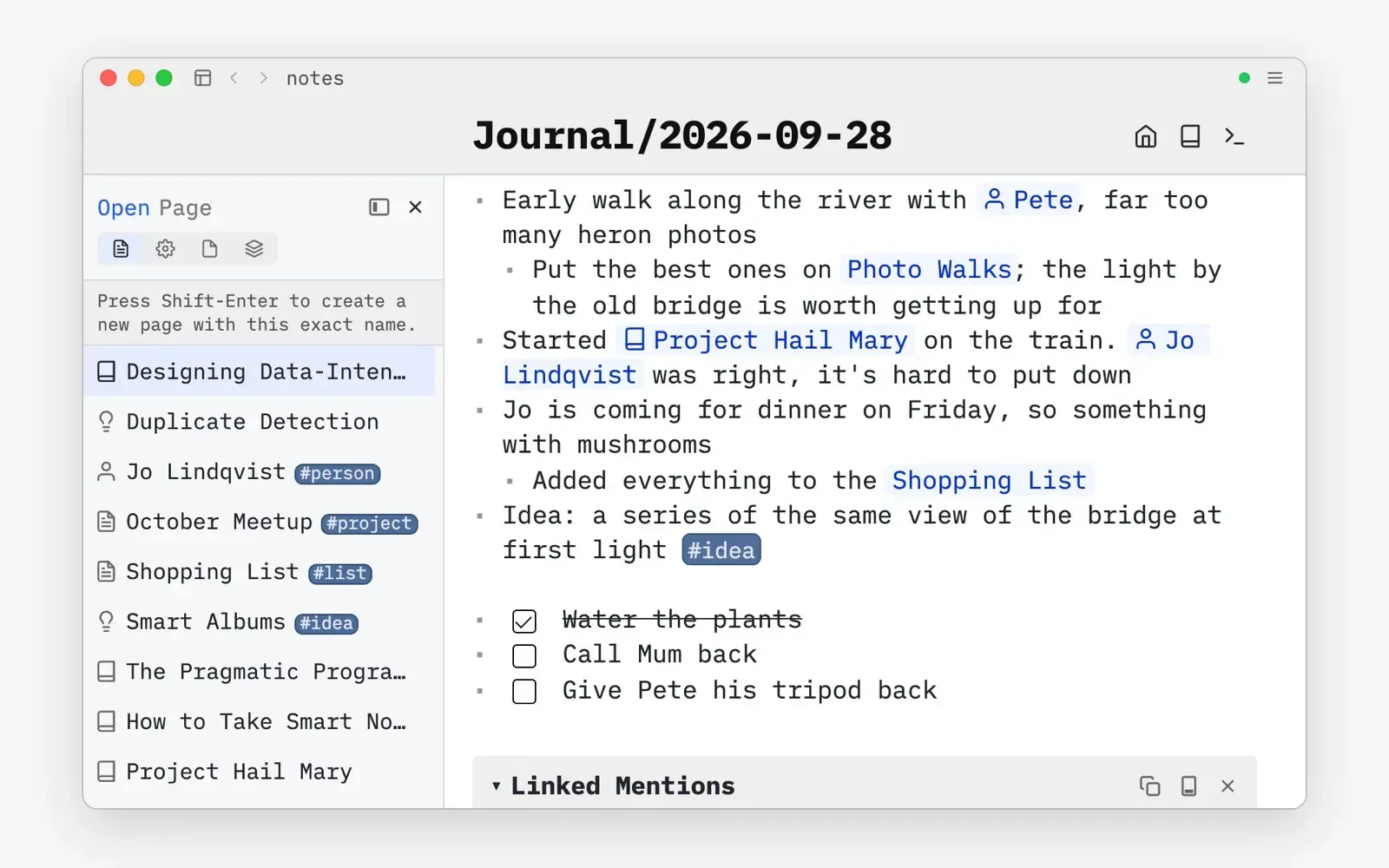
Official still of SilverBullet Desktop: a dated journal page with linked people and books, tasks and the page picker on the left.
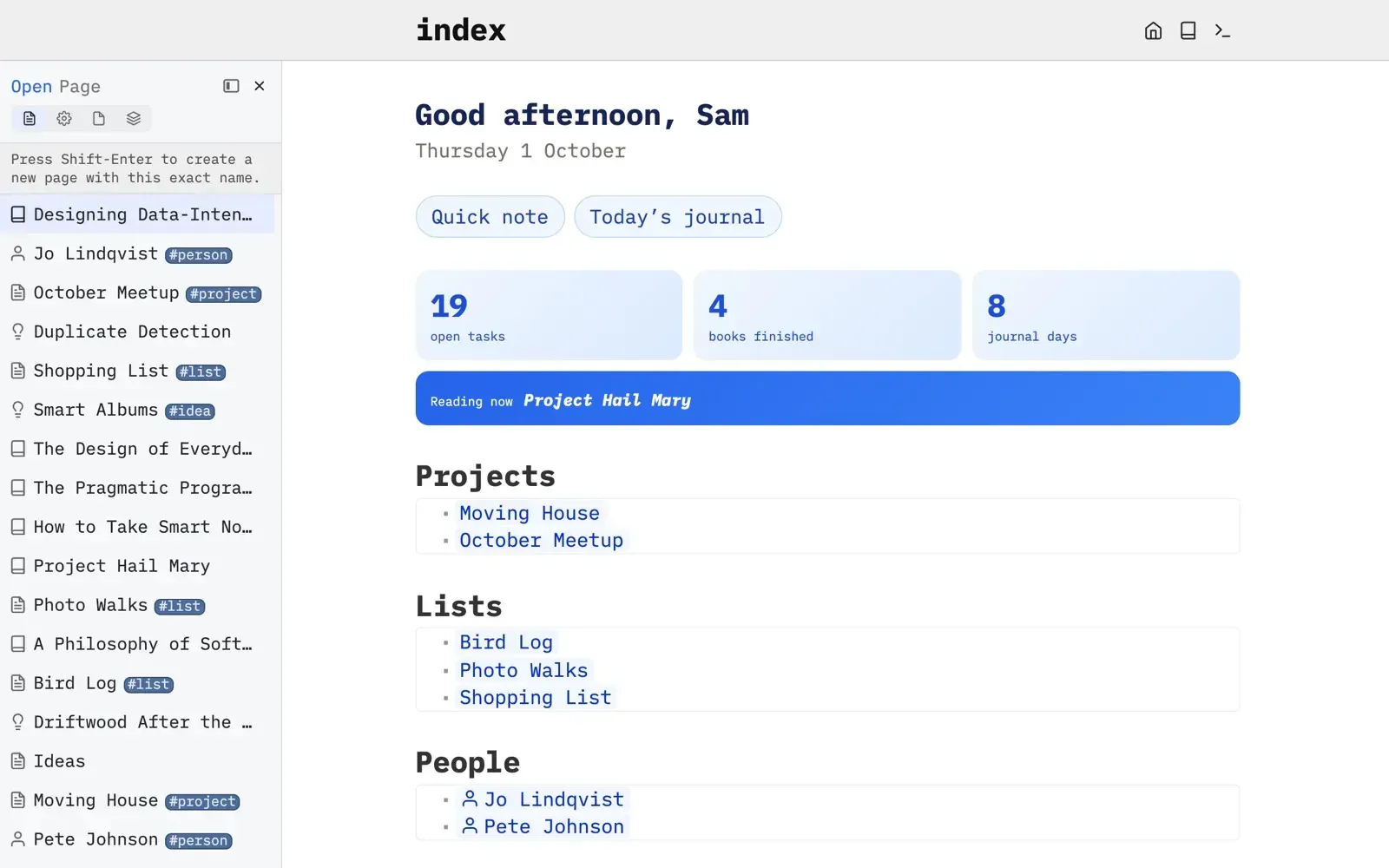
Official example of a personal home page built from queries and widgets, with counters and generated lists of projects and people.
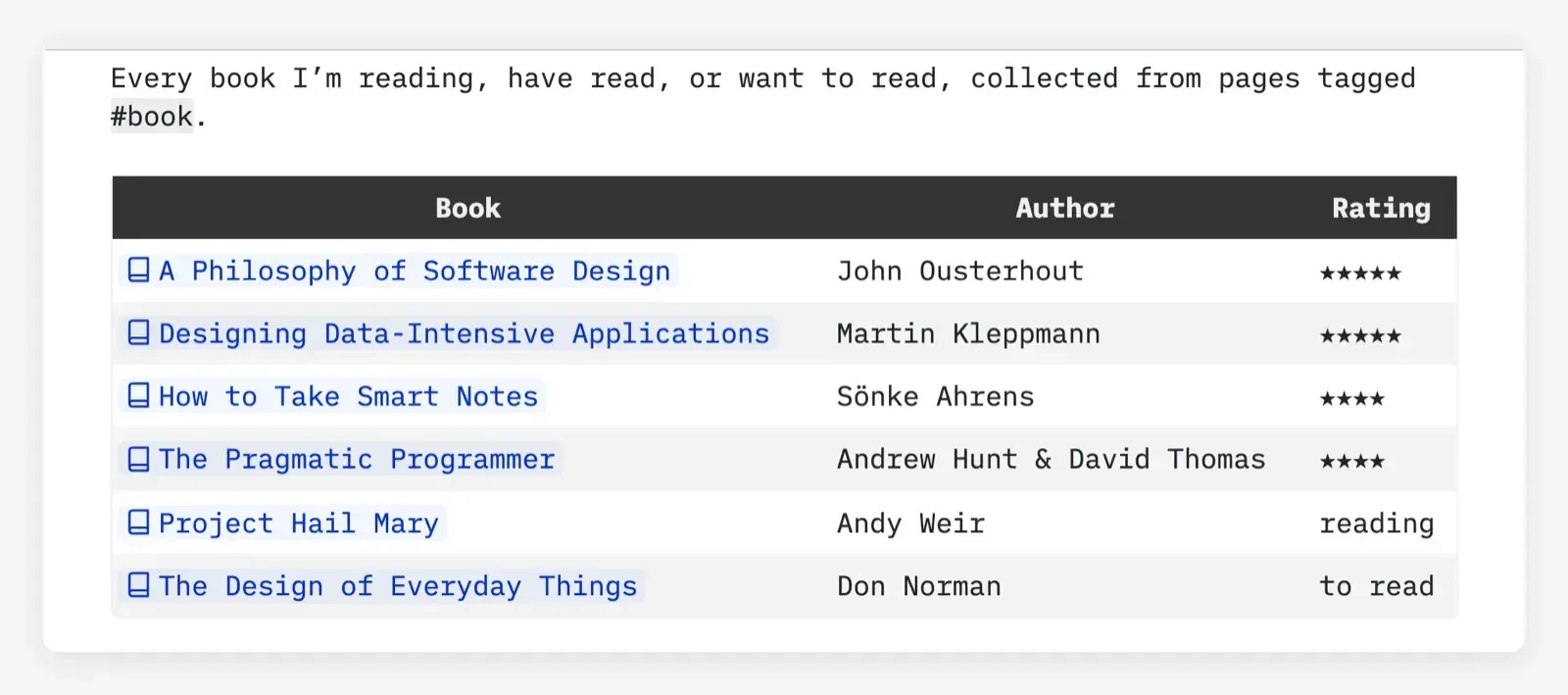
Official example of a live query: every page tagged book rendered as a table with author and rating.
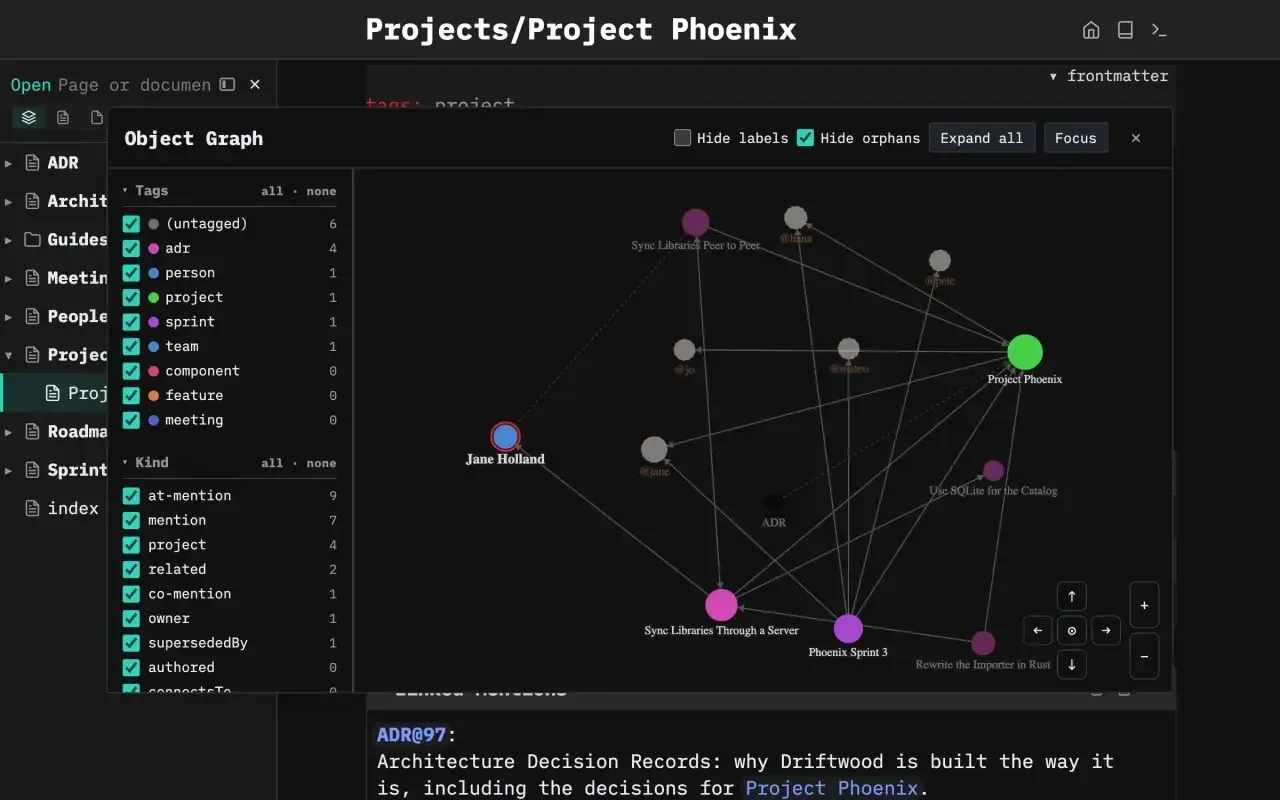
Official still of the Object Graph over a team space, with tag and relation-kind filters.
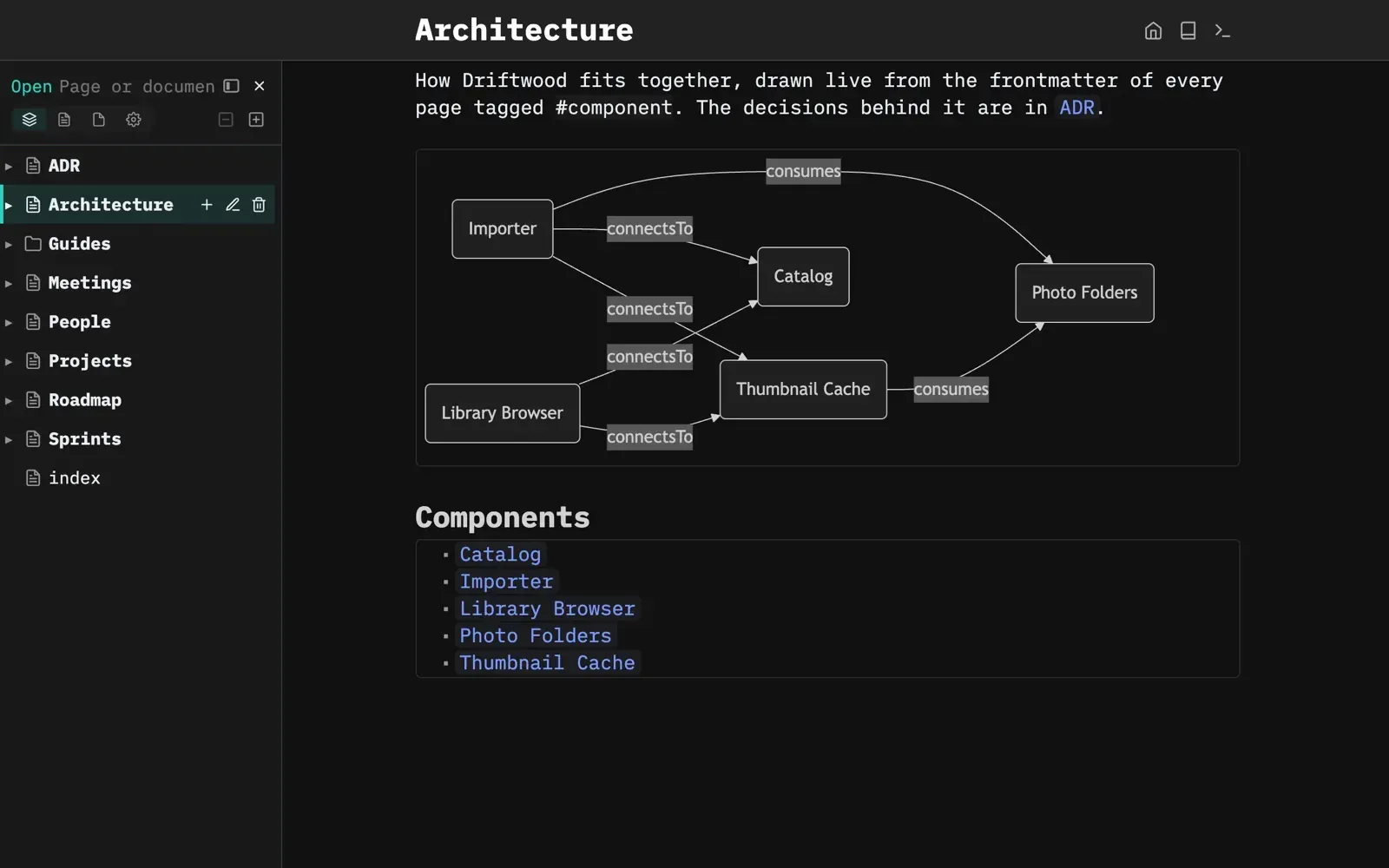
Official team wiki example: an architecture diagram generated from the frontmatter of pages tagged component.
Source: official SilverBullet project page.
Key capabilities
- Download SilverBullet Desktop for macOS The download page offers DMG files for Apple Silicon (ARM64) and Intel Macs. Desktop updates itself after installation. It opens a dashboard listing spaces, where New space turns an empty or existing folder of Markdown files into a local space.
- Download SilverBullet Desktop for Windows Windows 10 or later, 64-bit x64 only, through a setup executable. The installer is not code-signed yet, so SmartScreen shows a warning that must be bypassed with More info and Run anyway. Smart App Control has no per-app override, so machines that enforce it must turn that feature off before installation, which managed fleets should review first.
- Download SilverBullet Desktop for Linux AppImage builds for x86_64 and ARM64 require Ubuntu 22.04 or newer and need no FUSE installation. A Flatpak is available through
flatpak install https://release.silverbullet.md/flatpak/silverbullet.flatpakref, and Flatpak installations update through the software center instead of the built-in updater. - Run SilverBullet Server with Docker Images on GHCR and Docker Hub cover 64-bit Intel, 64-bit ARM and 32-bit ARMv7. The container listens on port 3000 and uses whatever is mounted at
/data; it detects the folder owner and runs with that UID and GID unlessPUIDandPGIDare set. Tags:latestand:edgeinclude Chromium and the Runtime API, and the-slimvariants omit them. The Docker guide recommends Docker Compose. - Run the standalone Server binary Release zips named
silverbullet-server-<os>-<arch>contain a single executable;./silverbullet datastarts it on 127.0.0.1:3000, with-pfor the port and-Lfor the bind address. An empty data folder opens a setup wizard for the first admin account and space.silverbullet upgradeandupgrade-edgeupdate in place. The docs recommend Linux with a case-sensitive file system and state that a few hundred megabytes of RAM is enough. - Markdown pages with live preview A space is a folder of Markdown pages next to images, PDFs and other files, and other editors, scripts or coding agents may change those files directly. The editor renders formatting in place and reveals the Markdown source where you edit, with outlining commands, task checkboxes, page templates and transclusions. Since 2.11.1, audio, video and PDF files open in built-in viewers.
- Links, linked mentions and the object graph Wiki links are bi-directional: each page lists where it is mentioned. Since 2.11.0 a link such as
[[Note]]resolves by page name when the name is unique, which lets Obsidian-style vaults open without rewriting links. The Object Graph, still marked experimental, shows local and global relations between pages, tags and mentions and can dock in a sidebar. - Objects, tags and queries The client indexes pages, tasks, list items, data blocks and tagged objects into a browser-side Object Index. Queries are written in Space Lua inside
${query[[...]]}expressions, for example every page taggedbookordered by rating, and render as live tables or lists. Results come from the local index, so they also work offline once the space has synced. - Space Lua scripting Space Lua is a largely complete Lua implementation embedded in the client. Code in
space-luablocks applies to the whole space, and${...}expressions render their value inline, which is how custom commands, slash templates, page templates and widgets are built. A script that runs too long triggers a prompt offering to stop it while the rest of the app stays responsive. - Libraries and plugs Extensions are distributed as libraries that can contain Space Lua, templates and
.plug.jsplugs. Plugs run in sandboxed web workers, talk to the editor through syscalls and can be loaded or updated without restarting. Community libraries are listed in the forum, and installing or updating one is an outgoing request you initiate. - Offline web app and sync In a browser, the service worker syncs pages into IndexedDB so cached pages can be read and edited offline and reconciled later. Saves are throttled to about two seconds. Documents such as PDFs are fetched on demand unless
sync.documentsis enabled, andsync.ignoretakes gitignore patterns. Offline startup needs HTTPS or localhost; plain LAN HTTP runs online-only. - Dashboard, accounts and single sign-on Multi-space mode, introduced in 2.10.0 and the default for fresh installs, serves any number of spaces bound to URL prefixes or hostnames and manages them at
/.dashboard. Each space grantsnone,readorwriteaccess to visitors and members, and admins reach every space. There is no self-service signup or password recovery. Single sign-on supports Google Workspace, Pocket ID and other OpenID Connect providers. - Collaboration on shared spaces Since 2.11.0, changes reach other clients within about two to three seconds. The server merges concurrent edits with a line- and word-aware three-way merge and shows a conflict widget when both sides changed the same words. Mentions with
@namefeed a Mention Inbox, and authorship markers credit who wrote a block. The collaboration model is labelled experimental. - Git-backed revisions Each space can run revisions in Managed mode, where SilverBullet commits changes about 30 seconds after editing stops and at least every five minutes, in Unmanaged mode, which only reads an existing repository, or Disabled. Page history shows color-coded diffs and restores a version as one undo step. Managed spaces can fetch, merge and push to a Git remote for history and backup.
- Publishing and sharing A space can be made public for reading from its access settings; visitors get navigation, linked mentions and live queries but no editing, shell or Runtime API. A space can also be frozen as read-only for everyone. The beta Share feature pushes, pulls or syncs selected pages with external destinations defined by a
share.urifrontmatter key. - HTTP API, Runtime API and sb CLI The HTTP API exposes space files under
/.fswith conditional writes, and accepts a bearer token whenSB_AUTH_TOKENis set. The Runtime API evaluates Lua, queries and screenshots in a headless Chrome instance per user and space. The experimentalsbCLI ships assb-*zips on the releases page and talks to a running Server over HTTP. - Client encryption for shared devices By default the browser keeps synced files and the index unencrypted in IndexedDB. With built-in authentication, a login checkbox enables client encryption, which derives a 256-bit key with PBKDF2 from the username and password and keeps it only in memory. It is a beta feature, slows the client and is not end-to-end encryption: server-side files stay as stored on disk.
- MCP endpoint in edge builds The development branch adds an MCP endpoint at
/.mcpso AI assistants can read, write, edit, search and query spaces, withluaandscreenshottools that need the Runtime API. Clients sign in with OAuth and act as the approving account on the spaces ticked on a consent page. It is off by default on a Server and is not part of 2.12.1.
Where SilverBullet fits
Keeping a personal journal and reading log
Install Desktop, create a space from a new or existing folder and start daily pages. Tag pages such as book or person and add frontmatter fields like author or rating, then place a query on an index page to list them. Confirm that linked mentions appear on the target pages and that the files remain readable in another editor. For work use, plan a Pro license, and decide whether the folder is backed up by your own tooling or synced to a Server.
Running a self-hosted team wiki
Deploy Server with Docker Compose, put a TLS proxy in front of it and finish the setup wizard to create the first admin. Create accounts or connect an OpenID Connect provider, then assign each member read or write per space. Because write access includes running scripts for other readers, give untrusted contributors a separate space or subdomain as described under Security. Test two people editing one page and check how the conflict widget appears.
Maintaining documentation as code
Open a repository's docs folder as a space in Desktop, or set revisions to Unmanaged on a Server so SilverBullet reads the existing Git history without committing to it. Changes then go through the usual pull request review. To publish, set public read access on a Server space and choose its index page; 2.12.1 adds a sitemap, robots.txt and canonical URLs. The project's own documentation site is built this way.
Building dashboards and small tools on pages
Write space-lua blocks for definitions and use ${...} expressions for live values, buttons and tables. Start from the integrated query syntax over tagged objects before writing plug code. Test scripts in a practice space, because a definition in one page applies across the whole space. After upgrades, review the changelog for breaking API changes: 2.12.0 replaced view.new with widget.new.
Using a space from a phone offline
Open the Server URL over HTTPS on the phone and install it as a web app from the browser menu. Let the first sync finish, enable sync.documents if attachments must be available offline, then switch to airplane mode and open the pages you need. Edits made offline reconcile on reconnection. Server-side search, shell commands and sharing still require a connection, and browser storage is not a backup.
Scripting a space from the terminal or an agent
Download the sb zip for your platform from the release and connect it to a space with an account or token that has write permission. Use sb fs for file reads and conditional writes, sb query or sb eval for indexed data (edge builds rename the latter sb lua), and sb screenshot to render a page. Lua, queries and screenshots need the Runtime API, which the slim Docker images do not include. The CLI reference lists exit codes and flags; the CLI is marked experimental.
Install
docker run -d --restart unless-stopped --name silverbullet -p 3000:3000 -v ./data:/data ghcr.io/silverbulletmd/silverbullet:latestReviews of SilverBullet
Be the first to share your experience with SilverBullet.
Write a review
Loading review form…
Alternatives to SilverBullet
 ObsidianObsidian is a free note-taking app by Dynalist Inc. that stores notes as local Markdown files, with links, graph view, Canvas, Bases, a CLI and community plugins, plus optional paid Sync and Publish services.
 LogseqLogseq is a privacy-first, open-source platform for knowledge management and collaboration, with PDF annotation, task management and Markdown or Org-mode files.
 SiYuanSiYuan is an AGPL-3.0 personal knowledge management app built on block-level references, Markdown WYSIWYG editing and databases. It runs on desktop, mobile or Docker, keeps data in a local workspace and sells optional sync.