

What is Vikunja?
Vikunja is an open-source task manager for individuals, households and teams. It organizes tasks into projects and nested subprojects and shows the same tasks as a list, a Kanban board, a Gantt chart or a sortable table. It is developed by Konrad Langenberg, who publishes it as Konrad Langenberg Software from Lübeck, Germany, together with outside contributors. The 1.0 announcement dates the first commit to June 2018; version 1.0 followed in January 2026 and 2.0 a month later.
The software is distributed in two ways. Self-hosters run a single server binary that serves both the REST API and the web frontend, using the vikunja/vikunja Docker image, signed apt, rpm, pacman and apk repositories, or zip archives for Linux, macOS and Windows on several architectures. The installation guide covers each route. The vendor also runs Vikunja Cloud, a managed instance hosted in the EU, and sells Vikunja Pro, a license key that switches on extra administration features for self-hosted instances.
The current release is Vikunja 2.8.0, published November 5, 2026. According to its release post it fixes 19 security advisories, three of them rated high, and adds a trash bin that keeps deleted tasks and projects for 30 days, linking of an OpenID Connect identity to an existing local account, teams derived from the identity provider's groups claim and an account lockout after 10 failed password attempts. Version 2.7.1 fixed 41 further advisories, 2.7.0 added a built-in MCP server for AI assistants, 2.6.0 added Planka import and attachment previews, and 2.4.0 introduced a new v2 API and the first Pro features.
The backend is written in Go and stores data in SQLite, MySQL 8.0 or later, MariaDB 10.2 or later, or PostgreSQL 9.5 or later; attachments live in a files directory on disk. The frontend uses Vue 3, TypeScript and Vite. An Electron desktop wrapper packages the same frontend and connects to a server of your choice. CalDAV, webhooks, a Go plugin loader, OAuth 2.0 sign-in for other applications and the veans command-line tool for coding agents extend the core.
Most of the repository is licensed under AGPL-3.0-or-later; the desktop/ directory is GPL-3.0-or-later. Pro code sits in the same AGPL repository and is enabled by a key rather than kept in a closed edition. Out of scope: Vikunja is not a document wiki, chat tool or full portfolio planner, there is no published native iOS or Android release, and CalDAV support is still labelled early alpha in the CalDAV documentation.
Vikunja screenshots
Explore the interface. Open a screenshot to view it at full size.
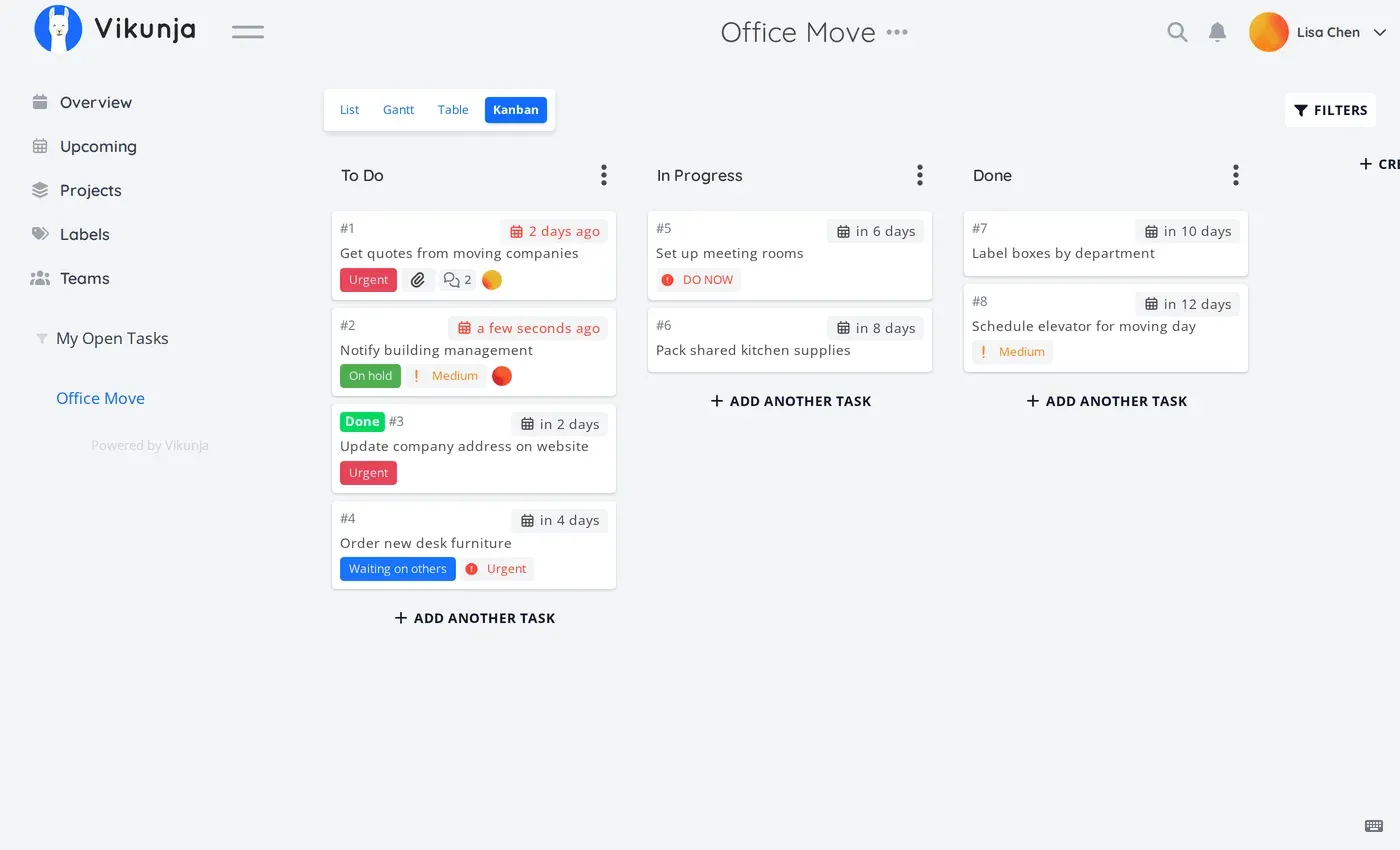
Kanban view of a sample project with labelled, dated task cards in three buckets. Official screenshot from vikunja.io.
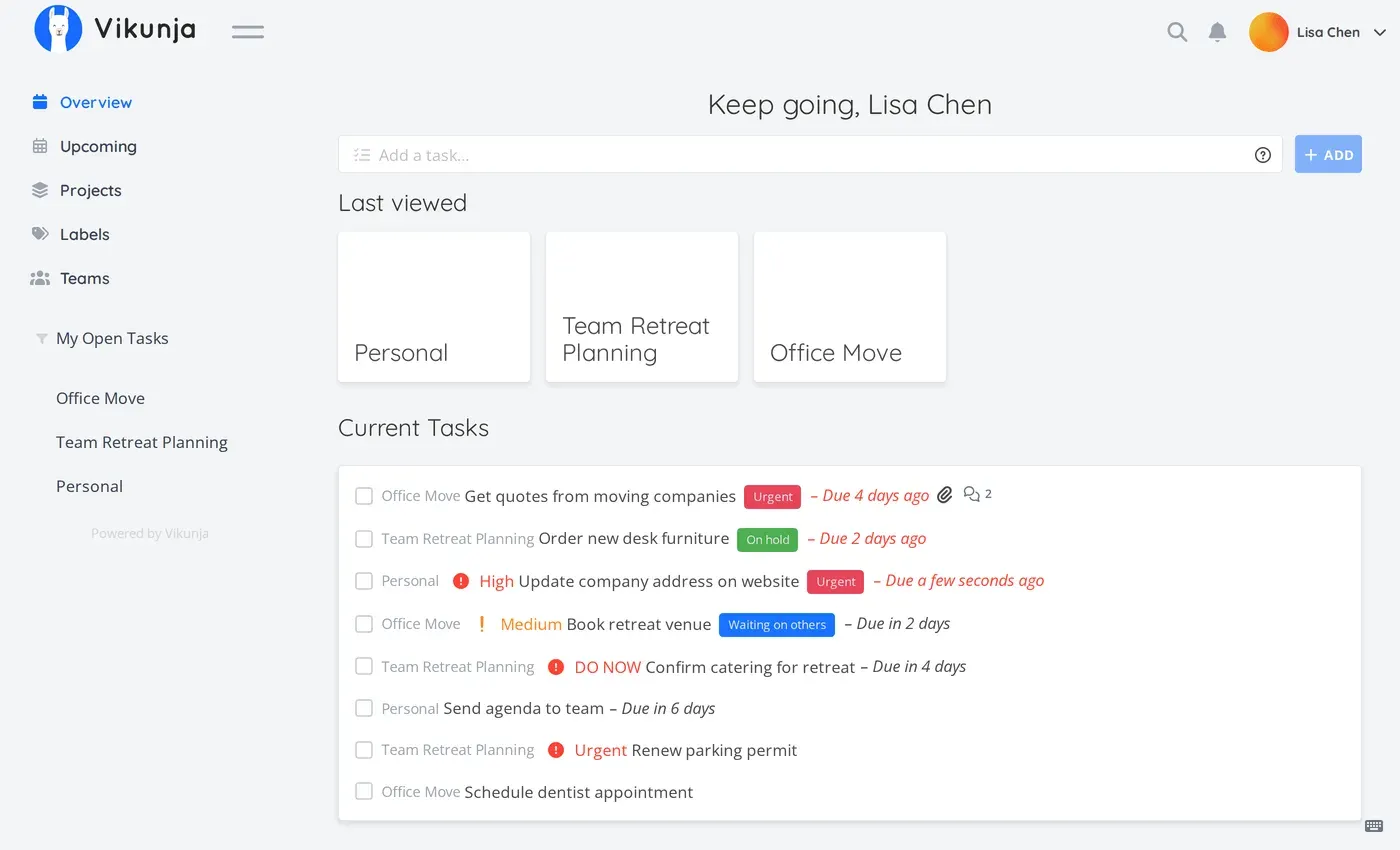
Overview page showing recent projects and current tasks across projects with priorities, labels and overdue dates. Official screenshot from vikunja.io.
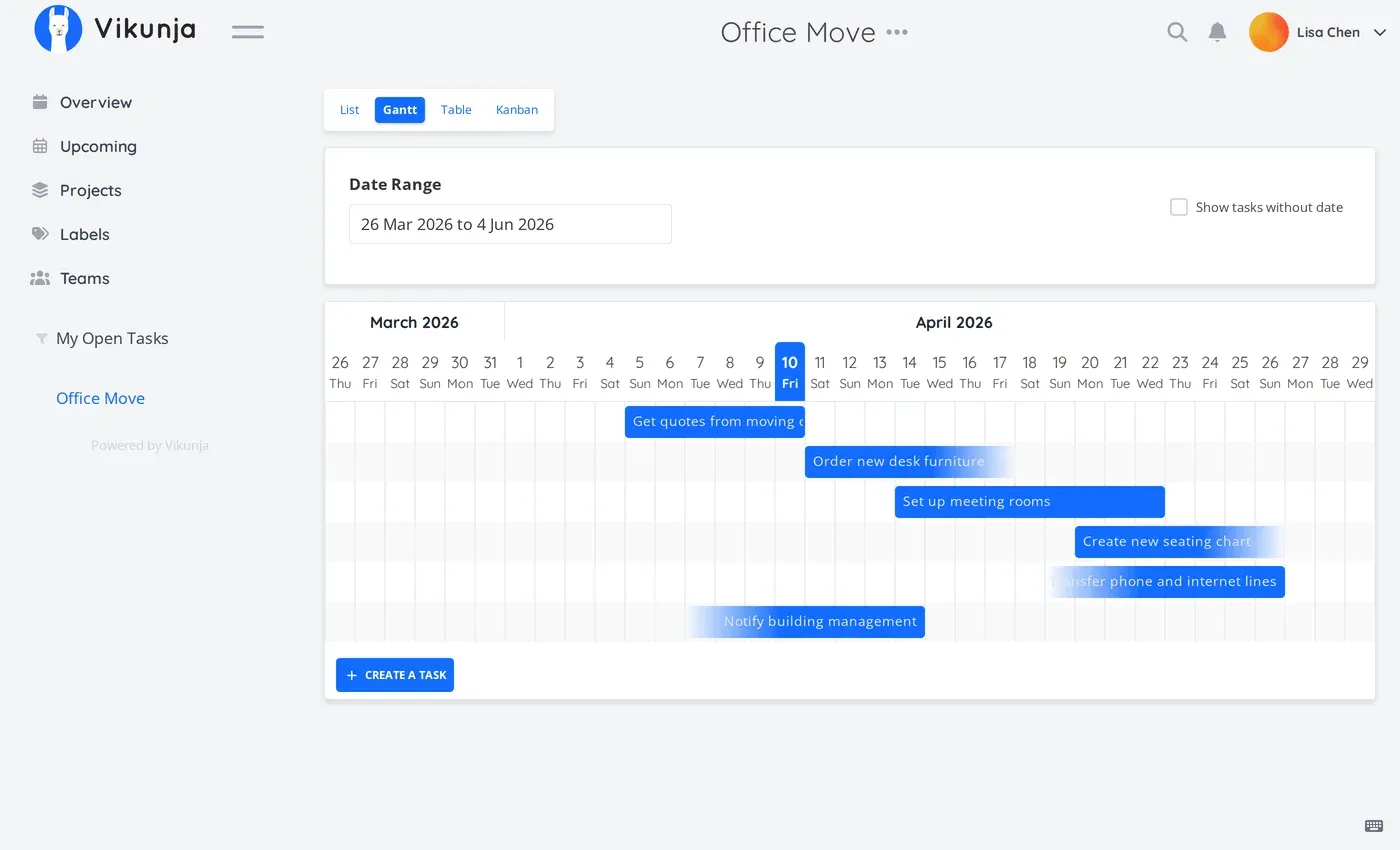
Gantt view with a date range picker and task bars on a day timeline. Official screenshot from vikunja.io.
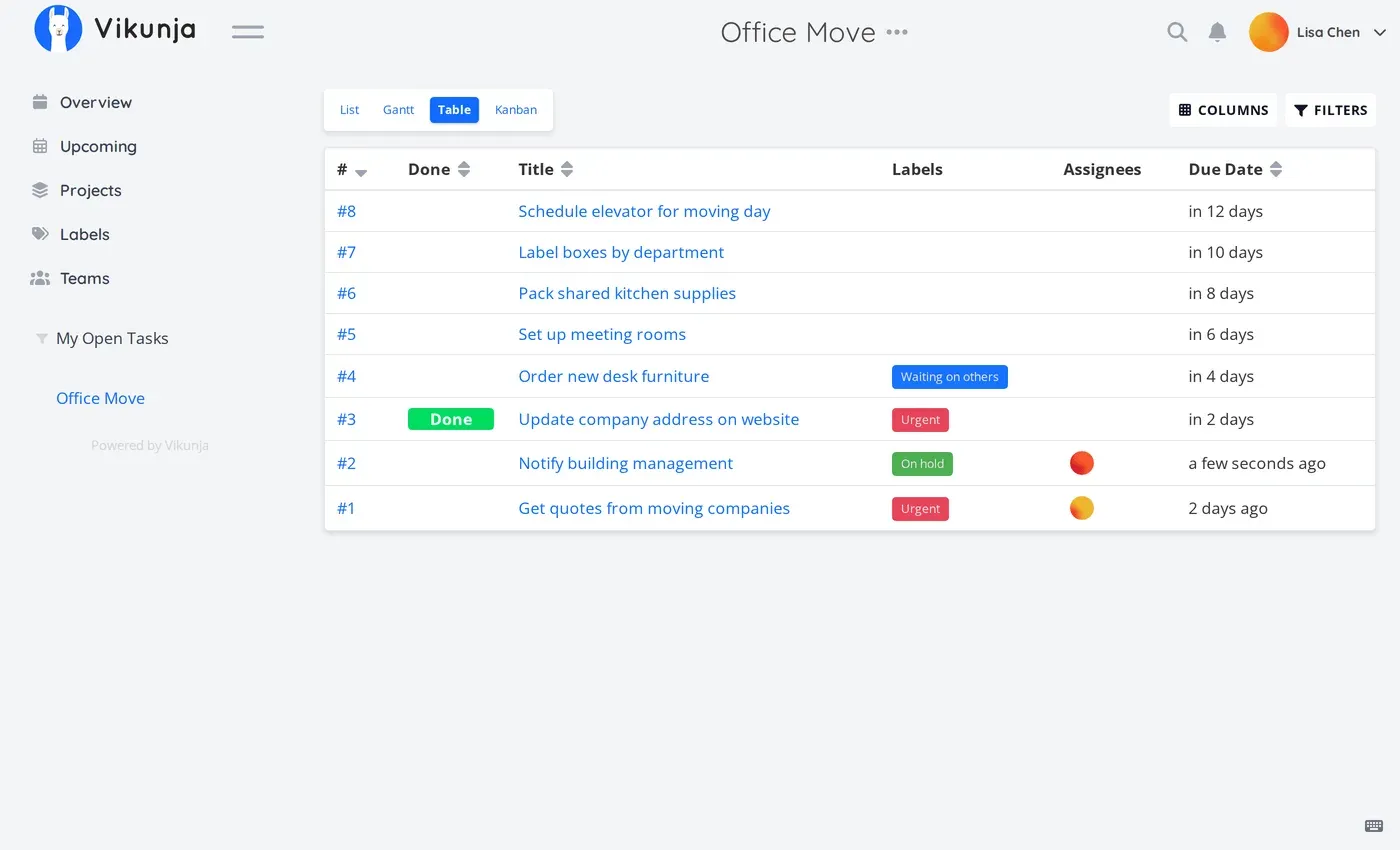
Table view with sortable columns and the column and filter controls. Official screenshot from vikunja.io.
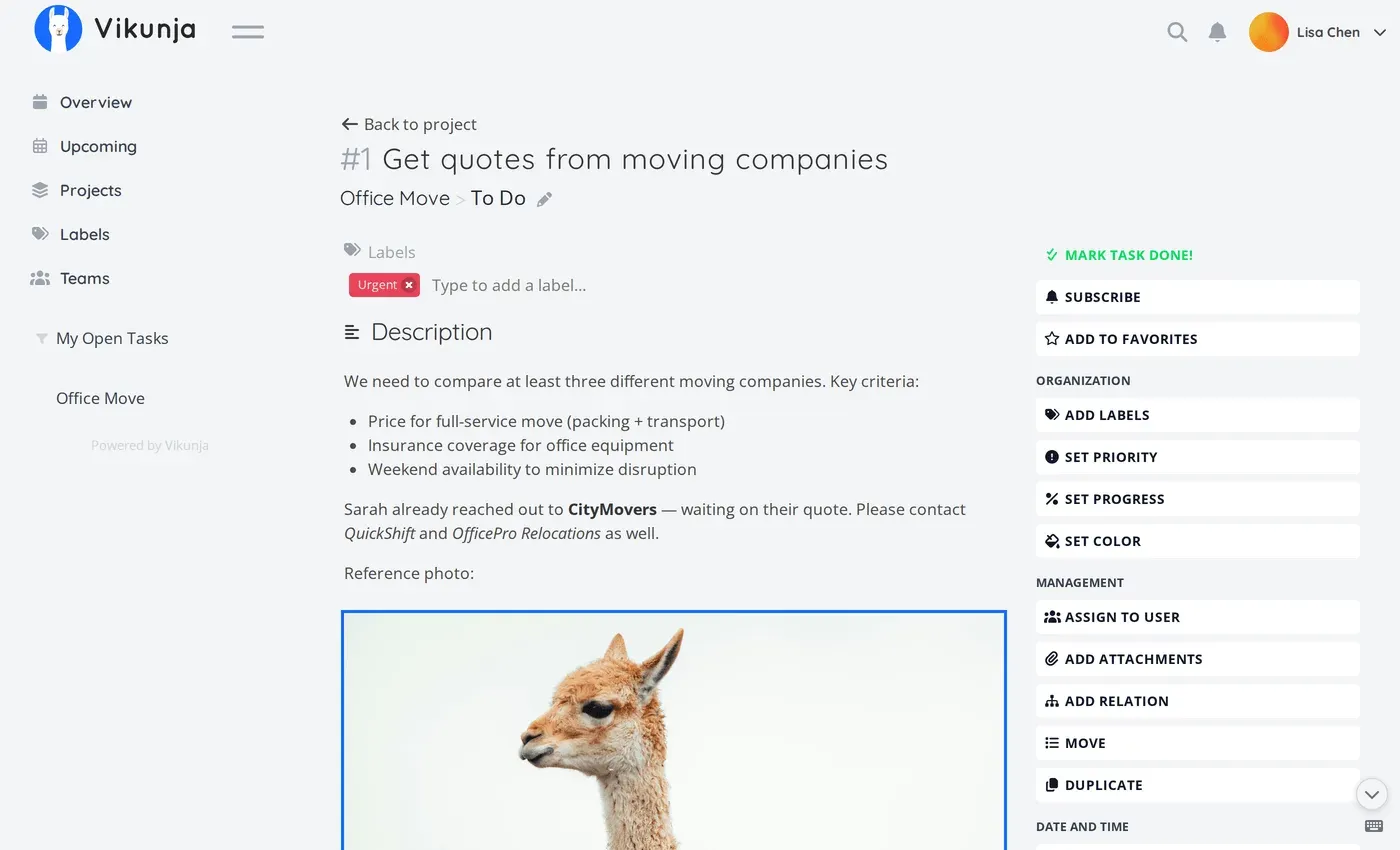
Task detail page with description editor and the sidebar of task actions. Official screenshot from vikunja.io.
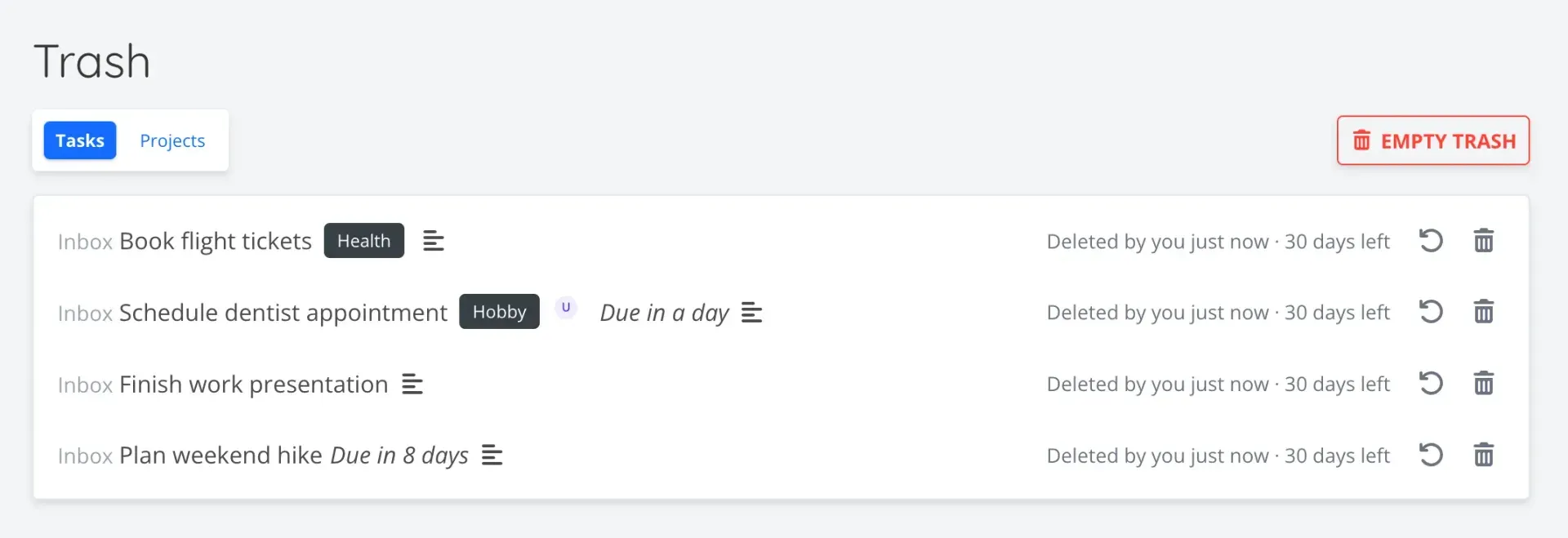
Trash bin added in Vikunja 2.8.0; deleted items are kept for 30 days. Screenshot from the official 2.8.0 release post.
Source: official Vikunja project page.
Key capabilities
- Docker installation The image is published as
vikunja/vikunjaandghcr.io/go-vikunja/vikunjaand listens on port 3456. The quick start mounts a files directory and an SQLite directory owned by UID 1000. Since 2.7.1 images carry cosign signatures and GitHub build provenance that can be checked before deployment. A full Docker example shows Compose setups with MySQL, MariaDB or PostgreSQL. - Linux packages and binaries Signed repositories exist for Debian and Ubuntu (amd64, arm64, armhf), Fedora and RHEL, Arch Linux and Alpine (x86_64, aarch64, armv7), with an
unstablechannel for development builds. Zip archives are available for Linux on amd64, arm64, ARM v5 to v7, MIPS and RISC-V, for macOS 10.15 or later on Intel and Apple Silicon, and for Windows on 386, amd64 and arm64. Binary archives are GPG-signed, and a systemd unit plus a hardening guide are provided. - Desktop application An Electron app wraps the web frontend and connects to any Vikunja server. Release 2.8.0 ships it as Windows EXE, MSI and ZIP, macOS DMG, and Linux AppImage, DEB, RPM, Snap, pacman, Alpine and tar.gz packages, plus a FreeBSD build; Flathub carries
io.vikunja.Vikunja. Self-hosted servers must allowhttp://127.0.0.1:45735as a CORS origin, as the desktop packages page explains. Since 2.3.0 a global shortcut opens a quick-entry window for new tasks. - List, Kanban, Gantt and table views Every project can be shown as a list, a Kanban board with drag-and-drop buckets, a Gantt timeline of dated tasks or a table with selectable columns. Views are configured per project, and 2.8.0 auto-scrolls Kanban drags to off-screen buckets. Full buckets and overdue dates are now marked with icons as well as color.
- Projects, subprojects and sharing Projects can be nested and shared with individual users or with teams. Link shares grant view or edit access without an account, using the same permission levels as user and team sharing. Duplicating a project no longer copies its shares unless that option is chosen.
- Task fields and relations Tasks carry due, start and end dates, reminders, repeat intervals, priorities, percent progress, colors, labels, assignees, attachments and comments with replies. Relations link tasks across projects as subtasks, blocking tasks or other relation kinds. Attachments include inline PDF and image previews.
- Quick Add Magic and fast entry A single input line parses natural dates such as "in two weeks", labels, assignees, priorities and project prefixes into task fields. 2.8.0 added a quick-add row under table views, URL parameters that prefill a new task and an Android share target for the installed web app. Default reminders can be applied to quick-added tasks that have a due date.
- Filters, saved filters and search A filter query language selects tasks by fields, dates and labels, and saved filters appear like projects in the sidebar. Search ranks title matches above description matches when the ParadeDB backend is configured. On PostgreSQL with the
unaccentextension, searches ignore accents; SQLite stays accent-sensitive. - CalDAV task sync Projects are exposed as VTODO collections under
/dav. The documentation lists Evolution, DAVx5 with OpenTasks, Tasks for Android, KOrganizer and Apple Reminders on iOS as working clients and Thunderbird 68 as not working. Attachments, comments, locations and several other properties are not synced, and STATUS only carries COMPLETED. - REST API v1 and v2 The v2 API under
/api/v2ships OpenAPI 3.1 and 3.0 specifications and an interactive reference on every instance. It uses structured errors, PATCH for partial updates and an optional Markdown mode for descriptions. The API v2 documentation states that v1 is frozen and is planned for removal in 4.0, estimated for the second half of 2027. - API tokens, bot users and OAuth server Scoped API tokens use a
tk_prefix and can also authenticate CalDAV clients. Bot users are owned by a regular account and cannot sign in with a password. Since 2.3.0 Vikunja acts as an OAuth 2.0 authorization server, which the desktop app and other clients use to obtain tokens. - Webhooks Project webhooks POST JSON with
event_name,timeanddatafor task, comment, attachment and relation events. A secret adds an HMAC-SHA256 signature in theX-Vikunja-Signatureheader. Deliveries time out after 30 seconds by default and are not retried, according to the webhooks documentation. - MCP server for AI assistants Since 2.7.0 each user can create an MCP token under Settings and follow generated client setup steps. Assistants can create, find, move and comment on tasks within the token's permissions, and read-only tokens are possible. Account settings, webhooks and link shares are excluded from MCP access.
- Single sign-on, LDAP and two-factor login Users can sign in through OpenID Connect providers or LDAP, and both remain part of the free edition. 2.8.0 adds linking of an OIDC identity to an existing local account and team creation from the
groupsclaim. TOTP two-factor authentication and the new lockout after 10 failed password attempts protect local accounts. - Imports from other tools Built-in migrators cover Todoist, Trello and Microsoft To Do through OAuth, Planka through server credentials, and TickTick, WeKan, CSV and Vikunja export files through upload. Since 2.7.0 imports run in the background with progress shown. The migration guide notes that large OAuth migrations can take several hours.
- Trash bin and data export Since 2.8.0 deleted tasks and projects go to a trash bin with undo and restore, and are removed permanently after 30 days or when the trash is emptied. Users can request a data export of their account. Instance administrators back up the database and the files directory.
- Server CLI The
vikunjabinary providesdumpandrestorefor zip backups,doctorfor diagnostics,migratewith list and rollback,repaircommands with dry-run,testmailand user management. The CLI reference lists all subcommands and flags. - Plugins and the veans agent CLI Go plugins placed in the plugins directory load at startup through the yaegi interpreter, without compiling against the exact server build. The separate veans binary wires a coding agent such as Claude Code or OpenCode to a Vikunja Kanban project through a bot user and a scoped token. Both are documented, but the plugin interface has no stated stability guarantee.
- Vikunja Pro features A Pro license key enables an admin panel, time tracking and audit logs on a self-hosted instance; guest users and client invoicing are listed as coming soon. Pro is in private beta, is not yet available on Vikunja Cloud and its prices are not published on the Pro page. Without a key the Pro features stay hidden and the free feature set is unchanged.
Where Vikunja fits
Running a personal or household task list
Start with the Docker quick start on SQLite or a Cloud Personal or Family trial, then create an Inbox project and a few subprojects. Use Quick Add Magic for dates and labels, set default reminders and connect a phone through CalDAV or the installed web app. Check that reminders arrive by email and that CalDAV fields you rely on, such as recurrence and completion, behave as expected in your client.
Tracking team work on boards and timelines
Create a team, share a project with it and pick Kanban for day-to-day status and Gantt for dated milestones. Label conventions and saved filters replace separate dashboards. Check that reminder behavior matches expectations: since 2.8.0 unsubscribing from a task also stops its reminders for creators and assignees. Add Pro time tracking only if the team needs hours recorded next to tasks.
Connecting to company sign-in
Configure an OpenID Connect provider or LDAP using the OpenID documentation and its example configurations. If the provider sends a groups claim, 2.8.0 maps it to Vikunja teams, which changes team membership at the next login for setups that used vikunja_groups. The release notes recommend disabling the email and username fallback options and using account linking instead.
Migrating from Todoist, Trello or Planka
Enable the relevant migrator in the configuration, set the public URL so OAuth redirects work, and run a test import into a scratch account. Compare a sample of tasks for dates, labels, descriptions and checklists before moving everyone. For a Planka server on the same network, the non-routable IP setting must be enabled, which affects all outgoing requests, not only imports.
Automating with the API, webhooks and agents
Create a scoped API token or a bot user for each integration and target the v2 API, since v1 is frozen. Verify webhook signatures on the receiving side and plan for missed deliveries because failed calls are not retried. The n8n guide covers workflow automation, the MCP settings page covers AI assistants, and veans covers coding agents tracking their work on a Kanban board.
Operating and upgrading a self-hosted instance
Follow the security hardening guide, put the server behind a reverse proxy with TLS and set service.publicurl. Back up the database and files directory, or use vikunja dump, before each upgrade, because migrations run automatically on start. Subscribe to the security newsletter announced with 2.7.1: recent releases have each fixed several advisories, so a slow update cadence carries real exposure.
Install
docker run -p 3456:3456 -v $PWD/files:/app/vikunja/files -v $PWD/db:/db vikunja/vikunjaReviews of Vikunja
Be the first to share your experience with Vikunja.
Write a review
Loading review form…
Alternatives to Vikunja
 PlanePlane is a project management tool for tracking work items, running cycles, grouping work into modules and writing pages. The Community Edition is AGPL-3.0 and self-hosted with Docker or Kubernetes; Plane Cloud and the Commercial Edition add paid plans.
 OpenProjectOpenProject is open-source project management software from OpenProject GmbH in Berlin. It combines work packages, Gantt charts, boards, Scrum backlogs, time and budgets, wikis and meetings. Self-host the free Community edition or use the paid Enterprise cloud.
 KaneoKaneo is an open-source, MIT-licensed project management app with Board, List, Calendar and Gantt views, GitHub, Gitea and GitLab sync, a REST API, CLI and MCP server. Self-host it with Docker or Helm, or use Kaneo Cloud.