
What is Cloudreve?
Cloudreve is an open-source, self-hosted file management and sharing system written in Go. The official documentation describes it as a way to set up a cloud storage system for public and private use: a personal cloud drive, a file sharing system or a public cloud service for small to large organizations. Files are written through storage policies that point at the server's local disk, at other Cloudreve servers running as slave nodes, or at storage services such as S3-compatible buckets, OneDrive and SharePoint, Qiniu Kodo, Alibaba Cloud OSS, Tencent Cloud COS, Huawei Cloud OBS, Kingsoft Cloud KS3 and Upyun. Users see a virtual file system kept in the database.
The server is developed in the cloudreve/cloudreve repository and the web interface in cloudreve/frontend. According to the README, the backend is built with Go, Gin and the ent entity framework, and the frontend with React, Redux and Material UI. The first commit dates from February 2018, when Cloudreve was a PHP application, now archived as cloudreve/v2. Version 4.0.0 of the current codebase was published on June 20, 2025, with a documented upgrade path from V3.
Cloudreve ships in two editions. The Community Edition is licensed under GPL-3.0 and published on GitHub Releases as single executables for Linux (x86_64, ARM64, ARMv5, ARMv6, ARMv7, LoongArch64), Windows (x86_64, ARM64), macOS (Intel and Apple Silicon) and FreeBSD (x86_64, ARM64), and as the cloudreve/cloudreve image on Docker Hub. The Pro Edition is a commercial build obtained from the license dashboard on cloudreve.org, started with a license key and pulled from a private container registry; Pro buyers receive the frontend source code for customization but may not redistribute it. The pricing page, checked on November 18, 2026, lists the Community Edition as free with unlimited users, Pro at $89.9 per root domain with a lifetime license and updates, and Pro D5 at $299.9 for five root domains. Free Pro licenses are offered to qualifying nonprofit organizations and content creators.
The latest GitHub release is 4.19.1, published September 18, 2026, which fixes cases where emails could not be sent and WOPI applications that had stopped working. Release 4.19.0 of September 16, 2026 added Pro features such as an ACL-based "Shared with me" view, a "List" permission for directory sharing and audit log archiving, plus a WebDAV MOVE fix and a security fix. Release 4.18.0 of July 15, 2026 added one-click emptying of the recycle bin.
The documentation states that Cloudreve is a cloud drive itself, not a manager for other cloud drives: managing files across several consumer cloud drives, editing Cloudreve-stored files with another file manager at the same time, and redistributing another cloud storage service are listed as unsuitable scenarios. Similar self-hosted platforms in the same category include Nextcloud, Seafile, OpenCloud and Sync-in.
Key capabilities
- Storage policies for many backends Administrators create policies under Dashboard, Storage Policies for local storage, remote slave nodes, Alibaba Cloud OSS, Tencent Cloud COS, Qiniu, Upyun, Huawei Cloud OBS, OneDrive or SharePoint, S3 and Kingsoft Cloud KS3. The storage comparison lists the limits per backend: Upyun has no chunked upload and a 150 GB theoretical file size limit, OneDrive 250 GB and OBS 48.8 TB, while the others are listed as unlimited. Separate guides cover Backblaze B2, Cloudflare R2, Google Cloud Storage and MinIO through the S3-compatible policy.
- Direct transfer between client and storage Uploads and downloads go straight between the browser and the storage provider instead of passing through the Cloudreve server. Some backends (slave nodes, OSS, Qiniu, Upyun, OBS) send callbacks, so the configured main site URL must be reachable from the provider, and several need a CORS rule on the bucket, which Cloudreve can set up when the policy is created.
- Upload manager The web interface accepts drag-and-drop of files and folders, clipboard uploads and resumable chunked uploads. Parallel chunk uploads are available on most cloud policies; on local and slave storage they require the "Pre-allocate disk space" option and a Linux or macOS server.
- Share links Files and folders can be shared through links that expire after a set number of downloads or a period of time. The Pro Edition adds share links through which other users or anonymous visitors can upload, modify or delete files, share links that require payment or credits before preview or download, per-file permissions for users, groups and anonymous visitors, and default shares pinned for new accounts.
- WebDAV access WebDAV is available on every storage policy, with WebDAV accounts and group-level permissions, and the website names third-party clients such as nPlayer, Solid Explorer and Joplin. The desktop client documentation notes that WebDAV uploads are relayed through the Cloudreve server as a single stream and that WebDAV has no on-demand placeholder files.
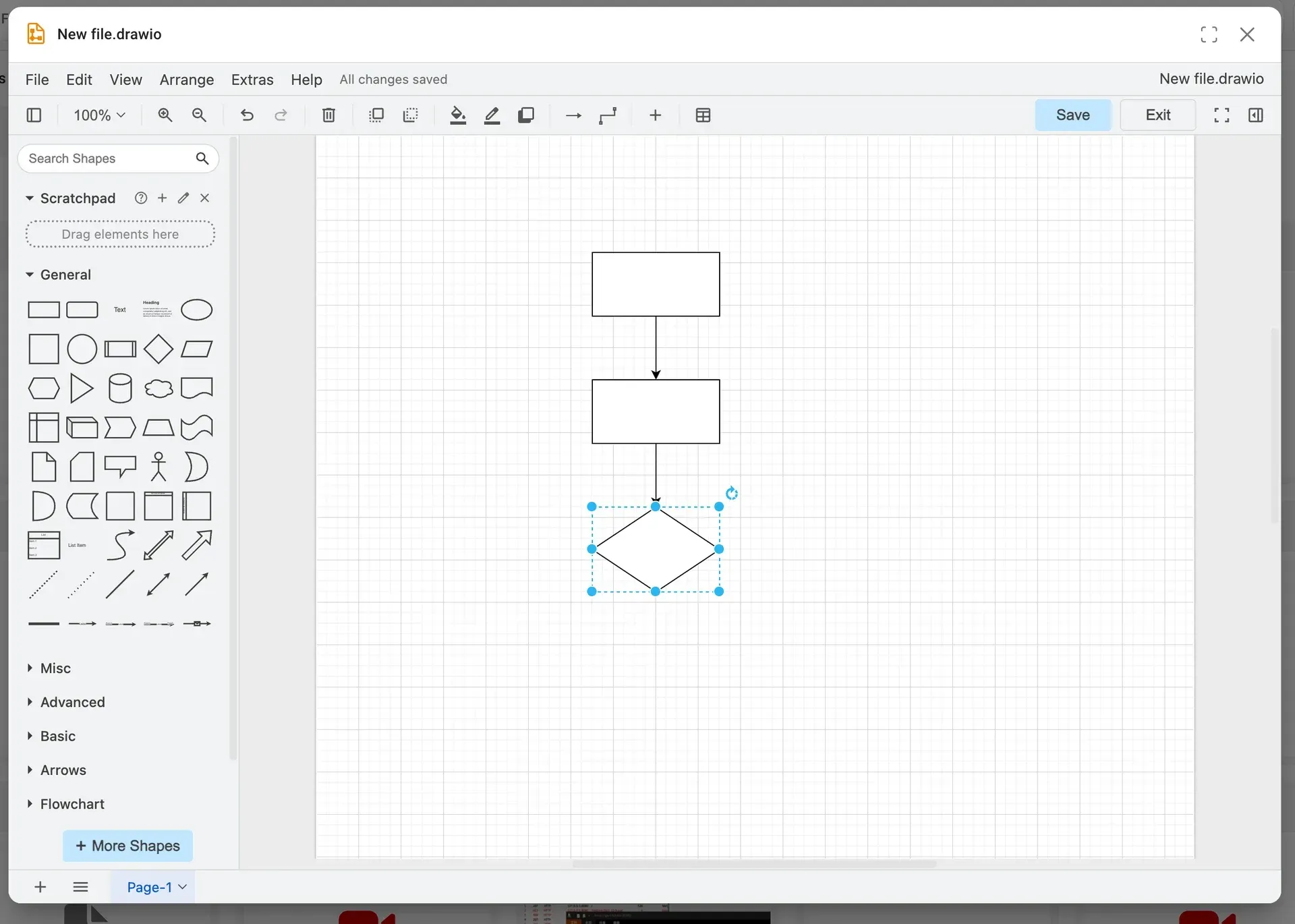
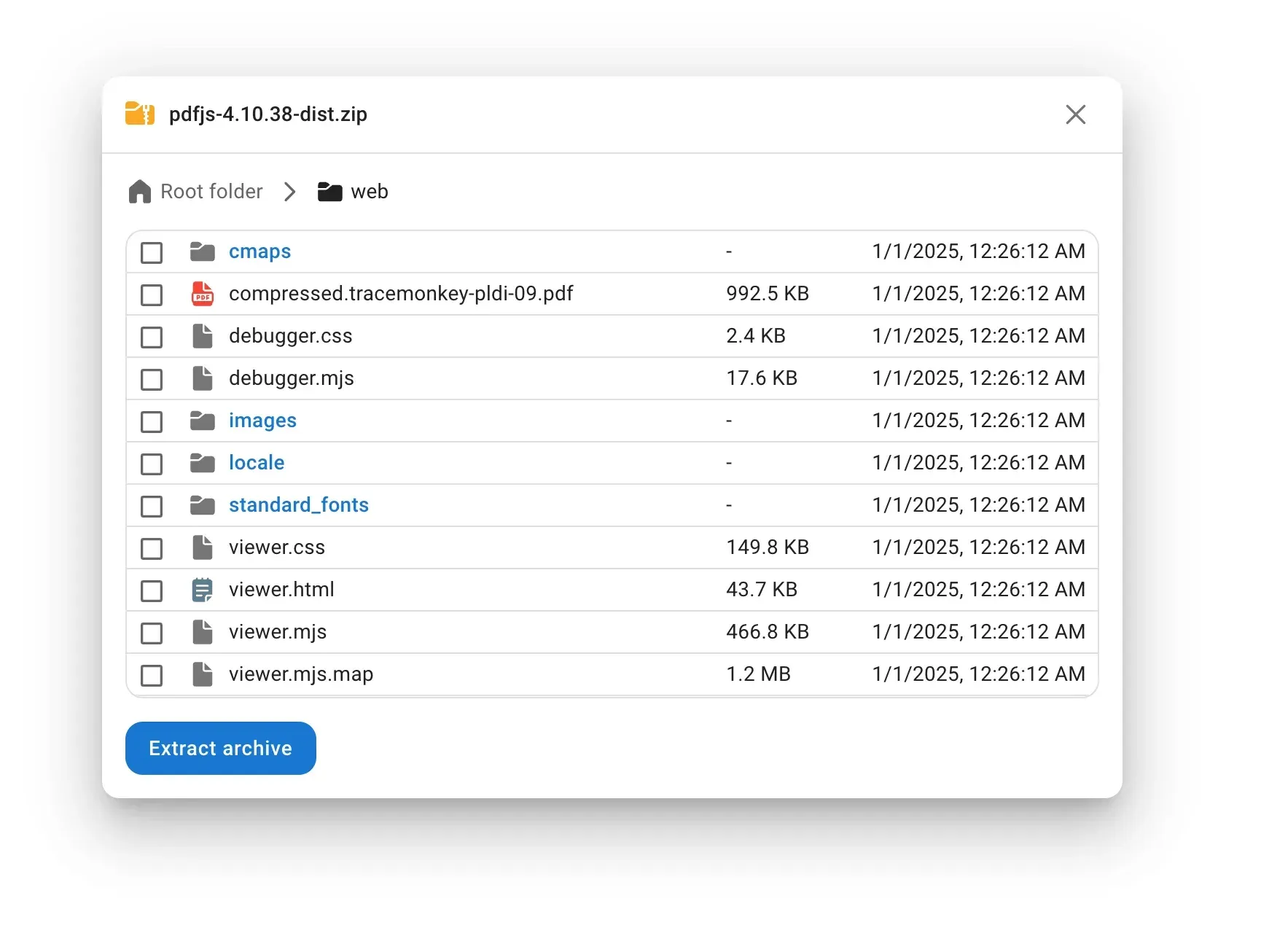
- Built-in file applications The file applications include a music player, a video player with m3u8 playlists through hls.js, external ASS, SRT and VTT subtitles and chapter markers, an ePub reader, a PDF.js reader whose annotations are not saved, a Markdown editor, an image viewer, Excalidraw, a Monaco text editor that saves files as UTF-8, and a ZIP and 7Z archive preview with partial extraction. Draw.io uses diagrams.net by default and can point at a self-hosted instance; Photopea opens images and PSD files.
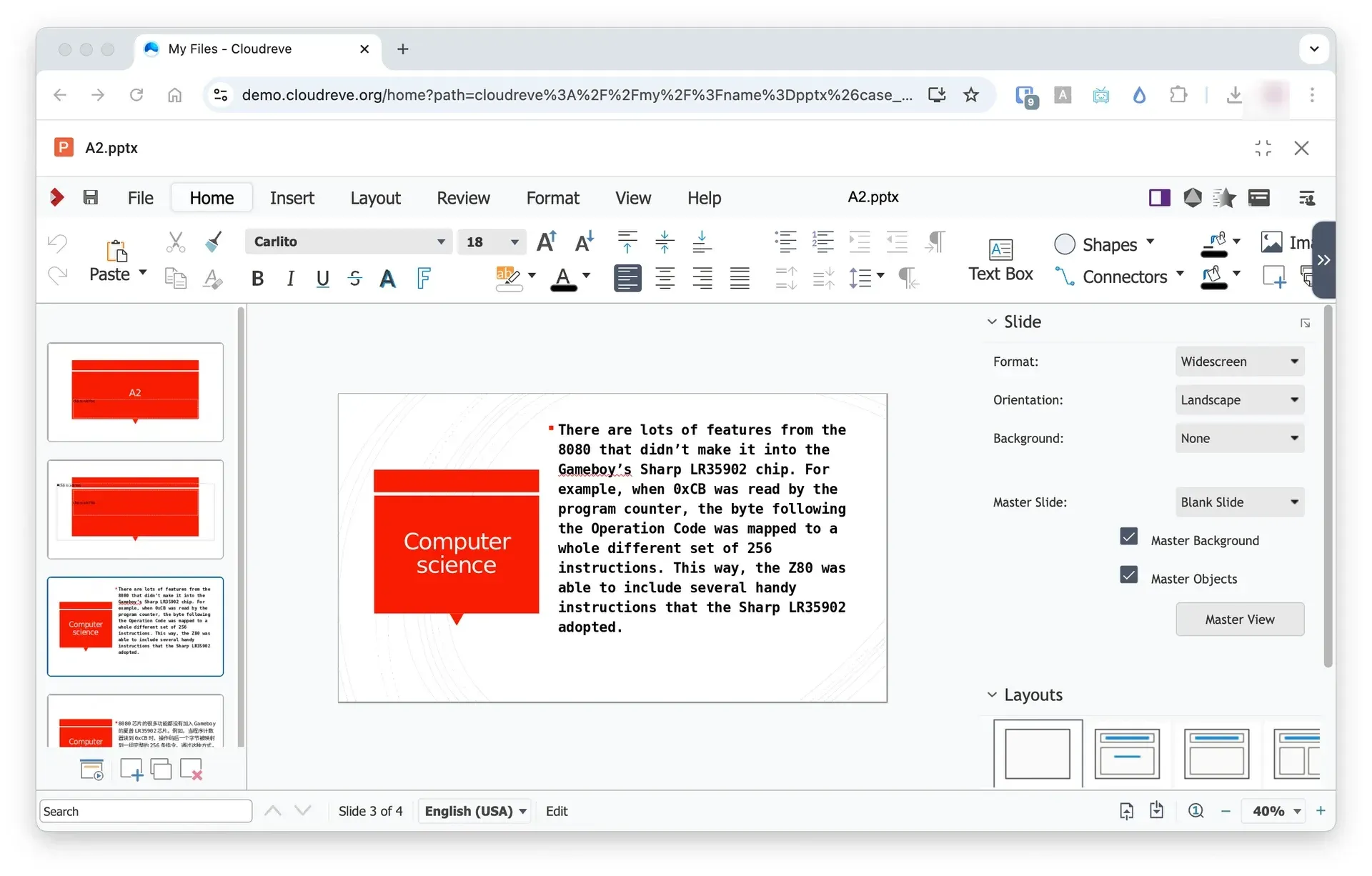
- Office editing through WOPI Cloudreve imports WOPI editors from a discovery endpoint and implements CheckFileInfo, GetFile, Lock, RefreshLock, Unlock, PutFile, PutRelativeFile and RenameFile. The WOPI guide covers Collabora Online, OnlyOffice from version 6.4 with WOPI enabled, and Microsoft Office Online Server. Read-only Google Docs and Microsoft viewers work for sites on a public URL.
- Remote downloads with aria2 or qBittorrent Users submit magnet links, torrent files or HTTP URLs (HTTP with aria2 only); the server downloads them and moves the result into the user's files. qBittorrent must be newer than 4.4 with the Web UI enabled. The official Docker image already runs aria2 on loopback port 6800 without an RPC token, and port 6888 is exposed for BitTorrent traffic, as described in the remote download guide.
- Slave nodes A second server running the same Cloudreve version in slave mode can store files, run remote downloads and handle archive compression or extraction. Tasks are spread across nodes with weighted round-robin. ZIP extraction on a node needs temporary space equal to the archive size, while other archive formats are extracted without writing to disk.
- File encryption Encryption is enabled per storage policy. Each blob is encrypted with AES-256-CTR and its own key, which is in turn encrypted with a master key. By default the master key is generated on first start and stored in the database; the encryption guide describes moving it to a file or the
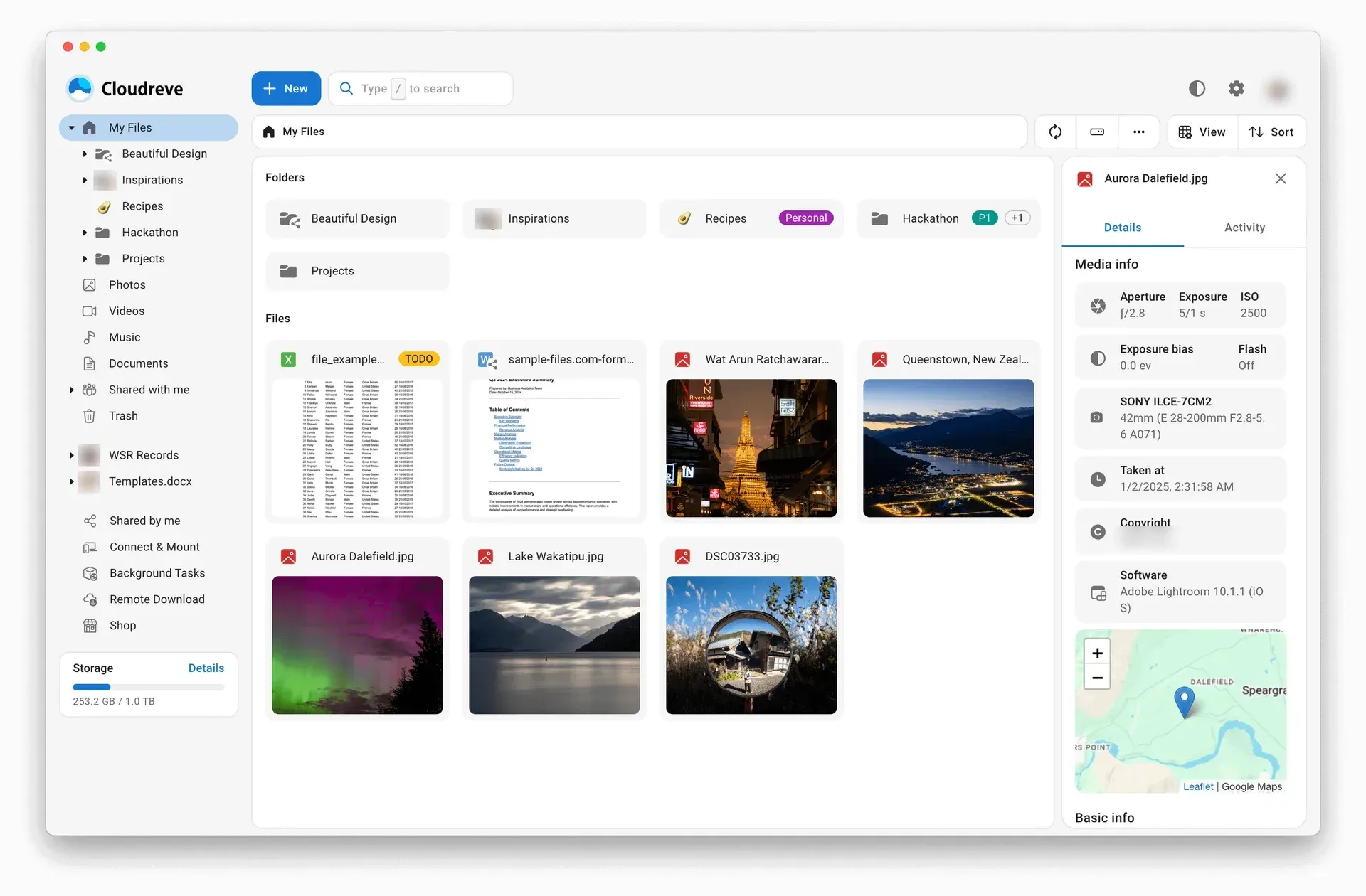
CR_ENCRYPT_MASTER_KEYenvironment variable and rotating it withcloudreve master-key rotate. Browser-side encryption requires HTTPS, and downloads of encrypted files are always relayed through Cloudreve. - Thumbnails and media metadata Thumbnail generators include the storage provider's native service, music cover extraction, LibreOffice, LibRaw, VIPS, FFmpeg and a built-in generator. Metadata extractors read EXIF data (dimensions, GPS coordinates, camera, lens, exposure), music tags, FFprobe stream information and, through the external Mapbox service, reverse-geocoded addresses. The results feed search and the file details panel.
- Search Built-in search matches file names and attributes across a user's files, subdirectories and shared folders and respects permissions. Optional full-text search extracts content with Apache Tika and indexes it in Meilisearch; an AI hybrid mode adds vector embeddings from providers such as OpenAI or Hugging Face. Quick search filters files already loaded in the browser session without a server request.
- Users, groups and sign-in Cloudreve has multiple users and user groups, open registration with email verification, avatars and profile pages, FIDO2 security keys and two-factor authentication. Each group is assigned a storage policy. The Pro Edition adds several storage policies per group, per-directory policies, OIDC sign-in with documented setups for Logto, QQ, Microsoft Entra ID and Google, sign-up email filtering and switching between several accounts.
- Pro administration and monetization Pro adds a weighted load-balancing storage policy, migration of files between policies, activity logs with file-level audit trails, site announcements and abuse reports. Operators can sell storage plans and membership tiers, issue redemption codes and run a credits system, with native Alipay, WeChat Pay (both in Chinese yuan) and Stripe payments or a custom payment provider.
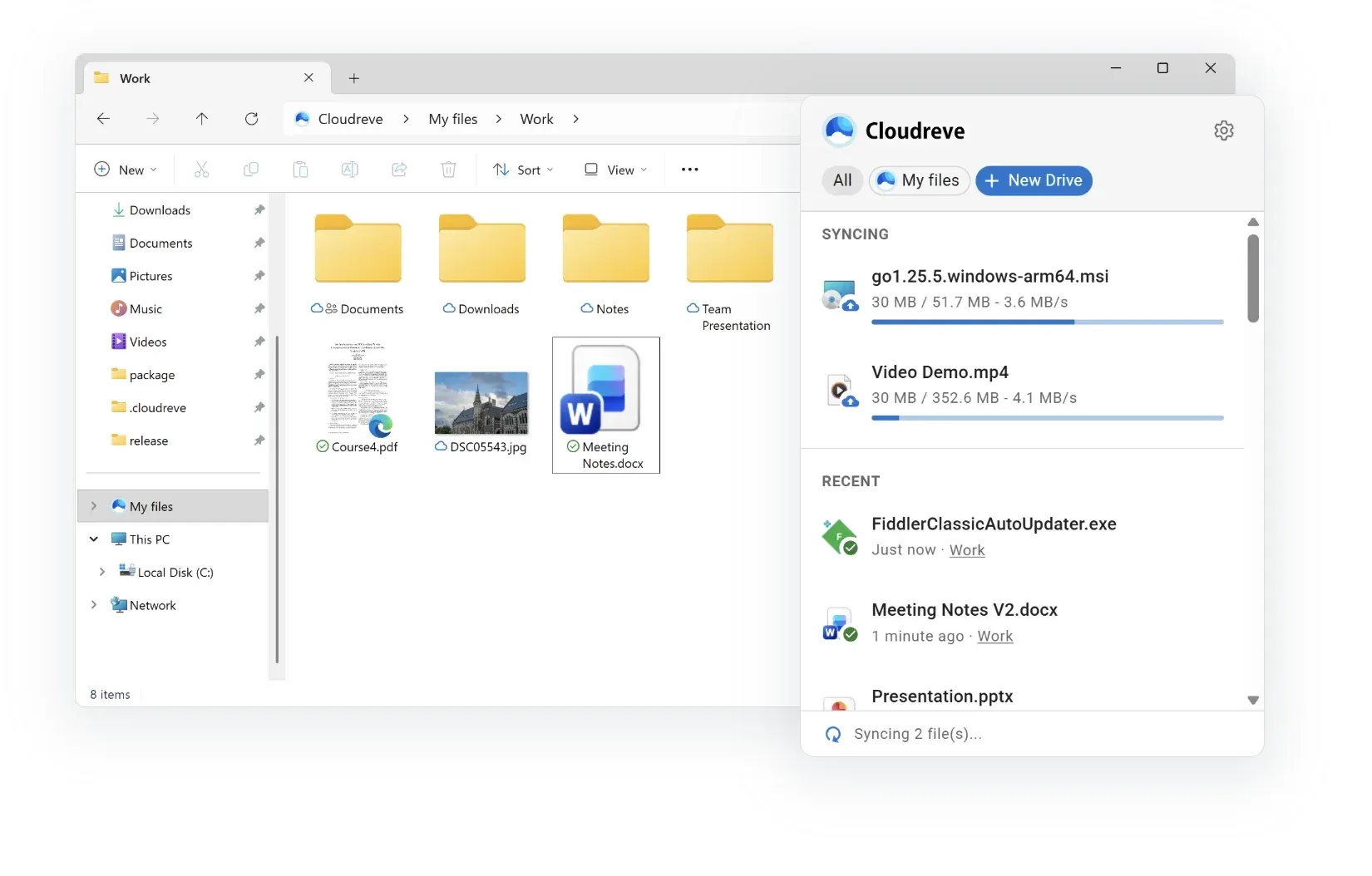
- Windows desktop sync client The official client is distributed through the Microsoft Store for Windows 10 version 1903 or later, with MIT-licensed source code. It uses the Windows Cloud Files API for placeholder files (online-only, locally available, always available), receives changes in real time through server-sent events and opens a dialog for sync conflicts. The documentation lists a Cloudreve Pro server as a requirement.
- iOS app Cloudreve for iOS is published on the App Store and connects to Community and Pro sites. It offers previews of images, video, code and text, uploads on all storage policies, resumable transfers, offline files and remote download tasks. End users pay a subscription after a three-day trial (from $1 per month on the pricing page), or a Pro site buys a volume license at $63.9 per root domain so all its users connect for free. No official Android app is listed.
- Deployment options The single executable listens on port 5212, and the first registered account becomes the administrator. The deployment guide covers Docker (bundling aria2, VIPS, FFmpeg, LibreOffice and FFprobe), Docker Compose with PostgreSQL and Redis, and a process supervisor. SQLite is the default database and the documentation advises MySQL or PostgreSQL for production; Redis is optional, with an in-memory cache persisted to disk otherwise.
- API, SDK and command-line client The server exposes a REST API under
/api/v4/with JSON responses, OAuth 2.0 authorization code flow and JWT access tokens, and a server-sent events stream for file changes. The API introduction and its endpoint pages link to an online reference. In September 2026 the project published an MIT-licensed TypeScript SDK and Cloudreve CLI 1.0.0 (commandscloudreve-cliandcr) for Linux, macOS and Windows, compatible with servers from 4.17.0 up to, but not including, 5.0.
Where Cloudreve fits
Personal or household cloud drive on one server
The quick start starts from a release archive: extract it, run ./cloudreve (or cloudreve.exe on Windows), open port 5212 in a browser and register the first account, which becomes the administrator. Without further configuration data goes to SQLite and an in-memory cache. For a longer-running setup the deployment guide describes the Docker Compose stack with PostgreSQL and Redis, and a reverse proxy in front of the instance.
Object storage behind a file manager interface
Organizations that already hold data in S3-compatible or regional cloud storage create a storage policy for the bucket and assign it to a user group. Clients then upload directly to the bucket, with CORS and callback requirements depending on the provider, and the Cloudreve database keeps the virtual folder tree, shares and metadata. Self-hosted S3-compatible servers such as MinIO or RustFS fit the same S3 policy; the MinIO setup has its own page in the documentation.
Sharing files and folders with outside recipients
A user selects files or folders, creates a share link and sets expiry conditions such as a download count or a time limit. Recipients open the link in a browser without an account. On a Pro site the same link can also accept uploads or edits, carry a price payable through the payment providers or site credits, and follow per-user and per-group permissions set on the directory.
Editing office documents in the browser
Administrators deploy a WOPI-capable editor, for example Collabora Online or ONLYOFFICE Docs, and paste its /hosting/discovery URL under Settings, Filesystem, File applications. The imported entries appear as applications for the matching extensions, and users open DOCX, XLSX or PPTX files from the file list in an embedded editor. The WOPI guide notes that OnlyOffice does not filter WOPI request sources, so the project points to an external application firewall for public sites.
Remote downloads and distributed background tasks
Users paste magnet links, torrents or URLs into the remote download panel. The task runs on the main server or on a slave node that pairs a Cloudreve instance with aria2 or qBittorrent, and the finished files are uploaded to the user's storage policy. The same nodes can take over archive compression and extraction, with weights deciding how tasks are distributed.
Running a public storage service with paid plans
With the Pro Edition, an operator can sell extra capacity as storage plans, upgrade users to other groups through membership plans, issue redemption codes and let users earn credits from paid shares. Payments run through Alipay, WeChat Pay, Stripe or a custom provider, with the currency code, symbol and minor unit set under Settings, VAS, Payment settings. Activity logs, announcements and abuse reports support moderation of a public site.
Install
docker run -d --name cloudreve -p 5212:5212 -p 6888:6888 -p 6888:6888/udp -v ~/cloudreve/data:/cloudreve/data cloudreve/cloudreve:latestReviews of Cloudreve
Be the first to share your experience with Cloudreve.
Write a review
Loading review form…
Found Cloudreve useful? Upvote it todayYour vote helps other IT teams find it in the daily ranking.