

What is superfile?
superfile is a terminal-based file manager for browsing directories and performing file operations through an interactive interface. It provides file panels, image and text previews, and metadata inspection, including binary architecture detection for ELF, PE, and Mach-O files and Linux file attributes.
The README says superfile is supported by the community and shows an MIT licence badge. yorukot is credited as the original author and maintainer, and lazysegtree as a core maintainer. The application runs locally and can be installed through platform-specific scripts or built from source using Go. Linux and macOS are supported, while Windows support remains incomplete. Install options include a shell script for macOS and Linux, a PowerShell script, winget and Scoop on Windows, and you start it by running spf.
The tutorial describes five panels (sidebar, file, processes, metadata and clipboard) plus a command execution bar. Folders can be pinned to the sidebar, and files can be sorted by name, size or date modified. Themes, hotkeys, and sidebar section visibility and ordering can be configured. Its optional update check queries GitHub for a newer release and displays a notification.
superfile screenshots
Explore the interface. Open a screenshot to view it at full size.
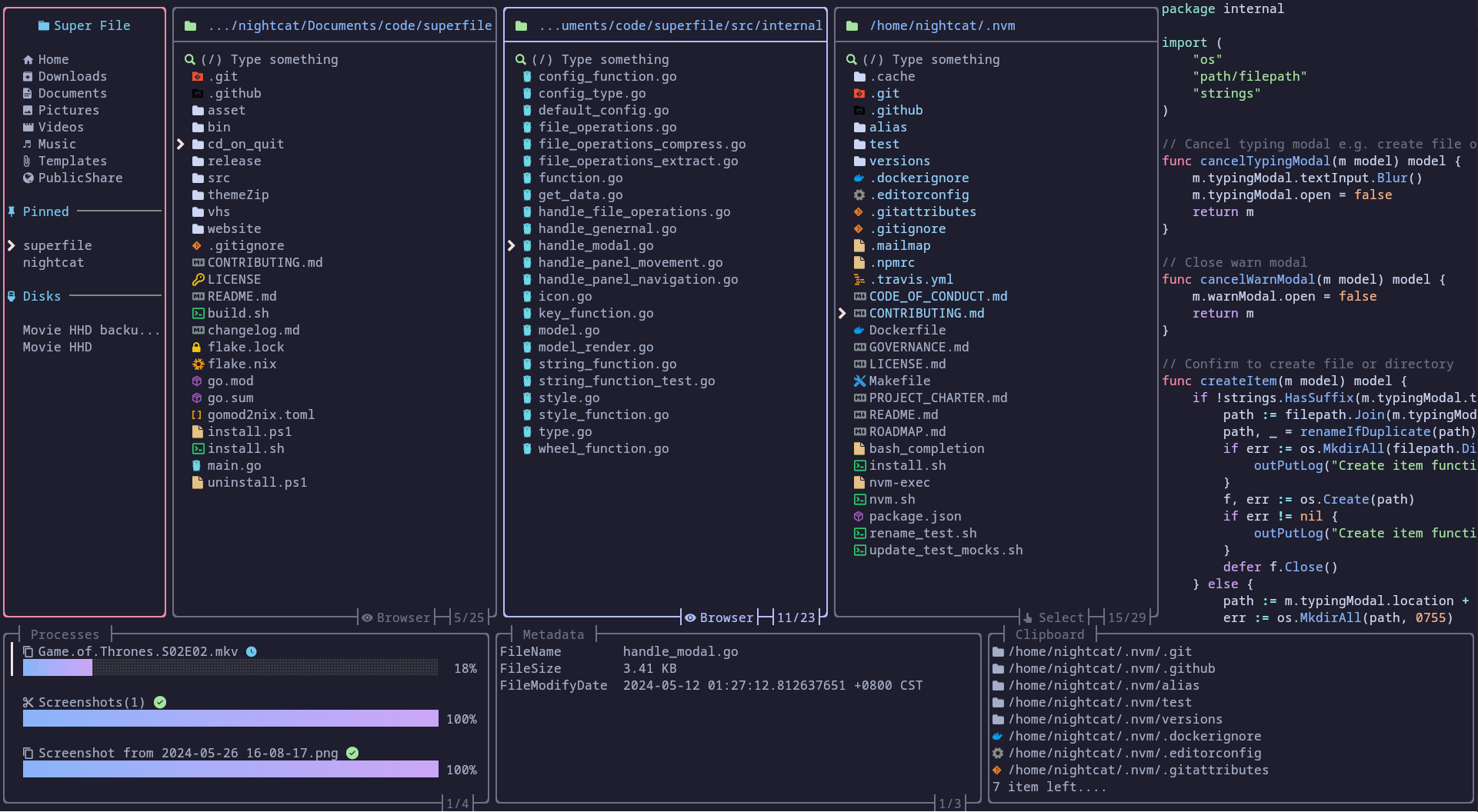
Source: official superfile project page.
Key capabilities
- File navigation Provides directory browsing, split file panels, hidden-file visibility controls, and natural sorting.
- File operations Supports paste and delete operations with detailed error messages for failures.
- Content previews Displays image and text previews and includes support for PostScript files.
- Metadata inspection Shows file permissions, Linux attributes, and binary architecture information for ELF, PE, and Mach-O files.
- Interface configuration Supports custom themes, configurable hotkeys, and sidebar section visibility and ordering.
- Update notifications Checks GitHub for newer releases, with an option to disable the check.
Where superfile fits
superfile fits terminal-based development and system administration workflows where users need to browse directories, inspect file contents, and carry out file operations. Its metadata panel can help examine executable formats and Linux file attributes without leaving the file manager.
Before deployment, users should check operating system and architecture support and test previews and navigation in their terminal environment. Windows support is explicitly incomplete, and Vim or Neovim users are advised to select the Vim hotkey configuration. Removal procedures also deserve review: the macOS and Linux uninstall script deletes application configuration and data, whereas the Windows script leaves those folders behind.
Install
bash -c "$(curl -sLo- https://superfile.dev/install.sh)"Reviews of superfile
Be the first to share your experience with superfile.
Write a review
Loading review form…