
What is RustFS?
RustFS is a distributed object storage system written in Rust that exposes an S3-compatible API. It is developed by RustFS; the README trademark notice names RustFS, Inc., and the about page gives an address in Atlanta, Georgia. The website lists 2024 as the founding year, and the about page timeline starts with the initial commit of the storage core in June 2024. The source code is published under the Apache 2.0 license. The README contrasts this with AGPL licensing and states that the project uses a permissive license to avoid AGPL restrictions.
The project went through alpha, beta (up to 1.0.0-beta.12 in July 2026) and release candidate builds (1.0.0-rc.1 to rc.6) before the RustFS 1.0.0 GA announcement of September 16, 2026. That announcement states that the core object storage engine is stable and ready for production, and the website describes RustFS as production-ready. The current release is RustFS 1.0.6, published November 15, 2026. It keeps legacy MRF repair work queued after physical repair, adds MRF management on the release branch and backports scanner usage convergence. Release 1.0.5 added wildcard support in IAM policy resources and conditional bulk deletes, with an upgrade note that DELETE requests can temporarily return HTTP 503 while 1.0.4 and 1.0.5 nodes coexist.
Each release publishes Linux binaries for x86_64 and aarch64 in glibc and musl builds as ZIP, DEB and RPM packages, a macOS Apple silicon ZIP and a Windows x86_64 ZIP, together with SHA256 and SHA512 checksums, a CycloneDX SBOM and a provenance file. Other documented routes are the rustfs/rustfs Docker image, Docker Compose, a Helm chart, a Kubernetes Operator, a Nix flake with a NixOS module, x-cmd and an install script. The installation documentation recommends Linux for production and states that the Windows version is intended for development and debugging only; the macOS guide describes a single-node instance for evaluation, development and testing.
The README describes RustFS as combining the simplicity of MinIO with the memory safety and performance of Rust, and it includes a RustFS vs MinIO performance section measured by the project on a test environment of 2 CPU cores, 4 GB of memory, a 15 Gbps network and four 40 GB drives; those figures are the project's own. MinIO on-disk compatibility is marked Preview, sits behind the rio-v2 build feature and is not part of the default build, and objects encrypted by MinIO are not readable by RustFS. The project's MinIO migration guide copies data over the S3 API instead and states that RustFS is not affiliated with MinIO, Inc. Similar projects listed on iThub include MinIO and SeaweedFS.
According to the pricing page, the Community edition is self-hosted under Apache 2.0 with no license fee, including for production, and Enterprise is optional paid support priced by scope, without published prices. The project claims broad S3 API compatibility for supported features, not complete coverage of every AWS S3 or vendor-specific behavior; the coverage is tracked in a compatibility matrix in the repository.
Key capabilities
- S3-compatible API RustFS implements bucket and object operations, ListObjects and ListObjectsV2, multipart upload, tagging, bucket policies, public access block, presigned URLs, range and conditional reads, and selected versioning, Object Lock, checksum and CORS behavior. The S3 compatibility matrix derives its claims from Ceph s3tests lists of implemented, unimplemented and excluded tests. The project describes the coverage as broad for supported features rather than complete.
- Single-node and distributed modes The documentation defines three layouts: single node single disk (SNSD) with no fault tolerance, single node multiple disks (SNMD) that tolerates parity disk failures within the node, and multiple nodes multiple disks (MNMD) with four or more servers and erasure coding across servers, which is the layout intended for production. An SNSD deployment cannot be expanded in place or added as a pool; moving to a multi-drive topology requires a new deployment and an S3 data migration.
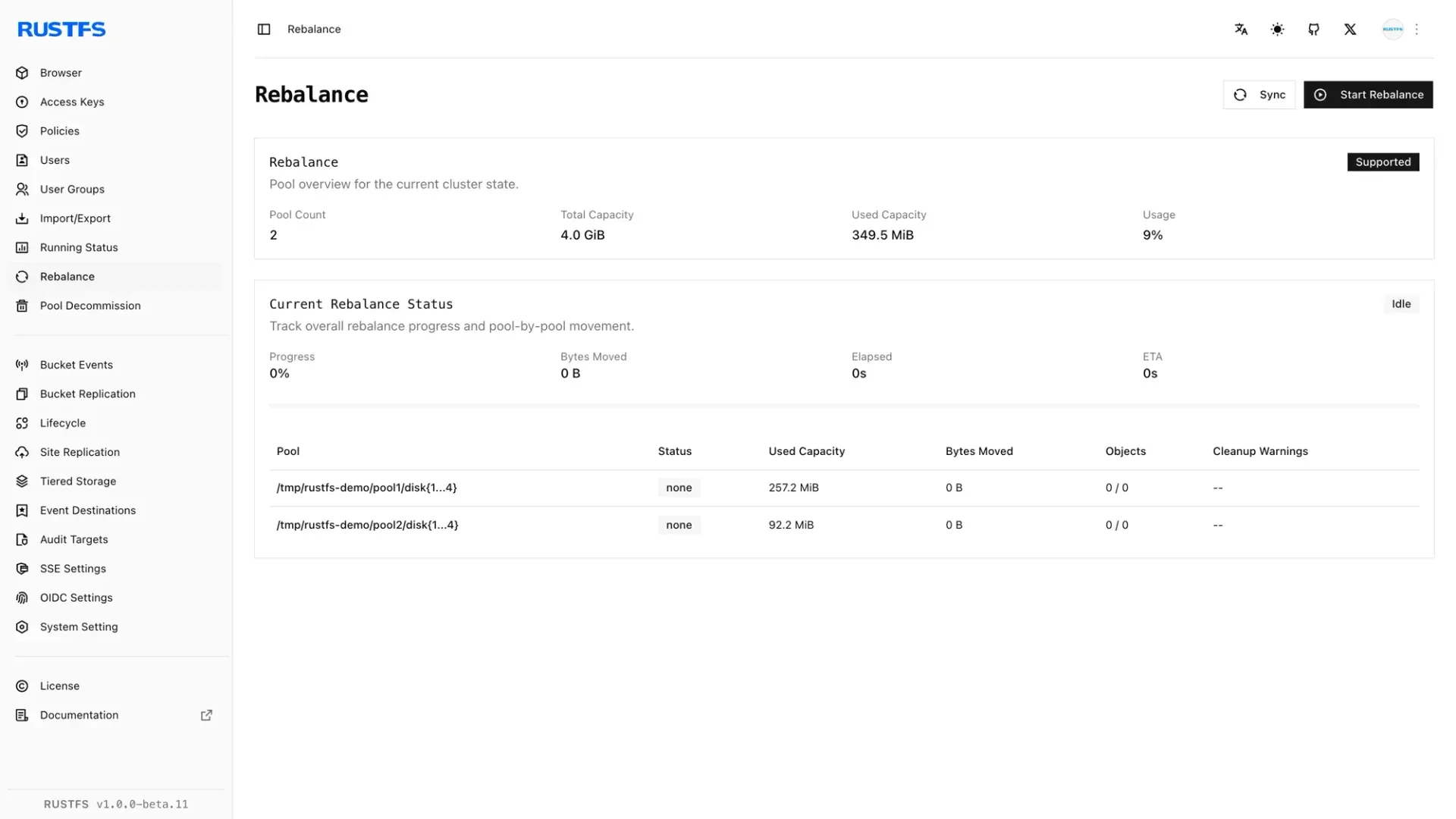
- Pool expansion, rebalance and decommission Capacity grows by appending a new server pool while existing pool endpoints and erasure set width stay unchanged. The web console has Rebalance and Pool Decommission pages that show pool count, capacity, bytes moved and progress. The README states that the topology rules follow MinIO but that automatic parity selection differs between the projects.
- Versioning and Object Lock Bucket versioning and Object Lock (WORM) are listed as Available in the README feature table. Object Lock is configured when a bucket is created in the console. Both are covered by the implemented S3 test list, with the scope limits documented in the compatibility matrix.
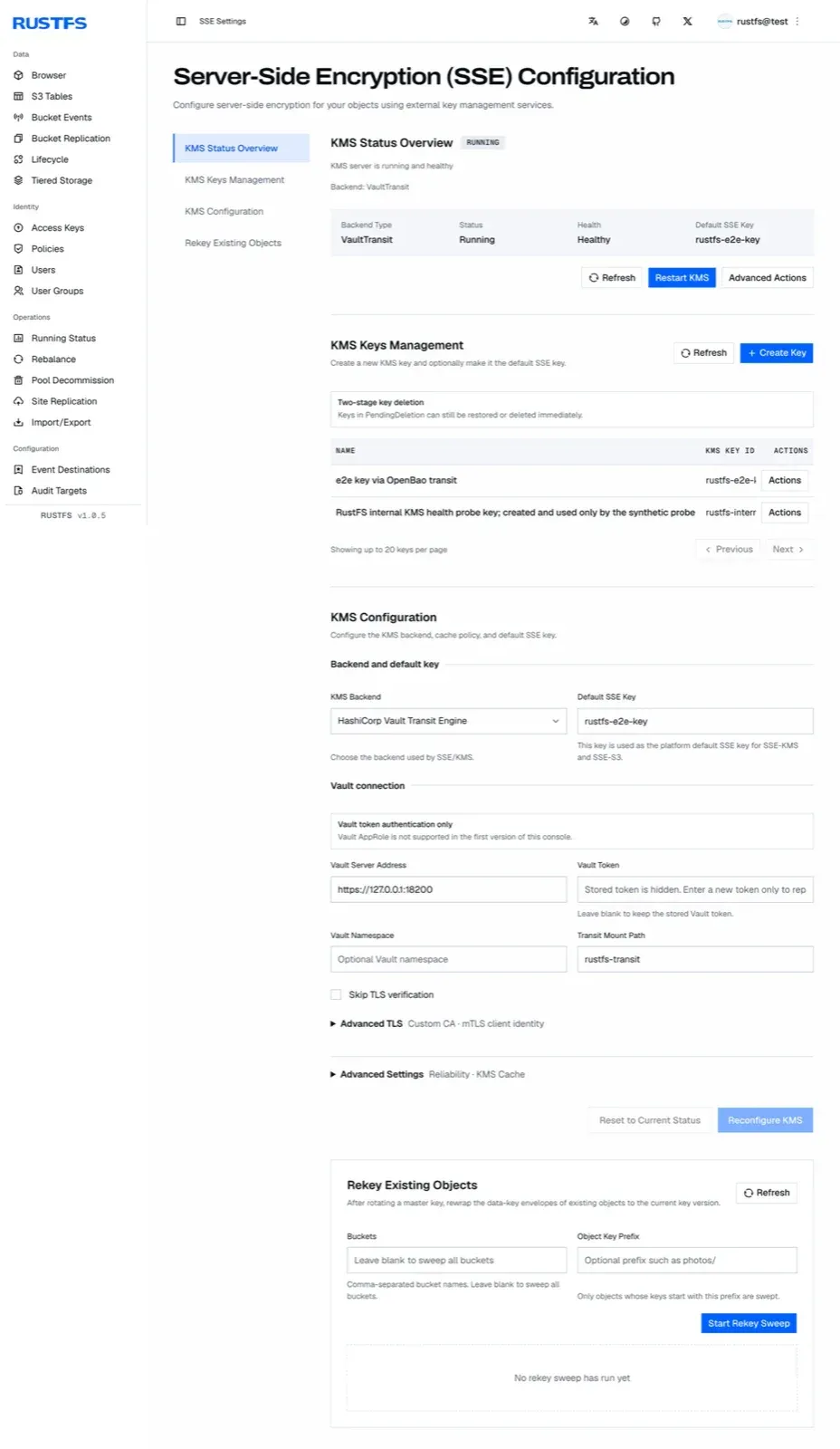
- Server-side encryption and RustFS KMS RustFS supports SSE-C and KMS-based server-side encryption of its own objects. The KMS supports HashiCorp Vault (KV2 and Transit) and AWS KMS backends for production; the Local and Static backends are documented as development and testing only. The console SSE page shows KMS status, key management, backend configuration and a rekey sweep for existing objects.
- Identity and access management Access keys, users, user groups and IAM policies are managed from the console or API, with multi-tenancy, an STS token service and OpenStack Keystone authentication. OpenID Connect single sign-on can map a groups claim and, optionally, a roles claim, for example Microsoft Entra ID app roles, into bucket and console policies.
- Lifecycle management and tiering Lifecycle rules (ILM) handle expiration and transitions, and ILM tiering can move objects to a remote S3 target. Bucket quotas limit the space a bucket can use. Scanner pacing and lifecycle transition status are tunable through documented runtime controls.
- Bucket and site replication Bucket replication can target RustFS or a generic S3-compatible service with versioning enabled, while site replication requires RustFS peers because it coordinates IAM, topology, buckets and metadata. The compatibility matrix lists the replication capability boundaries for targets that mint their own version IDs.
- Healing, scanner and bitrot protection A background scanner, healing of damaged shards, bitrot protection and an MRF repair queue are listed as Available. The 1.0.x releases mainly change this area, with MRF checkpointing, scanner usage convergence and repair handling.
- Event notifications and audit logging Bucket events can be sent to configured destinations such as webhooks, with an on-disk queue so pending events survive container recreation. Since 1.0.0-beta.11, webhook endpoints on private or container networks are blocked unless their origin is listed in RUSTFS_OUTBOUND_ALLOW_ORIGINS. Audit targets receive audit logs.
- Observability RustFS supports OpenTelemetry, capacity statistics and cluster health inspection. The repository's full docker-compose.yml defines Grafana, Prometheus and Jaeger services next to RustFS, and the console has a Running Status page.
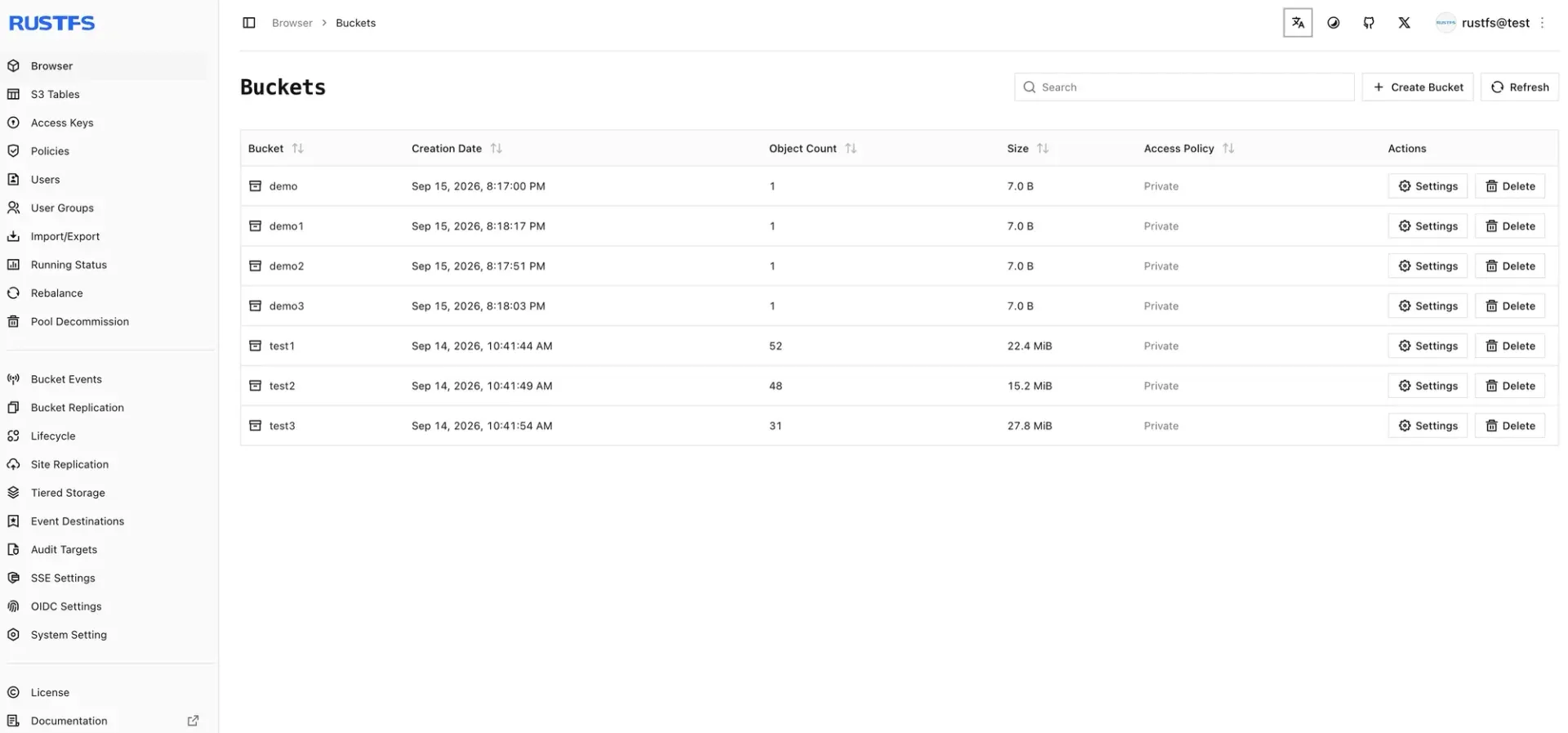
- Web console The console runs on port 9001 by default and covers the object browser, buckets, S3 Tables, access keys, policies, users, import and export, replication, lifecycle, tiered storage, event destinations, audit targets, SSE and OIDC settings. The default credentials are rustfsadmin for both keys; the documentation states that unique values are required before exposing RustFS to a network, and the Helm chart refuses default credentials.
- Additional protocols FTPS and WebDAV are enabled in the default build. The OpenStack Swift API and SFTP are opt-in cargo features (swift, sftp or full). The 1.0 announcement also lists MCP access among the protocols.
- S3 Tables and S3 Select S3 Tables ships as a built-in Apache Iceberg REST Catalog and is marked Preview, with automated PyIceberg and DuckDB coverage and narrower claims for other engines in a separate support matrix. S3 Select is listed as Available.
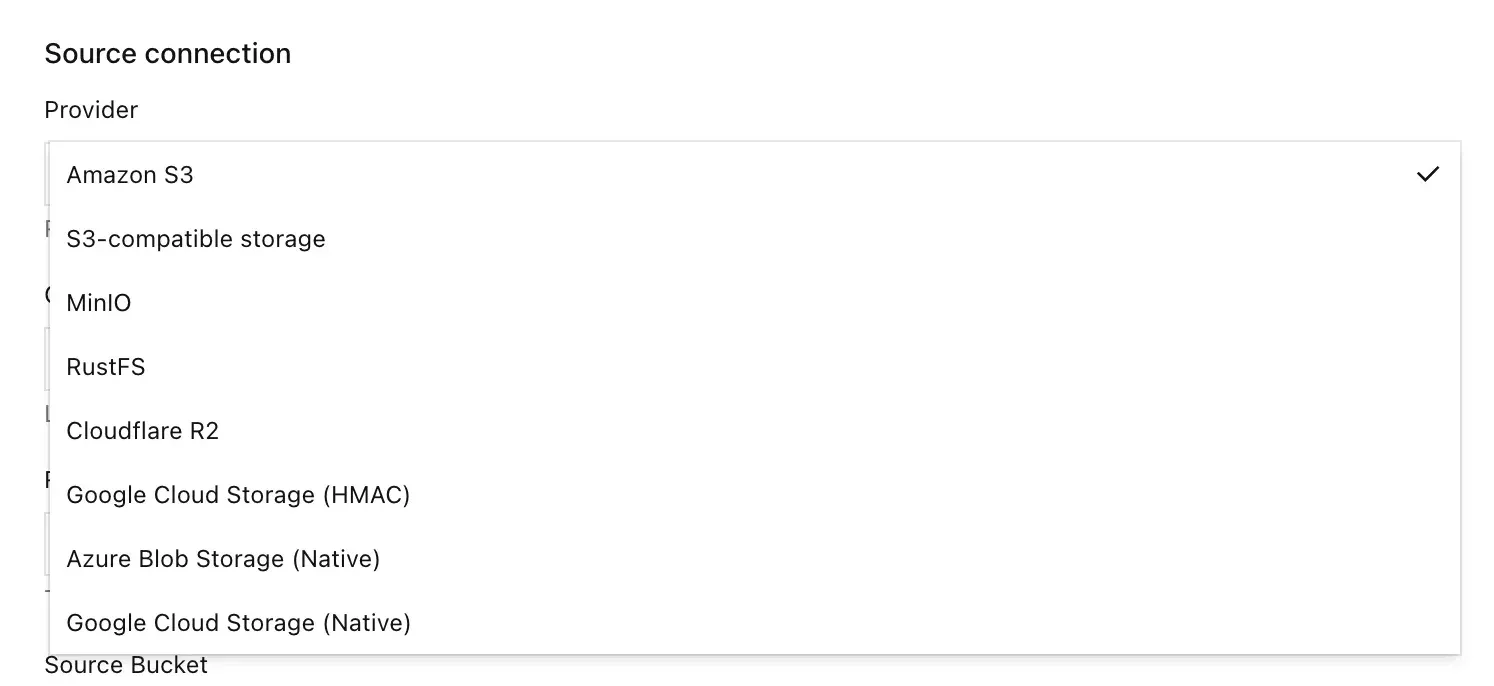
- On-demand migration from external storage A bucket can be connected to an external source and backfilled, with source providers in the console including Amazon S3, generic S3-compatible storage, MinIO, RustFS, Cloudflare R2, Google Cloud Storage (HMAC or native) and Azure Blob Storage. The console shows connection tests, dry runs and backfill progress.
- Linux packages and install script DEB, RPM and ZIP packages are published for x86_64 and aarch64 with glibc or musl linking. The README one-line installer downloads install_rustfs.sh from rustfs.com, and systemd installs read credentials from /etc/default/rustfs.
- Docker, Compose and Podman The rustfs/rustfs image exposes the S3 API on port 9000 and the console on port 9001 and runs as the non-root user rustfs with UID and GID 10001, so bind-mounted data, log and certificate directories must be writable by that identity. A docker-compose-simple.yml file starts a single instance, and the README documents equivalent Podman commands.
- Kubernetes Helm chart and Operator The cloud-native guide covers a Helm chart with a distributed StatefulSet mode (minimum 2 pods, default 4 pods with 16 drives) and a standalone mode, plus a Kubernetes Operator. The default 256Mi volume size is documented as suitable only for verifying the chart.
- Windows and macOS builds A Windows x86_64 ZIP and a macOS Apple silicon ZIP are published with each release, and the RustFS Launcher provides a graphical starter for both. The documentation describes these as desktop processes for development and testing, not services; Intel Macs have had no prebuilt package since 1.0.0-beta.9 and build from source.
- rc command-line client and MCP server The rc client is an S3 CLI written in Rust for RustFS, MinIO, AWS S3 and other S3-compatible services, installable through Homebrew, Scoop, Cargo, Docker or release binaries, and it is used for Helm server-pool commands. A separate RustFS MCP server lets AI assistants list buckets and objects, upload and read files, and create or delete buckets.
Where RustFS fits
Local trial with a single container
The README quick start creates data and log directories owned by UID 10001, then runs the rustfs/rustfs image with ports 9000 and 9001 mapped, or starts docker-compose-simple.yml. The console at port 9001 is used to create a bucket and upload objects, and S3 clients connect to port 9000. This is a single node single disk layout, which the documentation places in development, testing and small non-critical workloads.
Production cluster on Linux servers
For production the documentation describes the multiple node multiple disk layout with at least four servers, erasure coding across nodes and identical volume definitions on every node. The Linux guides cover the systemd service, credentials in /etc/default/rustfs and pre-installation checklists for hardware, network, software and security. Capacity is added later as a new pool, and the console Rebalance page tracks data movement between pools.
Kubernetes deployment
The Helm chart in the repository deploys RustFS as a StatefulSet in distributed mode or as a single-pod Deployment in standalone mode. It requires Helm 3, a StorageClass with a working provisioner and non-default credentials supplied as a Secret or values. The Operator is the second documented Kubernetes route, and the rc client manages server pools.
Moving data from MinIO or another S3 service
The migration guide describes backing up MinIO, stopping writers, deploying an empty RustFS 1.0 target, copying objects with mc mirror or the AWS CLI, comparing objects with checksums and switching the client endpoint, with MinIO left unchanged for rollback. It lists what does not move with a mirror copy, including older versions, delete markers, IAM, replication rules and objects tied to KES or MinKMS. The on-demand migration feature is a second route, filling a bucket from Amazon S3, Cloudflare R2, Google Cloud Storage, Azure Blob Storage or MinIO on demand, with a backfill option.
Data lake and AI storage
The project positions RustFS for data lake, AI and big data workloads. S3 Tables provides an Iceberg REST Catalog inside the storage service, tested by the project with PyIceberg and DuckDB, and S3 Select queries data inside objects. The RustFS MCP server exposes bucket and object operations to MCP-capable AI assistants.
Backup and archive target
The documentation includes integration pages for backup tools such as restic and Veeam, and the RustFS blog describes Veeam Backup and Replication with RustFS. Object Lock, versioning, bucket quotas, lifecycle rules and tiering to a remote S3 target cover retention and capacity for these repositories, and audit targets receive audit logs.
Install
curl -O https://rustfs.com/install_rustfs.sh && bash install_rustfs.shReviews of RustFS
Be the first to share your experience with RustFS.
Write a review
Loading review form…
Found RustFS useful? Upvote it todayYour vote helps other IT teams find it in the daily ranking.


