What is Keeper.sh?
Keeper.sh is an open-source calendar sync service published in the ridafkih/keeper.sh repository. It reads events from Google Calendar, Outlook and Microsoft 365, iCloud, Fastmail, any CalDAV server and remotely hosted iCal or ICS links, and writes copies into one or more other calendars so that the same time shows as busy in each of them. Google, Outlook, iCloud, Fastmail and CalDAV accounts can act as a source or a destination, while iCal and ICS links are pull-only. The same service exposes a REST API and a Model Context Protocol server, so scripts and AI agents can read and change every connected calendar through one interface. According to the About page, Rida F'kih built Keeper.sh for his own four calendars, still writes and maintains it, and operates the service from Alberta, Canada.
There are two ways to run it. The hosted version at keeper.sh runs the code from the public repository and is offered as a Free plan and a Pro plan described on the pricing page. Self-hosting uses seven Docker images published on the GitHub Container Registry; the README states that every Pro feature is included on a self-hosted instance without a subscription. The self-hosting page lists Docker and Docker Compose, a machine to run them on and, for access from outside the local network, a domain. Google Calendar and Outlook additionally need OAuth applications registered under the operator's own Google Cloud and Azure accounts, while iCloud, Fastmail, CalDAV servers and calendar links need nothing extra.
The code base is a TypeScript monorepo built on Bun. A Vite server-rendered web app, a Bun API, a cron service, a BullMQ worker and an optional MCP service share a PostgreSQL database and a Redis queue. Sync runs in two halves. Ingestion reads sources into Keeper.sh's own database: Google and Outlook incrementally through provider sync tokens and delta links, CalDAV, iCloud and Fastmail by refetching and diffing against stored state, and ICS links against the last snapshot. The push half reconciles each destination calendar from a queue. A deletion is tracked by a mapping row that outlives the original event, and the cleanup sweep only removes events that Keeper.sh created, which it marks with an @keeper.sh UID suffix or, on Outlook, a keeper.sh category.
The current GitHub release is v2.32.0, published on November 16, 2026, which set the hosted Pro price to 9 US dollars a month or 79 dollars a year. Release v2.30.0 of November 10, 2026 added sync, calendar link and iCal feed tools plus an agent feedback tool to the MCP server. The changelog entries for v2.29.0 on November 4, 2026 describe a Disable Reminders setting for copied events, a guided setup from the first connected calendar to the first copied event, and a refresh action for iCloud, Fastmail and other CalDAV accounts. The repository was created in December 2025 and has published frequent minor releases since.
Keeper.sh is licensed under AGPL-3.0, and the About page states that the hosted service runs the code in the public repository. It copies events between calendars and serves combined iCal feeds; it does not offer public booking pages, and the project's guide for booking tools describes copying other calendars onto the calendar a booking tool checks. Similar projects listed on iThub include Mitra, a self-hosted calendar with two-way sync and an MCP connector, and Cal.diy, a self-hosted booking and scheduling application.
Key capabilities
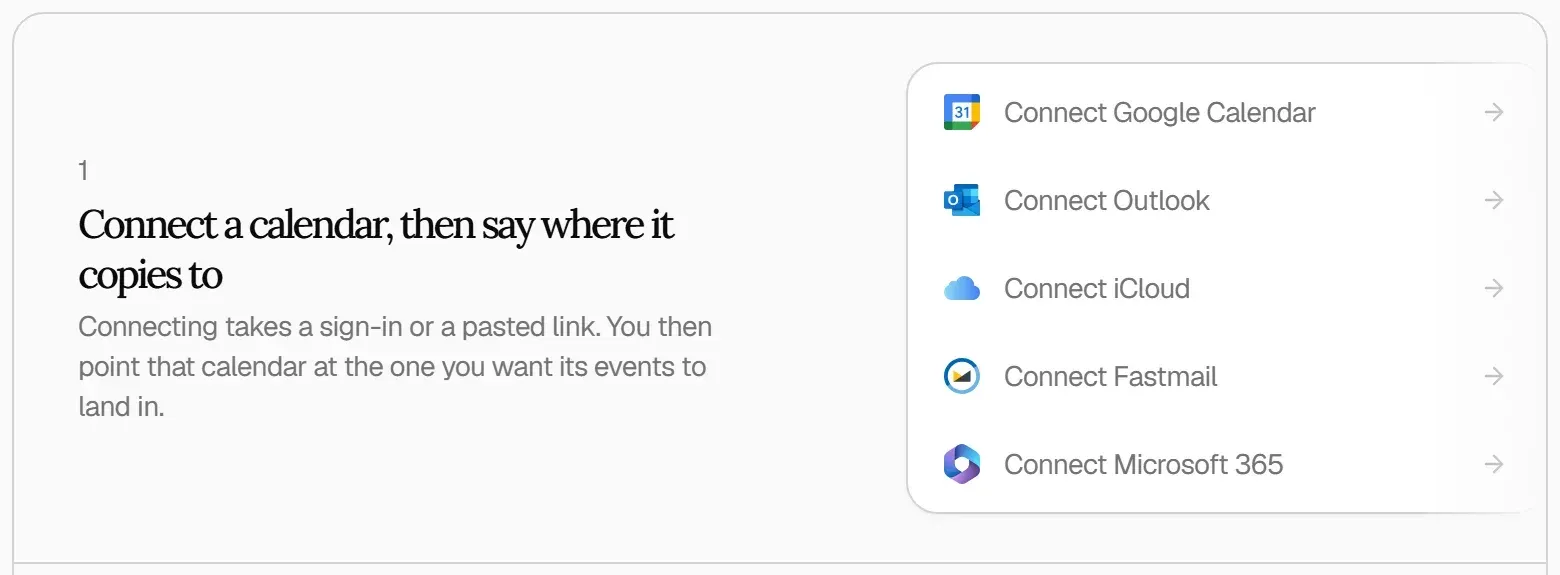
- Calendar providers Google Calendar, Outlook and Microsoft 365 accounts connect through the provider's own permission screen, so Keeper.sh never sees the password. iCloud and Fastmail use an app-specific password created in their settings, and any other service connects with a CalDAV server address and sign-in details or with a pasted iCal link. One sign-in counts as one linked account, however many calendars it contains.
- One-way connections A connection copies events from one calendar into another, one way only, and is created by ticking a destination under Send Events to Calendars on the source calendar's page. Two-way sync between two calendars is two connections, one from each side. Calendars subscribed from a link are read-only and can only send events.
- Copies that follow the original When the original event moves, is shortened or is deleted, the copy is corrected in place rather than duplicated. Removing a connection deletes the copies it made on the next sync, and events created directly in the destination calendar are left untouched. Disconnecting an account removes the copies its calendars sent elsewhere.
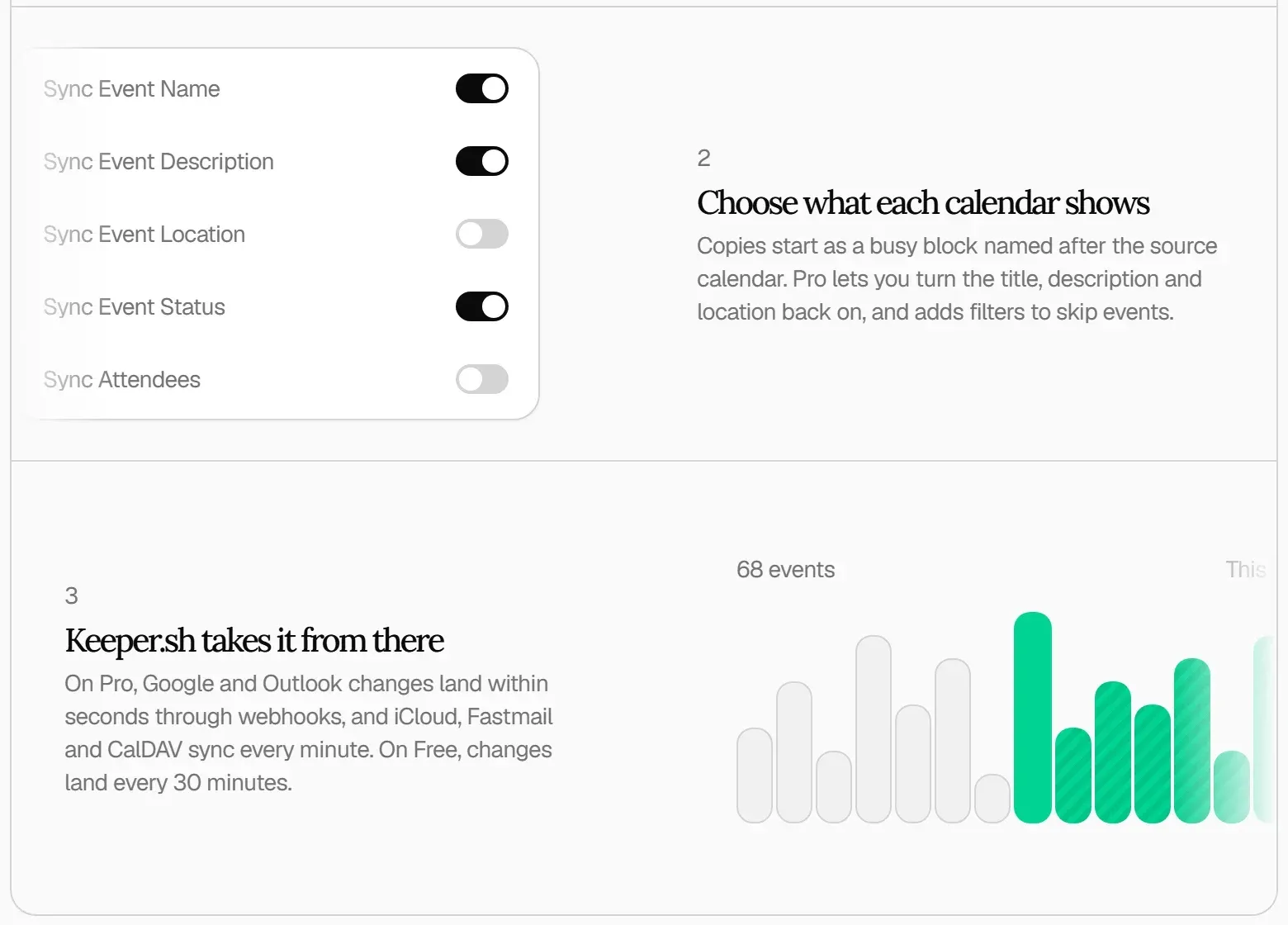
- Private copies by default Each copy starts as a busy block named after the source calendar, without the title, description or location, and guest lists are never copied on any plan. On Pro, Sync Event Name, Sync Event Description and Sync Event Location can be turned on per calendar, and the stand-in title accepts the
{{calendar_name}}and{{event_name}}templates, as described in What a copied event shows. - Exclusions and reminder control Pro adds exclusions for all-day events and, on Google calendars, for Focus Time and Out of Office events; excluding a category later also removes existing copies. A Disable Reminders setting stops copies on Google Calendar and Outlook from firing their own reminders, and Mark Events as Private sits in the same sync settings.
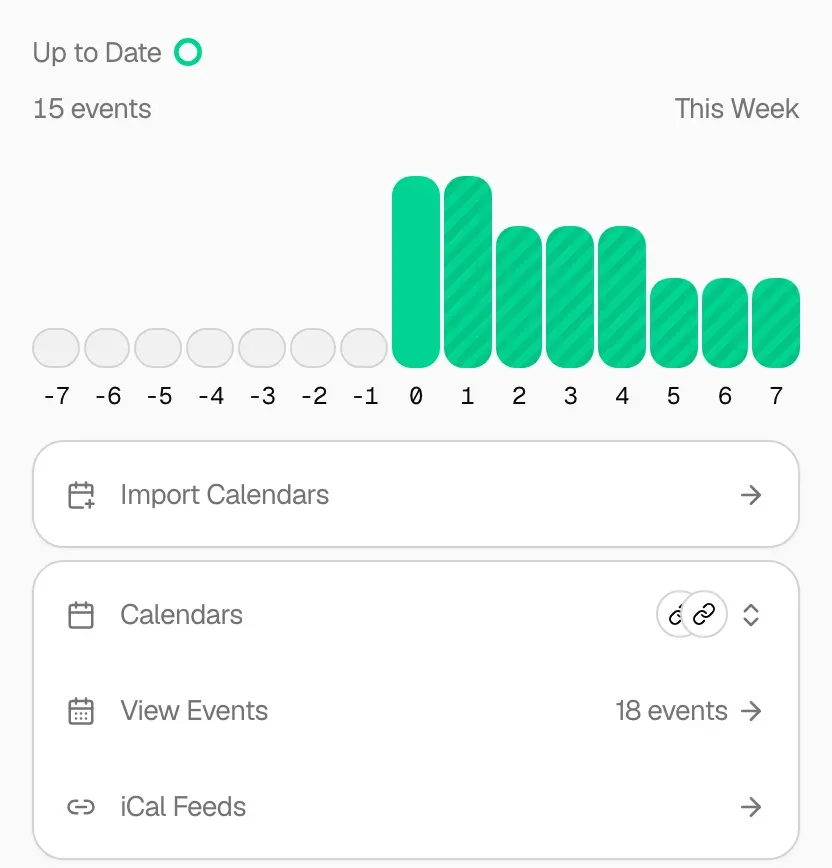
- Copy range Destination calendars start with copies from one month back to two years ahead. Narrowing the range does not only stop new copies, it also clears copies that fall outside it.
- Shareable iCal feeds Connected calendars can be combined into a single iCal link that any calendar app can subscribe to. By default every event on the link reads Busy with no title, description or location. Free includes one shareable link; Pro allows more links and choosing which details each link shows.
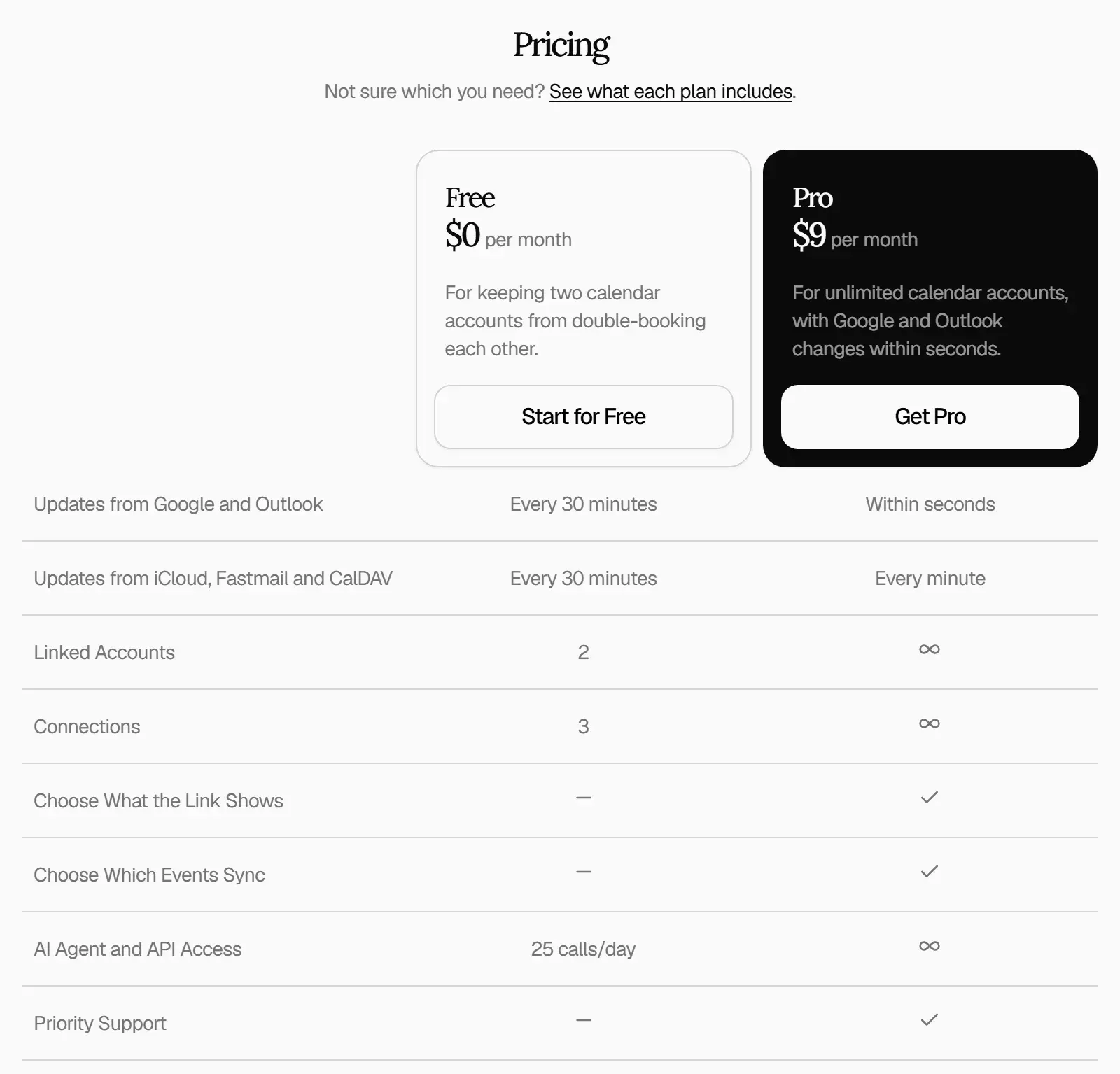
- Update timing On Free, destination calendars update every 30 minutes. On Pro, Google and Outlook changes arrive within seconds through webhooks, and iCloud, Fastmail and CalDAV changes every minute. A sync can also be triggered through the API or the MCP
trigger_synctool, throttled to one request per minute per user. - REST API The API under
/api/v1covers calendars, accounts, events, free-time search, invitations, sync mappings, calendar links and iCal feeds. Tokens are created under Settings, API Tokens, carry akpr_prefix and are shown only once. Date ranges may not exceed 732 days, and the Free plan allows 25 API or agent calls a day, as documented in the MCP server and REST API reference. - MCP server The MCP server speaks streamable HTTP at
https://www.keeper.sh/mcp, or at/mcpon a self-hosted instance. It is an OAuth 2.1 protected resource with dynamic client registration, PKCE and a consent screen hosted by Keeper.sh; access tokens last 30 days and refresh tokens 90 days. Scopes separate read access fromkeeper.write, and the hosted server is listed in the official MCP Registry asio.github.ridafkih/keeper-sh. - 27 MCP tools Tools include
get_events,find_free_time,create_event,update_event,delete_event,get_pending_invitesandrsvp_eventfor events,pause_sync,list_syncsandset_sync_destinationsfor sync control, and tools for calendar links and iCal feeds.update_calendar_settingsrequires Pro. The repository also contains a Cursor plugin with an MCP configuration and a skill. - Agent feedback tool
send_feedbacksends a message, category, severity, tool name, the stated intent, the instance version and whether the instance is hosted to the Keeper.sh team, including from self-hosted instances. The README states that it never carries the user's token, ID, email, calendar data or hostname. Users can turn it off in Settings, and operators can disable it instance-wide withAGENT_FEEDBACK_DISABLED. - Hosted plans Free costs 0 dollars and covers 2 linked accounts, 3 connections, 1 shareable link and 25 agent or API calls a day, without a card. Pro costs 9 US dollars a month or 79 dollars a year, priced per person, with unlimited accounts, connections and links, event filters, faster updates and priority support. Prices were checked on the pricing page on November 18, 2026; billing runs through Polar.
- Self-hosting images
keeper-standalone:2bundles the web, API, cron, worker and MCP services with PostgreSQL, Redis and Caddy behind port 80.keeper-services:2runs the application services against an external PostgreSQL and Redis, and five single-service images split them further. The README recommends pinning a major.minor tag such as 2.13 instead of latest. - Configuration and secrets A self-hosted instance needs
BETTER_AUTH_SECRETfor sessions andENCRYPTION_KEYfor encrypting CalDAV credentials at rest, both generated withopenssl rand -base64 32in the README.TRUSTED_ORIGINSis required when the instance is reached from any origin other than localhost.BLOCK_PRIVATE_RESOLUTIONblocks ICS and CalDAV fetches to private network addresses. - Sign-in options Accounts can use email and password with passkeys, or Google and Microsoft sign-in. Self-hosted instances can delegate sign-in to an OIDC provider such as Authentik, Keycloak, Pocket ID or Zitadel, turn off local password sign-in with
DISABLE_LOCAL_AUTH, and restrict sign-ups to listed email domains withREGISTRATION_EMAIL_DOMAINS. - Realtime push and telemetry for operators Setting
WEBHOOK_PUBLIC_URLto a public HTTPS origin registers Google Calendar and Microsoft Graph push subscriptions so changes are picked up within seconds; without it, polling continues.OTEL_EXPORTER_OTLP_ENDPOINTforwards structured logs and traces to an OpenTelemetry collector, with a configurable sampling ratio.
Where Keeper.sh fits
Blocking work time from a personal calendar
A personal calendar is connected alongside the work calendar, and the work calendar is ticked under Send Events to Calendars on the personal calendar's page. Each personal event then appears in the work calendar as a busy block named after the personal calendar, without title, description, location or guests. This layout uses two linked accounts and one connection, within the Free plan limits.
Keeping two calendars in sync in both directions
Two-way sync is set up as two connections, one from each calendar's page, and the pricing FAQ notes that a two-way pair uses 2 accounts and 2 connections on the Free plan. The sending events documentation points out that every event then exists twice, as a real event in each calendar, and links a recipe for a work and personal setup where only one direction carries event details.
Feeding the calendar a booking tool checks
Booking pages such as Calendly only block the hours they can see. The Keeper.sh guide for booking tools describes copying the other calendars onto the calendar the booking tool reads, as busy blocks with details hidden, so the booking page reflects commitments held elsewhere.
Sharing availability with a subscribable link
A shareable iCal feed combines selected calendars into one link that clients, colleagues or family members subscribe to in their own calendar app. Events on the link read Busy by default; on Pro, each link can be set to show more detail. The project's consultant guide uses one connection per client calendar plus a busy-times link for clients who book time.
Giving an AI assistant access to every calendar
An MCP client such as Claude Code or Claude Desktop is pointed at the /mcp URL; the client registers itself, the user approves the consent screen, and a question such as what is on the calendar tomorrow is answered with get_events. Because writes go to the provider that owns the calendar, an event the assistant creates appears in Google Calendar or Outlook like one made by hand, and find_free_time searches all synced calendars at once.
Running a private instance
The README path is to generate a .env file with the two secrets, set TRUSTED_ORIGINS, start ghcr.io/ridafkih/keeper-standalone:2 with Docker or Compose, and place it behind a reverse proxy that terminates TLS. Google and Microsoft OAuth apps are added for those providers, OIDC variables connect an existing identity provider, and the bundled MCP server is served at /mcp on the same port. Other self-hosted identity providers listed on iThub include authentik and ZITADEL.
Install
docker run -d -p 80:80 -v keeper-data:/var/lib/postgresql/data --env-file .env ghcr.io/ridafkih/keeper-standalone:2Reviews of Keeper.sh
Be the first to share your experience with Keeper.sh.
Write a review
Loading review form…
Found Keeper.sh useful? Upvote it todayYour vote helps other IT teams find it in the daily ranking.