
What is grommunio?
grommunio is a groupware and communication suite developed by grommunio GmbH, a software company that states it was founded in Vienna in 2020 and whose legal notice gives a registered office in 1220 Vienna, Austria. The administrator manual lists the covered areas as e-mail, calendar, contacts, tasks, notes, video meetings, chat, file sync and share, and web office, with mail archiving available as a further role. The central server, Gromox, implements the protocols that Microsoft Exchange clients use: Outlook connects over MAPI/HTTP or RPC/HTTP, phones and tablets over Exchange ActiveSync, and other clients over EWS, IMAP, POP3, SMTP, CalDAV and CardDAV.
The suite is built from separate projects in the grommunio GitHub organization. Gromox, written in C++, provides gromox-http (RPC-over-HTTP, MAPI-over-HTTP, EWS and the exmdb information store), gromox-imap, gromox-pop3, the gromox-delivery agent, the gromox-zcore bridge for PHP-MAPI, the gromox-midb index and the gromox-event bus. grommunio Web is the browser client, grommunio Sync (PHP) serves ActiveSync, grommunio DAV (PHP) serves CalDAV and CardDAV, and the Admin API (Python) and Admin Web handle management. MariaDB stores user metadata but no mail payload, each mailbox is an SQLite store, Postfix routes mail and nginx is the web server. grommunio Files, Meet, Office, Archive and Antispam are documented as forks of Nextcloud, Jitsi, ONLYOFFICE, Piler and rspamd; grommunio Chat is a fork of an open-source chat platform that the docs do not name.
grommunio ships as the grommunio Appliance, an installation ISO based on openSUSE Leap 16.0 that takes over the whole target disk, plus virtual appliance images, a community Raspberry Pi image, an official Docker Compose project and package repositories for openSUSE Leap and SLES, RHEL-compatible systems (EL10), Debian 13 and Ubuntu 24.04. The quickstart lists a minimum of 4 CPU cores, 6 GB RAM and a 32 GB system disk on a server or a VMware, Xen, KVM or Hyper-V virtual machine, with IPv6 active at least on ::1. The installation guide sizes the appliance for 1 to 2,000 users and refers larger or clustered installations to partners and the manual installation chapter.
Distribution releases follow a year.month scheme. According to the release notes, grommunio 2026.06.1 (30 June 2026) added the grommunio AI assistant, IMAP4rev2, a much larger EWS implementation, a new Offline Address Book and native Debian and Ubuntu packages, and grommunio 2026.06.2 (30 September 2026) brought single sign-on across Web, Admin, Chat, Files, Meet and Archive, grommunio Web 5 and Gromox 3.11. The latest Gromox release on GitHub is gromox-3.13 (29 October 2026), which adds E4A conversion scripts, two-way sync between IMAP keywords and MAPI categories, audit logging in emsmdb and zcore, and stricter permission checks on EWS meeting responses.
Gromox, grommunio Web, grommunio Sync, grommunio DAV, the Admin API and Admin Web carry the GNU AGPL-3.0 license in their repositories. Commercial use is sold as per-user subscriptions through certified partners, as described on the pricing page; the free Community edition covers up to five users without manufacturer support, and the installer documents that community repositories are best effort while subscription repositories carry quality-tested packages, hotfixes and extra features. grommunio states that it is an independent product and not affiliated with Microsoft.
Key capabilities
- Native Outlook connectivity Outlook for Windows connects with the Exchange account type over MAPI/HTTP or RPC/HTTP, without plugins, as the client setup guide describes. Online and cached (offline) mode both work, and AutoDiscover locates the server when autodiscover DNS records are in place. Gromox builds and serves its own Offline Address Book, so Outlook can cache the global address list.
- Exchange Web Services Gromox answers EWS requests for clients and integrations that use it; the technology page names eM Client, Outlook for Mac and macOS Mail. Release 2026.06.1 extended EWS to tasks, calendar occurrences with time zones, delegate management, the full meeting workflow, streaming notifications and room and people lookups.
- Exchange ActiveSync for phones and tablets Grommunio Sync implements EAS versions 2.5 to 16.1, including push, folder and item sync, policies and remote wipe. Android and iOS devices use their built-in Exchange account type, so no extra app is needed for mail, calendar and contacts. The mobile devices guide states that this is ActiveSync device management, not a unified endpoint management product.
- IMAP, POP3 and SMTP Gromox-imap and gromox-pop3 serve standard mail clients, and Postfix handles SMTP routing with an optional relay host. Since 2026.06.1 the IMAP server implements IMAP4rev2 (RFC 9051) behind the ENABLE handshake. The docs show Mozilla Thunderbird set up over IMAP, POP3 and SMTP.
- CalDAV and CardDAV Grommunio DAV provides calendar and contact synchronization for native clients such as macOS and Thunderbird. For Thunderbird contacts the documentation uses the CardBook add-on against the CardDAV endpoint.
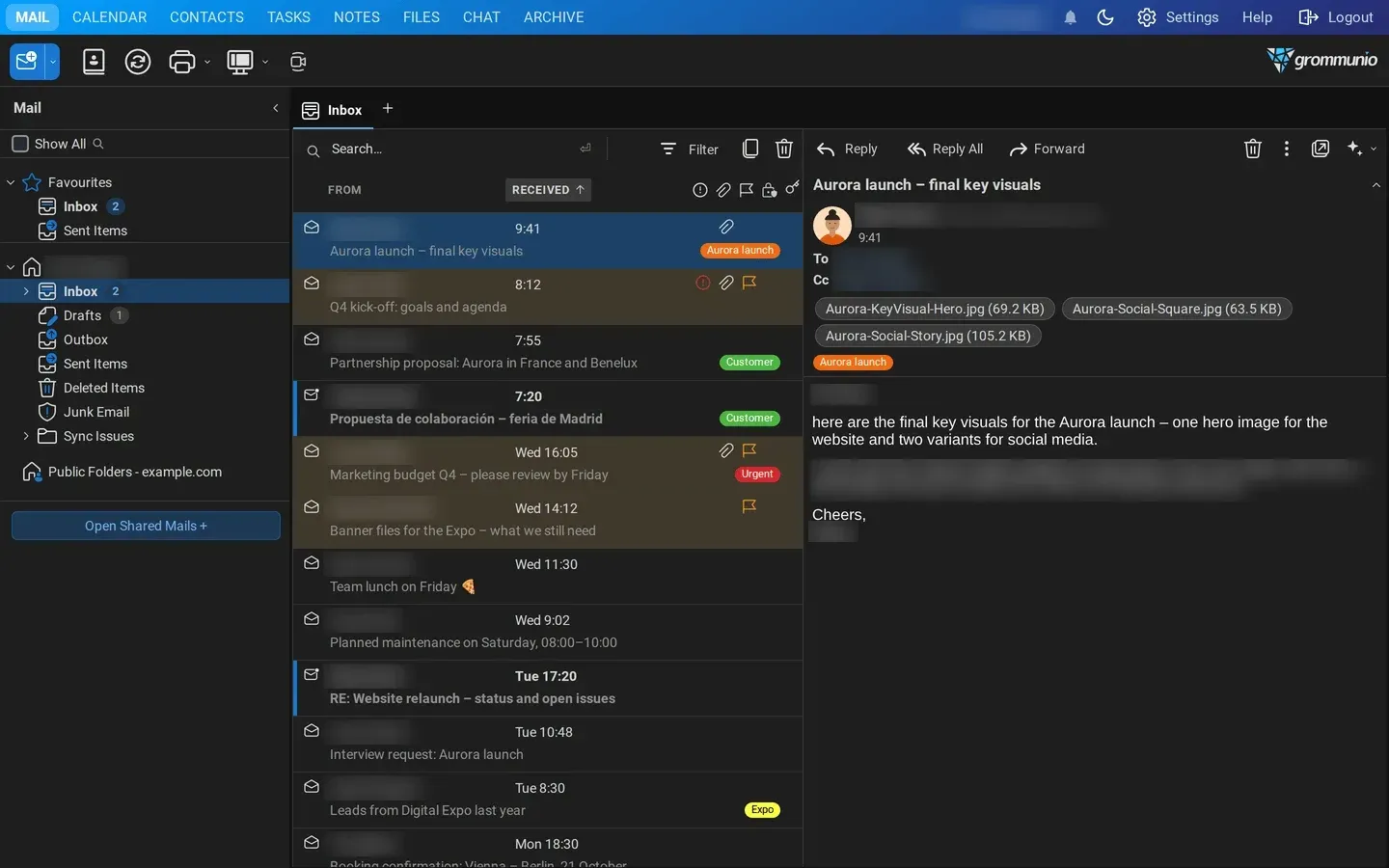
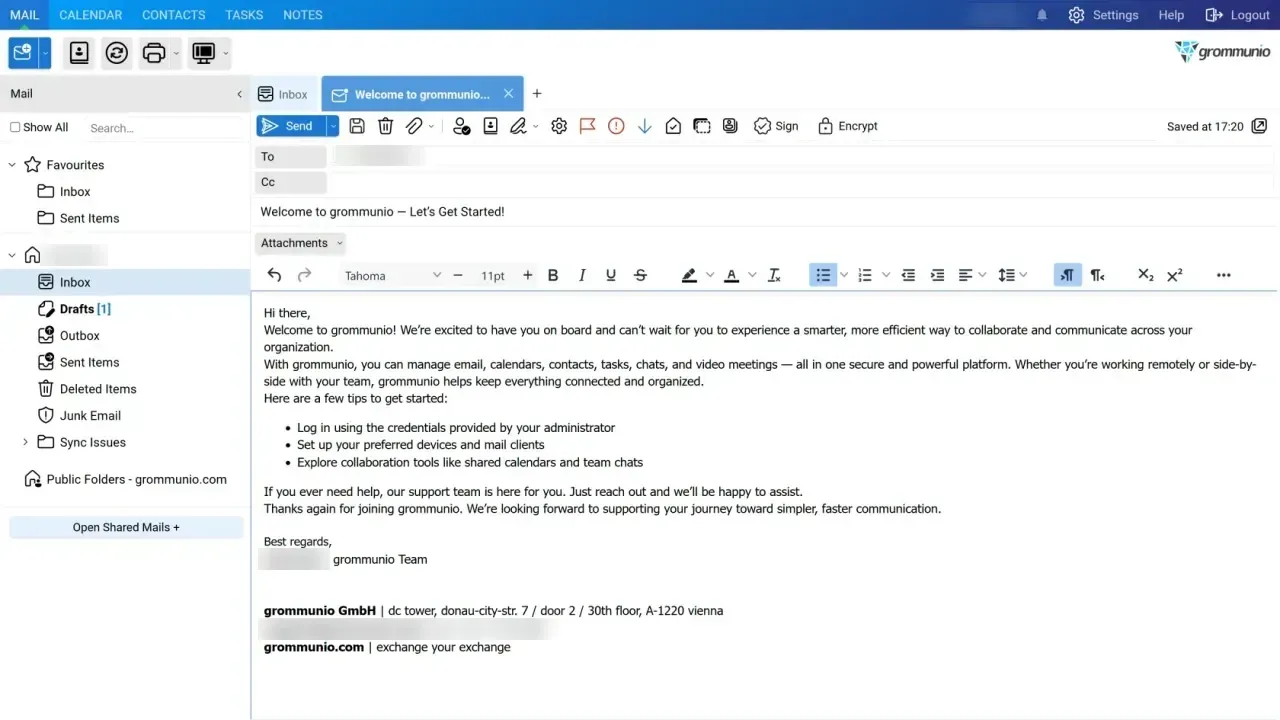
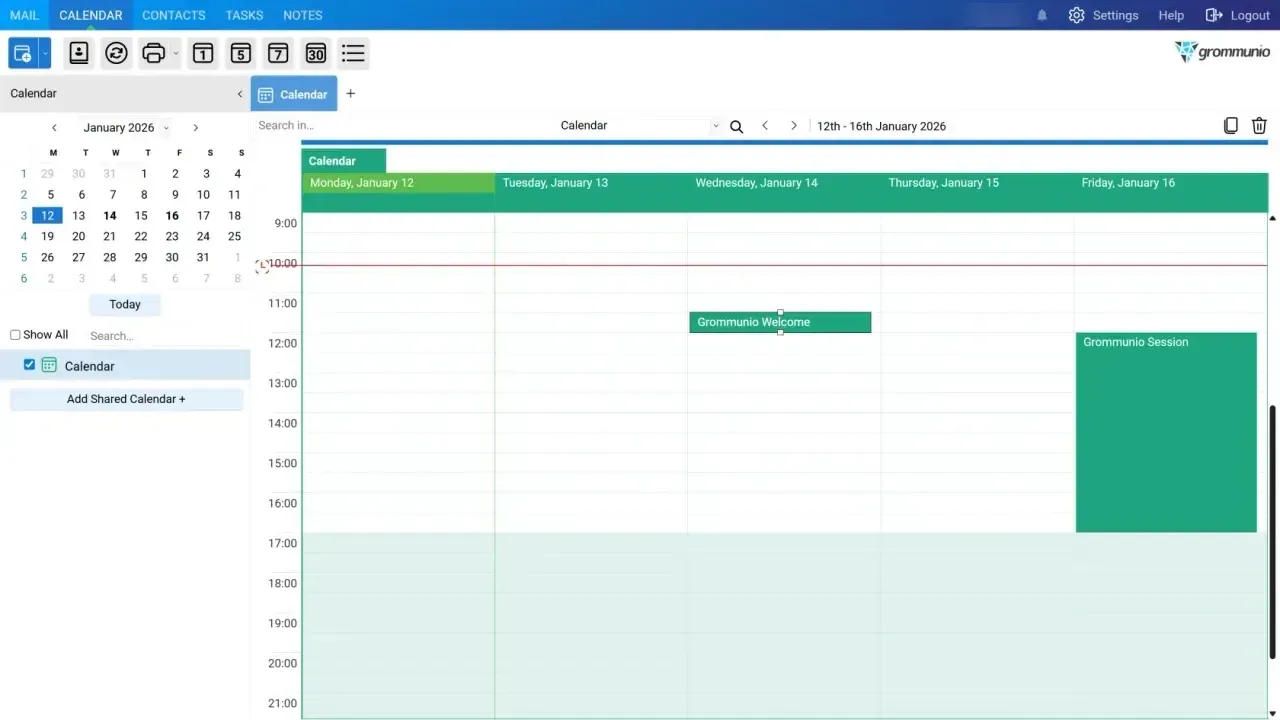
- grommunio Web The browser client covers mail, calendar, contacts, tasks, notes and, when installed, files, chat and archive. Version 5 adds dark mode, a Ctrl+K command palette, undo and redo, OpenPGP next to S/MIME with cryptography in the browser, previews for PDF, Office, OpenDocument and other attachment formats, and Outlook-compatible categories. The grommunio Web manual documents each module.
- grommunio AI assistant A plugin inside grommunio Web summarises mails and threads, translates, drafts replies and turns a mail into a meeting, task or contact through pre-filled dialogs. It talks to OpenAI-compatible or Anthropic APIs, including local runtimes such as Ollama, LM Studio, vLLM and llama.cpp. It ships disabled, an administrator must enable it and each user opts in; with a cloud provider configured, the selected text is sent to that provider.
- grommunio Desk desktop app A native client for Windows, macOS and Linux that renders grommunio Web in its own window with tray operation, system notifications and several server profiles. The download page lists the Microsoft Store, the Mac App Store, a manual installer for Windows 10 and 11, separate Apple silicon and Intel builds, and Linux packages.
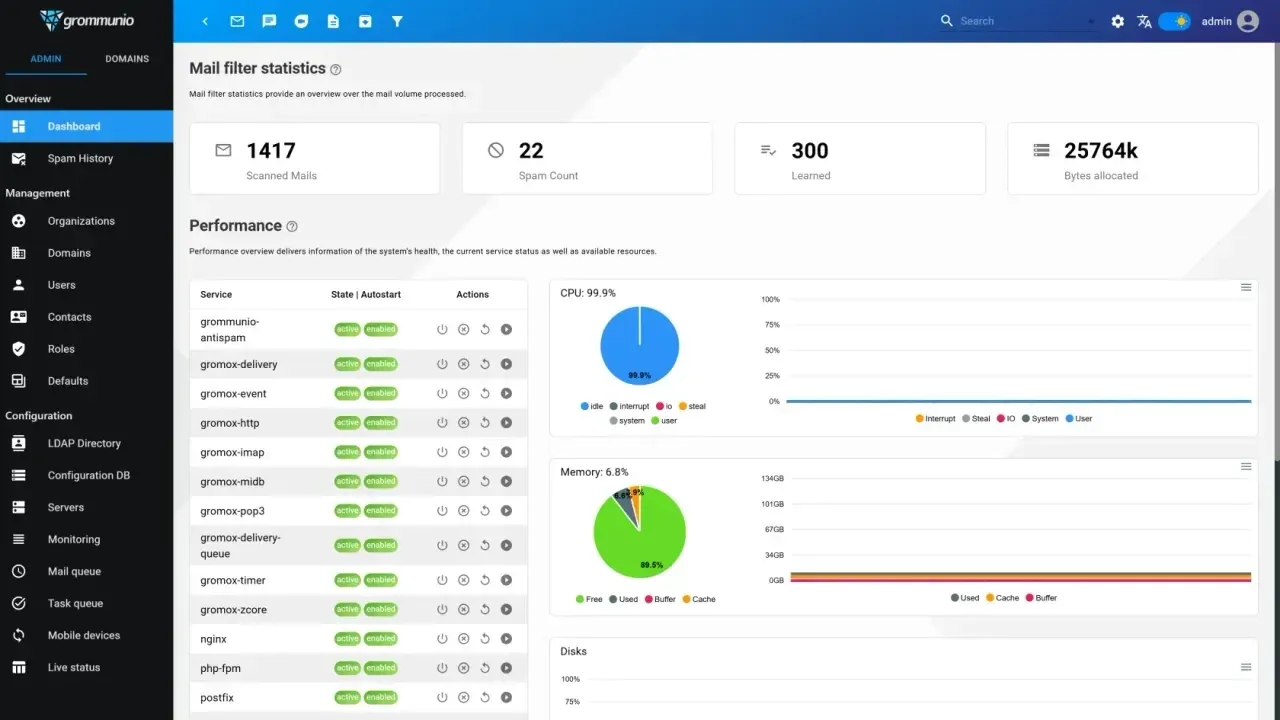
- Admin Web and Admin API The browser-based Admin UI manages organizations, domains, users, contacts, roles, LDAP directories, servers, mail and task queues, mobile devices and service status, and generates DKIM keys per domain. The Admin API is the REST interface behind the Admin UI and is also intended for automation; its operations are listed in the API reference.
- Command-line administration Grommunio-admin covers domains, users, organizations, LDAP, mailing lists, fetchmail, configuration and services from the shell, and the gromox tools handle mailbox maintenance, import and export. The CLI reference includes a cookbook of common tasks.
- Meet, Chat, Files and Office roles Optional roles in grommunio-setup install video meetings (Jitsi fork), enterprise chat, file sync and share (Nextcloud fork) and online document editing for use with Files (ONLYOFFICE fork). grommunio publishes Chat and Meet apps for iOS in the App Store; the Android apps are provided through the grommunio server and documentation.
- grommunio Archive A mail archiving role based on Piler, aimed at legal retention and discovery, with full-text search. Release 2026.06.2 added OpenID Connect login to the archive.
- Antispam and mail filtering Grommunio Antispam is an rspamd fork with interfaces for virus scanning and filtering. The Admin UI dashboard shows scanned mail, spam counts and learned messages, and a spam history view lists filtered mail.
- Single sign-on Grommunio Auth uses Keycloak and, since 2026.06.2, creates and maintains the Keycloak clients for Chat, Files, Meet, Archive and Admin automatically. Separate guides cover Keycloak SSO and Kerberos single sign-on; local admin logins remain available.
- Migration tooling The migration docs describe gromox-pff2mt and the exchange2grommunio.ps1 script for Exchange and PST data, gromox-kdb2mt for complete Kopano and Zarafa mailboxes, imapsync for any IMAP server (mail and folders only) and gromox-eml2mt, gromox-ical2mt and gromox-vcf2mt for single EML, iCalendar and vCard files.
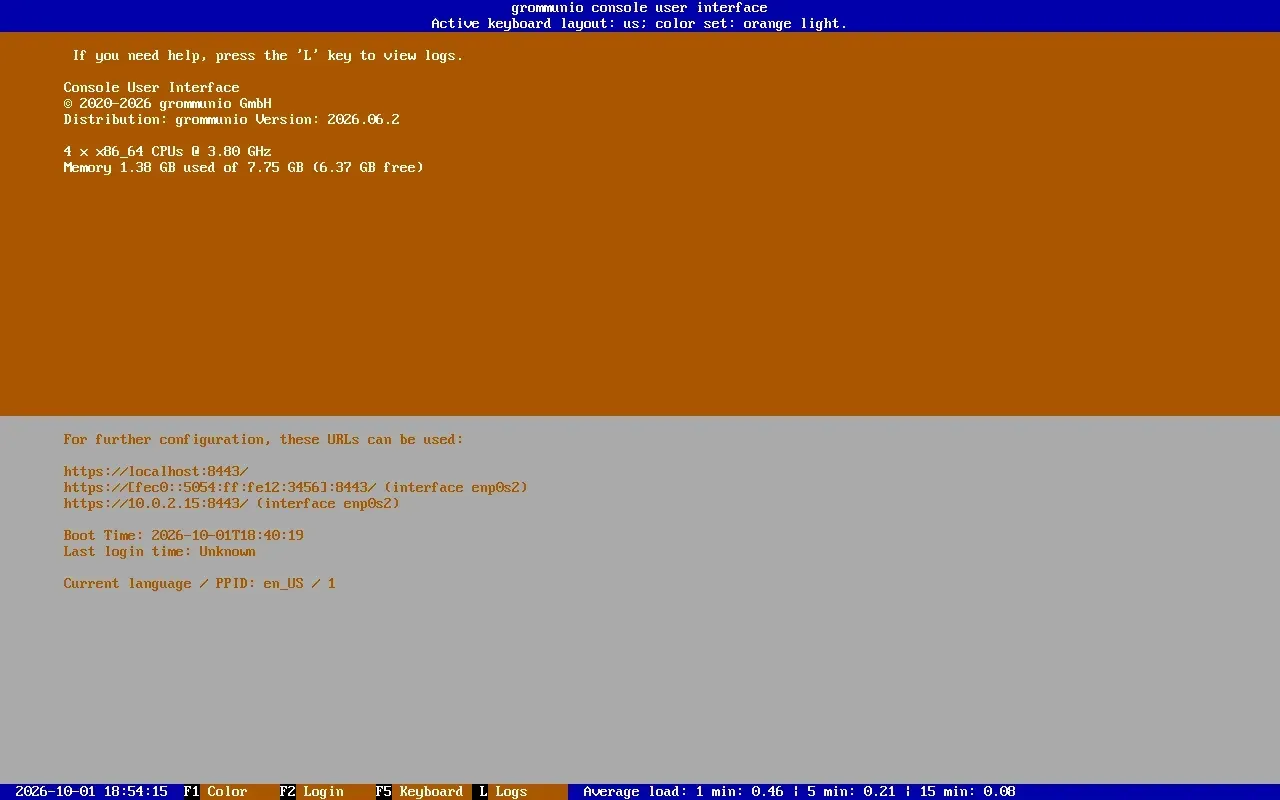
- Appliance installer and setup wizard The appliance ISO boots an installer that writes a prepared image to the full disk. The console interface grommunio-cui then sets the root password, network, hostname and time, and grommunio-setup configures roles, database, admin password, domain, relay host and TLS (self-signed, own CA, imported certificate or Let's Encrypt).
- Packages and containers Manual installation uses repositories from download.grommunio.com for openSUSE Leap 16.0, RHEL-compatible EL10 (with EPEL and CodeReady Linux Builder), Debian 13 and Ubuntu 24.04. The gromox-container project runs a core container plus optional archive and office containers with their own MariaDB databases under Docker Compose, all unprivileged.
- High availability and scale-out A reference guide documents a two-node active/standby cluster with a witness node, DRBD block replication, Pacemaker and Corosync, and a floating IP. The technology page describes multi-node deployments behind standard load balancers, MariaDB/Galera for metadata and official images for Docker, Podman and Kubernetes.
Where grommunio fits
Replacing an on-premises Exchange server
grommunio presents itself as a drop-in replacement for Microsoft Exchange: existing Outlook profiles are recreated with the Exchange account type against the grommunio server, and phones keep using their built-in Exchange accounts over ActiveSync. The Exchange migration chapter moves mail, calendar, contacts, tasks, notes and folder structure from PST or EDB sources with gromox-pff2mt and exchange2grommunio.ps1, after domains and mailboxes have been created in the Admin UI or CLI, followed by a delta run after the MX switch.
Moving from Kopano or Zarafa
gromox-kdb2mt reads Kopano and Zarafa stores and imports complete mailboxes, including MAPI properties, into Gromox. The grommunio Web 5 release notes state that the last leftovers from the Zarafa days were removed from its code, plugin interfaces and settings.
Running mail for a small office on the appliance
The grommunio Appliance installs from a single ISO onto a physical or virtual machine and is configured through grommunio-cui and grommunio-setup, which can request a Let's Encrypt certificate when port 80 is reachable. The Community edition is free for up to five users on the community repositories; larger installations use a Basic, Plus or Business subscription bought through a partner.
Multi-tenant hosting by service providers
The Admin UI and Admin API group domains into organizations, and the pricing page addresses managed service providers and cloud hosters alongside enterprises and public institutions. Licenses are sold only through certified partners, who handle implementation and first- and second-level support, with grommunio behind them depending on the plan.
Unified client access for Outlook, browsers and mobile devices
The user manual describes three access paths on the same account: grommunio Web in a browser, grommunio Desk on Windows, macOS and Linux, and existing clients such as Outlook, Apple Mail, Thunderbird and phones over native protocols. Administrators review synced devices, enforce ActiveSync policies and trigger remote wipes from grommunio Web, the Admin UI or the command line.
Highly available and clustered deployments
For installations beyond a single appliance, the documentation covers manual installation on supported distributions, a Docker Compose deployment and a Pacemaker, Corosync and DRBD reference cluster with a floating IP. grommunio states on its technology page that deployments scale to more than 100,000 users through stateless application services, a separately clustered data tier and standard load balancers.
Reviews of grommunio
Be the first to share your experience with grommunio.
Write a review
Loading review form…
Found grommunio useful? Upvote it todayYour vote helps other IT teams find it in the daily ranking.