

What is Element?
Element is a Matrix client for the browser and the desktop. It was previously released as Vector and then Riot, and took the Element name in 2020. It talks to any Matrix homeserver through the Matrix JS SDK, so the same client can sign in to matrix.org, to a company homeserver or to a private server on a home network. Rooms, direct messages, spaces, threads, voice and video calls, file sharing and end-to-end encryption are handled in the client, while accounts and message storage live on the homeserver. It is developed by Element Creations Limited, the UK company called New Vector Limited until 2025. According to its about page, it was co-founded by Matthew Hodgson and Amandine Le Pape and is led by the team that created the Matrix standard in 2014.
The element-web repository is a monorepo. apps/web holds Element Web, apps/desktop holds Element Desktop, an Electron wrapper around the same web app, and the two ship in lock-step versions. packages contains npm libraries such as the Module API and shared components, and modules contains optional add-ons maintained by Element, such as a banner, restricted guest access and widget controls. The code base is TypeScript and React, built with pnpm.
Distribution follows two paths. Users can open the hosted copy at app.element.io or install Element Desktop from the download page: a setup executable for Windows x64 and ARM64, a DMG for macOS and an APT repository for Debian and Ubuntu on x86_64 and aarch64. Operators who host their own copy of the web app can use a GPG-signed release tarball, a Debian package, the vectorim/element-web Docker image or a Kubernetes example, all described in the installation guide. For phones, the README recommends the separate Element X apps for Android and iOS rather than mobile browsers.
The latest GitHub release at the time of checking is v1.12.33, published on October 27, 2026. Releases arrive roughly every two weeks. v1.12.33 reworked the recovery key flows, stopped allowing users to skip device verification by default, dropped migration of old libolm sessions and updated Electron. v1.12.32 was a security release that removed NEB starter links and the guest_access_token parameters (GHSA-x2rg-2g77-mx2w and GHSA-c88w-7h6p-27xr). v1.12.31 added a Markdown viewer for .md attachments, sandboxed PDF rendering and a reworked knocking workflow.
The source is multi-licensed: it can be used under AGPL-3.0 or GPL-3.0, in each case version 3 or later, or under a paid Element Commercial License. Element on its own is only a client. Running a full deployment also needs a homeserver such as Synapse, an authentication service for single sign-on and a call backend. Element packages these as Element Server Suite, with a free Community edition for up to 100 users and paid Pro editions, described on the pricing page. Message retention, LDAP and SCIM provisioning, audit features and air-gapped installs belong to those server editions, not to the web client.
Element screenshots
Explore the interface. Open a screenshot to view it at full size.
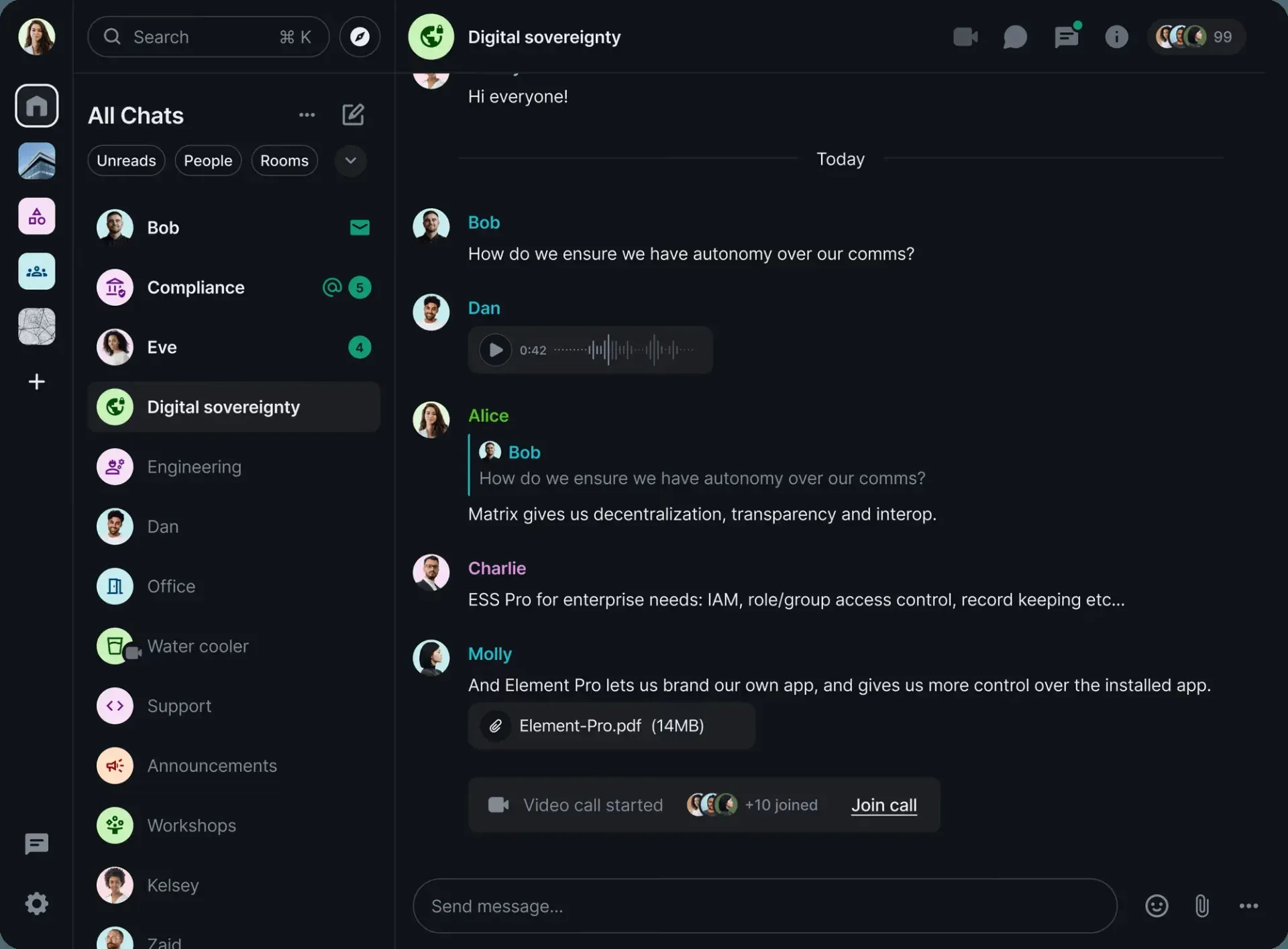
Official Element interface image: room list with unread badges, a threaded reply, a voice message, a PDF attachment and a running video call in the room timeline.
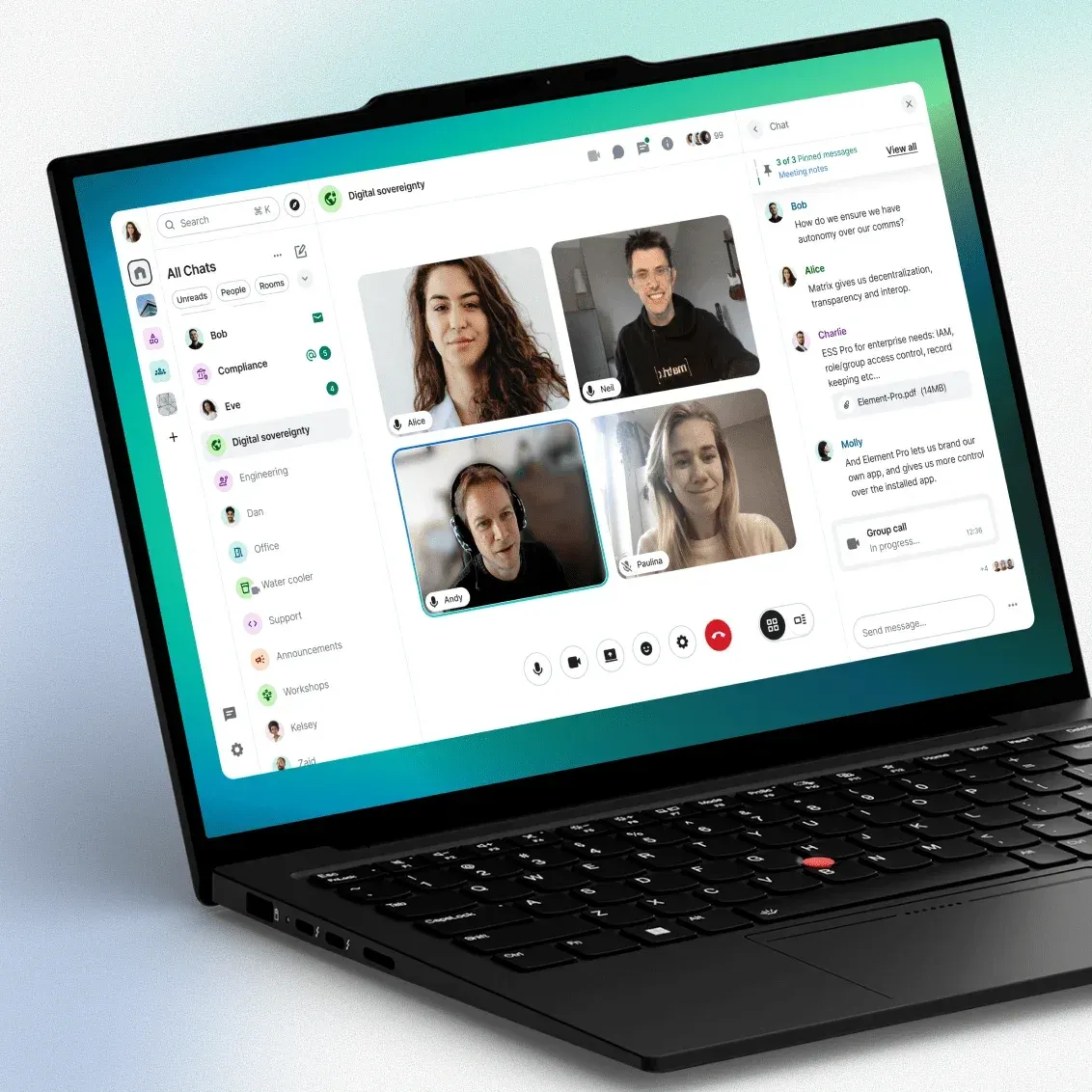
Official Element image of a group video call in Element Web, with call controls, pinned messages and the room chat beside the video tiles.
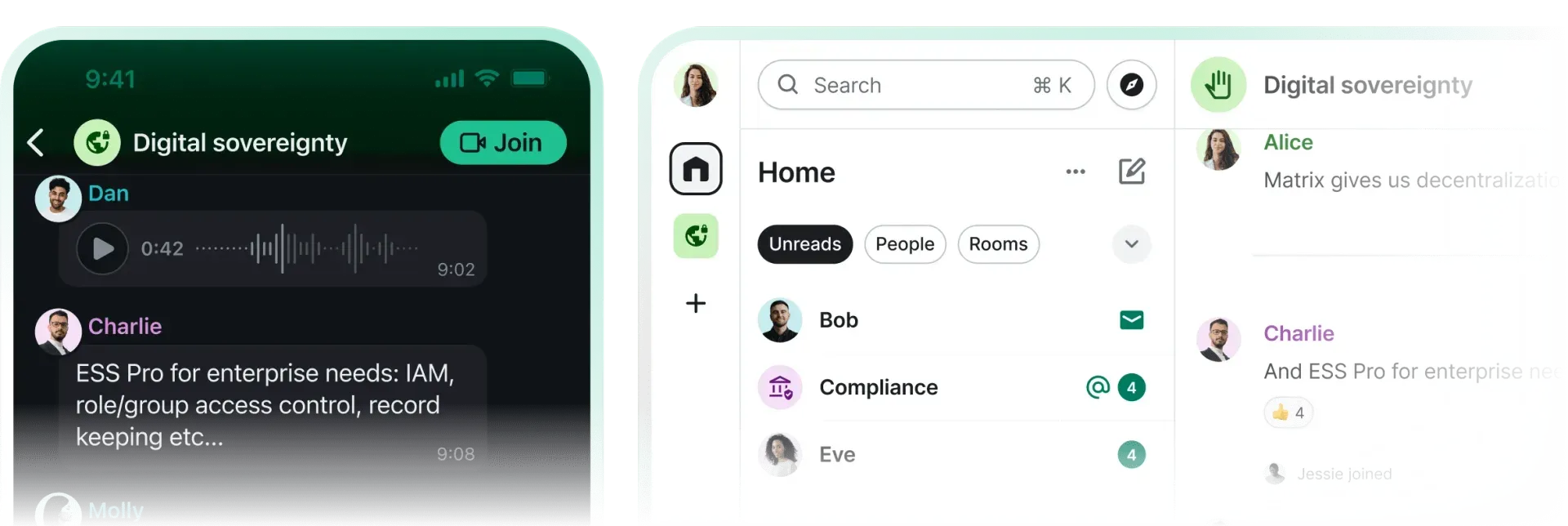
Official Element image of one room on the mobile app with a Join call button and in the web client with Unreads, People and Rooms filters.
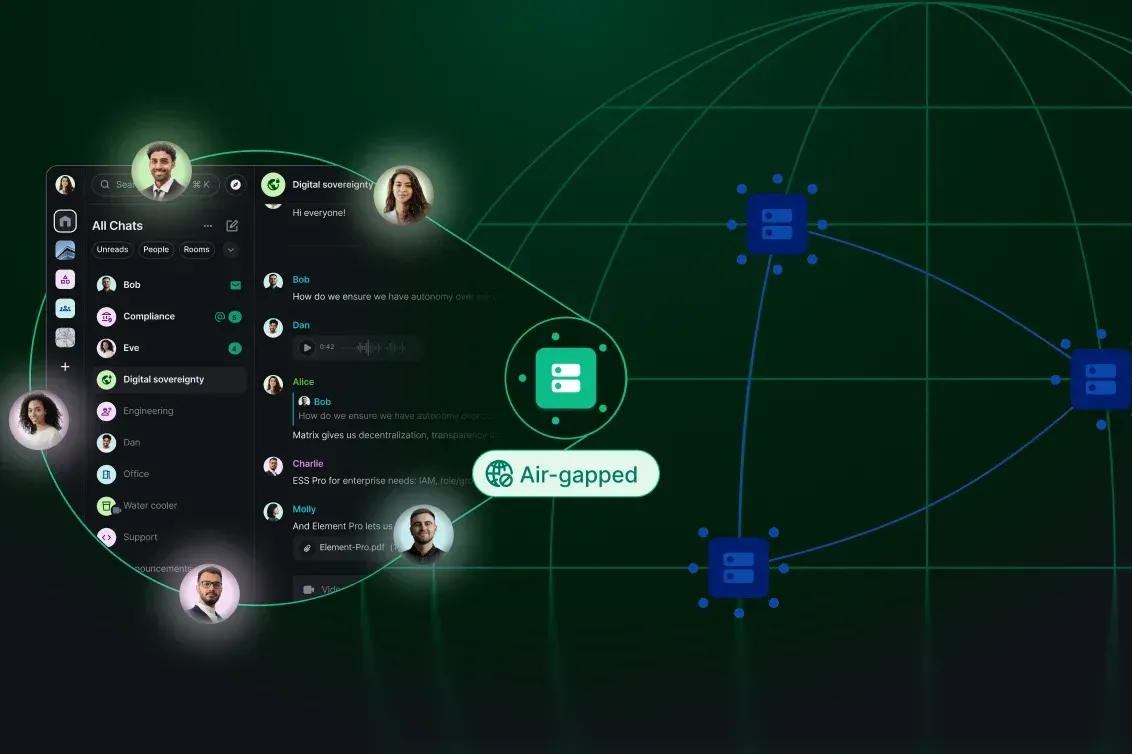
Official Element illustration of an air-gapped deployment: the client connects to a local homeserver that is cut off from the wider federated network.
Source: official Element project page.
Key capabilities
- Hosted web app The quickest way to try Element is the hosted copy at app.element.io, which needs only a browser and a Matrix account. It can sign in to any homeserver, not only matrix.org. Supported browsers are the last two major versions of Chrome, Firefox and Edge on desktop and the last two versions of Safari. Firefox ESR and Chrome or Edge Extended Stable are best effort, and mobile browsers are community supported only.
- Element Desktop for Windows The Windows build is a setup executable for x64 and for ARM64, linked from element.io/download. Windows builds are code-signed through SSL.com's eSigner service, and the app updates itself with Squirrel.Windows. A separate Element Nightly installer tracks the develop branch and is built daily at 9:00 UTC.
- Element Desktop for macOS MacOS users download a DMG from packages.element.io. Builds are code-signed and notarised for Gatekeeper, and updates arrive through Squirrel.Mac. Recent releases fixed a crash when keychain access is denied and changed the close shortcut so the app hides instead of leaving a windowless process.
- Linux packages Debian and Ubuntu systems install
element-desktopfrom a signed APT repository at packages.element.io, for x86_64 and aarch64. Tarballs are also published, and the download page lists community packages for Flatpak (im.riot.Riot), Nix, Arch Linux, Alpine Linux and openSUSE. Since v1.12.28 the desktop packages need glibc 2.34 or newer, meaning Debian bookworm or Ubuntu 22.04; Debian bullseye and older Ubuntu releases are no longer supported. - Self-hosting the web client Element Web is static content, so any web server can serve it. Options are the signed release tarball, the
element-webDebian package (webroot/usr/share/element-web, config in/etc/element-web/config.json), thevectorim/element-webDocker image and a Kubernetes example with a ConfigMap and ingress. The Docker image runs as a non-root user, listens on the port set inELEMENT_WEB_PORTand can mount modules under/modules/. - config.json control One JSON file sets the default homeserver, identity server, branding, themes, Jitsi domain, Element Call options, bug report endpoint and analytics. The configuration reference also lists UI feature flags that switch off registration, password reset, account deactivation, URL previews, widgets, VoIP, location sharing or the creation of public rooms and spaces. These flags override user preferences, which suits managed deployments.
- End-to-end encryption by default Direct messages are encrypted when the other user has published keys, and new private rooms default to encryption with an opt-out. A homeserver can change this for its users with
io.element.e2eein/.well-known/matrix/client, either turning the default off or forcing encryption off entirely. Cryptography now runs on the Rust crypto stack, and support for migrating old libolm sessions was removed in v1.12.33. - Device verification and recovery New sessions are verified from an existing device or with a recovery key, and since v1.12.33 skipping verification is no longer allowed by default. The app strongly encourages setting up recovery, which keeps message history and the cryptographic identity available after all devices are lost. New recovery keys are generated automatically; custom passphrases still work but are no longer offered in the setup UI.
- Native OIDC sign-in When a homeserver advertises an OAuth 2.0 provider through
/auth_metadata, Element uses the native OIDC login flow as the only option and registers itself dynamically with the provider. Operators who pre-register the client can setoidc_static_clientsinstead. This is the path used with Matrix Authentication Service and external identity providers. - Voice, video and Element Call One-to-one calls use Matrix VoIP, and group calls default to Jitsi on
meet.element.iounless the config or the homeserver names another Jitsi domain. Theelement_calloptions switch rooms to Element Call, can make it the only call stack and can expose guest join links through a separate Element Call page. Element Call needs a MatrixRTC backend, which Element Server Suite provides with LiveKit. - Rooms, spaces and threads Conversations are organised into rooms, grouped into spaces, with threads, replies, reactions, edits, pinned messages, polls and location sharing. A Threads Activity Centre lists threads across rooms, and the room list supports custom sections, an Invites section and unread filters. Knock rooms, where users ask to join, received a reworked workflow in v1.12.31.
- Files, previews and documents Files and images are shared in rooms and previewed inline. Recent releases render PDFs in an isolated usercontent iframe with zoom controls and show Markdown attachments in a viewer in the right panel. URL previews can be disabled globally, and bundled URL previews for encrypted rooms are being implemented under a Labs flag.
- Search and chat export Search covers room history, and on Element Desktop it also covers encrypted rooms through prebuilt native modules that keep a local index. In the browser, search in encrypted rooms is limited because the server cannot read the messages. A room's history can be exported as HTML, plain text or JSON for archiving or handover.
- Widgets and integrations Rooms can embed widgets such as Jitsi calls or web dashboards, and an integration manager can be configured to add bots and bridges. Widgets receive thread replies and can send encrypted to-device messages. Administrators can switch widgets off completely with the
UIFeature.widgetsflag. - Module API for customisation The
@element-hq/element-web-module-apipackage lets operators load JavaScript modules at runtime from URLs listed inconfig.json. Modules declare a semver range such as^2.0.0and can read configuration, override URL previews or set user verification certificate authorities. Element maintains example modules for banners, restricted guest access and widget lifecycle in the same repository. - Labs features Settings can expose a Labs section for features still in development, controlled through
show_labs_settingsandfeaturesin the config. Current flags include LaTeX maths, jump to date, video rooms, live location sharing, log in with QR, user status, a new timeline panel and encrypted state events (MSC4362). Labs features can change or be removed between releases. - Desktop profiles and configuration Element Desktop can run several isolated accounts with
--profile Workor a custom--profile-dir. Each profile reads its ownconfig.jsonfrom the user configuration folder on Windows, macOS or Linux, or from a path given with--configorELEMENT_DESKTOP_CONFIG_JSON. Theupdate_base_urlsetting points auto-updates at a private static host. - Bug reports and analytics controls Bug reports and logs, called rageshakes, go to the URL in
bug_report_endpoint_url. Removing it disables the feature, and setting it tolocalkeeps logs on the device for manual download. Analytics through PostHog only exist whenapi_hostandproject_api_keyare configured, and users are asked to opt in. - Accessibility and languages Element states alignment with WCAG 2.1 Level AA and EN 301 549, and offers light, dark and high-contrast themes. The pricing page lists accessibility conformance reports up to WCAG 2.2 AA and BITV 2.0 for clients. Translations are managed through Localazy and contributed by the community.
Where Element fits
Secure team messaging on your own homeserver
Deploy a homeserver and serve Element Web on its own subdomain, for example chat.example.org, separate from the Matrix API domain to reduce cross-site scripting risk. Set default_server_config and turn off disable_custom_urls only if users should reach other servers. Check that new DMs and private rooms are encrypted, that recovery setup is offered and that the security headers from the Element Web README are present.
A small community or club server with ESS Community
For up to 100 users, the ESS Community Helm charts install Synapse, Matrix Authentication Service, Element Web, Element Admin, the Element Call RTC backend and Hookshot on Kubernetes. The quick setup on K3s asks for at least 2 CPU cores and 2 GB of memory and DNS names for each component. Element states that this edition is not intended for production in commercial environments, so check that the support model fits before relying on it.
Single sign-on for an organisation
Put Matrix Authentication Service or another OAuth 2.0 provider in front of the homeserver so that Element discovers it through /auth_metadata. Element then shows only the OIDC login and registers itself with the provider. If accounts come from a central directory, hide registration, password reset and account deactivation with the matching UIFeature flags. Test sign-in, sign-out and device verification on a fresh browser profile.
Video meetings and calls
Decide between Jitsi and Element Call. For Jitsi, set jitsi.preferred_domain or announce the domain through the homeserver well-known file. For Element Call, configure the element_call block and a MatrixRTC backend, and use use_exclusively only once all clients support it. Test a group call from browsers behind different networks, plus screen sharing, since WebRTC requires Element to be served over HTTPS.
Locked-down desktop rollout
Ship Element Desktop with a config.json in the user configuration folder or through ELEMENT_DESKTOP_CONFIG_JSON, pointing at the company homeserver. Set update_base_url to an internal static host if updates must not come from packages.element.io, and remember that Linux packages update through APT, not the built-in updater. Verify that encrypted search works on the desktop and that rageshakes go to an internal endpoint or stay local.
Branding and extending the client
Set brand, custom themes and the branding block for logos and welcome pages, then add runtime modules through the Module API. Pin modules to a compatible moduleApiVersion range and retest them with each release, since Element ships about every two weeks. Paid editions add a white-labelled mobile app, which the open-source web client does not cover.
Install
docker run --rm -p 127.0.0.1:80:80 vectorim/element-webReviews of Element
Be the first to share your experience with Element.
Write a review
Loading review form…
Alternatives to Element
 Rocket.ChatRocket.Chat is a TypeScript and MongoDB communication platform for channels, threads, calls, Matrix federation and customer conversations. The core is MIT-licensed and self-hosted with Docker or Kubernetes; enterprise features and add-ons need a paid plan.
 SlackSlack is a messaging platform with channels, huddles, clips and no-code Workflow Builder automations, available with a free plan and paid upgrades.
 StoatStoat, formerly Revolt, is an AGPL-licensed chat platform for communities with servers, channels, roles, group DMs, LiveKit voice and a REST and WebSocket API. Use the free stoat.chat service or self-host the Rust backend with Docker Compose.