

What is Stoat?
Stoat is an open-source chat platform for friends and communities, organised around servers, text channels, voice rooms, group DMs and role-based permissions. It was previously called Revolt; the self-hosting notes date the switch of the Docker Compose project name from revolt to stoat to October 5, 2025, and several crates and the configuration file still carry the Revolt name. The public service at stoat.chat is operated by Revolt Platforms Ltd, a company registered in England and Wales. The about page says the project started in 2021 and has been open source from the beginning, and the developer FAQ states that it is funded by donations.
This listing covers the stoatchat/stoatchat repository, which holds the backend services and Rust libraries behind both the public service and self-hosted instances. Users reach the hosted service through the web app, a desktop application for Windows, macOS and Linux, an Android app in early access on Google Play, and on iPhone or iPad by adding the web app to the home screen. Operators who want their own instance use the separate self-hosted repository, which deploys the backend, web client, file server and proxies with Docker Compose.
The latest backend release is v0.16.2, published October 19, 2026. It validates the body of invite creation requests, makes that body optional and allows joining discoverable servers by ID. Version 0.16.0 added a permission to block external emojis, bot roles applied when a bot joins a server, invite expiry and maximum-use limits, information fields for public bots and OpenTelemetry instrumentation for the file server; the development Compose file also swapped MinIO for Silo. Version 0.15.0 added an approximate member count and a call event and closed four published security advisories, including an SSRF bypass and missing authorization on WebSocket subscriptions. Version 0.14.0 introduced audit logs, pronouns and the Gifbox GIF service in place of Tenor.
The backend is written in Rust with a stated minimum of Rust 1.86. Separate crates provide the REST API (delta), the WebSocket events server (bonfire), the file server with S3 storage and encryption routines (autumn), a metadata and image proxy (january), the Gifbox proxy, a cleanup daemon, a push notification daemon and a voice ingress daemon. MongoDB stores data, a Redis-compatible store handles caching and presence, RabbitMQ carries queued work and LiveKit serves voice and video. The official clients use the same public API that third-party bots and clients use.
The backend is generally licensed under AGPL-3.0, and individual crates may carry their own licenses; the core libraries are published on crates.io under revolt-* names. The developer FAQ states that Stoat has no federation and that federation is not on the roadmap, so each instance is a separate network. It also asks operators of modified production instances to publish their changes and not to use the Stoat brand to suggest association. The documentation does not describe end-to-end message encryption; the file encryption key in the backend configuration is held by the server operator.
Stoat screenshots
Explore the interface. Open a screenshot to view it at full size.
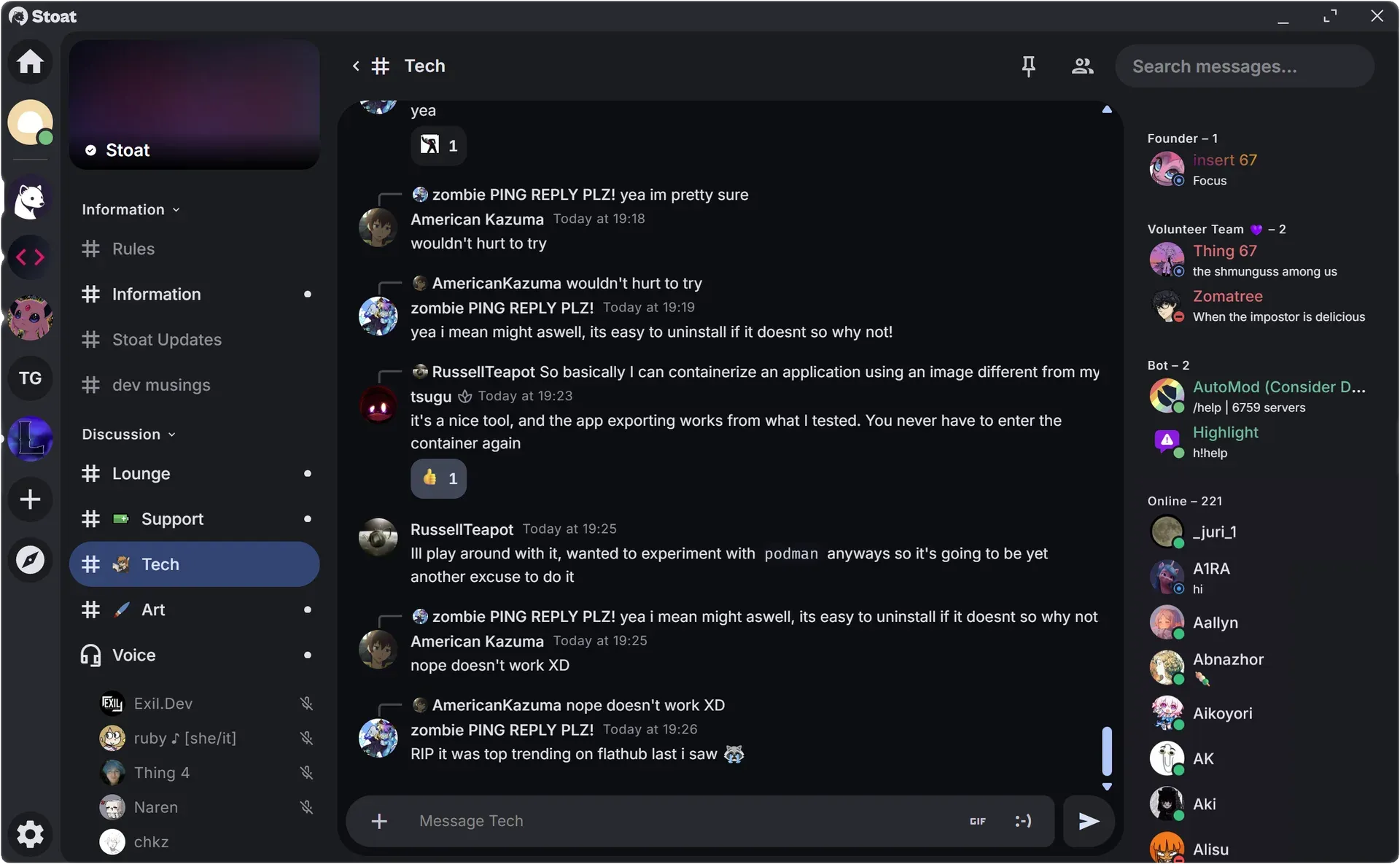
Official screenshot of the Stoat desktop client: server sidebar, channel categories, a text conversation with replies and reactions and a member list with roles and bots.
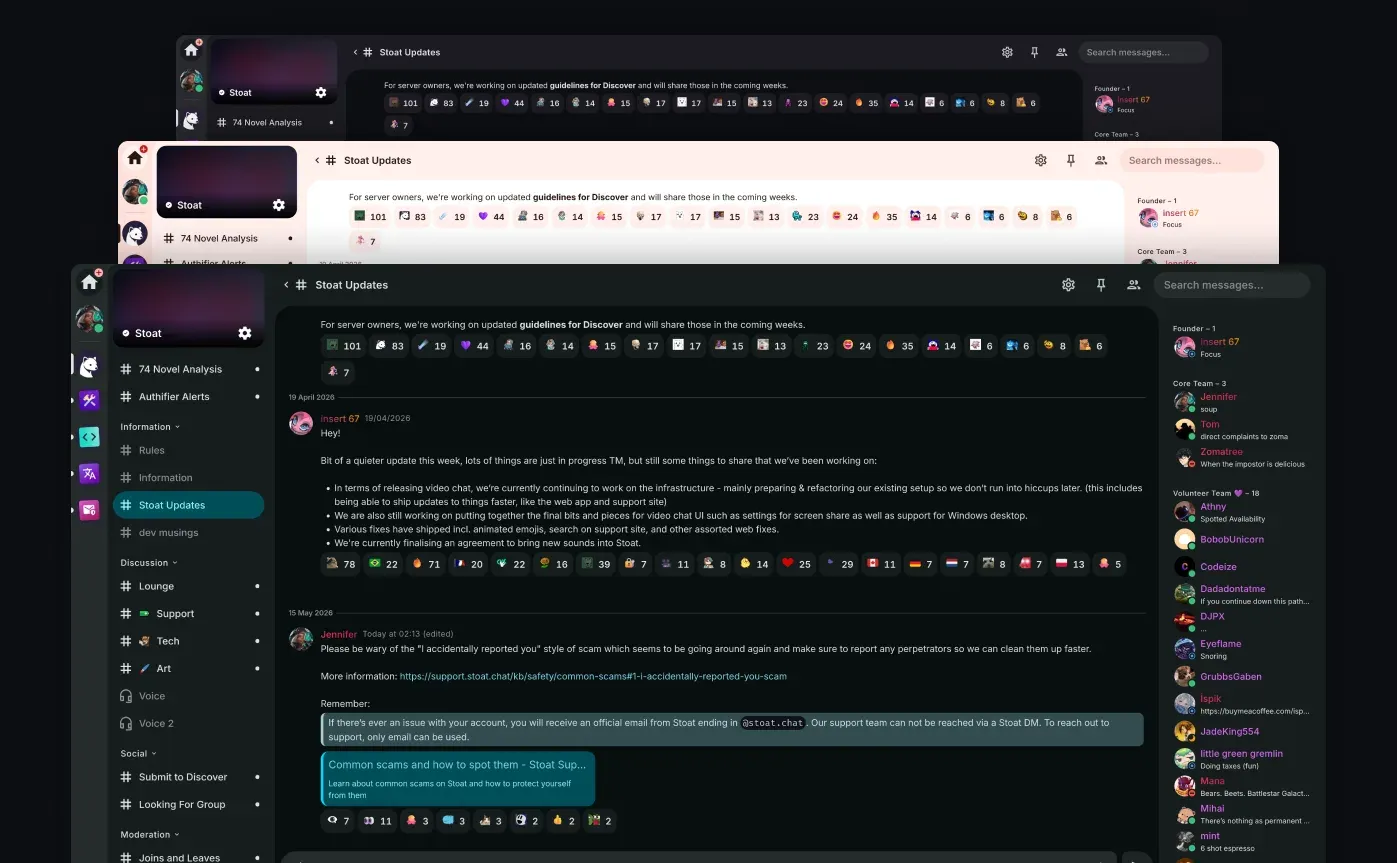
Official figure showing the same Stoat Updates channel in three built-in themes.
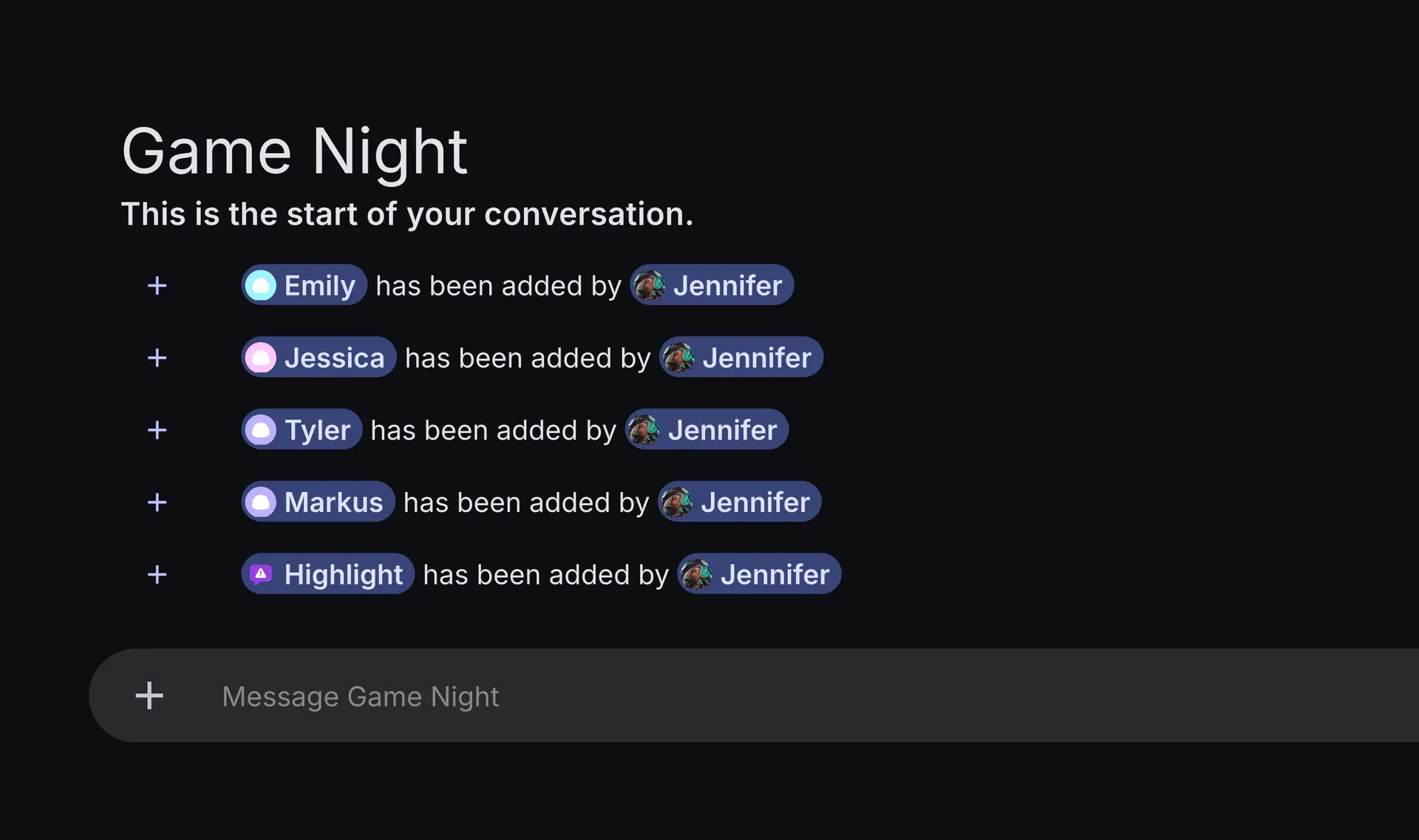
Official figure of a group DM: system messages show four members and a bot being added to the conversation.
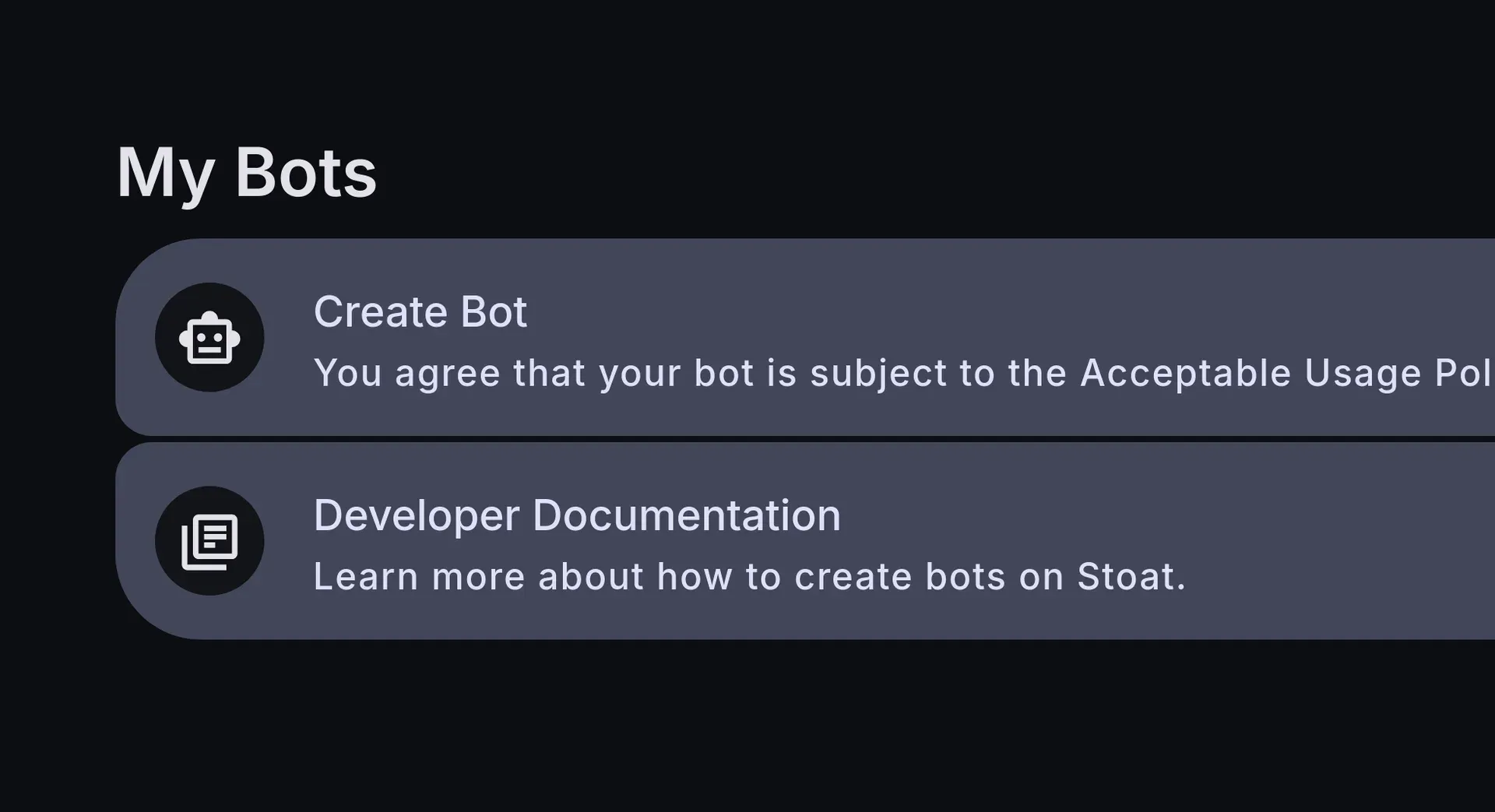
Official figure of the My Bots settings page, where bots are created and the developer documentation is linked.
Source: official Stoat project page.
Key capabilities
- Stoat in the browser The web app at stoat.chat/app needs no installation and is the client the self-hosting guide recommends for private instances. Installed as a progressive web app, it is also the documented route for iPhone and iPad. The web client is a separate AGPL-3.0 repository, stoatchat/for-web, released independently of the backend.
- Download Stoat for Windows Windows 10 and 11: the download page offers a setup executable and a Microsoft Store listing. The desktop release v1.5.4 also publishes a Windows x64 zip archive and the update package used by the installer. The desktop app is an AGPL-3.0 project in the stoatchat/for-desktop repository.
- Download Stoat for macOS Separate zip archives exist for Apple Silicon and Intel Macs. The download page documents a Gatekeeper workaround when macOS reports that the app is damaged: allow it under Privacy and Security, or remove the quarantine attribute with
xattr -d com.apple.quarantine Stoat.app. Treat that step as part of the trust decision for managed Macs. - Download Stoat for Linux Linux builds are published on the desktop releases page. Release v1.5.4 lists AppImage and Flatpak packages for x86_64 and aarch64, plus zip archives for x64 and arm64. The download page also mentions DEB and RPM packages; check the current release assets before standardising on one format.
- Android and iOS access The Android app is in early access on Google Play and requires Android 8.0 or later, with tablet and foldable layouts. There is no App Store build listed on the download page; iOS and iPadOS users add the web app to the home screen from Safari. The self-hosting guide notes that most official clients do not yet connect well to self-hosted instances.
- Servers, channels and group DMs Communities are servers with text and voice channels grouped into categories, member lists and discovery. Group DMs work outside servers and accept bots. The website describes group DMs of up to 50 members, while the public API root currently reports a group size limit of 100, so confirm the effective value on the instance you use.
- Roles, permissions and invites A role-based permission system applies at server and channel level, with rank checks that limit who can edit which roles. Version 0.16.0 added a permission that blocks external emojis, including in reactions, and invites that expire or stop after a maximum number of uses. The public instance caps servers at 200 roles and 200 channels.
- Moderation tools and audit logs Server audit logs arrived in 0.14.0, alongside slowmode controls on channels. Users can report content through the in-app report flow, which maps to the rate-limited safety endpoints. Third-party moderation bots run through the same API, as shown by the AutoMod and Highlight bots in the official screenshots.
- Files, emojis and profiles without a subscription On the public instance, attachments can be up to 20 MB, with up to 5 per message and 2,000 characters per message text. Servers can hold 100 custom emojis, and avatars, profile banners and server-specific profile pictures are available without a paid tier. Self-hosted operators set these limits in
Revolt.toml. - Voice and video through LiveKit Voice and video use a LiveKit server bundled in the self-hosted stack. LiveKit needs TCP port 7881 and UDP ports 50000 to 50100 open on the host, outside the Caddy reverse proxy. The self-hosting notes warn that a user streaming video above the configured maximum resolution is disconnected, so set
video_resolutiondeliberately. - Themes and appearance The clients ship several built-in themes, including dark and light variants, and more themes can be found in the Discover section or written by users. Theming is a supported client feature rather than a modification of the client, which matters for communities that want a consistent look across members.
- Bots and bot tokens Bots are created from user settings in the client and authenticate with an
X-Bot-Tokenheader. On the public instance, new accounts can own 2 bots and established accounts 5. Since 0.16.0, a bot can receive a role with permissions when it joins a server, and public bots can show information fields on their profile. - REST API with OpenAPI schema The production API is
https://api.stoat.chat, and an OpenAPI document backs the API reference. Users authenticate withX-Session-Token, bots withX-Bot-Token. Rate limits use fixed 10-second buckets, for example 10 message sends per channel bucket, with 429 responses carryingretry_after. - WebSocket events The Bonfire service streams real-time events over WebSocket in JSON or MessagePack. Clients authenticate in the connection URL or with an Authenticate event, receive a Ready payload and must ping every 10 to 30 seconds to keep the connection. The connection guide explains which Ready fields can be requested.
- Client libraries The team publishes a TypeScript/JavaScript client SDK and OpenAPI typings. A Python SDK exists under the organisation but is marked unmaintained in its repository description. Community libraries, bots and alternative clients are collected in the awesome-stoat list and are not officially endorsed unless stated.
- Self-hosted deployment with Docker Compose The self-hosting guide recommends at least 2 vCPUs and 2 GB of memory and uses Ubuntu Server as its reference.
generate_config.sh your.domaincreatesRevolt.tomland asecrets.envfile that must be backed up, because losing it can make stored files unreadable. Caddy terminates TLS by default; NGINX and other reverse proxies are documented in the guides. - Instance configuration
Revolt.tomlcontrols invite-only registration, hCaptcha, SMTP email verification, a custom S3 endpoint and push notifications, which require Apple and Google developer accounts. File settings include blocked MIME types, optional ClamAV scanning and image size limits. Webhooks are disabled by default and the GIF picker needs a Gifbox API key. - Observability and error reporting Services export logs, traces and metrics over OTLP/HTTP using standard OpenTelemetry environment variables, with a Grafana LGTM container in the development stack. Sentry endpoints can be set per service in an overrides file. The README notes that its list of environment variables is not yet complete.
Where Stoat fits
Running a private community instance
Clone the self-hosted repository on a server with a domain pointed at it, open ports 80, 443, 7881/tcp and 50000 to 50100/udp, then run generate_config.sh and docker compose up in the foreground before detaching. Set invite_only in Revolt.toml and create invites in MongoDB if registration should be closed. Back up secrets.env and the data directories before anything else, and check that the web client loads, email verification works and file uploads survive a restart.
Moving a community to the public service
Create a server on stoat.chat, rebuild the channel categories and roles, and test channel-level overrides with a member account that has no elevated rank. Configure invite expiry and use limits for public invites, decide whether external emojis are allowed and add moderation bots before announcing the move. Members on iPhone or iPad will use the web app, so include those instructions in the welcome channel.
Building a moderation or utility bot
Create the bot in user settings, keep its token in a secret store and connect to the events server with the bot token. Request only the Ready fields the bot needs, send pings every 10 to 30 seconds and read the X-RateLimit-* headers instead of retrying blindly after a 429. Assign a bot role with explicit permissions so that a new server does not grant more access than intended, and test behaviour in a group DM as well as a server.
Enabling voice and video on your own instance
The bundled LiveKit server needs its RTC ports reachable directly from the internet; Caddy does not proxy them. After opening the firewall, join a voice channel from two networks, test screen or camera video and confirm that the configured video_resolution limit matches the cameras your members use, since exceeding it disconnects the user. Measure bandwidth during a busy call before inviting a larger group.
Writing a client or integration
Generate types from the OpenAPI document or use the JavaScript SDK, and discover the events, file server and proxy URLs from the API root rather than hard-coding them. Upload files to the file server first and pass the returned ID to the API. The developer FAQ allows custom clients if users are warned of the risks or the client is cleared with the team. The migration guide lists the old Revolt endpoints and their Stoat replacements for older integrations.
Keeping an instance updated
Read the notices in the self-hosting README before each update: past releases renamed configuration sections, migrated file storage and moved secrets into secrets.env. Pull the repository, rerun generate_config.sh --overwrite only after copying secrets and custom settings, then pull images and restart. Follow the backend security advisories, and note which backend version the Compose file actually pins, which can lag the latest GitHub release.
Reviews of Stoat
Be the first to share your experience with Stoat.
Write a review
Loading review form…
Alternatives to Stoat
 SlackSlack is a messaging platform with channels, huddles, clips and no-code Workflow Builder automations, available with a free plan and paid upgrades.
 Virola MessengerVirola Messenger is a closed-source, self-hosted team messenger for Windows, macOS, Linux, Docker, iOS and Android with chat, video meetings, remote control, a Kanban task board and LDAP. Free for up to 10 online users.
 HulyHuly is an EPL-2.0 platform for issue tracking, team planning, chat, collaborative documents, virtual office calls, HR and recruiting. The hosted service has shut down and the original repository is frozen, so new deployments run on Docker Compose or Kubernetes.