

What is Keycloak?
Keycloak is an open-source identity and access management server. Applications delegate sign-in to it instead of storing passwords themselves, and it issues OpenID Connect, OAuth 2.0 and SAML 2.0 tokens and assertions after the user authenticates. The project describes its scope as single sign-on, identity brokering and social login, user federation, an admin console, an account management console and fine-grained authorization services; the official site lists the same set. Keycloak is a Cloud Native Computing Foundation incubation project, according to the downloads page.
The server is a Java application built on Quarkus. It ships as a ZIP or TAR.GZ distribution, as a container image on Quay.io and as a Kubernetes Operator published on OperatorHub. The ZIP route needs OpenJDK 25 according to the getting started guide, and the same guide starts the server with bin/kc.sh start-dev on Linux or bin\kc.bat start-dev on Windows. Production use needs a supported relational database; the built-in dev-file database is documented as suitable for development only. Supported engines are PostgreSQL, MariaDB, MySQL, Microsoft SQL Server and Oracle Database, with tested versions listed in the database guide.
The current release is Keycloak 26.8.2, published November 5, 2026. It is a patch release: it carries a long list of security fixes covering SAML, OpenID Connect, organizations, device authorization and the admin APIs, a Quarkus upgrade and a set of bug fixes. The preceding feature release, 26.8.0, was published October 1, 2026. Its release notes describe SCIM API and client secret rotation as supported, verifiable credential issuance promoted to preview, a Helm chart based operator install as experimental, shared identity providers across organizations and a redesigned identity provider button layout on the login page.
The source code is published under the Apache License 2.0 in the keycloak/keycloak repository, whose history reaches back to 2013, with project governance and security reporting rules in the repository. The server is free to run. Keycloak does not include a hosted service: you operate the server, the database, the TLS termination and the upgrade process yourself, or buy that operation from a third party. Client applications, user interface themes and custom authentication logic are your own work, built through the documented adapters, SPIs and the Admin REST API.
Keycloak screenshots
Explore the interface. Open a screenshot to view it at full size.
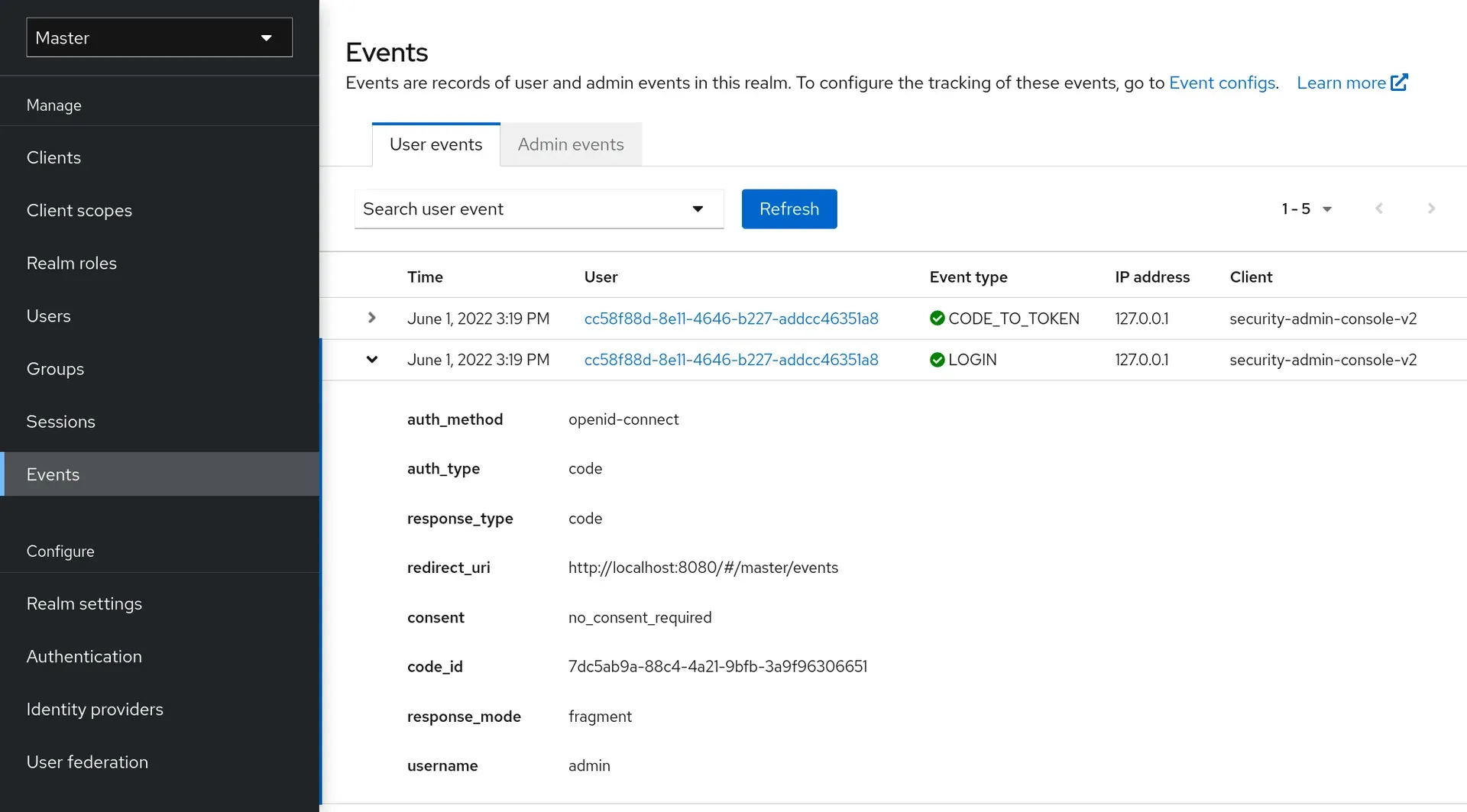
Official documentation screenshot: the admin console navigation and a recorded login event with its details.
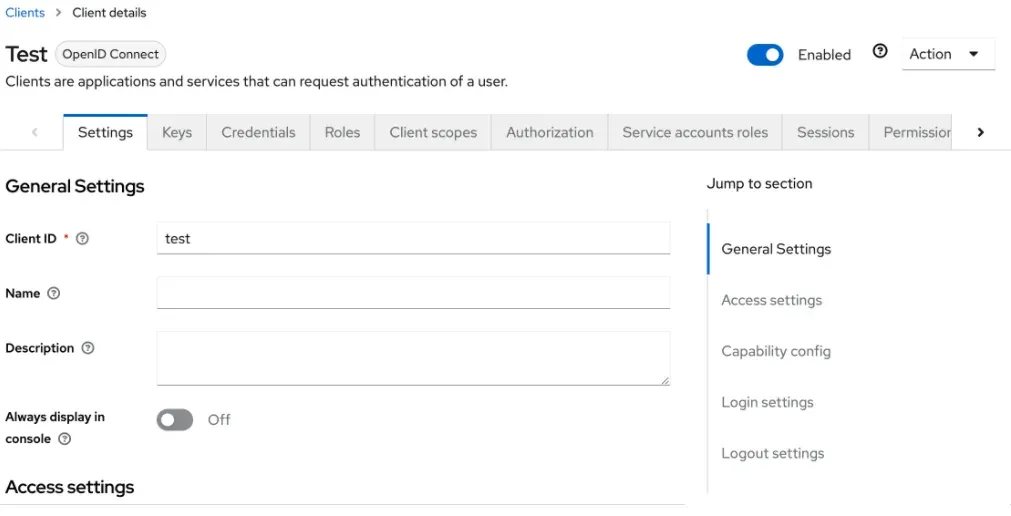
Official documentation screenshot of an OpenID Connect client with Settings, Credentials, Roles and Authorization tabs.
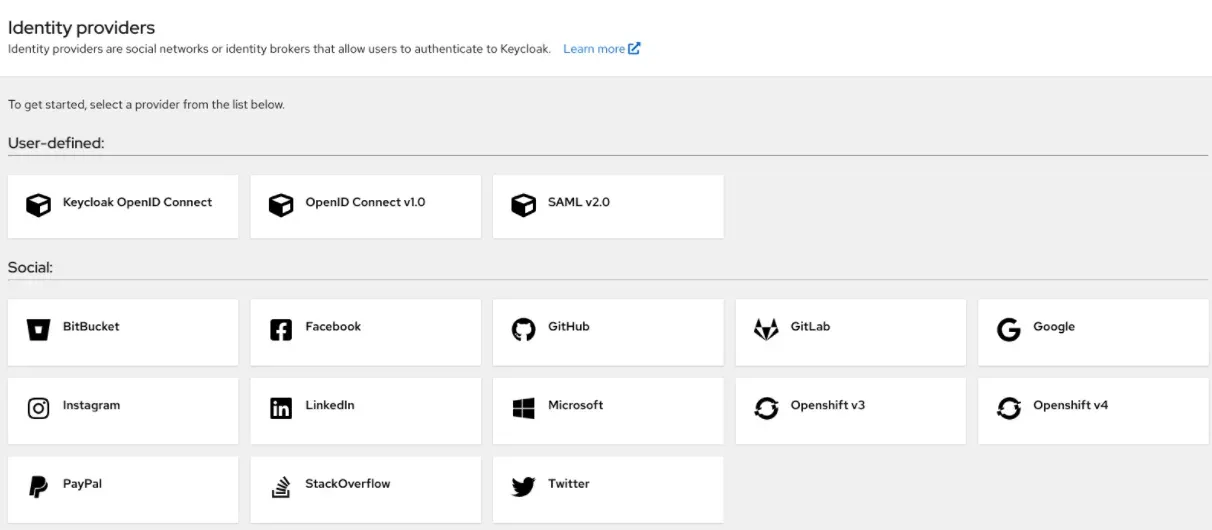
Official documentation screenshot of the identity provider selection in the admin console.
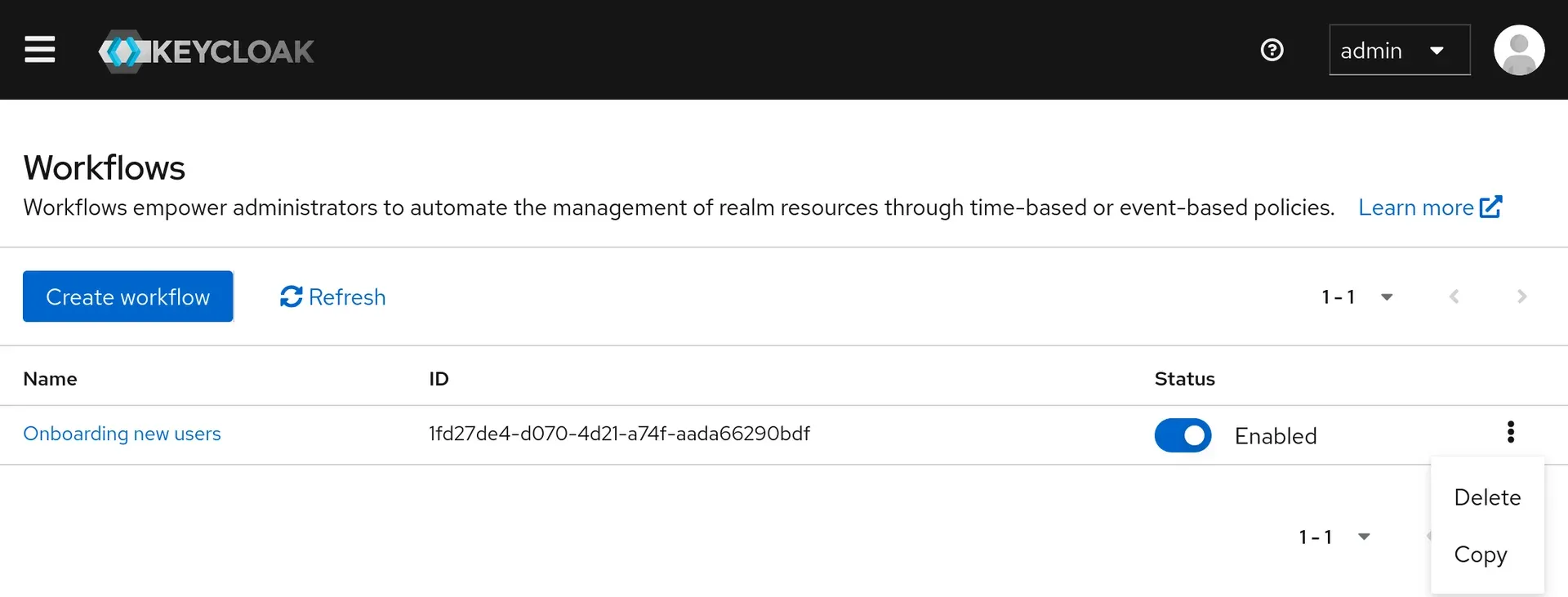
Official documentation screenshot of the Workflows list in the admin console.
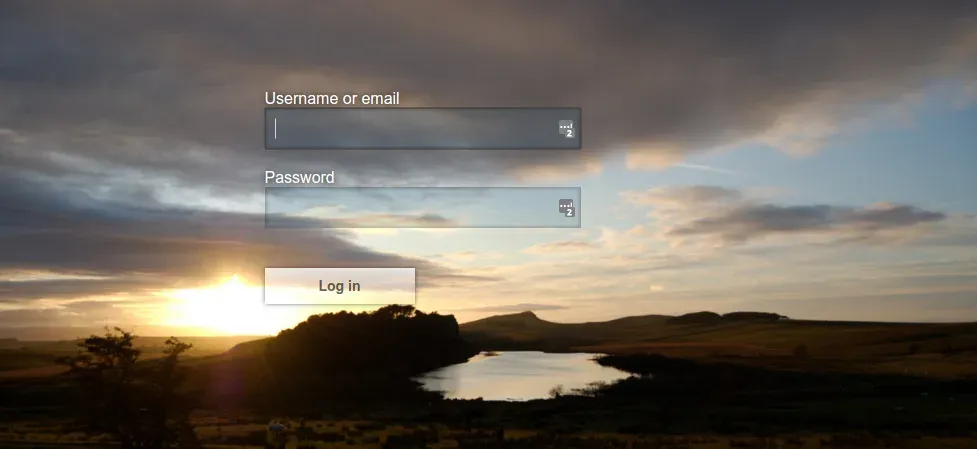
Official documentation example of a customized login theme.
Source: official Keycloak project page.
Key capabilities
- Single sign-on and single sign-out Users authenticate once against Keycloak and reach every application registered in the same realm without a second login. Logout works the same way: one sign-out ends the session for the connected applications, including back-channel logout where a client supports it. Applications never see the password, only the tokens or assertions Keycloak issues.
- Standard protocols Keycloak speaks OpenID Connect, OAuth 2.0 and SAML 2.0, so any compliant library or product can be a client. Recent releases add JWT authorization grant and federated client authentication as supported, plus DPoP and token exchange guides. Which optional grants are enabled depends on feature flags documented in the features guide.
- Realms as tenants A realm is an isolated set of users, clients, roles and settings, and works as a tenant. The master realm exists only to manage the server, and the getting started guide tells you to create a separate realm for applications. Many realms can share one server, which suits several customers or environments, at the cost of one shared failure domain.
- Admin console A web console manages realms, clients, users, groups, sessions, events, authentication flows, identity providers and user federation. It is served by the server itself. Everything it does goes through the Admin REST API, so any step you click through can later be scripted.
- Account console for end users Users manage their own profile, password, two-factor credentials, passkeys, active sessions and linked identity providers without administrator help. Which of these sections appear depends on realm settings and the user profile configuration. Themes control the look of this console and of the login pages.
- Identity brokering and social login Keycloak can authenticate users through another OpenID Connect or SAML 2.0 identity provider, and ships preconfigured social providers such as Google, GitHub, GitLab, Microsoft, Facebook and LinkedIn. Mappers copy claims from the external identity into local user attributes and roles. Each social provider still needs a client registered at that provider.
- User federation with LDAP and Active Directory The server can read users and groups from an existing LDAP or Active Directory server, with import or read-only storage modes, synchronization, mappers and failover across several LDAP servers. Kerberos and SSSD with FreeIPA are documented as well. Custom user storage providers cover databases or other stores, but you write and maintain them in Java.
- Multi-factor authentication and passkeys Built-in credential types include password, OTP applications, WebAuthn security keys and passkeys, with a WebAuthn policy that 26.7 extended for better passkey compatibility. Authentication flows decide when each factor is required, and step-up authentication can demand a stronger level for sensitive applications, including SAML clients since 26.7 and 26.6.
- Customizable authentication flows Browser, direct grant, registration and reset flows are lists of executions that an administrator can reorder, copy and condition. A copied flow lets you add conditions, required actions or custom authenticators without editing the defaults. Test any flow change with a spare account first, because a broken browser flow can lock out the administrators.
- Organizations The organizations feature models business customers inside a realm: members, domains, linked identity providers and organization groups. Release 26.8 added identity providers shared across organizations, and earlier releases added fine-grained administration delegation and automatic role inheritance through organization groups. It suits B2B products that need identity-first login per customer.
- Fine-grained authorization services When roles are not enough, resource servers can define resources, scopes, permissions and policies in Keycloak and ask it for decisions. Policy types include role, user, group, time and aggregated policies. The model is powerful and also easy to over-build, so start with roles and add policies only for rules that roles cannot express.
- Client management and Admin REST API The Admin REST API is documented in an OpenAPI reference, and Java admin and authorization client libraries are published to Maven. Release 26.8 introduced a declarative client management API v2 as preview and client secret rotation as supported. Dynamic client registration is available for protocol based onboarding.
- SCIM API and workflows SCIM user provisioning moved from preview to supported in 26.8. Workflows, supported since 26.6, automate realm tasks on events or on a schedule, for example inviting users to a realm. Both features can change many accounts at once, so review them in a test realm first.
- Events, auditing and sessions Login and admin events can be recorded, filtered in the console and forwarded through event listener SPIs. The sessions views show active user and client sessions and allow revocation. Login failures are stored in the database since 26.8, which helps brute force detection on clustered setups. Define retention, because event tables grow quickly.
- Themes and localization Login, account, admin and email themes are customizable through template and CSS overrides, and the user interface is translated by the community. The server developer guide covers theme structure. Theme overrides can break on upgrades, so keep them small and test them against each new minor version.
- Extension points (SPIs) Authenticators, user storage, event listeners, protocol mappers and many other parts are replaceable through Java service provider interfaces packaged as JAR files. This gives deep control, but extensions must be rebuilt and verified against each Keycloak release, which is the largest long-term maintenance cost of customized deployments.
- Container image and Quarkus distribution The container image is published as
quay.io/keycloak/keycloak, and the container guide recommends an optimized image where the build step runs ahead of time. Configuration comes from CLI options, environment variables with theKC_prefix or a configuration file, and the all configuration reference lists every option. - Kubernetes Operator and high availability The Keycloak Operator installs from OperatorHub or with kustomize and manages Keycloak custom resources on Kubernetes and OpenShift. A Helm chart install of the operator is experimental in 26.8. The high availability guides describe single-cluster and multi-cluster architectures; multi-cluster v2 is supported and v1 is deprecated.
- Observability and operations Health and metrics endpoints can be enabled, and the documentation ships Grafana dashboards for capacity planning and troubleshooting. Zero-downtime patch releases became supported in 26.6, and a bootstrap admin recovery procedure exists for lockouts. Plan database backups with the same care as for any other system of record.
- FIPS and security hardening A strict FIPS mode using Bouncy Castle FIPS is documented, with a generated BCFKS truststore in strict mode. Release notes publish security fixes with CVE identifiers, which makes upgrade urgency visible. Subscribe to the release feed and keep the server on a current patch level, since an identity provider is a high-value target.
Where Keycloak fits
Single sign-on for internal web applications
Register each application as an OpenID Connect or SAML client in one realm, choose the redirect URIs exactly, and let the application delegate login to Keycloak. Check that logout reaches every client, that session lifetimes match your policy and that applications validate token signatures and audiences rather than trusting any token from the realm.
Customer identity for a SaaS product
Use one realm for the product, enable self-registration, email verification and social login where users expect it, and add organizations if business customers need their own members and identity providers. Check the user profile configuration early, because adding required attributes after launch forces migrations of existing accounts.
Federating an existing directory
Connect Active Directory or another LDAP server through user federation, pick import or read-only mode on purpose and map groups to roles. Test with a small organizational unit first, confirm that password changes and disabled accounts behave as expected and plan connection pooling and failover for the directory.
Brokering partner and enterprise logins
Add partner identity providers through OpenID Connect or SAML, map their claims into local attributes and use first broker login flows to link accounts safely. Check that an unverified email from an external provider cannot take over an existing local account, since that scenario has appeared in published security fixes.
Securing APIs and service accounts
Give each service a confidential client with service accounts, rotate its secret with the client secret rotation policy and have APIs verify tokens and scopes. Where roles are too coarse, add authorization services with resources and policies, and test the decisions with the evaluation tool in the admin console.
Running Keycloak in production
Use the optimized container image, an external supported database, a stable hostname, TLS and at least two nodes with the documented cache configuration. Rehearse an upgrade on a copy of the production database, read the migration guide, and verify backup restore before the first real user signs in.
Install
docker run quay.io/keycloak/keycloak start-devReviews of Keycloak
Be the first to share your experience with Keycloak.
Write a review
Loading review form…
Alternatives to Keycloak
 authentikauthentik is a self-hostable identity provider for single sign-on. It supports OAuth2 and OIDC, SAML, LDAP, RADIUS and SCIM, with flows, policies and outposts. Free open-source edition, paid Enterprise tiers.
 ZITADELZITADEL is an AGPL-3.0 identity and access management platform written in Go on PostgreSQL, with SSO, MFA, passkeys, B2B organizations, an event-based audit trail and APIs, self-hosted or run as ZITADEL Cloud.
 FusionAuthFusionAuth is a downloadable CIAM server with a free, unlimited-user Community edition, offering OAuth2/OIDC/SAML, MFA and passwordless login for any language or stack.