

What is authentik?
authentik is an open-source identity provider and single sign-on platform made by Authentik Security Inc. It speaks OAuth2 and OpenID Connect, SAML, LDAP, RADIUS and SCIM, and its pricing page also lists Kerberos and proxy-based access, so one deployment can put sign-in in front of modern web applications, legacy systems and network services. It is designed for self-hosting, from a homelab to production clusters, and the project describes the open-source version as forever free.
Authentication logic is built from flows and stages. A stage is one verification or logic step, such as identification, password, MFA or login, and a flow arranges stages with policies and bindings. This lets administrators change how enrollment, recovery, login and logout work without writing code. Applications and providers are separate objects, so one application can be bound to a provider for the protocol it needs.
The architecture has a server container with a core component and an embedded outpost, a worker for background tasks such as email and notifications, and a PostgreSQL database. Outposts are separate deployable services used for LDAP, Proxy, RADIUS and remote access providers, and they only need to reach the authentik API, which supports firewalled and air-gapped networks. Installation options are Docker Compose for small setups, a Helm chart for Kubernetes, AWS CloudFormation templates and a DigitalOcean Marketplace app.
The latest GitHub release, 2026.8.5, was published on October 21, 2026 as a patch to the 2026.8 line. The 2026.8 release notes describe privileged access management and agent accounts (Enterprise), multi-account switching, scheduled offboarding, custom object attributes, OAuth 2.0 token exchange and key-bound ID tokens. They also note that forwarded proxy headers are now honored only from trusted proxy networks, which matters for reverse proxy setups.
Licensing is mixed. The repository carries an MIT license for the main code, CC BY-SA 4.0 for the website and documentation and a separate enterprise license for code under the enterprise directory. The Enterprise tier is source available and adds support and extra features. authentik is an identity provider, not a password manager or an endpoint management product.
authentik screenshots
Explore the interface. Open a screenshot to view it at full size.
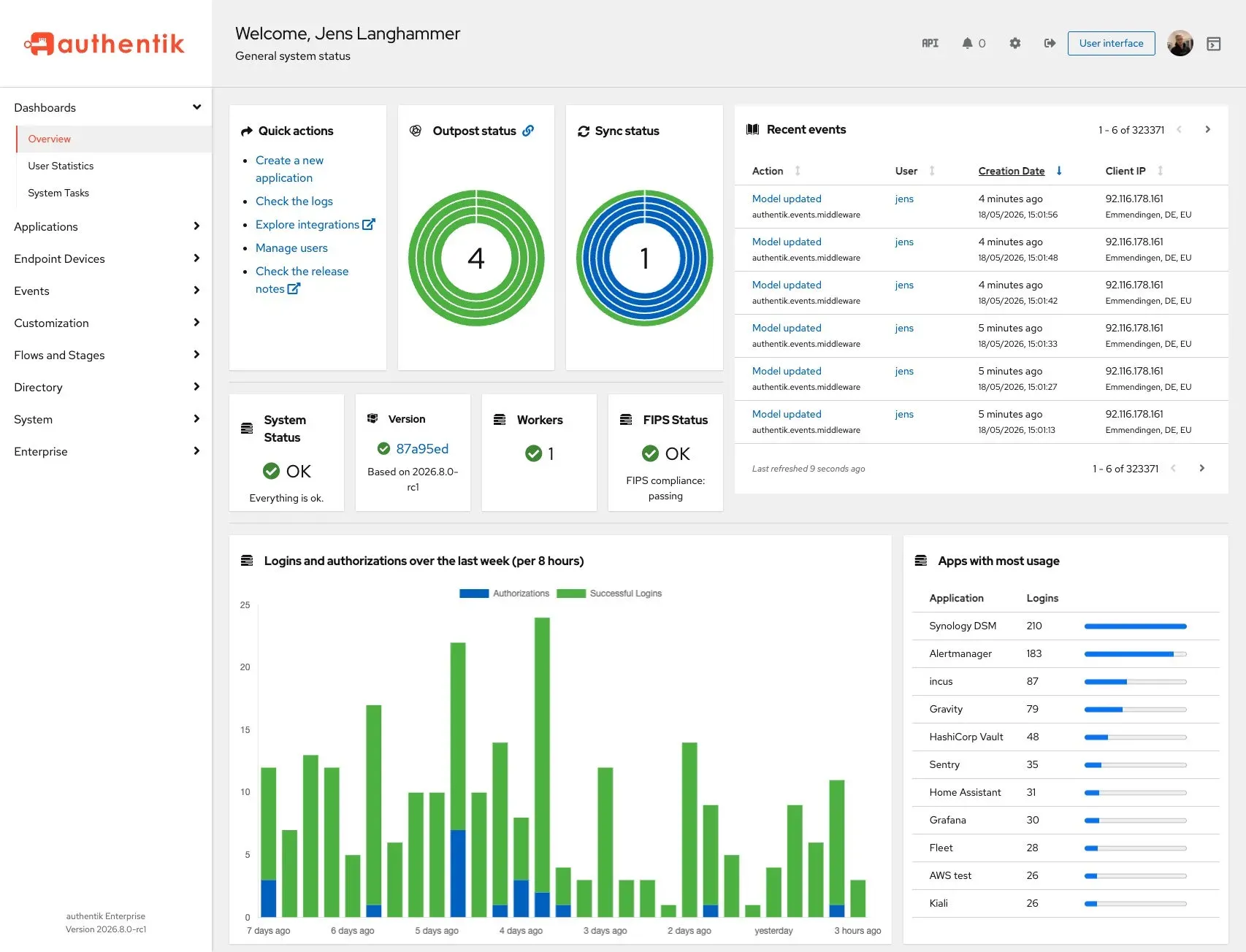
Official admin interface screenshot: system status, outposts, recent events and logins per application.
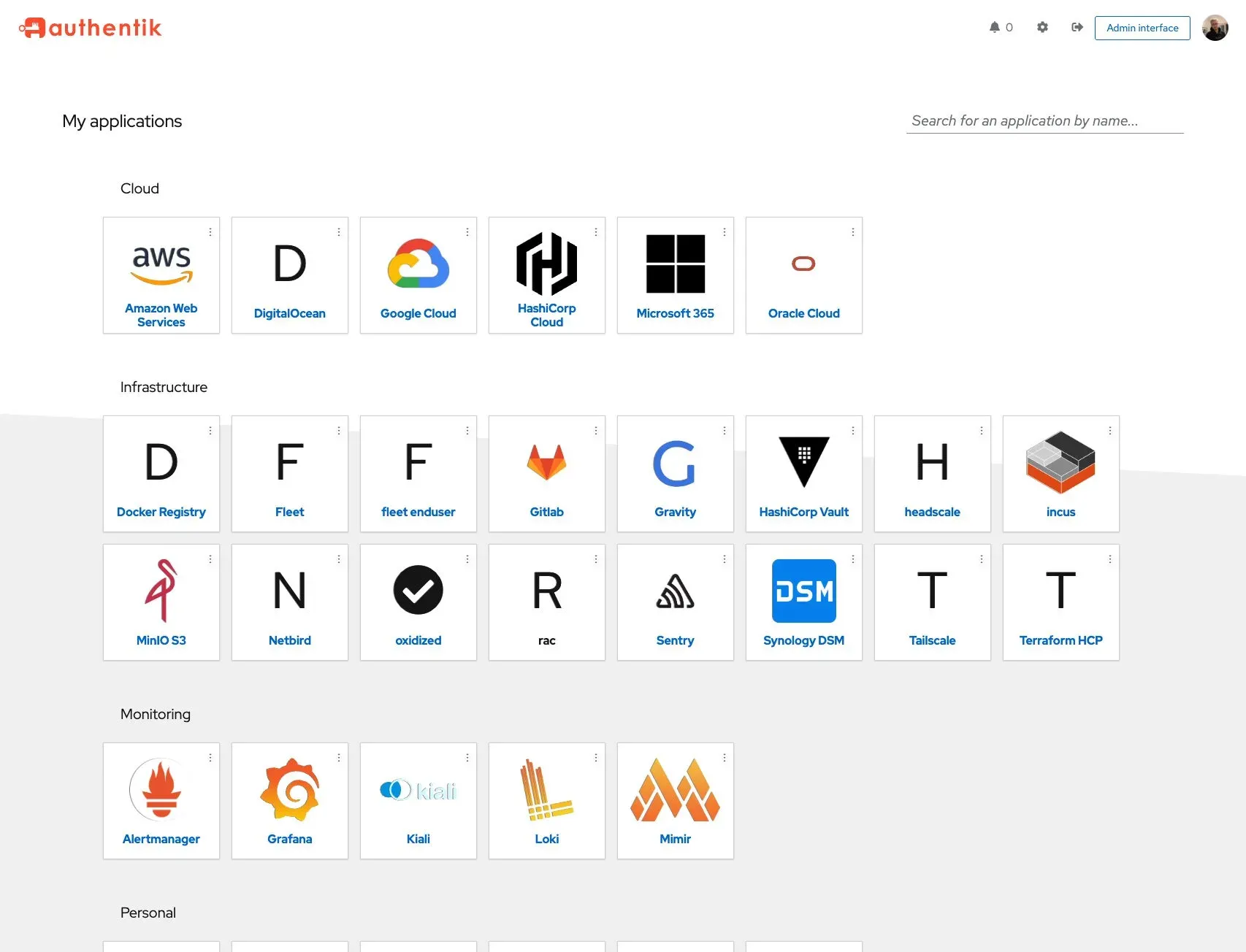
Official user interface screenshot: the application launcher grouped by category.
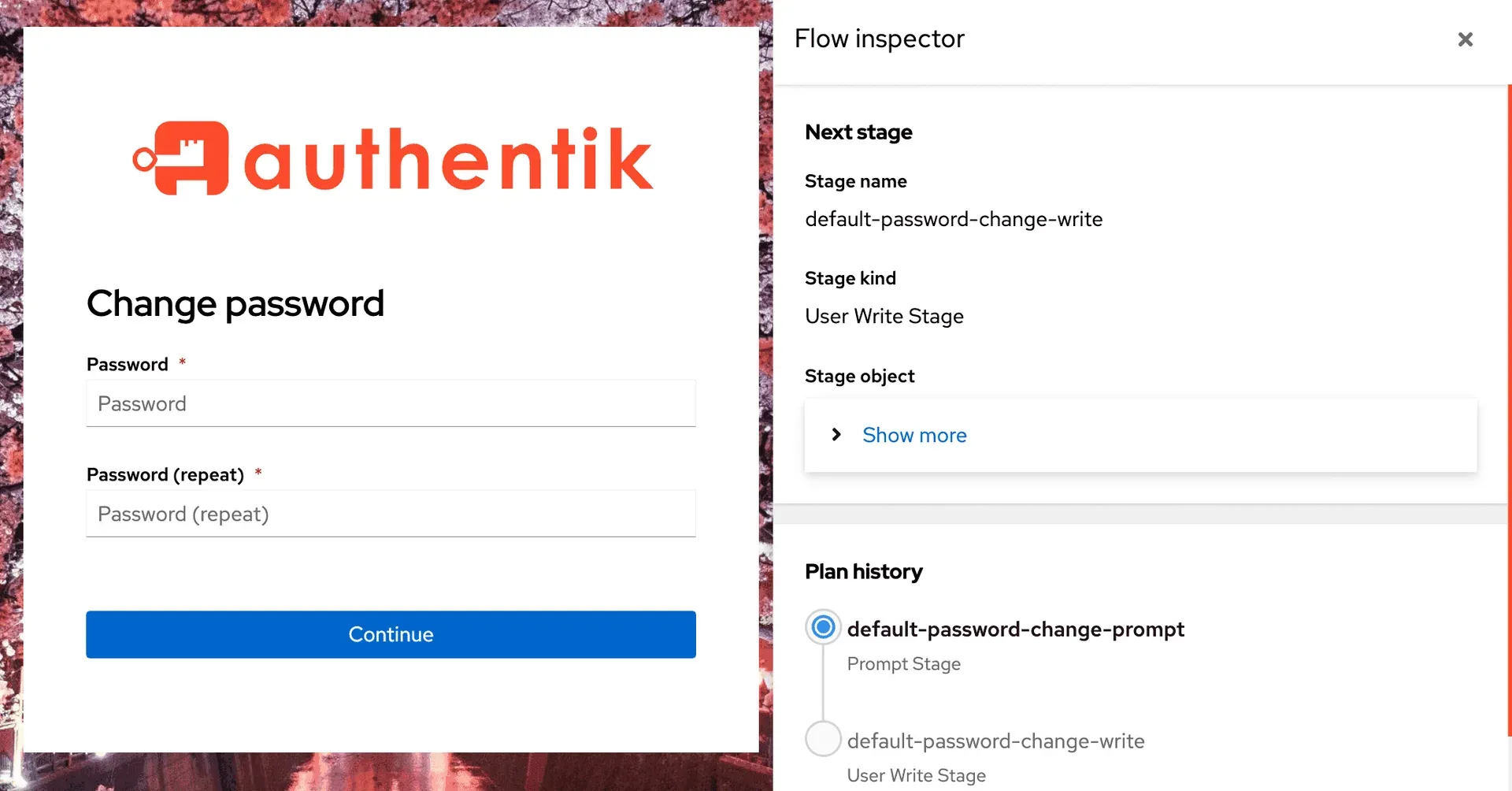
Official documentation figure: a flow with the inspector showing the next stage and plan history.
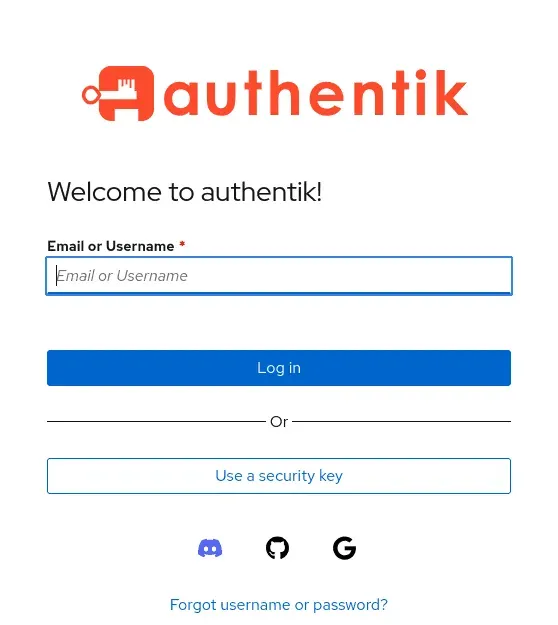
Official login card from the website with identification, security key and social sign-in.
Source: official authentik project page.
Key capabilities
- OIDC, SAML, LDAP, RADIUS and SCIM providers Applications are connected through providers matched to their protocol. The documentation lists OAuth2 and OpenID Connect, SAML, LDAP, RADIUS and SCIM among supported providers, and the project states that it is OpenID certified for OpenID Connect. Check the specific application guide in the integrations catalog before planning a rollout.
- Flows and stages Login, enrollment, recovery, consent and logout are configured as flows built from stages and policies. A flow inspector shows the planned stage and the plan history, which helps debug why a user reached a particular step. Changes to default flows should be tested in a separate browser session.
- Multi-factor and passkey authentication Authenticator stages include WebAuthn security keys and passkeys, and the project lists WebAuthn (passkeys) and MFA in its feature comparison. In 2026.8 the option that rejected duplicate WebAuthn devices was removed because manufacturers share attestation certificates across batches.
- Policies and conditional access Policies decide whether a user may pass a stage or open an application, and bindings attach them to flows, stages and applications. The pricing page compares conditional access and GeoIP impossible travel checks. Test policy bindings with a non-administrator account.
- Outposts for proxy, LDAP, RADIUS and remote access An outpost is a separate service that implements a provider close to the application. Outposts authenticate to the API with an auto-generated service account and token, and updates reach them over websockets. The embedded outpost removes the need for a separate proxy deployment in simple setups.
- Sources and directory sync Users can come from external sources such as social logins, SAML, OAuth and LDAP, and from directory sync with Active Directory and FreeIPA. Mappings between source attributes and authentik attributes should be reviewed to avoid account takeover on merge.
- User interface and admin interface Users get an application launcher with search and account settings. Administrators get a dashboard for system status, workers, outpost health, recent events and login charts. Branding can be changed per domain through brands.
- Audit events and notifications Actions are recorded as events with user, client IP and context,; the worker runs the notification system for events. Enterprise adds enhanced audit logging and a self-hosted event map that avoids external requests.
- Multi-account switching and offboarding The 2026.8 release lets users keep several accounts signed in and switch between them. Enterprise customers can schedule users for deactivation or deletion with optional session and token revocation.
- Privileged access management and agent accounts These are Enterprise features in 2026.8: users request access to applications or entitlements and approvers decide with expiry, while agent accounts act on behalf of a parent user with traceable audit events.
- Custom object attributes Administrators can define validated custom fields for users, groups and application entitlements in the admin interface and API. Plan a naming convention before sharing fields across teams.
- OAuth 2.0 token exchange and key-bound tokens Release 2026.8 adds token exchange between trusted providers, on-behalf-of support, dynamic client registration and key-bound ID tokens. Verify client library support before enabling them.
- REST API and infrastructure as code Configuration is exposed through an API reference. The official site also advertises prebuilt templates and support for Terraform.
- Installation and upgrades Docker Compose needs at least 2 CPU cores and 2 GB of RAM per the docs, with a generated PostgreSQL password and secret key. Kubernetes uses the Helm chart, and the upgrade guide covers version steps and breaking changes.
- Plans The open-source edition supports all main protocols. Enterprise is listed at $5 per workforce user per month and $0.02 per customer account per month, billed annually, and Enterprise Plus starts at $20k annually with invoices, SLAs and FIPS compliance.
Where authentik fits
Central sign-in for self-hosted and SaaS applications
Create an application and provider for each service, pick OIDC or SAML according to what the application supports, and bind groups to control access. Test sign-in and sign-out with an ordinary user and confirm that the redirect URIs, signing keys and attribute mappings match what the application expects, using the vendor guide from the integrations catalog.
Putting authentication in front of apps without native SSO
Use a proxy provider with an outpost to protect an application that has no login of its own. Run the outpost close to the application, check that forwarded headers and trusted proxy networks are configured, and verify that API and webhook paths that must stay unauthenticated are excluded. The outpost documentation explains deployment and update behavior.
Replacing an LDAP or RADIUS directory
Deploy the LDAP or RADIUS outpost, import users from the existing directory or an external source and point a test client at the outpost. Compare bind behavior, group filters and password flows, since legacy clients can be strict about schema details and TLS settings.
Designing enrollment and recovery journeys
Edit the default flows or create new ones to add invitation links, email verification, terms consent or MFA enrollment. Use the flow inspector to see which stage runs next, keep a break-glass administrator outside the new flow, and test password recovery before going live.
Operating authentik in production
Run on Kubernetes with the Helm chart or on Compose with external backups of PostgreSQL. Monitor the worker and outpost status on the dashboard, review events for failed logins and read the release notes for breaking changes before each upgrade, for example the trusted proxy change in 2026.8.
Governing privileged and automated access
Enterprise users can combine access requests with expiry and agent accounts for automation. Define who may approve, set maximum grant durations and check that every approval or revocation appears in the event log used by your audit process.
Reviews of authentik
Be the first to share your experience with authentik.
Write a review
Loading review form…
Alternatives to authentik
 ZITADELZITADEL is an AGPL-3.0 identity and access management platform written in Go on PostgreSQL, with SSO, MFA, passkeys, B2B organizations, an event-based audit trail and APIs, self-hosted or run as ZITADEL Cloud.
 OryOry builds open-source identity and access management, self-hostable or as the managed Ory Network cloud, with an Enterprise License for self-hosted support.
 FusionAuthFusionAuth is a downloadable CIAM server with a free, unlimited-user Community edition, offering OAuth2/OIDC/SAML, MFA and passwordless login for any language or stack.