What is MailCraft?
MailCraft is an open-source mail, calendar, contacts and tasks program written from scratch in Rust. The project README describes it as a clean-room reimplementation of the familiar desktop mail client layout: a ribbon, a folder pane, a message list with a reading pane, conversations, flags, categories, rules, a calendar with recurring meetings, people and to-dos. It is a native, GPU-rendered application without Electron or a web view, and the same code also runs in a browser tab through WebAssembly. It connects to Microsoft 365 and Outlook.com through Microsoft Graph, to other providers over IMAP and SMTP, and to JMAP servers from the browser build. The roadmap names Microsoft Outlook (Microsoft 365, classic desktop) as its parity target.
The project is developed by UCS Care Group, and the official site mailcraft.work states that it is stewarded by UCS Care Group Limited, a company registered in England and Wales. The repository was created on October 12, 2026. MailCraft follows the architecture and conventions of WordCraft and the other Craft apps (layered crates, an engine in which every action is a command, an egui front end, a control channel and an MCP server), but the README states that it is an independent project, not made by the ArtCraft team. On Windows and Linux it is also listed as a community app in the ArtCraft Launcher, which downloads the same GitHub releases. The README also states that MailCraft is not affiliated with Microsoft and names Outlook, a Microsoft trademark, only to say what it is an alternative to.
MailCraft is dual-licensed under MIT or Apache-2.0 at the user's option, with both license files in the repository; contributors sign a Contributor License Agreement and keep their copyright, and bundled fonts keep their own open licenses. The website offers MailCraft for Business, which adds deployment help, support and organisation features for organisations in the UK and EU; the app itself stays free, and the site says nothing is priced yet.
The project status is early. The repository description calls MailCraft early alpha, while the roadmap has labelled the stage a public beta since v0.8.0 (October 24, 2026), and the documentation describes a public beta for Microsoft accounts only and advises keeping the current mail program to hand. The roadmap of November 16, 2026 counts 251 of 316 in-scope Outlook ribbon and menu features with a command, none yet marked complete, and estimates readiness for real work with a real account at about 25 percent; the program is in daily use on one Microsoft 365 mailbox. The gaps document lists open items such as limited live interoperability beyond Microsoft 365, gaps in two-way sync, no CalDAV or CardDAV, no printing, no sending of signed or encrypted mail, no .ost or .msg files, unsigned Windows and macOS builds and an Android app that is not yet released.
Twenty-two releases have been published since October 2026. The latest, v0.13.0 of November 15, 2026, shows new IMAP mail within moments on servers with IDLE, finds the servers of unknown domains through DNS, autoconfig documents or Exchange Autodiscover, shows Gmail labels on messages, adds Close to system tray, account names and a navigation bar at the foot of the folder pane, a neutral grey dark theme, Romanian and Simplified Chinese preview languages, a first part of Snooze as commands, and JMAP sending in the browser build. Internally the code is a Cargo workspace of 27 crates in layers from L0 to L6 plus four apps (desktop, command line, browser and Android), where a crate may only depend on lower layers and nothing below the UI layer knows the UI toolkit; the roadmap counts 344 commands and 8,413 tests. Building from source requires Rust 1.95 or later. Other email clients on iThub include Mailspring and Flectar Mail.
Key capabilities
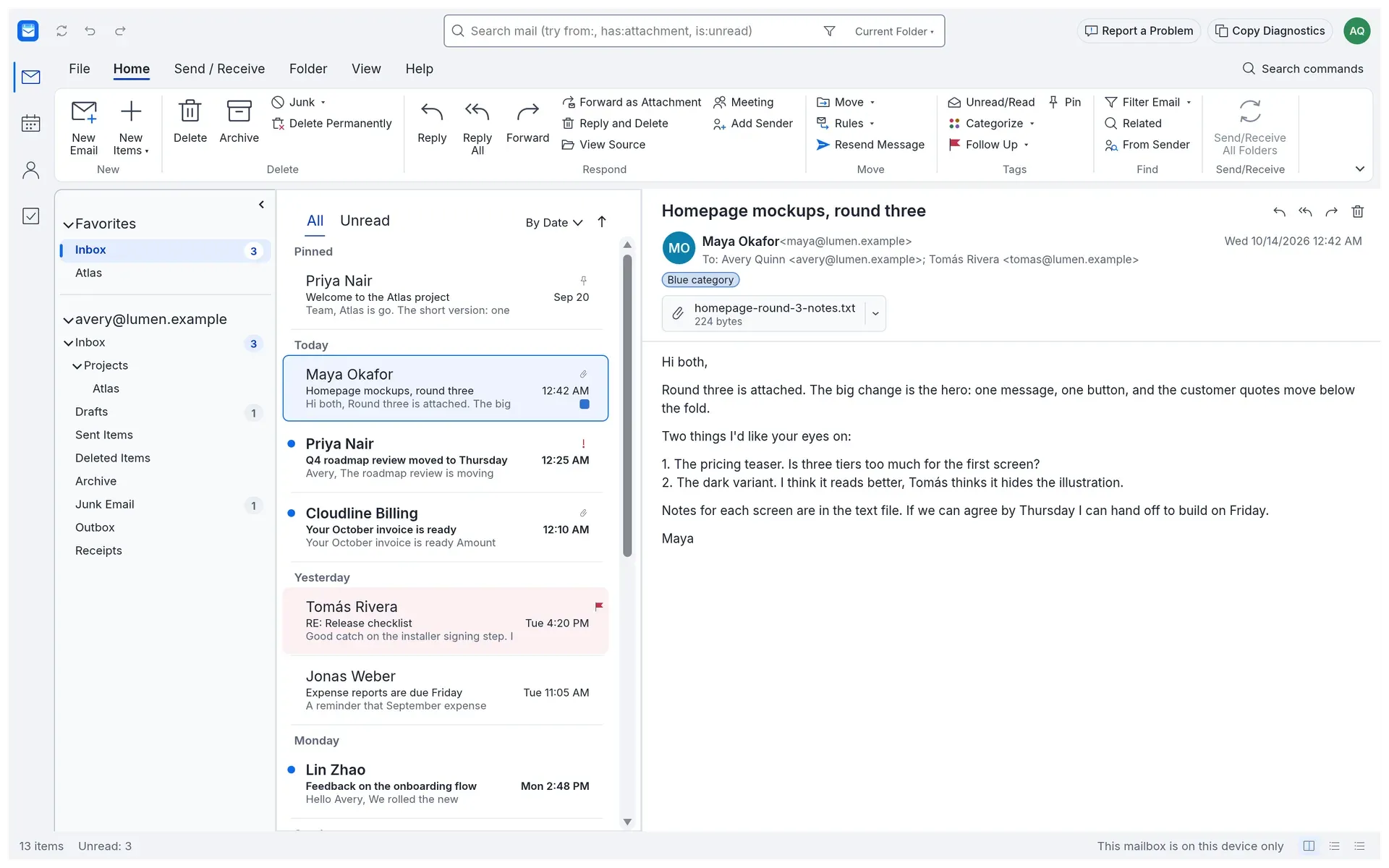
- Mail in an Outlook-style layout Accounts, nested folders and favourites, a virtualised message list grouped by date, sender or importance, conversations, pinning and a reading pane on the right, at the bottom or off. Flags with due dates, colour categories, importance, junk, archive, move and copy (including drag onto a folder) are available, all with undo and redo. Deleting is two-step, with a question before anything is removed for good.
- Search query language The search box accepts terms and operators such as
from:,has:attachment,after:,is:unreadandlabel:, in one folder or across every mailbox. The roadmap reports that a search across 200,000 messages answers from the word index in about 0.16 seconds on its benchmark mailbox. - Writing and replying New mail, Reply, Reply All and Forward with the original quoted, attachments, drafts, signatures with a logo and recipient suggestions from contacts and past correspondents. Messages are written as rich text (bold, italic, underline, colour, fonts, lists, links) and sent as HTML with a plain-text part. Each message can open in its own window, with Find and Replace, Format Painter and read receipt requests; the gaps document notes that composing is still a small set of formatting.
- Rules Rules combine conditions on sender, recipient, subject, body, attachment and importance with actions that move, categorise, flag, mark read, set importance or delete. They run on new mail or on demand.
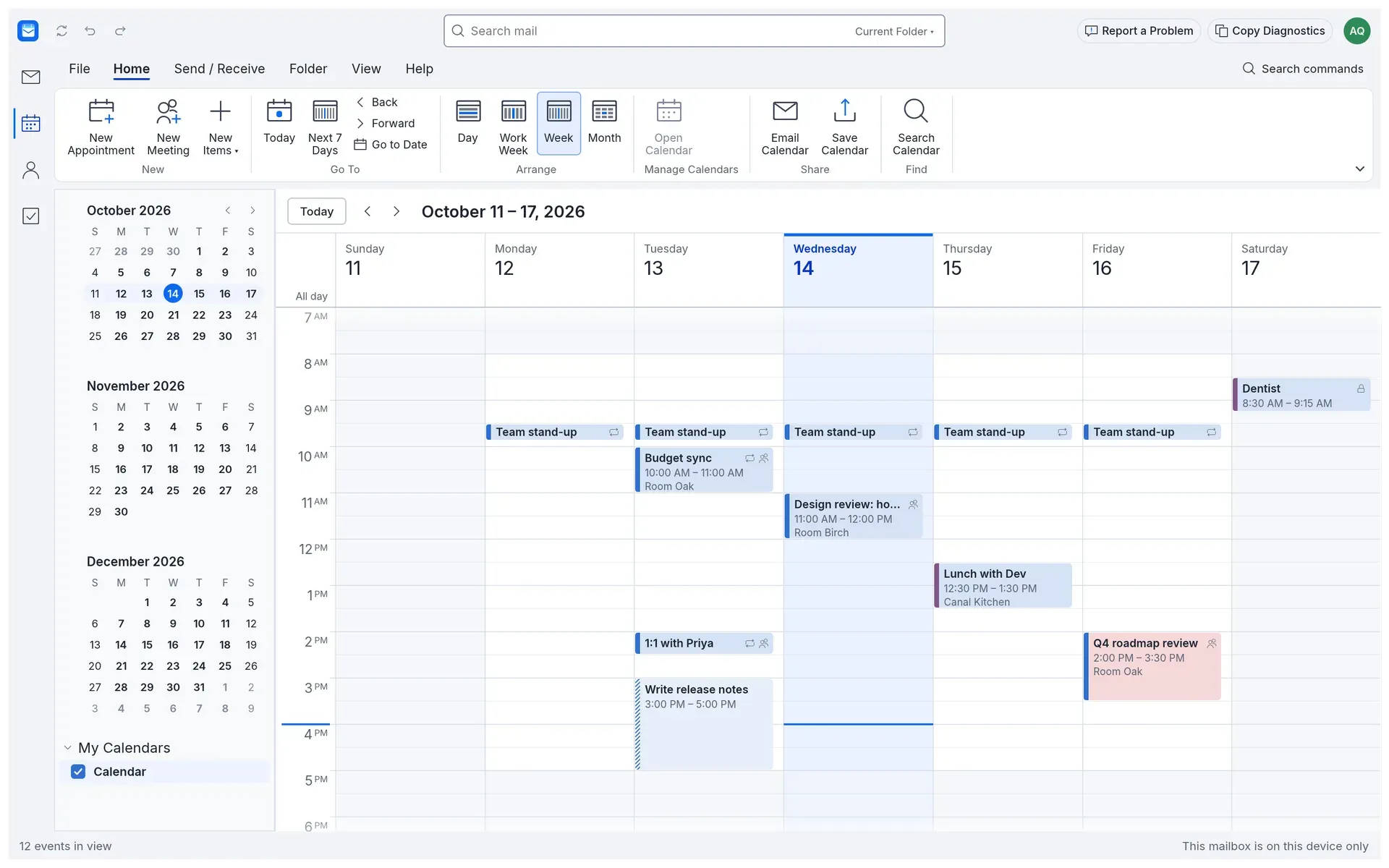
- Calendar and meetings Day, work week, week and month views with appointments, meetings with attendees, recurrence patterns, reminders in their own window and several calendars side by side or overlaid. With a Microsoft 365 account, changes go to the server at once, invitations, updates and cancellations are sent through the server, and Find a Time shows attendees' free and busy times. Row-by-row status is kept in calendar-parity.md.
- Microsoft 365 and Outlook.com Microsoft accounts sign in on Microsoft's page with OAuth 2.0 and PKCE, mail is sent through Microsoft Graph, the calendar syncs both ways and contacts come down read-only. Automatic Replies (inside and outside the organisation, optionally for a time range) are available for Microsoft accounts. Because the publisher is not yet verified by Microsoft, some organisations need an administrator to approve the app once.
- IMAP, SMTP, JMAP and Exchange servers IMAP and SMTP work over TLS or STARTTLS on the desktop and in the CLI, with IDLE support since v0.13.0. The browser build reaches JMAP servers only, because a browser cannot open IMAP and SMTP connections. An organisation's own Exchange Server, Grommunio or SmarterMail can be added as an Exchange server account as a preview, for mail only.
- Gmail and Google Workspace The desktop app offers Sign in with Google, with app passwords as a separate fallback, and Gmail labels appear as read-only tags. The Google account guide documents a Windows acceptance run and notes that the official Google registration and verification are still release requirements.
- People and Tasks Contacts hold several addresses and phone numbers, favourites and categories. To-dos have due dates and importance and can link back to the flagged message they came from.
- File import and export .eml and .mbox messages, .ics calendars and .vcf contacts can be imported and exported. Mail, contacts, calendar items, tasks, notes and journal entries from an Outlook .pst file are imported through File, Open and Export, with a report. The mailbox itself is a .mailcraft file with message content in a folder beside it, or one self-contained file.
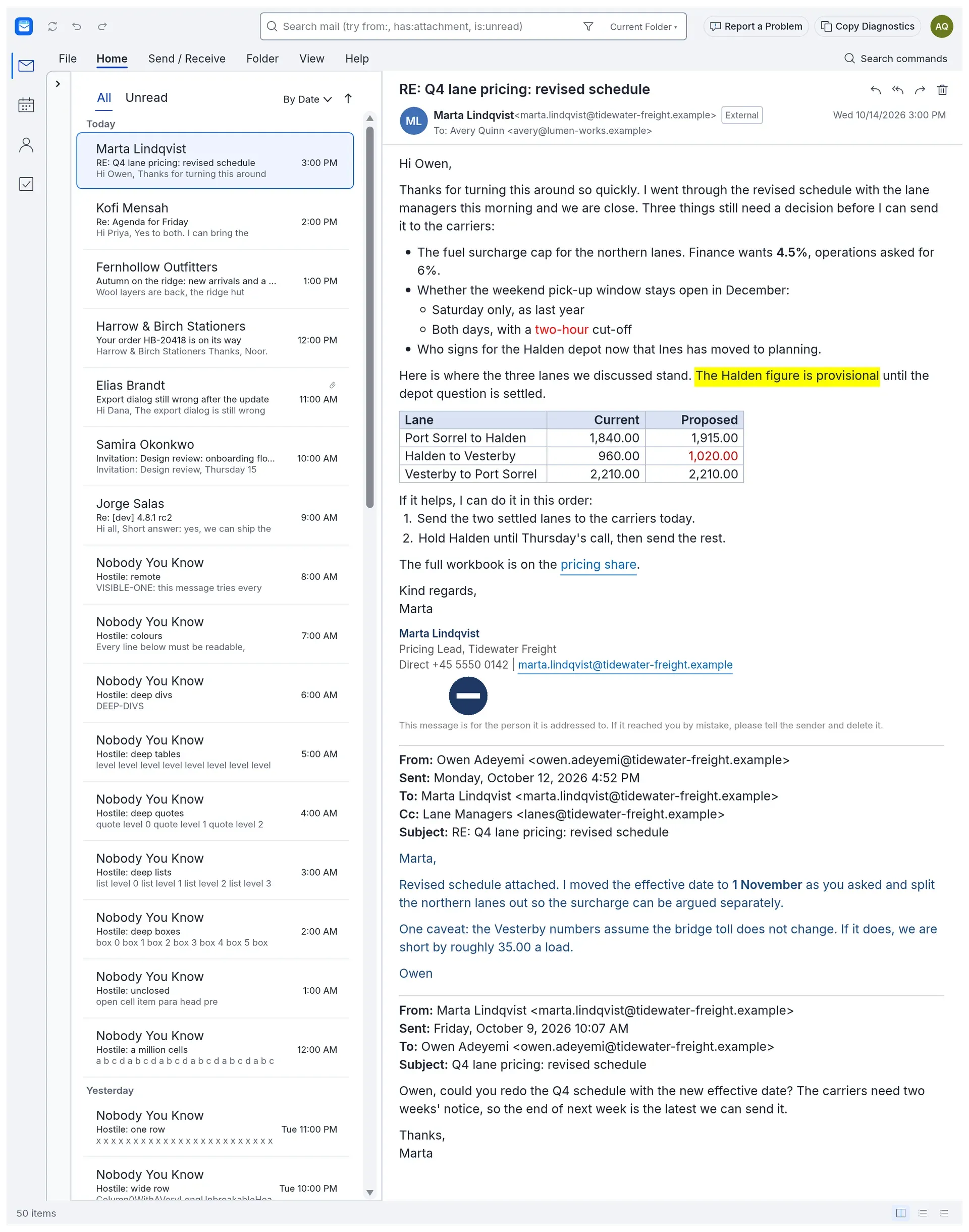
- Safe HTML reading HTML mail is laid out with its tables, colours, lists and attached pictures in light and dark themes without running anything in it. Pictures hosted on the web are downloaded only on request (per message, per sender or for all mail), and the request sends nothing but the picture address; links show where they go.
- Signature verification S/MIME and OpenPGP signatures are checked where a message is read, with one of four results shown above it. S/MIME uses the system's certification authorities for mail and refuses MD5, SHA-1 and RSA keys under 2048 bits; revocation is not checked yet. Signing and encrypting outgoing mail and opening encrypted mail are still being built.
- Keys and credentials stay in the system Remembered sign-ins and passwords go to Windows Credential Manager, the macOS keychain or the Secret Service (GNOME Keyring or KWallet), never to MailCraft's own files or logs. Certificates and keys are listed from the Windows certificate store, the macOS keychain, PKCS#11 tokens and GnuPG through gpg-agent.
- Interface and languages The window offers a one-row or classic three-row ribbon, four accent colours, high contrast and light or dark themes that follow the system. English is complete; French, German, Spanish, Italian, Dutch, Romanian, Hungarian, Polish, Czech and Simplified Chinese are previews.
- Windows download Each release ships .msi installers and portable zips for x64, x86 and ARM64 on Windows 10 and 11. The MSI supports silent installs with
msiexec /qnand a property that turns automatic updates off. Builds are not code-signed yet, so SmartScreen asks before running them. - macOS, Linux and FreeBSD downloads A universal .dmg covers Apple silicon and Intel on macOS 11 or later. Linux builds for x86_64 and aarch64 (glibc 2.35 or later) come as .AppImage, .deb, .rpm, Flatpak and .tar.gz, and FreeBSD 15 gets an x86_64 tarball. Every release carries SHA256SUMS.txt, its signature and a GitHub build attestation.
- Browser build A static WebAssembly site is attached to each release and runs on WebGPU, or WebGL2 where WebGPU is missing. The mailbox lives in browser storage, saving means downloading, and only JMAP servers can be reached; Simplified Chinese is desktop-only for now.
- Command line
mailcraft-cliruns commands on a mailbox file, lists and searches messages, imports .eml, .ics and .vcf files, converts an .mbox to a .mailcraft file and lists every command. A macOS CLI archive is attached to each release. - MCP server and control channel
mailcraft-cli mcpserves the Model Context Protocol over stdio, headless on a mailbox file or bridged to a running window through a JSON control channel. Each command has an agent class: safe commands run, sending and other owner actions need the owner's permission flags, and some commands are never available to agents. The MCP documentation states that messages are treated as data, not instructions. - Privacy defaults The privacy notice states that the app has no telemetry, analytics or crash reporting and that no MailCraft server sits between the user and the mail provider. Update checks against GitHub happen only after the user agrees, and the mailbox is not encrypted by MailCraft, so the docs point to full-disk encryption.
Where MailCraft fits
Using a Microsoft 365 or Outlook.com mailbox
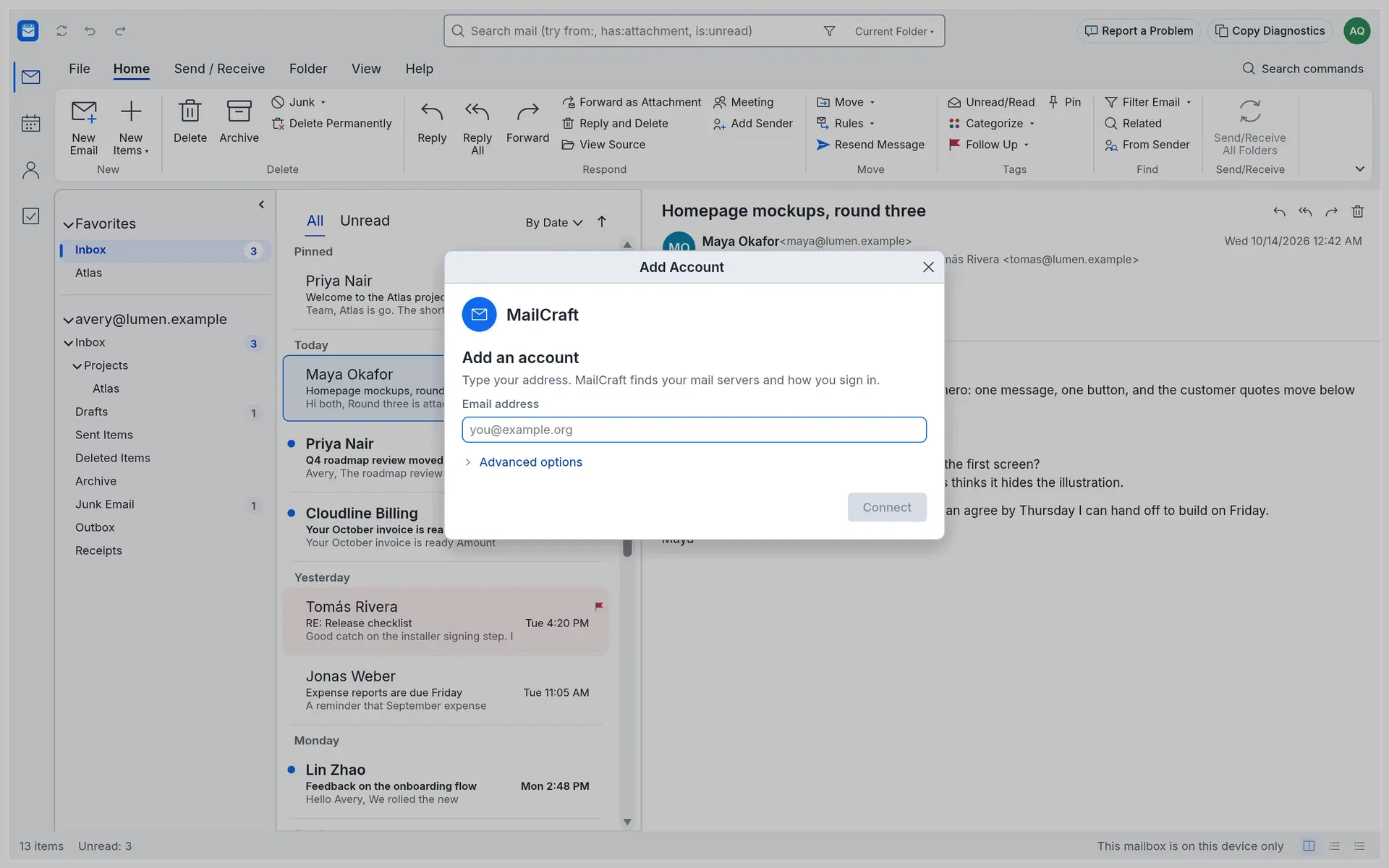
Microsoft accounts are the focus of the public beta. Add Account recognises the provider from the address, sign-in happens on Microsoft's page with OAuth 2.0, and mail, calendars (both ways) and contacts (read-only) are kept in step through Microsoft Graph. Where an organisation allows only administrators to approve new apps, Microsoft shows "Need admin approval", and the MailCraft docs describe the one-time approval in the Microsoft directory.
Connecting an IMAP account or Gmail
For other providers, MailCraft finds the servers of a domain from DNS, an autoconfig document or Exchange Autodiscover and connects over IMAP and SMTP with TLS or STARTTLS. Read marks, flags, moves, deletions and a copy of sent mail go back to the server, and on servers with IDLE new mail appears within moments. Gmail and Google Workspace accounts can sign in with Google on the desktop; the project lists live interoperability beyond Microsoft 365 as its largest open gap.
Importing an Outlook .pst archive
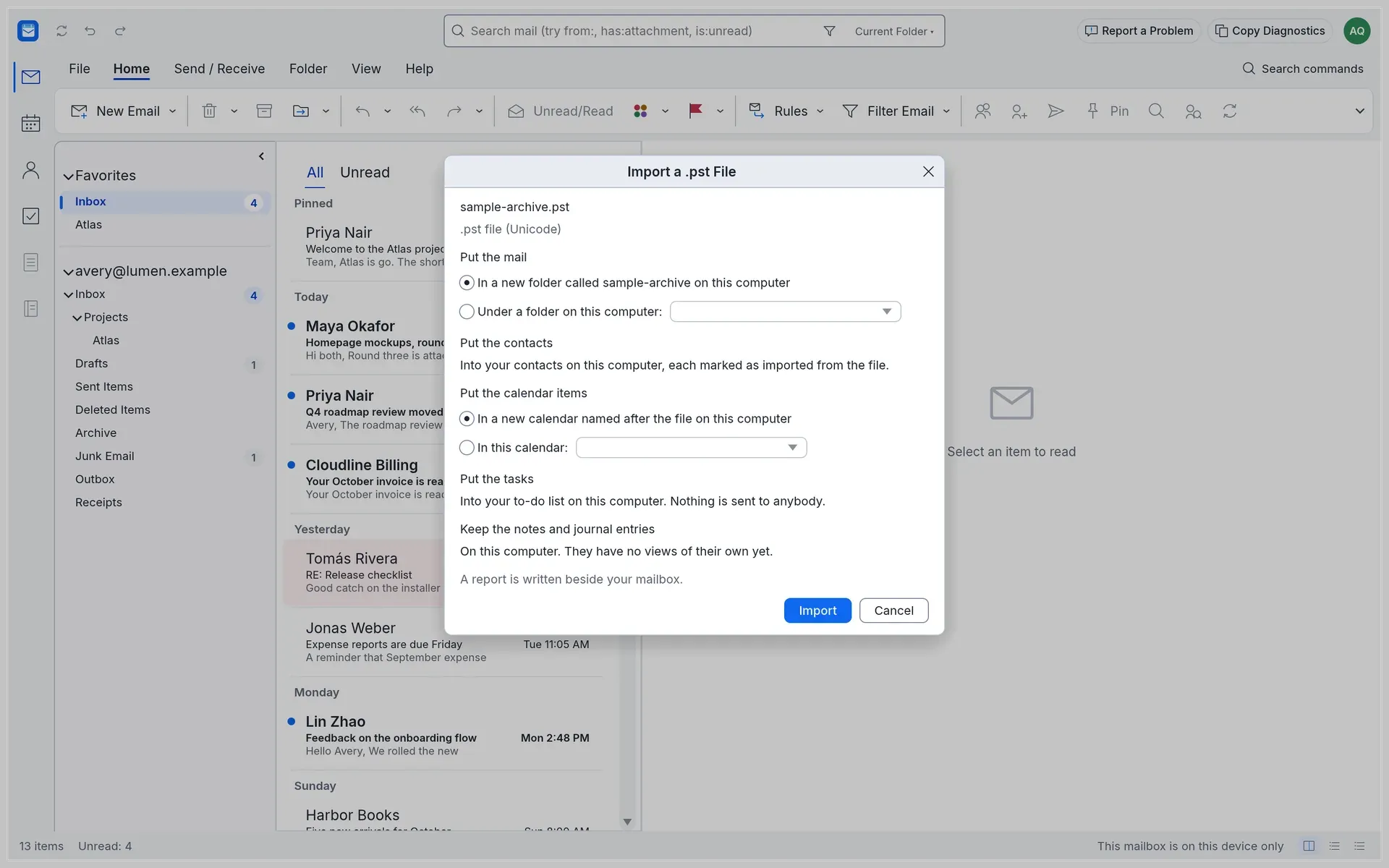
File, Open and Export, Import a .pst File brings in mail, contacts, calendar items, tasks, notes and journal entries, choosing a new or existing folder and calendar on the computer, and writes a report beside the mailbox. The file format parity page tracks what is read; .ost, .msg and .olm files are not supported yet.
Deploying to an organisation's computers
The administrator docs on mailcraft.work list the file per system, how to check a download against SHA256SUMS.txt or with gh attestation verify, silent MSI installs for all users, and how to disable automatic updates by registry policy on Windows or a marker file on macOS, Linux and FreeBSD. There are no ADMX templates or macOS configuration profiles yet.
Giving an AI agent access to a mailbox
An agent can work on a mailbox file headless or on the running app through the control channel, using the same command registry as the ribbon and keyboard. Reading, searching, filing and calendar work are open to agents, while sending, deleting and similar owner actions need explicit flags such as --allow send. A copy of the sample mailbox is available with --sample for trying commands without real mail.
Reading exported mail offline
Mail exported as .mbox or .eml files, .ics calendars and .vcf contacts can be opened or converted into a .mailcraft mailbox with mailcraft-cli convert and import, then read and searched locally with no account. The roadmap estimates readiness as a local viewer and organiser of exported mail at about 55 percent, higher than its estimate for live accounts.
Reviews of MailCraft
Be the first to share your experience with MailCraft.
Write a review
Loading review form…
Found MailCraft useful? Upvote it todayYour vote helps other IT teams find it in the daily ranking.