

What is Easy!Appointments?
Easy!Appointments is a self-hosted, open-source appointment scheduler. It gives customers a public booking page and gives staff a calendar, a customer list and settings for services, providers and working hours. Everything is stored in your own MySQL database, and the application runs on a PHP web server. The project has been developed in the open since 2014 and is published at github.com/alextselegidis/easyappointments under GPL-3.0, with content under CC BY 3.0 according to the README.
The application is built on the CodeIgniter PHP framework with a JavaScript front end. The project website lists PHP 8.2 or newer, a MySQL database and a web server such as Apache or Nginx as requirements, plus a cron job if calendar synchronization is used. Production installation means uploading the release archive, making the storage folder writable, copying config-sample.php to config.php and running the setup wizard in the browser. An official Docker image is on Docker Hub, and the repository includes a Docker Compose environment for development.
The current release is 1.6.1, published on GitHub on October 19, 2026 as a stable release. Its notes add a CalDAV section under Settings and Integrations, clearer explanations when a CalDAV sync fails, and a prompt to allow a local-network CalDAV host. They also require the current password to change an account password, move CORS and cookie SameSite settings out of the root config.php, fix a service-provider assignment bug, and stop a failing Google Calendar sync from deleting local appointments. Official add-ons for WordPress, Joomla! and Drupal embed the booking page in those systems.
The maintainers also sell optional services: managed hosting, white-labelling, technical support sessions, custom development and data migration. Scheduled reminders, SMS notifications, online payments and CSV export are described as paid custom development rather than part of the free release.
Easy!Appointments screenshots
Explore the interface. Open a screenshot to view it at full size.
Key capabilities
- Download and server install The 1.6.1 release ships as one zip archive. Upload it to a PHP 8.2 or newer host with MySQL, make the storage directory writable, create config.php from the sample and open the site to run the setup wizard. The installation guide and update guide cover upgrades.
- Docker image An official image is published on Docker Hub, and the Docker documentation describes compose examples. The repository's own compose setup is aimed at development, with npm and Composer run inside the php-fpm container, so check which one you are using before putting it in production.
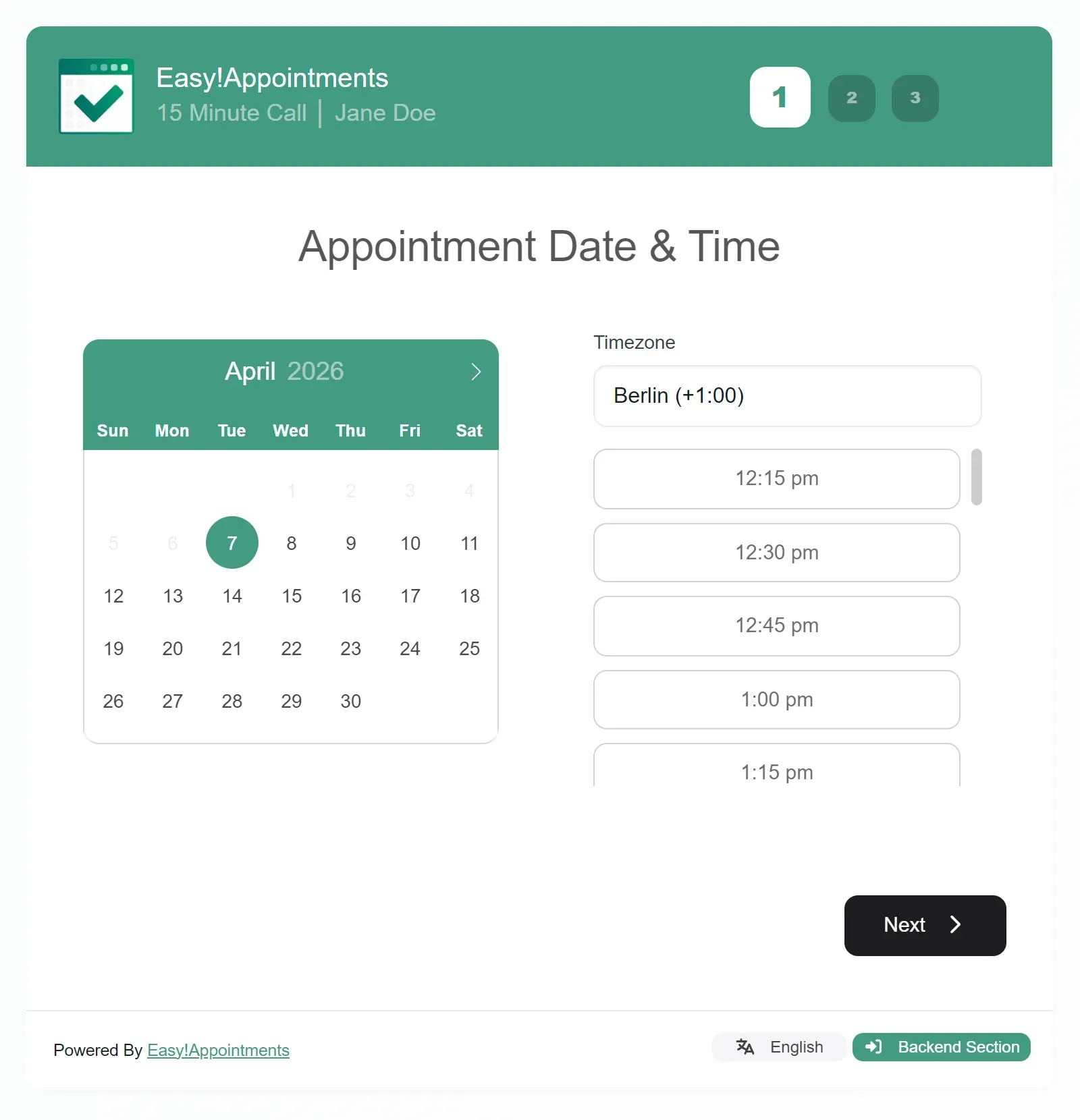
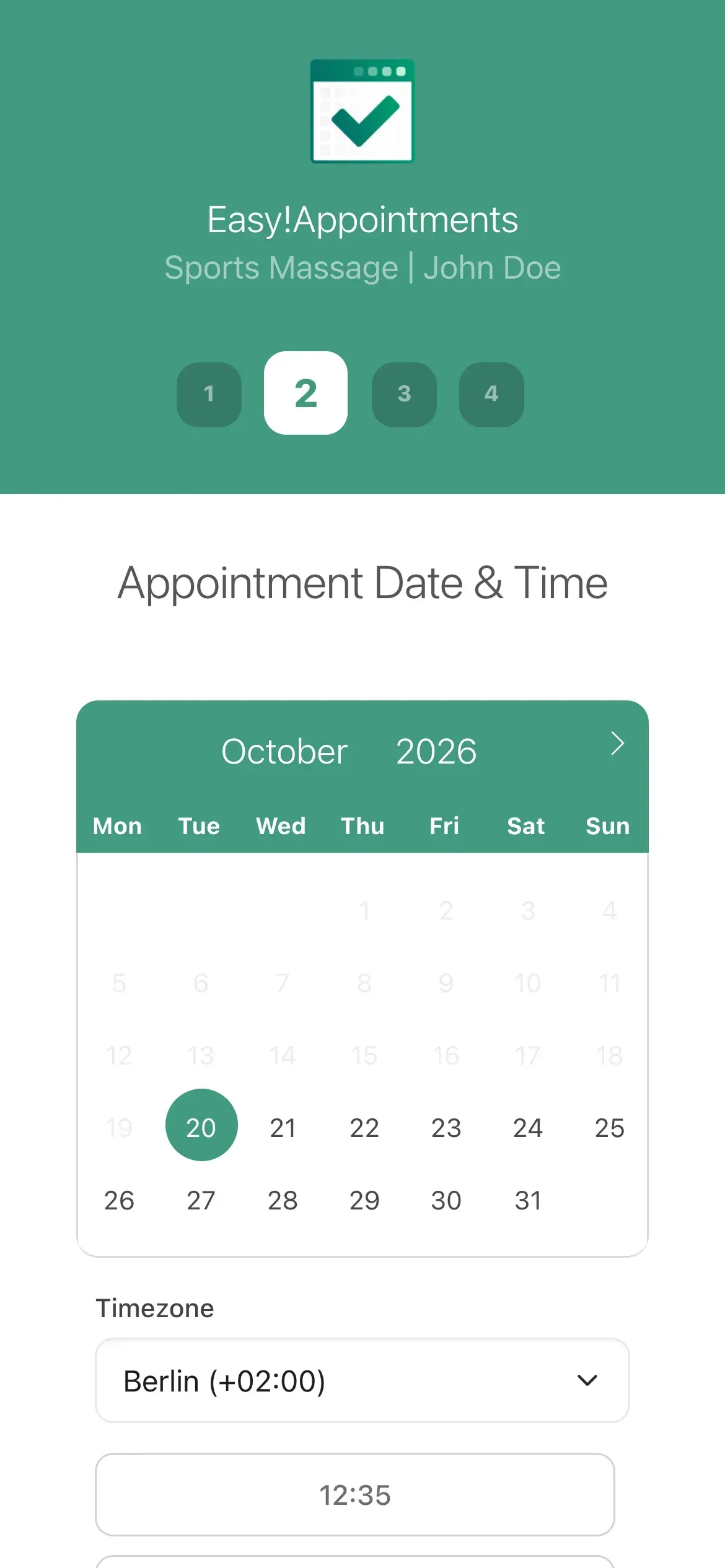
- Public booking page Customers pick a service, a provider, a date and a time, enter their details and confirm. The page adapts to phones, supports a timezone selector and can be restricted so that only free time is offered. Shareable links skip the selection steps for a specific service and provider.
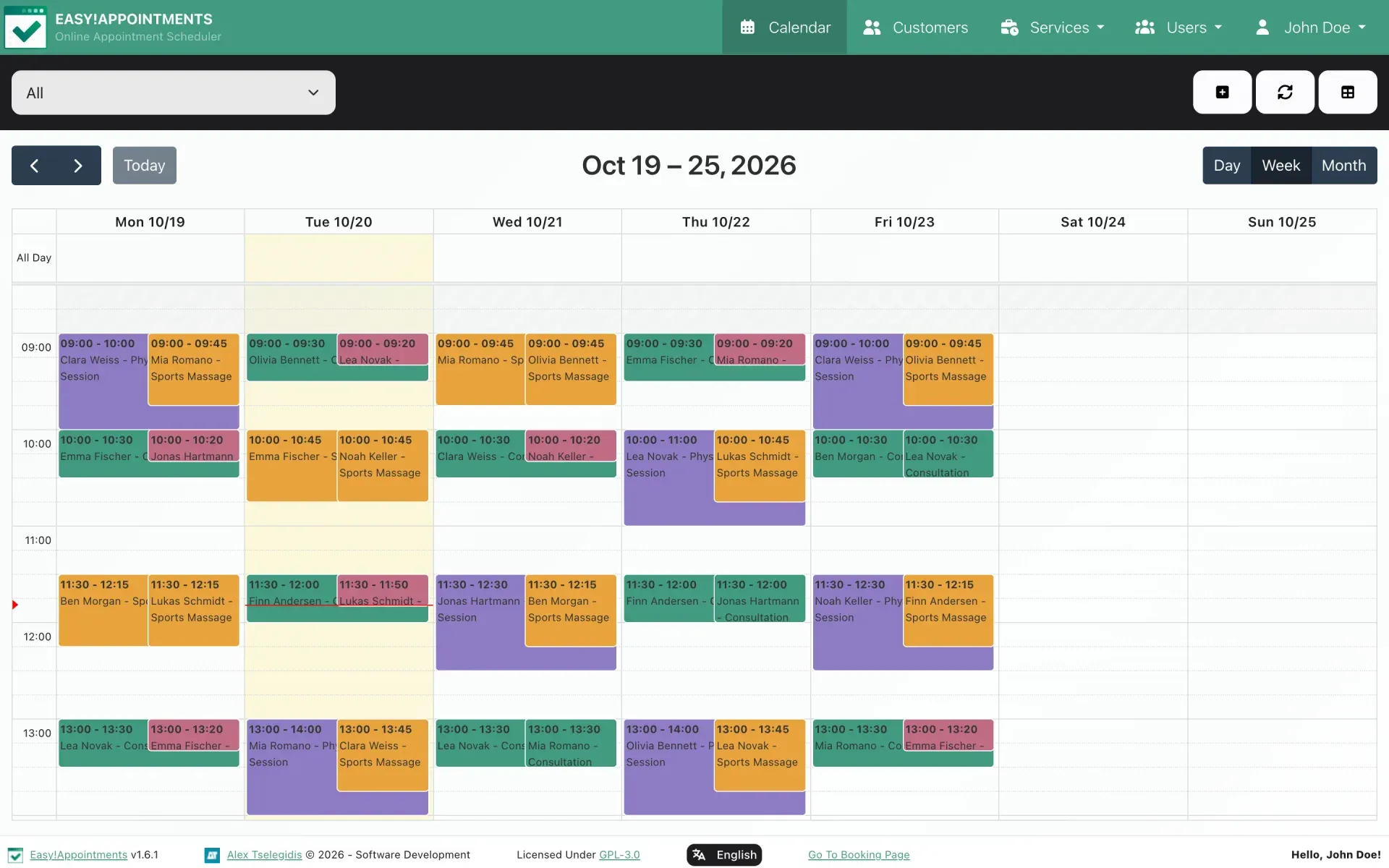
- Calendar with day, week and month views Staff see every provider's day in one calendar, can edit appointments in place and filter by provider or service. Breaks and days off are shown and stay off the booking page.
- Customers, services and providers Services have their own duration and configuration, providers keep their own schedules, and the customer list stores contact details with past and upcoming bookings. Group sessions allow several attendants in one slot.
- Working plans and booking rules Each provider has working days, hours, breaks and exceptions. Rules control how far ahead and how late customers may book, change or cancel appointments.
- Roles and LDAP sign-in Admin, provider and secretary roles control what each account can see and change. The LDAP integration lets staff sign in with directory accounts instead of a separate password.
- Google Calendar and CalDAV sync Providers can connect Google Calendar for two-way synchronization, and CalDAV servers are supported since version 1.5. The Google Calendar guide and CalDAV guide describe setup. A cron job is needed for synchronization.
- Email notifications Bookings, changes and cancellations trigger email to staff and customers. Delivery depends on the mail configuration of your server. Reminder emails and SMS are not in the free release.
- Video meeting links An appointment can carry a meeting link. Jitsi links are generated automatically, Google Meet links come from the Google Calendar sync, and any other URL can be pasted in.
- REST API and webhooks The REST API uses JSON, requires an Authorization header and comes with an OpenAPI file for Postman or client generation. Webhooks notify an external URL of bookings, changes and cancellations, which suits n8n, Zapier or Make.
- AI assistant access The website describes connecting ChatGPT, Claude or another agent through the REST API to check availability, book, reschedule and cancel. Nothing is shared with an AI service until you create API access, so treat the key like any other credential.
- Spam protection and privacy tools Public forms and login can use a built-in CAPTCHA or ALTCHA, which needs no third-party service, and repeated failed logins are throttled. The booking page supports consent capture, customer-initiated data deletion and a legal notice, which help with EU privacy requirements.
- Translations and console The interface is translated into more than 40 languages by the community, and strings can be overridden as described in the translation guide. A command-line console has been available since version 1.4.0.
- Integrations for existing sites Official add-ons embed the booking page in WordPress, Joomla! and Drupal. The booking page can also be linked from any website.
Where Easy!Appointments fits
Running bookings for a small practice or studio
Create services with durations, add each practitioner as a provider and set working plans with breaks. Open the public page on a phone and book a test appointment through to the confirmation. Check that time slots respect lunch breaks and that the confirmation email arrives in a real inbox, including spam.
Coordinating a team calendar
Use provider and secretary accounts so reception can edit appointments without admin access. Connect each provider's Google Calendar or CalDAV account if they also work from another calendar. Confirm the cron job runs, and read the troubleshooting guide when a sync fails.
Embedding booking in an existing website
Choose the WordPress, Joomla! or Drupal add-on, or link directly with a shareable service and provider URL. Test the page inside your site theme on mobile, and check that cookie and CORS settings in the 1.6 configuration files match your domain.
Automating follow-up
Configure webhooks to send new bookings to n8n, Zapier or Make, or call the REST API from your own code. Use a test booking and a cancellation to confirm payloads, and keep the API token out of client-side code. Decide who receives failure alerts when an endpoint is unreachable, because a missed booking notification is easy to overlook.
Meeting privacy rules in the EU
Enable consent capture, the legal notice and customer data deletion, and keep the database on infrastructure you control. Define backup and retention for the MySQL data and review who holds admin accounts. Test a customer data deletion request end to end so the process is documented before it is needed.
Letting an AI agent handle slots
Create a dedicated API key, try availability and booking calls through the REST API, and confirm that revoking the key cuts access. Review what customer data the agent provider will receive before using it with real bookings.
Reviews of Easy!Appointments
Be the first to share your experience with Easy!Appointments.
Write a review
Loading review form…
Alternatives to Easy!Appointments
 Cal.diyCal.diy is the MIT-licensed community edition of Cal.com with the enterprise code removed. You self-host the Next.js and PostgreSQL app to publish booking pages, sync calendars and connect video, payment and CRM apps. No hosted version exists.
 NextcloudAGPL-licensed collaboration server for files, sharing, Talk calls, Calendar, Contacts, Mail and browser office editing. Run it with the official All-in-One Docker setup or on your own PHP stack, with clients for desktop and mobile.