What is Screenpipe?
Screenpipe is a desktop application and command-line recorder that captures what appears on a computer's screens and what is said or played through its audio devices, turns it into text and keeps it as a searchable history on the device. AI assistants and agents read that history through a local MCP server, a REST API on localhost:3030, a JavaScript SDK, or scheduled agents the project calls pipes. Since 2026 the project has framed its main use as workflow discovery: the README describes recording real work, finding repeated workflows with their steps, decisions and exceptions, and handing a reviewed workflow to an agent or automation tool. It also presents the app as a source-available alternative to Rewind (now Limitless) and Microsoft Recall. Screenpipe is made by Negentropy Labs, Inc., doing business as Screenpipe; the README says the company was founded in 2024, is based in San Francisco and is part of the Y Combinator S26 batch.
Capture is event-driven rather than tied to a fixed frame rate. According to the architecture page, an app switch, window focus change, click, scroll, typing pause or clipboard copy triggers a screenshot and a walk of the operating system's accessibility tree with the same timestamp, and an idle fallback captures about every five seconds. When the accessibility tree is empty, for example in remote desktops or games, text comes from OCR: Apple Vision on macOS, the native OCR engine on Windows and Tesseract on Linux. Audio from microphones and system output is recorded in 30-second chunks and transcribed locally with Whisper Large-V3-Turbo or in the cloud through Deepgram or Screenpipe Cloud, with speaker identification. The results go into a SQLite database with FTS5 full-text search at ~/.screenpipe/db.sqlite, with JPEG frames and audio files under ~/.screenpipe/data/. The engine is a Rust workspace and the desktop app is built with Tauri and Next.js.
Screenpipe records the device it runs on continuously while capture is active, and the project states that capture history stays on that device by default. Cloud AI, cloud transcription, sync, connected apps and team storage are separate data paths that send selected data to the configured service, as listed in the privacy data flow page. The README also states that product analytics through PostHog and crash reporting through Sentry are enabled by default and can be switched off under Settings, Privacy, Analytics. Recording the voices of other people, for example in calls, can require their consent under local law.
The current release is app-v2.7.145, published November 6, 2026, with fixes for recording-data deletion during Windows uninstall, silent microphone streams, browser URLs on macOS clicks, sync and enterprise heartbeats. GitHub releases carry notes only; installers come from the download page, which serves version 2.7.145 as DMG files for Apple Silicon and Intel Macs, setup executables for Windows x64 and ARM64, and an x86_64 AppImage for Linux. The FAQ describes the Linux desktop app as partial support that works best on X11. The CLI is installed through npm with npx -y screenpipe@latest record, and the MCP server is the separately versioned screenpipe-mcp package. Capture is limited to the computer Screenpipe is installed on; it does not record phone screens.
Screenpipe is not open source in its current form. Since app-v2.5.31 (June 11, 2026) the whole repository is under the Screenpipe Commercial License, which GitHub reports as NOASSERTION. It permits personal non-commercial use, non-profit, educational and research use, and a seven-day evaluation at any organization size. Any commercial use, including binaries compiled from the source, requires a paid Enterprise plan and a commercial license, and selling, hosting or embedding the code needs a license as well. Official prebuilt builds fall under the Terms of Service and a subscription: one license per person, up to four individual licenses per company, and a Team or Enterprise plan for five or more users. Releases up to app-v2.5.27 (June 10, 2026) remain under the MIT license, except the ee/ enterprise directory, which had its own proprietary license from March 2026.
On the pricing page checked on November 20, 2026, the Free plan costs $0 and covers capture on one device with search of recent work. Basic costs $21 per month or $250 per year and adds full searchable history, MCP context and unlimited installed scheduled workflows. Business costs $42 per seat per month or $500 per seat per year and adds personal device sync, recurring workflows and managed seats, with Max (2x) and Ultra (4x) capacity options; Ultra adds Infinite Context and mobile access in private beta. Enterprise is priced per deployment and is required for shared team context, automatic workflow discovery, cloud API access and commercial source builds. The page does not list AI credit amounts; the app shows a hosted AI allowance that resets weekly. The README says existing lifetime licenses remain valid, while new lifetime licenses are no longer sold. Meeting-focused tools with a narrower scope include Minutes and Meetily.
Key capabilities
- Desktop app for macOS, Windows and Linux The download page offers version 2.7.145 for Apple Silicon and Intel Macs, Windows x64 and Windows ARM64, and Linux x86_64 as an AppImage. The pricing page lists macOS 13 or later, Windows 10 or later and Linux; on macOS the app asks for Screen and System Audio Recording, Microphone and Accessibility permissions, with Input Monitoring optional. The FAQ describes Linux desktop support as partial and best on X11, with Wayland behavior depending on the compositor. The official app uses an account and checkout flow, and trial offers can require payment details.
- Command-line recorder
npx -y screenpipe@latest recordstarts the recorder in the background and stores data in~/.screenpipe/. The npm package ships binaries for darwin-arm64, darwin-x64, linux-x64 and win32-x64; Linux needs the ALSA and ffmpeg packages, and a CLI-only Windows setup needs .NET 8.0. The FAQ lists launchd, a systemd user service or Task Scheduler for starting it at login, and headless installs are supported for capture and the local API. - Event-driven screen capture Screenshots are taken when something changes (app switch, window focus, click, scroll, typing pause, clipboard copy) plus an idle capture about every five seconds, and identical frames are skipped. All connected monitors can be recorded, and the displays to include are chosen in the recording settings. Frames are stored as JPEG files linked to database rows.
- Accessibility text with OCR fallback Each capture walks the accessibility tree to read buttons, labels and text fields as structured text. When that tree is empty, as in remote desktops, games and some Linux apps, OCR runs instead: Apple Vision on macOS, Windows native OCR, or Tesseract on Linux, where OCR is the primary path. UI elements are stored in their own table with FTS5 search.
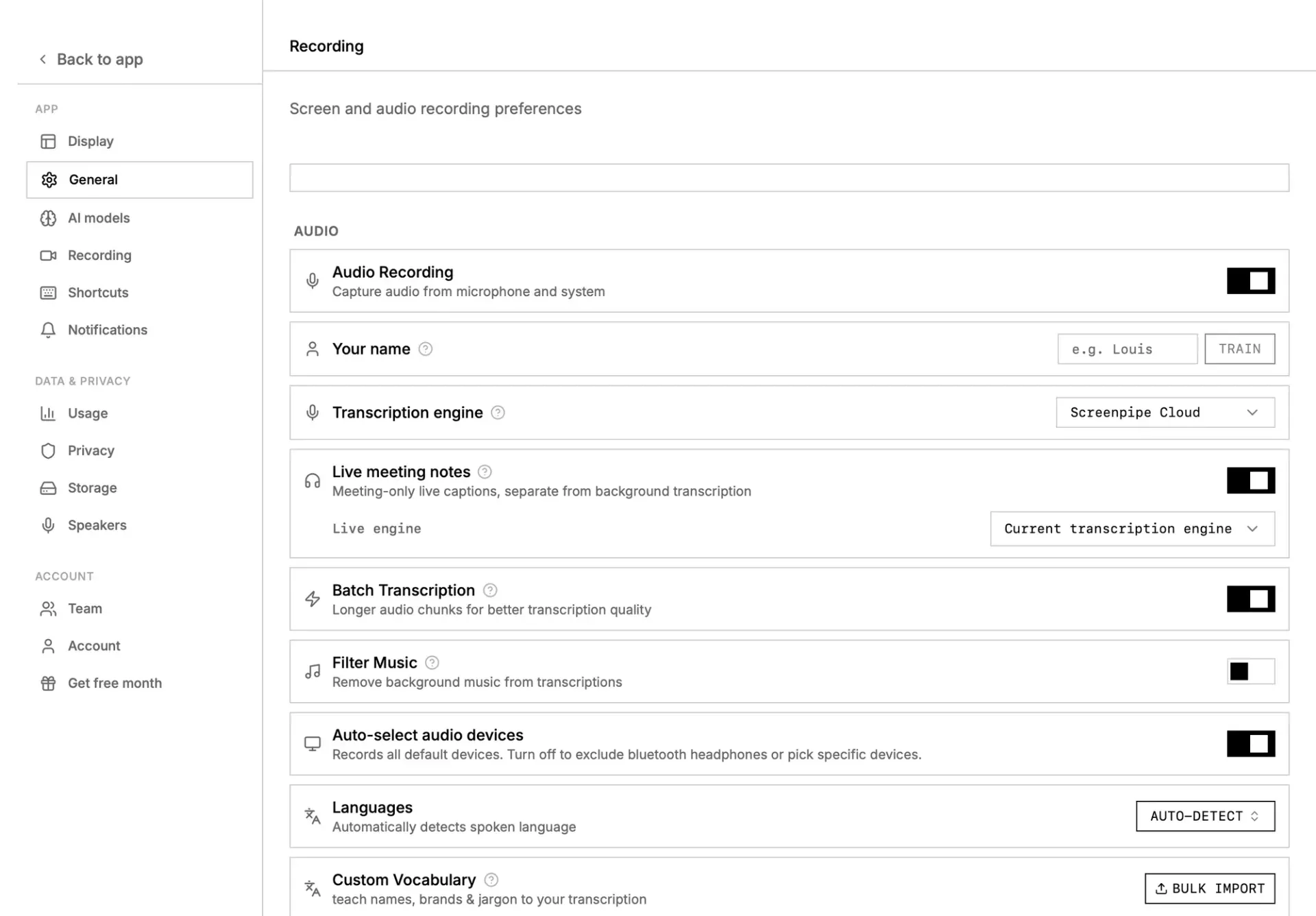
- Audio capture and transcription Microphone and system audio are recorded from multiple devices in 30-second chunks by default. Transcription runs locally with Whisper Large-V3-Turbo, with CUDA builds for NVIDIA GPUs on Windows and Linux and DirectML and Vulkan backends on Windows, or in the cloud with Deepgram or Screenpipe Cloud, with speaker identification and diarization. On macOS 14.4 or later, specific apps can be excluded from system-audio capture through
~/.screenpipe/audio-exclusions.jsononce the experimental CoreAudio option is on. - Keyboard, click and clipboard events The README lists keyboard inputs and app switches among the captured data. Input records cover typed text, clicks, app switches, window focus, clipboard and scroll events, each linked to the frame it fired on. Clipboard, keyboard and click capture have their own toggles under Settings, Privacy, Capture rules, and on macOS keyboard and click capture depend on the Input Monitoring permission.
- Local storage and data directory Metadata, screen text, transcripts, speakers, tags and UI events go into SQLite at
~/.screenpipe/db.sqlite, and media goes to~/.screenpipe/data/. The data directory can be changed under Settings, Storage, Data Directory or withSCREENPIPE_DATA_DIR; a new directory starts fresh recordings and does not move existing history. The README lists optional encryption at rest. - Retention and deletion Retention has three modes, media, lean and all, with a cutoff after which data is cleaned up automatically; the FAQ states that data is not kept indefinitely by default. Lean mode also drops heavy columns such as the accessibility tree and the keystroke and click stream while keeping text search, transcripts and memories. Time ranges can be deleted and the database compacted from the storage settings or the data APIs, as described in storage and retention.
- Published resource figures The README estimates about 5 to 20 percent CPU and 0.5 to 3 GB of RAM for capture and recommends 8 GB of system RAM. The pricing page lists 600 MB to 4 GB of RAM and about 30 GB of storage per month with configurable retention. The architecture page cites about 600 MB of RAM, 5 to 10 percent CPU and 5 to 10 GB per month on a MacBook Pro M3 or a $400 Windows laptop; the project calls all of these estimates that vary with hardware and settings.
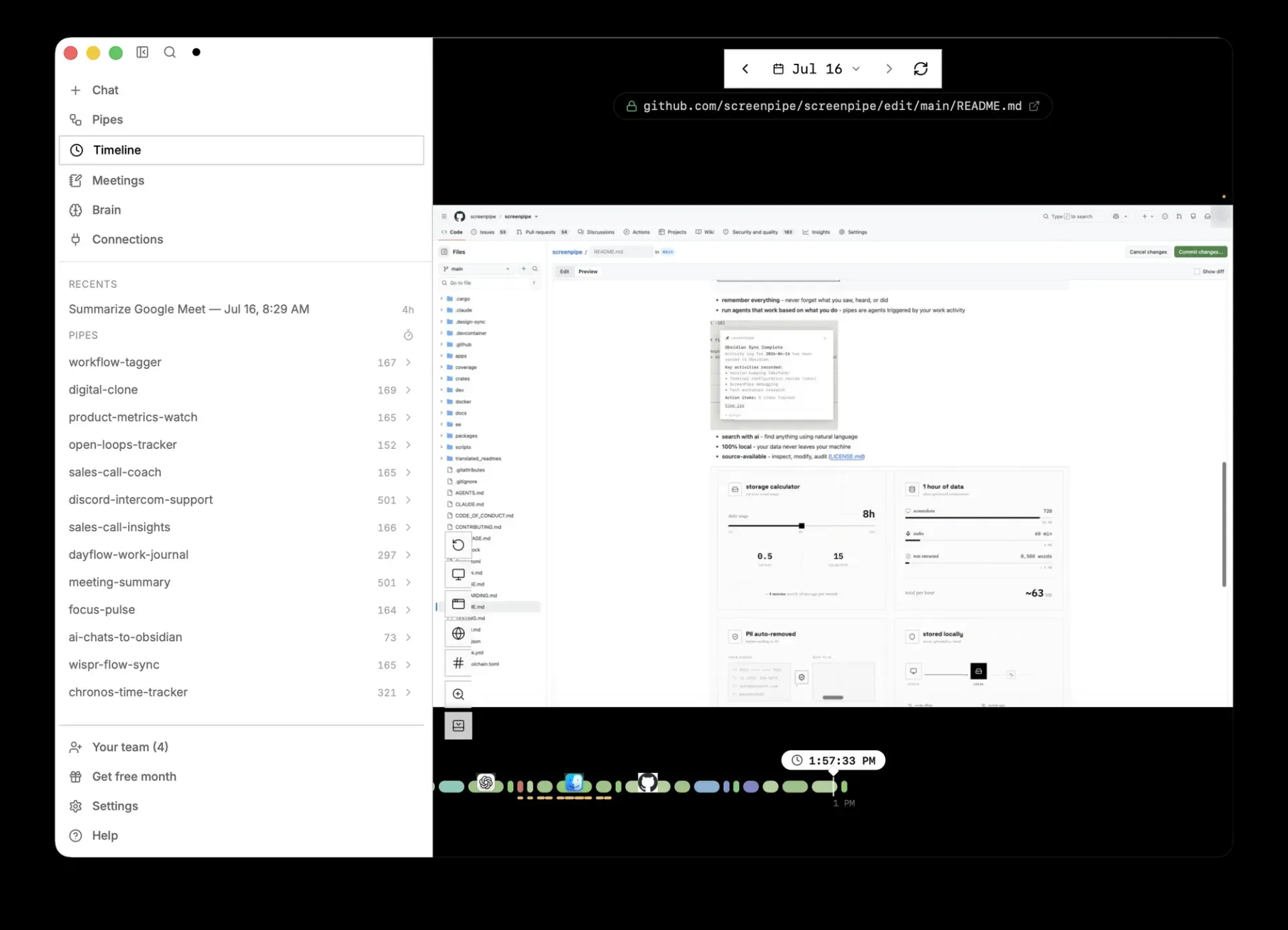
- Timeline and search The timeline scrolls through screen history by time, opens the full screenshot and extracted text for any moment and plays back audio. Search covers accessibility text, OCR text and transcripts through natural-language queries or SQLite FTS5 keywords, filtered by app, window title, date range and speaker, and results include screenshots and audio clips.
- Chat with local or cloud models Built-in chat can use the Screenpipe provider with its plan allowance, a ChatGPT sign-in, an Anthropic API key, a Gemini API key, Ollama, or any OpenAI-compatible endpoint. The Ollama guide requires a model with tool calling, because the agent retrieves recordings through tools. A Screenpipe plan does not include a Claude or ChatGPT subscription.
- MCP server The
screenpipe-mcpnpm package gives MCP clients search over screen content, transcripts and input events plus video export, over stdio or an HTTP transport on port 3031 that can listen on the LAN with an API key. Settings, Connections connects Claude Desktop, Codex, Cline, Kiro and Antigravity in one step; Claude Code registers it withclaude mcp addand the stdio commandnpx -y screenpipe-mcp, andnpx -y screenpipe@latest agent setupconfigures OpenClaw, Hermes, Claude Code, Claude Desktop, Codex, Cursor or Windsurf. - Local REST API and SDK The API reference documents endpoints on
localhost:3030for search, keyword search, frames and their text, UI elements, meetings, speakers, memories, tags, audio devices, an activity summary and read-only SQL. Protected routes take a bearer token fromscreenpipe auth token, while/healthis public. A JavaScript and TypeScript SDK is published as@screenpipe/js. - Pipes (scheduled tasks) A pipe is a
pipe.mdfile in~/.screenpipe/pipes/with YAML frontmatter for the schedule and a prompt; Screenpipe runs a coding agent such as pi or Claude Code with it, and the agent can query recordings, write files and call APIs. Built-in examples include meeting-summary, day-recap, standup-update, time-breakdown, ai-prompt-journal and video-export. The app labels pipes as Scheduled tasks, and its Discover tab and an online task library list community pipes. - Per-pipe data permissions Frontmatter fields such as
allow-apps,deny-apps,deny-windows, allowed content types,time-range,days,allow-raw-sqlandallow-frameslimit what each pipe can read. The project states that these rules are enforced through skill gating, agent interception and server middleware with per-pipe tokens, not through the prompt. - Recording filters and PII redaction Capture can be paused, and apps, windows, URLs, microphones and system audio can be included or excluded in the recording settings. Values typed into form fields, such as passwords and card numbers, are redacted on-device by default. Further modes redact detected PII in stored text, run a local text or image redaction model, or send text to a Tinfoil confidential-compute enclave running the openai/privacy-filter model; the enclave shield in chat is on paid plans, and the privacy filter page states that the model is not perfect.
- Meetings Meeting detection groups recorded audio into meeting records with optional live captions, and summaries can be edited, copied or emailed without the transcript. The API can list, merge, update and delete meetings. Because audio comes from the device itself, no bot joins Zoom, Google Meet or Teams calls.
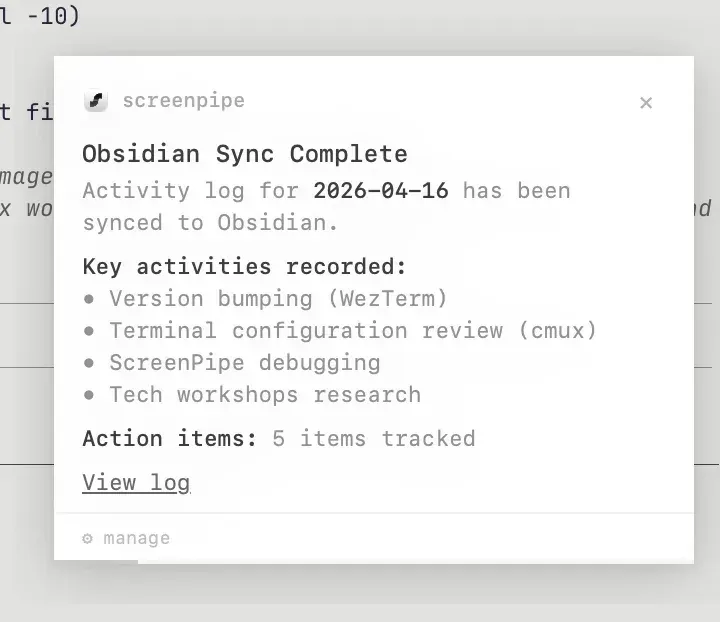
- Connections Settings, Connections links Slack, Notion, Google Calendar, Obsidian, Toggl, HubSpot, Salesforce, Zoom, PostHog, Sentry and other apps, with credentials kept in a secure store and requests sent through a connection proxy. Pipes can write activity logs and summaries into an Obsidian vault.
- Sync, teams and enterprise Optional sync between a user's own devices is end-to-end encrypted according to the README and is part of the Business plan. Teams can push pipe configurations and content filters encrypted client-side, and employees can add stricter filters but cannot weaken admin rules. Enterprise adds MDM deployment through Intune, SCCM or Robopack, SSO and SAML, audit logs and SLA options, and the README points to a SOC 2 Type 2 report available under NDA.
Where Screenpipe fits
Recalling something seen or heard on the computer
The docs describe three entry points: search in the app, a question to a connected assistant such as "what did I see in the last 5 mins?", or a direct call to localhost:3030/search with a query, content type and time window. Results carry the app name, window title, browser URL, timestamp and a path to the frame, so an answer points back to the screenshot or audio chunk it came from. The first useful result guide pairs a bounded question with a comparison against the timeline.
Screen context for coding agents and chat clients
After claude mcp add screenpipe or a one-click connection for Codex or Claude Desktop, the assistant can search recent screen text, transcripts and input events while it works. The project lists Cursor, Claude Code, Cline, Continue, OpenCode, Gemini CLI and GitHub Copilot CLI among supported tools, and the CLI skill in the repository lets a coding agent set up capture, check capture freshness and query history without the desktop app. Agents such as Hermes Agent and OpenClaw have their own setup targets.
Daily recaps, standups and time tracking
Installed pipes run on a schedule against the recorded history: day-recap lists accomplishments and unfinished work, standup-update drafts what was done and what is next, time-breakdown groups time by app, project and category, and a Toggl Time Tracker task sends tracked time to Toggl. Output can go to local Markdown or an Obsidian vault. The reliable reports guide defines a source window, a saved output and a run receipt for each recurring report.
Meeting notes without a meeting bot
Because audio is captured from the device's microphone and system output, calls in Zoom, Google Meet, Teams or any other app are transcribed without adding a participant. The meeting-summary pipe summarizes a meeting when it ends and attaches the note to the meeting record. With local Whisper and an Ollama model, both the transcription and the summary run on the machine, as described in the meeting intelligence guide.
Workflow discovery and handoff
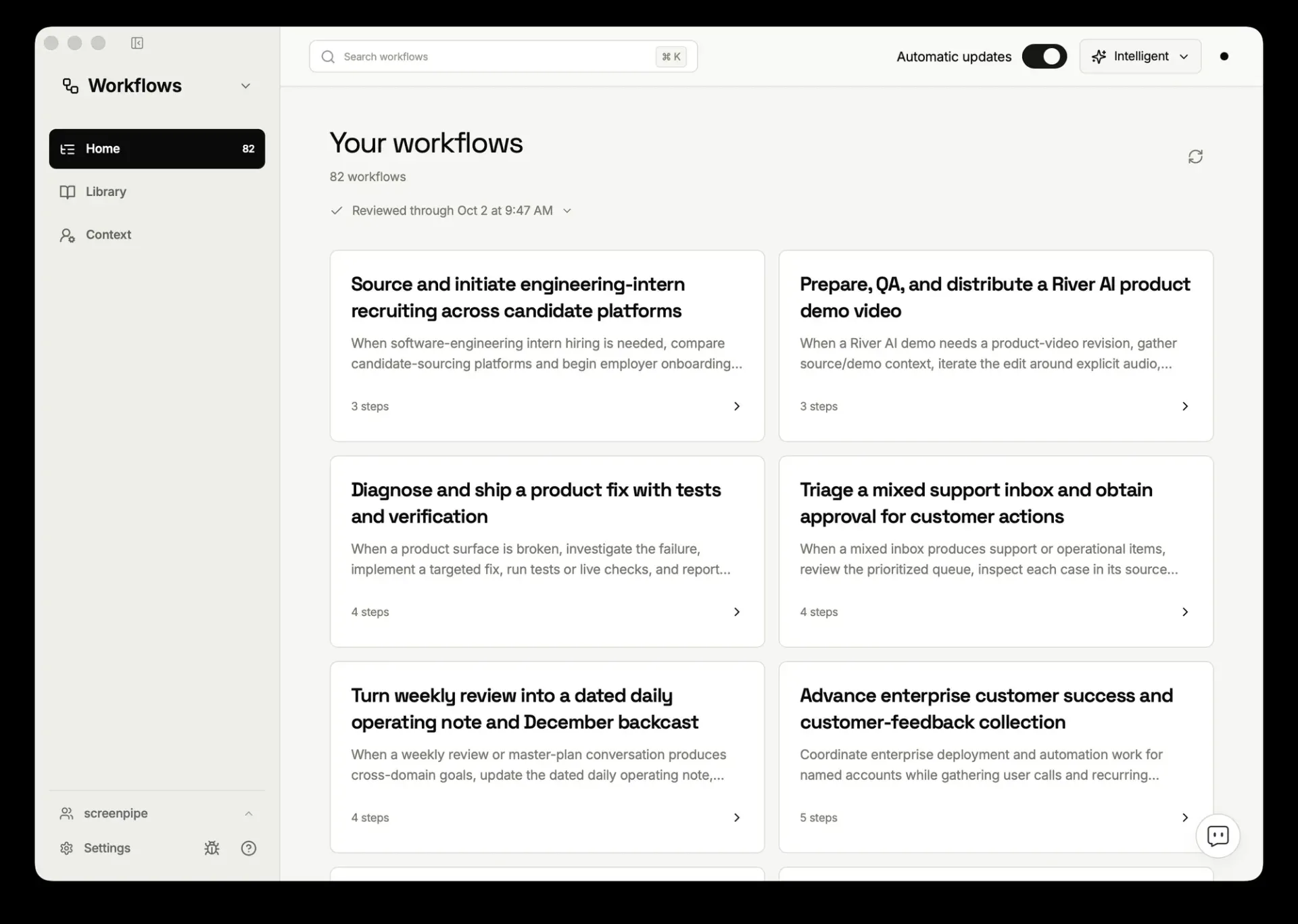
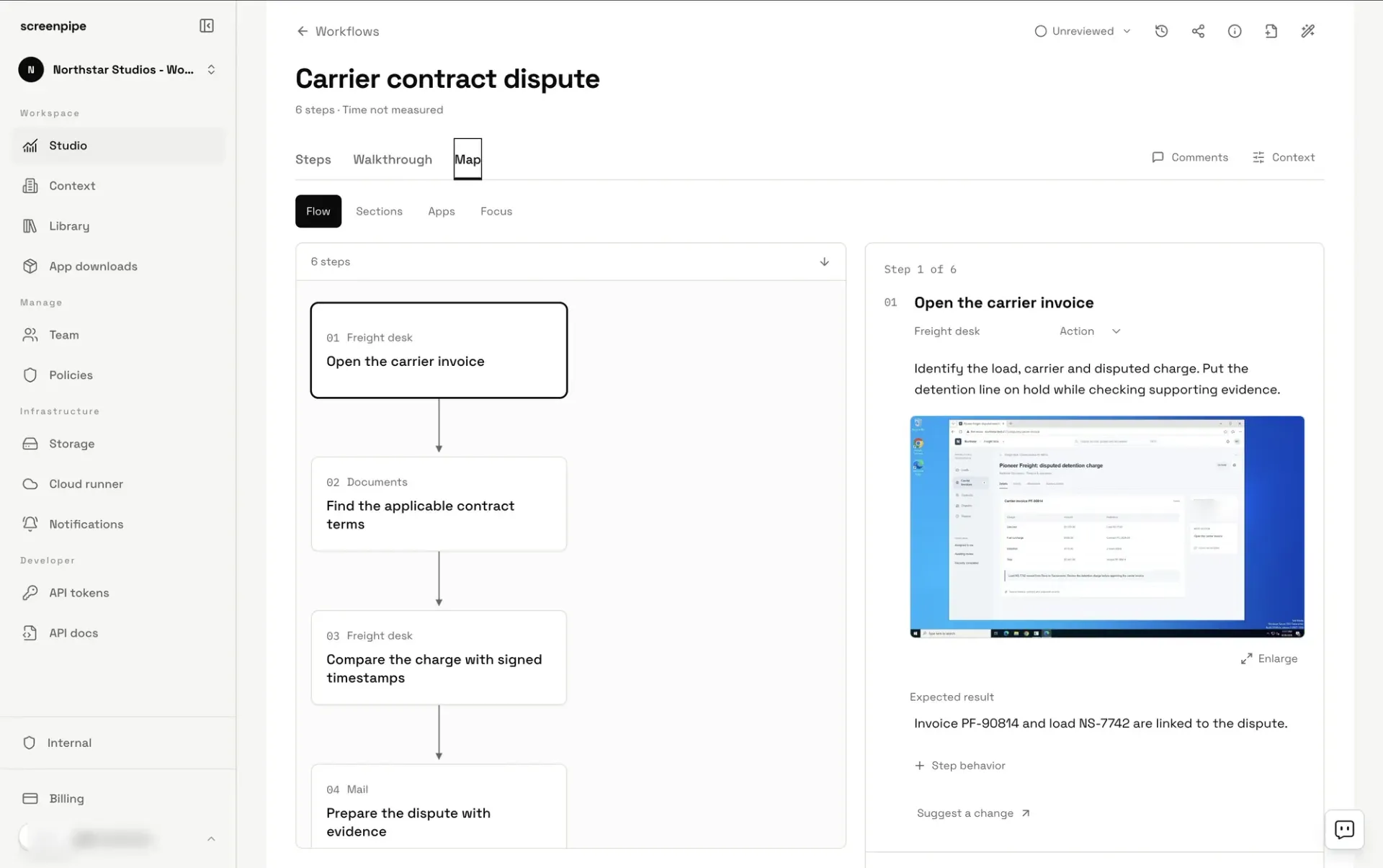
The Automate My Work action on Home, or a manual discovery task under Scheduled tasks, produces a report that names a workflow's trigger, systems and handoffs, repeated steps and decisions, frequency and active time, exceptions, one candidate improvement with a human owner, and the evidence gaps. A reviewed workflow can then run in Screenpipe Cloud, Zapier, n8n, Claude Code, Codex or another agent through MCP, the REST API, the SDK or a pipe, as covered in the workflow discovery docs. The pricing page lists automatic workflow discovery and shared team context as Enterprise features.
Company-wide deployment
For organizations, the README describes pushing capture settings such as app filters, schedules and URL rules from an admin dashboard, deploying shared pipes, and distributing the app through Intune, SCCM, Robopack or another MDM tool, with a separate Intune guide. Administrator access to captured data depends on the deployment: local-only capture keeps history on each device, while organization-managed storage, enterprise sync and exports can make it available to authorized administrators.
Install
npx -y screenpipe@latest recordReviews of Screenpipe
Be the first to share your experience with Screenpipe.
Write a review
Loading review form…
Found Screenpipe useful? Upvote it todayYour vote helps other IT teams find it in the daily ranking.