

What is GPT4All?
GPT4All is a desktop application that runs large language models locally on ordinary desktops and laptops. The GitHub README states that no API calls or GPUs are required: the user downloads the application, downloads a model and chats with it on the device. It is developed by Nomic AI, which its about page lists as founded in 2022 and headquartered in New York City. The project is published under the MIT license.
The application is distributed as installers for Windows (x86-64 and ARM), macOS and Ubuntu from the GPT4All page. A Flathub package exists and is marked as community maintained. The Windows and Linux builds require an Intel Core i3 2nd generation or AMD Bulldozer CPU or better, the Linux build is x86-64 only, the Windows ARM build supports Qualcomm Snapdragon and Microsoft SQ1/SQ2 processors, and the macOS build requires Monterey 12.6 or newer. A separate Python package, gpt4all, wraps the same llama.cpp based backend for use in scripts.
Models run through a llama.cpp backend in GGUF format. The desktop app is built with Qt (release 3.7.0 moved from Qt 6.5.1 to 6.8.1), and GPU inference uses Nomic Vulkan for NVIDIA and AMD GPUs, CUDA, and Metal on Apple Silicon. LocalDocs, the document chat feature, indexes local folders with Nomic on-device embedding models. A local OpenAI-compatible API server can be switched on in the settings.
The latest release is v3.10.0, published on February 24, 2025. It added a Remote Providers tab on the Add Model page for Groq, OpenAI and Mistral, CUDA support for compute capability 5.0 GPUs such as the GTX 750, the non-MoE Granite architecture, and translation updates. Earlier 3.x releases in the changelog added DeepSeek-R1 Qwen distillations and think tags (3.8.0), Windows ARM64 CPU-only builds (3.7.0) and a built-in JavaScript code interpreter tool (3.6.0). The last commit on the main branch dates from May 2025, and the Nomic website now centers on its separate Nomic Platform for architecture, engineering and construction firms.
Other local model applications listed on iThub include Jan, Ollama and AnythingLLM.
GPT4All screenshots
Explore the interface. Open a screenshot to view it at full size.
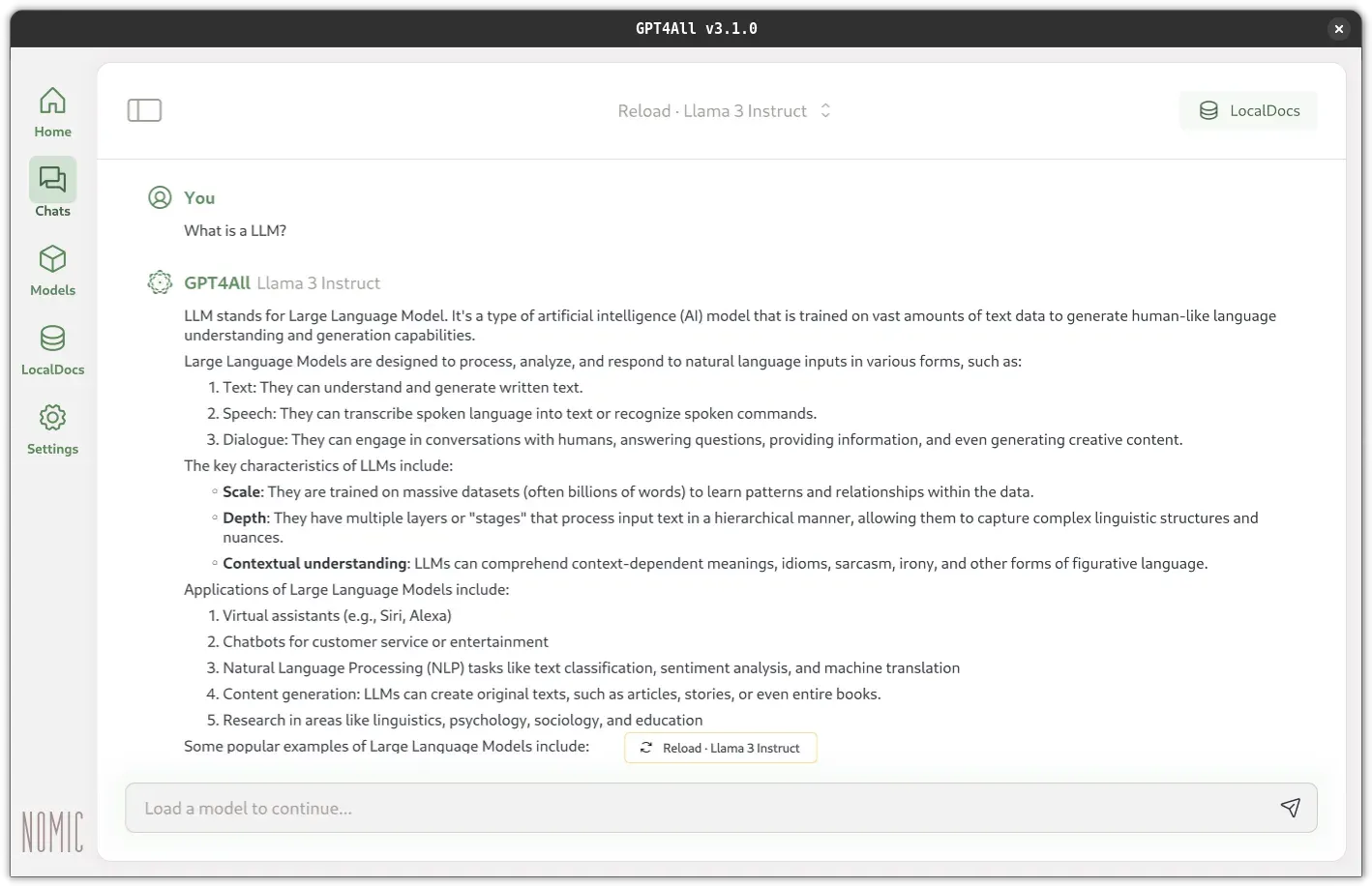
GPT4All chat view with a local Llama 3 Instruct model and the LocalDocs button.
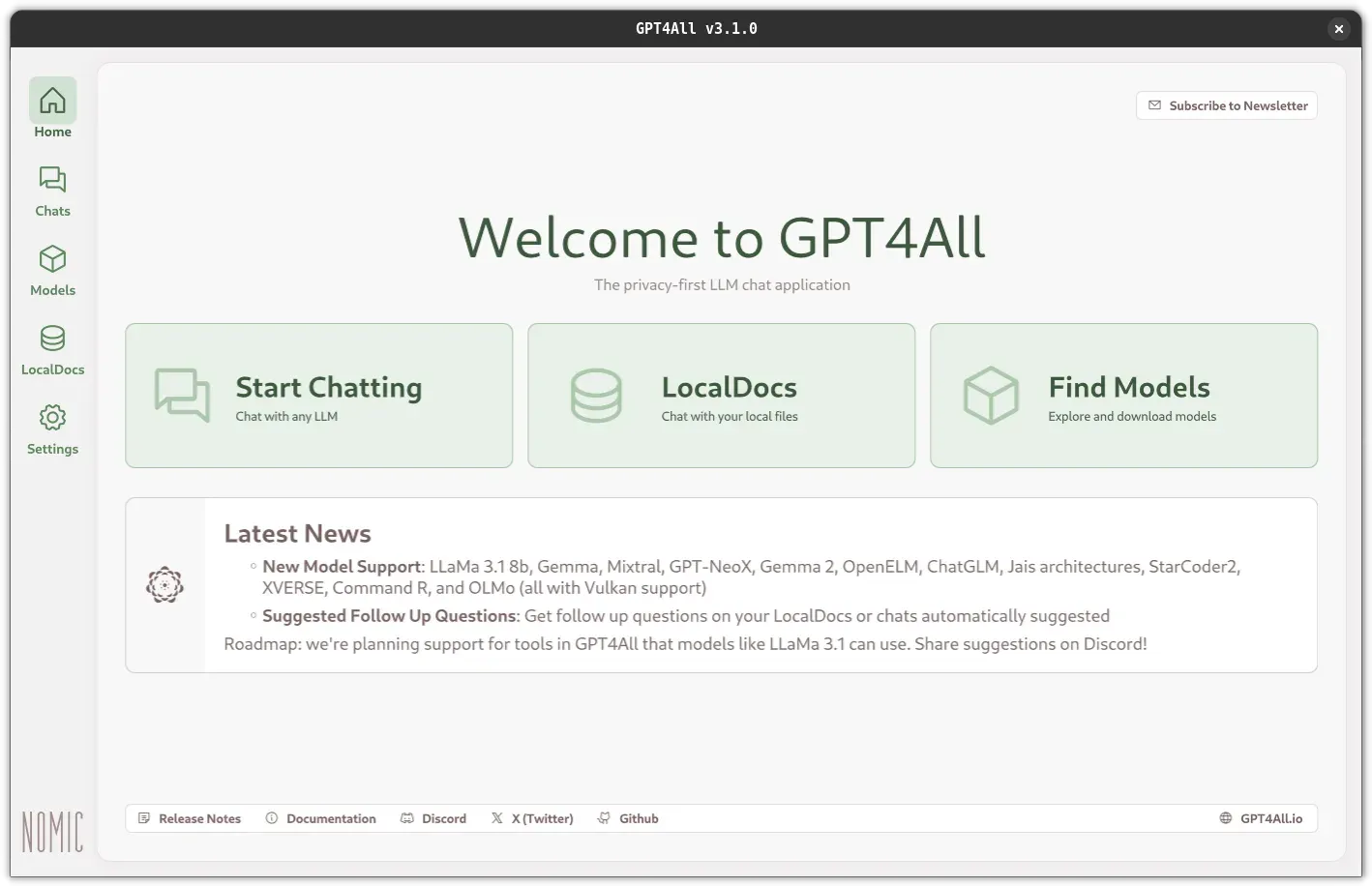
GPT4All home screen with shortcuts to chats, LocalDocs and the model catalog.
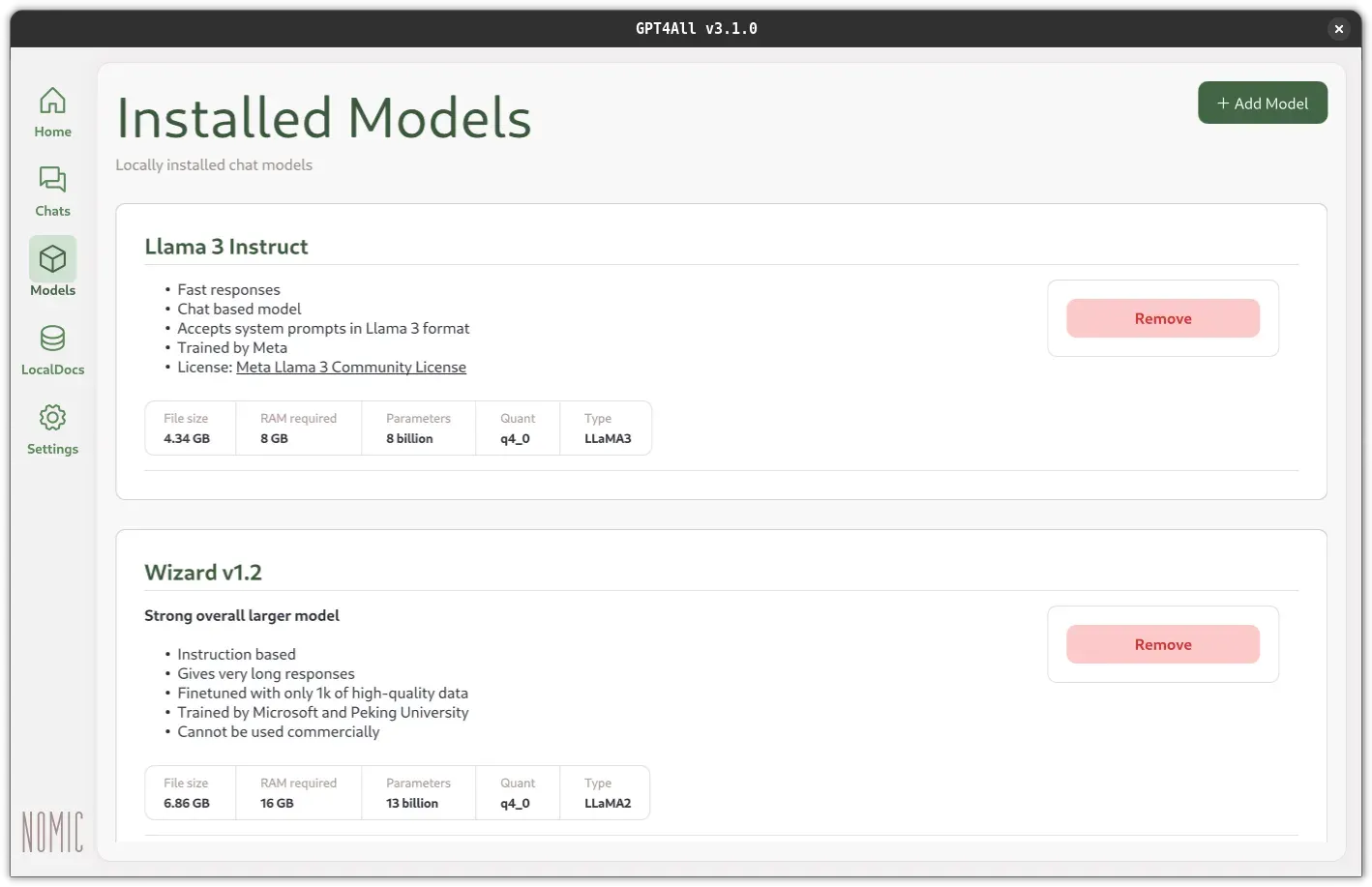
Installed Models page with file size, RAM requirement, parameters and quantization per model.
Source: official GPT4All project page.
Key capabilities
- Windows installer An x86-64 installer and a separate Windows ARM installer are offered. The ARM build supports Snapdragon and SQ1/SQ2 processors and, according to release 3.7.0, runs CPU-only. The minimum is Windows 10.
- macOS installer A DMG installer requires macOS Monterey 12.6 or newer; the README notes best results on Apple Silicon M-series processors. Recommended hardware in the system requirements is an M2 Pro with 16 GB of RAM and macOS Sonoma 14.5.
- Linux installer An Ubuntu
.runinstaller targets x86-64 only, with Ubuntu 22.04 LTS as the stated minimum and 24.04 LTS recommended. ARM Linux is not supported. A Flathub package is available but community maintained. - Hardware requirements The minimum PC specification is an Intel Core i3-2100 or AMD FX-4100 class CPU, 16 GB of RAM (8 GB for 3B models) and any Direct3D 11/12 or OpenGL 2.1 GPU. The recommended specification is a Ryzen 5 3600 or Core i7-10700 with a GPU that has 8 GB or more of VRAM.
- Model downloads The Models page lists built-in models and searches Hugging Face for GGUF files, with sorting by likes, downloads or upload date. The docs give examples such as Llama 3 8B Instruct (4.66 GB file, 8 GB RAM) and Phi-3 Mini Instruct (2.18 GB, 4 GB RAM) and note that model licenses vary for personal and commercial use.
- Remote model providers API keys for Groq, OpenAI and Mistral can be added under a Remote Providers tab. The models documentation states that prompts then leave the computer and go to the API provider.
- LocalDocs A LocalDocs collection indexes a folder into text snippets with embedding vectors produced by Nomic on-device embedding models. Relevant snippets are added to the prompt, and the Sources button shows which files were used. Collections can be rebuilt after changing LocalDocs settings.
- Local API server An OpenAI-compatible HTTP server can be enabled under Settings, Application, Advanced. It listens on
localhost:4891by default, accepts HTTP only on 127.0.0.1, and offers/v1/models,/v1/completionsand/v1/chat/completions. LocalDocs references are returned in the response when a collection is activated in the server chat. - Python SDK The
gpt4allpackage on PyPI loads models by name, downloads them on first use and provides chat sessions and text generation. The Python SDK documentation also covers embeddings and monitoring with OpenLIT. - GPU acceleration The Device setting chooses Auto, Metal on Apple Silicon M1 and later, CPU or GPU. Nomic Vulkan supports NVIDIA and AMD GPUs, and a CUDA backend covers compute capability 5.0 and newer since release 3.10.0. The GPU Layers setting controls how many layers are loaded into VRAM.
- Model and sampling settings Each model has its own system message, chat template, context length (default 2048 tokens), maximum response length, temperature, top P, top K, min P and repeat penalty. Models can be cloned to keep several configurations of one file.
- Reasoning models and tools Release 3.8.0 added DeepSeek-R1 Qwen models and rendering of think tags in the interface. Release 3.6.0 added a built-in JavaScript code interpreter tool.
- Chat templates Chat templates use Jinja syntax evaluated with minja since 3.8.0. GPT4All substitutes known templates for models whose GGUF templates are incompatible, and several releases replace default templates for specific models.
- Datalake opt-in The settings include an Enable Datalake option that shares interactions with the GPT4All community anonymously. It is off by default.
- Interface languages and themes The application has Light, Dark and LegacyDark themes, three font sizes and a language and locale setting. Translations cited in release notes include Italian, Simplified Chinese and Romanian.
- Integrations The README lists integrations with LangChain, the Weaviate text2vec-gpt4all module and OpenLIT for OpenTelemetry monitoring. The documentation cookbook covers chatting with Excel files, Google Drive, an Obsidian vault and OneDrive through LocalDocs.
Where GPT4All fits
Offline chat on a laptop
After installation, a model is downloaded from the Models page and loaded in a chat. Inference then runs on the device, and the documentation states that no API calls or GPU are required. Model files are stored under a configurable download path such as AppData\Local\nomic.ai\GPT4All on Windows.
Questions over local documents
A folder is added as a LocalDocs collection and embedded on the device. When the collection is enabled in a chat, the answer includes snippets from those files and a list of sources. The cookbook applies the same method to synced Google Drive, OneDrive and Obsidian folders.
Local backend for other applications
Enabling the local API server lets tools that use the OpenAI API format send requests to http://localhost:4891/v1. The server only listens on localhost, and LocalDocs collections are activated through the desktop interface rather than the API.
Scripting with Python
Developers install gpt4all with pip, load a GGUF model by file name and call generate inside a chat session. The same package exposes embedding functions for building retrieval pipelines.
Mixing local and hosted models
Users who also have API keys for Groq, OpenAI or Mistral can add them as remote providers and switch between local and hosted models in the same interface. In that case prompts are sent to the provider.
Evaluating open models
The Hugging Face search, per-model sampling settings and model cloning are used to try different open models and quantizations side by side. The docs note that smaller quantizations are faster and use less memory, that models with more parameters tend to follow instructions more coherently, and that each model card lists its file size, RAM requirement, developer and license.
Running on modest hardware
The minimum requirements allow CPU-only inference with 8 GB of RAM for 3B parameter models and 16 GB for larger ones. The CPU Threads setting (default 4) and the GPU Layers setting adjust how work is split between processor and graphics card.
Install
pip install gpt4allReviews of GPT4All
Be the first to share your experience with GPT4All.
Write a review
Loading review form…
Alternatives to GPT4All
 OllamaOllama is an MIT-licensed tool for downloading and running open models such as Gemma, Qwen, DeepSeek and gpt-oss on your own machine. It ships a desktop app, CLI and local REST API, and offers cloud-hosted models on a pay-as-you-go or subscription basis.
 AnythingLLMAnythingLLM from Mintplex Labs is an MIT-licensed AI app for document chat with citations, agents, MCP tools and scheduled jobs, using local or hosted LLMs, as a desktop app, a multi-user Docker server or a hosted cloud.