

What is AnythingLLM?
AnythingLLM is an AI application for chatting with documents, running AI agents and connecting local or hosted language models in one interface. It is developed by Mintplex Labs Inc. and published under the MIT license in the anything-llm repository. The README describes it as multi-user ready and local by default: models, documents and chat history can stay on the machine that runs it, and no account is needed for the desktop app.
It is distributed in three forms. The desktop app has native builds for macOS (Apple Silicon and Intel), Windows (x64 and ARM) and Linux. The self-hosted server runs as the mintplexlabs/anythingllm Docker image on amd64 and arm64, or without Docker, and adds multi-user permissions, white-labeling and an embeddable website chat widget that the desktop version does not include. AnythingLLM Cloud is a hosted private instance run by Mintplex Labs. An Android app is published from a separate open-source repository.
The monorepo contains a Vite and React frontend, a Node.js Express server that handles vector database and LLM interactions, a collector service that parses uploaded documents, Docker build files, the web embed widget and a Chrome browser extension. The default vector database is LanceDB, and the default embedder is the built-in AnythingLLM Native Embedder. Telemetry collects anonymous usage events and can be turned off with DISABLE_TELEMETRY or in the Privacy settings.
The latest release is v1.19.0, published on October 26, 2026. It brings a built-in LLM engine to the Docker image: Lemonade and llama.cpp run inside the container, off by default and enabled with ENABLE_BUILT_IN_LLM=true, using CUDA for NVIDIA GPUs, Vulkan for AMD and Intel GPUs, or the CPU. The release also adds UI color palettes, moves Weaviate to the v3 client, supports .mov files for transcription, caps request body size for the embed endpoint and neutralizes spreadsheet formulas in CSV chat exports. The project blog states that the desktop engine moved from Ollama to Lemonade and llama.cpp in October 2026.
Other self-hosted AI workspaces on iThub include Open WebUI, LibreChat and GPT4All.
AnythingLLM screenshots
Explore the interface. Open a screenshot to view it at full size.
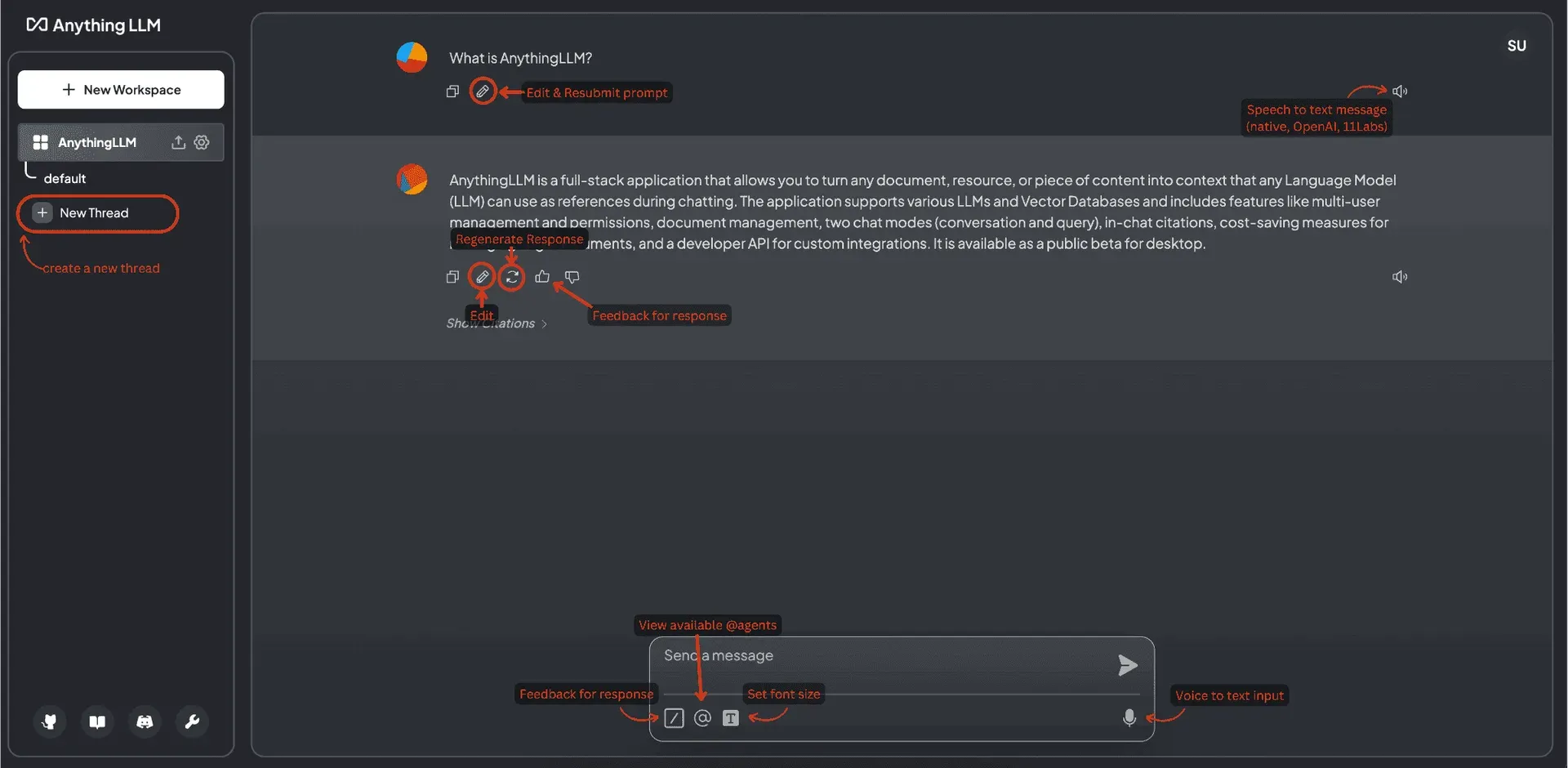
Annotated AnythingLLM chat interface from the documentation.
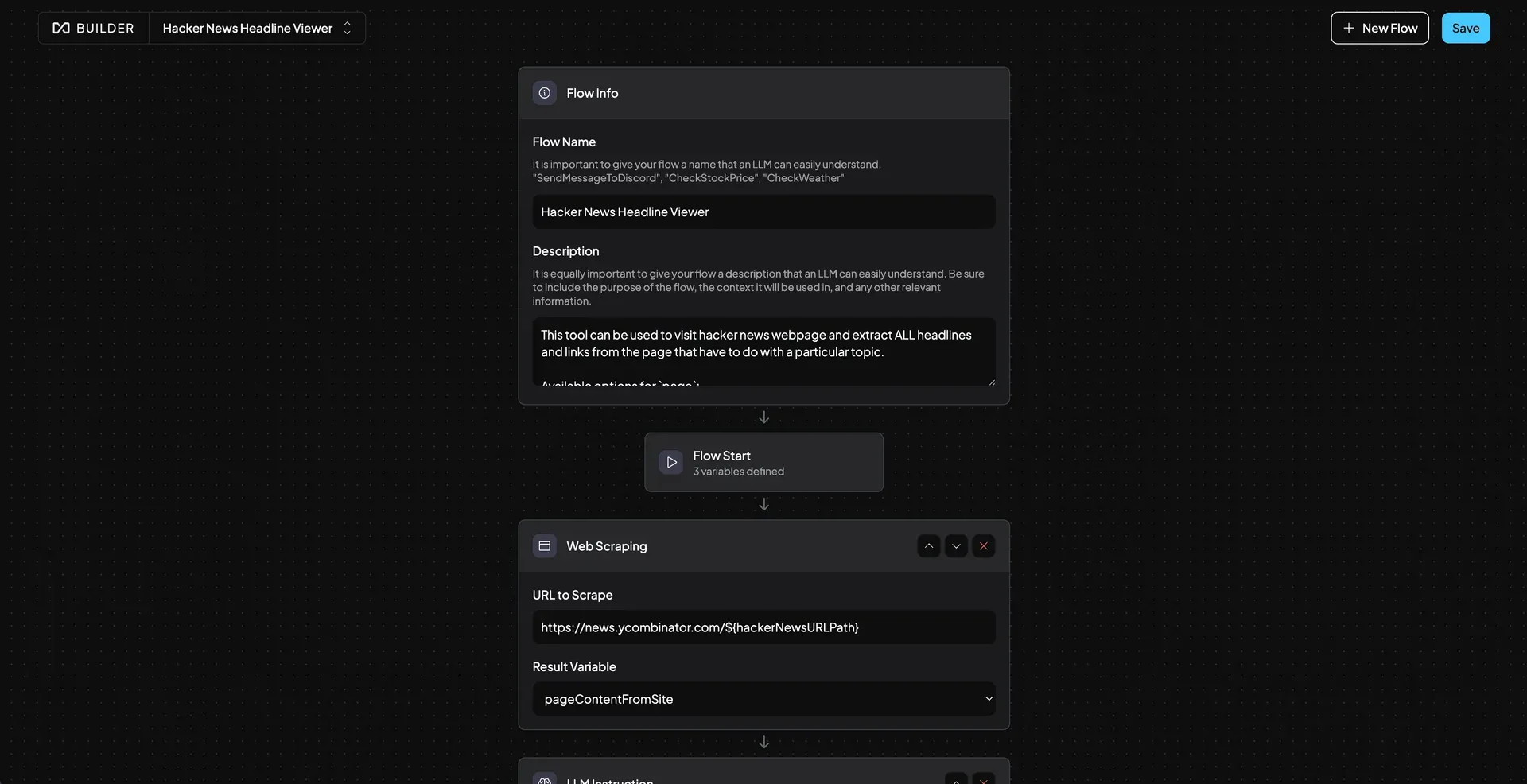
Agent Flows builder showing a flow with a web scraping block.
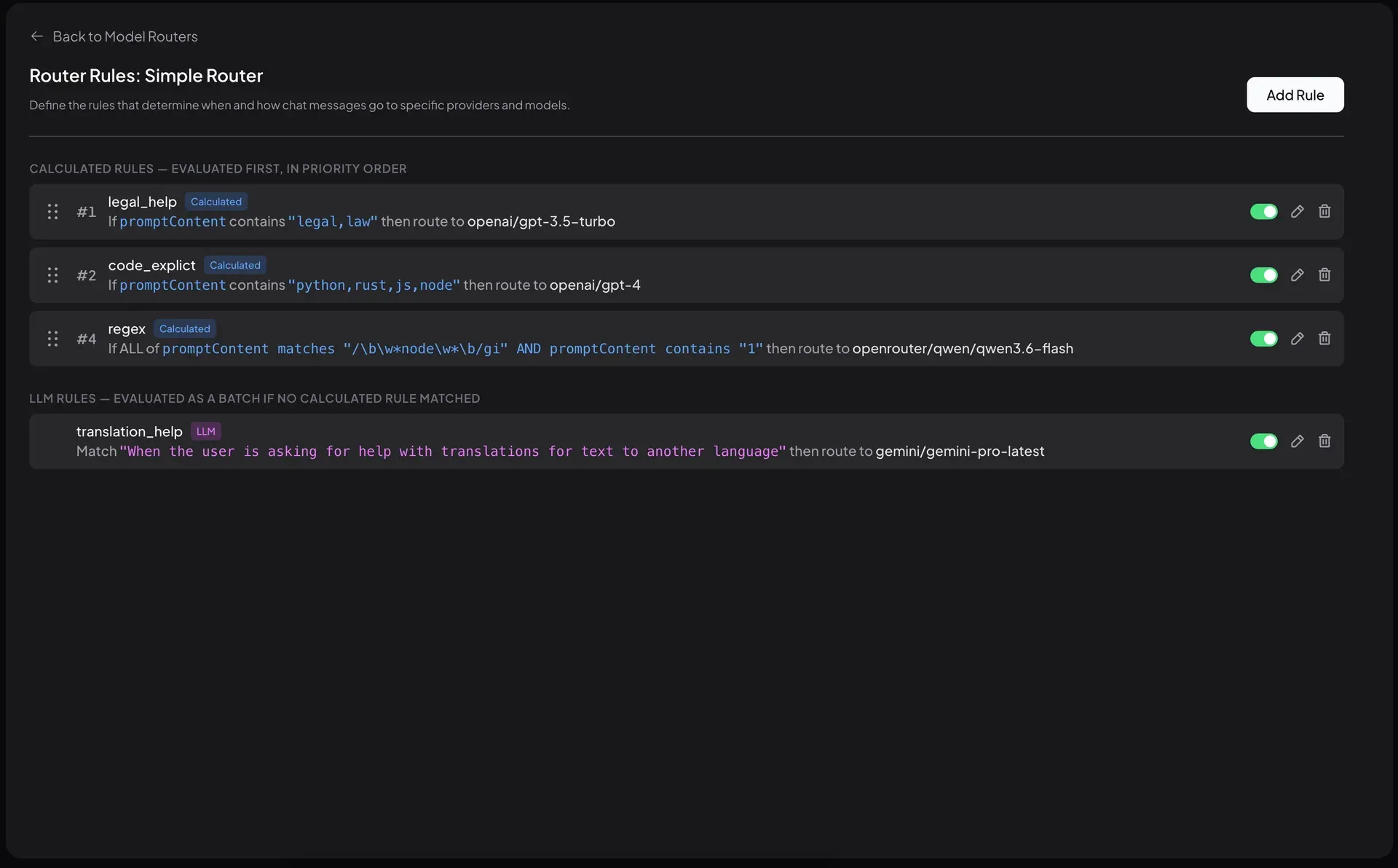
Model Router rules that route prompts to different providers and models.
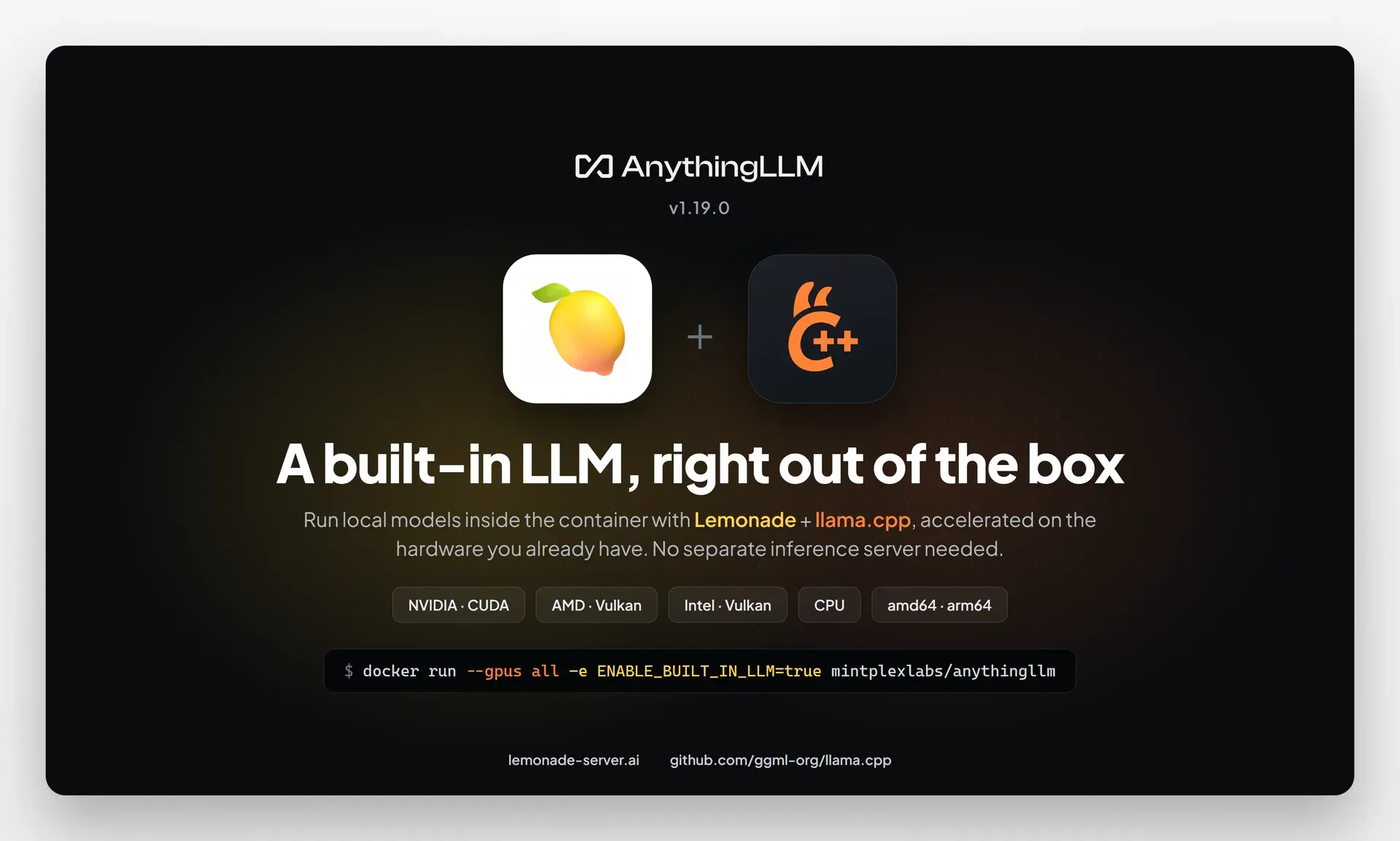
Official v1.19.0 release graphic for the built-in LLM in the Docker image.
Source: official AnythingLLM project page.
Key capabilities
- Workspaces and threads Documents, settings and chats are organized in workspaces, each with multiple threads. A workspace can be set to its own model, and v1.19.0 applies workspace model changes to running agent sessions. Two chat modes, conversation and query, control how strictly answers rely on the embedded documents.
- Document chat with citations PDF, TXT, DOCX and other files can be uploaded by drag and drop and are parsed by the collector service. Answers include source citations, and the docs explain the difference between attaching a file to a chat and embedding it for retrieval.
- Language model providers The README lists more than 35 LLM providers, among them OpenAI, Azure OpenAI, AWS Bedrock, Anthropic, Google Gemini, Mistral, Groq, Cohere, DeepSeek, xAI, OpenRouter, Ollama, LM Studio, LocalAI, KoboldCPP, LiteLLM and Microsoft Foundry Local, plus any llama.cpp compatible model.
- Built-in local LLM engine Desktop and, since v1.19.0, Docker include an engine based on Lemonade and llama.cpp that runs models on CPU or GPU without a separate inference server. The built-in LLM guide covers GPU passthrough with
--gpus alland pulling GGUF models from Hugging Face. - Embedders and vector databases Embeddings can come from the native embedder or from OpenAI, Azure OpenAI, Gemini, Ollama, LM Studio, Cohere, Voyage AI, Mistral and other APIs. Supported vector stores are LanceDB (default), PGVector, Astra DB, Pinecone, Chroma and Chroma Cloud, Weaviate, Qdrant, Milvus and Zilliz.
- AI agents and built-in skills Agents run inside workspaces and can use skills for RAG search, web browsing and scraping, saving files, summarizing documents, chart generation, SQL queries, file system access, document generation, Gmail, Google Calendar and Outlook, and creating scheduled jobs. Intelligent Skill Selection limits which tools are sent to the model per query.
- No-code Agent Flows The Agent Flows builder chains blocks such as Web Scraper, API Call, LLM Instruction, Read File and Write File into a tool that agents can call. Flows have a name, description and start variables.
- MCP compatibility Model Context Protocol servers can be added on both desktop and Docker, and their tools appear next to built-in agent skills. The docs include a page on forwarding user identity to MCP servers.
- Custom agent skills Developers write custom skills as a
plugin.jsonmanifest and ahandler.jsfile. Skills, system prompts and slash commands can also be imported from the AnythingLLM Community Hub. - Model Router A model router sends each chat to a provider and model based on rules. Calculated rules match prompt content with keywords or regular expressions and are evaluated first; LLM rules describe a situation in natural language and are evaluated as a batch.
- Scheduled jobs Recurring prompts or tasks run on a cron schedule with full agent capabilities. A cron builder, run history and configuration limits are documented under Scheduled Jobs.
- Memories Automatic and user-managed memories let the model retain information about the user or workspace. Memories are stored per workspace or globally and can be turned off with the Personalization toggle.
- Voice, transcription and meetings Text-to-speech uses the browser, local Piper TTS, OpenAI, ElevenLabs or any OpenAI-compatible service, and audio transcription runs on a built-in model or OpenAI. The desktop Meeting Assistant records and transcribes meetings locally and produces summaries without a bot joining the call.
- Multi-user administration The Docker version supports multiple users with roles, per-workspace access, invitations, event logs and workspace chat history. Custom color palettes and white-labeling can be applied to the whole instance.
- Developer API and embed widget A full developer API with API keys allows external integrations, as described on the API access page. The self-hosted server can also publish a chat widget for websites.
- Docker installation The image is pulled with
docker pull mintplexlabs/anythingllmand serves the app on port 3001 with a mounted storage directory. The documented minimum is 2 GB of RAM, a 2-core CPU and 5 GB of storage; x86 CPUs must support AVX2 because LanceDB requires it. - Desktop installation Desktop installers need no terminal or account. The recommended machine for a basic experience is 16 GB of RAM and an 8-core CPU; on Windows a GPU with 8 to 12 GB of VRAM is suggested for local models, and any Apple M-series chip runs local models on macOS.
- Desktop Pro features Optional Pro features add Magic Echo dictation, Magic Beacon for asking about highlighted text and Magic Tab autocompletion, each with a free daily tier. The docs state that Pro is opt-in and that the desktop app stays free for its other features.
Where AnythingLLM fits
Private document Q&A on a laptop
A user installs the desktop app, lets it recommend a local model for the hardware or picks one, creates a workspace and uploads PDFs or Word files. Answers cite the documents they came from, and with the built-in engine and native embedder the documents, vectors and chats stay on the device.
Team knowledge base on a server
An administrator runs the Docker image on a VM or in the cloud, connects a hosted LLM or the built-in engine, and creates workspaces per team. Users are invited with roles, and the self-hosted requirements list AVX2 support, 2 GB of RAM and 5 GB of storage as the baseline.
Agents that browse, query and act
In a workspace chat, invoking an agent lets the model search the web, scrape pages, query a SQL database, read and write files or work with Gmail, Google Calendar and Outlook. Additional tools come from MCP servers, custom skills or flows built in the no-code builder.
Recurring research and reports
Scheduled jobs run an agent prompt on a cron schedule, for example a daily summary of a website or a weekly report from a database, and keep the results in a run history.
Routing between local and hosted models
The Model Router can send code questions to one model, legal questions to another and everything else to a local model, using keyword, regex or natural-language rules that are evaluated in priority order.
Meeting notes on the desktop
The desktop Meeting Assistant listens locally during a call on any meeting platform, then produces a transcript, a summary, key decisions and action items. Release v1.17.0 rebuilt it with the NVIDIA Nemotron 3 Diarization and Moondream Parakeet Redux models for speaker labels, according to the project blog, and no bot joins the meeting.
Website support chat
A self-hosted instance exposes an embeddable chat widget that answers from a workspace knowledge base, and the developer API lets other applications send chats and manage documents programmatically.
Install
docker pull mintplexlabs/anythingllmReviews of AnythingLLM
Be the first to share your experience with AnythingLLM.
Write a review
Loading review form…
Alternatives to AnythingLLM
 LibreChatLibreChat brings multiple AI providers, custom agents, file interactions, and conversation management into a self-hosted web interface with multi-user access controls.
 GPT4AllGPT4All is an MIT-licensed desktop app from Nomic AI that runs GGUF language models locally on Windows, macOS and Linux, with LocalDocs document chat, a local OpenAI-compatible API server and a Python SDK.