

What is 5ire?
5ire (pronounced "fai-er") is a cross-platform desktop AI assistant and Model Context Protocol (MCP) client. It connects one chat interface to hosted model providers such as OpenAI, Anthropic, Azure OpenAI, Google, Mistral, Grok and DeepSeek, and to local model servers such as Ollama and LM Studio. MCP servers add tools, prompts and resources to a conversation, and a local knowledge base adds retrieval over your own documents. The project is developed in the open on GitHub by Ironben (GitHub user nanbingxyz), with the product site at 5ire.app, starting in January 2024.
Builds are published on the GitHub releases page: a DMG and ZIP for Apple Silicon Macs, a DMG and ZIP for Intel Macs, a Windows x64 setup executable and a Linux x86_64 AppImage with a detached GPG signature. macOS users can also install the Homebrew cask from the brewforge/extras tap. The current release, 0.15.4 from March 18, 2026, is a maintenance release: manually added MCP entries keep their descriptions on macOS, Gemini function calls carry the required thought signature, tool arguments containing spaces are no longer split, and local tool calls and chats no longer stop early when an MCP tool runs. Commits have continued on the main branch since then without a newer tag.
The 0.15 series rebuilt the foundations. Version 0.15.0 replaced the SQLite and LanceDB storage with PGlite, an embedded PostgreSQL build, migrated existing data automatically and switched from automatic updates to an update notification that the user acts on. Version 0.15.2 reworked the MCP protocol layer, added support for MCP resources and prompts alongside tools, and fixed a Mermaid rendering security issue. Earlier, 0.14.0 introduced per-tool approval rules and patched an XSS issue in chart rendering.
Technically, 5ire is an Electron 31 application with a React 18 and Fluent UI interface translated into English, Simplified and Traditional Chinese, German, Spanish, French and Russian. The main process runs MCP clients over stdio, Server-Sent Events and Streamable HTTP transports, parses documents and runs the bge-m3 embedding model locally. The architecture document describes the process model, the provider abstraction and the tool approval flow, although parts of it still describe the pre-0.15 SQLite data layer.
The code is published under a modified Apache License 2.0, not plain Apache 2.0. Modified versions must drop the 5ire name and logo and state that they are based on the 5ire Community Edition, and a commercial license is required when modified code is distributed or offered as a service to enterprise clients with more than 10 users, built into products for sale, or used in government or education procurement involving sensitive data. The application itself is free to download and use. 5ire does not run models other than its embedding model; chat inference happens at the provider or local server you configure.
5ire screenshots
Explore the interface. Open a screenshot to view it at full size.
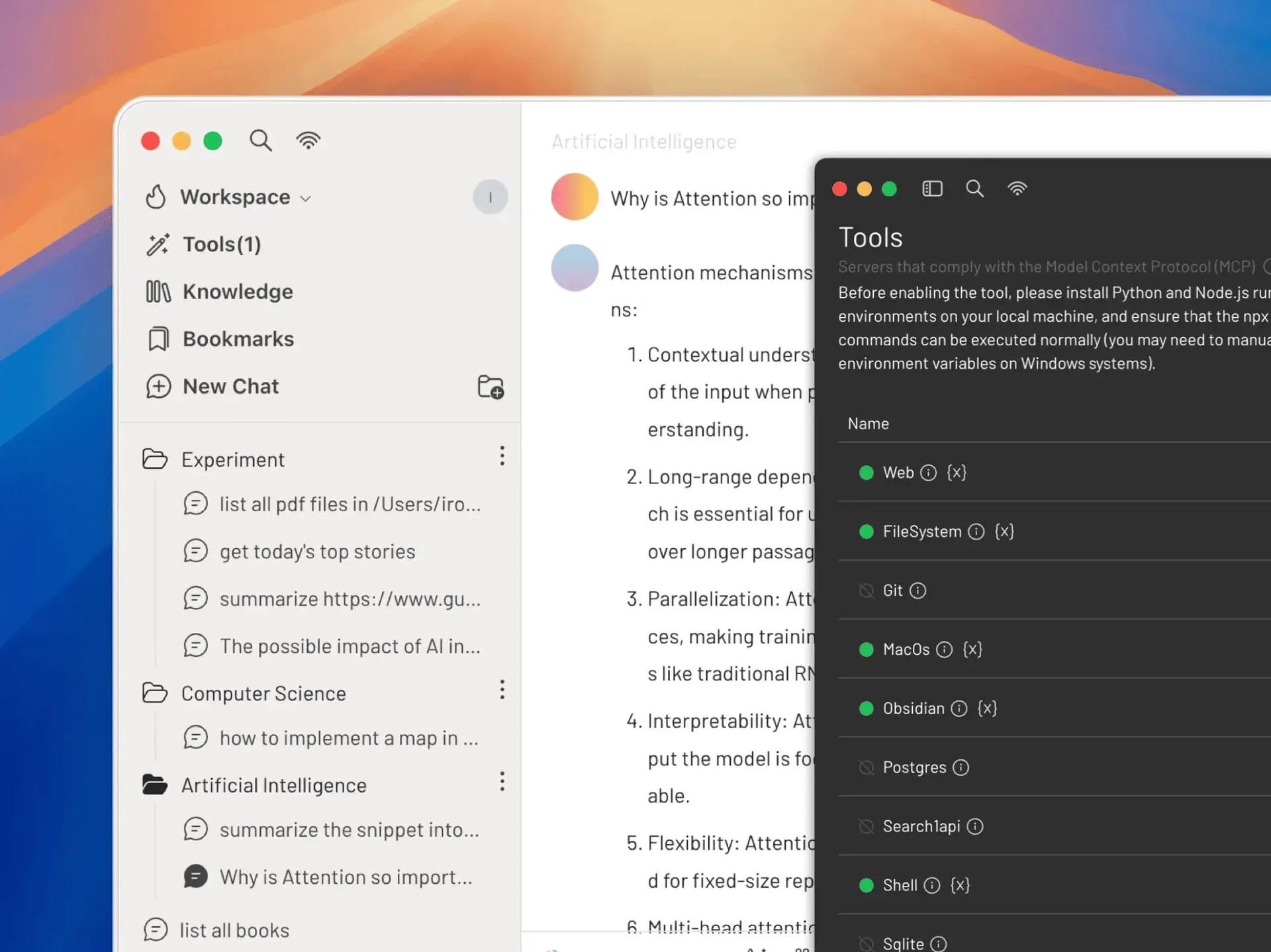
Official README image: the main chat window with conversation folders, next to the Tools page showing enabled and disabled MCP servers.
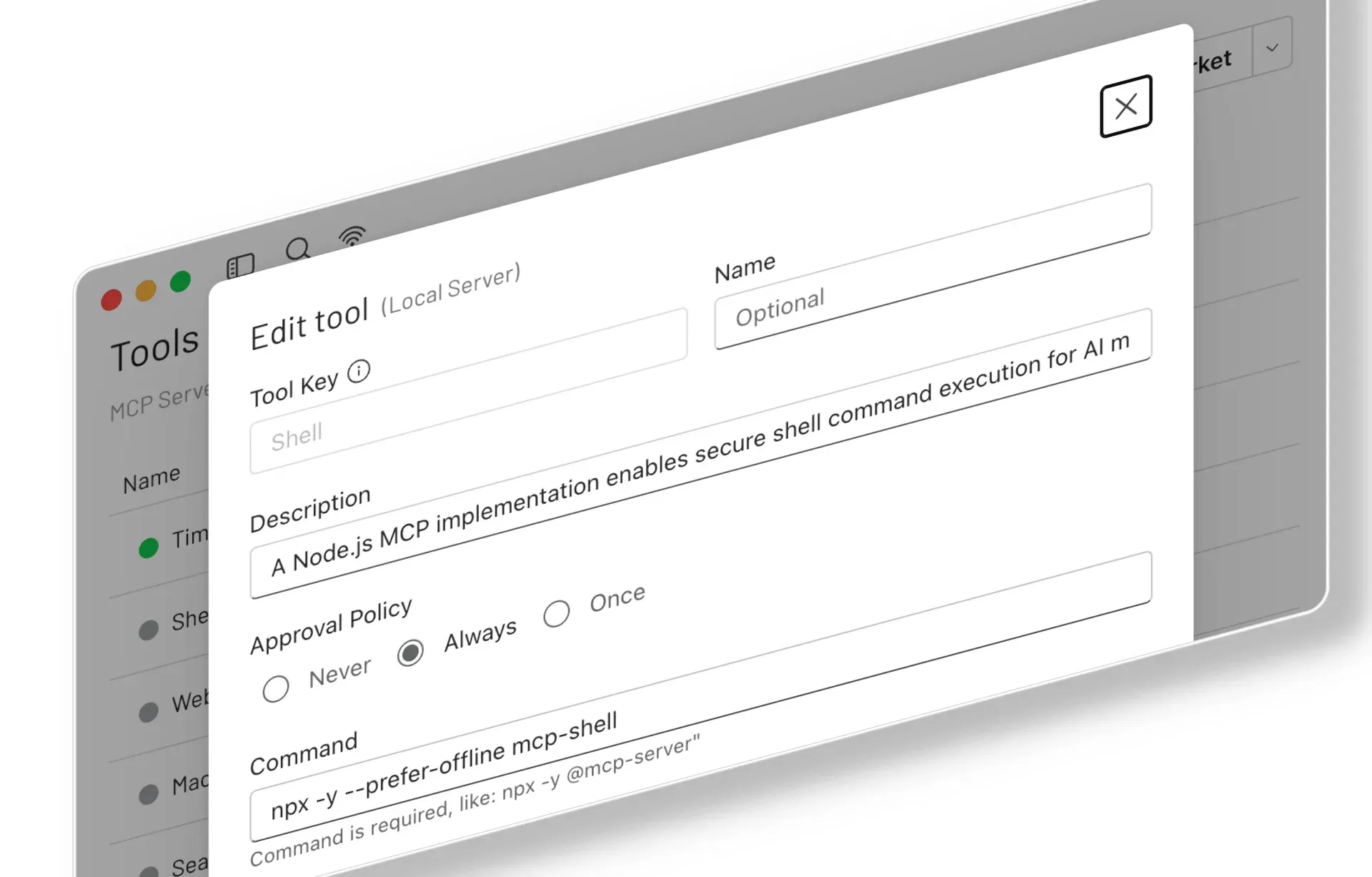
Image from the 0.14.0 release notes: editing a local MCP server with the Never, Always and Once approval policy options.
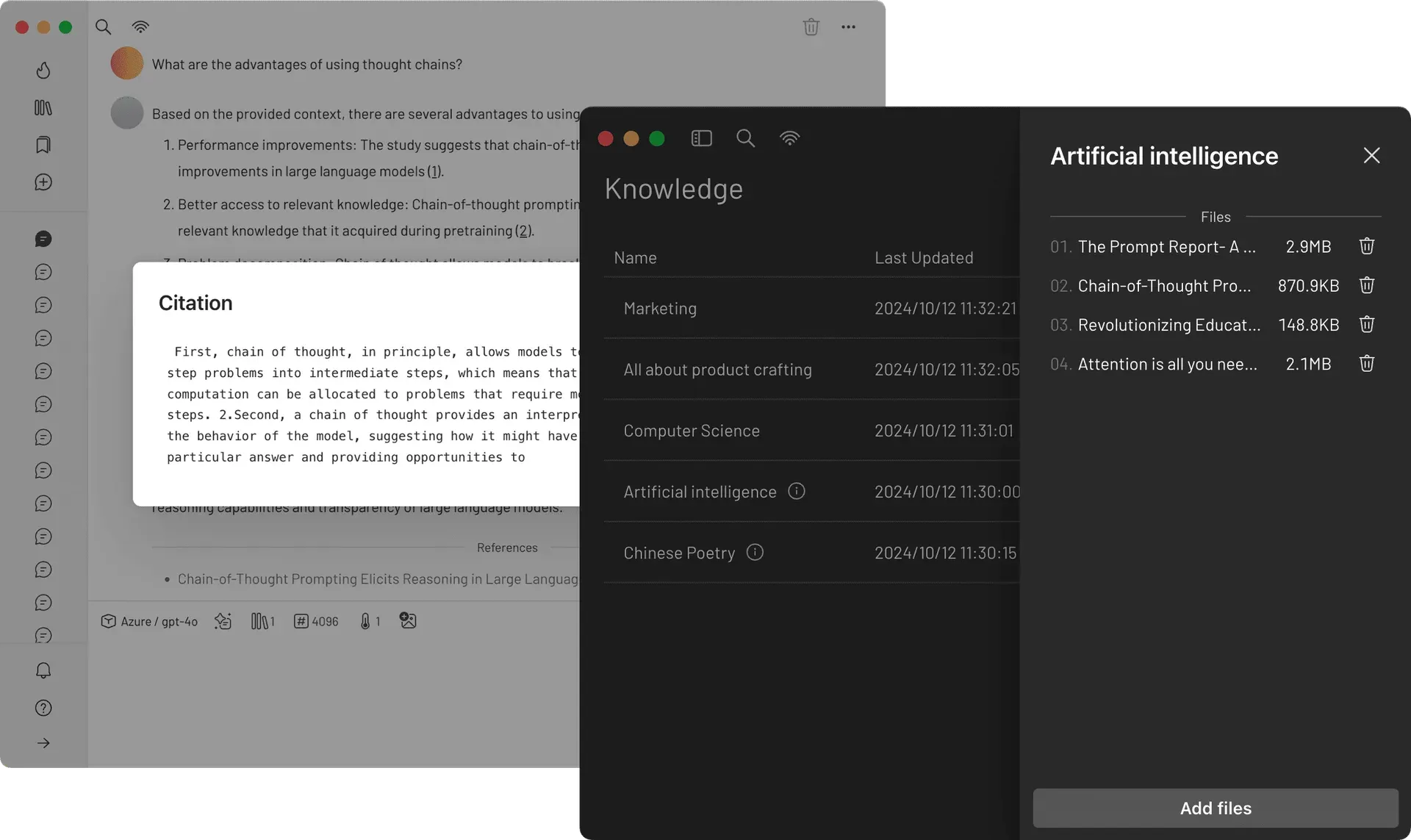
Official website screenshot: knowledge collections with their files, and an answer with a citation drawn from an indexed document.
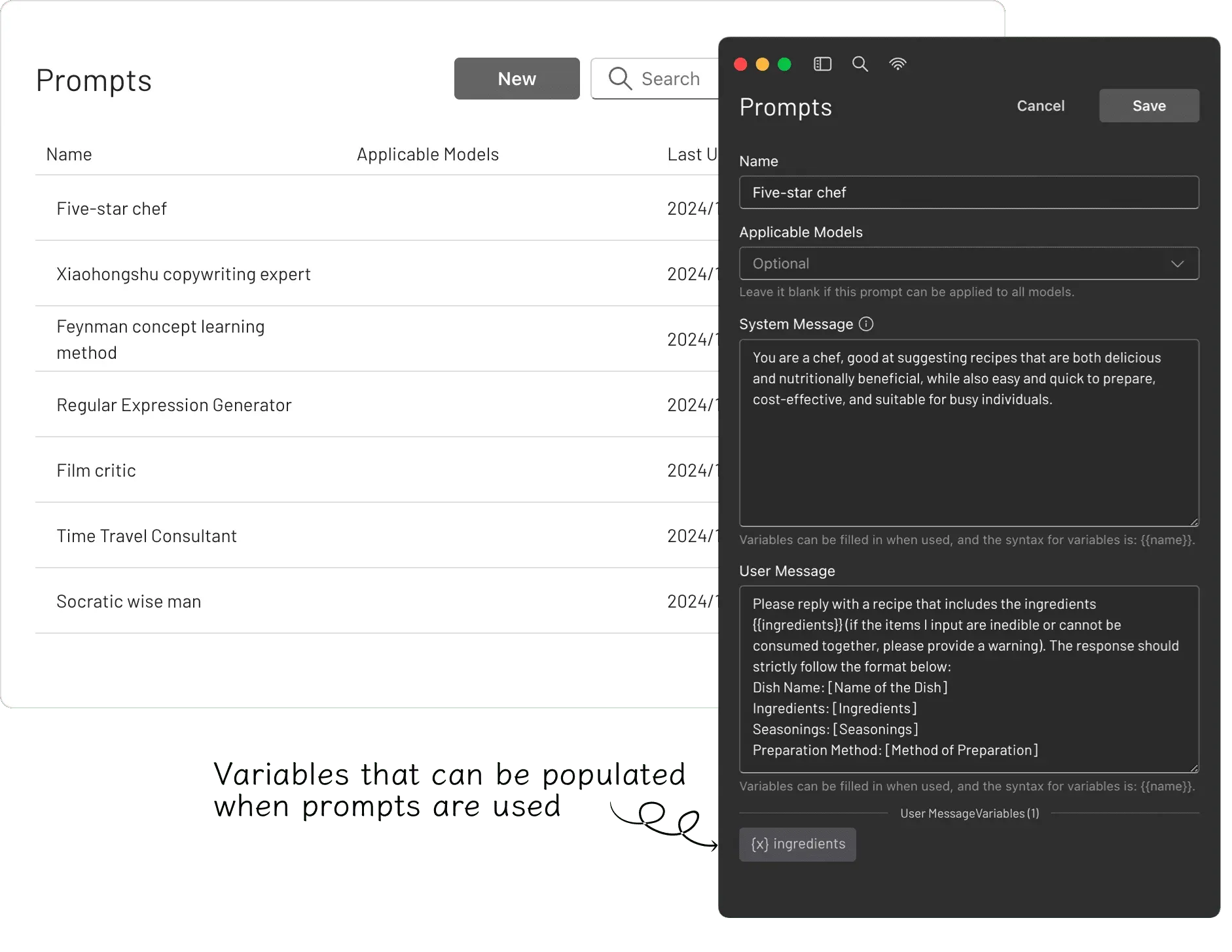
Official website screenshot: the prompt library and editor, where {{name}} placeholders become variables filled in at use.
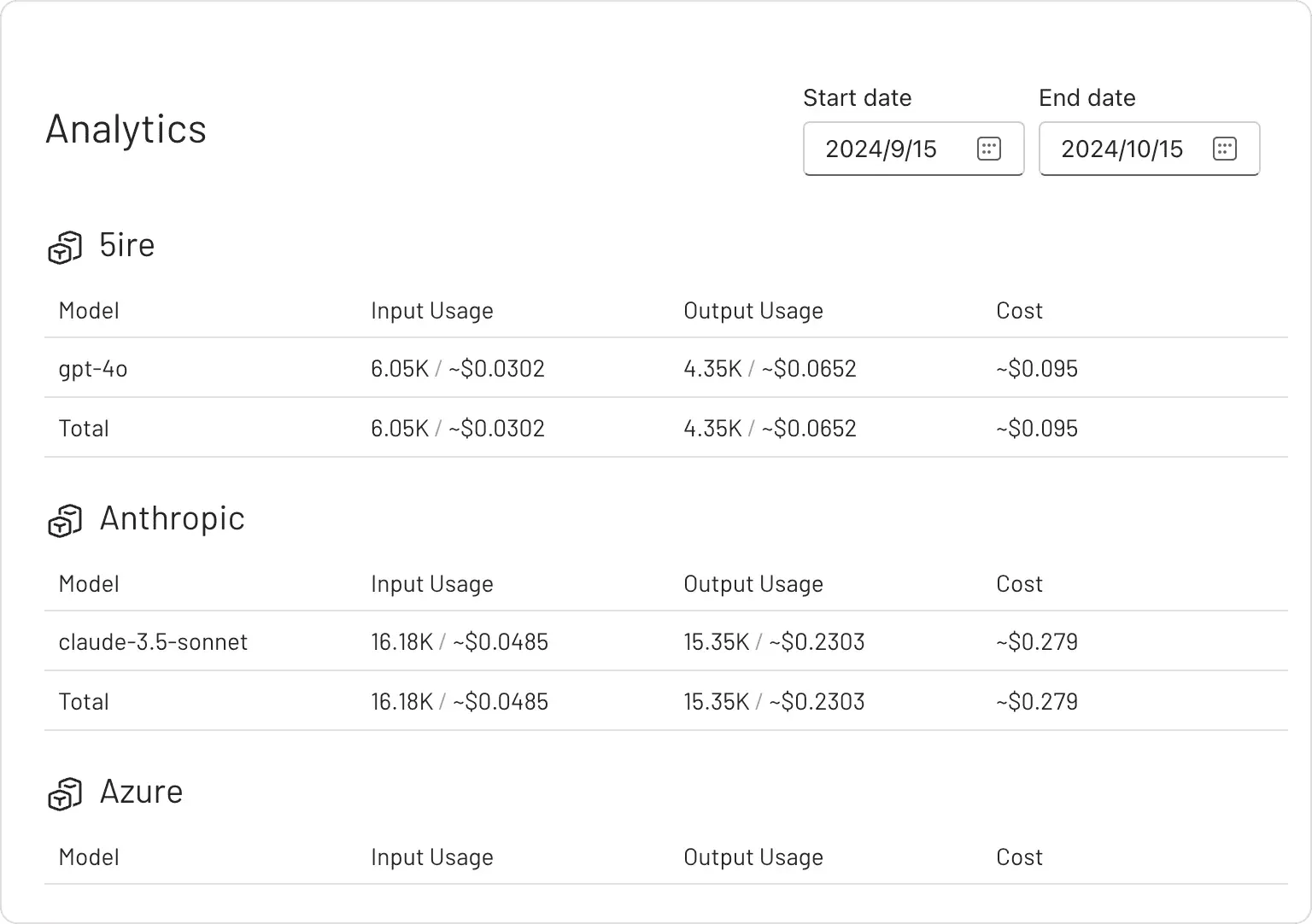
Official website screenshot: token usage and estimated cost grouped by provider and model.
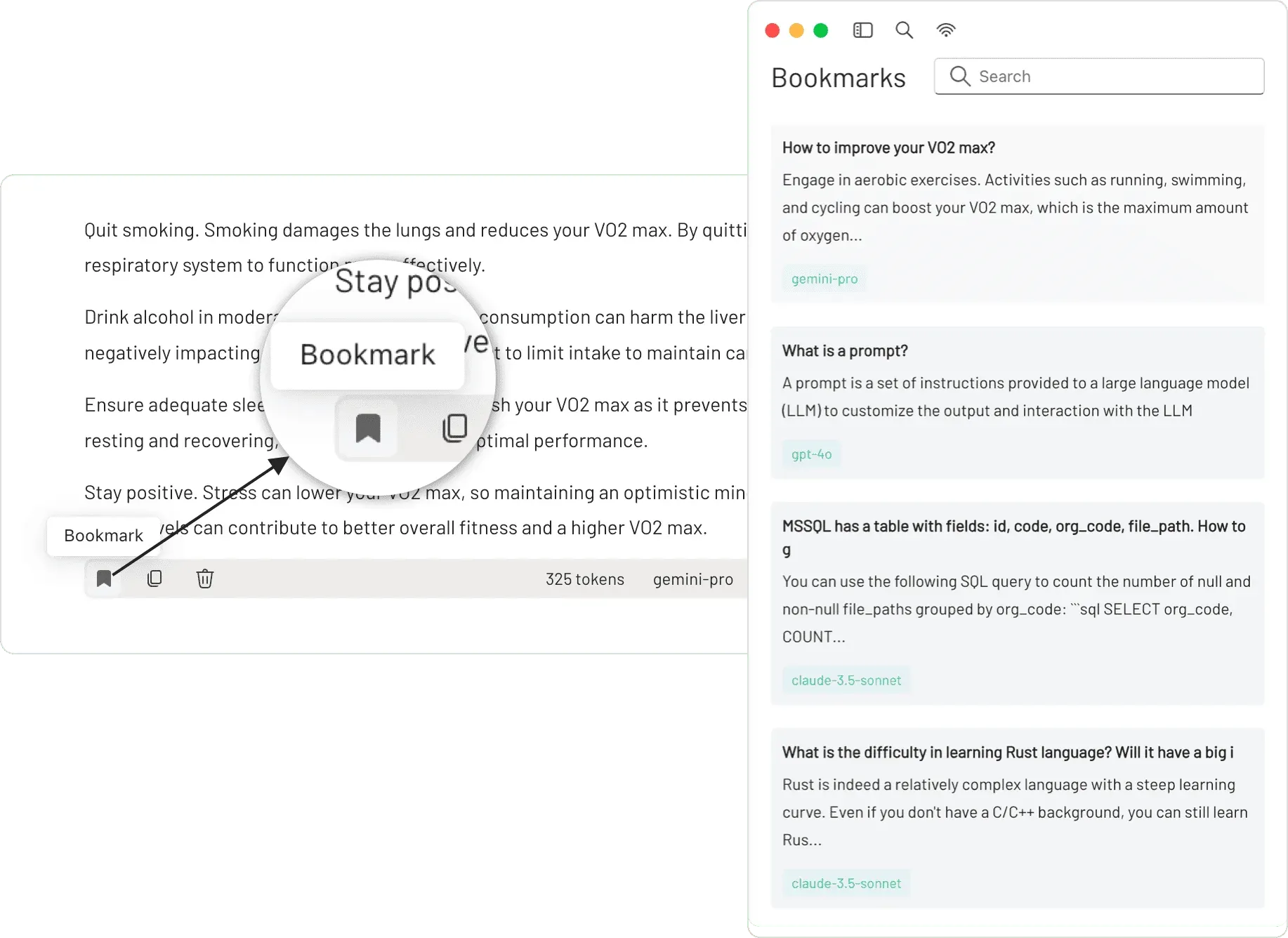
Official website screenshot: bookmarking a reply and browsing saved bookmarks with their model labels.
Source: official 5ire project page.
Key capabilities
- Download 5ire for macOS Separate DMG and ZIP packages exist for Apple Silicon (arm64) and Intel (x64) Macs on the latest release page. Homebrew users can run
brew tap brewforge/extrasfollowed bybrew install --cask 5ire. The release workflow imports Apple signing certificates and notarization credentials for the macOS builds. Since 0.15.0 updates are no longer installed automatically; the app notifies you and you update manually. - Download 5ire for Windows Windows x64 is distributed as an NSIS setup executable named 5ire-Setup with the version number. No ARM64 Windows build or portable package is published. The application stores its settings and data in the per-user application data folder created by Electron.
- Download 5ire for Linux Linux x86_64 is distributed as an AppImage with a matching .asc file, so the download can be checked against the project GPG key before it is made executable. No DEB, RPM, Flatpak or ARM64 Linux package is published on the releases page.
- Tool runtime prerequisites Most MCP servers start through
npxoruvx, so the installation guide asks for Python, Node.js and the uv package manager before tools are enabled. Chat, prompts and the knowledge base work without them. The docs list the typical failure,spawn uvx ENOENT, as a missing uv installation, and suggest raisingUV_HTTP_TIMEOUTor using a proxy when server downloads time out. - MCP client with local and remote servers Servers are defined with a command, arguments and environment variables for local stdio servers, or with a URL and headers for remote servers using SSE or Streamable HTTP. Configuration lives in an
mcp.jsonfile in the app data folder. Since 0.14.0 MCP prompt templates are supported, and 0.15.2 added MCP resources. Tool output and prompt content are converted into formats each provider accepts, including non-text content. - Tool approval policies Each tool server carries an approval policy with three settings shown in the editor: Never, Always or Once. With approval required, the app asks before a model-initiated tool call runs; with Never, calls execute directly. The rule was introduced in 0.14.0 and is the main control between a model and shell, file system or database servers.
- One-click server installation Websites can offer an install link using the
app.5ire://install-tool#scheme followed by a Base64-encoded JSON server definition, supported since 0.10.2. Definitions can contain typed placeholders, such as a string, list or number parameter, which 5ire turns into a form for the user to fill in. The integration guide documents the naming rules and fields. - MCPSvr server directory The same developer runs MCPSvr, a community directory of MCP servers linked from the app and the website. Servers found there can be added to 5ire without editing configuration by hand. The directory is a discovery aid; each server is third-party code that still needs review before it is enabled.
- Multi-provider chat The source registers 21 built-in providers, including OpenAI, Anthropic, Azure, Google, Grok, Mistral, DeepSeek, Moonshot, Zhipu, Baidu, Doubao, Perplexity, Ollama, LM Studio, LiteLLM and several API resellers. API keys, base URLs and models are configured per provider, and a proxy can be set per provider since 0.13.0. A built-in 5ire provider marked as premium in the source points to the project's own OpenAI-compatible endpoint.
- Model capability badges and chat controls A circular badge in front of each model name shows whether it supports tools, comparing its original capability with your current configuration. Per chat you can switch provider and model, apply a prompt, attach knowledge collections, and adjust max tokens, temperature and the number of context messages. Vision-capable models accept image input.
- Local knowledge base Documents in docx, xlsx, pptx, pdf, txt and csv formats are parsed, split into chunks and embedded locally with the multilingual bge-m3 model, which produces 1024-dimensional vectors. Files are organized into named collections that can be attached to a conversation. Answers include a references list and citation popups that show the retrieved passage.
- Usage analytics An analytics page totals input and output tokens and an estimated cost per provider and model for a chosen date range. Cost figures come from the per-model prices defined in the app, so they are estimates rather than provider invoices. Usage data is stored locally.
- Prompt library with variables Saved prompts hold a system message and a user message, optionally restricted to specific models. Placeholders written as
{{name}}become input fields when the prompt is applied. Prompts are stored locally and can be applied with a keyboard shortcut. - Bookmarks, folders and search Individual replies can be bookmarked, and the bookmark keeps its content even if the original message is deleted. Conversations can be grouped into folders from the sidebar context menu added in 0.13.0. A global keyword search covers all conversations.
- Keyboard-driven navigation The documentation lists shortcuts for global search, new chat, deleting the current chat, switching provider or model, applying a prompt, choosing knowledge collections and changing generation settings. MOD stands for Ctrl on Windows and Linux and Command on macOS. Alt with a number opens Tools, Knowledge or Bookmarks.
- Optional account and encrypted backup An account is not required. According to the privacy policy, a registered account stores an email address and password hash, and settings backups happen only when started manually, encrypted locally with AES-256 before upload. There is no automatic synchronization.
- Self-signed certificates and corporate proxies Remote MCP servers that use a self-signed certificate can be reached by setting
NODE_EXTRA_CA_CERTSwhen launching the app, as noted in the 0.13.0 release. Provider requests honor the configured proxy. These options matter in environments with TLS inspection. - Building from source The development guide targets Node.js 20.10.0 and Python with uv. Supabase and Axiom keys are needed only for the account and telemetry features and can be replaced with dummy values. Because 5ire uses native dependencies, it has to be packaged on each target platform, and macOS builds need Apple credentials for notarization.
Where 5ire fits
Giving a chat assistant access to local files and tools
Install Node.js, Python and uv first, then add a file system or shell server from MCPSvr or by entering its command in the Tools page. Keep the approval policy on Always for anything that writes files or runs commands, and restrict file system servers to the folders the task needs. Check the model badge to confirm the selected model supports tool calls. The FAQ covers the common uvx and timeout errors.
Asking questions over internal documents
Create a knowledge collection per topic, add the relevant docx, pdf, xlsx, pptx, txt or csv files and attach the collection to a chat. Embeddings are computed locally, but retrieved passages are sent to the chat provider together with the question, so choose a local model through Ollama or LM Studio when documents must not leave the machine. Open the citation popups to verify which passage supported each answer.
Comparing providers and tracking API spend
Configure keys for two or three providers, run the same prompt from the prompt library against each model, and compare the answers in separate chats. The analytics page then shows token counts and estimated cost per model for the period. Treat these numbers as estimates based on the prices in the app and reconcile them with the provider dashboards before budgeting.
Connecting to remote MCP servers behind a corporate network
Add the server URL and any authorization headers; 5ire speaks SSE and Streamable HTTP directly, and the docs also describe using the mcp-remote package. Set a provider proxy where outbound traffic must pass a gateway, and launch with NODE_EXTRA_CA_CERTS when the server or an inspection proxy uses an internal certificate authority. Confirm that the server lists its tools within the 15-second discovery window used by the client.
Publishing an install link for your own MCP server
Encode the server definition as Base64 JSON and place it after app.5ire://install-tool#. Use typed placeholders for API keys or paths so the user fills them in during installation instead of receiving shared secrets. Test the link on each desktop platform and confirm the resulting entry in the Tools page. The integration guide lists the naming constraints for the server key.
Standardizing team prompts
Write recurring tasks as prompt library entries with a system message, a user message and variables such as {{ingredients}} or {{ticket}}, and restrict them to the models they were tested with. Bookmark reference answers so they survive cleanup of old chats. Since prompts are stored locally and backups are manual, keep a copy of shared prompts in your own repository.
Install
brew tap brewforge/extras && brew install --cask 5ireReviews of 5ire
Be the first to share your experience with 5ire.
Write a review
Loading review form…
Alternatives to 5ire
 Cherry StudioAGPL-licensed desktop client for Windows, macOS and Linux that connects 60+ model providers and local servers such as Ollama, and adds agents with folder access, MCP and Skills, knowledge bases, image generation and a local API gateway.JJanJan is an open-source desktop app for downloading and running LLMs locally or connecting cloud models, with an OpenAI-compatible local API and MCP support.
 AnythingLLMAnythingLLM from Mintplex Labs is an MIT-licensed AI app for document chat with citations, agents, MCP tools and scheduled jobs, using local or hosted LLMs, as a desktop app, a multi-user Docker server or a hosted cloud.